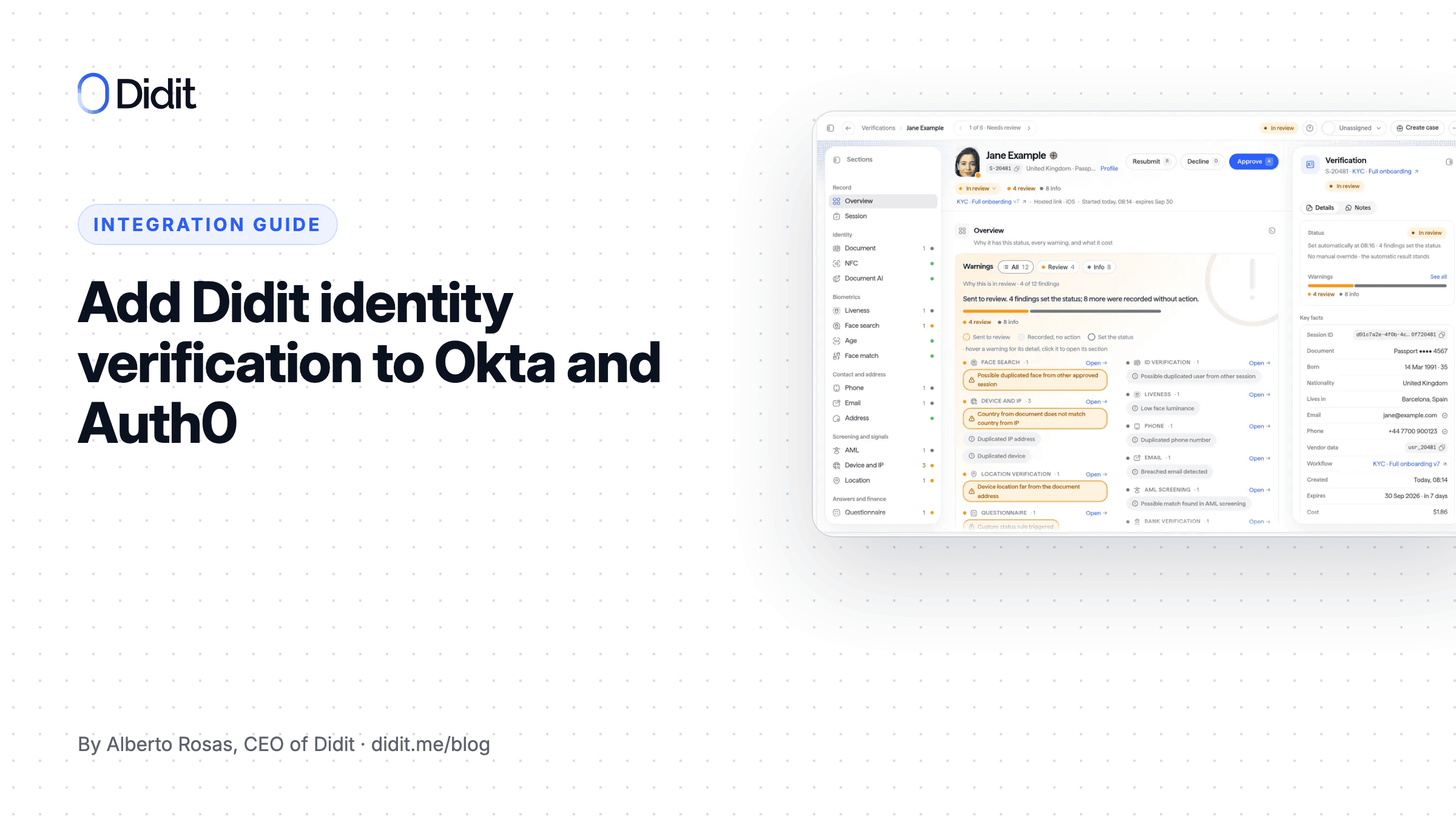
Add Didit identity verification to Okta and Auth0
We connect to Okta and Auth0 through an OpenID Connect bridge that returns verified claims inside the ID token. Our published list price is $0.33 per completed full ID check, and AML screening adds $0.20 per completed check.
 Alberto RosasCo-founder and CEO
Contents
In this guide
Jump to the part you need.
This guide is for teams whose sign-in runs on Okta Identity Engine or Auth0 and who want us to run the identity check and return the result in the ID token. Our documented integration uses the OpenID Connect bridge. Our published list price is $0.33 per completed full ID check, and AML screening adds $0.20 per completed check. The caveat: we enable one profile per client and issue a dedicated client secret, so you cannot switch it on yourself.
Last updated: November 26, 2026. Prices checked against the live Didit price feed on November 26, 2026.
| Item | What it is |
|---|---|
| Result | A signed ID token carrying verified_claims with trust_framework IDV-DELEGATED and assurance_level VERIFIED or FAILED |
| Profiles | The Okta and Auth0 profile (the delegated IDV contract, also used from Auth0 post-login Actions), or standard OpenID Connect for brokers such as Keycloak |
| Base URL | https://apx.didit.me/auth/idv, the same for production and sandbox |
| Client credentials | New integrations use a dedicated secret that we issue and show once. Older integrations may use the application's Primary API key until we issue a dedicated secret. Client authentication uses client_secret_basic or client_secret_post |
| PKCE | S256 required on the Okta and Auth0 profile; on the OpenID Connect profile it can be turned off for a confidential client |
| Price on our side | $0.33 per completed full ID check, plus $0.20 per completed AML screening. Device and IP analysis is a $0.03 component already included in the $0.33 full ID check. These figures cover verification usage |
| Availability | We enable one profile per client. Sandbox testing is free on every plan |
What the integration returns
Our bridge is an OpenID Connect authorization server. When your identity platform asks for a verification, we run one and return the outcome in a signed ID token. There are two profiles, and we enable one of them per client when we turn the integration on.
- Okta and Auth0 profile. Built for Okta Identity Engine custom IDV vendors and Auth0 post-login Actions. The authorization request must be a Pushed Authorization Request (PAR, RFC 9126). PKCE with
S256is required. The result arrives asverified_claimswithtrust_frameworkIDV-DELEGATEDandassurance_levelset toVERIFIEDorFAILED. Onlygiven_nameandfamily_nameare compared, and both are always compared fuzzily. - OpenID Connect profile. Built for identity brokers and relying parties such as Keycloak. A plain authorization request or a PAR both work. PKCE
S256is required unless we turn it off for a confidential client. Claims are standard top level values released per scope: name, date of birth, gender, nationality, document, address, email and phone. A verification that is not approved returnserror=access_deniedon your redirect URI with no code.
Manual review differs too. If review remains unresolved after the optional wait, the delegated ID token carries assurance_level FAILED. The underlying session can remain In Review. On the OpenID Connect profile it returns as a pending result with verification_status and never as a failure. Choose the profile before implementation. The profiles share endpoints and support PAR, but differ in request requirements, returned claims and how they handle an unapproved verification.

Prerequisites
| Requirement | Detail |
|---|---|
| Didit organization | An account at business.didit.me. Billing is per completed check from prepaid credit, and the sandbox is free on every plan |
| Verification workflow | A workflow in the Didit console, created on the same application as your client credentials. The application decides production or sandbox |
| Enabled profile | The Okta and Auth0 profile or the OpenID Connect profile, which we enable for your client. One profile per client |
| Client secret | New integrations use a dedicated secret that we issue and show once. Older integrations may use the application's Primary API key until we issue a dedicated secret. Client authentication uses client_secret_basic or client_secret_post |
| Redirect URI | Exactly one of the URIs we registered for your client. A trailing slash, an extra path segment or a query string is a different URI and fails |
| Scopes | openid profile identity_assurance on the PAR request |
| PKCE | An S256 challenge at the authorization request and the matching verifier at the token call |
| Permissions on our side | An application API key you use to read decisions needs the read:sessions privilege; a key without it returns 403 |
Connect through the OpenID Connect bridge
Use the bridge docs to confirm your profile's endpoints and token contract. The Didit MCP server is a separate, free way to let a coding agent work the Didit side of the build: it lives at https://mcp.didit.me/mcp with OAuth sign-in, and it does not replace the bridge. These steps use the delegated profile for Okta Identity Engine and Auth0 post-login Actions.
- Create the workflow in the Didit console. Sign in at business.didit.me, create your organization, open Workflows and click New workflow. Choose Verifying users, then Start from a template and pick KYC. Publish it. Keep it on the same Didit application as the credentials you will use, because that application decides whether you are in sandbox or production. The Quick Start walks through the same screens.
- Read the discovery document.
It advertises the PAR, authorization, token, UserInfo, JWKS and discovery endpoints, all undercurl -s https://apx.didit.me/auth/idv/.well-known/openid-configurationhttps://apx.didit.me/auth/idv. Production and sandbox use the same ones. - Ask us to enable the profile and issue the dedicated client secret. Tell us you need the Okta and Auth0 profile for Okta Identity Engine custom IDV vendors or Auth0 post-login Actions. We enable one profile per client and show the dedicated client secret once when we issue it. Store it in your platform's secret store; it authenticates your client at the PAR and token endpoints and has no other use.
- Register the redirect URI exactly. Give us the exact string. Later, when you configure the platform, send the exact redirect URI registered for your client. Any difference in scheme, host, port or path makes it a different URI and the request is refused.
- Push the authorization request to PAR. Send
POST https://apx.didit.me/auth/idv/parwith your client credentials and these parameters: the PKCES256challenge,state,nonce, your registeredredirect_uri, the scopesopenid profile identity_assurance, and the claims you want compared. The claim block you send insideclaimslooks like this:
We return a single-use{ "id_token": { "verified_claims": [ { "verification": { "trust_framework": { "value": "IDV-DELEGATED" }, "assurance_level": { "value": "VERIFIED" } }, "claims": { "given_name": { "value": "Lucas", "fuzzy": true }, "family_name": { "value": "Fraggioli", "fuzzy": true } } } ] } }request_urivalid for 60 seconds. Redirect the browser toGET https://apx.didit.me/auth/idv/authorize?request_uri=.... We create the verification session and send the user into the hosted flow. - Exchange the code at the token endpoint. The user comes back to your redirect URI with a one-time code and your original
state. Exchange the code once atPOST https://apx.didit.me/auth/idv/token, sending thecode_verifierthat generated the PAR challenge, within 5 minutes. - Gate the login on the result. Validate the callback state and the ID token, including its signature against
https://apx.didit.me/auth/idv/jwks(RS256 only) and the nonce. Then requiretrust_frameworkIDV-DELEGATEDandassurance_levelVERIFIEDbefore you treat the delegated identity check as passed. Both profiles expose UserInfo. Call it with the access token. The delegated profile supports given and family names, while the standard OpenID Connect profile releases claims by scope.
If you create a session through
POST /v3/session/, use the returnedsession_idto retrieve its decision with an application API key that hasread:sessions. See Retrieve Session API.

How do I configure an Okta Identity Engine custom IDV vendor?
Use the Okta and Auth0 profile. Register the bridge as a custom IDV vendor in Okta Identity Engine, using the endpoints from the discovery document and https://apx.didit.me/auth/idv as the base. Tell us you need this profile: we enable it on your client and issue the dedicated client secret before your first request. Expected token result: verified_claims with trust_framework IDV-DELEGATED and assurance_level VERIFIED, or FAILED when the verification is not approved or needs manual review after the optional wait.
How do I add KYC to Auth0 with a post-login Action?
For Auth0, use a post-login Action with the delegated profile. In the documented flow, the relying party submits the PAR request, redirects the browser and exchanges the callback code. Send the exact redirect URI registered for your client. We enable the profile and issue the client secret before the first request. Expected token result: verified_claims with trust_framework IDV-DELEGATED and assurance_level VERIFIED; continue the login only on that combination.
Field and event mapping
Use the validated ID token for the delegated login decision. If your application separately creates sessions through POST /v3/session/, use their session_id values to retrieve decisions and process signed webhooks.
| Didit value | Where it appears | What to do with it |
|---|---|---|
verified_claims[].verification.trust_framework = IDV-DELEGATED | ID token | Record it as the marker that a delegated vendor produced the check |
verified_claims[].verification.assurance_level | ID token, VERIFIED or FAILED | Allow the login only on VERIFIED |
verified_claims[].claims.given_name and family_name | ID token | Compared fuzzily against the values you pushed. Write them to the profile only when the level is VERIFIED |
| Name, date of birth, gender, nationality, document, address, email, phone | OpenID Connect profile, released per scope | Copy into the profile with your tenant's attribute mapping |
error=access_denied | Your redirect URI, OpenID Connect profile | Treat it as an unapproved verification, not a system error |
verification_status | OpenID Connect profile, manual review | Hold the login as pending instead of failing it |
| Access token | Returned with the ID token, valid one hour | Accepted only by the UserInfo endpoint, in the Authorization: Bearer header or the access_token form field |
| ID token signature | RS256 | Verify against https://apx.didit.me/auth/idv/jwks |

| Didit event or status | Meaning | Action |
|---|---|---|
status.updated with Approved | All checks on the session passed | Update the verification record. For login, gate on the ID token, not on this event |
status.updated with Declined | A check failed | Do not write claims; offer a retry if the failure is fixable |
status.updated with In Review | Warnings need a person | Hold the account, let a reviewer decide in the console |
status.updated with Abandoned or Expired | The user never finished, or never opened the link | No claims; let the user start again |
status.updated with Kyc Expired | A verified document passed its expiry date | Trigger re-verification |
data.updated | Verification data was edited | Re-read the decision before you trust a cached verdict |
user.status.updated | The Didit user entity moved to ACTIVE, FLAGGED or BLOCKED | Mirror the flag in your tenant |
Status strings are exact and case sensitive, including the single capital K in Kyc Expired. On the receiving endpoint, verify X-Signature-V2, check that the X-Timestamp is within 5 minutes of now, and de-duplicate on event_id. Respond within 5 seconds. The Quick Start documents two retries, after about 1 and 4 minutes, when the handler exceeds 5 seconds or returns 5xx or 404. The signing details are in the webhooks docs.
Test in the sandbox before you switch credentials
Production and sandbox share the same endpoints. The application behind your client credentials decides the environment, so test with sandbox credentials and a workflow that belongs to the sandbox application. Going live is a credential and workflow swap, not an endpoint change. The sandbox catalog of simulated outcomes is documented in Sandbox and test data.
| Case | How to produce it | Expected outcome | Identity gate |
|---|---|---|---|
| Verified | Run the hosted flow with sandbox data that passes every check in the workflow | Browser returns to your redirect URI with a code and your original state. The token call returns an ID token with assurance_level VERIFIED, and both compared names match the values you pushed | Opens only after you validate state, signature and nonce |
| Failed | Use sandbox test data for a failed verification | On the Okta and Auth0 profile you still get a code and an ID token, with assurance_level FAILED | Stays closed |
| Manual review | Use sandbox test data for a verification routed to manual review | On the Okta and Auth0 profile, if the review remains unresolved when the optional wait ends, the ID token carries assurance_level FAILED. If no wait is configured, it returns FAILED while the review is still pending. On the OpenID Connect profile, manual review returns a pending result with verification_status. | For the delegated profile, keep access closed until you receive and validate a token with VERIFIED. For standard OpenID Connect, handle verification_status as pending. |
| Reused or expired request URI | Send the same request_uri after 60 seconds, or exchange a code twice | The authorization request is refused, or the token call fails | Stays closed |
| What you see | Likely cause | Fix |
|---|---|---|
redirect_uri rejected at PAR or at the token call | The URI is not identical to the one we registered | Send the exact registered URI, including any trailing slash and query string |
| Client authentication fails at PAR or token | Wrong secret, or an application API key used on an integration that already has its own secret | Use the dedicated client secret. Older integrations may use the Primary API key until we issue a dedicated secret |
| Token exchange fails | The code was reused, is older than 5 minutes, or the verifier does not match the challenge | Exchange the code once within 5 minutes and send the verifier that generated the PAR challenge |
| Authorization request refused | The request_uri is older than 60 seconds | Push a fresh PAR and redirect immediately |
| The user misses the 15-minute bridge completion window | The verification started but was not finished in time | Start a new authorization request |
| ID token signature check fails | Keys not fetched, or a non-RS256 algorithm assumed | Fetch /jwks and require RS256 |
| UserInfo request fails | The access token is not the one returned with the ID token, or it is older than one hour | Use the access token from the token response; it is accepted only by the UserInfo endpoint |
| Okta login shows a failure while the case sits in review | The delegated profile returns FAILED for manual review, after an optional wait | Keep the identity gate closed and check the underlying review status before recording a decline |
Create Session returns 400 on callback when you also open sessions yourself | The callback is not on the application's allowed domains | Add the exact HTTP or HTTPS origin to the allowlist, or omit the callback and use a workflow default whose origin is already allowed |
Rotate the client secret
We rotate the client secret on request. The replaced secret keeps working for a grace period of 24 hours unless you ask for another one. Deploy and verify the new secret during the grace period. Integrations set up before dedicated secrets existed authenticate with the application's Primary API key; they keep working until we issue them a dedicated secret, and from then on only the new secret is accepted.
Didit pricing for Okta and Auth0 verification
We bill per completed check from prepaid credit. Our published list price is $0.33 per completed full ID check. AML screening adds $0.20 per completed check. These figures cover verification usage. Plan fees and credits are separate, and the full list is on the pricing page, with the billing rules in the pricing docs.
| Module | List price | Unit |
|---|---|---|
| Full ID check (ID document, passive liveness, face match, device and IP) | $0.33 | completed check |
| ID document only | $0.15 | check |
| Passive liveness | $0.10 | check |
| Face match 1:1 | $0.05 | check |
| Device and IP analysis, already included in the $0.33 full ID check | $0.03 | component |
| AML screening | $0.20 | check |
| NFC reading | $0.15 | check |
| Proof of address | $0.20 | check |
| Phone verification | Carrier price plus $0.02 | code |
| Plan discount on every Didit price | 4% on Growth, 10% on Scale | per check |
A worked example. A team on Okta verifies 5,000 new sign-ins a month. Each one runs a completed full ID check and a completed AML screening, so the rate is $0.33 + $0.20 = $0.53 per user who completes both checks.
- At list price: 5,000 completed full ID checks x $0.33 = $1,650.00, and 5,000 completed AML screenings x $0.20 = $1,000.00, for $2,650.00 a month in total.
- On Scale the 10% discount applies to Didit prices: $0.53 x 0.90 = $0.477 per user. Then 5,000 x $0.477 = $2,385.00 of usage.
- Scale includes $350.00 of credit a month, so the top-up is $2,385.00 - $350.00 = $2,035.00. Add the $299.00 monthly fee and the month costs $2,334.00. This assumes no existing top-up balance.
Monthly credit does not roll over, so it only helps in the month it is issued. Top-ups last 12 months from the day you add them.
Sources
- Didit docs: Okta, Auth0 and OpenID Connect identity verification
- Didit docs: Quick start
- Didit docs: Create Session API
- Didit docs: Retrieve Session API
- Didit docs: Webhooks
- Didit docs: Verification statuses
- Didit docs: API authentication
- Didit docs: Sandbox and test data
- Didit docs: Pricing and billing rules
- Didit pricing page, read November 26, 2026
- Didit pricing feed as JSON, read November 26, 2026
- Didit MCP server setup
- Didit Business Console
Start in the sandbox. Sign up at business.didit.me, build a KYC workflow, and ask us to enable the Okta and Auth0 profile for a sandbox client. Sandbox testing is free on every plan, you do not need a sales call to begin, and your production credentials stay untouched until you switch them.
Try it
Try this in the sandbox
Run the check this guide describes, free.
The product this post is about, taken from its topic. Run it free in the sandbox.
Author
Alberto Rosas
Co-founder and CEO

Keep reading
Other guides in the same topic.
 How to Add Identity Verification to Okta with Didit (2026)
Didit connects to Okta’s BYO IDV profile through an OpenID Connect bridge using PAR, PKCE S256 and verified claims. Full ID checks cost $0.33 at list price. The request profile is strict.
Alberto RosasNov 26, 2026 Didit Proof of Address API: cURL Tutorial With Name Matching
POST a utility bill to /v3/poa/ with your x-api-key plus the expected address and names. Set a client timeout of at least 45 seconds, read poa.status and poa.warnings, and budget $0.20 at list price per completed live check.
Alberto RosasNov 26, 2026 Didit ID Verification API: cURL, File Limits, Dual-Sided Docs
Send an uncropped front image and, for dual-sided IDs, a back image to Didit's standalone API. The limit is 5 MB per file. Completed live calls cost $0.20 at list price.
Alberto RosasNov 26, 2026Questions
Frequently asked questions
How does Didit connect to Okta and Auth0?
Our documented integration uses the OpenID Connect bridge, an OpenID Connect authorization server that runs a Didit verification whenever your identity platform asks for one and returns the result in a signed ID token. It speaks the delegated identity verification contract of Okta's bring-your-own IDV framework, also used from Auth0. You configure the endpoints and credentials, and we enable the profile and issue the client secret.
How do I add KYC to an Auth0 login flow?
Use an Auth0 post-login Action with the Okta and Auth0 profile. In the documented flow the relying party submits the PAR request with the PKCE challenge, redirects the browser into the hosted verification and exchanges the callback code at the token endpoint. Continue the login only when the ID token carries trust_framework IDV-DELEGATED and assurance_level VERIFIED.
What does a verification cost inside Okta or Auth0?
Our published unit prices apply, because the bridge runs the checks your workflow contains. A completed full ID check is $0.33 and AML screening adds $0.20 per completed check. These figures cover verification usage, while plan fees and credits are separate. Plan discounts are 4% on Growth and 10% on Scale.
Where does the verified identity land?
Inside the ID token. On the Okta and Auth0 profile it is an array in verified_claims with trust_framework IDV-DELEGATED and assurance_level VERIFIED or FAILED. On the OpenID Connect profile the claims are standard top level values released per scope, and both profiles expose UserInfo, which you call with the access token.
Which claims can Didit compare against what I already know?
given_name and family_name are supported, and both are always compared fuzzily. Send them in the standard OpenID Connect claims parameter of the PAR request. The documented example shows the fuzzy flag set to true next to each name as part of that request.
What happens to the user when the verification fails?
On the Okta and Auth0 profile you still get a code and an ID token, with assurance_level set to FAILED. That result can also mean an unresolved manual review, so check the review status before you record a decline. On the OpenID Connect profile the browser returns with error=access_denied and no code. Keep the gate closed in both cases until you know the underlying decision.
Do I need to build a verification UI?
No. We create the session and send the user into the hosted verification flow, and we host the screens for the checks configured in your workflow. Your identity platform handles the authorization request, the browser redirect and the result validation.
Which profile do I need for Keycloak or another broker?
The OpenID Connect profile. It accepts a plain authorization request or a PAR, and it returns standard claims per scope instead of the verified_claims array. Manual review returns a pending result with verification_status rather than a failure.
How long do the code, the request URI and the access token last?
The request_uri from PAR is single use and valid for 60 seconds. The user has 15 minutes from the authorization request to finish the verification. The authorization code is valid for 5 minutes and can be used once. The access token issued with the ID token is valid for one hour and is accepted only by the UserInfo endpoint.
Can I rotate the Didit client secret without downtime?
Yes. We rotate the secret on request and the replaced secret keeps working for a grace period of 24 hours unless you ask for another one. Deploy and verify the new secret during the grace period.
Does the Didit MCP server replace this integration?
No. The MCP server at https://mcp.didit.me/mcp is a free way to let a coding agent work the Didit side of a build, and the MCP server carries no charge in the price book. The Okta and Auth0 login still runs through the OpenID Connect bridge described here.
Which sandbox do I test the bridge against?
Production and sandbox use the same base URL, https://apx.didit.me/auth/idv. The application behind your client credentials decides the environment, so test with sandbox credentials and a sandbox workflow, and keep production credentials for launch day.
Compliance built in
Audited, certified and attested.
We hold the certifications and build each country's rules into your flows, so you can launch anywhere without worrying. Security and Compliance center
- Regulation encoded into your flows
Tell us what you do and where. Didit lists the rules that apply to you, with sources, and builds the checks each country needs into one workflow.
- Ready for AMLR
Every requirement of the new EU anti-money laundering rules, from checking customers to human review, is already covered by a Didit check.
- Tested in Spain's Treasury sandbox
Spain's Treasury published its supervised sandbox report on Didit's NFC plus active liveness onboarding; SEPBLAC took part and valued the added measures positively.
- Audited, not self-declared
iBeta Level 1 and Level 2. Liveness tested under ISO/IEC 30107-3.
Your obligations · 3 regions
 SOC 2 Type 2
 ISO 27001
 iBeta Level 1 and Level 2
 EU regulator attestation
 FSM youth protection
 GDPR
 EBA remote onboarding
 MiCA compatible
 FIDO Alliance member
- AMLREU AML Regulation ready
Integration · Didit MCP
Run Didit from your own AI agent
Connect Didit to Claude, Cursor, VS Code or ChatGPT and just ask in plain words. Your agent can do anything you can do in the console, with the same permissions you have.
 Add to Claude
 ChatGPT
 Cursor
- Build workflowsDescribe the checks you need. The agent creates and publishes the flow.
- Run investigationsAsk why a session was declined, review cases, search people and companies.
- Change rulesCreate payment rules, test them on past data and switch them on.
- Pull reportsAsk for numbers, exports or the audit log.
Didit Academy


