How AML Transaction Monitoring Software Works: Step by Step
AML transaction monitoring scores every transaction against rules and screening results, holds the risky ones for an analyst to triage, then moves real cases to investigation and SAR filing.
 Alberto RosasCo-founder and CEO
Contents
In this guide
Jump to the part you need.
AML transaction monitoring fits fintechs, crypto platforms and marketplaces that need a decision on every payment, transfer and withdrawal. It enriches the transaction, screens the wallets, scores it against your rules, and holds risky ones for an analyst. We run that pipeline on one API: $0.001 per transaction beyond your monthly allowance, plus $0.15 per wallet screening and $0.20 per AML check. The caveat: your thresholds shape the queue, and we never file your SARs.
Last updated: November 26, 2026. Prices checked against the live Didit price feed on November 26, 2026.
Rules evaluate synchronously when you submit a transaction, so the status and score come back in the create response. Provider updates that resolve later, such as an AML hit or an analyst decision, arrive asynchronously and are announced by the transaction.status.updated webhook.
| Stage | What happens | Where it runs | Billed |
|---|---|---|---|
| Submit | Your platform posts the transaction with an ID you generated | POST /v3/transactions/ or the SDK | Included in the transaction price |
| Enrich | IP enrichment runs inline; optional device context is supplied on the party when available. The party is linked to an existing user or business profile. | Inline during submission | Included |
| Screen | Wallet address or chain hash screened, parties matched against sanctions and PEP lists | Wallet Screening inside Transaction Monitoring | $0.15 per wallet screening, $0.20 per AML check |
| Evaluate | Every active rule runs, deltas sum into one score | Rule engine | $0.001 per transaction beyond the plan allowance |
| Hold | Score past the review threshold, or a rule action, sets the transaction to IN_REVIEW | Status machine | Included |
| Triage | An analyst assigns, notes, approves or declines the held transaction | Business Console | Included |
| Investigate | Escalation into a case with checklist and 4-eyes review | Case Management | Included |
| File | SAR, STR or CTR generated from the resolved case | FIU Reports | Included |
Start free in the sandbox at business.didit.me, no sales call. Developers who want an agent to draft and tune the rule set can connect our API to an AI assistant through our MCP server. The product page is Transaction Monitoring and every number sits on the pricing page.
What you end up with
The outcome is a decision on every transaction: a score, a status, the parties, the context and a list of the rules that fired. For review, the record carries the score and status, the parties with their roles and payment methods, the device and custom properties you sent, and one rule_runs[] entry per matched rule with its delta and action summary.
The recommended method is real time submission, presets installed in test mode first, thresholds you set deliberately, then triage in the console. We run this for 4,000+ companies, and the mechanics are the same for a fintech moving fiat and a platform moving crypto.
Prerequisites
- An API key in the
x-api-keyheader. The same keys cover sessions, entities and transactions, documented in API authentication. - A stable identifier per customer, sent as
vendor_dataon the subject. Without it, velocity rules cannot count across earlier activity. - A decision on
transaction_categoryfor each event stream, because categories decide which rules apply. - Wallet addresses or account IDs on the correct party, and
currency_kindset tocryptowhere blockchain screening should run. - Two thresholds: when a human looks, and when you auto decline. Plus a named reviewer on your side.
- A sandbox organization. Sandbox testing is free and unlimited.
How our pipeline works inside a monitoring system
AML transaction monitoring systems differ in three places: what they ingest, how they score, and what an analyst can do with a hit. The sequence below is the one we implement, and it is a fair checklist for evaluating any vendor.
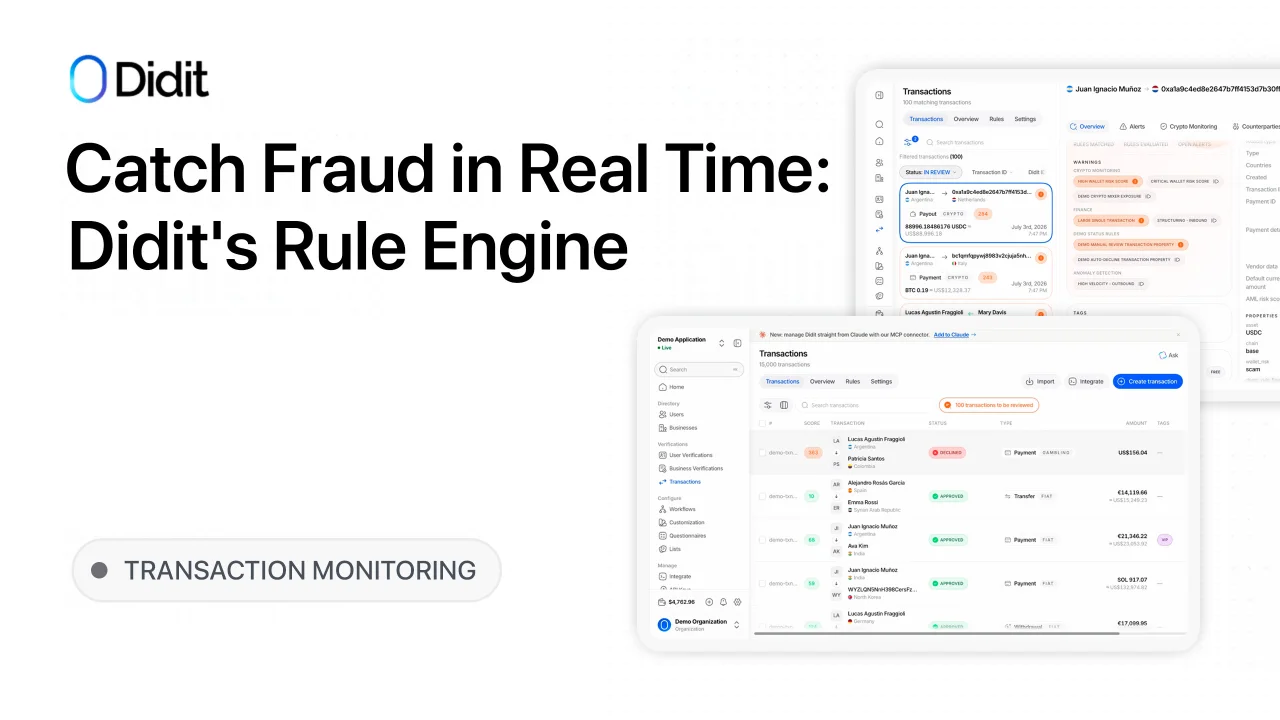
On submission, the engine enriches the IP inline, screens the wallet or chain hash where crypto is involved, evaluates every active rule, and returns the transaction record with its status. Optional asynchronous checks, such as an AML result arriving later, update the score and announce themselves with the transaction.status.updated webhook.
Rules, scoring, and where models fit
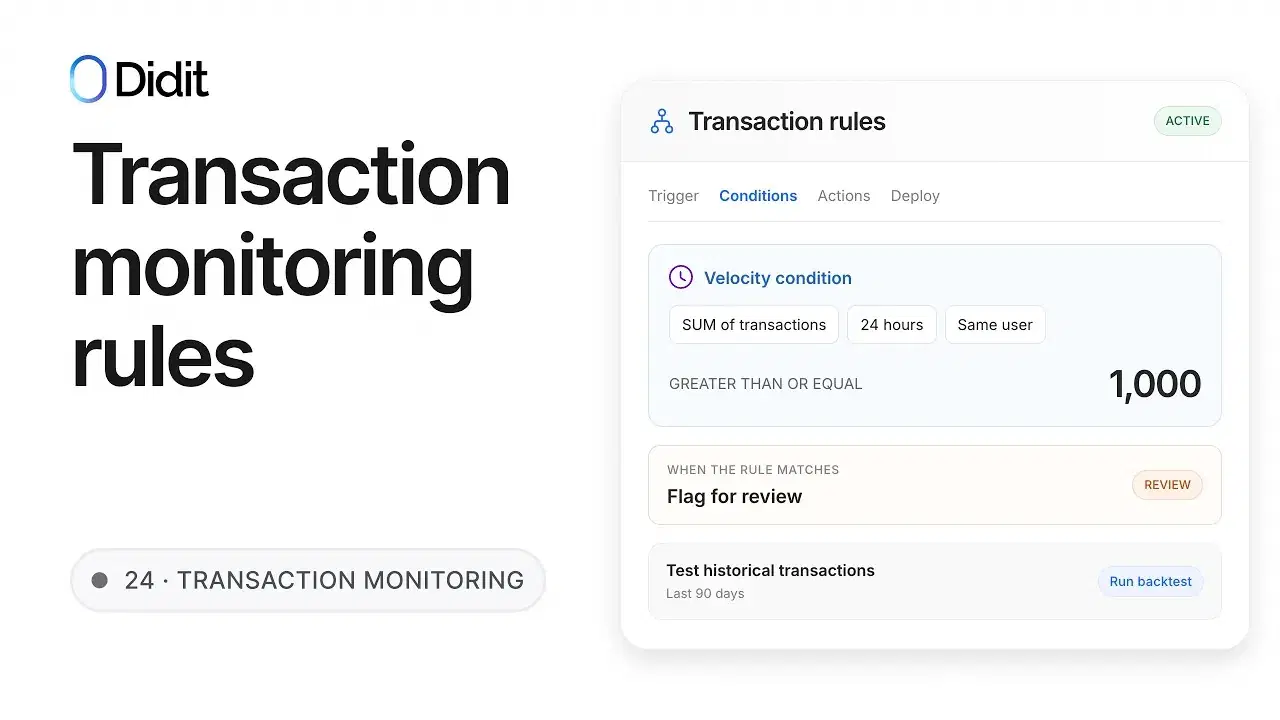
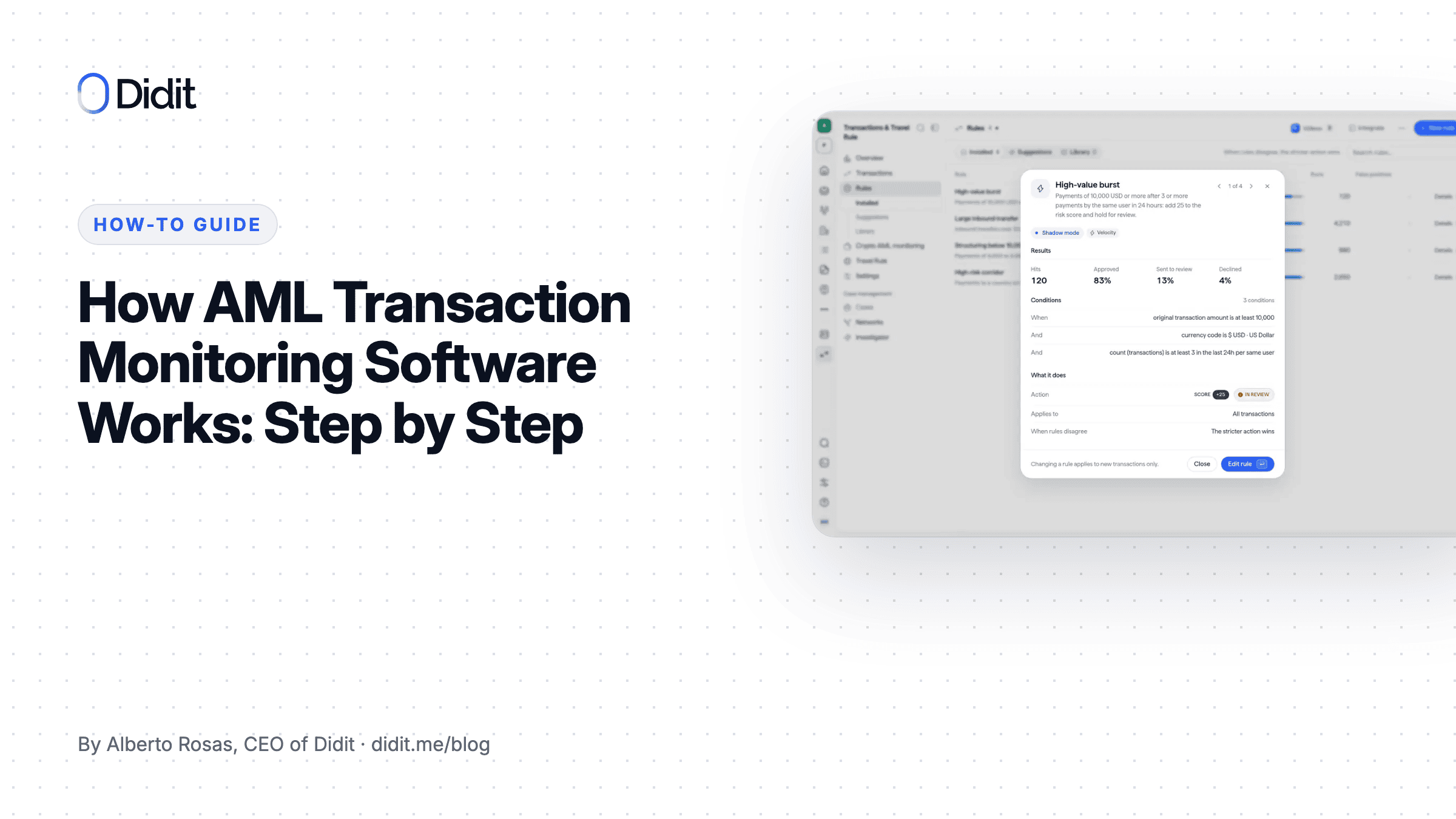
A rule has a title, a category, a mode, an evaluation mode, a scope, conditions, optional velocity aggregations, and one or more actions. Conditions compare transaction fields with operators such as eq, lt, gte, in, contains_any and exists. Aggregations count, sum or distinct count over windows like 1 hour, 7 days or 30 days.
Actions are where a rule becomes operational: add_score, change_status, add_tags, add_note, add_to_list, and opening a case. A single rule can carry several at once, for example 35 points, a tag and a note for the next reviewer.

The library ships over 150 preset rules grouped into bundles for finance, AML and CTF, anomaly detection, FATF jurisdictions, device intelligence, fraud prevention, crypto monitoring, Travel Rule, responsible gaming, iGaming fraud, e-commerce, check fraud and BNPL. Presets have fixed thresholds and are installed or uninstalled rather than edited. Build a custom rule when you need different logic.
Scoring is arithmetic on purpose. The score is the sum of the deltas of every matched rule, starting from zero. With the default thresholds of 75 for review and 500 for decline, a transaction can never be declined by score, because 500 is also the maximum. You lower the decline threshold to start blocking. A rule can also override the score entirely with change_status.
This is where model-based scoring in the wider market and deterministic scoring part ways in audit terms. With our engine every point on the score is named in rule_runs[], so you can print the reasoning. The behavioural heuristics live inside the preset bundles, for example dormant account reactivation, rapid in and out movement, or impossible travel, and each one stays a rule a reviewer can read.
Run it on our API, step by step
- Model the parties. Every transaction needs a
subject, the customer you monitor, and optionally acounterparty. Whenvendor_datamatches an existing user or business profile, we link the transaction to that entity and cross session velocity rules start counting. A party withoutvendor_datais stored as an external snapshot. - Pick the category and direction.
transaction_categorytakes values such asfinance,travel_rule,gambling_bet,user_eventoraudit_trail_event. For crypto, setcurrency_kindtocryptoand put the wallet inpayment_method.account_id, or screening will not run. - Set the thresholds. In Transactions, then Settings, set
preferred_review_score_thresholdandpreferred_decline_score_threshold. Changes apply to new transactions only; historical records keep the status they were given at evaluation time. - Install presets in test mode. Browse Transactions, then Rules, then Library. A rule in
TESTmode evaluates and writes runs marked as test, but does not touch the score or the status. Switch to active when the selectivity looks right. - Submit in real time. Generate the transaction ID on your side, never rely on ours for idempotency. The minimum payload:
curl -X POST https://verification.didit.me/v3/transactions/ \
  -H "x-api-key: YOUR_API_KEY" \
  -H "Content-Type: application/json" \
  -d '{
    "transaction_id": "tx-0001",
    "transaction_category": "finance",
    "transaction_details": {
      "direction": "outbound",
      "amount": "500.00",
      "currency": "EUR"
    },
    "subject": { "entity_type": "person", "vendor_data": "user-42", "full_name": "John Doe" },
    "counterparty": { "entity_type": "company", "full_name": "Acme Corp" }
}'- Read the decision, not only the status. The response carries
scoreand arule_runs[]array with one entry per matched rule, including its delta and action summary. - Subscribe to two webhooks.
transaction.createdfires for every submission.transaction.status.updatedfires when an analyst decides or an asynchronous check changes the score. Verify the signature before acting on either. - Triage what was held. Filter Transactions by status. A transaction in
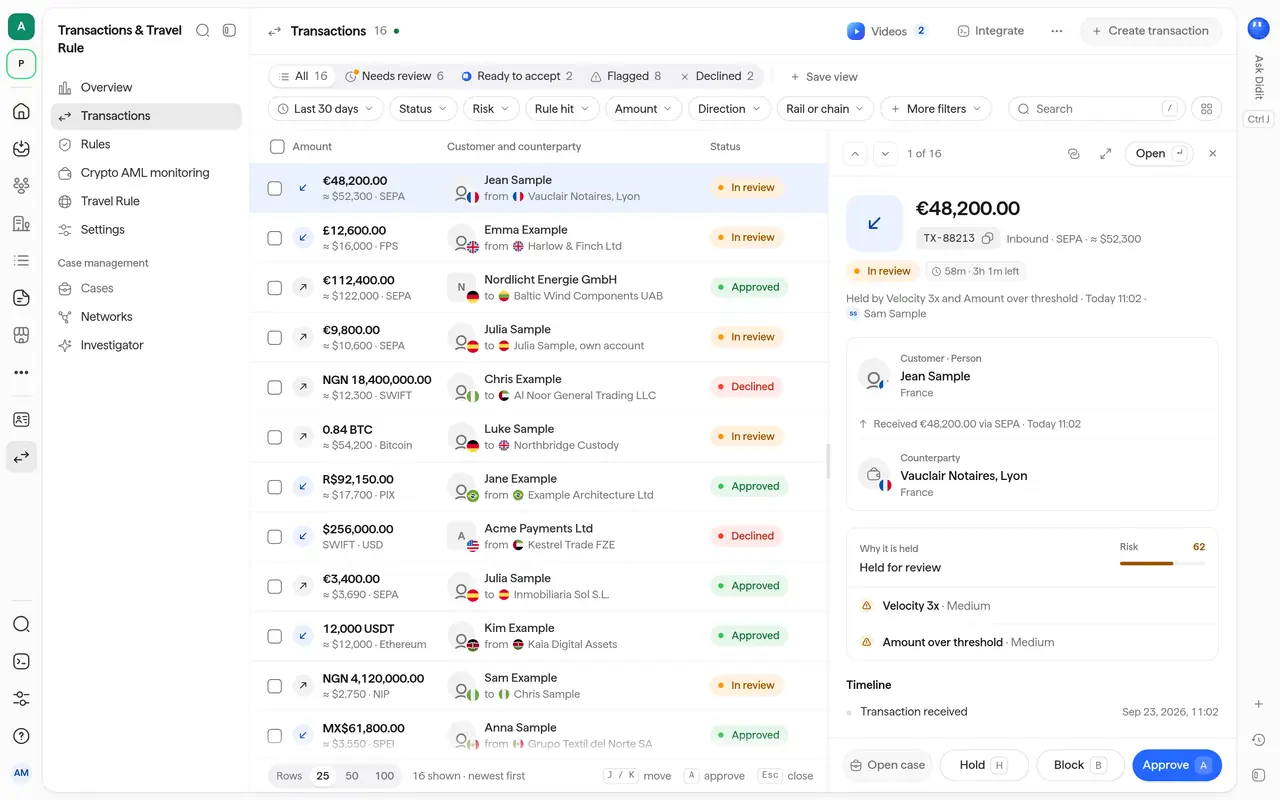
IN_REVIEWorAWAITING_USERis an open alert; readstatusbecause thealertsarray on the detail is always empty today. - Escalate and tune. Add the create case action to a rule so matched transactions open cases automatically, resolve each case as false positive or valid threat, and revisit thresholds when the queue drifts.
Expected output
A transaction that tripped two rules comes back like this, with the score already summed:
{
  "txn_id": "tx-0002",
  "status": "IN_REVIEW",
  "score": 65,
  "rule_runs": [
    {
      "rule_title": "High-value outbound",
      "matched": true,
      "score_delta": 30,
      "severity": null,
      "status_target": null,
      "action_summary": "score +30"
    },
    {
      "rule_title": "High-risk jurisdiction counterparty",
      "matched": true,
      "score_delta": 35,
      "severity": "HIGH",
      "status_target": "IN_REVIEW",
      "action_summary": "score +35; add_tag:high_risk_country"
    }
  ]
}
Thirty plus thirty five is 65, which is below the default review threshold of 75, so this specific status came from the rule action rather than the score. That distinction matters: when a transaction is held, check whether the score or a change_status action put it there. The Score tab in our console shows the same breakdown and the thresholds in force at evaluation time.
Inputs and outputs
| Field | Direction | What it drives |
|---|---|---|
transaction_id | Input | Idempotency key, unique per application |
transaction_category | Input | Which rules and analytics apply |
transaction_details.amount, currency, direction | Input | Threshold rules, velocity sums, structuring patterns |
currency_kind | Input | Whether blockchain screening triggers |
subject.vendor_data | Input | Link to a user or business profile, cross session velocity |
payment_method.account_id | Input | Wallet or account screened, blocklists matched |
device_context.fingerprint | Input | Device intelligence and multi accounting rules |
custom_properties | Input | Your own fields for rules and analyst context |
status | Output | APPROVED, IN_REVIEW, DECLINED or AWAITING_USER |
score | Output | Sum of matched rule deltas, compared with your thresholds |
rule_runs[] | Output | Per rule record of match, delta, tag and status target |
parties | Output | Subject and counterparty as stored, with roles |
Failure cases and recovery
| Symptom | Cause | Recovery |
|---|---|---|
400 with a message that a transaction with this transaction_id already exists | The same transaction_id was submitted twice | Read the existing record with GET /v3/transactions/{uuid}/ using the UUID from the first response, or the ID carried by the transaction.created webhook. Neither duplicate response returns the existing transaction. |
| 409 on submission | Two identical requests raced | Same lookup. Do not resubmit. |
400 when setting a rule to AWAITING_USER | workflow_id missing on the action | Attach the remediation workflow the user should be sent to. |
| 400 when installing a library rule by key | That rule is withheld by the engine and cannot be evaluated yet | Install a rule the library currently lists. A previously installed copy stays in your list as disabled and will not accept a mode change. |
| Thousands of alerts after a migration | Six months of history pushed through a live velocity rule such as 20 transfers in 30 days | Use the console CSV import with dry ingest, or submit with a past transaction_at and enable rules after ingestion finishes. |
| Nothing is ever declined | The decline threshold is still at 500, which means never decline by score | Lower it deliberately, in test mode first, and remember existing transactions keep their evaluation time status. |
Alert triage: from held transaction to filed report
Held transactions are the unit of triage, and there is no separate alert record to clean up. In the console you filter by status, assign one or many to an analyst, add a note for the next reviewer, then approve or decline. Every one of those actions lands on the transaction timeline, so the decision and its rationale stay together in the record.
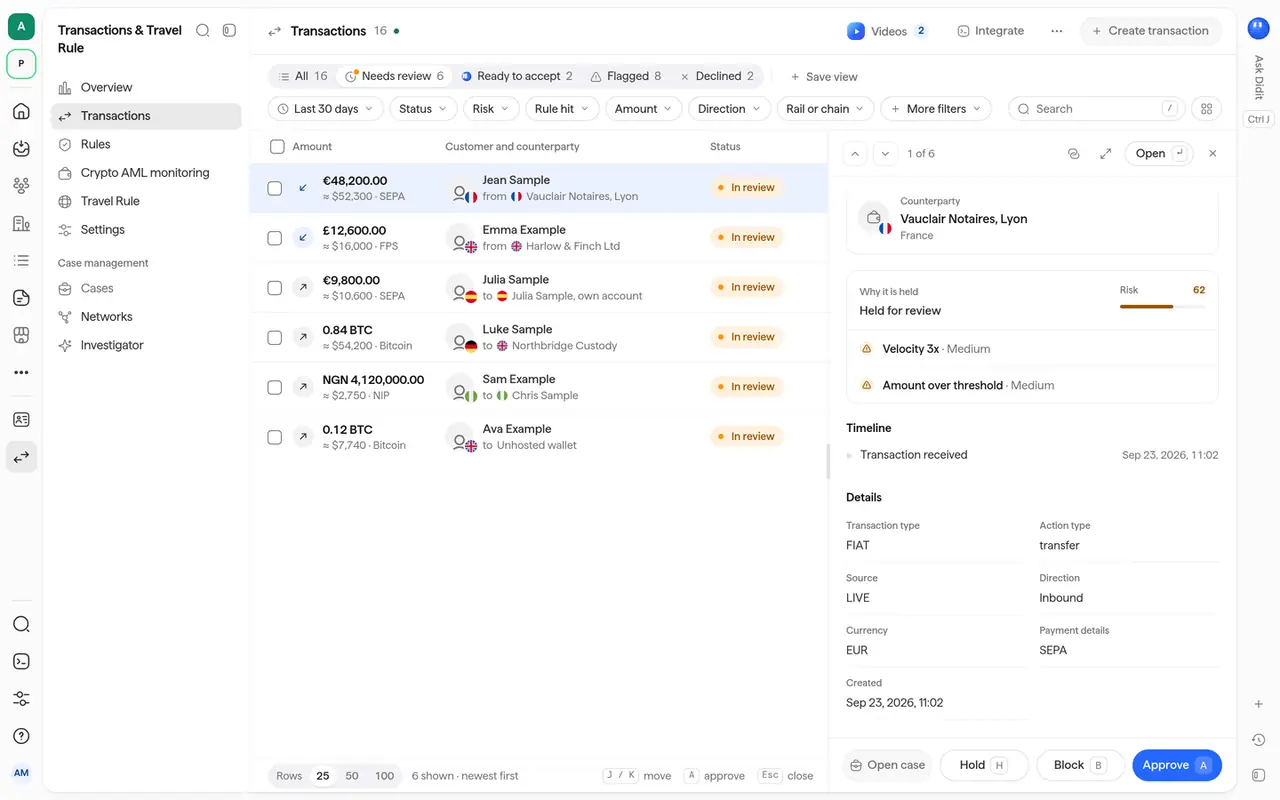
When a single held transaction is too small a container for the question, escalate it to a case. Cases group transactions, users, businesses and evidence, follow a blueprint for assignment and 4-eyes review, and close with a resolution of false positive or valid threat. Adding the create case action to a rule opens them automatically, grouped by applicant or by rule and applicant.
Filing comes last. For jurisdictions that need a SAR, STR or CTR, generate the form and the evidence bundle from the resolved case in FIU Reports and templates. We do not submit anything to a regulator. That stays with your compliance team.
What you pay for, and where a human must decide
| Item | Price | Unit |
|---|---|---|
| Transaction monitoring | $0.001 | Per transaction beyond the monthly allowance: 1,000 on Free, 10,000 on Growth, 100,000 on Scale |
| Wallet screening | $0.15 | Per screening |
| AML screening on parties | $0.20 | Per check, against 1,300+ lists |
| Ongoing AML monitoring | $0.07 | Per person per year |
| Full ID check, when you need to link a person | $0.33 | Per completed check |
| Business verification, from | $2.00 | Per company, by country and data tier |
When both run on the same transaction, wallet screening and AML screening are separate billable checks: $0.15 per wallet screening and $0.20 per AML check.
If you already contract a screening provider, bring your own screening provider and run it inside Didit. Test that route in the sandbox at business.didit.me; no sales call is needed.
The review boundary is explicit. Rules in test mode never affect a real decision. A transaction in IN_REVIEW or AWAITING_USER is an open alert that needs a named human on your team. Cases can require 4-eyes review before closing. Report submission is never automated.
Worked cost example
A platform on the Scale plan: $299 a month, $350 of monthly credit, 10% off our prices, 100,000 monitored transactions included. In one month it submits 250,000 transactions, runs 20,000 wallet screenings on crypto withdrawals, and triggers 1,000 AML checks on new counterparties.
- Transactions beyond the allowance: 250,000 minus 100,000 is 150,000, multiplied by $0.001 is $150.00. The plan discount does not change this rate.
- Wallet screening list price: 20,000 multiplied by $0.15 is $3,000.00. At Scale, $0.15 multiplied by 0.90 is $0.135, so 20,000 multiplied by $0.135 is $2,700.00.
- AML screening list price: 1,000 multiplied by $0.20 is $200.00. At Scale, $0.20 multiplied by 0.90 is $0.18, so 1,000 multiplied by $0.18 is $180.00.
- Total usage: $150.00 plus $2,700.00 plus $180.00 is $3,030.00. Plan credit covers $350.00, leaving $2,680.00 to top up.
- Cash for the month: $299.00 plan fee plus $2,680.00 is $2,979.00.
Note what dominates: the transaction line is small, the screening lines are not. Monitor every transaction, screen the wallets that need it rather than all of them, and the unit economics change quickly.
Sources
- Didit docs: Transaction Monitoring integration guide
- Didit docs: Submit transactions, payload and data model
- Didit docs: KYT rules and scoring
- Didit docs: Rules library, 150+ presets
- Didit docs: risk scoring formula and thresholds
- Didit docs: alerts, held transactions and triage
- Didit docs: cases and SAR investigations
- Didit docs: wallet screening inside transaction monitoring
- Didit docs: FIU reports and templates
- Didit docs: MCP tools
- Didit pricing page and pricing as JSON, read November 26, 2026
- Didit docs: pricing and billing rules
- Didit Transaction Monitoring product page
- Didit MCP server
- Didit switch guide
- FATF, for the recommendations the preset bundles map to
Open the sandbox at business.didit.me, install one finance bundle in test mode, and send ten transactions you already know the answer for. The rule runs will tell you in minutes whether your thresholds match your business, with no sales call and no contract.
Try it
Try this in the sandbox
Run the check this guide describes, free.
The product this post is about, taken from its topic. Run it free in the sandbox.
Author
Alberto Rosas
Co-founder and CEO

Keep reading
Other guides in the same topic.
 Online Casino Fraud Detection and AML Controls (2026)
Score logins, gameplay, bonuses and withdrawals in one rule engine, screen players against 1,300+ lists, and route hits to cases. Full ID check $0.33, AML screening $0.20.
Alberto RosasNov 26, 2026 What Is a Money Services Business (MSB)? AML Obligations
An MSB transmits, exchanges or stores money for customers: money transmitters, currency exchangers, check cashers, crypto exchanges. MSBs register with a regulator and run an AML program with KYC, screening and reporting.
Alberto RosasNov 26, 2026 How to Add Age Verification to a Website: Popup or API
Use a Didit hosted popup for web sign-up or POST a selfie to the Age Estimation API. Age Estimation costs $0.10 per check; full KYC with document proof costs $0.33.
Alberto RosasNov 26, 2026Questions
Frequently asked questions
How does AML transaction monitoring software work?
Your platform submits each transaction with a party, an amount and a currency. The system enriches it, screens any wallet or counterparty that needs screening, runs every active rule, sums the matched rule points into a score, and maps that score to a status. Anything held in review becomes an analyst task, and a resolved investigation becomes the basis for a regulatory filing.
What is the difference between rule-based and model-based transaction monitoring?
Rule-based monitoring scores each transaction from named conditions and sums them, so every point is traceable to a rule. Model-based scoring learns patterns and produces a probability that is harder to explain. We use deterministic rules with over 150 presets that encode known typologies, and each matched rule appears in rule_runs[] with its delta, which is what a reviewer or an examiner can check line by line.
What counts as an alert in our transaction monitoring?
An alert is a transaction that is held, which means status IN_REVIEW or AWAITING_USER. There is no separate alert record to close, and the alerts array on the transaction detail is always empty today. To work the queue, filter transactions by status and read status rather than the alerts field.
How much does AML transaction monitoring cost?
Transaction monitoring is $0.001 per transaction beyond the monthly allowance, which is 1,000 on Free, 10,000 on Growth and 100,000 on Scale. Wallet screening is $0.15 per screening and AML screening is $0.20 per check. Growth takes 4% off our prices and Scale takes 10% off, while the $0.001 transaction rate stays the same on every plan.
How do I reduce false positives without missing real risk?
Run new rules in test mode first, so they evaluate and log but never move a score. Scope each rule to the directions and action types it actually covers. Keep several moderate contributions instead of one hard threshold, so a single moderate rule rarely declines a transaction on its own. A rule can still set DECLINED directly with a change_status action, regardless of score. Then raise the review threshold if the queue floods, and lower the decline threshold only when you have seen the rule set behave.
Do you file the suspicious activity report for me?
No. Our console prepares the SAR, STR or CTR from a resolved case, with the evidence attached, but submission to the regulator stays with your compliance team. We treat filing as your regulated obligation, not a vendor action.
Can I import historical transactions when I migrate?
Yes. Export your history to CSV and use Import history in the console, or submit through the API with a past transaction_at. Be careful with rule evaluation during a backfill: six months of history through a 20 transfers in 30 days rule will open thousands of alerts at once, so use dry ingest or enable rules after ingestion. If you are moving rule sets from another provider, the switch guide covers the migration path.
What happens if I submit the same transaction twice?
A duplicate transaction_id returns 400 with a message saying the transaction already exists, and two identical requests racing return 409. Neither response returns the existing record. Look it up with GET /v3/transactions/{uuid}/ using the UUID from the first response, or read the ID from the transaction.created webhook, and generate your own IDs so this stays rare.
How fast is the decision?
Rules evaluate synchronously when you submit, so the status and score come back in the create response. Checks that resolve later, such as an AML result or an analyst decision, arrive through the transaction.status.updated webhook. Asynchronous checks can update the transaction status when their result changes the evaluation.
Can I manage the rules from an AI assistant?
Yes. You can manage rules from our Business Console, our Management API and our MCP server. The MCP tools include didit_transaction_rule_library_list, didit_transaction_rule_install and didit_transaction_rule_uninstall, which is useful when you are rebuilding a rule set you already had somewhere else.
Compliance built in
Audited, certified and attested.
We hold the certifications and build each country's rules into your flows, so you can launch anywhere without worrying. Security and Compliance center
- Regulation encoded into your flows
Tell us what you do and where. Didit lists the rules that apply to you, with sources, and builds the checks each country needs into one workflow.
- Ready for AMLR
Every requirement of the new EU anti-money laundering rules, from checking customers to human review, is already covered by a Didit check.
- Tested in Spain's Treasury sandbox
Spain's Treasury published its supervised sandbox report on Didit's NFC plus active liveness onboarding; SEPBLAC took part and valued the added measures positively.
- Audited, not self-declared
iBeta Level 1 and Level 2. Liveness tested under ISO/IEC 30107-3.
Your obligations · 3 regions
 SOC 2 Type 2
 ISO 27001
 iBeta Level 1 and Level 2
 EU regulator attestation
 FSM youth protection
 GDPR
 EBA remote onboarding
 MiCA compatible
 FIDO Alliance member
- AMLREU AML Regulation ready
Integration · Didit MCP
Run Didit from your own AI agent
Connect Didit to Claude, Cursor, VS Code or ChatGPT and just ask in plain words. Your agent can do anything you can do in the console, with the same permissions you have.
 Add to Claude
 ChatGPT
 Cursor
- Build workflowsDescribe the checks you need. The agent creates and publishes the flow.
- Run investigationsAsk why a session was declined, review cases, search people and companies.
- Change rulesCreate payment rules, test them on past data and switch them on.
- Pull reportsAsk for numbers, exports or the audit log.
Didit Academy