How to Configure AML Approve and Review Thresholds
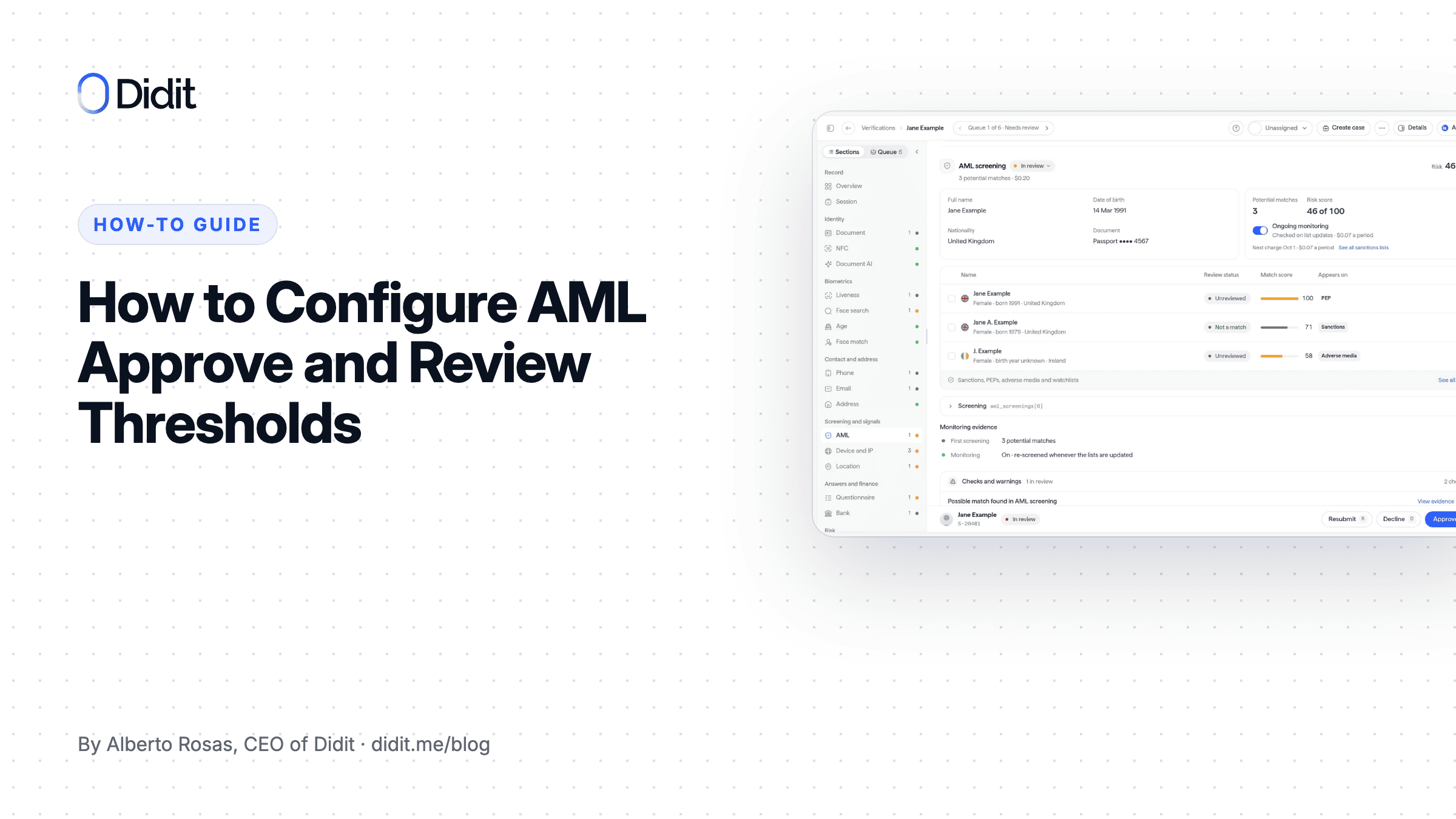
Didit defaults the AML approve threshold to 80 and the review threshold to 100. A score above review is Declined, above approve is In Review, otherwise Approved, and both comparisons are strict.
 Alberto RosasCo-founder and CEO
Contents
In this guide
Jump to the part you need.
This guide is for teams that run Didit AML Screening through the API and need to decide, in policy and in code, when a hit is approved, sent to a human, or declined. Two numbers do that work: aml_score_approve_threshold, default 80, and aml_score_review_threshold, default 100. A screening costs $0.20. The caveat: with the defaults a hit can reach In Review but never Declined, because the comparison is strict.
Last updated: November 26, 2026. Prices checked against the live Didit price feed on November 26, 2026.
| Setting | Default | What it controls | Rule the API enforces |
|---|---|---|---|
aml_score_approve_threshold | 80 | A risk score above this value sends the screening to In Review | Must be less than or equal to the review threshold, otherwise HTTP 400 |
aml_score_review_threshold | 100 | A risk score above this value declines the screening | Compared with a strict greater-than |
aml_match_score_threshold | 93 | Hits below it are tagged False Positive and ignored for risk | A matching document_number overrides match score to 100 |
aml_name_weight, aml_dob_weight, aml_country_weight | 60, 25, 15 | How the match score is weighted | Must sum to exactly 100, otherwise HTTP 400 |
| AML screening price | $0.20 per check | Billed per successful screening | $0.192 on Growth, $0.18 on Scale |
Start free in the sandbox at https://business.didit.me/, with no sales call. Developers who want to inspect results from an AI assistant can connect Didit through the Didit MCP server. The product page for the feature is AML Screening, and every list price is on the pricing page.
The outcome and the method we recommend
The outcome is a decision string on every screening: Approved, In Review or Declined. Your application branches on that string and stops re-implementing scoring.
The method we recommend is to set the thresholds once, on the AML Screening step of a workflow, and keep them there. Do not scatter different numbers across call sites. Put your risk appetite in two integers, document why you chose them, and change them in the workflow when your policy changes.
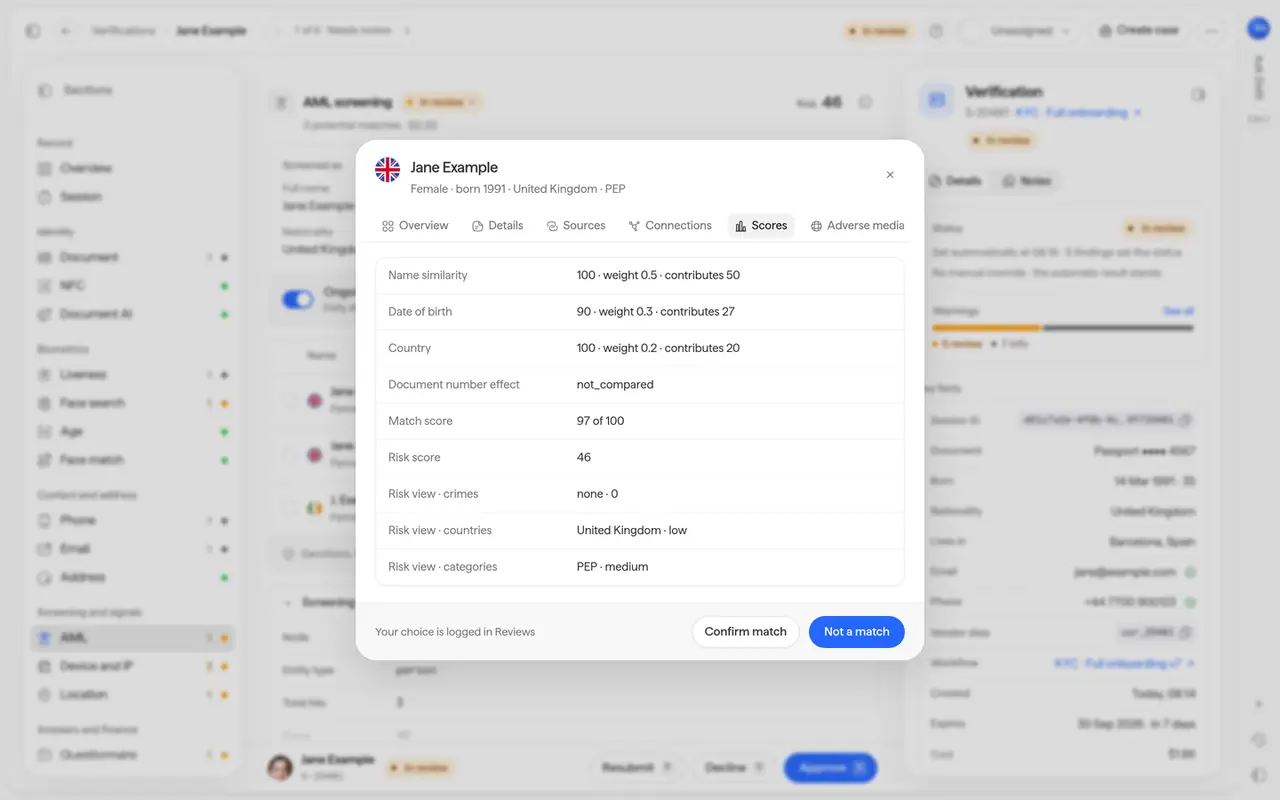
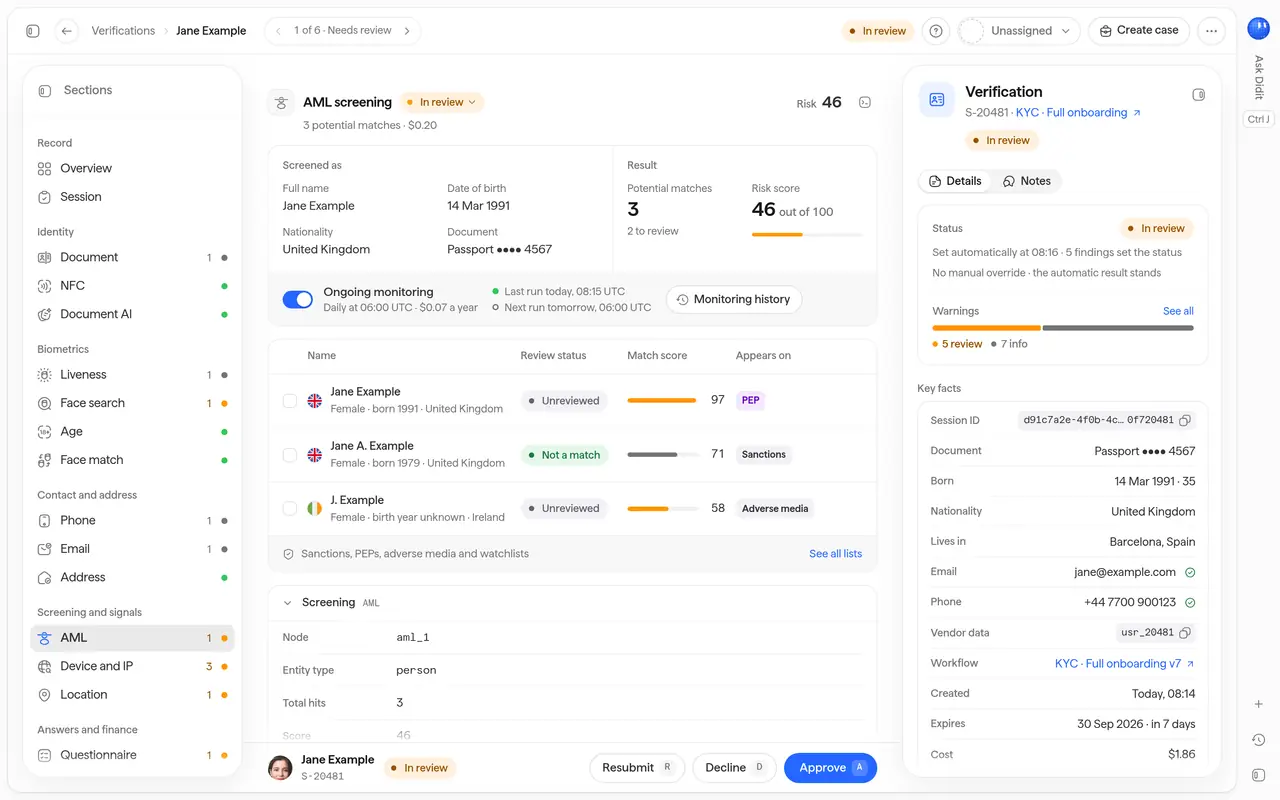
Two scores feed the decision. Every hit carries a match_score (how likely the hit is the person you are screening, 0 to 100) and a risk_score (how risky the listed entity is, 0 to 100). Hits whose match_score sits below aml_match_score_threshold are tagged review_status: "False Positive" and ignored for risk purposes. The highest risk_score among the remaining hits becomes aml.score. That single number is compared with your two thresholds.
Prerequisites
- A Didit account and an application. Sign in at https://business.didit.me/.
- An API key that can reach the AML endpoints, sent in the
x-api-keyheader. A missing key answers 403, a wrong or expired key answers 401. - The AML Screening feature inside a workflow, created in the Business Console or with
POST /v3/workflows/. - Credit on the account for live calls. Sandbox keys skip screening and billing and return a mocked
Approvedwith zero hits unless you passsandbox_scenario. - A client timeout of at least 60 seconds when you send
include_adverse_media=true, because the API waits for adverse-media enrichment before it answers. - A decision on retention.
save_api_requestdefaults to true, so the screening is stored as a session andrequest_idworks withGET /v3/session/{sessionId}/decision/.
Configure the thresholds in seven steps
- Open the workflow that holds the AML Screening step in the Business Console, or create one with
POST /v3/workflows/. - Set
aml_score_approve_threshold. Leave it at 80 unless your policy says otherwise. - Set
aml_score_review_threshold. Leave it at 100 unless you want automatic declines. - Check the order. The approve threshold must be less than or equal to the review threshold. An approve value above the review value is refused with HTTP 400, not silently corrected.
- Optionally set
aml_match_score_threshold(default 93) and the weightsaml_name_weight,aml_dob_weightandaml_country_weight. The weights default to 60, 25 and 15 and must sum to exactly 100, or the request answers 400. - Save the workflow and note the
workflow_idif you run session-based verification. - Send a screening and read the decision. The documented standalone call is below. Session-based flows receive the same decision inside
aml_screenings[]onGET /v3/session/{sessionId}/decision/.
curl -X POST 'https://verification.didit.me/v3/aml/' -H 'x-api-key: $DIDIT_API_KEY' -H 'Content-Type: application/json' -d '{"full_name": "Javier Ejemplo Modelo", "entity_type": "person", "date_of_birth": "1974-01-01", "nationality": "ES", "include_adverse_media": true, "vendor_data": "user-1234"}'The six values the AML Screening step takes, written at their documented defaults:
{
  "aml_score_approve_threshold": 80,
  "aml_score_review_threshold": 100,
  "aml_match_score_threshold": 93,
  "aml_name_weight": 60,
  "aml_dob_weight": 25,
  "aml_country_weight": 15
}
Session-based workflow configuration vs standalone API
In session-based mode, you add the AML feature to the workflow and set these values on that step; the decision comes back in aml_screenings[]. The standalone POST /v3/aml/ route is a separate one-shot call, documented with the same defaults, and it returns aml.status in its own response. Treat the two modes as separate configuration surfaces rather than assuming a standalone request inherits workflow settings.
Expected output
The standalone call returns request_id and an aml object with status, screening_id, hits and warnings. This is the shape, with an illustrative hit that sits between the two default thresholds:
{
  "request_id": "1f0c3a9e-0000-0000-0000-000000000000",
  "aml": {
    "status": "In Review",
    "screening_id": "screening-example",
    "hits": [
      {
        "match_score": 96,
        "risk_score": 88,
        "review_status": "Unreviewed"
      }
    ],
    "warnings": [
      { "risk": "POSSIBLE_MATCH_FOUND" }
    ]
  }
}
A screening with no hit, or one whose only hits are tagged False Positive, comes back Approved with a score of 0 and no AML warning. In the sandbox, keys return a mocked Approved with zero hits unless you arm a scenario, so use sandbox_scenario if you want to see In Review or Declined before you go live.

How the two scores map to a status
aml.score | Comparison | aml.status | POSSIBLE_MATCH_FOUND |
|---|---|---|---|
| 0 | Not above 80 | Approved | No, a score of exactly 0 never warns |
| 1 to 79 | Not above 80 | Approved | No |
| 80 | Not above 80, but non-zero and at the threshold | Approved | Yes |
| 81 to 100 | Above 80, not above 100 | In Review | Yes |
With the default review threshold at 100, no reachable risk score is Declined: the maximum is 100 and the decline test is strict greater-than. A Declined outcome becomes reachable only when you set the review threshold below 100.
The hit that sits exactly on the approve threshold
Both comparisons are strict greater-than. A score of exactly 80 is not above the approve threshold, so the status stays Approved, but the score is non-zero and at or above the approve threshold, so the POSSIBLE_MATCH_FOUND warning is still attached. That combination is deliberate: the screening passes automatically, and your monitoring still sees the near miss. If you use webhooks, log warnings[] separately from status, or you will lose those cases.
Why the default pair cannot decline
risk_score runs from 0 to 100 and the decline test is strict. With the review threshold at its default of 100, nothing crosses it, so the strictest outcome available is In Review. That is a safe default: every serious hit reaches a person. If your policy allows an automated decline, set the review threshold below 100, for example 95, and accept that risk scores above 95 no longer reach a reviewer.
What POSSIBLE_MATCH_FOUND means
The warning says a hit was found and its score is at or above your approve threshold, not that a person matched a watchlist. It fires only when aml.score is non-zero and at or above the approve threshold, so a clean screening never carries it. The AML warning family also includes MATCH_FOUND, HIGH_RISK_COUNTRY, ADVERSE_MEDIA_HIT, SANCTIONED_ENTITY, PEP_MATCH and ONGOING_MONITORING_ENABLED, and each one is a separate code you can route on.
Inputs and outputs
| Field | Direction | Notes |
|---|---|---|
full_name | Input, required | Person or company to screen, minimum 2 characters |
entity_type | Input | person or company |
date_of_birth | Input | Feeds the date-of-birth component of the match score |
nationality | Input | Feeds the country component of the match score |
document_number | Input | A match here acts as a golden key and overrides match score to 100 |
include_adverse_media | Input | Adds about 25 seconds of latency, so set the client timeout to at least 60 seconds |
include_ongoing_monitoring | Input | Requires save_api_request=true, otherwise 400, and bills $0.07 per screened entity per year |
save_api_request | Input | Defaults to true, which stores the result as a session and fires status.updated |
Idempotency-Key | Input header | Returns the stored response on retry without a second screening or charge |
aml.status | Output | Approved, In Review or Declined, matched exactly and case-sensitive |
aml.score | Output | Highest risk score among hits that are not False Positive |
aml.hits[].match_score | Output | Identity confidence for that hit, 0 to 100 |
aml.hits[].risk_score | Output | Entity risk for that hit, 0 to 100 |
aml.hits[].review_status | Output | False Positive or Unreviewed, and updatable later in the console |
aml.warnings[] | Output | Risk codes, including POSSIBLE_MATCH_FOUND |
Failure cases and how to recover
| Symptom | Status | Cause | Recovery |
|---|---|---|---|
| Configuration refused | 400 | Approve threshold above review threshold | Lower the approve value or raise the review value |
| Configuration refused | 400 | Name, date-of-birth and country weights do not sum to 100 | Adjust the three weights until they add up exactly |
| Configuration refused | 400 | Ongoing monitoring requested without save_api_request=true | Turn persistence on, or drop monitoring |
| Key rejected | 401 or 403 | Wrong or expired key, missing header, or key without access | Create a key with the right scopes |
| Screening did not run | 403 | Balance cannot cover the call | Top up, then retry. Nothing was billed |
| Retry conflict | 409 | Same Idempotency-Key with a different body | Send the original body or use a new key |
| Throttled | 429 | Rate limit or quota | Wait for Retry-After, then retry |
| Upstream failure | 500, 502, 503 | An unexpected error or slow dependency | Retry with backoff and the same Idempotency-Key |
| No adverse-media hits | 200 | The adverse-media provider was slow and enrichment was skipped | The result is still actionable. Re-screen if adverse media matters for this case |
What is paid, and where a reviewer takes over
- One AML API credit is charged after the first successful screening, at $0.20 per check on the list price. Replayed idempotent responses are not charged again.
- Configuring thresholds is free. The workflow orchestrator is free, and the sandbox is free on every plan.
- Ongoing monitoring adds $0.07 per screened entity per year and keeps the profile under provider-driven re-screening.
In Reviewis the boundary where a person decides. A reviewer opens the session in the console and approves, declines or requests a resubmission.Declinedcan still be moved to Approved or Resubmitted withPATCH /v3/session/{sessionId}/update-status/.Declinedfrom AML is an automated outcome, not a legal finding. The evidence is the hit list and the scores, and you should keep both for your audit trail.
Worked cost example
Twenty thousand person AML screenings in a month, with no ongoing monitoring, list prices only:
- List price: 20,000 x $0.20 = $4,000.00.
- Growth: 20,000 x $0.192 = $3,840.00. That is $4,000.00 minus $160.00.
- Scale: 20,000 x $0.18 = $3,600.00. That is $4,000.00 minus $400.00.
- With a full ID check in front of each screening at list price: $0.33 + $0.20 = $0.53 per person, so 20,000 x $0.53 = $10,600.00.
- The same mix on Scale: $0.297 + $0.18 = $0.477 per person, so 20,000 x $0.477 = $9,540.00.
- Ongoing monitoring for all 20,000 on top: 20,000 x $0.07 = $1,400.00 a year.
- Free plan credit of $10 covers 50 AML checks at list price: $10.00 / $0.20 = 50.
Threshold tuning itself costs nothing. Every dollar above is a completed screening, not a configuration change.
Sources
- Didit docs, AML Screening API
- Didit docs, AML Screening overview and integration prompt
- Didit docs, AML warnings catalogue
- Didit docs, data models and warning objects
- Didit docs, verification statuses
- Didit docs, API errors and retries
- Didit docs, pricing and billing rules
- Didit pricing page and live price feed
- Didit AML Screening product page
- Didit MCP server setup
- FATF, recommendations on sanctions and PEP screening
The next step is small: create a free sandbox application at https://business.didit.me/, set the two thresholds on your AML step, and run one screening. No sales call.
Try it
Try this in the sandbox
Run the check this guide describes, free.
The product this post is about, taken from its topic. Run it free in the sandbox.
Author
Alberto Rosas
Co-founder and CEO

Keep reading
Other guides in the same topic.
 Didit Signed PDF Download API for KYC and KYB E-Signatures
The signed PDF is one GET on the Sessions API, using the signature step ID and the document ID that the decision already carries. It needs read:sessions, and it answers 409 when the stored file no longer matches the signed hash.
Alberto RosasNov 26, 2026 How to Monitor Didit Webhook Destination Failures (2026)
The Didit Destination Activity API returns webhook failure alerts newest first with occurrence timestamps and failure counts. Page with limit and offset, follow next until null, and alert on each destination's health status.
Alberto RosasNov 26, 2026 How to build a KYT monitoring dashboard with Didit's Transactions API
Didit's Transactions API lists monitored transactions newest first with score, status, parties, tags and Travel Rule state. Page with limit and offset, and take the true row count from the dedicated total field rather than the.
Alberto RosasNov 26, 2026Questions
Frequently asked questions
What are the default AML approve and review thresholds in Didit?
aml_score_approve_threshold defaults to 80 and aml_score_review_threshold defaults to 100. A third setting, aml_match_score_threshold, defaults to 93 and decides which hits are tagged False Positive before risk is calculated. All three live on the AML Screening step of a workflow.
What happens if the approve threshold is higher than the review threshold?
The API refuses the configuration with HTTP 400. The approve threshold must be less than or equal to the review threshold, because otherwise the In Review band would be empty or inverted. The same 400 applies when the name, date-of-birth and country weights do not sum to exactly 100.
Why is my AML screening In Review instead of Declined?
Because the decline test is a strict greater-than against the review threshold, and the default review threshold is 100 while the risk score tops out at 100. Nothing can exceed 100, so the strictest result with the defaults is In Review. Set the review threshold below 100, for example 95, if you want automatic declines.
Which score decides Approved, In Review or Declined?
The risk score does. The highest risk score among hits that are not tagged False Positive becomes aml.score, and that number is compared with the two thresholds. The match score is only a filter: below aml_match_score_threshold, a hit is ignored for risk purposes.
What triggers the POSSIBLE_MATCH_FOUND warning?
It is added whenever aml.score is non-zero and at or above the approve threshold. A screening with a score of exactly 0 never carries it. This means a score of exactly 80 with the default approve threshold returns Approved and still carries POSSIBLE_MATCH_FOUND, so read status and warnings separately.
Do the thresholds apply to the standalone AML API or only to sessions?
Session-based mode sets the thresholds on the workflow's AML Screening step, and the decision appears in aml_screenings[]. The standalone POST /v3/aml/ route is a separate one-shot call documented with the same defaults, and it returns aml.status in its response. Treat the two modes as separate configuration surfaces rather than assuming a standalone request inherits workflow settings.
How much does an AML screening cost and are retries billed twice?
An AML screening costs $0.20 at list price, $0.192 on Growth and $0.18 on Scale, charged after the first successful screening. A retry sent with the same Idempotency-Key and the same body returns the stored response without running or billing a second screening. Sandbox keys skip screening and billing entirely.
Can I change the thresholds after going live?
Yes. Change the values on the AML Screening step and new screenings use them. Persisted results remain retrievable, and hit review statuses can be updated later in the console. If a person needs a different outcome, a reviewer or the update-status endpoint moves the session.
What client timeout should I configure for AML screening?
At least 60 seconds when you send include_adverse_media=true, because the API waits for adverse-media enrichment, which adds an initial pause plus polling. Plain screenings without adverse media typically complete in a few seconds.
What does aml_match_score_threshold do?
It sets the identity-confidence cut-off for treating a hit as a real candidate, default 93. Hits below it are tagged review_status: "False Positive" and excluded from the risk score. Sending a document_number that matches acts as a golden key and overrides the match score to 100.
Is the AML screening result enough for my compliance file?
No decision from any screening vendor replaces your own risk assessment. With save_api_request at its default of true, the screening is stored as a session, appears in the console, and can be exported as a PDF, which gives you the hit list and score trail your reviewers and auditors ask for.
Compliance built in
Audited, certified and attested.
We hold the certifications and build each country's rules into your flows, so you can launch anywhere without worrying. Security and Compliance center
- Regulation encoded into your flows
Tell us what you do and where. Didit lists the rules that apply to you, with sources, and builds the checks each country needs into one workflow.
- Ready for AMLR
Every requirement of the new EU anti-money laundering rules, from checking customers to human review, is already covered by a Didit check.
- Tested in Spain's Treasury sandbox
Spain's Treasury published its supervised sandbox report on Didit's NFC plus active liveness onboarding; SEPBLAC took part and valued the added measures positively.
- Audited, not self-declared
iBeta Level 1 and Level 2. Liveness tested under ISO/IEC 30107-3.
Your obligations · 3 regions
 SOC 2 Type 2
 ISO 27001
 iBeta Level 1 and Level 2
 EU regulator attestation
 FSM youth protection
 GDPR
 EBA remote onboarding
 MiCA compatible
 FIDO Alliance member
- AMLREU AML Regulation ready
Integration · Didit MCP
Run Didit from your own AI agent
Connect Didit to Claude, Cursor, VS Code or ChatGPT and just ask in plain words. Your agent can do anything you can do in the console, with the same permissions you have.
 Add to Claude
 ChatGPT
 Cursor
- Build workflowsDescribe the checks you need. The agent creates and publishes the flow.
- Run investigationsAsk why a session was declined, review cases, search people and companies.
- Change rulesCreate payment rules, test them on past data and switch them on.
- Pull reportsAsk for numbers, exports or the audit log.
Didit Academy


