How to Monitor Didit Webhook Destination Failures (2026)
The Didit Destination Activity API returns webhook failure alerts newest first with occurrence timestamps and failure counts. Page with limit and offset, follow next until null, and alert on each destination's health status.
 Alberto RosasCo-founder and CEO
Contents
In this guide
Jump to the part you need.
This guide is for developers who run a Didit application and need to know when a webhook destination stops accepting deliveries. It covers the Destination Activity API, which lists recorded failure_alert entries newest first, and the destination read with 30-day metrics and health_status. Sandbox testing is free; the destination read is documented as pay-per-call, and no endpoint price is published here. Caveat: count can be capped or estimated, so follow next until null.
Last updated: November 26, 2026. Prices checked against the live Didit price feed on November 26, 2026.
Summary: which read answers which question
| Question | Read | What comes back |
|---|---|---|
| Which destinations are unhealthy right now? | GET /v3/webhook/destinations/ | health_status, failing_streak, failing_since, enabled |
| How often did deliveries fail in the last 30 days? | GET /v3/webhook/destinations/ | deliveries_count, failed_deliveries_count, average_response_time_ms, error_rate_percentage, daily_points |
| When did this destination raise a failure alert, and how big was it? | GET /v3/organization/{organization_id}/application/{application_id}/webhook/destinations/{destination_uuid}/activity/ | id, type = failure_alert, occurred_at, failure_count |
| What happened on one specific attempt? | Delivery attempts read, documented separately | Individual delivery attempts, not alerts |
Start free in the sandbox at https://business.didit.me/ with no sales call, and if you want a coding agent to wire the calls for you, connect Didit to an AI assistant through https://didit.me/developers/mcp/. Prices and plan terms live at https://didit.me/pricing/, and the end-to-end recipe is the integration prompt.
The outcome and the method we recommend
The outcome is simple: your on-call rotation learns that a destination is failing before a customer asks why a verification result never arrived. A working monitor answers three questions in order. Which destination is unhealthy. Since when. And what the last recorded failure alert said.
We recommend two reads. First, GET /v3/webhook/destinations/ returns every destination on the application with health_status, failing_streak, failing_since and flat 30-day delivery metrics. Treat it as the current-state signal. Second, for any destination that looks wrong, GET /v3/organization/{organization_id}/application/{application_id}/webhook/destinations/{destination_uuid}/activity/ returns the recorded failure alerts for that one destination, newest first. Treat activity as alert history, not current health.
Use the API as the documented monitoring surface. It is what a pager integration or an AI assistant can read. Didit runs 4,000+ companies on this infrastructure, and webhook health is the part of the integration that fails quietly if nobody watches it.
Prerequisites
- Your
organization_id, yourapplication_idand thedestination_uuidof the destination you want to watch. - An API key sent in the
x-api-keyheader tohttps://verification.didit.me. Application and API-key credentials must belong to the application in the path; a member Bearer token must have access to that application. - The
read:webhookspermission on the credential. A custom role can includeread:webhooks, along with the base permissions required to open the console, if you want a monitor that reads destinations but cannot change them. See roles and permissions. - An alert target of your own: a pager, a chat channel or a ticket queue.
- Five minutes with the webhooks guide so you know what retries do before you interpret a failure.
Steps to monitor destination failures
1. List the destinations and pick the uuid
curl -X GET 'https://verification.didit.me/v3/webhook/destinations/' -H 'x-api-key: YOUR_API_KEY'The response is a JSON array, ordered by created_at, and it never contains the signing secret. Read uuid, url, label, enabled, webhook_version, subscribed_events and health_status. The uuid is what you pass as {destination_uuid} in every later call. Fan-out is normal on Didit: several destinations can subscribe to different event families, so a single application may have more than one thing to watch.

2. Read the health status before you page anything
health_status is the signal to alert on. It has three values and they are not interchangeable.
| Value | Meaning |
|---|---|
failing | 3 or more consecutive events failed their first delivery attempt since the destination last answered successfully. failing_streak counts them and failing_since is when the first one failed. |
degraded | Not failing, but a delivery attempt failed in the last 24 hours and no later attempt has delivered that event. A retry or a resend that delivers it clears this. |
healthy | Neither of the above. |
A failed attempt is one the destination answered with HTTP 400 or above, or did not answer at all: timeout, refused connection or blocked address. Retries do not add to failing_streak, and any successful attempt, including a retry or a resend, ends the streak. health_status is independent of enabled, so a disabled destination can still read failing and a destination you forgot to enable is a different problem.
Keep the two signals separate. The destination list is the current-state signal: health_status, failing_streak and failing_since describe how the destination is answering now. The activity list is alert history: each entry is a recorded failure alert with occurred_at and failure_count. A healthy destination can still have older activity entries.
3. Read the 30-day delivery metrics and daily points
Each destination carries flat delivery metrics for the last 30 days, and metrics_window_days is always 30. You get deliveries_count, failed_deliveries_count, average_response_time_ms and error_rate_percentage. last_delivery_at is the most recent attempt and last_success_at is when the destination last answered with a status below HTTP 400 in the last 30 days, or null if it has not.
daily_points always has 30 entries, oldest first, one per UTC day: date, total_deliveries and failed_deliveries. Days without deliveries carry zeros. That series is what makes a chart worth reading. A destination at 4 percent error rate over 900 deliveries is a different problem from one at 4 percent over 20, and a flat line of zeros usually means nothing is being sent, not that everything is fine.
4. Call the Destination Activity API for the failing destination
from didit import Didit

# Reads DIDIT_API_KEY, DIDIT_ORGANIZATION_ID
# and DIDIT_APPLICATION_ID.
client = Didit()

for item in client.webhooks.destinations.list_activity(
    '11111111-2222-3333-4444-555555555555',
):
    print(item)
The Node.js SDK is the same call with different syntax:
import Didit from '@didit-protocol/sdk-node';

// Reads DIDIT_API_KEY, DIDIT_ORGANIZATION_ID
// and DIDIT_APPLICATION_ID.
const didit = new Didit();

for await (const item of didit.webhooks.destinations.listActivity('11111111-2222-3333-4444-555555555555')) {
  console.log(item);
}
Both snippets page for you. If you would rather call the HTTP route directly, spell the paging parameters out:
curl -X GET 'https://verification.didit.me/v3/organization/ORG_ID/application/APP_ID/webhook/destinations/DESTINATION_UUID/activity/?limit=50&offset=0' -H 'x-api-key: YOUR_API_KEY'5. Page with limit and offset and follow next until null
limit is the maximum results per page, default 50, minimum 1. offset is the number of results to skip, default 0, minimum 0. The list comes back newest first, and the response carries count and next alongside the page of entries.
Follow next until it is null instead of computing your own offsets from count. count can be capped or estimated, so a loop written against it can stop early or ask for a page that does not exist. If you need an exact total for a report, count the entries you actually collected, not the number the envelope reported.
6. Alert on transitions, not on raw counts
Keep the highest occurred_at you have already paged past, and the id of the newest entry. When entries share the same occurred_at, use the entry id so deduplication stays deterministic. On each poll, anything newer is new to you. A useful default rule: page the activity list when health_status is failing, page it again when a new failure_alert appears, and treat a rising failure_count on the newest entry as escalation. Poll on the cadence your response time requires. The destinations read is a pure read with no side effects, but it is documented as pay-per-call, so a per-second poller is a decision you should make on purpose.
7. Confirm recovery, then close the alert
After you fix the receiving endpoint, re-read the destination. Recovery looks like last_success_at moving forward, failing_streak resetting to zero and health_status returning to healthy. A retry or a resend that delivers counts as a success and ends the streak. Close the alert on that evidence, not on the absence of a new alert entry.
Expected output
A quiet run and a noisy run look different, and both should be easy to tell apart in your logs.
- Healthy destination:
health_statusishealthy. The activity page may still return historicalfailure_alertentries; those are history, not current health.nextis null when you reach the end. - Failing destination: entries appear with a
typeoffailure_alert, each one carrying anid, anoccurred_attimestamp and afailure_count. The newest entry is first, so the first item is the newest recorded failure alert, not the destination's current health. Readhealth_statusfor current health. - Long history:
nextis a URL until you reach the end. Whennextis null you have read the last page.
Log the id and occurred_at of every entry you act on. Those two fields are what let you say to a reviewer, or to yourself three weeks later, which alert triggered which page.
Inputs and outputs
| Item | Kind | Detail |
|---|---|---|
organization_id | Path, required, UUID | Organization id |
application_id | Path, required, UUID | Application id, must match the credential |
destination_uuid | Path, required, UUID | The destination whose alerts you want |
limit | Query, integer | Maximum results per page, default 50, minimum 1 |
offset | Query, integer | Results to skip, default 0, minimum 0 |
x-api-key | Header | API key with read:webhooks, or Authorization: Bearer for a member token with access to the application |
id | Response | Entry id |
type | Response | failure_alert |
occurred_at | Response | When the alert was recorded |
failure_count | Response | Failures counted at that point |
count, next | Response envelope | count may be capped or estimated; follow next until null |
Failure cases and recovery
| Status | What it means | Recovery |
|---|---|---|
401 | Missing, invalid or expired credentials | Check DIDIT_API_KEY, or create a new key in Developers, API keys in the console |
403 | The caller lacks access to this application or lacks read:webhooks | Use a key from the application in the path, or grant read:webhooks to the scoped key or custom role |
404 | Webhook destination not found | Re-read the destination list and use the current uuid |
429 | Rate limited | Wait for Retry-After and back off |
The two errors people misdiagnose most are 403 and 404. A 403 points to the credential or permission, not the destination, so fix the key or the permission before you touch the uuid. A 404 means the destination was not found, so stop retrying and re-list destinations. Everything else in the API errors reference applies here too.
Two softer failures are worth naming. A capped count makes a pager based on totals fire late, and a next value that you ignore makes it report the same old alert forever. Read id and occurred_at, store what you have processed, and you avoid both.
Destination activity versus delivery attempts
These are different resources and mixing them up produces bad alerts. Destination activity is a list of recorded failure alerts for a destination, with a failure_count on each entry. Delivery attempts are the individual outbound tries, each with its own result, documented in the delivery attempts page. Use activity to page a human, and use delivery attempts to debug a single event after a human has been paged. The destination analytics read sits beside the destination list when you want the aggregate view.
Activity entries are also not outbound webhook event types. failure_alert is not something you can subscribe a destination to; it is what Didit records about that destination.
Paid steps and review boundaries
Verification checks are what cost money. A full ID check is $0.33 at list price, composed of ID document verification $0.15, passive liveness $0.10, face match 1:1 $0.05 and device and IP analysis $0.03. Reading the destination list or its failure activity does not create a session, so it adds no per-check verification charge. The destinations read is documented as pay-per-call, and no separate Management API endpoint price is published here, so read the current terms on the pricing page before you build an aggressive poller.
Draw the review boundary clearly. A failure_alert is a delivery signal, not a compliance outcome. Never reconcile a verification by trusting a payload your endpoint could not verify: re-fetch the decision from GET /v3/session/{session_id}/decision/. The on-call engineer owns the alert and the destination. A compliance officer reviews any session whose result had to be reconciled by hand. Analysts can watch the aggregate view in the analytics dashboard without needing the raw alert feed.
Worked cost example
Start with your check volume. Take an application that completes 25,000 full ID checks in a month and runs one webhook destination.
- At list price: 25,000 x $0.33 = $8,250.00.
- On Growth, 4 percent off: 25,000 x $0.3168 = $7,920.00, plus the $99 monthly fee, with $115 of monthly credit applied to usage.
- On Scale, 10 percent off: 25,000 x $0.297 = $7,425.00, plus the $299 monthly fee, with $350 of monthly credit applied to usage.
Those verification costs are separate from the webhook reads. The destinations read is documented as pay-per-call, so the monitor's own cost depends on the current Management API terms and your polling cadence. The reason to build the monitor is the other direction: a destination that fails silently means checks you paid for produced results nobody acted on.

Monitoring from an AI assistant
If you would rather ask an assistant than build a dashboard, connect Didit's MCP server. It is hosted at https://mcp.didit.me/mcp, signs in with OAuth, and is free on every plan. Setup instructions for every client are on the MCP setup page.

Sources
- Didit docs: Webhook Destination Failure Activity API
- Didit docs: List Webhook Destinations API
- Didit docs: webhook delivery attempts
- Didit docs: webhook destination analytics
- Didit docs: webhooks, HMAC signing and retry policy
- Didit docs: API authentication and key scopes
- Didit docs: API errors, status codes and retries
- Didit docs: roles and permissions
- Didit docs: analytics dashboard
- Didit docs: pricing and billing rules
- Didit pricing page and pricing.json, read November 26, 2026
- Didit MCP server and integration prompt
Next step: create a sandbox application at https://business.didit.me/, add a test destination, and run the two reads above against it. No sales call, and nothing in sandbox is charged.
Try it
Try this in the sandbox
Run the check this guide describes, free.
The product this post is about, taken from its topic. Run it free in the sandbox.
Author
Alberto Rosas
Co-founder and CEO

Keep reading
Other guides in the same topic.
 Didit Signed PDF Download API for KYC and KYB E-Signatures
The signed PDF is one GET on the Sessions API, using the signature step ID and the document ID that the decision already carries. It needs read:sessions, and it answers 409 when the stored file no longer matches the signed hash.
Alberto RosasNov 26, 2026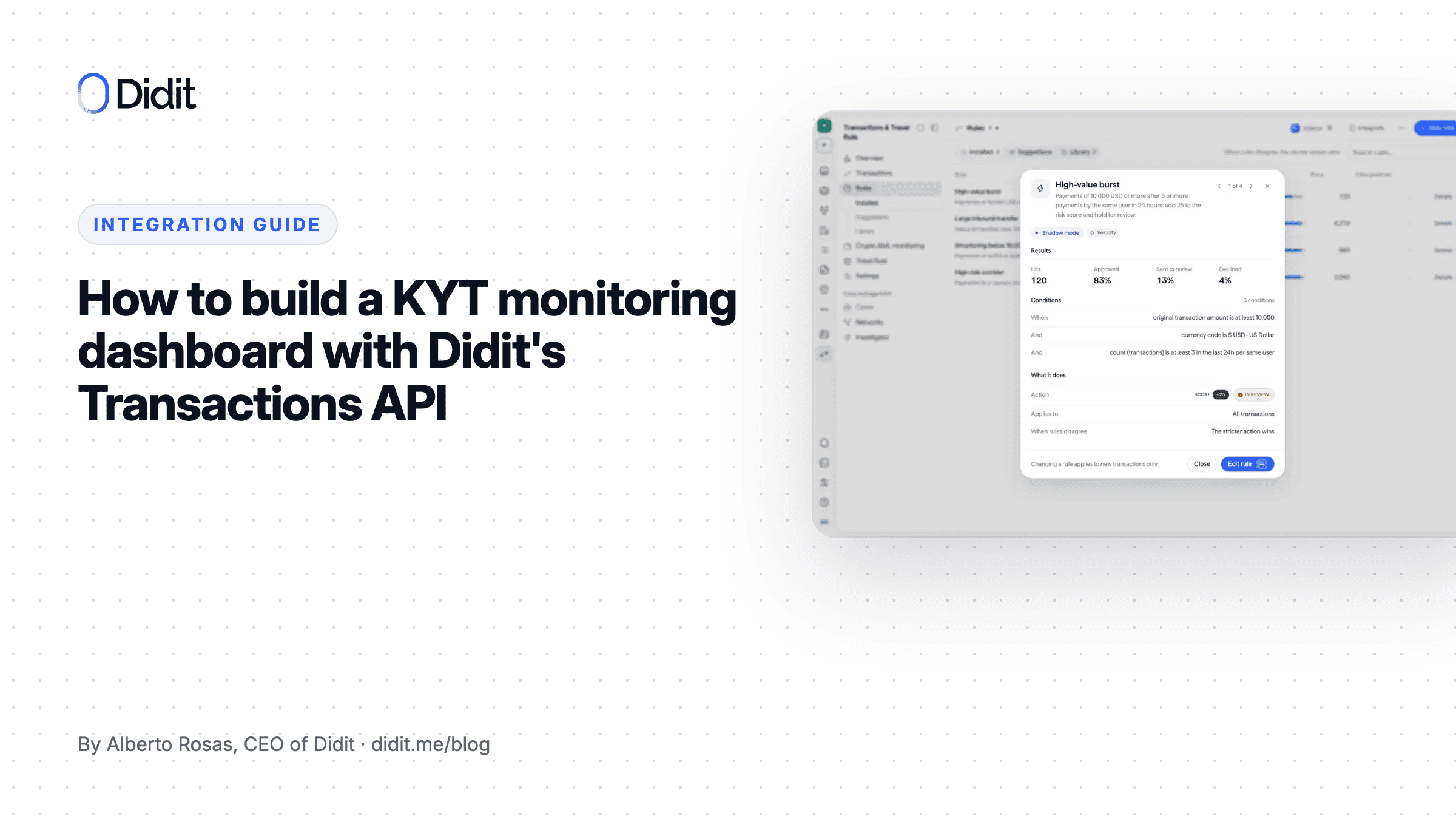 How to build a KYT monitoring dashboard with Didit's Transactions API
Didit's Transactions API lists monitored transactions newest first with score, status, parties, tags and Travel Rule state. Page with limit and offset, and take the true row count from the dedicated total field rather than the.
Alberto RosasNov 26, 2026 Build a KYB Analyst Review Queue with the Businesses API
Call GET https://verification.didit.me/v3/businesses/?status=FLAGGED with a key whose role grants list:businesses, follow next to page, then rank the queue in your own code by last_activity_at and in_review_count.
Alberto RosasNov 26, 2026Questions
Frequently asked questions
What does the Didit Destination Activity API return?
It lists recorded failure alerts for one webhook destination, newest first. Each entry carries id, type set to failure_alert, occurred_at and failure_count, and the call requires read:webhooks.
How do I page the webhook activity endpoint correctly?
Send limit (default 50, minimum 1) and offset (default 0, minimum 0), then follow the next value until it is null. Do not compute pages from count, because count can be capped or estimated. Count the entries you collected if you need an exact figure.
What is the difference between destination activity and delivery attempts?
Activity is a list of recorded failure alerts for a destination, with a failure_count on each entry, meant for alerting. Delivery attempts are the individual outbound tries for each event, documented on the separate delivery attempts page, meant for debugging one case. Alert on activity, debug with attempts.
Why does the destination activity call return 404?
A 404 means the webhook destination was not found. Re-read GET /v3/webhook/destinations/ and use the current uuid from that list. Do not retry a 404.
Why does the call return 403 even though my key works elsewhere?
A 403 means the caller lacks access to this application or lacks the required read:webhooks permission. Application and API-key credentials must belong to the application in the path, and a scoped key needs read:webhooks in its scopes. Fix the credential or grant the permission instead of changing the destination id.
What is the difference between failing and degraded health status?
failing means 3 or more consecutive events failed their first delivery attempt since the destination last answered successfully; failing_streak counts them and failing_since is when the first one failed. degraded means a delivery attempt failed in the last 24 hours and no later attempt has delivered that event. A retry or resend that delivers clears degraded.
What counts as a failed delivery attempt in Didit's metrics?
A failed attempt is one the destination answered with HTTP 400 or above, or did not answer at all, which covers timeouts, refused connections and blocked addresses. Retries do not add to failing_streak, and any successful attempt, including a retry or a resend, ends the streak.
What do the daily delivery points and error rate cover?
Both cover the last 30 days, and metrics_window_days is always 30. daily_points always has 30 entries, oldest first, one per UTC day, with date, total_deliveries and failed_deliveries; days without deliveries carry zeros. error_rate_percentage sits beside deliveries_count, failed_deliveries_count and average_response_time_ms on the same destination object.
How often should I poll the destination activity endpoint?
Poll at the cadence your response time requires, and page the activity list only when health_status is failing or a new failure_alert appears. Read the destination list first because one call returns every destination on the application. The destinations read is documented as pay-per-call, so check the current terms before polling every second.
Does monitoring webhook failures cost anything?
Reading destinations and their failure activity does not create verification sessions, so it adds no per-check verification charge. What costs money is the checks themselves, billed per completed check from prepaid credit, for example $0.33 for a full ID check at list price. The destinations read is documented as pay-per-call, and no separate Management API endpoint price is published here, so confirm current terms on https://didit.me/pricing/.
Can an AI assistant check my webhook destination health?
Yes. Didit's MCP server at https://mcp.didit.me/mcp is free on every plan and signs in with OAuth. Setup instructions for every client are on the MCP setup page.
Is the newest activity entry the destination's current health?
No. The newest activity entry is the newest recorded failure alert, not the destination's current health. Read the destination list and use health_status for current state; use activity for alert history.
Compliance built in
Audited, certified and attested.
We hold the certifications and build each country's rules into your flows, so you can launch anywhere without worrying. Security and Compliance center
- Regulation encoded into your flows
Tell us what you do and where. Didit lists the rules that apply to you, with sources, and builds the checks each country needs into one workflow.
- Ready for AMLR
Every requirement of the new EU anti-money laundering rules, from checking customers to human review, is already covered by a Didit check.
- Tested in Spain's Treasury sandbox
Spain's Treasury published its supervised sandbox report on Didit's NFC plus active liveness onboarding; SEPBLAC took part and valued the added measures positively.
- Audited, not self-declared
iBeta Level 1 and Level 2. Liveness tested under ISO/IEC 30107-3.
Your obligations · 3 regions
 SOC 2 Type 2
 ISO 27001
 iBeta Level 1 and Level 2
 EU regulator attestation
 FSM youth protection
 GDPR
 EBA remote onboarding
 MiCA compatible
 FIDO Alliance member
- AMLREU AML Regulation ready
Integration · Didit MCP
Run Didit from your own AI agent
Connect Didit to Claude, Cursor, VS Code or ChatGPT and just ask in plain words. Your agent can do anything you can do in the console, with the same permissions you have.
 Add to Claude
 ChatGPT
 Cursor
- Build workflowsDescribe the checks you need. The agent creates and publishes the flow.
- Run investigationsAsk why a session was declined, review cases, search people and companies.
- Change rulesCreate payment rules, test them on past data and switch them on.
- Pull reportsAsk for numbers, exports or the audit log.
Didit Academy