Didit Signed PDF Download API for KYC and KYB E-Signatures
The signed PDF is one GET on the Sessions API, using the signature step ID and the document ID that the decision already carries. It needs read:sessions, and it answers 409 when the stored file no longer matches the signed hash.
 Alberto RosasCo-founder and CEO
Contents
In this guide
Jump to the part you need.
This guide is for teams that run a Didit E-signature step inside a KYC or KYB session and need the signed PDF on their own side. The download is one GET, /v3/session/{session_id}/signatures/{node_id}/documents/{document_id}/file/, using the signed_file path the decision already carries in signatures[].documents[]. No separate price is published for the download call. The caveat: nothing downloads until the signer signs, and a 409 means the stored file no longer matches sha256_signed.
Last updated: November 26, 2026. Prices checked against the live Didit price feed on November 26, 2026.
| Item | Value |
|---|---|
| Endpoint | GET https://verification.didit.me/v3/session/{session_id}/signatures/{node_id}/documents/{document_id}/file/ |
| Authentication | x-api-key header on the Verification API host |
| Permission | read:sessions; the Primary key of the application works |
| Session kinds | User Verification (KYC) and Business Verification (KYB) |
| Where the IDs come from | signatures[].node_id and signatures[].documents[].id in the decision |
| Response | application/pdf with Content-Disposition: attachment and a file name |
| Integrity check | Didit compares the stored file to sha256_signed; a mismatch is 409 signature_document_changed |
| Price | No separate price is published for the download GET |
Start free in the sandbox at business.didit.me (no sales call); the sandbox is free on every plan and mocks every check. For developers who want an AI assistant working alongside the API, the setup for every MCP client is at didit.me/developers/mcp/. The step itself is documented in the E-signature overview, and every published price is on didit.me/pricing.
What the signed PDF contains
The file holds the document the signer was shown, with their field values stamped onto it, plus the evidence page unless the step's signature_evidence_page setting is off. An Advanced (AES) document also carries the PAdES signature with its timestamp. A Simple document has no digital signature, seal or timestamp, so if you need a cryptographic signature on the file, run the step at Advanced or Qualified.
The response is application/pdf with a Content-Disposition: attachment header carrying the file name, for example attachment; filename="agreement-signed.pdf". A client that follows redirects and writes binary is enough. Two sibling routes cover the rest of the record: the evidence PDF and the applied signature or initials image.
What this route returns, and what it does not
- One signed PDF per document, one request per document. The body is the binary file, not JSON.
- The evidence PDF is a separate route:
GET /v3/session/{session_id}/signatures/{node_id}/evidence/?signature_id={id}. - An applied signature or initials image is a separate route:
GET /v3/session/{session_id}/signatures/{node_id}/fields/{field_id}/image/. - This endpoint returns one document per request: the documented route takes a single document id, so you loop over
signatures[].documents[]and call it once per document. - There is no standalone signing API. The signer signs inside the hosted Didit flow, the Web SDK or a native SDK, and this route returns what was signed.
- A re-check of the stored signatures is a POST to
/v3/session/{session_id}/signatures/{node_id}/validate/.
Prerequisites
| Requirement | Detail |
|---|---|
| Plan and credit | Any plan. Sandbox testing is free and unlimited on every plan. No separate price is published for the download, and it belongs to a session you already ran. |
| Application and key | A key from the application that owns the session. The Primary key works; a scoped key needs read:sessions. Sandbox keys start with sk_test_, live keys with sk_live_. |
| Workflow | An E-signature step (feature SIGNATURE) with at least one document, either uploaded in the console or sent per session with signature_documents_source set to session or both. |
| Session state | signatures[].status must be signed. Before that the route answers 404 with signature_not_signed. |
| Client | An HTTPS client that sends x-api-key, follows redirects (curl -L) and writes a binary body. Keep the key server side, never in a browser or a mobile bundle. |

Install route: API recipe and MCP connector
There are two documented ways to work with this data. The API recipe is the one in this guide: a server-side GET with your API key, which is what a production download uses. The MCP connector puts Didit in front of an AI assistant: the server is hosted at https://mcp.didit.me/mcp, signs in with OAuth and is free on every plan, which helps while you explore a decision. Keep the download call itself in your backend, where the API key stays server side.
The documented route for the file is a Sessions API call, not a separate app. You send three values that the decision already holds: the session id, the E-signature step id and the document id.

Step by step
- Get a key that can read sessions. Sign in to the Business Console at business.didit.me, choose the Application from the dropdown at the top, open Developers then API keys, and copy the Primary key or create a key for this service. A scoped key needs
read:sessions; the Primary key has full access. Never validate a key by its prefix, because keys created before the current format have none. - Put an E-signature step in the workflow. Add the step in the Business Console, or create it with
POST /v3/workflows/and{"feature": "SIGNATURE", "config": {...}}. Upload the documents in the console, or setsignature_documents_sourceto"session"(or"both") to send them per session. For KYB signers setsignature_levelto"aes": a KYB step refuses"simple"withsignature_simple_requires_verified_person. - Create the session and let the person sign. If your documents arrive per session, send them with
sign.documentsand base64 content:
Then send the person tocurl -X POST 'https://verification.didit.me/v3/session/' -H 'x-api-key: YOUR_API_KEY' -H 'Content-Type: application/json' -d '{ "workflow_id": "YOUR_WORKFLOW_ID", "vendor_data": "user-1234", "sign": { "documents": [ { "title": "Account agreement", "file_name": "agreement.pdf", "content_base64": "BASE64_OF_THE_PDF", "fields": [ { "key": "signature", "type": "signature", "page": 3, "x": 0.09, "y": 0.62, "width": 0.36, "height": 0.085 } ] } ] } }'session.url, or open it with the Web or native SDK. Documents with fields need a native SDK release that supports fields; the hosted page and the Web SDK always do. - Wait for the webhook, then read the decision. When
status.updatedarrives, fetch the decision:
Check thatcurl https://verification.didit.me/v3/session/SESSION_ID/decision/ -H "x-api-key: YOUR_API_KEY"signatures[].statusissigned, then takesignatures[].node_idand theidof the document insignatures[].documents[]. That document object also carriessigned_file,sha256_signedand thefields[]values. - Download the signed PDF. The route below is the one
signed_filepoints at, built from the three IDs you just read:
Thecurl -L 'https://verification.didit.me/v3/session/SESSION_ID/signatures/NODE_ID/documents/DOCUMENT_ID/file/' -H 'x-api-key: YOUR_API_KEY' -o agreement-signed.pdf-Lflag makes curl follow a redirect when the endpoint answers with one, and the response body is written to disk as binary. - Keep the hash beside the file. Compute the SHA-256 of the file you stored and keep it next to
sha256_signedfrom the decision. Didit checks the stored file against that value before returning it, so the pair lets you prove later that the copy you archived is the one the API served. - Pull the sibling evidence if you need it. The evidence PDF is
GET /v3/session/{session_id}/signatures/{node_id}/evidence/?signature_id={id}, and an applied signature or initials image isGET /v3/session/{session_id}/signatures/{node_id}/fields/{field_id}/image/. Both use the same key.
Python
import requests

API_KEY = "YOUR_API_KEY"
BASE = "https://verification.didit.me"
session_id = "11111111-2222-3333-4444-555555555555"

headers = {"x-api-key": API_KEY}
decision = requests.get(BASE + "/v3/session/" + session_id + "/decision/", headers=headers).json()

signature = decision["signatures"][0]
node_id = signature["node_id"]
document = signature["documents"][0]

url = BASE + "/v3/session/" + session_id + "/signatures/" + node_id + "/documents/" + document["id"] + "/file/"
pdf = requests.get(url, headers=headers)
pdf.raise_for_status()

with open("agreement-signed.pdf", "wb") as f:
    f.write(pdf.content)
Node.js
import { writeFile } from "node:fs/promises";

const API_KEY = process.env.DIDIT_API_KEY;
const BASE = "https://verification.didit.me";
const sessionId = "11111111-2222-3333-4444-555555555555";
const headers = { "x-api-key": API_KEY };

const decision = await (await fetch(BASE + "/v3/session/" + sessionId + "/decision/", { headers })).json();
const signature = decision.signatures[0];
const document = signature.documents[0];

const url = BASE + "/v3/session/" + sessionId + "/signatures/" + signature.node_id +
  "/documents/" + document.id + "/file/";
const res = await fetch(url, { headers });
if (!res.ok) throw new Error(res.status + " " + (await res.text()));

await writeFile("agreement-signed.pdf", Buffer.from(await res.arrayBuffer()));
Field and event mapping
| Value | Appears in | What you do with it |
|---|---|---|
signatures[].node_id | Decision | Becomes the node_id path parameter. |
signatures[].documents[].id | Decision | Becomes the document_id path parameter. |
signatures[].documents[].signed_file | Decision | The download path for that document. The route in step 5 is the same one. |
signatures[].status | Decision | signed means the document can be downloaded. Earlier stages answer 404 with signature_not_signed. |
signatures[].verdict | Decision | Not Finished, Approved, In Review or Declined. Gate your own process on it, not only on the file. |
signatures[].level and format | Decision | simple with pdf, or aes and qes with pades. Tells you whether the PDF carries a PAdES signature. |
signatures[].documents[].sha256_signed | Decision | Compare with the file you stored. This is the value the download route checks before it returns a PDF. |
signatures[].documents[].mode | Decision | fields when the signer filled placed fields, read_and_agree otherwise. |
signatures[].evidence_file | Decision | Download path for the evidence PDF, a separate route from the signed file. |
status.updated | Webhook | Your trigger to fetch the decision and then download. Do not poll the file route while the signer is still in the flow. |
SIGNATURE_DOCUMENT_CHANGED | Decision warnings[] | A signature warning whose default action is DECLINE. The download route reports a changed stored file as 409. |
signature_evidence_page | Step config | Turned off, the signed PDF has no evidence page. |
The 409 is a protection, not a bug. If the stored file and sha256_signed disagree, Didit refuses to hand the file back rather than let you archive something it cannot vouch for.
Test with sandbox data
Every plan gets a sandbox where checks are mocked, so you can exercise the whole path before a live session. Use the sandbox application key (sk_test_), create a session against a workflow that has an E-signature step, and complete the signing in the hosted flow. Then fetch the decision and run the download command from step 5.
Expected success: HTTP 200, Content-Type: application/pdf, a Content-Disposition header of type attachment with a file name, a non-empty file, and a SHA-256 that equals sha256_signed in the decision. Run the same workflow with the live key only when the documents and the field positions are final.
Then walk the failures on purpose: call the download before signing to see the 404 with signature_not_signed, call it with a key that lacks read:sessions to see the 403, and call it with a session id from another application to see the plain 404. Each of those is cheaper to fix in sandbox than in production.
Error cases and fixes
| Status and code | Why | Fix |
|---|---|---|
| 401 | The key is wrong, malformed, revoked or expired. | Check the header name is x-api-key, then recreate or recover the key in Developers then API keys. |
| 403 | No key sent, or the key cannot read this session or use this endpoint. | Use the Primary key, or give the scoped key read:sessions. Check the key's IP list if it has one. |
404 signature_not_signed | The document is not signed yet, or the signer is still in an earlier stage. | Wait for status.updated, re-read the decision, and check that signatures[].status is signed. |
| 404 | A wrong session_id, node_id or document_id, an id from another application, or a session that was deleted. | Take the ids straight from the decision you just fetched. After a delete, the route answers 404 for that session. |
409 signature_document_changed | The stored file no longer matches sha256_signed, so Didit will not return it. | Do not retry the same GET in a loop. Re-fetch the decision and compare the hash with the copy you archived. Our recommendation, not a documented workflow: pause your own process on that document and have a person review it. The decision also carries a SIGNATURE_DOCUMENT_CHANGED warning whose default action is DECLINE. |
| 429 | A rate limit was reached. | Read the wait value or the Retry-After header, back off, then retry. |
| 5xx | An unexpected error on Didit's side or in a dependency. | Retry with backoff. The body may not be JSON on a 500, so read the status first. |
Disconnect and cleanup
There is no separate subscription for this route, but three things end access. Delete the session with DELETE /v3/session/{session_id}/delete/ and the download route answers 404 for it, so export what you need first. Revoke the API key in Developers then API keys when a service is retired. If you added Didit as a connector in an AI client, remove it in that client's connector settings; the MCP server signs in with OAuth and holds no long-term secret in the client. Files you already downloaded stay on your side.
Cost of both ends
| Side | What is charged | Published price |
|---|---|---|
| Didit, the download GET | The public price book has no line for this call | No separate published line |
| Didit, the surrounding KYC | Full ID check, if the workflow runs it | $0.33 per completed check |
| Didit, the surrounding KYB | Registry retrieval by country and data tier | From $2.00 per company |
| Your side | One HTTPS GET per document and the storage you keep | Your own infrastructure cost, not a Didit line |
Worked example
2,000 KYC sessions that each run ID document, passive liveness, face match and device and IP analysis, and each signed document is downloaded once.
- Full ID check: 2,000 x $0.33 = $660.00
- No separate price is published for the download GET, so the example counts only the KYC line
- Total: 2,000 x $0.33 = $660.00
The same volume on Scale, with 10% off every Didit price: 2,000 x $0.297 = $594.00 of usage, plus the $299 monthly fee, which comes with $350 of monthly credit.
For a KYB workflow, 500 companies at the $2.00 registry tier is 500 x $2.00 = $1,000.00, so from $1,000.00. Owner and officer KYC at $0.33 per person and person AML at $0.20 per person are billed separately, and the docs pricing page is the reference for how a multi-signer KYB step is billed.
Sources
- Didit docs: Download Signed Document API
- Didit docs: E-signature overview
- Didit docs: Retrieve Session decision data
- Didit docs: Sessions API overview
- Didit docs: API authentication
- Didit docs: API errors
- Didit docs: Data models
- Didit docs: Pricing and billing
- Didit pricing page and live price feed, read November 26, 2026
- Didit MCP server setup
Next step: create a free sandbox application at business.didit.me, add an E-signature step to a test workflow, and run the download command from step 5 against the mock session. No sales call, and the sandbox is where you confirm the 404 and 409 behaviour before anything goes live.
Try it
Try this in the sandbox
Run the check this guide describes, free.
The product this post is about, taken from its topic. Run it free in the sandbox.
Author
Alberto Rosas
Co-founder and CEO

Keep reading
Other guides in the same topic.
 How to Monitor Didit Webhook Destination Failures (2026)
The Didit Destination Activity API returns webhook failure alerts newest first with occurrence timestamps and failure counts. Page with limit and offset, follow next until null, and alert on each destination's health status.
Alberto RosasNov 26, 2026 How to build a KYT monitoring dashboard with Didit's Transactions API
Didit's Transactions API lists monitored transactions newest first with score, status, parties, tags and Travel Rule state. Page with limit and offset, and take the true row count from the dedicated total field rather than the.
Alberto RosasNov 26, 2026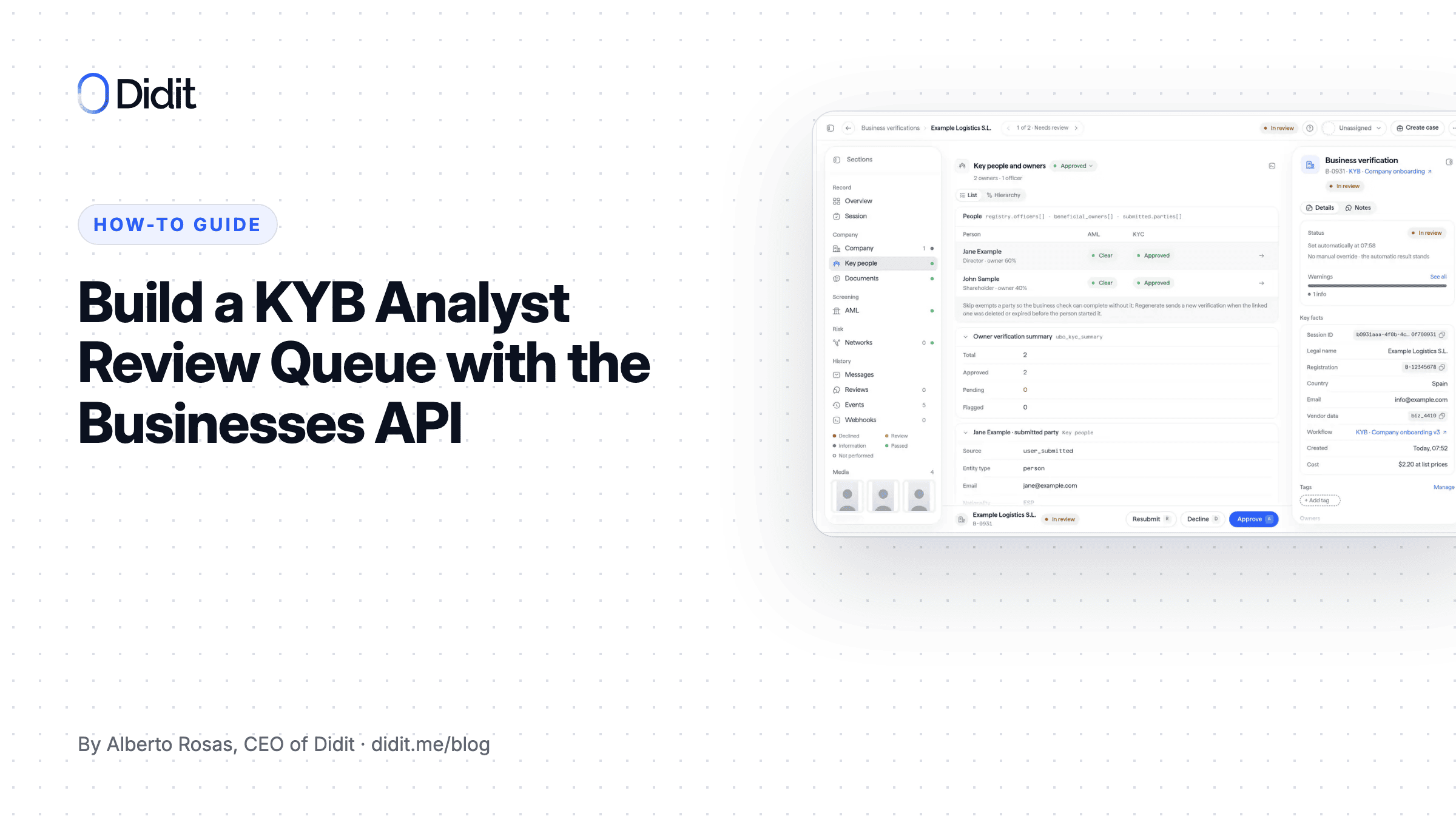 Build a KYB Analyst Review Queue with the Businesses API
Call GET https://verification.didit.me/v3/businesses/?status=FLAGGED with a key whose role grants list:businesses, follow next to page, then rank the queue in your own code by last_activity_at and in_review_count.
Alberto RosasNov 26, 2026Questions
Frequently asked questions
What is the Didit endpoint for downloading a signed document?
It is GET https://verification.didit.me/v3/session/{session_id}/signatures/{node_id}/documents/{document_id}/file/, sent with your key in the x-api-key header. node_id is the E-signature step taken from signatures[], and document_id is the id of one item in signatures[].documents[]. The response is the signed PDF, with a Content-Disposition: attachment header carrying the file name. It works for User Verification (KYC) and Business Verification (KYB) sessions.
Does downloading a signed PDF cost anything?
The public price book lists every billable line and has no line for the download GET, so no separate download price is published. What you pay for is the verification the workflow runs, such as the $0.33 full ID check or KYB from $2.00 per company. Billing is per completed check from prepaid credit.
Why do I get a 409 on the signed PDF download?
Because the stored PDF no longer matches the sha256_signed value recorded for that document, and Didit checks the file before returning it. It refuses to hand back a file it cannot vouch for, so retrying the same request changes nothing. Re-fetch the decision and compare the hash with the copy you archived; our recommendation, not a documented workflow, is to hold that document for a person to review. The decision also carries a SIGNATURE_DOCUMENT_CHANGED warning whose default action is DECLINE.
Why does the download route return 404 before signing?
Because the document is not signed yet. signatures[].status only reaches signed after the signer finishes the step, and before that the signed file does not exist. Wait for the status.updated webhook, then read the decision again before calling the download route. The same 404 comes back with signature_not_signed in the response, which tells you it is timing rather than a wrong id.
Does the same route work for KYB sessions?
Yes. It works for User Verification (KYC) and Business Verification (KYB) sessions, and the ids come from signatures[] in the same decision payload. In KYB the signers are the company's key people, and a KYB step must run at Advanced (AES) level because simple is refused with signature_simple_requires_verified_person. Download one document per request for each signer's document.
Which permission does the API key need?
The route needs read:sessions, and the application's Primary key has full access. A scoped key without that permission is refused with 403, a missing key also returns 403, and a wrong, revoked or expired key returns 401. Keys live under Developers then API keys in the Business Console.
Is the signed PDF digitally signed?
It depends on the step level. An Advanced (AES) document carries a PAdES signature with its timestamp, and a Qualified (QES) document is signed through a qualified trust service provider. A Simple document is the rendered document with field values stamped and no digital signature, seal or timestamp.
What is the difference between the signed PDF and the evidence PDF?
The signed PDF is the document the signer was shown, with their values stamped, and it includes an evidence page unless signature_evidence_page is off. The separate evidence PDF, downloaded from the sibling route, records who signed and how. Use both when you need the full record, and both download with the same API key.
Can I download the signed PDF after deleting the session?
No. After DELETE /v3/session/{session_id}/delete/ the route returns 404 for that session, so export the files and their hashes before you delete. Deleting a session is a cleanup decision, not an archive: it ends access to the decision and to the signed documents.
How do I pick the right document id when there are several?
Each item in signatures[].documents[] is one document, with its own id, signed_file, sha256_signed and fields[]. Loop over the array and download each document, keeping the file name from the Content-Disposition header or your own mapping, because there is no bundle download on this route.
Can an AI assistant fetch the signed PDF for me?
The signed PDF comes from the Sessions API with an x-api-key, so the call belongs in a server you control. The Didit MCP connector at https://mcp.didit.me/mcp is free on every plan and useful for reading decisions inside an AI assistant, and the setup for each client is at didit.me/developers/mcp/. Keep the file download in your backend, where the key stays private.
Compliance built in
Audited, certified and attested.
We hold the certifications and build each country's rules into your flows, so you can launch anywhere without worrying. Security and Compliance center
- Regulation encoded into your flows
Tell us what you do and where. Didit lists the rules that apply to you, with sources, and builds the checks each country needs into one workflow.
- Ready for AMLR
Every requirement of the new EU anti-money laundering rules, from checking customers to human review, is already covered by a Didit check.
- Tested in Spain's Treasury sandbox
Spain's Treasury published its supervised sandbox report on Didit's NFC plus active liveness onboarding; SEPBLAC took part and valued the added measures positively.
- Audited, not self-declared
iBeta Level 1 and Level 2. Liveness tested under ISO/IEC 30107-3.
Your obligations · 3 regions
 SOC 2 Type 2
 ISO 27001
 iBeta Level 1 and Level 2
 EU regulator attestation
 FSM youth protection
 GDPR
 EBA remote onboarding
 MiCA compatible
 FIDO Alliance member
- AMLREU AML Regulation ready
Integration · Didit MCP
Run Didit from your own AI agent
Connect Didit to Claude, Cursor, VS Code or ChatGPT and just ask in plain words. Your agent can do anything you can do in the console, with the same permissions you have.
 Add to Claude
 ChatGPT
 Cursor
- Build workflowsDescribe the checks you need. The agent creates and publishes the flow.
- Run investigationsAsk why a session was declined, review cases, search people and companies.
- Change rulesCreate payment rules, test them on past data and switch them on.
- Pull reportsAsk for numbers, exports or the audit log.
Didit Academy


