Didit KYB API Integration: Sessions, AML and Webhooks (2026)
Create one session with a KYB workflow ID. The workflow type makes it a business session. Send the hosted link, handle the status webhook, then read the decision. KYB from $2.00 per company.
 Alberto RosasCo-founder and CEO
Contents
In this guide
Jump to the part you need.
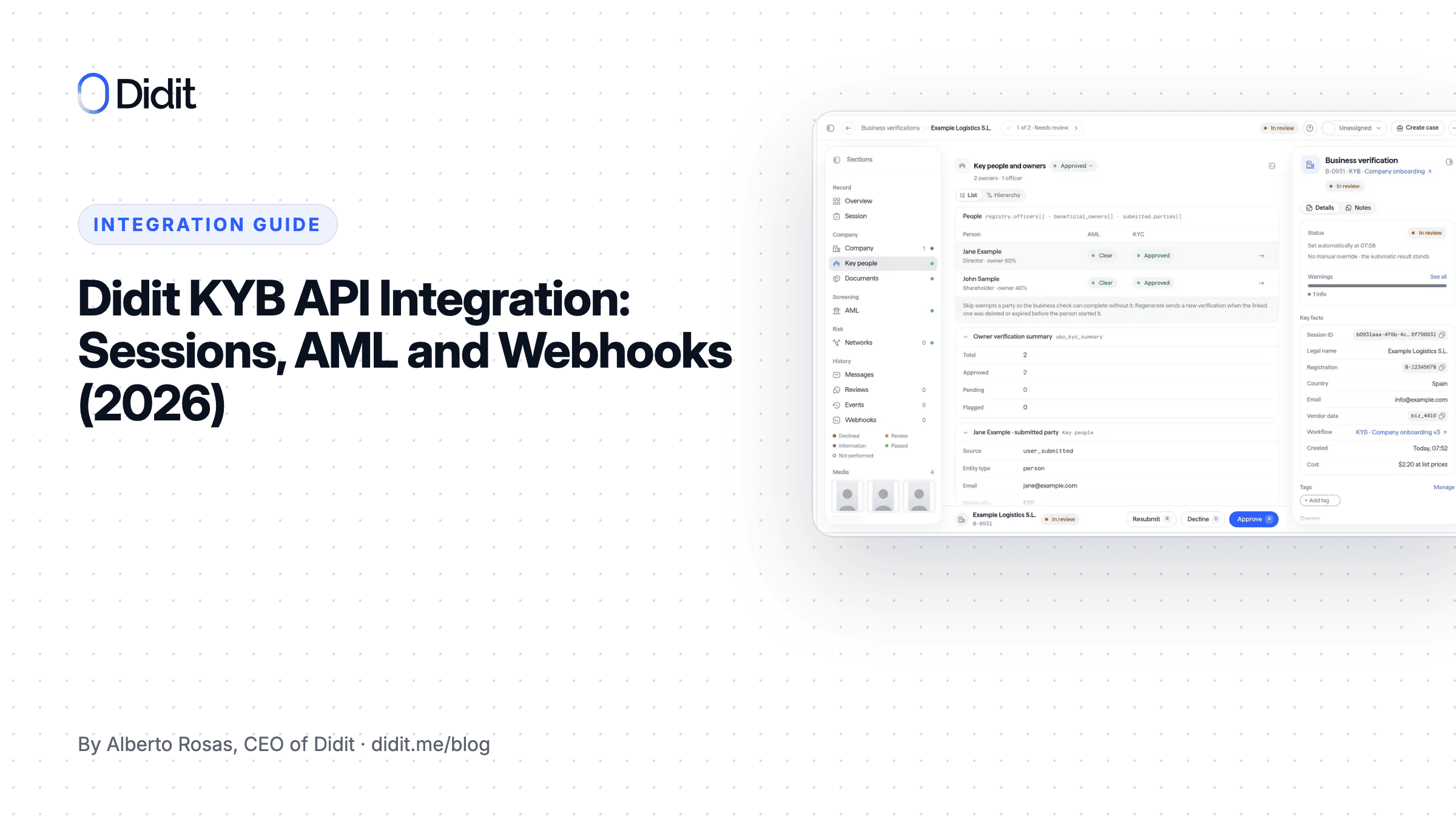
This guide is for developers adding business verification to an existing product. You create one session with a KYB workflow, hand the hosted link to the company contact, and follow the result through webhooks. KYB starts at $2.00 per company, plus company AML and, for each configured and completed check, person AML and a linked ID check for key people. The caveat: KYB runs on the same session endpoint as KYC, so the workflow you pass decides which flow runs.
Last updated: November 26, 2026. Prices checked against the live Didit price feed on November 26, 2026.
| Item | Value |
|---|---|
| Endpoint for both KYC and KYB | POST https://verification.didit.me/v3/session/ |
| Authentication | x-api-key header with an API key from Developer Settings, API Keys |
| Required body field | workflow_id of a workflow whose type is Business Verification (KYB) |
| Recommended body field | vendor_data, your stable business id |
| How the session becomes a KYB session | The workflow type sets it. There is no separate business endpoint |
| Response fields you use | session_id, session_number, session_token, url, session_kind |
| Webhook events for KYB | status.updated, data.updated, business.status.updated, business.data.updated |
| Decision endpoint | GET https://verification.didit.me/v3/session/{session_id}/decision/ |
| Price | Registry retrieval from $2.00 per company by country and tier, company AML $0.20, person AML $0.20, linked KYC $0.33, KYB documents $0.20 per step |
| Sandbox | Free and unlimited on every plan, including the Free plan |
Start free in the Didit sandbox without a sales call. To connect an AI assistant, set up the free Didit MCP server.
What the integration produces
When the work is done you have four things in your own systems. A business session with session_kind equal to business, carrying the company registry data, the key people and the AML results. A Business entity and business profile keyed by your vendor_data, so a second session for the same company lands on the same profile instead of creating a new one. A webhook stream you can branch on. And a decision payload you can pull at any time. The setup sequence is in the KYB quickstart.
We run the configured checks inside the session: company registry lookup, UBO and officer extraction, company level AML, person level AML for each identified party your workflow screens, document OCR and cross-referencing. We charge for completed billable checks. Key People extraction is free. Business Verification is one of three live product lines, next to User Verification and Transaction Monitoring, and 4,000+ companies use Didit. The Business Verification product page covers what the product does.
REST integration and developer setup
KYB runs over REST. Your backend creates the session with POST /v3/session/, receives the webhook events, and fetches the decision from GET /v3/session/{session_id}/decision/. That path works from any stack that can make an HTTPS request and expose one endpoint. For AI-assistant access, follow the Didit MCP setup guide. If your team works with a coding agent, the integration prompt is a reference for the shape of the integration, so read the generated result before you ship it.
If the platform you want has no documented Didit connector, use the REST endpoint and the webhook events below. Do not build against an undocumented path. If you are moving off another provider, the steps at didit.me/switch cover the switch.
Prerequisites
| Requirement | Where to get it | Notes |
|---|---|---|
| A Didit application with KYB enabled | business.didit.me | Create one at signup, it takes about a minute |
| An API key | Developer Settings, API Keys | Send it as the x-api-key header, never from a browser |
| A KYB workflow | Workflows, Create workflow, Business Verification | Copy the workflow_id, confirm its type is kyb |
| A reachable webhook endpoint | Your own infrastructure | Must read the raw body before verification and answer within 5 seconds |
| A webhook destination secret | Returned when you register the destination | Store the secret_shared_key as an environment variable, for example DIDIT_WEBHOOK_SECRET |
| Production billing credit | Pricing | The first organization created with an eligible work email for a company domain can receive $10 in monthly Free plan credit |
The integration in seven steps
Create the KYB workflow in the console. Go to Workflows, Create workflow, and choose Business Verification as the workflow type. Enable Company registry lookup, add Company AML for entity screening, configure Key People for the roles your verification policy covers, and add Documents if your workflow requires them. Save, then copy the
workflow_id. The workflow type is what makes every session it creates a business session.Create the session from your backend. One POST, with the workflow id and your own business id.
curl -X POST https://verification.didit.me/v3/session/ -H "x-api-key: $DIDIT_API_KEY" -H "Content-Type: application/json" -d '{"workflow_id": "YOUR_KYB_WORKFLOW_ID", "vendor_data": "biz-acme-001", "callback": "https://myapp.com/kyb/return", "metadata": {"plan": "growth"}}'Four optional fields are worth setting at this stage.
callbacksets the return URL. If the application has allowed domains, an HTTP or HTTPS callback must match an allowed origin, including scheme, host and port. Custom URL schemes are accepted.callback_methodcontrols who receives the redirect and defaults toinitiator.metadatais echoed back to you and never shown to the user.session_expiration_timeoverrides the workflow link lifetime, between 3600 and 2419200 seconds. The full request body, includingexpected_details, is in the Create Session API reference.Read the response. You get back
session_id,session_number,session_token,urlandsession_kind. The create response includessession_token. Useurlas the hosted verification link you deliver to the company contact.session_kindshould readbusiness. Persistsession_idagainst your business record next tovendor_data.Register the webhook destination before the first session goes out. Subscribe with
POST /v3/webhook/destinations/andwebhook_version: "v3". Subscribe tostatus.updated,data.updated,business.status.updatedandbusiness.data.updated. There is no wildcard, so list every event family you want. Store thesecret_shared_keyreturned at registration. You can create several destinations to fan out to different URLs. Details are in the webhooks reference.Deliver the link to the company contact. Send
urlthrough your own email or chat, or show it in your own UI. The contact selects their company from the registry results, confirms the details, adds directors and owners, and uploads any documents you required. Branding, logo and domain are configurable in the white-label settings, documented at White-label.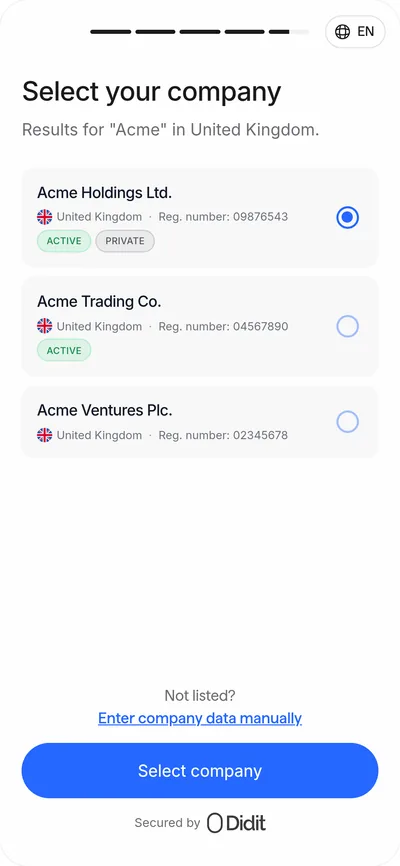
The company contact picks their company from the registry results. 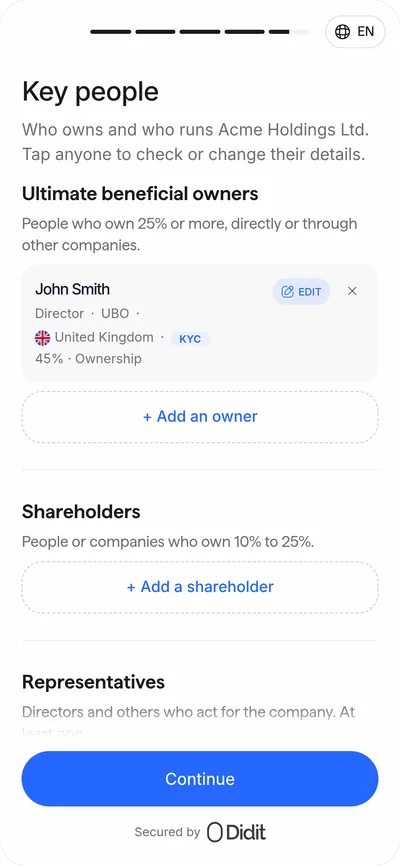
Directors and owners are added here, or arrive from the registry report. If you pass
expected_details, the hosted flow locks the country and applicable state, pre-fills the editable company name and registration number, and runs the search automatically. The behavior is documented in the Company Registry API. If the company is not in the registry, the contact submits the data manually and the session continues withis_from_registryset tofalse.Handle the event. Read the raw request body and check that
X-Timestampis within 300 seconds of now. VerifyX-Signature-V2with the current destination secret: HMAC-SHA256 over the sorted, Unicode-preserved canonical JSON, compared in constant time. During rotation, ifX-Signature-V2-Previousis present and you still hold the previous secret, verify that header with the previous secret. Accept a constant-time match on either verification. Apply updates idempotently usingevent_idand return a2xxresponse within 5 seconds. Route onwebhook_typefirst. Forstatus.updatedanddata.updated, checksession_kindforbusiness. Treatbusiness.status.updatedandbusiness.data.updatedas linked Business entity events.A business session
status.updatedevent carriessession_id,business_session_id,session_kind,vendor_data,status,environmentand, for the statuses listed in the next step, the fulldecisionobject.Fetch the decision and apply it. For
status.updated, thedecisionobject is included forApproved,Declined,In ReviewandAbandoned. Fetch the decision on demand withGET /v3/session/{session_id}/decision/.curl https://verification.didit.me/v3/session/$SESSION_ID/decision/ -H "x-api-key: $DIDIT_API_KEY"Branch on
status. When we returnApproved, apply your team's onboarding policy.Declinedmeans reject and log thewarnings[]tags from each feature array. KeepIn Reviewpending until the next status update arrives.Resubmittedmeans the business has to re-upload, so re-deliver the sameurland the hosted flow resumes at the resubmission step.Awaiting Usermeans at least one key person still has a child KYC session running.
Company and person AML hits for a session, as your webhook payload carries them.
Run the registry and AML checks
Most of the KYB work happens inside the hosted flow. You configure it in the workflow and read it in the decision. Here is what happens at each stage.
Registry selection. The contact picks the country of incorporation and enters the company name, the registration number, or both. At least one is required. Registration numbers are normalized where a registry needs it, for example UK numbers are zero-padded to eight digits. When both identifiers are present the lookup combines them. Results come back asynchronously, and the contact selects the correct match. searched_by reports how the match was made.
Manual entry. If the company is not in the registry, the contact submits company details manually and the session continues with is_from_registry set to false. If the registry provider itself fails, the hosted flow offers manual company entry instead of a dead end, and that lookup is not billed.
Company and person screening. Company AML screens the entity against sanctions, PEP and watchlist lists. Person AML screens each UBO and officer your workflow covers. Linked KYC runs a full ID check for each role that requires one. These are configured checks, billed when they complete, so a company whose people never finish costs less than the headline basket. Configure per-role required and skippable behavior at Workflows, your KYB workflow, Key People.
Where the results land. In the decision, registry_checks[] holds the company fields with fetch_status and registry_status, key_people_checks[] holds UBOs, shareholders, directors and officers in registry and submitted buckets with a ubo_kyc_summary rollup, aml_screenings[] holds company and person hits, and each entry in document_verifications holds status, node_id and items, where each item in items holds the signed file_url and OCR extract. The payload reference is the KYB response schema.
When ownership data is still pending. Some registries return the company profile before the ownership report is ready. The applicant can continue independent steps such as document upload while the report finishes in the background. Report-dependent decisions wait for the report rather than guessing, your corrections are preserved when it arrives, and registry billing uses the tier actually delivered. A pending report does not count as a completed registry check or an automatic approval.
Field and event mapping
| Didit field or event | What it holds | What to do with it |
|---|---|---|
workflow_id | UUID of the workflow, type kyb | Store per environment, one per KYB flow you offer |
vendor_data | Your stable business identifier | Primary join key. Binds the session to a Business entity and aggregates the business profile |
session_id | UUID of the session | Your verification record id |
session_number | Sequential number inside your application | Support and audit reference |
session_kind | business or user | Router key, present in responses and in session webhooks |
business_session_id | The business session UUID. It matches session_id in the documented example | Second join key when you log both kinds. Use session_kind for routing |
status.updated | Session status changed | Main progress event, follow this one |
data.updated | A reviewer edited registry data or Key People, or registry monitoring reported a change | Refresh your stored company data. Not sent for document uploads or Key People submissions |
business.status.updated | Linked Business entity status changed, ACTIVE, FLAGGED or BLOCKED | Update the business record, not the session |
business.data.updated | Business entity profile or counters changed | Re-sync profile fields |
registry_checks[] | Registry lookup, fetch_status, registry_status, company fields | Registry-sourced or manually supplied company details. Check is_from_registry and fetch_status before applying updates |
key_people_checks[] | UBOs, shareholders, directors, in registry and submitted buckets, plus ubo_kyc_summary | Ownership graph and per-person state |
aml_screenings[] | Company AML and person AML hits | Compliance evidence, keep with the decision |
document_verifications[] | Each entry in document_verifications holds status, node_id and items. Each item in items holds the signed file_url and OCR extract | Read status and node_id on the entry, then the signed file URL and OCR extract from the item |
A business status.updated envelope looks like this in the KYB quickstart:
{
  "event_id": "7f3c2c1e-6a1d-4c36-9d8e-0d3b5f4e2a10",
  "webhook_type": "status.updated",
  "session_id": "a1b2c3d4-5678-4abc-9def-1234567890ab",
  "business_session_id": "a1b2c3d4-5678-4abc-9def-1234567890ab",
  "session_kind": "business",
  "vendor_data": "biz-acme-001",
  "status": "Approved",
  "created_at": 1776515400,
  "timestamp": 1776515401,
  "decision": { "...": "full KYB decision" }
}
Testing with sandbox data
Sandbox testing is free and unlimited, so you can run the whole loop before you spend a cent. Create a sandbox application, add a KYB workflow to it, and create sessions with the sandbox key. Webhook payloads carry environment: "sandbox", which lets you keep test and live traffic on one endpoint. That field is described in the general webhook reference.
Check GET /v1/sandbox/scenarios/ for scenarios applicable to your workflow. Use the free sandbox to test KYB session creation, the hosted flow and webhook routing. A scenario slug passed as sandbox_scenario expands its bundled magic values onto the session and comes back in the envelope as sandbox_scenario. The field is rejected with 400 on live applications, and you can arm or re-arm a scenario after creation while the session is still Not Started with POST /v3/session/{session_id}/sandbox/arm/.
Expected success looks like this: confirm that session creation succeeds, the response has session_kind set to business, the hosted URL opens the registry flow, and your endpoint receives the resulting status.updated event. For a sandbox status.updated event with session_kind set to business and a status of Approved, Declined, In Review or Abandoned, confirm that the payload includes the decision object.
Error cases and fixes
| Scenario | What you get | Fix |
|---|---|---|
Invalid workflow_id | 400 Bad Request | Copy the id again from Workflows in the console |
| A KYC workflow id passed instead of KYB | Session is created but runs KYC steps | Check that workflow_type is kyb before you ship |
callback outside the application allowed domains | 400 on callback, with the allowed domains named | Add the origin to the application allowed domains, or use a custom scheme such as myapp:// |
| Company country outside the workflow allowed countries | KYB_COUNTRY_RESTRICTED warning on the registry check | Confirm the incorporation country and the workflow allowed-country settings. Update the workflow only if your verification policy permits the country and the registry is supported |
| Registry provider outage during company search | 502 with code: "kyb_registry_provider_unavailable", not billed | The hosted flow offers manual company entry. Retry the lookup later, do not block the applicant |
| Rate limit | 429 with a Retry-After header | Follow the Retry-After header before making the next request |
The same vendor_data used twice | A new session is created | That is by design for re-KYB. Use a new vendor_data only for a genuinely new business |
| A key person link expired before they started | The person can no longer start from the expired link | Reissue that party with POST /v3/session/{session_id}/kyb/parties/{party_uuid}/regenerate/ |
Disconnecting and cleaning up
For sandbox cleanup, delete test sessions with DELETE /v3/session/{id}/delete/. Before retiring a webhook destination or revoking an API key, check which integrations use it.
What a KYB run costs
Registry retrieval is priced by country and data tier, from a published $2.00 minimum per company. We charge per unit for completed billable checks. Key People extraction is free.
- Company registry retrieval: priced by country and data tier, from $2.00 per company.
- Company AML screening: $0.20 per check.
- Person AML, per UBO or officer: $0.20 per person.
- Linked KYC for a key person: $0.33 per person, the full ID check.
- KYB documents: $0.20 per document collection step, regardless of upload count inside that step.
- Key People extraction, workflow orchestrator, MCP server, SDKs: free.
- Registry monitoring after onboarding: $2.00 per company a year.
The line that surprises teams is the person side. If six owners each complete linked KYC and each receive person AML screening, budget for six of each check. Only configured checks that complete are billed, so a company whose people never finish their part costs less than the full basket.
| Line | Unit price | Quantity | Subtotal |
|---|---|---|---|
| Registry retrieval, assuming the published $2.00 minimum | $2.00 | 1 company | $2.00 |
| Company AML | $0.20 | 1 check | $0.20 |
| Person AML | $0.20 | 3 people | $0.60 |
| Linked KYC | $0.33 | 3 people | $0.99 |
| KYB documents | $0.20 | 1 step | $0.20 |
| Key People extraction | $0.00 | 3 people | $0.00 |
| Total at list price | $3.99 |
Arithmetic: 2.00 + 0.20 + 0.60 + 0.99 + 0.20 = 3.99. That is the example total for a $2.00 retrieval, one company AML check, three person AML checks, three linked KYC checks and one document step. Unit prices come from the live price list, also published as pricing as JSON. The quantities are assumptions for this example.
On the Scale plan the 10% discount applies to these illustrated checks, so 1.80 + 0.18 + 0.54 + 0.891 + 0.18 = 3.591, about $3.59 approximate usage cost before the plan subscription fee. On Growth the same checks are 4% lower. For an eligible Free organization, $10.00 covers two $3.99 examples and leaves $2.02 toward a third. One thousand companies a month at list price is 3.99 x 1,000 = $3,990.
Sources
- Business Verification product page
- KYB Quickstart
- KYB Integration Guide
- Create Session API
- Sessions API overview
- Webhooks
- KYB webhooks
- KYB statuses
- KYB response schema
- Company Registry API
- Business AML Screening API
- White-label
- Business profiles
- Business entities
- Didit pricing and pricing as JSON, read November 26, 2026
- Didit MCP server and integration prompt
Next step: create a free sandbox organization at business.didit.me, build a KYB workflow, and run one session against the sandbox key today. No sales call, and the sandbox does not consume credit.
Try it
Try this in the sandbox
Run the check this guide describes, free.
The product this post is about, taken from its topic. Run it free in the sandbox.
Author
Alberto Rosas
Co-founder and CEO

Keep reading
Other guides in the same topic.
We score a 1:1 face comparison from 0 to 100 and approve only a score strictly above the default decline threshold of 30. A score at or below it returns Declined with a low-similarity warning. Unscored pairs return a warning.
Alberto RosasNov 26, 2026GDPR KYC Data Retention in Didit: Window, EU Residency, ErasureWe act as your processor. You choose the retention window within your plan ceiling, keep verification data in the EU by default, and send an explicit API erasure instruction that no app policy can override.
Alberto RosasNov 26, 2026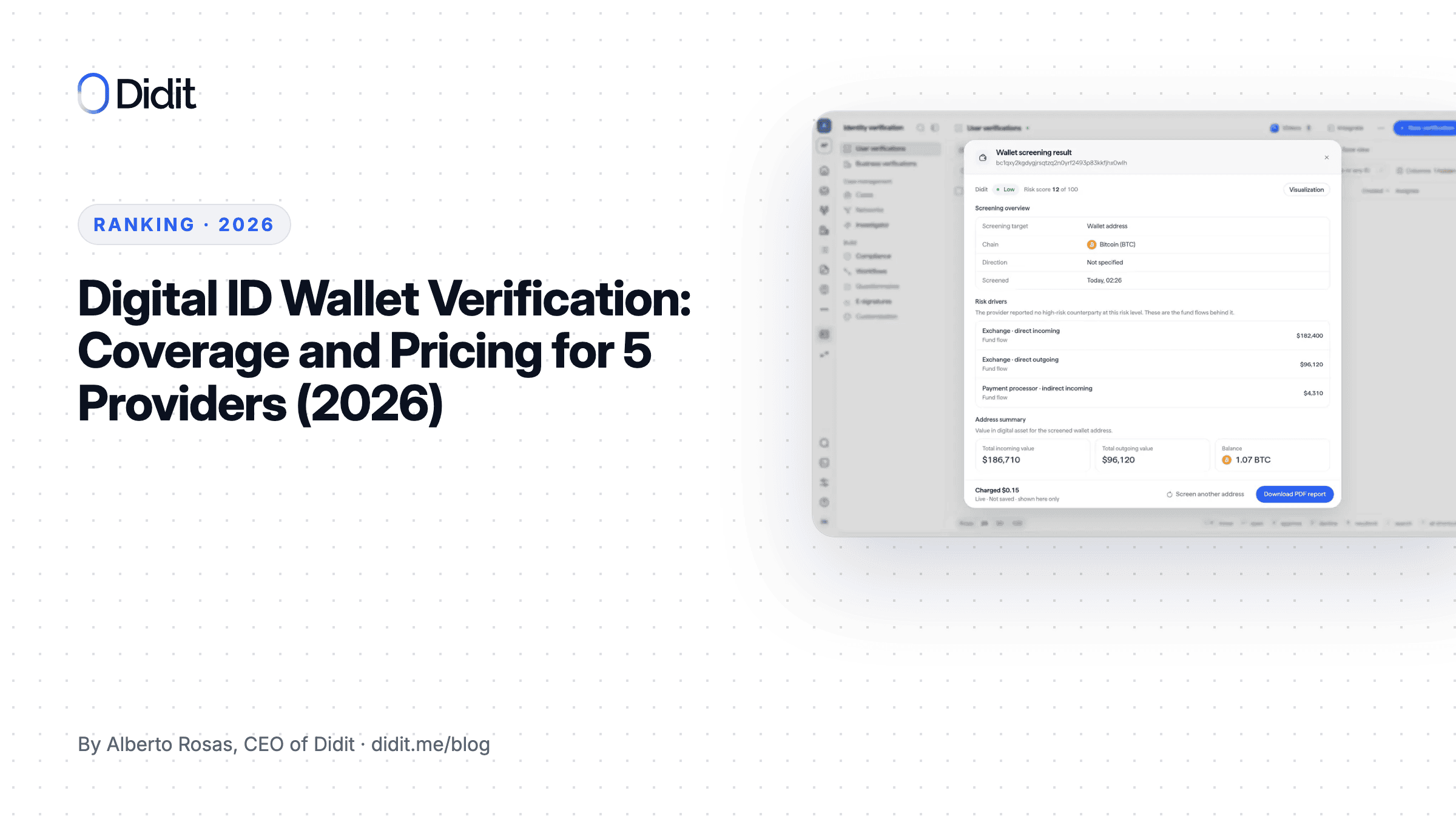 Digital ID Wallet Verification: Coverage and Pricing for 5 Providers (2026)
Didit lists eight production wallets at $0.10 to $0.95 per completed check. BankID Norway High and Personalausweis Profile 2 are Coming soon in production guidance. Check your environment’s catalog.
Alberto RosasNov 26, 2026Questions
Frequently asked questions
Does Didit have a separate KYB endpoint?
KYB and KYC share POST https://verification.didit.me/v3/session/. The workflow you pass in workflow_id decides the session kind, so a workflow with type kyb creates a Business Verification session and a KYC workflow creates a User Verification session.
How do I know a session is a business session?
Read session_kind. It is business for a KYB session and user for a KYC session, and it appears in the create response, in retrieve and list responses, and in every session webhook payload. Business session payloads also carry business_session_id. The enum uses the short values on purpose, the full names are Business Verification (KYB) and User Verification (KYC).
What is vendor_data used for in KYB?
vendor_data is your stable identifier for the business, and it is the join key for the whole integration. It binds the session to a Business entity, it aggregates the business profile across sessions, and it is used for duplicate detection. Two sessions with the same vendor_data do not merge: a new session is created each time, which is what you want for a re-KYB.
Which webhook events fire for a KYB session?
status.updated and data.updated arrive with session_kind: "business" and tell you the session status changed, or that a reviewer edited registry data or Key People, or that registry monitoring reported a change. business.status.updated and business.data.updated fire when the linked Business entity changes status or profile. Register all four on your destination, there is no wildcard.
How do I verify a Didit webhook signature?
Read the raw body before you parse JSON. Check that X-Timestamp is within 300 seconds of now, then verify X-Signature-V2 with the current destination secret: HMAC-SHA256 over the sorted, Unicode-preserved canonical JSON, compared in constant time. During rotation, if X-Signature-V2-Previous is present and you still hold the previous secret, verify that header with the previous secret, and accept a constant-time match on either verification. Apply updates idempotently on event_id and answer 2xx within 5 seconds.
How much does one KYB check cost?
Registry retrieval is priced by country and data tier and starts at $2.00 per company. On top of that: company AML $0.20 per check, person AML $0.20 per UBO or officer, linked KYC $0.33 per key person, and KYB documents $0.20 per document step. The $3.99 example on this page is a $2.00 retrieval plus one company AML check, three person AML checks, three linked KYC checks and one document step.
Can I pre-fill the company so the contact does not search for it?
Yes. Pass expected_details on session creation with company_name, registry_country (ISO 3166-1 alpha-2, and state level for registries like US-CA) and registration_number. The hosted flow locks the country and applicable state, pre-fills the editable company name and registration number, and runs the search automatically, so the contact sees the result of that search. Choosing a different company does not raise a warning, because the prefill is an assertion, not a check.
Do key people get their own verification sessions?
Yes, when your KYB workflow requires KYC for a role, each person triggers a child KYC session automatically. While any child session is in progress the parent kyb_key_people status is Awaiting User. A child session expires after the KYC workflow expiration time its role maps to, not the KYB session time. Reissue the party's link if the child session was deleted or the link expired before the person started verification. Use POST /v3/session/{session_id}/kyb/parties/{party_uuid}/regenerate/.
How do I test KYB without spending money?
Use the sandbox, which is free and unlimited on every plan including Free. Create a sandbox application and a KYB workflow in it, then check GET /v1/sandbox/scenarios/ for scenarios applicable to your workflow. Sandbox payloads carry environment: "sandbox", and the sandbox_scenario field is rejected with 400 on live applications.
What happens if the company is not in the registry?
The contact submits the company data manually and the session continues, with is_from_registry set to false. If the registry provider itself fails during the search, the API returns 502 with kyb_registry_provider_unavailable and the call is not billed, and the hosted flow offers manual company entry instead of a dead end.
Can I use the Didit MCP server for KYB instead of writing code?
Our free MCP server uses OAuth. Follow the Didit MCP setup guide to connect an AI assistant. For KYB session creation and webhook handling, use the REST integration shown here.
What does the Resubmitted status mean in practice?
It means the business has to supply or correct something. Re-deliver the same url you created earlier: the hosted flow resumes at the resubmission step instead of starting over. If only one key person needs to redo their check, resubmit that person's child KYC session and the parent kyb_key_people re-aggregates automatically.
Compliance built in
Audited, certified and attested.
We hold the certifications and build each country's rules into your flows, so you can launch anywhere without worrying. Security and Compliance center
- Regulation encoded into your flows
Tell us what you do and where. Didit lists the rules that apply to you, with sources, and builds the checks each country needs into one workflow.
- Ready for AMLR
Every requirement of the new EU anti-money laundering rules, from checking customers to human review, is already covered by a Didit check.
- Tested in Spain's Treasury sandbox
Spain's Treasury published its supervised sandbox report on Didit's NFC plus active liveness onboarding; SEPBLAC took part and valued the added measures positively.
- Audited, not self-declared
iBeta Level 1 and Level 2. Liveness tested under ISO/IEC 30107-3.
Your obligations · 3 regions
 SOC 2 Type 2
 ISO 27001
 iBeta Level 1 and Level 2
 EU regulator attestation
 FSM youth protection
 GDPR
 EBA remote onboarding
 MiCA compatible
 FIDO Alliance member
- AMLREU AML Regulation ready
Integration · Didit MCP
Run Didit from your own AI agent
Connect Didit to Claude, Cursor, VS Code or ChatGPT and just ask in plain words. Your agent can do anything you can do in the console, with the same permissions you have.
 Add to Claude
 ChatGPT
 Cursor
- Build workflowsDescribe the checks you need. The agent creates and publishes the flow.
- Run investigationsAsk why a session was declined, review cases, search people and companies.
- Change rulesCreate payment rules, test them on past data and switch them on.
- Pull reportsAsk for numbers, exports or the audit log.
Didit Academy


