How to Download a Didit KYC or KYB Compliance PDF (2026)
Call GET /v3/session/{id}/generate-pdf/ with your x-api-key and read:sessions scope to save a binary PDF report. The same endpoint routes KYC and KYB templates automatically.
 Alberto RosasCo-founder and CEO
Contents
In this guide
Jump to the part you need.
Didit renders a compliance PDF on demand for any KYC or KYB session in a reportable status, and you fetch it as a binary PDF with one authenticated GET. Generation has no separate line on the public Didit price list; what you pay for is the checks the report describes. It suits developers and compliance teams who need an audit-ready file per session. The caveat: the session must be Approved, Declined or In Review, or the call returns 403.
Last updated: November 26, 2026. Prices checked against the live Didit price feed on November 26, 2026.
| Item | Detail |
|---|---|
| Endpoint | GET https://verification.didit.me/v3/session/{session_id}/generate-pdf/ |
| Authentication | x-api-key header with your Didit API key; privilege read:sessions |
| Works for | User Verification (KYC) and Business Verification (KYB) sessions; Didit picks the template |
| Session status required | Approved, Declined or In Review |
| Response body | Binary application/pdf, never JSON |
| Filename | session_<id>.pdf for KYC, business_<id>.pdf for KYB, sent in Content-Disposition |
| Render time | About 1 to 3 seconds |
| Report language | Optional language query parameter, 16 values, English default |
| Cost and retries | No separate line on the public price list; generation is read-only and safe to retry |
| Bulk alternative | GET /v3/users/{vendor_data}/generate-pdf/ for every session of one user |
Start free in the sandbox at business.didit.me, no sales call needed. For developers, connect Didit to an AI assistant via the Didit MCP server. The product page for the business side is Business Verification, and every unit price is on didit.me/pricing.
What the endpoint gives you
The generate-pdf endpoint reads the stored decision of a session in a reportable status and renders it into a branded document you can hand to an auditor, attach to a support reply, or file in an evidence binder. The documented behavior is that the report is rendered on request. You call the endpoint when you need the file.
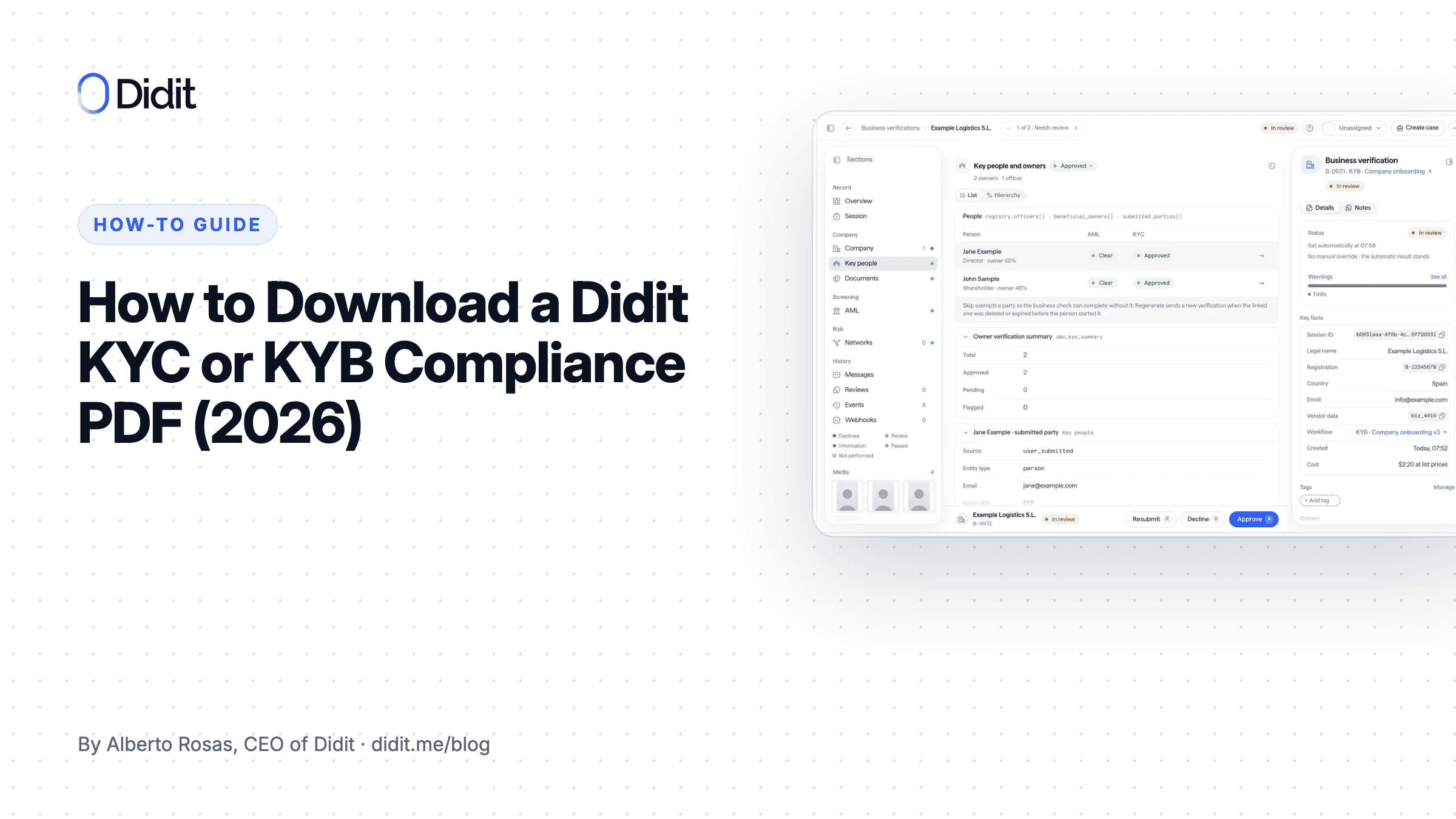
The KYC template carries the identity section from OCR, liveness, face match, AML screening, proof of address, IP analysis, manual reviews and the session event log. The KYB template carries company registry data, officers, beneficial owners, KYB documents, AML hits, questionnaires, phone verification, email verification, IP analysis, reviews and events. You do not choose the template and you do not pass a kind parameter. Didit resolves the session id and routes to the right one.

If white-label customization is enabled on your application, the rendered PDF uses your application's logo and privacy-policy URL. That is configured once in the Console under Customization, not per call.
Prerequisites
- A Didit application with at least one finished verification session.
- An API key from Developers, then API keys in the Business Console. New keys start with
sk_live_for a live application orsk_test_for a sandbox application. Keep the key server-side only. - A key that holds the
read:sessionsprivilege. The same scope covers KYC and KYB reports. - A session in
Approved,DeclinedorIn Review. Any other status is refused with 403. - curl, or any HTTP client that can write a binary response body to disk. Do not parse the response as JSON.
If you are still working out how keys and scopes work, read API authentication first. The recover-key flow there lets you fetch a fresh key without touching the console UI.
Step by step: download a session compliance PDF
Get the session id and check its status. Use the id returned when you created the session, or list sessions to find it. The status has to be one of the three printable values before you call generate-pdf.
curl -G https://verification.didit.me/v3/sessions/ \
  -H "x-api-key: $DIDIT_API_KEY" \
  --data-urlencode "session_kind=all" \
  --data-urlencode "status=Approved,Declined,In Review" \
  --data-urlencode "limit=50"
The List Sessions API accepts
session_kind,status,vendor_data,workflow_id, date windows and pagination, so you can build the set of sessions you want reports for.Call generate-pdf and save the binary. One request, one file. The example below is the documented call for a KYC session.
curl https://verification.didit.me/v3/session/4c5c7f3a-8f1e-4c2a-9b3d-1a2b3c4d5e6f/generate-pdf/ \
  -H "x-api-key: $DIDIT_API_KEY" \
  -o report.pdf
For a KYB session, the call is identical. Only the session id changes, and the response becomes the business template.
curl https://verification.didit.me/v3/session/<SESSION_ID>/generate-pdf/ \
  -H "x-api-key: $DIDIT_API_KEY" \
  -o kyb-report.pdf
Confirm the content type. The response header must read
Content-Type: application/pdf. If you saved a JSON body into a .pdf file, something failed and you are looking at an error, not a report.Read the filename from the response headers. Save the headers alongside the file and check
Content-Disposition. This tells you which template Didit routed to.curl -D headers.txt \ -o report.pdf \ https://verification.didit.me/v3/session/<SESSION_ID>/generate-pdf/ \ -H "x-api-key: $DIDIT_API_KEY" grep -i content-disposition headers.txt # content-disposition: attachment; filename=session_4c5c7f3a-....pdfA KYC session produces
session_<session_id>.pdf. A KYB session producesbusiness_<session_id>.pdf. If you see the business prefix, you called a business session and the KYB sections are inside.Render in the language your reader needs. Add the optional
languagequery parameter, for example?language=esfor Spanish or?language=arfor Arabic. The parameter works the same for KYC and KYB reports.curl "https://verification.didit.me/v3/session/<SESSION_ID>/generate-pdf/?language=es" \ -H "x-api-key: $DIDIT_API_KEY" \ -o informe.pdfStore the file next to the decision. Keep the PDF together with the same session id and the JSON decision from
GET /v3/session/{id}/decision/, so a reviewer can move between the human-readable report and the machine-readable payload. See Retrieve Session for the JSON shape.
Expected output
A successful call returns HTTP 200 with a binary PDF body and roughly these headers.
HTTP/1.1 200 OK
Content-Type: application/pdf
Content-Disposition: attachment; filename=business_<session_id>.pdf
A failure usually returns a JSON body, but a 5xx response may not. Check the HTTP status and content type before you trust the saved file.
What each template contains
| Template | Sections |
|---|---|
KYC, session_<id>.pdf | Identity and OCR, liveness, face match, AML screening, proof of address, IP analysis, reviews, events |
KYB, business_<id>.pdf | Company registry data, officers, beneficial owners (UBOs), KYB documents, AML hits, questionnaires, phone verification, email verification, IP analysis, reviews, events |
Both templates pull from the same session record you already see in the Console. Feature arrays that were not part of the workflow simply do not appear. That matches the rule in the Sessions API overview: a feature that did not run is absent, never a placeholder.

Report language and localization
The language query parameter controls the language of the report. Values are case-sensitive, and an unknown value returns 400.
| Value | Language |
|---|---|
en | English (default) |
es | Spanish |
ar | Arabic, printed right to left |
ca | Catalan |
de | German |
fr | French |
hi | Hindi |
id | Indonesian |
it | Italian |
ja | Japanese |
ko | Korean |
pt-BR | Portuguese (Brazil) |
pt-PT | Portuguese (Portugal) |
ru | Russian |
sw | Swahili |
zh | Chinese |
Everything the report writes itself prints in the requested language: section titles, labels, statuses, check names, notes, footers, page numbers, dates and country names. Anything the end user submitted or a source returned prints exactly as captured, including names, addresses, document fields, free text and IDs. An Arabic report is laid out right to left.
curl "https://verification.didit.me/v3/session/<SESSION_ID>/generate-pdf/?language=ar" \
  -H "x-api-key: $DIDIT_API_KEY" \
  -o taqreer.pdf
One PDF for every session of a user
When a support case or an audit covers the whole history of one person, do not loop over generate-pdf one session at a time. The documented route is GET /v3/users/{vendor_data}/generate-pdf/, which bundles every reportable session of that vendor identifier into a single file. That call is a separate Management API workflow, not part of the Sessions API, so check its own documentation page for the parameters and authentication it needs.
curl https://verification.didit.me/v3/users/<VENDOR_DATA>/generate-pdf/ \
  -H "x-api-key: $DIDIT_API_KEY" \
  -o user-history.pdf
vendor_data is your own stable identifier for the entity, the same value you sent when you created the session. Read the full behaviour on Download user history PDF. To preview which sessions will be included, list them first with vendor_data as a filter.
curl -G https://verification.didit.me/v3/sessions/ \
  -H "x-api-key: $DIDIT_API_KEY" \
  --data-urlencode "session_kind=all" \
  --data-urlencode "vendor_data=user-42"
Inputs and outputs
| Name | Where | Required | Notes |
|---|---|---|---|
session_id | Path | Yes | UUID of a KYC or KYB session. The kind is resolved by Didit. |
x-api-key | Header | Yes | Application API key holding read:sessions. |
language | Query | No | One of the 16 case-sensitive values, English default, unknown value returns 400. |
Content-Type | Response header | Returned | application/pdf on success. |
Content-Disposition | Response header | Returned | attachment; filename=session_<id>.pdf or business_<id>.pdf. |
| Body | Response | Returned | Binary PDF. Do not parse it as JSON. |
Failure cases and recovery
| Status | Body | Cause | Fix |
|---|---|---|---|
| 401 | Authentication credentials error, or This API key has expired. | The key is wrong, malformed, revoked or expired. | Create or recover a key in Developers, then API keys. Do not retry with the same key. |
| 403 | { "detail": "You do not have permission to perform this action." } | The key lacks read:sessions, no x-api-key header was sent, or the session is in a non-printable status: Not Started, In Progress, Expired, Abandoned, Kyc Expired, Resubmitted or Awaiting User. | First check the session status with the decision endpoint. If the status is printable, give the key the read:sessions scope. |
| 404 | { "detail": "Not found." } | The session is not visible to this application, for example a cross-application read. | Use the key of the application that owns the session. Do not retry. |
| 400 | Validation body | An unknown or wrongly cased language value. | Use one of the 16 documented values exactly as written, for example pt-BR not pt-br. |
| 429 | Body with a wait field | Rate limit reached. | Wait the stated seconds, then retry. |
The single most common failure is the 403 with You do not have permission to perform this action. It has two causes and they need different fixes, so check the status before you touch the key. A session that is still In Progress cannot be printed no matter what scope the key holds. Poll the decision endpoint, or wait for the webhook, then call generate-pdf once the status is Approved, Declined or In Review. The wider error catalogue, including the exact wording of each key error, is on Didit API errors.
Retries, paid steps and review boundaries
PDF generation is read-only. It does not re-run a check, does not change a status, and does not create a new decision. That makes it safe to retry a timeout or a 5xx without worrying about duplicate billing or duplicate records. It does count against the standard rate limit, so back off on 429 rather than hammering the endpoint.
The public price list has no line for PDF generation. What you pay for is the work the report describes, billed when it ran:
- Full ID check (KYC) at $0.33 per completed check, made of ID document verification $0.15, passive liveness $0.10, face match 1:1 $0.05 and device and IP analysis $0.03.
- AML screening at $0.20 per check, which lifts a compliance workflow to the $0.53 compliance bundle.
- Business verification (KYB) priced by country and data tier from $2.00 per company, plus $0.20 company AML screening and $0.20 person AML for each UBO or officer.
- Linked KYC for owners and officers at the same $0.33 full ID check, billed per person.
The review boundary matters for archival work. Generate the file after the review outcome you intend to archive is in place. If a reviewer changes the outcome afterwards, regenerate the file so the archive reflects the current record. Anything a reviewer or investigator did before you generate appears in the reviews and events sections, so the file shows who decided and when.
Worked cost example
Take a platform that finishes 500 KYC sessions and 50 KYB companies in a month. Each KYC workflow includes AML screening, so it is billed as the compliance bundle. Each company has two UBOs, and each UBO takes a linked KYC and a person AML check. Every session also gets a PDF report, which has no published unit price and is excluded from the calculated total.
- KYC compliance bundle: 500 x $0.53 = $265.00
- KYB registry retrieval: 50 x $2.00 = $100.00 (from $2.00 per company, priced by country and data tier, so this line is a floor)
- UBO checks: 50 companies x 2 people x ($0.33 KYC + $0.20 person AML) = 100 x $0.53 = $53.00
- Calculated verification-check total at list price, excluding PDF generation: $265.00 + $100.00 + $53.00 = $418.00
On the Scale plan the Didit prices carry a 10% discount, so the same calculated verification-check cost is $418.00 x 0.90 = $376.20, with the same country-and-tier qualification on the KYB line. The registry retrieval line is priced by country and tier, so treat $2.00 as the floor of that line rather than a fixed rate. Plans and included monthly credit are on didit.me/pricing and should be read there before you quote them.
Sources
- Didit docs: Generate PDF API, KYC and KYB compliance reports
- Didit docs: Download user history PDF
- Didit docs: Sessions API overview
- Didit docs: List Sessions API
- Didit docs: Retrieve Session API
- Didit docs: API authentication
- Didit docs: API errors, status codes and fixes
- Didit docs: KYB response schema
- Didit pricing page and cost estimator
- Didit pricing as JSON (live price feed), read November 26, 2026
- Didit Business Verification product page
- Didit MCP server setup
The fastest next step is to create a sandbox application at business.didit.me, run one verification, and call generate-pdf against that session id. Sandbox testing is free and needs no sales call, so you can confirm the filename, the status requirement and the language parameter in a few minutes.
Try it
Try this in the sandbox
Run the check this guide describes, free.
The product this post is about, taken from its topic. Run it free in the sandbox.
Author
Alberto Rosas
Co-founder and CEO

Keep reading
Other guides in the same topic.
 Face Blocklist Screening API: blocklisted_or_approved (2026)
The blocklist search type restricts Face Search to blocklisted, allowlisted, approved-session and imported profile faces, ranking blocklisted first; status is Declined only on a blocklist warning.
Alberto RosasNov 26, 2026 How to Configure AML Approve and Review Thresholds
Didit defaults the AML approve threshold to 80 and the review threshold to 100. A score above review is Declined, above approve is In Review, otherwise Approved, and both comparisons are strict.
Alberto RosasNov 26, 2026 Didit Delete Session API: What Gets Deleted, What Stays
Deleting a Didit session removes the session, every verification attempt, feature records, reviews, activity log and stored files. Blocklist entries, share tokens and credits survive, no webhook fires, and the parent User or.
Alberto RosasNov 26, 2026Questions
Frequently asked questions
How do I generate a PDF report for a Didit verification session?
Call GET https://verification.didit.me/v3/session/{session_id}/generate-pdf/ with your API key in the x-api-key header and save the binary response to disk, for example with curl and the -o flag. The response body is application/pdf, not JSON. The same endpoint handles KYC and KYB sessions and picks the template automatically.
Why does Didit generate-pdf return 403 "You do not have permission to perform this action"?
There are two causes. Either the API key does not hold the read:sessions privilege, or the session is in a status that cannot be printed, such as Not Started, In Progress, Expired, Abandoned, Kyc Expired, Resubmitted or Awaiting User. Check the session status first with the decision endpoint. If the status is Approved, Declined or In Review, fix the key scope instead.
What status must a session have before I can download the PDF?
The session must be Approved, Declined or In Review. Every other status is refused with a 403 and the same permission message. The practical fix for a session that is still In Progress is to wait for the decision, either by polling the decision endpoint or by handling the completion webhook, and then call generate-pdf.
Does the same endpoint work for KYC and KYB sessions?
Yes. generate-pdf resolves the session id and routes to the correct template, so you never pass a kind parameter. A User Verification session returns the KYC report; a Business Verification session returns the KYB report. The only visible difference in the response is the filename prefix in Content-Disposition.
What is the filename of the downloaded report?
The name comes back in the Content-Disposition: attachment; filename=... response header. KYC sessions produce session_<session_id>.pdf and KYB sessions produce business_<session_id>.pdf. curl's -o flag lets you choose your own local name, so capture the headers too if you need the original.
How do I download a PDF for every session of one user by vendor_data?
Use the documented management route GET /v3/users/{vendor_data}/generate-pdf/. It belongs to the separate Management API workflow rather than the Sessions API, so read its documentation page for the parameters and authentication it needs. It puts every reportable session of that identifier into one file, which is simpler than looping over session ids. To preview the contents, list sessions first with the vendor_data filter on GET /v3/sessions/.
Can I generate the report in Spanish or Arabic?
Yes. Add the language query parameter, for example ?language=es or ?language=ar. Sixteen values are accepted, all case-sensitive, and Arabic prints right to left. An unknown value returns 400, and the parameter behaves identically for KYC and KYB reports.
Does the language parameter translate the data the user submitted?
No. Only the text the report writes itself is translated: section titles, labels, statuses, check names, notes, footers, page numbers, dates and country names. Names, addresses, document fields, free text and identifiers print exactly as captured or as the source returned them. That keeps the report evidentially faithful in every language.
Is it safe to call generate-pdf more than once for the same session?
Yes. Generation is read-only, so a retry does not re-run a check, does not alter the decision and does not create a second record. It does count against the standard rate limit, so handle 429 by waiting the number of seconds in the response before retrying. Regenerating is also the right move after a reviewer changes a status.
Can I white-label the compliance PDF with my own logo?
Yes, when white-label customization is enabled on your application. The PDF then uses your application's logo and privacy-policy URL. It is configured once in the Console under Customization, not per request, and the white-label flow is priced at $0.10 per check on the public price list.
What is the difference between the PDF report and the decision JSON?
The decision JSON from GET /v3/session/{id}/decision/ is the machine-readable payload with every feature array, including fields a report does not print. The PDF is the human-readable rendering of the same session for auditors, regulators and support replies. Most teams keep both, keyed by the same session id.
Compliance built in
Audited, certified and attested.
We hold the certifications and build each country's rules into your flows, so you can launch anywhere without worrying. Security and Compliance center
- Regulation encoded into your flows
Tell us what you do and where. Didit lists the rules that apply to you, with sources, and builds the checks each country needs into one workflow.
- Ready for AMLR
Every requirement of the new EU anti-money laundering rules, from checking customers to human review, is already covered by a Didit check.
- Tested in Spain's Treasury sandbox
Spain's Treasury published its supervised sandbox report on Didit's NFC plus active liveness onboarding; SEPBLAC took part and valued the added measures positively.
- Audited, not self-declared
iBeta Level 1 and Level 2. Liveness tested under ISO/IEC 30107-3.
Your obligations · 3 regions
 SOC 2 Type 2
 ISO 27001
 iBeta Level 1 and Level 2
 EU regulator attestation
 FSM youth protection
 GDPR
 EBA remote onboarding
 MiCA compatible
 FIDO Alliance member
- AMLREU AML Regulation ready
Integration · Didit MCP
Run Didit from your own AI agent
Connect Didit to Claude, Cursor, VS Code or ChatGPT and just ask in plain words. Your agent can do anything you can do in the console, with the same permissions you have.
 Add to Claude
 ChatGPT
 Cursor
- Build workflowsDescribe the checks you need. The agent creates and publishes the flow.
- Run investigationsAsk why a session was declined, review cases, search people and companies.
- Change rulesCreate payment rules, test them on past data and switch them on.
- Pull reportsAsk for numbers, exports or the audit log.
Didit Academy