Multi-Tenant MCP Authorization for Verification Records
Give each customer tenant its own Didit application and API key, connect the agent to that key (or a read-only MCP URL), and check vendor_data before returning any decision.
 Alberto RosasCo-founder and CEO
Contents
In this guide
Jump to the part you need.
This page is for teams that run AI agents for several customers and need one customer's verification records never to reach another. Didit scopes API keys, workflows, webhooks and verification data to a single application, so the tenant boundary is the application. The MCP server is free and each check is billed per completed check, a full KYC at $0.33. The caveat: an interactive OAuth connection acts as the signed-in person, across every organization they belong to.
Add Didit to Claude · Install Didit from the ChatGPT plugin directory · MCP setup for every client
Last updated: November 26, 2026. Prices checked against the live Didit price feed on November 26, 2026.
| Question | Answer |
|---|---|
| What is the tenant boundary | One Didit application per customer tenant. Keys, workflows, webhooks and verification data belong to that application. |
| How the agent connects | Hosted MCP at https://mcp.didit.me/mcp with Log in with Didit, or an application API key for a headless agent. |
| Where the customer ID lives | vendor_data on the session, plus metadata for tenant tags and ticket ids. |
| Cross-tenant read | A session that belongs to a different application returns 404 on the decision route, and so does a session outside the scoped key's workflows or statuses. |
| Limiting what an agent can do | ?read_only=true is enforced on the server. ?toolsets=core,sessions shortens the tool list. |
| Didit cost | MCP server and workflow orchestrator free. Full KYC $0.33, AML screening $0.20, KYB registry from $2.00 per company. |
| Main caveat | An interactive OAuth connection carries the signed-in person's role across every organization they belong to. Use a tenant key for isolation you can prove. |
Start free in the sandbox at business.didit.me, no sales call. For developers, connect Didit to an AI assistant first at didit.me/developers/mcp, and read the full price list at didit.me/pricing.
How per-customer authorization works on the Didit MCP
The hosted MCP server is an OAuth 2.1 resource server. The Didit Business Console at business.didit.me is the authorization server. You connect with one URL, choose Log in with Didit in the browser, approve the permissions, and the MCP then acts as you, across every organization you belong to, with your console role's permissions. That is convenient for an analyst and it is the wrong shape for a tenant boundary.
The second connection type is the one multi-tenant work needs. An agent that runs with no person present, a backend agent, a scheduled job, a CI run, connects to the hosted server with an application API key and acts as that one application. The key belongs to one application, so the agent reaches that application's sessions, workflows, users, lists and webhook destinations and nothing else.
Application separation is the documented boundary. Didit documents no row-level permission model inside a single application: keys are application-scoped, not role-scoped, and console roles decide what a person may do in the console. So the rule for tenant work is narrow and checkable: if two customers must never see each other's records, they never share an application. One application per tenant, one key per tenant application, and the tenant question is answered before the agent runs.

Prerequisites
| Requirement | What you need | Where |
|---|---|---|
| Plan | Any plan. The sandbox is free on every plan. Free includes $10 of monthly credit for eligible organizations that sign up with a work email; phone codes are excluded. | Pricing |
| Didit application | One application per customer tenant, with a data location chosen at creation. European Union (Ireland) is the default and the location is fixed once the application exists. | Settings > Organization > Applications |
| API key | One key per tenant application, kept server-side. New keys start with sk_live_ or sk_test_ plus 43 URL-safe characters. Older keys may have no prefix and still work. | Developers -> API keys |
| Console role | The role on the account that signs in to an interactive MCP connection. A toolset never grants a permission. | Roles and permissions |
| Session read permission | read:sessions, needed by the decision endpoint. | Retrieve Session |
| MCP client | Claude, ChatGPT, Cursor, VS Code, Codex, Windsurf, Zed, or your own client. | MCP overview |
| Network | POST https://mcp.didit.me/mcp, health check at GET https://mcp.didit.me/healthz. | MCP overview |
Install route: MCP connector, native listing, or API recipe
MCP connector (hosted)
One URL, no API key for interactive use. Your client opens a browser, you choose Log in with Didit, approve the permissions, and you are connected. On a machine with no browser, such as SSH, CI or a container, the local server signs in with a device code instead. The server is stateless Streamable HTTP: one POST per request, no session affinity. You can self-host the same server from the MIT-licensed source. The full setup notes for each client live on the Didit MCP server page.
Native listing
On Claude for web, the Add Didit to Claude link pre-fills the connector dialog, so you confirm, sign in with Didit, and finish. In ChatGPT, install the Didit plugin from the plugin directory or add the server yourself, as described on the Connect ChatGPT page. Cursor, VS Code and Codex each have their own page in the installation guide.
API recipe
Two hosts, two auth schemes, and they never mix. https://verification.didit.me takes x-api-key on every /v3/... route: sessions, workflows, users, transactions, lists, webhooks, billing. https://apx.didit.me takes a Bearer JWT for account, organization and application management. When the tenant isolation has to be provable, use this route: create the session, fetch the decision, compare vendor_data in your own code.
curl -X POST https://verification.didit.me/v3/session/ \
-H "x-api-key: $TENANT_API_KEY" \
-H "Content-Type: application/json" \
-d '{"workflow_id":"<WORKFLOW_ID>","vendor_data":"tenant_acme:customer_8842","callback":"https://app.example.com/return"}'
Six steps to give an agent access to one customer's records
Create the tenant's application. In the Didit Business Console, open the application switcher at the top of the sidebar, go to Settings > Organization > Applications, and create an application named after the tenant. Set the Data location in the same form, right after the name. Every application comes as a Live and a Sandbox environment, so the tenant's sandbox key never creates a billed verification.
Issue the tenant's key. Go to Developers -> API keys. The Primary key is the application's own secret. Create a new key so the agent has its own secret with the access it needs, and keep it server-side. A scoped key without access to a resource, or a key called from an address outside its IP list, is refused with
403. New keys start withsk_live_orsk_test_plus 43 URL-safe characters, and keys created before this format have no prefix and keep working, so never validate a key by its prefix.Stamp the tenant and the customer on every session. Send
vendor_dataas a tenant-prefixed string and repeat the tag inmetadata.vendor_datais free-form, not a UUID, and can benullwhen the originating session did not provide one, so validate that it is present and matches the tenant before you return anything.Connect the agent with the narrowest URL you can. For a reading agent, use
https://mcp.didit.me/mcp?toolsets=core,sessions&read_only=true. A read-only connection refuses every call that would create, change or delete something, and the refusal happens on the server for every call. Toolsets are a context measure, not a boundary: a tool outside the list still runs when the model calls it by name, with the same role permissions.Fetch the decision and check the tenant before answering. Call the decision route with the tenant key, branch on
session_kind, then comparevendor_datawith the tenant you are answering for. A session that belongs to a different application answers404, which is the isolation proof you can put in a test. The same404comes back when the session is outside the scoped key's workflows or statuses, so read it as not this tenant and log the attempt.Subscribe that tenant's events and verify signatures. Register a webhook destination on the tenant application. Verify
X-Signature-V2, an HMAC-SHA256 over the sorted canonical JSON, reject a timestamp older than 300 seconds, compare in constant time, return 2xx fast, and process idempotently. If you fall back to the deprecated simple signature, re-fetch the decision instead of trusting the payload.
curl https://verification.didit.me/v3/session/<SESSION_ID>/decision/ \
-H "x-api-key: $TENANT_API_KEY"
const decision = await (await fetch(url, { headers: { "x-api-key": API_KEY } })).json();
switch (decision.session_kind) {
case "user": return handleUserDecision(decision);
case "business": return handleBusinessDecision(decision);
}
Field and event mapping
| Field or event | What it holds | Use it for |
|---|---|---|
vendor_data | Free-form client string, may be null | Your tenant and customer key. Check it before answering. |
metadata | What you sent on create | Tenant tags, ticket ids, contract references |
session_id | UUID returned by POST /v3/session/ | The join key between your support ticket and the record |
session_kind | user or business | Always branch on it before parsing feature arrays |
status | Approved, Declined, In Review, In Progress, Not Started, Expired, Abandoned, Kyc Expired, Resubmitted, Awaiting User | What the agent is allowed to report back |
decision_trace.decided_by | manual, automatic, investigator | Explain who reached the decision |
aml_screenings | Shared by both session kinds | AML hits the agent may summarize, never reinterpret |
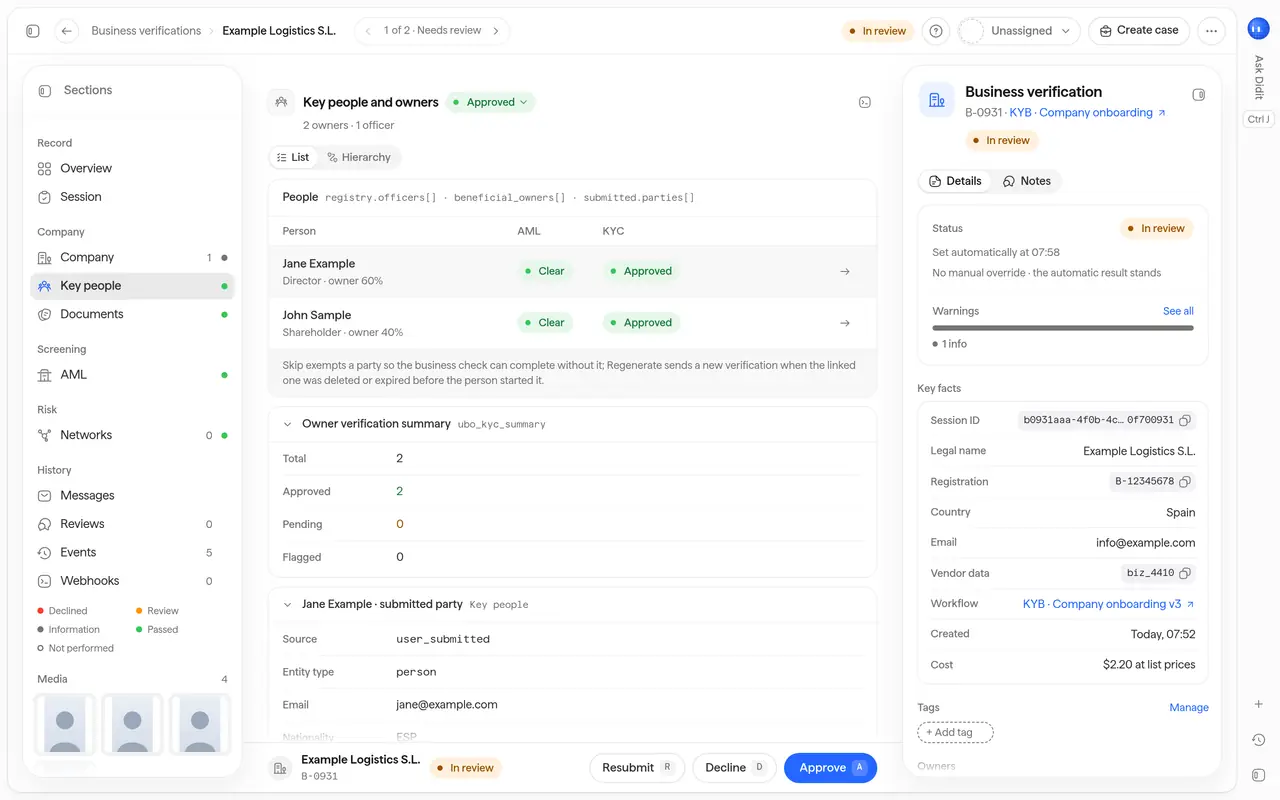
key_people_checks | Officers, beneficial owners, submitted parties, UBO KYC summary | Link a business to each owner's own KYC record |
didit_internal_id | User entity id from GET /v3/users/ | Stable inside one application, not across applications |
didit_internal_id plus vendor_data | Entity list, filterable by search | Find the customer the tenant is asking about |
webhook_type | The event kind on a signed delivery | Route to the right tenant once you have verified the HMAC signature and the timestamp. Before that check the body is untrusted input, not a decision. |
Session 404 | Another application, or outside the key's workflows or statuses | Treat as not this tenant and log the attempt |
Test with sandbox data, then read the errors
Build the whole tenant model in the sandbox first. Every check is mocked, nothing is billed or sent to your users, and sandbox testing is free on every plan and unlimited. Sandbox data stays in the European Union for every application. A new sandbox key starts with sk_test_, and older keys with no prefix still work, so never validate a key by its prefix.
Three tests are enough to prove the boundary. First, a positive test: create a session with vendor_data set to tenant_a:1 using tenant A's key, fetch the decision, expect 200 with session_kind of user. Second, a cross-tenant test: call tenant A's session id with tenant B's key, expect 404 with a not found detail. The same 404 appears when a session sits outside the scoped key's workflows or statuses, so confirm the session id belongs to tenant A before you read the result as proof of isolation. Third, a write test on a read-only connection: ask the agent to change a status, expect the server to refuse the call.
| What you see | Why | Fix |
|---|---|---|
401 on verification.didit.me | x-api-key missing, malformed, revoked or expired | Use a key of an application that exists, or re-fetch it through the recover-key flow |
403 on verification.didit.me | No header, a scoped key without access to this resource or action, or a call from outside the key's IP list | Use a key with that access: Developers -> API keys |
403 with code application_deleted | The key's application was deleted | Do not retry. Use a key of an application that exists |
404 on a session route | Session outside the scoped key's workflows or statuses, or another application | Read it with the owning tenant's key. Log the attempt |
403 on apx.didit.me | JWT missing or expired | Call POST /auth/v2/programmatic/login/ again |
429 | Rate limit | Back off for the seconds in the response's wait field, then retry |
| Toolset silently missing | A name the server does not know is ignored | The server tells the model which name it ignored and which are valid. Use the documented names |
| Agent finds no write tool | The connection is read-only | Connect without read_only only for the agent that must act |
Disconnecting a tenant
Revoke the tenant's key in Developers -> API keys. A revoked key answers 401 or 403, so the agent fails closed the next time it calls. Deleting the application ends its keys too: for a few minutes after deletion, calls answer 403 with code application_deleted, and after that the key is refused like any invalid key.
For an interactive OAuth connection, remove the connector in the MCP client. That connection carried a person's console role, so also check who is a member of the organization. Keep the trail with the audit log and exports through the reports toolset, and re-check that no tenant agent still holds a key you retired.
Cost of both ends
The Didit end is per completed check, from prepaid credit, with every list price on the Didit pricing page. The MCP server, the workflow orchestrator and Reusable KYC are free and included. Published unit prices: full KYC $0.33, ID verification alone $0.15, AML screening $0.20, person AML per owner $0.20, ongoing AML monitoring $0.07 per person a year, business verification from $2.00 per company with registry pricing by country and data tier, wallet screening $0.15 per screening, proof of address $0.20, email verification $0.02, phone verification from $0.02 plus the carrier price for the country and channel.
The assistant-side cost is model context. With no parameter, the MCP server lists every tool your role may use, and that whole catalog costs roughly 50,000 to 115,000 tokens on every request depending on the tokenizer. toolsets=core lists about 30 tools, about a tenth of those tokens. A read-only connection lists about 20 tools, less than a tenth. The trade-off is one extra step: a tool outside the list has to be found with tool search before it runs.
Worked example, list prices, one month. 400 end-customer checks with AML: 400 x ($0.33 + $0.20) = 400 x $0.53 = $212.00. 30 businesses at the KYB floor: 30 x $2.00 = $60.00, and registry retrieval is actually priced by country and tier, so treat that line as a floor. Two owners per business take a linked KYC: 60 x $0.33 = $19.80. Person AML on the same 60 owners: 60 x $0.20 = $12.00. Any number of MCP connections: $0.00. Total at list price: $212.00 + $60.00 + $19.80 + $12.00 = $303.80.
The same month on Scale, where Didit prices carry 10% off: 400 x ($0.297 + $0.18) = 400 x $0.477 = $190.80; 60 x $0.297 = $17.82; 60 x $0.18 = $10.80; registry kept at the $60.00 floor above because it is priced by country and tier. Total $279.42 at least. Scale costs $299 a month and adds $350 of credit a month, so the credit covers that usage with $70.58 left, and unused monthly credit does not roll over. Growth is $99 a month with $115 of credit and 4% off. Building and testing the tenant model in the sandbox costs $0.
Sources
- Didit MCP Server: Identity Verification for AI Agents
- Didit MCP Toolsets and Read-Only Mode
- Connect ChatGPT to the Didit MCP server
- API Authentication: Secure KYC API Requests
- Applications in the Didit Console: Live and Sandbox
- Retrieve Session API: KYC and KYB Decision Data
- List Users API: Vendor User Entities
- Webhooks: Real-Time KYC and KYB Events, HMAC Signing
- Didit pricing page and live price feed
- Didit pricing in the docs
- Didit MCP server developer page
- Didit integration prompt
- Model Context Protocol
The next step is a sandbox tenant, not a sales call. Create an application at business.didit.me, take its sandbox key, connect one agent to https://mcp.didit.me/mcp?toolsets=core,sessions&read_only=true, and run the cross-tenant 404 test before you point it at live records.
Try it
Try this in the sandbox
Run the check this guide describes, free.
The product this post is about, taken from its topic. Run it free in the sandbox.
Author
Alberto Rosas
Co-founder and CEO

Keep reading
Other guides in the same topic.
 Travel Rule API Pricing by Transfer and Wallet Check (2026)
Didit charges $0.02 per outbound Travel Rule exchange on list price, $0.0192 on Growth and $0.018 on Scale. Delivery attempts and wallet ownership proofs add no separate line, and a screenshot proof needs human approval with no.
Alberto RosasNov 26, 2026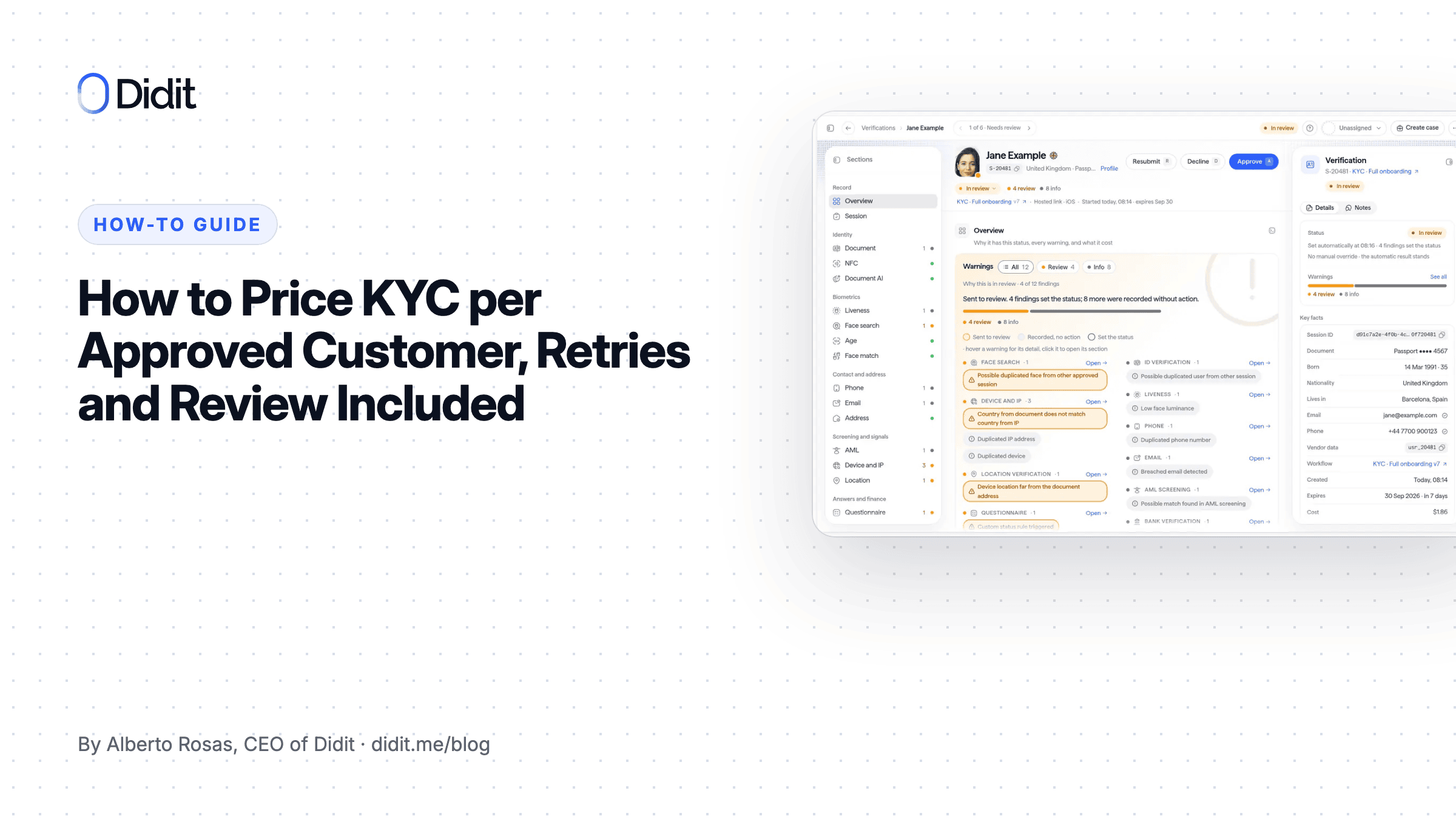 How to Price KYC per Approved Customer, Retries and Review Included
Cost per approved customer equals the Didit charges in the period plus your own reviewer labor, divided by unique customers approved. A Didit full ID check lists at $0.33, and retry billing depends on the specific retry, so you.
Alberto RosasNov 26, 2026 Accessible KYC Without a Selfie or NFC Chip (2026 How-To)
Wrap a user who cannot do a selfie or NFC read into a non-document lookup, a digital ID wallet, or document capture on its own, configured per country in one Didit workflow.
Alberto RosasNov 26, 2026Questions
Frequently asked questions
How do I stop one customer's agent from reading another customer's verification records?
Give every customer tenant its own Didit application and its own API key, and let the agent connect only with that key. Sessions from another application return 404 on the decision route, so a cross-tenant read fails at the API, not only in your prompt. Also check that vendor_data on the record matches the tenant you are answering for.
Does the Didit MCP server support per-tenant API keys?
Yes, through applications. An agent that runs with no person present connects to the hosted server with an application API key and acts as that one application, so it reaches only that application's sessions, workflows, users, lists and webhooks. Didit documents no row-level permissions inside one application, so separate applications are the boundary and not a preference.
What happens if an agent asks for a session that belongs to a different application?
The decision route answers 404 with a not found detail. The same 404 appears when the session is outside the scoped key's workflows or statuses. Treat it as not this tenant, log the attempt, and do not retry with another tenant's key.
Can an AI agent create verifications, or only read them?
The Didit MCP is read and write: an agent can create sessions, configure workflows, update statuses and add entries to your lists. Every client asks you to review tool calls before they run, and you should keep that on. Add read_only=true to the server URL for an agent that should never change data.
How do I put my own customer ID on a Didit session?
Send it as vendor_data when you create the session with POST /v3/session/, and repeat tenant tags in metadata. vendor_data is a free-form string, not a UUID, and can be null if the originating session did not send one, so validate presence as well as value.
How much does the Didit MCP server cost?
Nothing. The MCP server is free and included on every plan, and the sandbox is free on every plan. You pay per completed check: a full KYC is $0.33, AML screening $0.20, business verification from $2.00 per company. Your assistant still pays for the tokens its tool definitions consume.
Which clients can connect to the Didit MCP server?
Claude, ChatGPT, Cursor, VS Code, Codex, Windsurf, Zed and any other Model Context Protocol client. Interactive connections sign in with Log in with Didit over OAuth 2.1, and headless agents use an application API key. The endpoint is https://mcp.didit.me/mcp.
Do console roles apply to MCP tool calls?
Yes, on an interactive connection. Signed in with Log in with Didit, the MCP acts as a Didit user with that role's permissions across every organization the person belongs to. A toolset never grants a permission, and an application API key is application-scoped, not role-scoped.
How do I test multi-tenant access without paying for checks?
Use a sandbox application key. New sandbox keys start with sk_test_, older keys may have no prefix, and both work. Every product is on, checks are mocked, nothing is billed, and sandbox testing is free on every plan and unlimited. Create one session per tenant, then prove the cross-tenant call returns 404.
How do I disconnect an agent from one tenant?
Revoke that tenant's API key in Developers -> API keys, and the agent fails closed with 401 or 403 on its next call. For an interactive connection, remove the connector in the client and review who remains a member of the organization. Other tenants are unaffected.
Compliance built in
Audited, certified and attested.
We hold the certifications and build each country's rules into your flows, so you can launch anywhere without worrying. Security and Compliance center
- Regulation encoded into your flows
Tell us what you do and where. Didit lists the rules that apply to you, with sources, and builds the checks each country needs into one workflow.
- Ready for AMLR
Every requirement of the new EU anti-money laundering rules, from checking customers to human review, is already covered by a Didit check.
- Tested in Spain's Treasury sandbox
Spain's Treasury published its supervised sandbox report on Didit's NFC plus active liveness onboarding; SEPBLAC took part and valued the added measures positively.
- Audited, not self-declared
iBeta Level 1 and Level 2. Liveness tested under ISO/IEC 30107-3.
Your obligations · 3 regions
 SOC 2 Type 2
 ISO 27001
 iBeta Level 1 and Level 2
 EU regulator attestation
 FSM youth protection
 GDPR
 EBA remote onboarding
 MiCA compatible
 FIDO Alliance member
- AMLREU AML Regulation ready
Integration · Didit MCP
Run Didit from your own AI agent
Connect Didit to Claude, Cursor, VS Code or ChatGPT and just ask in plain words. Your agent can do anything you can do in the console, with the same permissions you have.
 Add to Claude
 ChatGPT
 Cursor
- Build workflowsDescribe the checks you need. The agent creates and publishes the flow.
- Run investigationsAsk why a session was declined, review cases, search people and companies.
- Change rulesCreate payment rules, test them on past data and switch them on.
- Pull reportsAsk for numbers, exports or the audit log.
Didit Academy