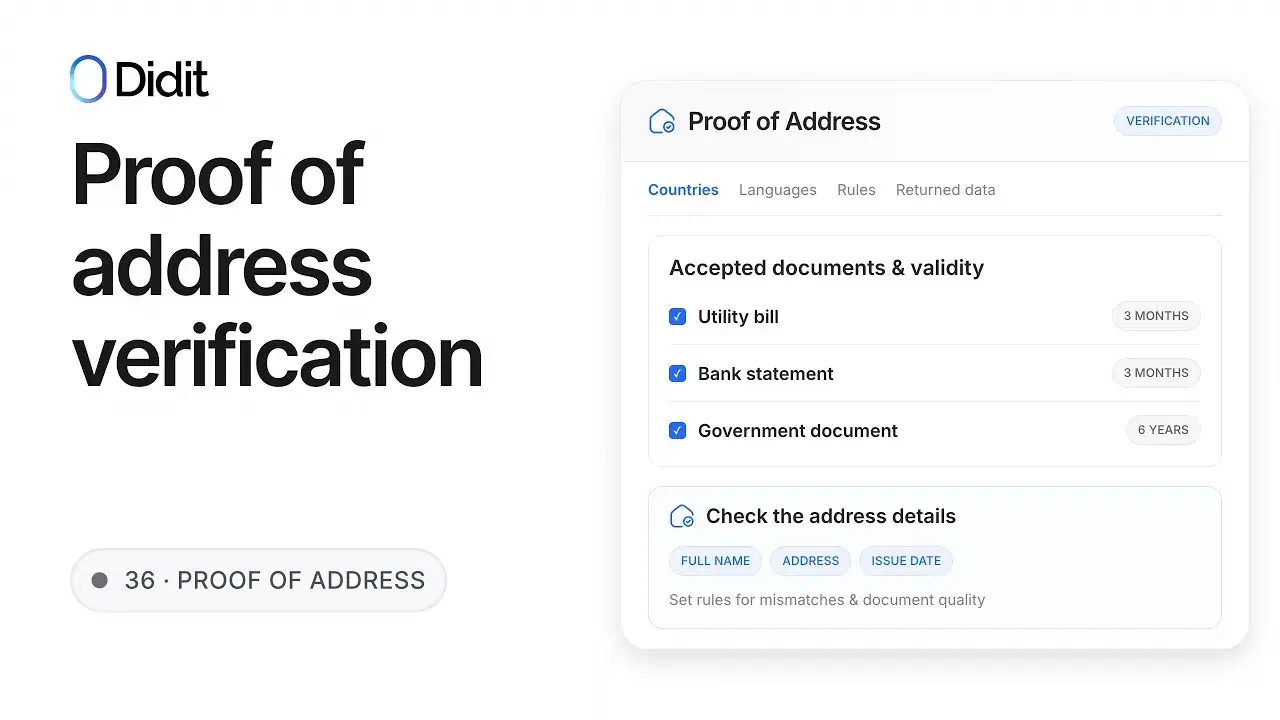
Proof of Address Verification Declined: Fix Every Warning Code
A proof of address check is Declined when at least one warning resolves to a decline. Fix the expected address and name values, the document age window and the language allowlist, correct OCR fields with update-poa-data, or.
 Alberto RosasCo-founder and CEO
Contents
In this guide
Jump to the part you need.
A proof of address check on Didit is Declined when at least one warning resolves to a decline. Four codes covered here are ADDRESS_MISMATCH, NAME_MISMATCH, DOCUMENT_TOO_OLD and OVERLAY_MANIPULATION_DETECTED. It fits teams that already run a workflow session or call the standalone API with a document in hand. Each check costs $0.20. The main caveat: some declines come from configuration you control, and some are hard failures you cannot switch off.
Last updated: November 26, 2026. Prices checked against the live Didit price feed on November 26, 2026.
The four warning codes in one table
| Warning code | What triggers it | Default outcome | Shortest fix |
|---|---|---|---|
ADDRESS_MISMATCH | The parsed address from the document does not match the expected_address you sent | Configurable risk group, defaults to DECLINE | Send the address as the issuer prints it, or correct the record with update-poa-data |
NAME_MISMATCH | The holder name on the document does not match expected_first_name and expected_last_name | Configurable risk group, defaults to DECLINE | Send the name as printed on the proof of address document |
DOCUMENT_TOO_OLD | The issue date is older than the window set in poa_document_age_months | Driven by the age window you configure | Raise the window if your policy allows it, or ask for a fresher document |
OVERLAY_MANIPULATION_DETECTED | PDF and image forensics found overlaid or replaced text | Reject | Do not approve. Ask the user for the original PDF from the issuer |
Start free in the sandbox at business.didit.me (no sales call). Developers who want an AI assistant to drive the same calls can connect Didit through the MCP server. The reference for this step is Proof of Address in the docs, and every price is on didit.me/pricing.
What Declined means at the proof of address level
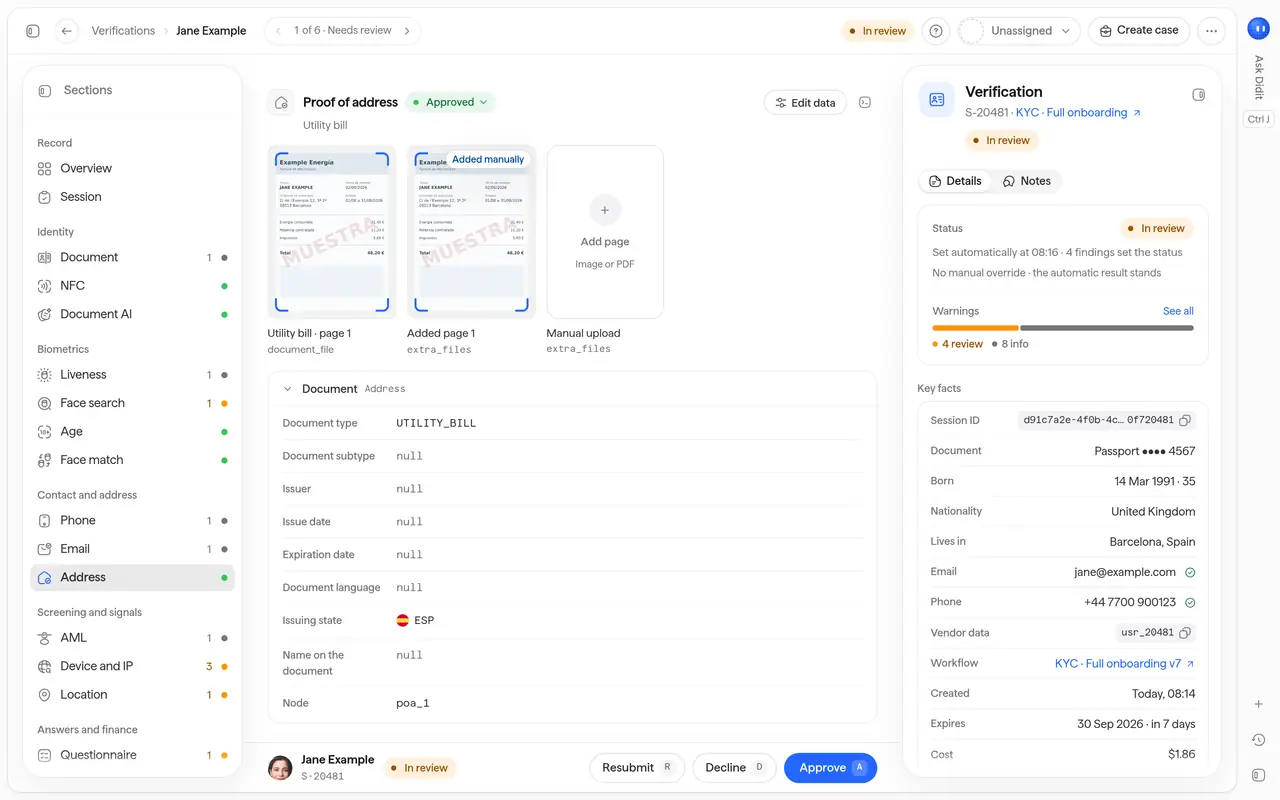
The proof of address record carries its own status, separate from the session status. You read it at poa_verifications[].status in the decision payload or poa.status in the standalone response.
| Status | What it means for this step | What you do |
|---|---|---|
Not Started | The step exists in the workflow and has not been opened | Wait, or nudge the user |
In Progress | The user is uploading or capturing a document | Nothing |
Approved | No warning resolved to a decline | Store the decision |
In Review | Warnings need a person to decide | A reviewer approves, declines or requests a resubmission in the Console |
Declined | At least one warning resolved to a decline, or a hard failure fired | Read warnings[], fix the cause, request a new document |
Abandoned | The user started and did not finish in time | Invite the user back |
Kyc Expired | A previously approved verification whose document passed its expiry date | Re-run the step |
A Declined proof of address usually turns the session Declined too, but not always: if your workflow sends warnings to human review, the session lands in In Review instead. Always read the per-feature record, not only the session status. The session-level enum and transitions are documented in Verification Statuses.
Every proof of address warning code and where it comes from
The risk codes come from LogWarningChoices.PROOF_OF_ADDRESS. Nine are listed in the integration prompt, and the full catalogue lives in the proof of address risk catalogue.
| Warning code | Cause | Remedy |
|---|---|---|
ADDRESS_MISMATCH | The parsed address differs from the expected_address you sent | Align the expected value, or correct the record |
NAME_MISMATCH | Holder name differs from the expected first and last name | Align the expected value, or correct the record |
COUNTRY_MISMATCH | Document country differs from expected_country | Send the country of the document, not the country of residence you assume |
DOCUMENT_EXPIRED | The document's own expiry date has passed | Ask for a valid document |
DOCUMENT_TOO_OLD | Issue date is older than poa_document_age_months | Change the window, or ask for a fresher document |
ISSUER_NOT_IDENTIFIED | The issuer could not be identified from the document | Ask for a document from a recognisable issuer (bank, utility, government) |
LANGUAGE_NOT_ALLOWED | Document language is outside poa_languages_allowed | Add the language, or ask for a document in an allowed one |
OVERLAY_MANIPULATION_DETECTED | Forensics found overlaid or replaced text | Reject and request an original |
UNREADABLE_DOCUMENT | The file is corrupt, unopenable or too poor to extract | Ask for a new capture or a different file |
Separately from warnings, the standalone endpoint has hard failures that always decline and are not configurable: MISSING_ADDRESS_INFORMATION, POA_DOCUMENT_EXPIRED, INVALID_DOCUMENT_TYPE, UNABLE_TO_VALIDATE_DOCUMENT_AGE, UNABLE_TO_EXTRACT_ISSUE_DATE and POA_NAME_NOT_DETECTED. Two further codes are informational and never decline on their own: POA_DOCUMENT_NOT_SUPPORTED_FOR_APPLICATION and UNPARSABLE_OR_INVALID_ADDRESS.
Prerequisites
- A Didit organization and an API key. The key goes in the
x-api-keyheader. A missing or invalid key returns403, never401, on this API. - Credit on the balance. Proof of address is $0.20 per check, from plan credit first, then top-ups.
- A workflow with the
PROOF_OF_ADDRESSfeature, or a server-to-server call toPOST /v3/poa/if you already hold the document. - The configuration fields set deliberately:
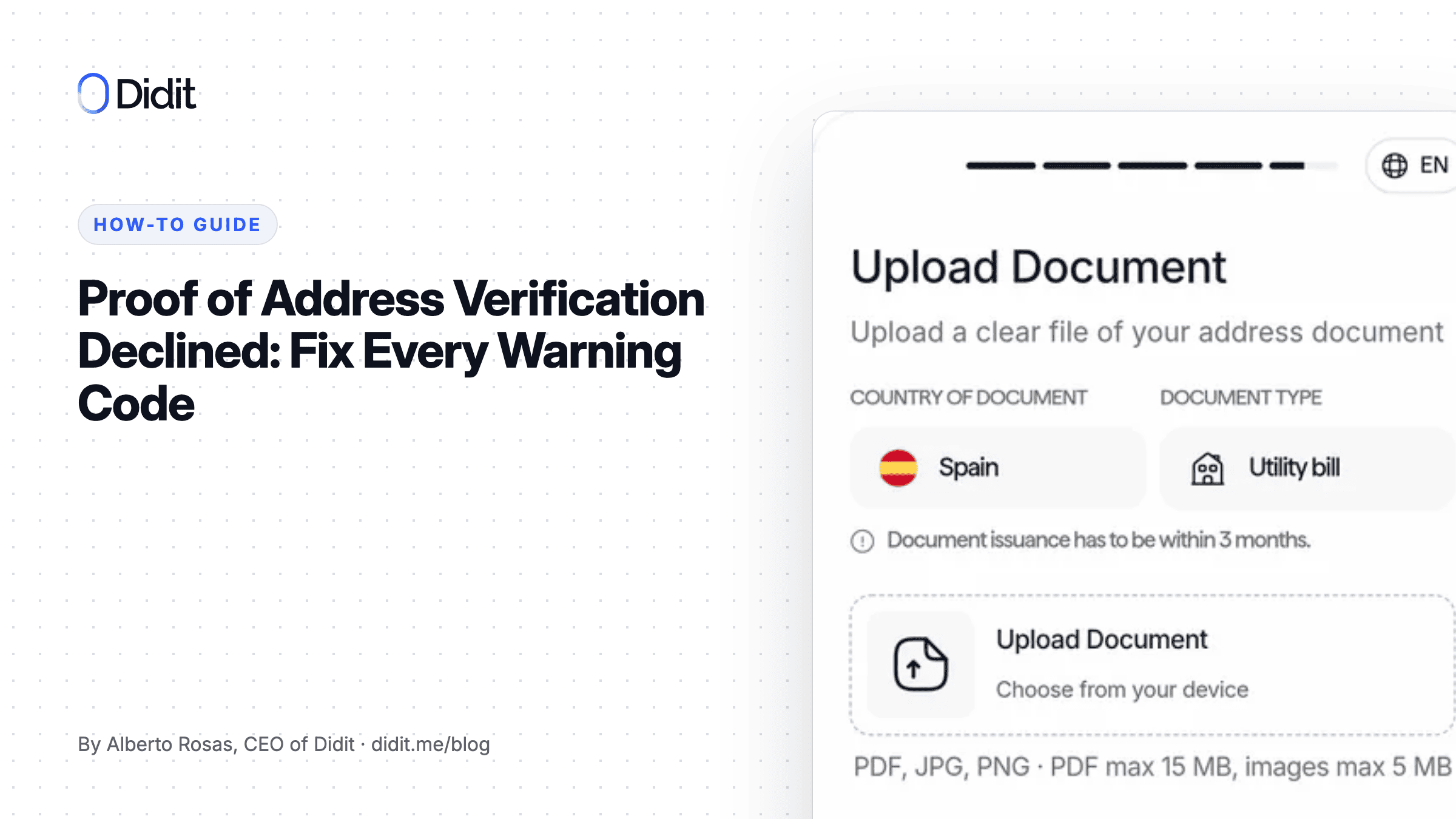
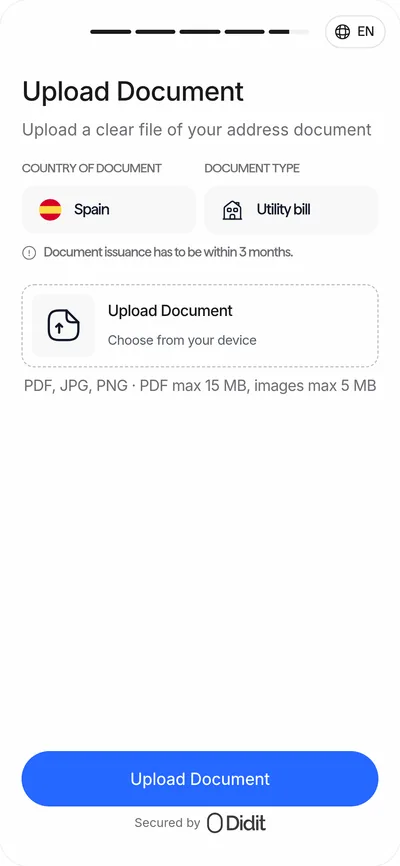
poa_languages_allowed,poa_document_age_months, and the per-risk actionspoa_issuer_not_identified_action,poa_name_mismatch_action,poa_address_mismatch_action,poa_document_expired_actionandpoa_language_not_allowed_action. All five default toDECLINE. - A client timeout of at least 45 seconds. Extraction is typically 5 to 15 seconds, and up to about 30 seconds for multi-page PDFs.
- The expected values you plan to cross-check:
expected_address,expected_country,expected_first_nameandexpected_last_name.
Step by step: diagnose and fix a declined proof of address
- Pull the decision and read the proof of address record. For a session, call
GET /v3/session/{sessionId}/decision/and readpoa_verifications[]. For a standalone call you already have the response body. - Sort the cause into one of three buckets. Configurable risk group (issuer not identified, name mismatch, address mismatch, document expiry, language), hard failure (the six listed above), or informational (the two listed above). The bucket decides whether you change configuration or change the document.
- Compare what you sent against what the document says. Open
parsed_addressand the detected holder name next to the expected values you sent. The comparison runs on the parsed, standardized and geocoded address, not on the raw text line, so read the parsed fields before you change anything. - Check the two configuration fields before blaming the document.
poa_languages_allowedmust include the language of the bill, andpoa_document_age_monthsmust cover the issue date. A three month window declines a five month old bank statement. - Choose the repair: new document, new expected value, or field correction. If the document itself is wrong, request a resubmission. If OCR misread a genuine document, correct the extracted fields instead of asking the user again.
- Re-run and confirm
warningsis empty. AnApprovedstatus with an empty warnings array is the clean end state. Any remaining informational code is context for your reviewer, not a failure. - Branch on the cause in your application. Never hardcode an approval path that ignores
poa.statusor the warnings array. A200withstatus: "Declined"is a valid response.
Runnable example: standalone proof of address check
curl -X POST 'https://verification.didit.me/v3/poa/' \
-H "x-api-key: $DIDIT_API_KEY" \
-F "document=@./utility-bill.pdf" \
-F "expected_address=Av. Monseñor Tavella 3396, Salta" \
-F "expected_country=ARG" \
-F "expected_first_name=Sophia" \
-F "expected_last_name=Martinez" \
-F "poa_languages_allowed=en,es" \
-F "vendor_data=user-1234"
The same two configuration fields and the five per-risk actions can be passed per request as poa_*_action options set to DECLINE or NO_ACTION. This is the same call documented in the Proof of Address API reference.
Expected output
{
  "request_id": "...",
  "poa": {
    "status": "Declined",
    "parsed_address": { "...": "normalised and geocoded address" },
    "document_type": "UTILITY_BILL",
    "issuer": "...",
    "issue_date": "...",
    "language": "es",
    "document_metadata": { "overlay_manipulation": false },
    "warnings": [ "<risk code>" ]
  }
}
A readable but problematic document returns 200 with status: "Declined". A document that cannot be processed at all returns 400. Branch on poa.status and poa.warnings, not on the HTTP code alone. When save_api_request is left at its default of true, the call is stored as an API-type session and the request_id is a real session id you can pass to the decision endpoint.
Inputs and outputs
| Field | Direction | Purpose |
|---|---|---|
document | Input | The bill, statement or letter. PDF, JPG, PNG, TIFF or WebP, up to 15 MB |
document_password | Input | Password for an encrypted PDF, otherwise HTTP 400 with code: "encrypted_pdf" |
expected_address | Input | Cross-check target for ADDRESS_MISMATCH |
expected_country | Input | Cross-check target for COUNTRY_MISMATCH |
expected_first_name and expected_last_name | Input | Cross-check target for NAME_MISMATCH |
poa_languages_allowed | Input | Language allowlist, otherwise LANGUAGE_NOT_ALLOWED |
poa_document_age_months | Input | Age window, otherwise DOCUMENT_TOO_OLD |
poa.status | Output | The step decision: Approved, Declined, In Review and the rest of the enum |
poa.warnings[] | Output | The reason. This is the field that answers the support ticket |
poa.parsed_address | Output | Normalised, geocoded address to compare against yours |
poa.issuer, poa.issue_date, poa.language | Output | Issuer, date and language evidence used by the age and language checks |
poa.document_metadata.overlay_manipulation | Output | Forensics signal behind OVERLAY_MANIPULATION_DETECTED |
Decision failures and transport failures
Two different things can go wrong, and they need different handling. A warning-driven Declined is a decision: the document was processed, poa.status is Declined, poa.warnings[] names the cause, and the check is billed at $0.20. A transport error is not a decision: the call returns a 4xx or 5xx with a code field, no proof of address record exists, and the document was not processed. Read the HTTP status and the code field first, then read poa.status and poa.warnings[].
| Symptom | Meaning | Recovery |
|---|---|---|
HTTP 400, code: "encrypted_pdf" | The PDF is password protected or the password is wrong | Supply the right document_password or a decrypted copy |
HTTP 400, code: "document_unreadable" | The file is corrupt or cannot be opened | Ask the user for a different file. Branch on code, not on the message text |
HTTP 503, code: "document_processing_busy" | Too many documents in flight, the upload was not processed | Send the same file again after the Retry-After seconds |
| HTTP 403 with the not-enough-credits error | The organization's balance cannot cover the call. Nothing was processed | Top up or move plan, then retry |
HTTP 403 with detail: "You do not have permission to perform this action." | Missing or invalid credentials. This API never returns 401 | Check the x-api-key header and that the key belongs to the right application |
| Client timeout | Your timeout is shorter than extraction time | Raise it to 45 seconds or more before retrying |
Declined with NAME_MISMATCH or ADDRESS_MISMATCH | The extracted values do not match the expected values you sent | Do not approve. Fix the expected value or the record |
Declined with OVERLAY_MANIPULATION_DETECTED | Forensics flagged overlaid or replaced text | Reject and request an original document |
In Review | Warnings were routed to a person | A reviewer approves, declines or requests a resubmission in the Console |
Fixing extracted fields instead of asking the user again
Two repairs look similar and are not. Use PATCH /v3/session/{session_id}/update-poa-data/ when the document is genuine and extraction misread a field: the record is corrected in place and a data.updated webhook fires. Use PATCH /v3/session/{id}/update-status/ with new_status: "Resubmitted" when the document itself is wrong, expired, unreadable or manipulated and the user has to supply a replacement.
Both are documented in Update Session Data. For the correction endpoint, the session must be Approved, Declined, In Review or Kyc Expired, and it must carry a proof of address record. Mutable fields include issuing_state, document_type, document_language, issuer, issue_date, poa_address, name_on_document and poa_parsed_address. Changing poa_address re-runs geocoding asynchronously.

Paid steps and where review boundaries sit
Proof of address costs $0.20 per check. Each 200 response consumes one proof of address credit, including a response with status: "Declined". When the balance cannot cover the call, the endpoint returns 403 with the not-enough-credits error before any processing, so nothing is charged. The sandbox is free, but the standalone endpoint in sandbox skips processing and returns a fixed Approved mock payload, so a real decline only appears on a live check with a real document.
The review boundary is a product decision, not a default. Five risk groups can be set to DECLINE or NO_ACTION. Leaving everything on DECLINE gives an automated yes or no. Setting a group to NO_ACTION moves that judgement to your reviewers, which means the session can sit in In Review until a person acts, with a reviewer clock visible at sla_due_at and the decision path recorded in decision_trace. Hard failures stay automated either way, and OVERLAY_MANIPULATION_DETECTED should be rejected rather than routed around.
Worked cost example
Take 8,000 new users a month. Each one runs the full KYC bundle at $0.33 and one proof of address check at $0.20.
- Per user, list price: $0.33 + $0.20 = $0.53
- Monthly base: 8,000 x $0.53 = $4,240.00
- Assume 15% of proof of address checks fail on the first document and need one more upload: 0.15 x 8,000 = 1,200 extra checks
- Extra cost: 1,200 x $0.20 = $240.00
- Total at list price: $4,240.00 + $240.00 = $4,480.00
On Scale, the same volumes with the 10% discount applied to Didit prices:
- Per user: $0.297 + $0.18 = $0.477
- Monthly base: 8,000 x $0.477 = $3,816.00
- Re-checks: 1,200 x $0.18 = $216.00
- Total: $3,816.00 + $216.00 = $4,032.00
Every declined check is a $0.20 line item before any support time. Set poa_document_age_months to the maximum age your compliance policy accepts, and set poa_languages_allowed to the languages your users actually receive bills in. Both are configuration fields, and both are cheaper to change than a queue of avoidable re-checks.
Sources
- Didit docs: Proof of Address overview
- Didit docs: Proof of Address API reference (POST /v3/poa/)
- Didit docs: proof of address risk catalogue
- Didit docs: proof of address report
- Didit docs: Verification Statuses
- Didit docs: Retrieve Session decision
- Didit docs: Update Session Data
- Didit docs: Update Session Status
- Didit docs: Webhooks
- Didit docs: Data Models
- Didit pricing (live price feed, read November 26, 2026)
- Didit docs: Pricing and billing rules
Next step: open the sandbox at business.didit.me, add the proof of address feature to a workflow, and run one document against it. No sales call, and sandbox checks do not consume credits.
Try it
Try this in the sandbox
Run the check this guide describes, free.
The product this post is about, taken from its topic. Run it free in the sandbox.
Author
Alberto Rosas
Co-founder and CEO

Keep reading
Other guides in the same topic.
 KYB E-Signatures: How Company Representatives Sign in 2026
Add an E-signature step to your KYB workflow after Key People, set signature_level to aes and signature_signer to legal_representative. Each representative completes KYC, signs in the hosted flow, and Didit returns the signed.
Alberto RosasNov 26, 2026 Database Validation Match Types: Full Match, Partial Match and No Match
Database validation returns one of three match types: full match (the submitted details match the registry record), partial match (some fields differ, so the workflow applies its configured partial-match action) and no match.
Alberto RosasNov 26, 2026 How to Configure Didit ID Verification Methods per Country
Turn on national ID lookup for a country by enabling it under the methods key of the ID Verification feature config, keyed by ISO 3166-1 alpha-3. Omit it and the country stays document capture only.
Alberto RosasNov 26, 2026Questions
Frequently asked questions
Why was my proof of address verification declined?
Didit returns Declined when at least one warning resolves to a decline. Codes covered in this guide include ADDRESS_MISMATCH, NAME_MISMATCH, DOCUMENT_TOO_OLD and OVERLAY_MANIPULATION_DETECTED. Read poa_verifications[].warnings[] in the decision payload: each code names the exact cause, so the fix is either a value you sent, a configuration field, or a different document.
How do I fix ADDRESS_MISMATCH on a utility bill?
Didit parses, standardizes and geocodes the address extracted from the document, then compares the result with the expected_address you sent, so normalization can affect the comparison. Send the address the way the issuer prints it rather than the address the user typed at signup, and read parsed_address to see what was compared. If extraction itself is wrong, correct the record with PATCH /v3/session/{session_id}/update-poa-data/ instead of asking the user to upload again.
How do I fix NAME_MISMATCH when the person is the account holder?
The holder name on the document did not match expected_first_name or expected_last_name. Compare the document holder name with the first and last name you expect, and send the name as printed on the proof of address document rather than the name on the account. Setting poa_name_mismatch_action to NO_ACTION sends the case to a human reviewer instead of declining automatically.
What is the difference between DOCUMENT_EXPIRED and DOCUMENT_TOO_OLD?
DOCUMENT_EXPIRED is a warning that the document's own expiry date has passed. DOCUMENT_TOO_OLD means the issue date is older than the window you configured in poa_document_age_months. A bank statement with no expiry date can still be too old, and a bill inside the age window can still be expired. One is fixed by a new document, the other by a new window or a fresher document.
What does OVERLAY_MANIPULATION_DETECTED mean?
PDF and image forensics flagged text that was overlaid or replaced. The scan covers modification after digital signing, known PDF editors, overlay text and suspicious re-exports. A text field that was blanked and re-typed in another font, where the file itself holds no proof of whether its content changed, surfaces POA_DOCUMENT_UNPROVEN_TEXT_REPLACEMENT instead. Do not approve a document with either code: ask for the original PDF or a fresh capture from the issuer. Neither is one of the five configurable risk groups.
Is a declined proof of address still billed?
Yes. Each 200 response consumes one proof of address credit at $0.20, whether the status is Approved or Declined, because extraction and forensics ran. Calls that never process are not charged: the not-enough-credits 403 returns before any document is handled, and sandbox calls consume no credits at all.
Can I turn off the automatic decline for address mismatch?
You can set poa_address_mismatch_action to NO_ACTION, and the same for name mismatch, issuer not identified, document expiry and language. All five default to DECLINE. Hard failures such as MISSING_ADDRESS_INFORMATION, INVALID_DOCUMENT_TYPE and UNABLE_TO_VALIDATE_DOCUMENT_AGE cannot be switched off.
My integration logs ADDRESS_NOT_VERIFIED. Is that a Didit code?
Our published proof of address codes are ADDRESS_MISMATCH, COUNTRY_MISMATCH, MISSING_ADDRESS_INFORMATION and UNPARSABLE_OR_INVALID_ADDRESS. There is no warning with the exact name ADDRESS_NOT_VERIFIED in the catalogue. If your system shows that string, it is a local label, so map it back to the code in warnings[] before you decide what to fix.
Why is the proof of address step In Review instead of Declined?
In Review means the warnings were routed to a person rather than resolved automatically by your configuration. A reviewer approves, declines or requests a resubmission in the Business Console, and the session exposes the reviewer, the waiting time and sla_due_at on the decision payload. Route to review deliberately, because a queued session is a person-hours cost on top of the $0.20 check.
What should I set for the document age window and the language allowlist?
Set poa_languages_allowed to the languages your users actually receive utility bills and bank statements in, then add the one exception you see most often. Set poa_document_age_months to the maximum age your compliance policy accepts for proof of address, in months. Both are configurable fields, and both are far cheaper to change than a support queue of LANGUAGE_NOT_ALLOWED and DOCUMENT_TOO_OLD declines.
Do I need a human review step for proof of address?
Not necessarily. With all five risk groups on DECLINE, proof of address is fully automated and returns yes or no. One example policy is to route only NAME_MISMATCH and ISSUER_NOT_IDENTIFIED to review, because a genuine document can carry thin metadata. Keep OVERLAY_MANIPULATION_DETECTED out of the review path and reject it.
Compliance built in
Audited, certified and attested.
We hold the certifications and build each country's rules into your flows, so you can launch anywhere without worrying. Security and Compliance center
- Regulation encoded into your flows
Tell us what you do and where. Didit lists the rules that apply to you, with sources, and builds the checks each country needs into one workflow.
- Ready for AMLR
Every requirement of the new EU anti-money laundering rules, from checking customers to human review, is already covered by a Didit check.
- Tested in Spain's Treasury sandbox
Spain's Treasury published its supervised sandbox report on Didit's NFC plus active liveness onboarding; SEPBLAC took part and valued the added measures positively.
- Audited, not self-declared
iBeta Level 1 and Level 2. Liveness tested under ISO/IEC 30107-3.
Your obligations · 3 regions
 SOC 2 Type 2
 ISO 27001
 iBeta Level 1 and Level 2
 EU regulator attestation
 FSM youth protection
 GDPR
 EBA remote onboarding
 MiCA compatible
 FIDO Alliance member
- AMLREU AML Regulation ready
Integration · Didit MCP
Run Didit from your own AI agent
Connect Didit to Claude, Cursor, VS Code or ChatGPT and just ask in plain words. Your agent can do anything you can do in the console, with the same permissions you have.
 Add to Claude
 ChatGPT
 Cursor
- Build workflowsDescribe the checks you need. The agent creates and publishes the flow.
- Run investigationsAsk why a session was declined, review cases, search people and companies.
- Change rulesCreate payment rules, test them on past data and switch them on.
- Pull reportsAsk for numbers, exports or the audit log.
Didit Academy