How to Configure Didit ID Verification Methods per Country
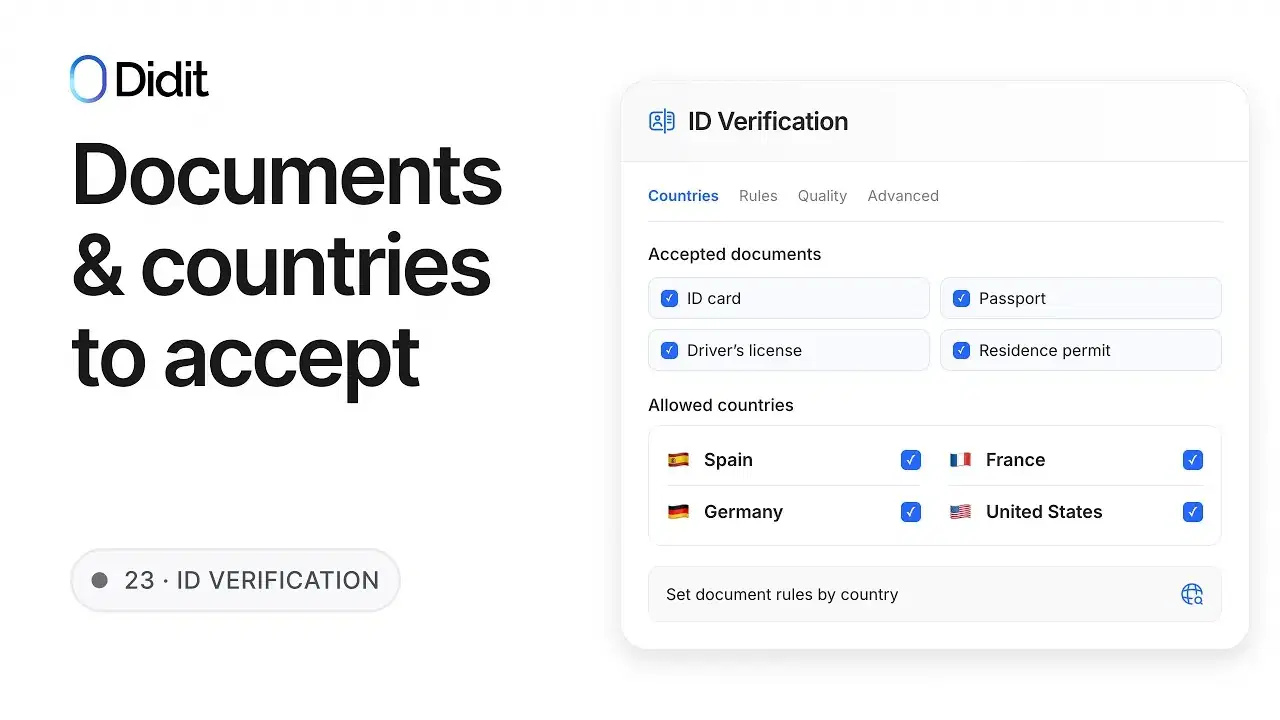
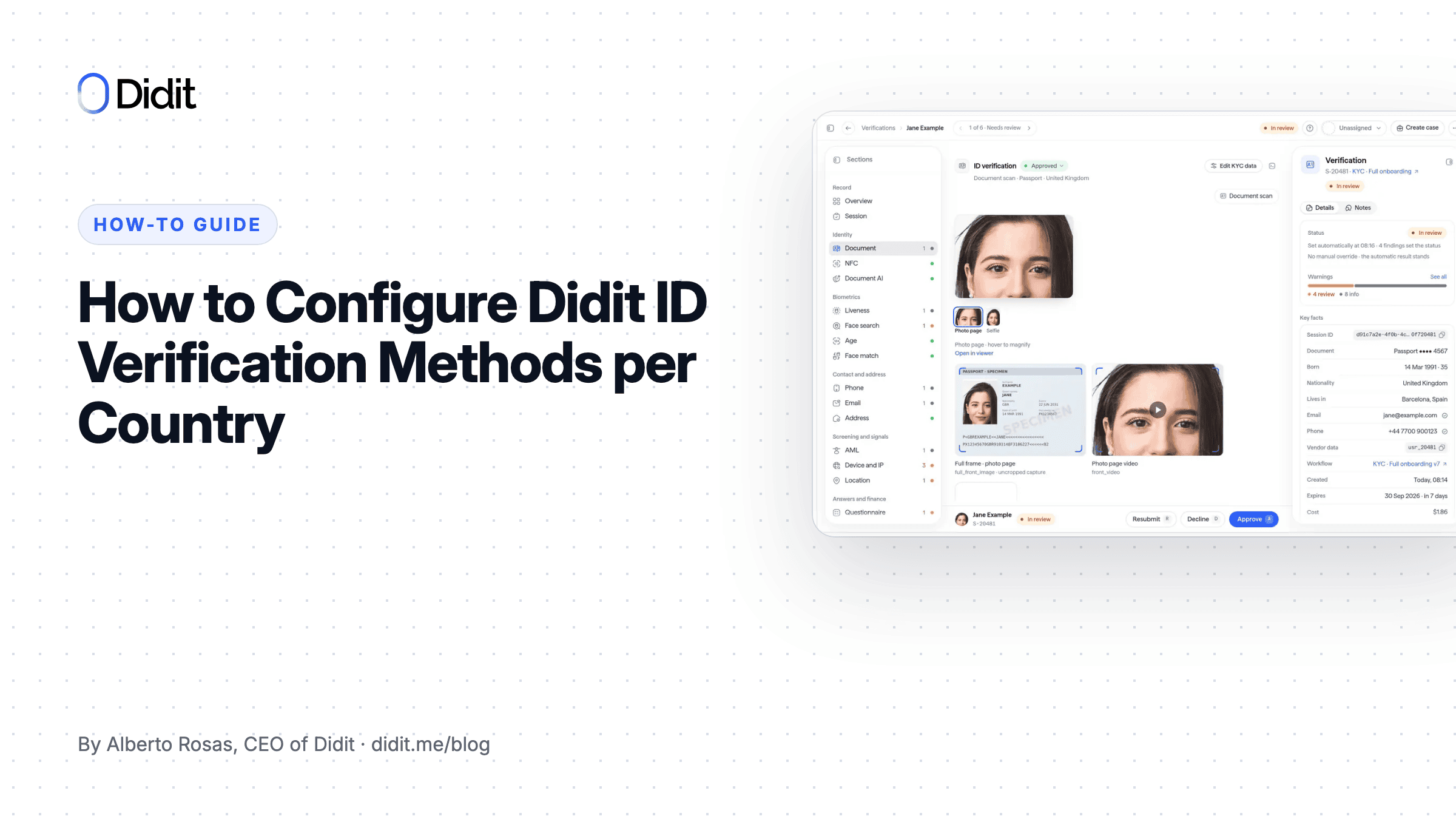
Turn on national ID lookup for a country by enabling it under the methods key of the ID Verification feature config, keyed by ISO 3166-1 alpha-3. Omit it and the country stays document capture only.
 Alberto RosasCo-founder and CEO
Contents
In this guide
Jump to the part you need.
This guide is for teams whose users can prove identity in a supported country by typing a national ID number instead of photographing a document. Didit does not publish one flat lookup price: non-document verification is billed per lookup at the Database Validation rate for that country, while document capture is $0.15 per check. The caveat is availability. A lookup can only be switched on where our capability catalog marks the country available.
Last updated: November 26, 2026. Prices checked against the live Didit price feed on November 26, 2026.
| Item | Detail |
|---|---|
| Where it lives | The methods key on the ID Verification (OCR) feature config of a workflow, or the Countries tab on the ID Verification node |
| Country key | ISO 3166-1 alpha-3, for example ZAF or DNK |
| Default behaviour | Omit the key, omit a country, or omit a method and that country is document capture only |
| Typing instead of uploading | id_lookup.enabled set to true |
| Attempts before fallback | id_lookup.max_attempts, 1 to 5, default 1 |
| Skip the workflow's own biometrics after a portrait-backed match | id_lookup.skip_liveness_and_face_match, on by default, normalised off for selfie-checked and data-only sources |
| Behaviour on partial match, no match, provider error | on_partial_match, on_no_match, on_provider_error |
| Availability | Server-driven capability catalog. A method not offered in that country is rejected on save |
| Price | Lookup: variable per country. Document capture: $0.15 per check |
Start free in the sandbox at business.didit.me, no sales call. Developers can connect Didit to an AI assistant through the MCP server. Full list prices are on didit.me/pricing.
What the three methods are
ID Verification is one feature with three methods. You choose which methods a country may use. The user gets whichever of them apply to the country they pick, and the session records which method actually produced the result. Document capture is unchanged: everything you already configure through documents_allowed, including accepted types, subtypes, capture rules and thresholds, keeps working exactly as before. A workflow that says nothing about methods stays document capture only.
| Method | What the user does | Tier on the session |
|---|---|---|
| Document capture | Photographs a passport, ID card, driving licence or residence permit | documentary |
| Non-doc lookup | Types a national ID number plus a few personal details, checked against an authoritative source for that country | data_match |
| Wallet | Signs in with a government or bank digital identity such as MitID, BankID or itsme | cryptographic |
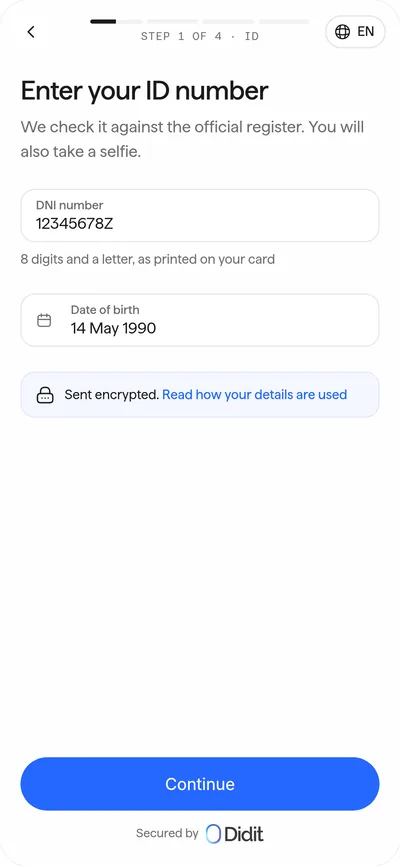
The assurance tier is an honest description of what was proven, not a ranking. End users never see the tier, the price or the name of the source that was queried. The tier and the source appear on the session payload, in the console and in exports, for you and your auditors.
Prerequisites
- A Didit organization, and a workflow with an ID Verification node. You can build it in the workflow builder or through the Management API.
- The country you want must be marked available for lookup in the capability catalog. The Countries tab only shows methods the platform actually supports there.
- The ISO 3166-1 alpha-3 code for the country, for example
ZAFfor South Africa orDNKfor Denmark. - A decision on whether document capture stays enabled for that country as a fallback, because the fallback switches have nowhere to point otherwise.
- A sandbox application if you want to test the no-match and provider-error paths before going live. Sandbox availability does not indicate production availability.
How to enable national ID number lookup per country
- Open the workflow. In the console, go to Workflows, open the workflow, select the ID Verification node and open the Countries tab. Through the API,
GET https://verification.didit.me/v3/workflows/lists every version;settings_uuidis the path id for reads and patches, andworkflow_idis the stable id you pass when creating sessions. - Confirm the country is available. A method the catalog does not offer in that country is not shown as a choice, and a source or wallet marked Coming soon is listed but cannot be switched on. If you send it anyway, the save is rejected.
- Turn on non-doc lookup in the country editor. This writes
id_lookup.enabled. Setid_lookup.max_attemptsbetween 1 and 5. The default is one attempt before fallback. - Decide the biometrics behaviour.
id_lookup.skip_liveness_and_face_matchis on by default, and it only has an effect where the source returns the holder's photograph: the selfie, passive liveness and the face match to the registry portrait all happen inside the lookup, so the workflow can skip its own Liveness and Face Match steps afterwards. Where the source checks the selfie itself and returns a verdict, or returns data only, there is no portrait to match and the switch is normalised off on save, so the workflow's Liveness and Face Match steps still run. - Set the fallback switches. One switch per failure mode:
on_partial_match,on_no_matchandon_provider_error. Each sends the user to document capture or declines them. The switches are off whenever the country has no document capture, because there is nowhere to fall back to. - Keep document capture on if you want a fallback. A country where you turn every method off is rejected on save with
No method enabled, followed by the words nobody can verify here, because that configuration cannot verify anybody. - Save and publish. Draft and publish versioning means new sessions use the published version, and every session references the exact version it was created with.
- Test in the sandbox. Run a session for that country and read the result fields described below. Lookup and wallet failure scenarios are listed in sandbox testing.
The runnable call to list the workflows you can edit:
curl -X GET "https://verification.didit.me/v3/workflows/" \
-H "x-api-key: YOUR_API_KEY"
The methods key controls which methods are available for each country. It sits on the feature config documented in the Management API reference, and the console Countries tab writes exactly the same object. The console and the API are two views of one config, so an edit in one is visible in the other.
A two-country example, South Africa and Denmark, both available for lookup in the published catalog:
{
  "feature": "OCR",
  "config": {
    "methods": {
      "ZAF": {
        "document": { "enabled": true },
        "id_lookup": {
          "enabled": true,
          "max_attempts": 2,
          "skip_liveness_and_face_match": true,
          "on_partial_match": "fallback_to_document",
          "on_no_match": "fallback_to_document",
          "on_provider_error": "fallback_to_document"
        },
        "wallet": { "enabled": false, "providers": [], "on_failure": "fallback_to_document" }
      },
      "DNK": {
        "document": { "enabled": true },
        "id_lookup": { "enabled": true, "on_no_match": "decline" }
      }
    }
  }
}
The example leaves wallets disabled so it does not depend on a wallet being enabled in your environment. A workflow that enables a wallet marked Coming soon is rejected, including the other configuration in that save. Once the catalog marks a wallet available in a country, the wallet block for that country can carry the provider, for example "providers": ["mitid"] with "on_failure": "fallback_to_document" for Denmark.

Who the source is, per country
The authoritative source is a government register in most countries, for example the Department of Home Affairs in South Africa or the CPR register in Denmark. It is not a register everywhere: in Canada, France, Indonesia, the Netherlands, Norway, Singapore, the United Kingdom and the United States the record Didit can reach is a credit-bureau, financial-services, utility or residential-records file. That difference changes what the match proves and which consent regime applies, so the per-country Source queried column on non-document lookup is the only statement of provenance to rely on. Read it before you enable a country.
Expected result: what the session records
- The session carries the assurance tier
data_matchwhen a lookup produced the result,documentarywhen a document did, andcryptographicwhen a wallet did. - The source actually queried is recorded on the session as
id_lookup.source, and appears in the console and in exports. - Where the source returns the holder's photograph, the response keeps a
registry_portraitfield. A later Face Match step compares the live capture against that portrait for as long as the workflow keeps the field. - The session records which method produced the result, and the method is available in the session payload, console and exports.

Failure cases and recovery
The save says No method enabled
The console rejects a country where every method is switched off, with No method enabled and the words nobody can verify here. It is a guard rail, not a bug: that country would have no way to verify anyone. Turn document capture on, turn the lookup on, or leave the country out of the config so it inherits document capture only.
The save is rejected because a method is not available
Configs for methods the catalog does not mark available in that country are rejected, and the whole save fails, including the other configuration in the same request. Check the catalog first. A source or wallet marked Coming soon cannot be switched on, even in a country where it is listed. Wallet sign-in is also switched on per environment: while it is off, every wallet reads as coming soon whatever the catalog says, and a successful sandbox run does not enable a wallet in production.
The fallback switches will not turn on
They are off whenever the country has no document capture, because there is nothing to fall back to. Turn Document capture on for the country, then set the switches. If you want document capture offered only after a failed wallet or lookup, choose Wallet first, document if it fails, which writes document.fallback_only and the matching fallback switches in one step.
The workflow will not publish because of Face Match
A data-only lookup, and a wallet sign-in, leaves a Face Match step nothing to compare. The workflow cannot be published when, for a country, every path into Face Match verifies users only with methods that leave no photo and every route out of the ID Verification step leads to Face Match. Allow document capture for that country, pick a source that returns a photograph or checks the selfie itself, or remove the Face Match step. Where it depends on the user, the editor shows a warning instead, and a note beside the source in the Countries tab says the same.
Face Match reports that it could not compute
After a data-only match, Face Match has no reference and reports FACE_MATCH_NOT_COMPUTED with a null score rather than declining automatically. Decide in the step config what that outcome should do.
Inputs and outputs
| Field | Values | Effect |
|---|---|---|
document.enabled | true or false | Whether a photographed document is accepted for that country |
documents_allowed | Types, subtypes, capture rules | Unchanged behaviour from before methods existed |
document.fallback_only | true | Document capture offered only when the wallet or lookup fails or does not match |
id_lookup.enabled | true or false | Offers the non-document lookup in that country |
id_lookup.max_attempts | 1 to 5, default 1 | Answered attempts the user gets before the configured failure outcome |
id_lookup.skip_liveness_and_face_match | true or false, on by default | Lets the workflow skip its own Liveness and Face Match steps after a portrait-backed match. Normalised off on save where the source checks the selfie itself or returns data only |
id_lookup.on_partial_match | fallback_to_document or decline | What happens when the details partly match |
id_lookup.on_no_match | fallback_to_document or decline | What happens when nothing matches |
id_lookup.on_provider_error | fallback_to_document or decline | What happens when the source does not answer |
wallet.enabled, wallet.providers | true, list of wallet ids | An accept-list of wallets for that country. The user picks from what you tick |
wallet.on_failure | fallback_to_document or retry | Whether a failed sign-in falls back to a document or keeps the user on the wallet step |
| Output | Where | What it tells you |
|---|---|---|
Assurance tier, documentary, data_match or cryptographic | Session payload, console, exports | Which class of evidence produced the result |
id_lookup.source | Session payload, console, exports | The exact source queried, for provenance and audits |
registry_portrait | Session response | The reference a later Face Match step can compare against |
FACE_MATCH_NOT_COMPUTED | Face Match step | No reference existed, with a null score |
Paid steps and review boundaries
Billing is per completed check, from prepaid credit, so the config decides what you pay for. Non-document lookup uses your organization's Database Validation pricing, which is variable by country. Each completed attempt is charged separately, including partial matches and no matches: two completed attempts mean two charges. Format errors and provider failures that return no answer are not charged. If several database services answer one attempt, their applicable service prices are added together. Document capture is charged additionally at $0.15 when a completed lookup falls back to documents.
Where the source returns a portrait, the selfie, passive liveness and the face match to that portrait all sit inside the lookup price. There is no separate Liveness or Face Match charge for them. If you turn skip_liveness_and_face_match off, the workflow runs its own Liveness and Face Match steps anyway, and those are billed as their own steps at $0.10 and $0.05 per check.
The boundary with human review is simple. The lookup, the document check and the wallet sign-in are automated. Sessions that require review follow your configured review workflow. The per-country method configuration does not change that routing. skip_liveness_and_face_match decides which automated biometrics run, not who reviews the outcome.
Worked cost example: 1,000 sessions in South Africa
Assume 1,000 sessions with South Africa enabled, document capture on as the fallback, max_attempts set to 2, and skip_liveness_and_face_match left on. Of the 1,000 users, 850 verify on the first lookup attempt, 100 need a second attempt, and 50 do not match and fall back to document capture. Every charge below is a published unit price except one input you supply: the lookup rate, which is the country-specific Database Validation price for South Africa.
- Completed lookup attempts: (850 x 1) + (100 x 2) = 850 + 200 = 1,050 attempts. Charge: 1,050 x the South Africa lookup rate. That rate is variable, so read it from your console or the Database Validation pricing before you model a total.
- Document capture on the 50 fallbacks: 50 x $0.15 = $7.50.
- Biometrics already inside the lookup: the 950 matched sessions would otherwise have run passive liveness at $0.10 and face match at $0.05, which is $0.15 per session. 950 x $0.15 = $142.50 that is not charged separately.
- If you turn
skip_liveness_and_face_matchoff instead, add that $142.50 back, because the workflow's own Liveness and Face Match steps then run and bill.
So the published part of this scenario is $7.50 of document capture, plus 1,050 lookup attempts at the South Africa rate. A document-only workflow for the same 1,000 users costs 1,000 x $0.15 = $150.00 in ID document checks before you add biometrics. Use the cost estimator with your own country mix before you commit.
Sources
- ID Verification Methods: Document, Lookup, Wallet
- Non-Document ID Verification: Authoritative Source Lookup
- Configure ID Verification Methods in the Console
- Workflow Builder
- Feature configs, Management API
- List Workflows API
- Create Session API
- Sandbox testing
- Digital ID wallets
- Pricing in the docs
- Didit pricing page, prices read November 26, 2026
- ID Verification overview
Next step: open a free sandbox application at business.didit.me, add the id_lookup block for one country, and read the session result before you roll it out. No sales call needed.
Try it
Try this in the sandbox
Run the check this guide describes, free.
The product this post is about, taken from its topic. Run it free in the sandbox.
Author
Alberto Rosas
Co-founder and CEO

Keep reading
Other guides in the same topic.
The Didit MCP server lists every tool by default, which costs roughly 50,000 to 115,000 tokens on every request. Add toolsets=core to the URL for about 30 tools, or read_only=true for about 20.
Alberto RosasNov 26, 2026What Happens When Didit Credits Run Out: Top-Ups and Auto Top-UpMonthly credit lands on day one and expires at month end, no rollover. Top-ups of $50 to $20,000 last 12 months and are spent oldest first. Without auto top-up, live checks stop until you top up; the sandbox keeps running.
Alberto RosasNov 26, 2026 Proof of Address Verification Declined: Fix Every Warning Code
A proof of address check is Declined when at least one warning resolves to a decline. Fix the expected address and name values, the document age window and the language allowlist, correct OCR fields with update-poa-data, or.
Alberto RosasNov 26, 2026Questions
Frequently asked questions
How do I make users type their national ID number instead of uploading a document in Didit?
Add an id_lookup block with enabled: true under the methods key for that country on the ID Verification feature config, or switch on Non-doc lookup in the Countries tab of the ID Verification node, which writes the same object. Keep document capture enabled if you want a fallback. Publish the workflow and new sessions in that country will offer the typed lookup.
Where does Didit store per-country ID method settings?
Under the methods key on the OCR feature config, keyed by ISO 3166-1 alpha-3 country code. The console Countries tab and the Management API are two views of the same object, so an edit in one is visible in the other. The key is documented in the feature config reference for the Management API.
What happens if I leave a country out of the methods key?
That country is document capture only. The same applies if you include the country but omit a method inside it. There is no implicit lookup: a method exists for a country only when you enable it explicitly.
Why does the Didit console say No method enabled when I save a country?
Because every method for that country is switched off, so nobody in that country could complete the step. Enable document capture or the lookup and save again. It is a validation guard rail, and it names the country you need to fix.
What does skip_liveness_and_face_match do in Didit?
It lets the workflow skip its own Liveness and Face Match steps after a lookup that already proved a live person against the register's photograph. It is on by default. It only has that effect for portrait-backed matches: where the source checks the selfie itself and returns a verdict, or returns data only, the switch is normalised off on save and the workflow's biometric steps still run.
Can I skip liveness after a registry portrait match?
Yes, and it is the default. Where the source returns the holder's photograph, the lookup takes a selfie, runs passive liveness on it and face-matches it to the registry portrait, all inside the lookup price. Keeping the switch on avoids paying for the same evidence twice in the same session.
Which countries return a portrait I can use for face matching?
South Africa, Nigeria, Argentina and Panama return a registry photograph today, all four government registers. Brazil, Argentina through RENAPER, Nigeria and Panama check the selfie against the face on record themselves and return a verdict rather than a portrait. The per-country column on the non-document lookup page is the authoritative list.
Can I enable a wallet that is marked Coming soon?
No. A source or wallet marked Coming soon is listed so you can see the roadmap, but it cannot be switched on, and a config that enables it is rejected along with the rest of that save. Live applications can only enable wallets available for production.
Is national ID lookup available in every country Didit supports?
No. Availability is server-driven: the Countries tab reads the same capability catalog the API validates against, so it can only offer what the platform actually supports in that country. A method the catalog does not offer is not shown as a choice at all.
How much does a non-document lookup cost?
It is variable by country and billed as a Database Validation lookup. Each completed attempt is charged, including partial and no matches, while format errors and provider failures that return no answer are not. Document capture is $0.15 per check when a completed lookup falls back to a document.
Why can I not publish a workflow with Face Match after a data-only lookup?
A data-only lookup leaves nothing for Face Match to compare, so every user reaching that step would go to review or be declined. The editor blocks publication when every path into Face Match in a country uses photo-less methods only. Allow document capture for that country, pick a source that returns a photograph or checks the selfie, or remove the Face Match step.
Does turning lookups on change my existing document checks?
No. Document capture is unchanged, and everything configured through documents_allowed, including accepted types, subtypes, capture rules and thresholds, keeps working as before. Countries you do not touch remain document capture only.
Can I switch a method on for every country at once?
Yes. Global settings turns a method on in every country that supports it. The per-country editor still wins, so you can enable a method globally and turn it off for the one country where you do not want it.
Compliance built in
Audited, certified and attested.
We hold the certifications and build each country's rules into your flows, so you can launch anywhere without worrying. Security and Compliance center
- Regulation encoded into your flows
Tell us what you do and where. Didit lists the rules that apply to you, with sources, and builds the checks each country needs into one workflow.
- Ready for AMLR
Every requirement of the new EU anti-money laundering rules, from checking customers to human review, is already covered by a Didit check.
- Tested in Spain's Treasury sandbox
Spain's Treasury published its supervised sandbox report on Didit's NFC plus active liveness onboarding; SEPBLAC took part and valued the added measures positively.
- Audited, not self-declared
iBeta Level 1 and Level 2. Liveness tested under ISO/IEC 30107-3.
Your obligations · 3 regions
 SOC 2 Type 2
 ISO 27001
 iBeta Level 1 and Level 2
 EU regulator attestation
 FSM youth protection
 GDPR
 EBA remote onboarding
 MiCA compatible
 FIDO Alliance member
- AMLREU AML Regulation ready
Integration · Didit MCP
Run Didit from your own AI agent
Connect Didit to Claude, Cursor, VS Code or ChatGPT and just ask in plain words. Your agent can do anything you can do in the console, with the same permissions you have.
 Add to Claude
 ChatGPT
 Cursor
- Build workflowsDescribe the checks you need. The agent creates and publishes the flow.
- Run investigationsAsk why a session was declined, review cases, search people and companies.
- Change rulesCreate payment rules, test them on past data and switch them on.
- Pull reportsAsk for numbers, exports or the audit log.
Didit Academy