How to Configure Didit Bot Protection Policies
Didit bot protection sets six policies (bots, stuffing, brute, disposable, vpn, travel) to off, log, challenge or block with GET and PATCH on protection/. It is off by default; rate limits and bounded code attempts apply.
 Alberto RosasCo-founder and CEO
Contents
In this guide
Jump to the part you need.
We built bot protection for teams that use Didit Authentication for sign-up, sign-in and password reset. Configure six policies in the Business Console or with GET and PATCH on protection/. Authentication is free for the first 50,000 active users each month, then costs $0.02 per active user per month at list price. Protection starts off, and the VPN and impossible travel policies depend on IP analysis availability.
Last updated: November 26, 2026. Prices checked against the live Didit price feed on November 26, 2026.
| Policy | Default mode | Matches when | What the caller gets on Block |
|---|---|---|---|
bots | block | Didit's server scores the request 0.8 or more | 403 {"error": "attempt_blocked"} |
stuffing | challenge | One device or IP tries 10 or more different accounts within 15 minutes, or the password is a known breached password | 403 {"error": "attempt_blocked"} |
brute | challenge | The account has 5 or more failed attempts, counting wrong passwords and wrong email, phone and authenticator codes | 400 {"error": "invalid_credentials"} for passwords, 400 {"error": "invalid_grant"} for codes, and 403 {"error": "attempt_blocked"} for passkey, social and organization SSO sign-ins. |
disposable | block | A sign-up, or an email code or magic link sign-in, uses a disposable email domain | 403 {"error": "attempt_blocked"} |
vpn | challenge | The IP is a VPN, Tor or data-center network | 403 {"error": "attempt_blocked"} |
travel | block | A sign-in more than 500 km from the previous one, at more than 1,000 km/h, within 24 hours | 400 {"error": "invalid_credentials"} for passwords, 400 {"error": "invalid_grant"} for codes, and 403 {"error": "attempt_blocked"} for passkey, social and organization SSO sign-ins. |
Start free in the sandbox at business.didit.me, with no sales call. If you configure from an AI assistant, connect Didit through the Didit MCP server.
Two switches are false by default: enabled and breached_password_check. The six modes above are the defaults for an application whose protection settings are created from now on, and settings you already saved keep their own modes, so read before you write.
The outcome, and the method we recommend
Bot protection runs on every sign-up, sign-in and password reset in a Didit Authentication application. After you enable protection, Didit evaluates each attempt against the policies whose modes and availability allow them to run. Each policy carries one of four modes. Off does not check the policy. Log lets the attempt continue and records a risk_logged event. Challenge asks the person for an extra proof before the attempt continues. Block fails the attempt. The thresholds behind every row come from the bot protection docs.
We recommend one order of work. Start in Sandbox with log and review the matching events. Before changing Live, read its saved modes and policy availability with GET. After each PATCH, read that application's settings back. Rate limits and bounded code attempts always apply, and so do your allowlist and blocklist on Growth and above.

Configure protection in the console
- Open Authentication, then Bot protection, in the Didit Business Console. The page shows the Only allow humans switch, attack mode, key metrics and one row per policy with Off, Log, Challenge and Block modes.
- Turn protection on. Protection is off until you turn it on, and nothing below is enforced while it stays off.
- Choose a mode for each policy. Start with Log on any policy where you are unsure what it would match, then move to Challenge or Block.
- Open Events and find a sign-in that matched, to confirm the protection reason recorded on the event.
Changing settings in the console needs a console session with the appropriate role. Viewing sign-in events in the console requires list:transactions or read:authentication.
Prerequisites
- A Didit Authentication application. Start with a Sandbox application and review which sign-in methods are enabled. The integration guide covers hosted pages and your own screens.
- One of three credentials: an API key of the application, an owner-approved grant with
didit:management, or a console session with the appropriate role. A scoped API key needs theauthenticationscope:readforGETandwriteforPATCH. A request with no credential at all answers401on the setup routes. - A Sandbox application for the first pass. In Sandbox the IP lookup answers only for addresses Didit has already resolved, so
vpnandtravelcan stay silent there while they match in a Live application. - Permission to read sign-in events in the console, which needs
list:transactionsorread:authentication.
Configure protection step by step
- Set the base URL of the Authentication management API. Every call below goes to your application's own API, not to a shared endpoint.
export MANAGEMENT_BASE="https://apx.didit.me/auth/v2/organizations/$ORG_ID/applications/$APPLICATION_ID/authentication/" - Read what is saved today.
GETonprotection/returns the switches and modes, and also returnsavailablefor each policy.curl --fail-with-body "${MANAGEMENT_BASE}protection/" \ -H "x-api-key: $DIDIT_API_KEY"enabledandbreached_password_checkdefault tofalse. If you have never saved protection settings, a separate rule applies: five failed passwords lock the account for 15 minutes. - Choose a mode per policy. Before you copy our defaults, decide what a false positive costs you.
stuffingships aschallengebecause offices, campuses and mobile carriers put many real people behind one address, and a challenge lets them through with one more proof instead of a lockout. The defaults forbotsanddisposableareblock. Uselogfirst if you want to review what each policy would match. Settraveltologfirst if your users move often, because a block there depends on the account's own history. The breached password switch is separate from the policy modes: a known breached password can match thestuffingpolicy, and its mode controls what happens to the attempt. With breached-password checking enabled, Didit rejects a known breached password when setting a new password and returnspassword_breached. - PATCH the modes, and turn protection on. Send the
policiesobject you want withenabledset totrue. The request body below is the documented example.
Those six modes are the defaults for an application whose protection settings are created from now on. Settings you already saved keep their own modes, so always read before you write.curl --fail-with-body --request PATCH "${MANAGEMENT_BASE}protection/" \ -H "x-api-key: $DIDIT_API_KEY" \ -H "Content-Type: application/json" \ -d '{ "enabled": true, "breached_password_check": true, "policies": { "bots": "block", "stuffing": "challenge", "brute": "challenge", "disposable": "block", "vpn": "challenge", "travel": "block" } }' - Check what is not available yet.
vpnandtraveldepend on Didit's IP analysis being reachable for your application. While a policy is not available, its mode has no effect and the console marks it as not available yet. If that lookup is unavailable, the attempt continues: a sign-in never fails because of it. - Confirm in the console. Open Authentication, then Bot protection, in the Didit Business Console. The page shows the Only allow humans switch, attack mode, key metrics and each policy with Off, Log, Challenge and Block.
- Handle challenges on your own screens if you built them. On
sign_in_ui: "own", a challenged attempt can answerprotection_requiredwithchallengeandmethods. On your own sign-in screens, handleprotection_requiredusing the returnedchallengeandmethods. The sign-in code follows once the required steps are complete. Hosted pages handle the challenge for you.
Expected output
Run GET on protection/ after the update to confirm the saved switches, modes and per-policy available values. Confirm enabled is true, then check the policy's mode and available value. An unavailable policy has no effect. For vpn and travel, the attempt continues if the IP lookup is unavailable.
A policy in off or log will never stop an attempt, whatever else the response says.
What the caller gets on a block
A blocked attempt never tells the caller whether an account exists, or whether the password or code was right. The four policies decided before the secret is checked, bots, stuffing, disposable and vpn, answer 403 {"error": "attempt_blocked"}. That answer is identical for an existing account, an unknown one, a right secret and a wrong one.
The other two policies depend on the account. brute and travel are enforced and recorded as an attempt_blocked event, but a password or code attempt answers exactly like a wrong secret: 400 {"error": "invalid_credentials"} for a password and 400 {"error": "invalid_grant"} for a code. Passkey, social and organization SSO sign-ins prove the person first, so a block there answers 403 {"error": "attempt_blocked"}. The event in the console always shows which policy matched.
That 400 is also the plain password failure. Only people with a verified email can sign in with a password, and a wrong password, an unknown email, an unverified email, a locked account and a blocked account all get the same 400 {"error": "invalid_credentials"}. Your UI cannot tell which one it was, and neither can an attacker: the 400 response alone cannot distinguish among these cases. The API errors page lists the status codes and which failures are safe to retry.
Brute force, lockout and the password reset path
The brute mode decides what happens after 5 failures. Block means the person must reset their password before signing in again, and until then every password attempt answers like a wrong password. Challenge means that for 15 minutes a sign-in with the right password also needs an extra proof. Off and Log apply no lock.
Password reset stays available after a brute-force block, and a completed reset clears the lock. Your team can also clear the account lock from the console. Wrong email, phone and authenticator codes count toward the 5, so a code-guessing run hits the same policy as a password run.
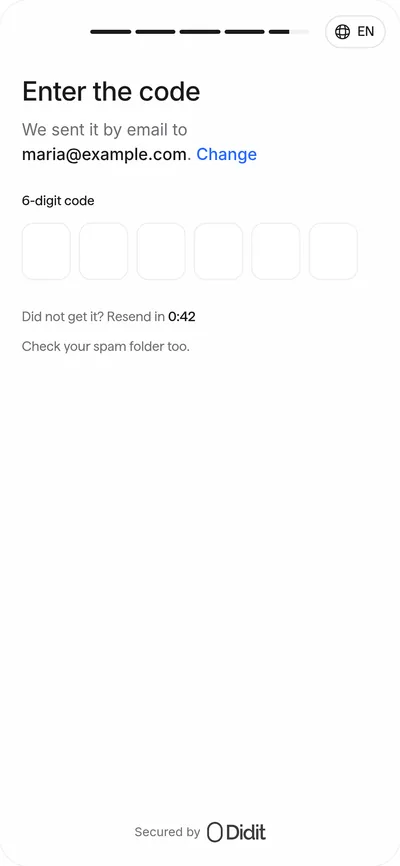
disposable policy is set to Log, Challenge or Block, Didit checks every email code and magic link sign-in for disposable domains.The disposable email policy covers more than sign-up
disposable matches a sign-up, and also an email code or magic link sign-in, when the address is on a disposable domain. These passwordless flows can create accounts when the sign-up policy allows it. When bot protection is enabled and the disposable policy is set to Log, Challenge or Block, Didit checks every email code and magic link sign-in for disposable domains. If you also reject subaddresses, that is a separate setting: with allow_subaddresses: false, the default, an address with a plus sign in the local part is rejected at sign-up.
Bot score and device signals
Didit's server decides the bot score from the request itself. The score runs from 0 to 1 and is the strongest signal found, and bots matches at 0.8 or more. Each detection in the console lists the signals that matched.
| Signal | Matches when | Enough alone |
|---|---|---|
automation-ua | The user agent names an automation tool, such as a headless browser or a browser driver | Yes |
script-ua | The user agent is an HTTP library or a command-line client, or is missing | Yes |
browser-headers | The user agent claims a browser, but the request lacks headers that browser always sends | Yes |
webdriver | The hosted page or a Didit SDK saw a browser that reports it is driven by automation | Yes |
automation-artifact | The hosted page or a Didit SDK found what automation drivers leave behind | Yes |
headless | The hosted page saw a headless browser | Yes |
no-signals | A sign-in arrived without the signals its surface always sends | Yes |
A new device is one that matches neither a device ID nor a fingerprint the person has signed in from before. The sign-in event carries the device and network context described further down.
VPN and impossible travel: thresholds, baseline and availability
vpn matches when the IP is a VPN, Tor or data-center network. travel matches when a sign-in is more than 500 km from the previous one, at more than 1,000 km/h, within 24 hours. Three thresholds have to hold together: the distance, the speed and the 24-hour window.
The location used by travel updates only after a completed sign-in. The baseline is the last sign-in that finished, not the last attempt, so a half-finished try does not move it.
Both policies use Didit's IP analysis. GET on protection/ returns available for each policy. While a policy is not available, its mode has no effect and the console marks it as not available yet. If the lookup is unavailable, the attempt continues: a sign-in never fails because of it.
In a Sandbox application the lookup answers only for addresses Didit has already resolved. For a new address, vpn and travel can stay silent in Sandbox while they match in a Live application. Test with an address the Sandbox already knows before you conclude that a policy does not work.
Reading what matched, and where review stays with you
Didit stores protection decisions as auth.* events. The console Events page shows the protection reason, device, network and any matched rules. Attempts against unknown or unproven identifiers are not linked to a person: Didit receives only a keyed hash of the identifier, and those failed attempts carry no vendor_data.
The Events page also has ready-made fraud views: one device and several people, a failed sign-in spike, a new device followed by a payout, a password change followed by a transaction, and several sessions from one IP. Views look back up to 31 days.
The Authentication fraud bundle ships four presets: account takeover, credential stuffing, new device then a payout, and impossible travel. Two actions exist only for sign-in events, sign the person out of every session and block the person from signing in, and they are not active yet: a rule that uses them records the action with the status DISABLED and does not apply it. Plan your review so a person reads the high-score alerts, and do not assume a rule will sign someone out for you today.

Inputs and outputs
| Field | Type | Accepted values | Effect |
|---|---|---|---|
enabled | Boolean | true, false | Master switch. false by default, and no policy is enforced while it is false, though rate limits, bounded code attempts and the unsaved-settings lockout still apply |
breached_password_check | Boolean | true, false | Defaults to false. When enabled, Didit rejects a known breached password when setting a password and returns password_breached |
policies.bots | String | off, log, challenge, block | Acts on requests scored 0.8 or more |
policies.stuffing | String | same four modes | Acts on 10 or more different accounts from one device or IP in 15 minutes, or a known breached password |
policies.brute | String | same four modes | Acts after 5 failed attempts on one account |
policies.disposable | String | same four modes | Acts on disposable email domains at sign-up, email code and magic link sign-in |
policies.vpn | String | same four modes | Acts on VPN, Tor and data-center addresses, if the IP lookup is available |
policies.travel | String | same four modes | Acts on a jump over 500 km at over 1,000 km/h within 24 hours, if the IP lookup is available |
available | Per policy, read only | Boolean | Returned by GET. A false value means the mode has no effect yet |
Failure cases and recovery
401with no credential. Supply a supported credential.403for a refused credential. Check the application or organization, scope and role. A scoped key needsauthenticationwrite access forPATCH. Tokens fromPOST /programmatic/loginare refused on setup routes.- A policy set to
blockorchallengethat never fires. Checkenabledfirst, then the policy's mode, thenavailableforvpnandtravel. In Sandbox, an address Didit has not resolved stays silent. - A real person caught by
travelafter a flight. Switch that policy tologorchallengewhile you tune it. The location used fortravelupdates only after a completed sign-in. - An account locked by
bruteinblockmode. Have the person complete a password reset to clear the lock, or clear the lock from the console. - A
PATCHthat seems to change nothing. Read the response body. RunGETafterPATCHand compare the saved modes with the configuration you intended.
What you pay for
The public price feed lists Authentication by monthly active user and shows no separate bot protection line. The first 50,000 active users each month are free, and after that the line is $0.02 per active user per month at list price. Growth takes 4% off every Didit price and Scale takes 10%. Read the current plan fees and credit on didit.me/pricing before you quote anything to a customer.
Monthly Authentication cost example
Take an application with 120,000 active users in a month and protection on for all six policies. The first 50,000 active users are free. The remaining 70,000 are billable at $0.02 each:
- 120,000 active users minus 50,000 free = 70,000 billable active users
- 70,000 x $0.02 = $1,400.00 per month at list price
- On Scale, 10% off: 70,000 x $0.018 = $1,260.00 of discounted monthly Authentication usage before plan fees and credits
Authentication is priced per active user in the feed, so use your own active-user count for the estimate. Check the current plan fees and credit on didit.me/pricing before you quote anything to a customer.
Sources
- Didit docs: Bot Protection at Sign-In, Stuffing, Brute Force
- Didit docs: Set Up Didit Authentication by API
- Didit docs: Sign-In Methods
- Didit docs: Authentication Events and Webhooks
- Didit docs: Authentication Integration Guide
- Didit docs: API Errors, Status Codes and Fixes
- Didit Authentication product page
- Didit pricing page and pricing.json, read November 26, 2026
- Didit docs: Pricing and billing rules
- Didit MCP server
Next step: open a Sandbox application at business.didit.me, set every policy to log, read what matches, then PATCH the modes you want. No sales call, and the sandbox is free.
Try it
Try this in the sandbox
Run the check this guide describes, free.
The product this post is about, taken from its topic. Run it free in the sandbox.
Author
Alberto Rosas
Co-founder and CEO

Keep reading
Other guides in the same topic.
 Didit Face Match Score 30 and Low Similarity Warnings
We score a 1:1 face comparison from 0 to 100 and approve only a score strictly above the default decline threshold of 30. A score at or below it returns Declined with a low-similarity warning. Unscored pairs return a warning.
Alberto RosasNov 26, 2026 GDPR KYC Data Retention in Didit: Window, EU Residency, Erasure
We act as your processor. You choose the retention window within your plan ceiling, keep verification data in the EU by default, and send an explicit API erasure instruction that no app policy can override.
Alberto RosasNov 26, 2026 Didit KYB API Integration: Sessions, AML and Webhooks (2026)
Create one session with a KYB workflow ID. The workflow type makes it a business session. Send the hosted link, handle the status webhook, then read the decision. KYB from $2.00 per company.
Alberto RosasNov 26, 2026Questions
Frequently asked questions
What are the default Didit bot protection settings?
For an application whose protection settings are created now, the defaults are bots: block, stuffing: challenge, brute: challenge, disposable: block, vpn: challenge and travel: block. The master switch enabled and breached_password_check are both false by default. Settings you already saved keep their own modes, so an older application can differ from these defaults.
Is Didit bot protection on by default?
No. Protection is off until you turn it on, which means setting enabled to true on protection/ in the Authentication management API or turning it on in the console. Rate limits and bounded code attempts still apply while protection is off. On Growth and above, your allowlist and blocklist also still apply. If you have never saved protection settings, five failed passwords lock the account for 15 minutes.
Why does my sign-in return attempt_blocked?
One of bots, stuffing, disposable or vpn blocked the attempt before the password or code was checked, so the response is the same for an existing account, an unknown one, a right secret and a wrong one. A passkey, social or organization SSO sign-in can also answer 403 with attempt_blocked when brute or travel blocks it, because those methods prove the person before Didit applies an account-dependent block. Open the sign-in event in the console to see which policy matched.
Why do I get invalid_credentials instead of a block?
invalid_credentials has several causes: a wrong password, an unknown email, an unverified email, a locked account or a blocked account. A brute or travel block uses that same response as a wrong password, so the status alone does not tell you that a policy blocked the attempt. Open the sign-in event in the console for the protection reason behind it.
What triggers Didit credential stuffing protection?
stuffing matches when one device or IP tries 10 or more different accounts within 15 minutes, or when the password is a known breached password. It defaults to challenge because offices, campuses and mobile carriers put many real people behind one address. A challenged person passes one extra proof instead of hitting a lockout.
What happens after 5 failed sign-in attempts?
With protection enabled, five failures trigger the configured brute mode. Off and Log impose no lock. In Block mode the person must reset their password before signing in again, and in Challenge mode a correct password also needs an extra proof for 15 minutes. If you have never saved protection settings, five failed passwords lock the account for 15 minutes.
Which sign-ins does the disposable email policy cover?
A sign-up, and also an email code or magic link sign-in that uses a disposable domain. These passwordless flows can create accounts when the sign-up policy allows it. When bot protection is enabled and the disposable policy is set to Log, Challenge or Block, Didit checks every email code and magic link sign-in for disposable domains. The default mode is block.
How does Didit detect impossible travel?
travel matches when a sign-in is more than 500 km from the previous one, at more than 1,000 km/h, within 24 hours. The baseline moves only after a completed sign-in, so a half-finished attempt does not reset the location. If Didit's IP analysis is unavailable for your application, the attempt continues and the policy does not fire.
Why are the VPN and travel policies marked not available?
Both rely on Didit's IP analysis being reachable for your application, and GET on protection/ returns available for each policy. While a policy is not available its mode has no effect, and the console marks it as not available yet. If the lookup fails, the attempt continues: a sign-in never fails because of it.
What device information does a Didit sign-in event record?
A Didit sign-in event records the IP address, the persistent device ID, the device fingerprint, the user agent, the session ID and the client bot score when the client supplied one. The console Events page shows the device and network details next to the protection reason. A new device is one that matches neither a device ID nor a fingerprint the person has signed in from before.
How do I read or change protection settings with the API?
Send GET or PATCH to protection/ under https://apx.didit.me/auth/v2/organizations/{org_id}/applications/{application_id}/authentication/ with an application API key, an owner-approved grant with didit:management, or a console session with the appropriate role. A scoped API key needs the authentication scope: read access for GET and write access for PATCH, while a full-access key of the application already covers both. PATCH takes enabled, breached_password_check and the policies object.
What does Didit bot protection cost?
There is no separate price line for bot protection in the public price feed. Authentication is free for the first 50,000 active users each month, then $0.02 per active user per month at list price, with 4% off on Growth and 10% off on Scale. The feed prices Authentication by monthly active user, so read the current plan fees and credit on didit.me/pricing before you quote.
Compliance built in
Audited, certified and attested.
We hold the certifications and build each country's rules into your flows, so you can launch anywhere without worrying. Security and Compliance center
- Regulation encoded into your flows
Tell us what you do and where. Didit lists the rules that apply to you, with sources, and builds the checks each country needs into one workflow.
- Ready for AMLR
Every requirement of the new EU anti-money laundering rules, from checking customers to human review, is already covered by a Didit check.
- Tested in Spain's Treasury sandbox
Spain's Treasury published its supervised sandbox report on Didit's NFC plus active liveness onboarding; SEPBLAC took part and valued the added measures positively.
- Audited, not self-declared
iBeta Level 1 and Level 2. Liveness tested under ISO/IEC 30107-3.
Your obligations · 3 regions
 SOC 2 Type 2
 ISO 27001
 iBeta Level 1 and Level 2
 EU regulator attestation
 FSM youth protection
 GDPR
 EBA remote onboarding
 MiCA compatible
 FIDO Alliance member
- AMLREU AML Regulation ready
Integration · Didit MCP
Run Didit from your own AI agent
Connect Didit to Claude, Cursor, VS Code or ChatGPT and just ask in plain words. Your agent can do anything you can do in the console, with the same permissions you have.
 Add to Claude
 ChatGPT
 Cursor
- Build workflowsDescribe the checks you need. The agent creates and publishes the flow.
- Run investigationsAsk why a session was declined, review cases, search people and companies.
- Change rulesCreate payment rules, test them on past data and switch them on.
- Pull reportsAsk for numbers, exports or the audit log.
Didit Academy


