How to Reverify an Account Holder After Account Takeover
Reverify with a fresh full KYC session ($0.33) bound to the original account ID, compare the new face to the enrolled identity with Face Search ($0.05), and make the hand-back a human decision.
 Alberto RosasCo-founder and CEO
Contents
In this guide
Jump to the part you need.
Account takeover recovery needs a new verification, not the old one. You confirm the person in front of the camera, compare that face to the identity you enrolled before the incident, and keep the decision to return access inside your own policy. A full KYC check on Didit costs $0.33 and a 1:N face search costs $0.05. The caveat: the checks tell you who is present now, they do not hand the account back.
Last updated: November 26, 2026. Prices checked against the live Didit price feed on November 26, 2026.
| Step | What you call | List price | What it gives you |
|---|---|---|---|
| 1. Freeze | Your own account system, plus the blocklist | No published per-call price | The account blocked in your system while recovery runs |
| 2. New session | POST /v3/session/ | No published per-call price | A hosted link bound to your account ID |
| 3. Identity check | Full KYC workflow | $0.33 per completed check | ID document, passive liveness, face match 1:1, device and IP |
| 4. Face comparison | POST /v3/face-search/ | $0.05 per search | Ranked matches against your enrolled faces |
| 5. Decision | GET /v3/session/{session_id}/decision/ | No published per-call price | Status, warnings, decision trace, linked records |
| 6. Human review | Business Console or PATCH /v3/session/{sessionId}/update-status/ | No published per-call price | Final approve, decline or resubmit |
Start free in the sandbox at https://business.didit.me/ (no sales call), and if you build with an AI assistant, connect Didit to it through the Didit MCP server. Every price on this page is also on the pricing page.
What a reverification after takeover has to prove
A recovery check has to answer three questions, and it is only as strong as the weakest answer.
- The person at the keyboard is the person who onboarded. That is a 1:N comparison to the faces you already enrolled, not a 1:1 selfie against a document. Didit runs it as Face Search on your application's face index, which holds faces enrolled from verification sessions, saved standalone API calls, user-profile face uploads and your block and allow lists.
- The document is genuine and belongs to the person present. ID document verification at $0.15, passive liveness at $0.10, face match 1:1 at $0.05 and device and IP analysis at $0.03 make up the $0.33 full check.
- The session is not being run from the attacker's device. Device and IP analysis ships inside the same check and contributes to the 200+ fraud signals Didit evaluates on every session, including duplicate devices, VPNs, proxies, Tor and location mismatches.
The method we recommend
Create one new session, bind it to the account with vendor_data set to your own account identifier, send the original profile data as expected_details so mismatches surface as decision warnings, and run Face Search on the capture that comes back. Keep the session that existed at the time of the incident as evidence and never re-open it. Didit supports organizations in 220+ countries and has 4,000+ companies in production, and the shape of a recovery does not change: new session, new capture, compare, then decide.
Why you cannot reuse the old session
A Didit session is the record of one attempt. Statuses are exact strings, and a previously approved session whose verified document passes its expiry date becomes Kyc Expired on its own. Re-using it would put the original onboarding and the recovery into one audit trail, so create a new session and let the old one stand as the record of what happened before the incident.

Prerequisites
- A Didit organization and an application, live or sandbox. Sandbox testing is free and unlimited on every plan.
- An API key with the privileges the calls need. Reading a decision requires
read:sessions; a key without it answers 403. - A published workflow UUID from
/v3/workflows/whose steps are the recovery set: ID verification, passive liveness, face match 1:1 and device and IP. Build it once in the Workflow Orchestrator, which has no separate fee. - The original account record: first name, last name, date of birth, nationality as an ISO-3 code, ID country as an ISO-3 code and the document types you accepted at onboarding, for example
["P", "ID"]. - Your stable account identifier, to send as
vendor_data. The docs describe it as binding the session to a user entity and using it for duplicate detection across sessions, which is exactly what a recovery needs. - A callback URL on one of your application's allowed domains, or a custom app scheme. A callback outside the allowed domains fails creation with a 400.
- A webhook destination with its signing secret, so the decision reaches you without polling.
Step by step: create and read a recovery verification
Step 1: freeze the account and record what you know
Record the account as blocked in your own system while recovery runs, and subscribe to user.status.updated if you use Didit user-status events. If the suspected attacker's face is already on your blocklist, leave it there: blocklist matching ignores the duplicate-detection segment, so a blocklisted face stays blocklisted in every segment. Note the original session ID, the account creation date and the channel the takeover came through. You will need all three when a reviewer picks the case up.
Step 2: pick the recovery workflow
Use a workflow that contains ID verification, passive liveness and face match. A workflow without biometrics can confirm a document but not a person, which is the wrong tool here. Adding email verification at $0.02 and proof of address at $0.20 is a policy choice, and both are separate checks billed on top of the $0.33, not part of it.
Step 3: create the session
This is the documented create call with the minimum glue for a recovery case. Replace the workflow UUID and the expected details with the account's own record.
curl -X POST https://verification.didit.me/v3/session/ \
  -H "x-api-key: <API_KEY>" \
  -H "Content-Type: application/json" \
  -d '{
    "workflow_id": "3f1c1a2e-8b0d-4a55-9a51-0d5a1f7c9b10",
    "vendor_data": "acct_88213",
    "callback": "https://app.example.com/recovery/done",
    "callback_method": "both",
    "session_expiration_time": 3600,
    "language": "en",
    "expected_details": {
      "first_name": "Marta",
      "last_name": "Ruiz",
      "date_of_birth": "1991-04-12",
      "nationality": "ESP",
      "id_country": "ESP",
      "expected_document_types": ["P", "ID"]
    },
    "metadata": { "case": "ato-2026-114" }
  }'
Three fields do the recovery work. vendor_data binds this session to the same account as the original. expected_details turns a different name or date of birth into a decision warning instead of a silent pass. session_expiration_time keeps the link short lived: the documented bounds are 3600 seconds to 2419200 seconds, and a value outside the range returns 400.
Step 4: send the link over a channel the attacker does not control
The create response returns session_url, the hosted verification page. If the attacker changed the email address or phone number on the account, do not deliver the link there. Use a channel you verified before the incident, or a branch visit, or a support call with out-of-band proof. contact_details pre-fills a phone or email step, so only send values you trust.

Step 5: read the decision
The documented read call returns the full decision for either kind of session, so you do not need to know in advance whether it was KYC or KYB.
curl https://verification.didit.me/v3/session/<SESSION_ID>/decision/ \
  -H "x-api-key: <API_KEY>"
Branch on session_kind every time. The docs are explicit that it is the discriminator, and the handler pattern they publish is the one to copy.
const decision = await (await fetch(url, { headers: { "x-api-key": API_KEY } })).json();
switch (decision.session_kind) {
  case "user": return handleUserDecision(decision);
  case "business": return handleBusinessDecision(decision);
}
Step 6: compare the new face to the enrolled identity
Face Match 1:1 inside the session compares the live capture to the document portrait in the same session. That proves the document and the face belong together. It does not prove this is the same person who onboarded months ago. For that, run the standalone Face Search call against your application's index.
Face Search does not read the session and takes no session ID. It accepts its own upload: capture a fresh front-facing image in your own flow right after the liveness step and post it as user_image. Allowed formats are tiff, jpg, jpeg, png and webp, up to 5 MB, and a larger file is rejected with a 400. The largest detected face in that image is the one embedded and searched.
curl -X POST https://verification.didit.me/v3/face-search/ \
  -H "x-api-key: <API_KEY>" \
  -F "user_image=@recovery-selfie.jpg" \
  -F "search_type=blocklisted_or_approved"
The docs describe two search types. most_similar ranks every enrolled face by similarity and suits deduplication and fraud-ring investigation. blocklisted_or_approved restricts candidates to blocklisted faces, allowlisted faces, faces from approved sessions and imported user-profile faces, ranking blocklisted entries first. For a recovery case the second is usually the right one, because you want the blocklist check and the earlier approved enrollment in the same response. Up to 5 matches above the similarity floor come back, each with similarity_percentage, the originating session_id, vendor_data, user details and the is_blocklisted flag.
One documented difference matters here: Face Search does not exclude prior sessions with the same vendor_data from matching, unlike passive liveness. The original enrollment can therefore come back as the top match, which is exactly the comparison you are looking for. A call returns Declined only when a blocklist warning fires. By default save_api_request is true, so the call is persisted as an API-type session and the searched face is enrolled and excluded from future Face Search results; set it to false for a one-shot check that stores nothing.
Step 7: receive the webhook and verify it
Subscribe the destination to status.updated and to any other event family you need; there is no wildcard. The documented verification order is: read the raw body without parsing it first, check that the timestamp is within 300 seconds, recompute the HMAC-SHA256 signature with your destination secret and compare in constant time against X-Signature-V2 and its -Previous header when present, then parse and process. Return 2xx quickly and update state idempotently.
Step 8: apply your own policy and reset credentials
A Didit status is one input to your decision, not the decision. After your review, force a credential reset, revoke sessions and tokens issued after the compromise, and re-check the contact details on file. Do that after the identity check, never before.
What the response looks like
{
  "session_id": "9f2b...",
  "session_kind": "user",
  "status": "Approved",
  "vendor_data": "acct_88213",
  "decision_trace": {
    "status": "Approved",
    "decided_by": "automatic",
    "automatic_status": "Approved"
  },
  "id_verifications": [ ... ],
  "liveness_checks": [ ... ],
  "face_matches": [ ... ],
  "ip_analyses": [ ... ],
  "linked_records": { "same_face": ..., "earlier_verifications": ... }
}
Read decision_trace to see how the status was reached and who reached it. Read linked_records to see whether the session ties to earlier verifications of the same person. Feature arrays are always plural arrays, and a feature that did not run is absent or null, never a placeholder.
Failure cases and recovery
| Response | Meaning | Recovery action |
|---|---|---|
401 on GET /v3/session/{session_id}/decision/ | Invalid API key | Compare the x-api-key header on that request with the key in the Business Console and re-issue the key if it was revoked. Face Search never returns 401: missing or invalid credentials there return 403 with {"detail": "You do not have permission to perform this action."} |
403 on GET /v3/session/{session_id}/decision/ | Key lacks read:sessions | Grant the privilege to that key or use a full-access key. |
| 404 on the decision call | Session does not exist or belongs to a different application | Check the session ID and that the key is from the same application. |
400 on callback | Callback is not on one of the application's allowed domains | Add the origin to allowed_domains, or use a custom URL scheme. |
400 on session_expiration_time | Outside 3600 to 2419200 seconds, or not a whole number | Send whole seconds inside the range. |
400 on user_image | Unsupported format or file over 5 MB | Send a tiff, jpg, jpeg, png or webp image under 5 MB. |
Declined | One or more checks failed | Do not return access. Notify through a channel the attacker does not control and offer resubmission only if the failure is fixable. |
In Review | Warnings need a person | A reviewer approves, declines or requests resubmission. See the review boundary below. |
Expired | The link was never opened before its TTL | Create a new session. Do not extend the old one. |
Abandoned | Started but not finished in time | Create a new session and send a fresh link. |
Resubmitted | A reviewer asked for specific steps to be redone | The user completes them and the session returns to a decision. |
Kyc Expired | An approved session whose verified document passed its expiry date | Rerun the ID step in a new session. |
403 on POST /v3/face-search/ | Insufficient balance | Top up. The call refuses before any image processing. |
The next part is our implementation policy, not a documented status code. We treat a stale webhook, meaning a timestamp older than 300 seconds, or a signature mismatch, as a failed delivery rather than a failed verification. Reject the payload and re-fetch the decision from the API instead of trusting what arrived. The docs make that re-fetch explicit for the deprecated X-Signature-Simple, which authenticates the envelope only, not the decision body.

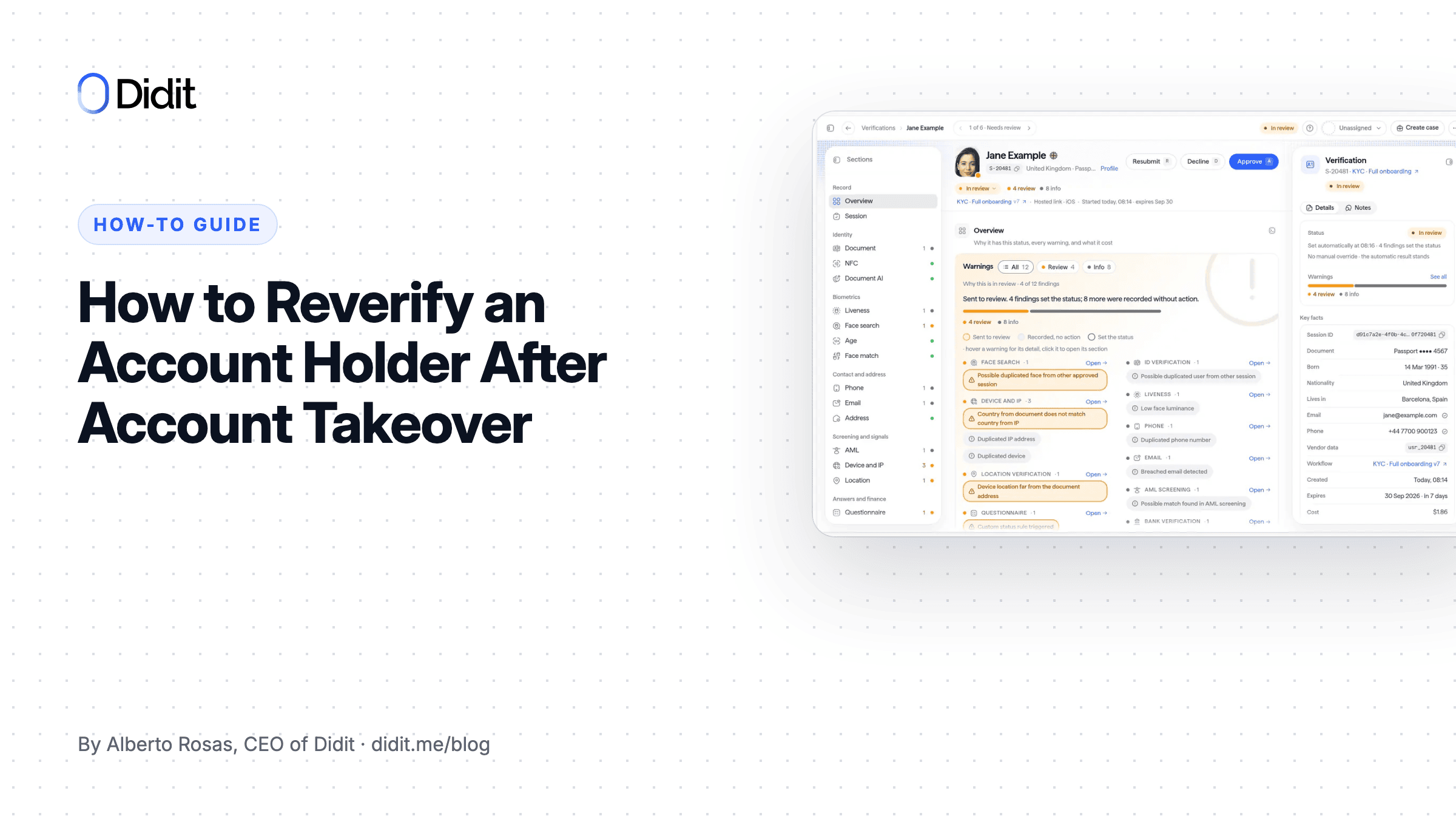
In Review. A reviewer reads them here before any hand-back.Inputs and outputs
| Field | Direction | What it does |
|---|---|---|
workflow_id | Request | Selects the steps and decides whether a KYC or KYB session is created. |
vendor_data | Request | Binds the session to the account and feeds duplicate detection across sessions. |
expected_details | Request | Mismatches surface as decision warnings instead of passing silently. |
callback, callback_method | Request | Where the hosted flow returns the user; both covers a failed callback. |
session_expiration_time | Request | Per-session link lifetime, 3600 to 2419200 seconds. |
multi_account_segment | Request | Keeps duplicate face checks inside one account base. Blocklist matching ignores it. |
user_state | Request | Illinois, Texas or Colorado makes the flow ask for explicit biometric consent first. |
user_image | Request (Face Search) | The fresh selfie you upload for the 1:N search. Up to 5 MB. |
session_url | Response | The hosted link you deliver to the account holder. |
status | Response | One of the exact status strings, including In Review and Kyc Expired. |
decision_trace | Response | How the status was reached, by automatic, manual or investigator. |
linked_records | Response | Same-face, earlier-verification and network summaries, or null. |
biometric_retention | Response | The date the live biometric data of the session is deleted. |
Paid steps and where review starts
You pay per completed check from prepaid credit on every plan, and you pay only when a check finishes with a result. Creating a session and reading a decision carry no per-call price. These are the lines a recovery flow can touch, at list price on the Free plan:
| Step | List price | Unit |
|---|---|---|
| Full ID check (KYC) | $0.33 | completed check |
| ID verification alone | $0.15 | check |
| Passive liveness | $0.10 | check |
| Face match 1:1 | $0.05 | check |
| Face search 1:N | $0.05 | search |
| Device and IP analysis | $0.03 | check |
| AML screening | $0.20 | check |
| Proof of address | $0.20 | check |
| Email verification | $0.02 | check |
| Phone verification | From $0.02 plus carrier | code |
| Custom questionnaire | $0.10 | check |
| Biometric authentication | $0.10 | auth |
| NFC chip reading | $0.15 | add-on |
The $0.33 is one bundle: ID document $0.15, passive liveness $0.10, face match 1:1 $0.05 and device and IP analysis $0.03. AML screening at $0.20, email verification at $0.02, proof of address at $0.20, phone verification and custom questionnaires are separate checks you add on top, each billed only when it finishes with a result.
Workflow Orchestrator, Reusable KYC, the MCP server and the SDKs carry no separate fee. Plans change the arithmetic, not the units: Free has $10 of monthly credit for eligible organizations, Growth is $99 a month with $115 of credit and 4% off every price, Scale is $299 a month with $350 of credit and 10% off, and Enterprise starts at $15,000 a year. Full plan terms are on the pricing page and in the pricing docs.
The review boundary is where most teams get caught out. Automated checks end in Approved, Declined or In Review, and anything in In Review waits for a person, on your side unless you use the Investigator agent, which reviews and follows up and is included from Growth upward. An approved $0.33 check says the person at the keyboard passed the workflow checks and matches the document portrait. Face Search separately compares the face with enrolled faces. Neither result returns access to the account: that call is yours.

Worked cost example
Take 1,000 compromised accounts in one month. Each one gets a fresh full KYC check, a 1:N face search, an email verification and an AML re-screen, all at list prices.
- Full KYC: 1,000 x $0.33 = $330.00
- Face search: 1,000 x $0.05 = $50.00
- Email verification: 1,000 x $0.02 = $20.00
- AML screening: 1,000 x $0.20 = $200.00
- Total: $330.00 + $50.00 + $20.00 + $200.00 = $600.00, or $0.60 per account
Drop the AML re-screen and the same 1,000 recoveries cost $330.00 + $50.00 + $20.00 = $400.00, or $0.40 per account. On Growth the four unit prices become $0.3168, $0.048, $0.0192 and $0.192: $316.80 + $48.00 + $19.20 + $192.00 = $576.00, and the $115 of monthly credit pays the first $115.00, leaving $461.00 from top-up balance, plus the $99 monthly fee. On Scale they become $0.297, $0.045, $0.018 and $0.18: $297.00 + $45.00 + $18.00 + $180.00 = $540.00, and the $350 credit pays $350.00, leaving $190.00, plus the $299 monthly fee. Build your own mix with the estimator on the pricing page, or read the machine-readable list at https://didit.me/pricing.json.
Sources
- Didit docs: Create Session API
- Didit docs: Retrieve Session API
- Didit docs: Webhooks and HMAC signing
- Didit docs: Verification statuses
- Didit docs: Face Search API
- Didit docs: Device and IP analysis
- Didit docs: Update status
- Didit docs: Pricing and billing
- Didit pricing page and estimator, read November 26, 2026
- Didit live price feed, read November 26, 2026
- FATF, for customer due diligence expectations when an existing relationship changes
Next step: open the sandbox at https://business.didit.me/ and run one recovery session end to end with test data. No sales call, and the sandbox stays free on every plan.
Try it
Try this in the sandbox
Run the check this guide describes, free.
The product this post is about, taken from its topic. Run it free in the sandbox.
Author
Alberto Rosas
Co-founder and CEO

Keep reading
Other guides in the same topic.
 How to Normalize Names and Dates of Birth Before Database Verification
Normalize names to the spelling the registry holds and send date of birth as ISO 8601 before a Didit Database Validation call. Pricing varies by service; $0.05 per check is the lowest published example.
Alberto RosasNov 26, 2026Passkey Account Recovery After a Lost Phone (2026)Passkey account recovery after a lost phone depends on whether the platform synced the passkey. If it did not, the person signs in with another enabled method, such as an email code, then enrolls a new passkey.
Alberto RosasNov 26, 2026 Identity Verification API Integration: Pricing, Webhooks, UI
How to integrate an identity verification API with Didit: API keys, workflow and session calls, webhook mapping, sandbox test data, error fixes, and per-check costs from $0.33.
Alberto RosasNov 26, 2026Questions
Frequently asked questions
How do I verify a user's identity after their account was taken over?
Create a new Didit session with POST /v3/session/, set vendor_data to the account identifier and send the original profile as expected_details, then run the full KYC check at $0.33. Compare the returned face to your enrolled identity with Face Search at $0.05, and read the result from GET /v3/session/{session_id}/decision/. Keep the old session as evidence rather than reopening it.
Can I reuse the original KYC session for the recovery check?
No. A session records one attempt, and its status is a single exact string that can move to Kyc Expired when the verified document expires. Reusing it would merge the onboarding and the recovery into one audit trail. Create a new session and keep both records.
How much does it cost to reverify an account holder after a takeover?
A full KYC check is $0.33 and a 1:N face search is $0.05, so $0.38 per account before optional steps. AML screening at $0.20, email verification at $0.02 and proof of address at $0.20 are separate checks added on top of the $0.33, not part of it. Sandbox testing is free and unlimited on every plan.
What is the difference between face match and face search in a takeover case?
Face match 1:1 compares the live capture to the document portrait inside the same session, which proves the document and the face belong together. Face search 1:N compares the capture to your application's index of enrolled faces, blocklists and earlier sessions, which is what proves this is the person who onboarded. Run both: the match is inside the $0.33 check, the search costs $0.05.
What happens when a recovery session lands In Review?
In Review means automated checks raised warnings that need a person. A reviewer opens the case in the Business Console or calls PATCH /v3/session/{sessionId}/update-status/ and approves, declines or requests a resubmission. The webhook for that session carries the full decision object with the warnings, so your team has the evidence in the same payload.
Should I trust the email address and phone number on the account during recovery?
Not without checking them. Attackers commonly change contact details, so delivering the recovery link to the current email or phone can hand the session back to them. Deliver it through a channel you verified before the incident, and note that contact_details pre-fills a phone or email step with whatever you send, so only send values you trust.
Does an Approved status mean I should give the account back?
Approved means the checks passed: the document is genuine, the person is live and present, and the face matches the document portrait. It does not evaluate the account's history or the credential changes made during the takeover. Returning access is your decision, taken after a forced credential reset and a review of activity since the compromise.
What if the account holder's document has expired since onboarding?
Rerun the ID step in a new session. An approved session whose verified document passes its expiry date moves to Kyc Expired, so the recovery session should collect a current document rather than rely on the one from onboarding. Face search still works, because the enrolled face index is separate from the document record.
How long should the recovery link stay valid?
Short. session_expiration_time accepts between 3600 seconds, one hour, and 2419200 seconds, four weeks, and overrides the workflow setting for that session only. A one hour link sent over a channel you trust reduces the window in which an intercepted link is useful. A link that times out shows as Expired and you create a new session.
Does this work for business accounts too?
Yes. The same create endpoint builds a business verification session when the workflow is a KYB workflow, and the decision response carries session_kind as business. KYB registry retrieval starts at $2.00 per company by country and data tier, each owner or officer takes a linked full ID check at $0.33 and person AML at $0.20, and the parent session waits in Awaiting User until the key people finish.
Compliance built in
Audited, certified and attested.
We hold the certifications and build each country's rules into your flows, so you can launch anywhere without worrying. Security and Compliance center
- Regulation encoded into your flows
Tell us what you do and where. Didit lists the rules that apply to you, with sources, and builds the checks each country needs into one workflow.
- Ready for AMLR
Every requirement of the new EU anti-money laundering rules, from checking customers to human review, is already covered by a Didit check.
- Tested in Spain's Treasury sandbox
Spain's Treasury published its supervised sandbox report on Didit's NFC plus active liveness onboarding; SEPBLAC took part and valued the added measures positively.
- Audited, not self-declared
iBeta Level 1 and Level 2. Liveness tested under ISO/IEC 30107-3.
Your obligations · 3 regions
 SOC 2 Type 2
 ISO 27001
 iBeta Level 1 and Level 2
 EU regulator attestation
 FSM youth protection
 GDPR
 EBA remote onboarding
 MiCA compatible
 FIDO Alliance member
- AMLREU AML Regulation ready
Integration · Didit MCP
Run Didit from your own AI agent
Connect Didit to Claude, Cursor, VS Code or ChatGPT and just ask in plain words. Your agent can do anything you can do in the console, with the same permissions you have.
 Add to Claude
 ChatGPT
 Cursor
- Build workflowsDescribe the checks you need. The agent creates and publishes the flow.
- Run investigationsAsk why a session was declined, review cases, search people and companies.
- Change rulesCreate payment rules, test them on past data and switch them on.
- Pull reportsAsk for numbers, exports or the audit log.
Didit Academy


