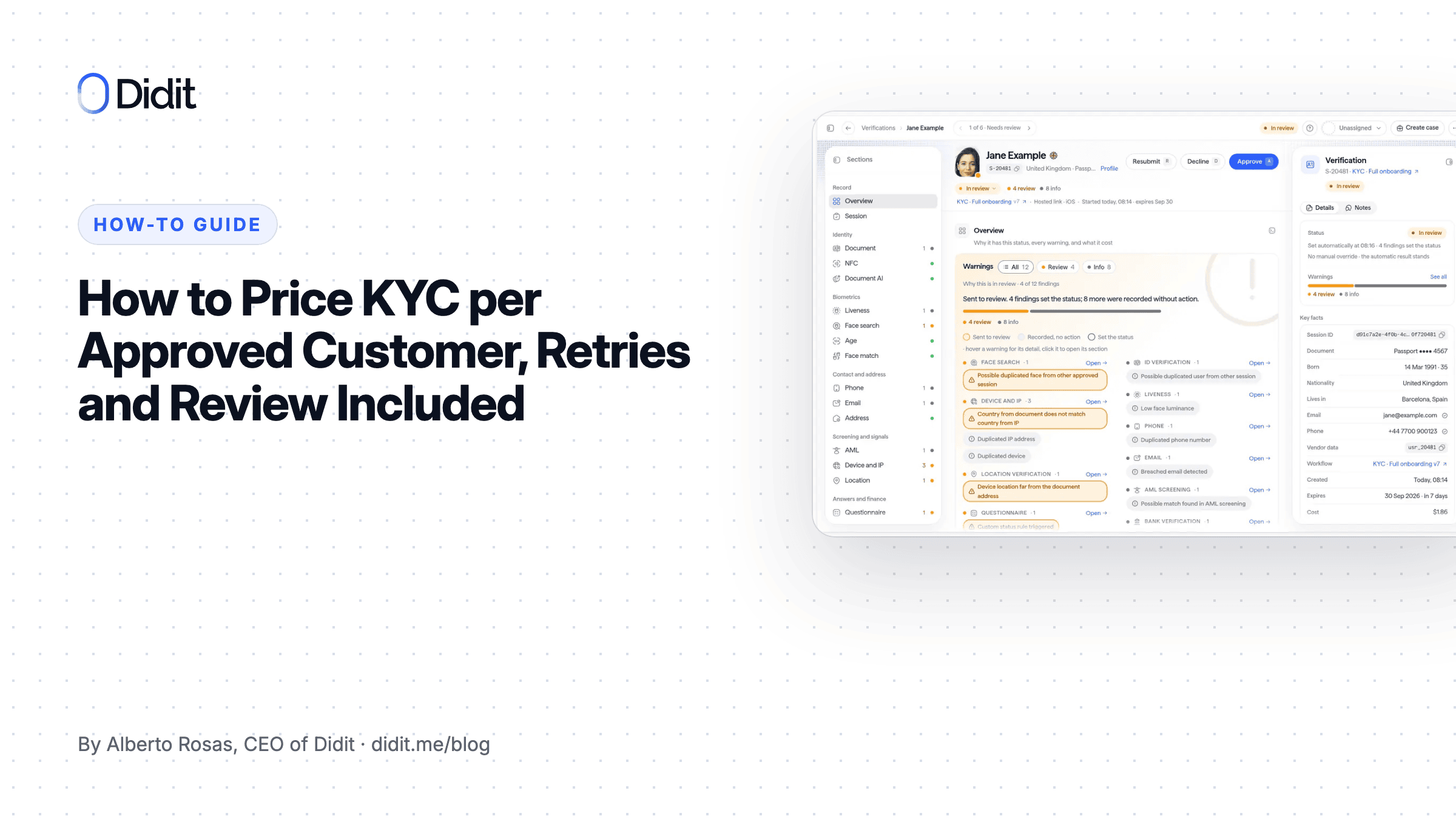
How to Price KYC per Approved Customer, Retries and Review Included
Cost per approved customer equals the Didit charges in the period plus your own reviewer labor, divided by unique customers approved. A Didit full ID check lists at $0.33, and retry billing depends on the specific retry, so you.
 Alberto RosasCo-founder and CEO
Contents
In this guide
Jump to the part you need.
This guide fits finance, operations and compliance teams that need a cost per approved customer rather than a price per check. A Didit full ID check lists at $0.33, or $0.3168 on Growth and $0.297 on Scale. The caveat is that retry billing depends on the specific retry, and internal reviewer labor is your cost to add, not a Didit price to assume.
Last updated: November 26, 2026. Prices checked against the live Didit price feed on November 26, 2026.
Prices change, so read the current numbers on the Didit pricing page and the KYC product page before you send a figure to finance.
| Item | Published or supplied value | Note |
|---|---|---|
| Full ID check (KYC) | $0.33 per completed check | ID document $0.15 + passive liveness $0.10 + face match 1:1 $0.05 + device and IP analysis $0.03 |
| Same check on Growth | $0.3168 per check | 4% off every price |
| Same check on Scale | $0.297 per check | 10% off every price |
| AML screening | $0.20 per check | 1,300+ lists |
| Proof of address | $0.20 per check | Optional step, priced on its own |
| Reusable KYC | Free | Included on every plan |
| Retries and no-match lookups | Some are billable | Check the live feed and Usage for the specific retry |
| Reviewer labor | Your own minutes x hourly cost | Not a Didit charge; keep it in a separate column |
Start free in the sandbox at business.didit.me, with no sales call, and run your own workflow. Developers can connect Didit to an AI assistant through the Didit MCP server. Keep the pricing page and the KYC product page open while you model the month.
Why the list price is not the number
You already know the numerator: what Didit bills. The denominator is where teams go wrong. Customers approved is not sessions created, and it is not sessions that reached a decision either. It is unique customers who ended in Approved.
Three things sit between the list price and that count:
- Not every check approves. A
Declinedsession has finished with a result. Under the published rule that you pay for a check only when it finishes with a result, budget it as a completed check, and confirm the charged line in Usage. It contributes nothing to the approved count. - Some approved customers need more than one completed check. Retry billing depends on the specific retry. The live pricing feed says some no-match lookups and retries are billable, and the docs pricing page lists them. Do not assign a full check price to every resubmission.
- Manual review has two parts. The Didit side is whatever the completed checks cost. The labor side is your reviewer minutes, which Didit does not price. Keep the two in separate columns.
The formula
Didit invoice cost per approved customer = Didit charges in the period / customers approved. Fully loaded cost per approved customer = (Didit charges + your reviewer labor) / customers approved.
Didit charges are the charged lines in Billing, then Usage, then Export. They can include completed checks that ended Declined, plus any extra check, lookup or retry the live price feed says is billable. Do not add a review price unless your live price book and Usage show that charge. Reviewer labor is your own input: number of reviewed cases x minutes per case / 60 x hourly cost.
If you want the Didit invoice version before labor, divide the completed-check cost by your first-pass approval rate. The table below does that at the $0.33 list price and makes no review assumption.
| First-pass approval rate | Checks per approved customer | Cost per approved customer |
|---|---|---|
| 100% | 1.00 | $0.3300 |
| 95% | 1.05 | $0.3474 |
| 90% | 1.11 | $0.3667 |
| 80% | 1.25 | $0.4125 |
Prerequisites
- A Didit organization. The Free plan is enough to start: it adds $10 of credit a month for organizations that sign up with a work email, and about 30 full ID checks fit inside it.
- A published workflow. The Workflow Orchestrator is free and included on every plan. Build the flow so you know which steps can bill.
- Billing read access. Settings, then Organization, then Billing and plan. The page has Overview, Plans, Usage and Receipts.
- A month of data, or a sandbox estimate. Sandbox testing is free and unlimited on every plan, and sandbox checks are never billed.
- Your own reviewer cost per case. We publish check prices, not your payroll. Use minutes per case and your hourly cost.
Step by step: calculate KYC cost per approved customer
- Fix the period and the denominator. Pick one plan month. Count unique customers who ended in
Approvedduring it. - List every paid step the workflow runs. A full ID check is one line at $0.33 even though it contains four priced parts. An AML screening node is a separate $0.20. A proof of address node is another $0.20.
- Read the unit prices from the live feed. Use didit.me/pricing or the machine-readable pricing.json. Never quote from a saved contract summary.
- Count charged lines in Usage, then reconcile them with decision statuses. The strings returned by
GET /v3/session/<id>/decision/are the single source of truth:Approved,Declined,In Review,Resubmitted,Abandoned,Expired,Kyc Expired,Awaiting User. They are case-sensitive and contain spaces, so match them strictly. - Count reviewed cases for labor. Count every session that entered
In Reviewand got a decision. Do not multiply them by a review price unless your live price book and Usage show that charge. - Check retries against the live feed and Usage. Match sessions marked
Resubmittedand sessions that moved toKyc Expired. Do not assume every resubmission or re-verification is billed as a full check. - Run the arithmetic. Take Didit charges from Usage. Add your labor as reviewed cases x minutes per case / 60 x hourly cost. Divide by unique customers approved.
- Separate our invoice from your labor. The Didit figure is what appears in Receipts and Usage. Reviewer minutes are your cost, added on top.
- Re-run it every month. Put the number beside your conversion rate. A rising cost per approval is usually a workflow problem, a retry problem, or both, not a pricing problem.
Worked example: 1,000 completed checks, 970 approved
A month of live KYC at list price. Of 1,000 completed checks, 880 approve on the first pass, and 120 land in In Review. Of those 120, 90 are approved after review and 30 are declined. No review price is added to the Didit invoice. For labor only, use an illustrative assumption of 10 minutes per review and $30 an hour. The $30 is your number, not a Didit price.
| Line | Count | Unit price | Amount |
|---|---|---|---|
| Completed Didit checks | 1,000 | $0.33 | $330.00 |
| Didit invoice total | 1,000 checks | $330.00 | |
| Customers approved | 970 | ||
| Didit invoice cost per approved customer | $330.00 / 970 | $0.3402 | |
| Illustrative reviewer labor | 120 reviews x 10 minutes = 20 hours | $30 per hour | $600.00 |
| Fully loaded with that labor assumption | ($330.00 + $600.00) / 970 | $0.9588 |
The arithmetic: 1,000 x $0.33 = $330.00. Approved is 880 + 90 = 970. $330.00 / 970 = $0.3402. The labor assumption is 120 x 10 / 60 = 20 hours, and 20 x $30 = $600.00. Fully loaded is ($330.00 + $600.00) / 970 = $0.9588. If some of the 1,000 completed checks came from resubmissions, do not assume they all bill at $0.33. Check each retry in the live price feed and Usage before you treat its amount as final.
Run the same arithmetic yourself
jq -n '{
  kyc: 0.33,
  completedChecks: 1000,
  approvedFirstPass: 880,
  approvedAfterReview: 90,
  reviewHours: 20,
  reviewerHourly: 30
}
| .approved = (.approvedFirstPass + .approvedAfterReview)
| .diditBilled = (.completedChecks * .kyc)
| .reviewerLabor = (.reviewHours * .reviewerHourly)
| .diditCostPerApproved = ((.diditBilled / .approved * 10000 | round) / 10000)
| .fullyLoadedPerApproved = (((.diditBilled + .reviewerLabor) / .approved * 10000 | round) / 10000)
| {approved, diditBilled, diditCostPerApproved, reviewerLabor, fullyLoadedPerApproved}'
Expected output:
{
  "approved": 970,
  "diditBilled": 330,
  "diditCostPerApproved": 0.3402,
  "reviewerLabor": 600,
  "fullyLoadedPerApproved": 0.9588
}
Change the counts and the discount and the same command prices any month. On Growth the 1,000 checks cost $316.80 at $0.3168 each, or $0.3266 per approved customer before labor. On Scale they cost $297.00 at $0.297 each, or $0.3062. The labor line does not change with the Didit plan.
Failure cases and recovery
| Symptom | What it means | Recovery |
|---|---|---|
402 on a session create | The check could not be paid for, so it did not run | Top up, then retry. Nothing ran, so nothing was billed. |
400 or 403 with a credits message | The balance cannot cover the call | Top up in the console, or turn on auto top-up so live checks do not stop. |
429 | A rate limit or a quota was reached | Wait for Retry-After and resend. A request that never ran produced no completed check. |
500, 502, 503 | Didit or a service it depends on failed. A 5xx may have no JSON body, so read the status first. | Retry with backoff and read code when it is present. |
409 on a create | The request conflicts with current state, for example a reused Idempotency-Key | Read code and reload the state instead of opening a second session. |
Session stuck in In Review | Automated checks raised warnings and a person has to decide | Review it in the Console, log the reviewer minutes separately, then re-count the month. |
| An unexpected retry charge | Some retries and no-match lookups are billable | Open Usage, compare the units and the price with the live feed, and record the specific retry rule you find. |
| Cost per approval climbing | The approval rate fell, retry charges rose, or the review queue grew | Read the warnings on the flagged sessions and the retry lines in Usage before you change anything commercial. |
A session that stays Not Started, Expired or Abandoned has no decision result. Because Didit bills when a check finishes with a result, these sessions often show no charge. The supplied sources do not guarantee that for every workflow, so read the Usage view for the workflow you actually run.
Inputs and outputs
| Item | Type | Example | Where it comes from |
|---|---|---|---|
| Price per completed check | Input | $0.33 | The live price feed |
| Completed checks billed | Input | 1,000 | Billing, then Usage, then Export |
| Reviewed cases | Input | 120 | Console, sessions that entered In Review |
| Reviewer minutes per case | Input | 10 | Your own time study |
| Reviewer hourly cost | Input | $30 | Your payroll |
| Customers approved | Input | 970 | Decision status Approved, one row per customer |
| Didit invoice cost per approved customer | Output | $0.3402 | The formula |
| Reviewer labor cost | Output | $600.00 | The labor formula |
| Fully loaded cost per approved customer | Output | $0.9588 | Didit charges plus labor, divided by approvals |
| Approval rate | Output | 97.0% | Approved divided by completed checks |
| Review rate | Output | 12.0% | Reviewed divided by completed checks |
What you pay for, and where review starts
A full ID check bills as one line but is made of four priced parts, and any extra step you add is priced on its own.
| Step | Price (USD) | When it adds to the month |
|---|---|---|
| ID document verification | $0.15 | Part of the full check |
| Passive liveness | $0.10 | Part of the full check |
| Face match 1:1 | $0.05 | Part of the full check |
| Device and IP analysis | $0.03 | Part of the full check |
| Active liveness instead of passive | $0.15 | Swaps the liveness line |
| NFC chip reading | $0.15 | Add-on to a document check |
| AML screening | $0.20 | Every screened customer |
| Proof of address | $0.20 | Every customer who submits one |
| Phone verification | From $0.02 plus carrier | Every code sent |
| Database validation | Variable by country | Every lookup |
| Wallet screening | $0.15 | Every screened address, inside Transaction Monitoring |
| Retry or no-match lookup | Some are billable | Check the live feed and Usage |
| Reviewer labor | Your cost | Every reviewed case; supply minutes and hourly rate |

Review is a boundary, not a step you can price from a list without checking your account. Automated checks decide most sessions. A session moves to In Review when they raise warnings, and a reviewer approves it, declines it, or requests a resubmission. The reviewer's time is your labor cost. A resubmission may or may not add a billable charge depending on the specific retry, so check the live pricing feed and Usage. Do not add a full check for every reviewer request. A Declined session can be resubmitted too, and an Approved session can move to Kyc Expired, which can lead to a later completed check.

The one thing that pushes the number down without touching approval rates is reusable KYC, which is free and included on every plan. A returning customer who reuses an existing approved verification is not a new check. Read the status rules in verification statuses so your code does not open a fresh session for someone you already verified.
Retries: three kinds, three answers
- A transport retry. Your request failed with a 429 or a 5xx and you send it again. For
429or5xxresponses, retry according to the API guidance and reconcile the result in Usage before assigning billing. - A resubmission. A reviewer asks the user to redo a step, or a user is declined and invited back. Billing depends on the specific retry. The live pricing feed says some retries and no-match lookups are billable, and the docs pricing page lists them. Check the live feed and Usage before you add it to the Didit invoice.
- A re-verification after expiry. The verified document passes its expiry date and the session moves to
Kyc Expired. AnApprovedsession can move toKyc Expired; any later re-verification depends on your workflow and retry rules.

The pricing page also notes that some no-match database lookups and retries are billable. Database validation is priced by country, so if your workflow uses lookups, read those lines before you divide.
How the plan changes the number
| Plan | Monthly fee | Monthly credit | Discount on every price | Full ID check |
|---|---|---|---|---|
| Free | $0 | $10.00 | None | $0.33 |
| Growth | $99.00 | $115.00 | 4% | $0.3168 |
| Scale | $299.00 | $350.00 | 10% | $0.297 |
| Enterprise | From $15,000 a year | Annual commitment | Set by contract | Contract price |
Plan credit lands on the first day of the plan month and expires at the end of it, so unspent credit is not a reserve. Top-ups are added at face value from $50 to $20,000, work for every product and last 12 months. Each check spends this month's credit first, then your oldest top-up. For an estimate before you buy, the pricing page has a cost estimator.
Keeping the number honest
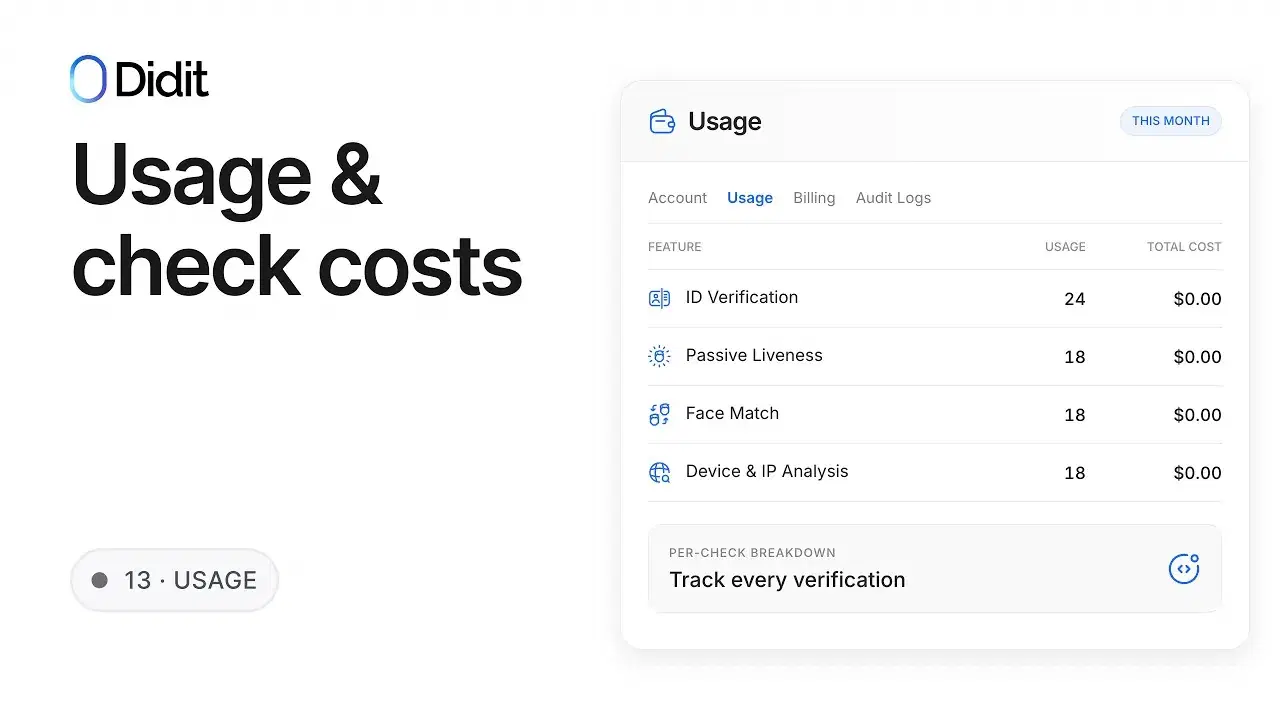
- Use the Usage view. It lists the live checks of the month with units, today's price for one check and the amount charged. The Environment control switches between Live and Sandbox, and Export downloads the table.
- Set a low balance alert. It emails you when the balance drops below an amount you choose, even with auto top-up off. Auto top-up adds $50 to $20,000 each time the balance runs low, with no monthly limit.
- Check the discount once. Growth and Scale discounts apply to every Didit price. Carrier and Meta charges pass through at cost, so phone verification barely moves.
- Count people, not sessions. Divide by unique customers who ended in
Approved, not by sessions created. Sessions created flatter the number and hide the review queue and the retry charges. - Keep labor separate. Put reviewer minutes in their own column with the hourly cost you use, and state that the figure is your assumption. That keeps the Didit invoice auditable.
We serve 4,000+ companies. Keep the Didit invoice and your own reviewer minutes in two separate columns, then add them at the end.
Sources
- Didit documentation: Identity Verification Pricing
- Didit pricing page and pricing.json, read November 26, 2026
- Didit public price book, read November 26, 2026
- Didit documentation: Verification Statuses
- Didit documentation: Manual KYC Review
- Didit documentation: Billing and plan
- Didit documentation: API Errors
- Didit documentation: Workflow Builder
- Didit: what changed in pricing on November 1, 2026
- Didit MCP server setup
- Didit KYC product page, read November 26, 2026
Next step: open business.didit.me, start free in the sandbox with no sales call, run your own workflow, and divide your real approval count into your real bill.
Try it
Try this in the sandbox
Run the check this guide describes, free.
The product this post is about, taken from its topic. Run it free in the sandbox.
Author
Alberto Rosas
Co-founder and CEO

Keep reading
Other guides in the same topic.
 How to Normalize Names and Dates of Birth Before Database Verification
Normalize names to the spelling the registry holds and send date of birth as ISO 8601 before a Didit Database Validation call. Pricing varies by service; $0.05 per check is the lowest published example.
Alberto RosasNov 26, 2026 How to Reverify an Account Holder After Account Takeover
Reverify with a fresh full KYC session ($0.33) bound to the original account ID, compare the new face to the enrolled identity with Face Search ($0.05), and make the hand-back a human decision.
Alberto RosasNov 26, 2026Passkey Account Recovery After a Lost Phone (2026)Passkey account recovery after a lost phone depends on whether the platform synced the passkey. If it did not, the person signs in with another enabled method, such as an email code, then enrolls a new passkey.
Alberto RosasNov 26, 2026Questions
Frequently asked questions
How do I calculate KYC cost per approved customer?
Add every Didit charge in the period, then add your reviewer labor as a separate input, and divide by unique customers who ended in Approved. At the $0.33 list price, 1,000 completed checks cost $330.00, and 970 approved customers give a Didit invoice cost of $0.3402 each. Reviewer labor is your own minutes times hourly cost, not a Didit price.
Does Didit charge for a declined verification?
A Declined session has finished with a result. Didit's published rule is that you pay for a check only when it finishes with a result, so budget it as a completed check and confirm the charged line in Usage. Do not count a declined session as an approved customer.
Are retries billed?
It depends on the specific retry. The live price feed says some no-match lookups and retries are billable, and the docs pricing page lists them. Check the live pricing feed and Usage for the retry you actually see, and do not assume every resubmission is a full KYC charge.
How much does manual review cost?
In this calculation, manual review cost is your own reviewer labor: minutes per case times hourly cost. Do not add a review price to the Didit invoice unless your live price book and Usage show that charge. If Usage does show a charged review line, add the charged amount as a separate Didit line and keep labor in its own column.
What is the lowest published price for a full KYC check?
$0.297 on the Scale plan, which takes 10% off the $0.33 list price. Growth is $0.3168 with 4% off. The Free plan pays list price but includes $10 of credit a month, about 30 full ID checks, for organizations that sign up with a work email.
Does an abandoned session cost anything?
A session that stays Not Started, Expired or Abandoned has no decision result. Because Didit bills when a check finishes with a result, these sessions often show no charge. The supplied sources do not guarantee that for every workflow, so confirm in the Usage view for the workflow you run.
Do I pay again when an existing customer re-verifies?
Reusable KYC is free and included on every plan, so reusing an existing approved verification does not create a new charge. A new session after Kyc Expired can bill under the retry rules, so check the live feed and Usage. Do not assume a flat full-check price for every re-verification.
How do I lower cost per approved customer?
Raise the first-pass approval rate, cut avoidable resubmissions, and check retry charges in Usage. At the $0.33 list price, a 90% approval rate costs $0.3667 per approval and an 80% rate costs $0.4125 before labor, so the workflow matters more than the discount tier. Review flagged-session warnings and retry lines in Usage before changing the workflow.
Can I test this calculation without paying?
Yes. Sandbox testing is free and unlimited on every plan, and sandbox checks are never billed. Run your real workflow there, count the approvals, then apply the live unit prices and your own reviewer labor assumption.
Is the $0.33 price one check or four?
It is one check made of four priced parts: ID document verification at $0.15, passive liveness at $0.10, face match at $0.05 and device and IP analysis at $0.03. You see one line per completed KYC check on the invoice, not four.
Compliance built in
Audited, certified and attested.
We hold the certifications and build each country's rules into your flows, so you can launch anywhere without worrying. Security and Compliance center
- Regulation encoded into your flows
Tell us what you do and where. Didit lists the rules that apply to you, with sources, and builds the checks each country needs into one workflow.
- Ready for AMLR
Every requirement of the new EU anti-money laundering rules, from checking customers to human review, is already covered by a Didit check.
- Tested in Spain's Treasury sandbox
Spain's Treasury published its supervised sandbox report on Didit's NFC plus active liveness onboarding; SEPBLAC took part and valued the added measures positively.
- Audited, not self-declared
iBeta Level 1 and Level 2. Liveness tested under ISO/IEC 30107-3.
Your obligations · 3 regions
 SOC 2 Type 2
 ISO 27001
 iBeta Level 1 and Level 2
 EU regulator attestation
 FSM youth protection
 GDPR
 EBA remote onboarding
 MiCA compatible
 FIDO Alliance member
- AMLREU AML Regulation ready
Integration · Didit MCP
Run Didit from your own AI agent
Connect Didit to Claude, Cursor, VS Code or ChatGPT and just ask in plain words. Your agent can do anything you can do in the console, with the same permissions you have.
 Add to Claude
 ChatGPT
 Cursor
- Build workflowsDescribe the checks you need. The agent creates and publishes the flow.
- Run investigationsAsk why a session was declined, review cases, search people and companies.
- Change rulesCreate payment rules, test them on past data and switch them on.
- Pull reportsAsk for numbers, exports or the audit log.
Didit Academy