How to Verify a Supplier IBAN and Company Name Before a Payout
Call Didit's account check with the country, the account in that country's format and the registered company name. It returns <code>match</code>, <code>close_match</code>, <code>no_match</code> or <code>cannot_verify</code>.
 Alberto RosasCo-founder and CEO
Contents
In this guide
Jump to the part you need.
This guide is for finance, treasury and platform teams that release supplier payments and need the bank to confirm the account belongs to the company they are paying. You send the country, the account in its local format and holder.business_name to one endpoint, and read match, close_match, no_match or cannot_verify. It costs from $0.45 per answered check and runs in 47 countries. The caveat: it confirms the name on the account, not who controls the account.
Last updated: November 26, 2026. Prices checked against the live Didit price feed on November 26, 2026.
| Question | Answer |
|---|---|
| What it is | The standalone account check of Didit Bank Verification: confirm that a bank account belongs to the company name you send, with no session and no bank sign-in. |
| Endpoint | POST https://verification.didit.me/v3/bank/account-check/ with the x-api-key header |
| What you send | country, account in the country's own format (an IBAN in IBAN countries), and holder.business_name for a company or holder.full_name for a person |
| What you get back | match, close_match, no_match or cannot_verify, plus holder_name where the bank returns it and name_match_score |
| Countries | 47 countries for the account check, among them the United Kingdom, the euro area, Nigeria, Ghana, Kenya, Zambia, the United Arab Emirates, Australia, the United States, India and much of Asia and Latin America. Coverage is per country and opens over time, and the Bank Verification pricing page shows the current list and each country's price. |
| Price | From $0.45 per answered check, the same price as inside a verification flow. A country the check does not cover is not billed. Every sandbox price is $0 charged. |
| What it does not prove | That the supplier controls the account. For control, use a Bank Link with ownership.compare. |
| Decision rule | Send money on match. Do not send money on no_match. Apply your own policy to close_match and cannot_verify. |
Start free in the sandbox at business.didit.me and run your first supplier account through the check in minutes, with no sales call. Developers can connect Didit to an AI assistant through the Didit MCP server, the product flow is documented at Verify a bank account before a payout, and every published number is on the Didit pricing page.
The decision, and the method we recommend
Before a payout leaves your account, the bank that holds the supplier's account answers one question: is this account held under the company name in your vendor record? The account check returns one of four results and the payout follows from them. match releases, no_match holds, and close_match and cannot_verify go to a reviewer. We recommend the standalone account check here, because a payout run usually happens when nobody from the supplier is inside your product, and you already hold both the name and the account. Coverage and country pricing change over time, so check the current Bank Verification pricing page, and the coverage page, before you switch a country on in production.
| You have | Use | Why |
|---|---|---|
| A registered name and an account, and no contact with the supplier at payout time | The account check API, POST /v3/bank/account-check/ | One server-to-server call, no session, no sign-in, 47 countries |
| The supplier present in your product, and you need proof of control | A Bank Link with ownership.compare | The supplier signs in at the bank and Didit compares the holder with a person or company verified in Didit |
| A supplier who cannot use a link, and a bank that will not confirm the name | The Bank Verification fallbacks | A statement upload or micro-deposits keep the flow moving, with a human on the exception |
What the check proves, and what it does not
It proves one thing well: the bank holds that account under the name you sent (match), under a close name (close_match), or under another name or no account at all (no_match). It does not prove that the supplier controls the account. Didit's documentation says plainly that the account check compares the account holder with an identity another step established, so an ID Verification, Database Validation, questionnaire or expected_details step belongs before it. For supplier payments the narrower fact is usually the one that matters: the risk you are closing is a wrong or fraudulent account number sitting in a vendor master. The method itself is documented on the account check page and in the verification methods.
Prerequisites
- A Didit API key. Create a sandbox application in the Didit Business Console and copy its key. The verification API authenticates with the
x-api-keyheader, not an OAuth bearer token: a wrong or expired key returns401and a missing key returns403. See API authentication. - The registered legal name you want to compare. The result is based on similarity between the name you send and the name held by the bank, so send the exact string you hold for the supplier.
- The account in the country's own format. An IBAN in IBAN countries, a sort code and account number in the United Kingdom, a routing number and account number in the United States, a CLABE in Mexico, a bank code and NUBAN in Nigeria. The full table is on the Account check API page.
- Consent, where the country requires it. Some countries need the account holder's explicit consent before each check. Ask for it in your product, then send
"consent": true; without it the check is refused with a400onconsentand is not billed. - A decision on your side for
cannot_verify. The bank answered without comparing the name, so the API will not tell you what to do next.
Steps to verify a supplier IBAN and company name before a payout
-
Fix the name you will compare, and keep it consistent. Send the registered legal name you want to compare, the same string you hold for the supplier in your vendor record. The result is based on similarity between the name you send and the name held by the bank, so use one name in the check and in the payment record. If you already run Business Verification with us, use the name on that record.
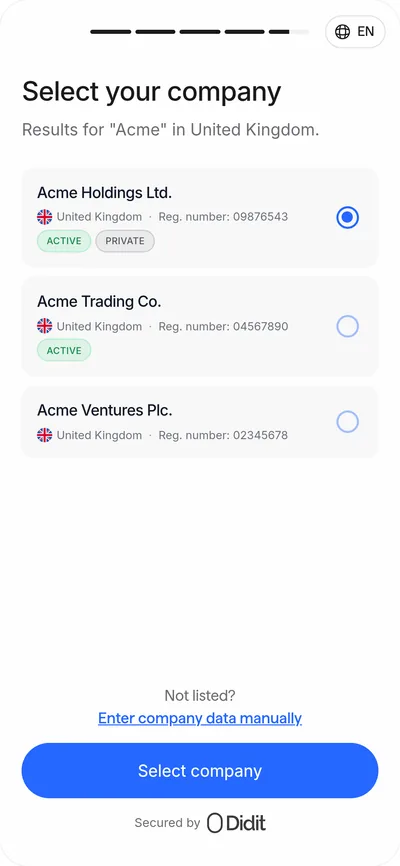
Use the same registered legal name in the check and in your payment record. -
Write the account the way its country writes it. Send the IBAN alone in IBAN countries and in the United Arab Emirates. Send a sort code and account number for the United Kingdom, a routing number and account number for the United States, a BSB and account number for Australia, an IFSC and account number for India, a 6-digit NIP bank code and 10-digit NUBAN for Nigeria. Spaces, dashes and dots are ignored.
-
Ask for consent where the country needs it. Where the holder's explicit consent is required before each check, collect it in your own product and add the flag to the request body, for example
"consent": truenext tocountry,accountandholder. -
Send the check. This is the documented request for a Spanish company account, and the one to copy for any IBAN country:
curl -X POST https://verification.didit.me/v3/bank/account-check/ \
  -H "x-api-key: $DIDIT_API_KEY" -H "content-type: application/json" \
  -d '{
    "country": "ESP",
    "account": { "iban": "ES5500000000000000000001" },
    "holder": { "business_name": "Northwind Trading S.L." }
  }'
For a supplier paid in the United Kingdom, send the account as
sort_codeandaccount_numberinstead of an IBAN. The Account check API page has the field table for every country. -
Read
result,holder_nameandname_match_score. Do not read anything else as a verdict. The four results and their next steps are in the expected output section below. -
Route the payout using your policy. Release on
match, hold onno_match, and reviewclose_matchandcannot_verify.
Expected output
The response gives you the verdict, the holder name when the bank returns one, and the score the verdict was decided on. For a Spanish company account the values you read are:
result            match
holder_name       null
name_match_score  0 to 100
holder_name is null in the euro area on purpose: the bank confirms whether the name matches without returning the name it holds. The same holds in the United Kingdom, the United States, Australia, Brazil, Mexico, India, China and a longer list in the API docs. Where the bank does return the name, close_match shows it so a reviewer can compare it by eye.
result | What it means | Next step |
|---|---|---|
match | The bank holds the account under the name you sent. | Send the money. |
close_match | The bank holds it under a close name; holder_name is that name, when the bank returned it. | Compare holder_name, or ask the supplier to confirm the account in writing before you pay. |
no_match | The bank holds it under another name, or there is no such account. | Do not send the money. |
cannot_verify | The bank answered without comparing the name, for example for a blocked or closed account. | Apply your own policy, for example hold the payment and ask for another account. |
The name match score
name_match_score is an integer from 0 to 100, the similarity between the holder name you sent and the name on the account. It is the score result was decided on, with the defaults a match from 85 and a close_match from 70 up to 84. A stricter or looser threshold of yours never changes result. The score is null whenever no name was compared: there is no such account, or the bank answered with a verdict but no holder details, or its holder details could not be read.
Failure cases and recovery
| What you get | Why | What to do |
|---|---|---|
no_match | The bank holds the account under another name, or there is no such account. | Hold the payment. Ask the supplier for another account and check that one before you release anything. |
close_match | The bank holds it under a close name, scoring 70 to 84 by default. | Compare holder_name where it came back, or get written confirmation of the account from the supplier. |
cannot_verify | The bank answered without comparing the name, or its holder details could not be read. | Run your own policy: hold, ask for another account, or escalate to the reviewer who owns supplier exceptions. |
404 with code: country_not_covered | The account check does not run in that country today. | Use a fallback route and keep a human on the payment. The call is not billed. |
400 with field and reason, for example account.bank_code and required | The country's check needs a key the request did not carry. | Add the named field. On a missing consent in a country that requires it, the call is refused on consent and is not billed. |
401 or 403 | The API key is wrong or expired, or the header is missing. | Send a valid key in x-api-key from your server, never from a browser bundle. |
Two failures cost nothing. A country the check does not cover answers 404 with code: country_not_covered and is not billed, and a check refused for missing consent is not billed either. Every sandbox price is $0 charged.
Inputs and outputs
| Field | When you send it | Notes |
|---|---|---|
country | Always | The three-letter country code, for example ESP, GBR, NGA |
account.iban | IBAN countries and the United Arab Emirates | The full IBAN, which must belong to the country you send |
account.sort_code and account.account_number | United Kingdom | A 6-digit sort code and an 8-digit account number |
account.routing_number and account.account_number | United States | A 9-digit ABA routing number |
account.bank_code and account.account_number | Nigeria, Ghana, Kenya, Zambia | Each country's own bank code and account number format |
account.clabe, account.cbu_cvu, account.ifsc | Mexico, Argentina, India | The local account identifier the country writes |
account.bic | Where the country asks for it | Some countries also ask for the bank's BIC |
account.registration_id | Business accounts in some countries | The holder's CNPJ, RUT, NIT or RUC where the country requires one |
holder.business_name | Company accounts | The registered legal name you are checking |
holder.full_name | Person accounts | Send one or the other, not both |
consent | Where the country requires it | A boolean; without it the check is refused and not billed |
| Field | What it holds |
|---|---|
result | match, close_match, no_match or cannot_verify |
holder_name | The name the bank holds, where the bank returned it; null in countries that only confirm whether the name matches |
name_match_score | The 0 to 100 similarity the result was decided on, or null when no name was compared |
| Masked account | The account the check ran against, with the number masked |
What you pay for, and where a human decides
- The price is per answered check. The account check is from $0.45 per answered check, the same price as the account check inside a verification flow, listed per country on Bank Verification pricing and on the pricing page. A country the check does not cover is not billed, and a check refused for missing consent is not billed.
- Coverage and country pricing move. The country list and each country's price are published on the Bank Verification pricing page, and they change as Didit adds routes, so read that page before you put a new country into production.
- The sandbox is free. Every sandbox price is $0 charged, so you can build and test the whole payout gate before you spend anything.
matchis the only verdict that releases money on its own. Anything else is a decision your team makes, with the score and the holder name in front of them.- Control is a different check, priced differently. A Bank Link with
ownership.comparehas the supplier sign in at the bank and charges the country's bank sign-in price once, which starts at $0.45 per completed sign-in and is $0.79 in the United Kingdom and Europe. Renewals never charge it again. - Review is your policy, not the API's. Release on
match, hold onno_match, and reviewclose_matchandcannot_verify. Who clears an open exception, and when, is your own policy.
Worked cost example
A payout team releases 1,200 supplier payments a month and checks one account per payment. This example uses the $0.45 starting rate, and account-check prices vary by country. At that rate the checks cost 1,200 x $0.45 = $540.00 a month. A smaller team at 300 payments pays 300 x $0.45 = $135.00 a month, and the Free plan's $10.00 monthly credit covers the first $10.00 of it, leaving $125.00 from top-ups. On Growth the 4 percent discount makes one check $0.45 x 0.96 = $0.4320, so 1,200 checks cost 1,200 x $0.4320 = $518.40; $115.00 of that comes from the monthly plan credit and the remaining $403.40 from top-ups, alongside the $99.00 monthly fee.
Sources
- Didit docs: Account Check API, verify a payout bank account
- Didit docs: Verify a bank account before a payout or SEPA mandate
- Didit docs: Bank account check, account ownership with no sign-in
- Didit docs: Bank verification methods, sign-in or account check
- Didit docs: Bank Verification coverage
- Didit docs: Bank Verification pricing and Pricing and billing
- Didit docs: API authentication
- Didit docs: Bank Link and fallbacks
- Didit pricing and the Didit MCP server documentation
- Didit Business Console for sandbox applications and API keys
Your next step: create a sandbox application at business.didit.me, run one supplier account through POST /v3/bank/account-check/, and wire the four results into your payout run. No sales call and no contract are needed to start.
Try it
Try this in the sandbox
Run the check this guide describes, free.
The product this post is about, taken from its topic. Run it free in the sandbox.
Author
Alberto Rosas
Co-founder and CEO

Keep reading
Other guides in the same topic.
Phone verification API pricing is the carrier price for the country and channel plus a $0.02 fee per code. No contract on Free, Growth and Scale, paid per code from prepaid credit; Growth pays $0.0192 and Scale $0.018.
Alberto RosasNov 26, 2026Google Wallet ID Verification API: US, UK, Brazil, Singapore and TaiwanWe verify Google Wallet IDs for $0.10 per completed check in the US, UK, Brazil, Singapore and Taiwan. Use the Digital ID wallet API for your own interface or the Sessions API for our hosted journey.
Alberto RosasNov 26, 2026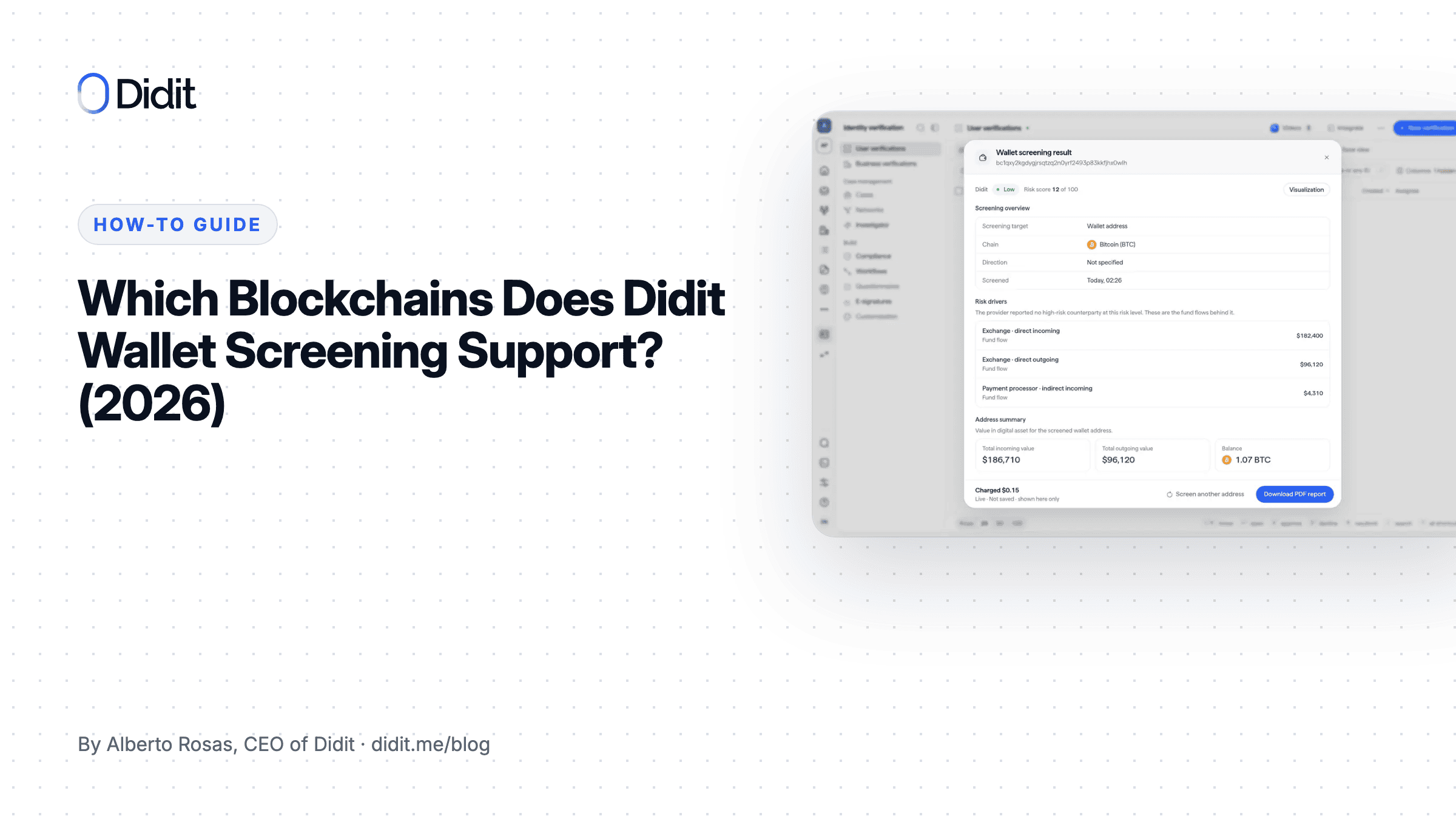 Which Blockchains Does Didit Wallet Screening Support? (2026)
Didit wallet screening accepts 23 network values. Managed screening runs 17 of them as networks. USDT and USDC are accepted values but only legacy aliases for Ethereum, not additional networks.
Alberto RosasNov 26, 2026Questions
Frequently asked questions
How do I verify a supplier's bank account and company name before a payout?
Send the supplier's country, the account in that country's format and the registered company name to POST https://verification.didit.me/v3/bank/account-check/ with your API key in the x-api-key header. The response is match, close_match, no_match or cannot_verify. Send the money on match, hold it on no_match, and review the other two. It runs in 47 countries and costs from $0.45 per answered check.
Should I send the money when the result is close_match?
Not automatically. close_match means the bank holds the account under a close name, scored between 70 and 84 on the default thresholds. Compare holder_name where the bank returned it, or ask the supplier to confirm the account in writing, and treat it as a review step rather than an approval.
Does the account check work for company accounts, not just people?
Both. Send holder.business_name to check a company account and holder.full_name to check a person's account, in the same call. In a business verification session the check compares a business account with the verified business, in the countries where Didit checks business accounts.
Which countries does the supplier account check cover?
47 countries, among them the United Kingdom, the euro area, Nigeria, Ghana, Kenya, Zambia, the United Arab Emirates, Australia, the United States, India and much of Asia and Latin America. Coverage is per country and opens over time, and the Bank Verification pricing page always shows the current list. A country the check does not cover answers 404 with country_not_covered and is not billed.
Do I need the supplier's consent to check their bank account?
In some countries yes: the account holder must give explicit consent before each check, and you send it as "consent": true. Without it the call is refused with a 400 on consent and is not billed. Elsewhere consent is optional, and when you send it Didit records it with the check's charge.
What is the difference between no_match and cannot_verify?
no_match means the bank holds the account under another name, or there is no such account, and you should not send the money. cannot_verify means the bank answered without comparing the name, for example for a blocked or closed account, so the API hands the decision back to you. Apply your own policy to cannot_verify, for example hold the payment and ask for another account.
Can I use my own name matching threshold?
You can read name_match_score and apply your own threshold to it. result stays authoritative: it is decided with the default thresholds, a match from 85 and a close_match from 70 up to 84, and your threshold never changes it. Inside a verification workflow the same two thresholds are the workflow settings bank_name_match_threshold and bank_partial_match_floor.
Does verifying the account prove the supplier controls it?
No. The account check proves the bank holds the account under the name you sent; it does not prove the supplier controls the account. For control, use a Bank Link with ownership.compare, where the supplier signs in at their bank and Didit compares the holder the bank returns with a person or company verified in Didit. An ownership comparison charges the country's bank sign-in price once.
How much does a supplier account check cost?
From $0.45 per answered check, the same price as the account check inside a verification flow. A country the API does not cover is not billed and a check refused for missing consent is not billed. Growth and Scale plans apply their discount to each Didit price, and the Free plan's $10.00 monthly credit, for eligible organizations that sign up with a work email, can cover the first checks.
Can I test the account check before I pay anything?
Yes. Create a sandbox application in the Didit Business Console, copy the key and send the same request. Every sandbox price is $0 charged, the sandbox is free on every plan, and the docs have every request in the payout use case.
Should I send the trading name or the registered legal name?
Send the registered legal name you want to compare. The result is based on similarity between the name you send and the name held by the bank, so send the same string you hold in your vendor record and use that same name in the check and in the payment.
Can an AI assistant run the supplier check for me?
Yes. The Didit MCP server is hosted at https://mcp.didit.me/mcp with OAuth sign-in, and the account check is documented with request and response examples, so an agent can call the documented API directly. Keep the API key server side and let the assistant read the four results rather than deciding on its own what to pay.
Compliance built in
Audited, certified and attested.
We hold the certifications and build each country's rules into your flows, so you can launch anywhere without worrying. Security and Compliance center
- Regulation encoded into your flows
Tell us what you do and where. Didit lists the rules that apply to you, with sources, and builds the checks each country needs into one workflow.
- Ready for AMLR
Every requirement of the new EU anti-money laundering rules, from checking customers to human review, is already covered by a Didit check.
- Tested in Spain's Treasury sandbox
Spain's Treasury published its supervised sandbox report on Didit's NFC plus active liveness onboarding; SEPBLAC took part and valued the added measures positively.
- Audited, not self-declared
iBeta Level 1 and Level 2. Liveness tested under ISO/IEC 30107-3.
Your obligations · 3 regions
 SOC 2 Type 2
 ISO 27001
 iBeta Level 1 and Level 2
 EU regulator attestation
 FSM youth protection
 GDPR
 EBA remote onboarding
 MiCA compatible
 FIDO Alliance member
- AMLREU AML Regulation ready
Integration · Didit MCP
Run Didit from your own AI agent
Connect Didit to Claude, Cursor, VS Code or ChatGPT and just ask in plain words. Your agent can do anything you can do in the console, with the same permissions you have.
 Add to Claude
 ChatGPT
 Cursor
- Build workflowsDescribe the checks you need. The agent creates and publishes the flow.
- Run investigationsAsk why a session was declined, review cases, search people and companies.
- Change rulesCreate payment rules, test them on past data and switch them on.
- Pull reportsAsk for numbers, exports or the audit log.
Didit Academy


