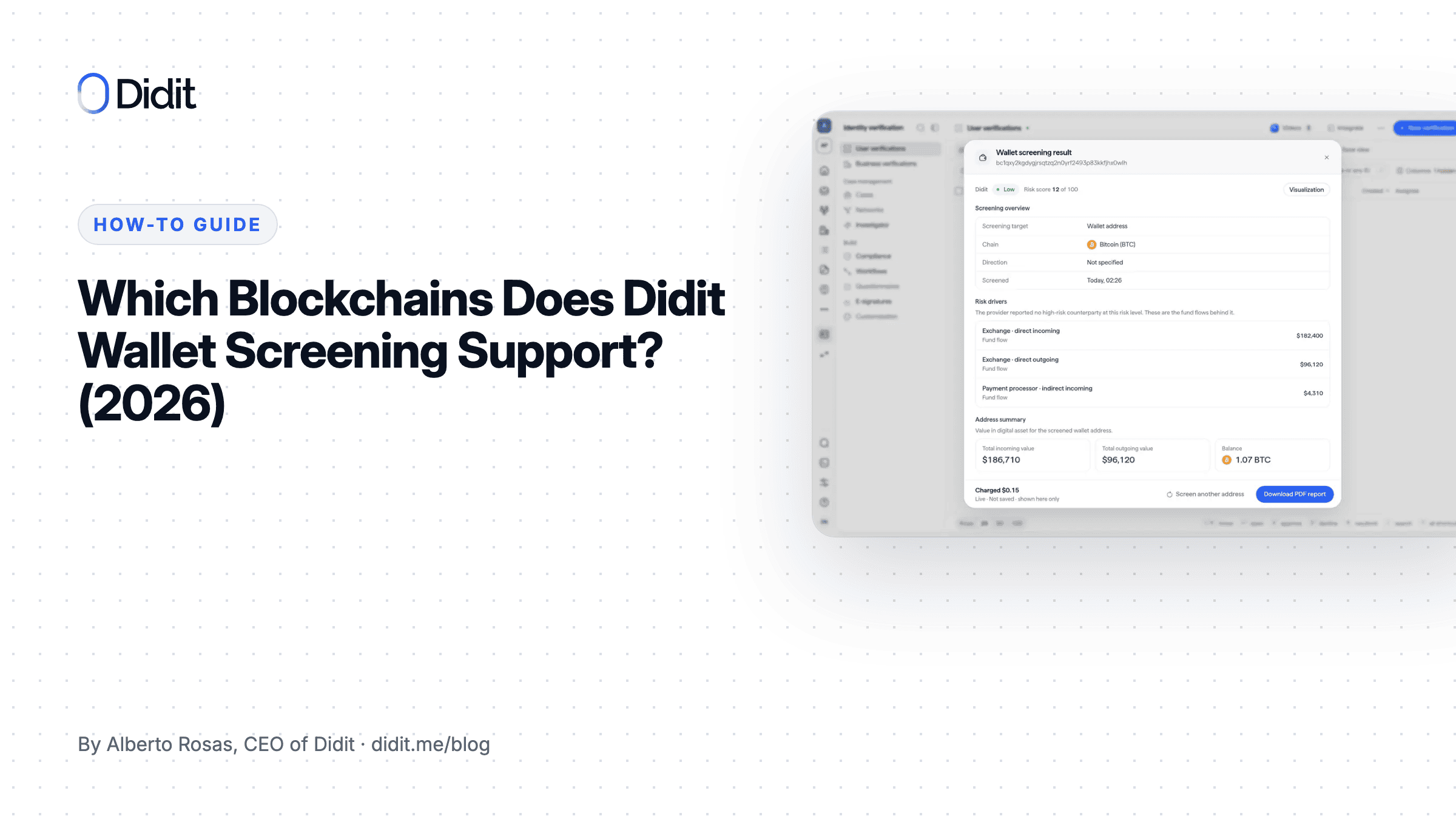
Which Blockchains Does Didit Wallet Screening Support? (2026)
Didit wallet screening accepts 23 network values. Managed screening runs 17 of them as networks. USDT and USDC are accepted values but only legacy aliases for Ethereum, not additional networks.
 Alberto RosasCo-founder and CEO
Contents
In this guide
Jump to the part you need.
Didit screens a crypto wallet address for AML risk at $0.15 per screening through the on-demand wallet endpoint, and screens transaction hashes through transaction submission, on managed screening or through a screening provider you connect yourself. This guide lists every network value the API accepts, shows which run on managed screening, and gives the request and the error recovery path. The main caveat: a bare 0x address fits every EVM chain, so Didit asks you to name the network before it screens or bills anything.
Last updated: November 26, 2026. Prices checked against the live Didit price feed on November 26, 2026.
The endpoint is POST https://verification.didit.me/v3/wallet-screening/. It screens one address and returns the same result shape as the crypto screening that runs when you submit a transaction, so you can pre-check a withdrawal address before there is any transaction to record. 4,000+ companies run identity and fraud checks on Didit, and wallet screening is a feature inside Transaction Monitoring, not a separate product line.
| Value | Network | Managed screening | Notes |
|---|---|---|---|
BTC | Bitcoin | Yes | Detected from bc1, 1 and 3 address formats |
ETH | Ethereum | Yes | Never substitute it for another EVM network |
LTC | Litecoin | Yes | |
XRP | XRP Ledger | Yes | |
BCH | Bitcoin Cash | Yes | |
DOGE | Dogecoin | Yes | |
TRX | Tron | Yes | Alias TRON, detected from T addresses |
SOL | Solana | Yes | Detected from base58 public keys |
MATIC | Polygon | Yes | Aliases POLYGON and POL |
BNB | BNB Chain | Yes | Alias BSC |
BASE | Base | Yes | Wallet and transaction-hash screening |
OP | Optimism | Yes | Wallet and transaction-hash screening |
ARB | Arbitrum One | Yes | Wallet and transaction-hash screening |
AVAX | Avalanche C-Chain | Yes | |
ADA | Cardano | Yes | |
XLM | Stellar | Yes | |
HBAR | Hedera | Yes | |
USDT | Token alias | Ethereum only | Accepted value, not an extra network: a legacy alias, not a search across every chain that lists the token |
USDC | Token alias | Ethereum only | Accepted value, not an extra network: a legacy alias, not a search across every chain that lists the token |
LIGHTNING | Lightning Network | No | Needs a screening provider you connect yourself, otherwise 400 |
CELO | Celo | No | Needs a screening provider you connect yourself, otherwise 400 |
MODE | Mode | No | Needs a screening provider you connect yourself, otherwise 400 |
PLUME | Plume | No | Needs a screening provider you connect yourself, otherwise 400 |
Start free in the sandbox at business.didit.me, with no sales call. Developers who build with an AI assistant can connect Didit through the MCP server. The per-screening rate and plan credits sit on the pricing page, and the endpoint reference is in the wallet screening docs.
The full list: 23 values, 17 networks on managed screening
The blockchain field accepts 23 values. Managed screening runs 17 of them as networks: BTC, ETH, LTC, XRP, BCH, DOGE, TRX, SOL, MATIC, BNB, BASE, OP, ARB, AVAX, ADA, XLM and HBAR. USDT and USDC are accepted values but they are legacy aliases for Ethereum only, so they are not additional networks. Four values need a screening provider you connect yourself: LIGHTNING, CELO, MODE and PLUME.
Base, Optimism and Arbitrum One are the three networks managed screening supports for both wallet screening and transaction-hash screening. Managed screening supports these other networks for wallet screening. Confirm transaction-hash coverage for your selected provider and network before relying on it.
Common network names are accepted alongside the coded values. POLYGON or POL mean MATIC, BSC means BNB, and TRON means TRX. The field is also accepted under the alias currency, and address works as an alias for wallet_address.
One rule matters more than the rest: do not submit ETH for another EVM network. The same address can hold different activity and carry a different risk result on each chain, so a screen labelled ETH answers for Ethereum and nothing else. If the wallet lives on Base, send BASE.
How Didit picks the network when you leave blockchain out
The field is optional. When you omit it, Didit reads the network from the address format. Addresses starting with bc1, 1 or 3 are Bitcoin. An address starting with T is Tron. A base58 public key is Solana. Those cases resolve without you sending anything extra, and the request is screened and billed as normal.
An address starting with 0x is valid on every EVM network, so Didit cannot choose for you. It answers 422 with a candidate_chains list and nothing is screened or billed. Resend the same request with blockchain set to one of the values in that list. Any other address format that Didit cannot map answers 400.
The documented rule for integrators: for a 0x address, send blockchain because Didit answers 422 rather than guessing the EVM network. For bc1, 1, 3, T and base58 addresses, inference from the address format is documented and resolves without extra fields.
Prerequisites
- A Didit application with Transaction Monitoring enabled under Settings, then Transaction Monitoring, then Enable.
- An API key sent in the
x-api-keyheader. The same keys work for sessions, entities and transactions. - A screening provider configured for the application under Transactions, then Settings, then Provider Preferences in the Business Console. Without one, the endpoint answers
409 Conflict. - For LIGHTNING, CELO, MODE or PLUME, a screening provider connected in the console Marketplace under crypto screening connections. Connecting your own wallet screening provider is included from the Growth plan.
Step by step: screen one wallet address
Enable the product and set the provider. In the Business Console open Settings, then Transaction Monitoring, then Enable. Then open Transactions, then Settings, then Provider Preferences and confirm a provider is selected for the application. This is the step that prevents a
409.Pick the network value for the address from the table above. For an EVM address, that means choosing Ethereum, Base, Optimism, Arbitrum One, Polygon, BNB Chain or Avalanche C-Chain explicitly. For a token, use the network the token actually sits on, not the token symbol.
Send the request. This example screens an Ethereum address:
curl -X POST https://verification.didit.me/v3/wallet-screening/ \
  -H "x-api-key: YOUR_API_KEY" \
  -H "Content-Type: application/json" \
  -d '{
    "wallet_address": "0x94f1b9b64e2932f6a2db338f616844400cd58e8a",
    "blockchain": "ETH"
  }'
Read the result. The body carries
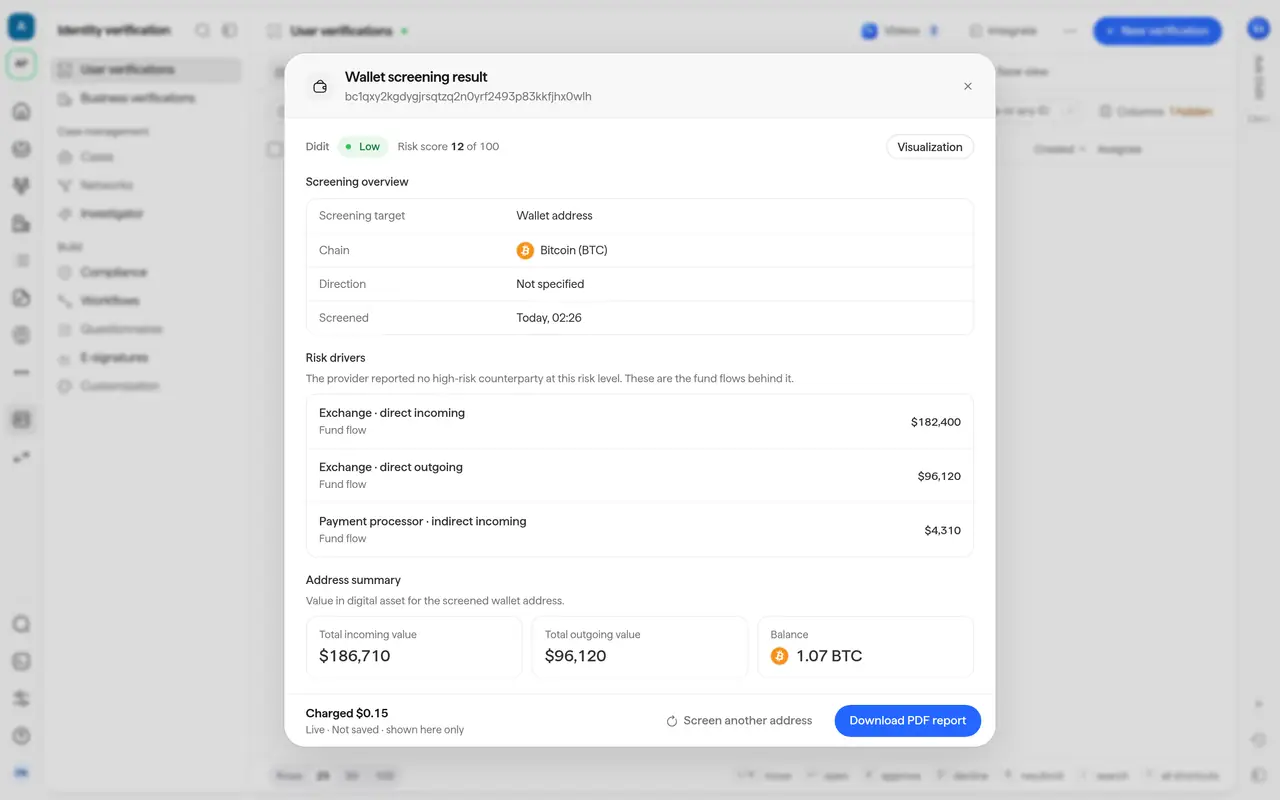
provider,screening_typeandrisk_score, plus the exposure and sanctions detail for the address. Store the provider name next to the score, because the score is produced by whichever provider ran the screen.If the call answers
422, resend the same payload withblockchainset to one value fromcandidate_chains. The only change is the network:curl -X POST https://verification.didit.me/v3/wallet-screening/ \ -H "x-api-key: YOUR_API_KEY" \ -H "Content-Type: application/json" \ -d '{ "wallet_address": "0x94f1b9b64e2932f6a2db338f616844400cd58e8a", "blockchain": "BASE" }'Decide whether an on-demand screen is enough. Wallet screening writes nothing to the transactions table, so it produces no rules, alerts or transaction webhooks. If you need the screen attached to a recorded deposit or withdrawal, submit it through Create Transaction with
currency_kind: "crypto"and the network incrypto_params.crypto_chaininstead.
What you send and what comes back
Three fields go into the request, and only the address is mandatory.
| Field | Required | What to send |
|---|---|---|
wallet_address | Yes | The address or network identifier, matching the network you name. Alias: address. |
blockchain | Recommended | One value from the table at the top. Omit it only when the address format is unambiguous. Alias: currency. |
direction | No | inbound, outbound, deposit or withdrawal. Provider context only: it does not change risk_score, severity or the funds-flow breakdowns. |
The response is the standardised screening result, identical in shape to the wallet screening result returned by transaction screening. The fields that matter for reconciliation are the ones that say which provider ran the screen and whether a failover happened.
| Field | Type | What it tells you |
|---|---|---|
provider | string | The provider that screened the address |
screening_type | string | Always WALLET_SCREENING for this endpoint |
risk_score | integer | The risk score for the address, with the exposure and sanctions detail |
fallback_from_provider | string or null | Set when a connected provider failed and the screen ran on managed screening instead |
fallback_reason | string or null | Why the connected provider failed, when a fallback happened |
Why a 0x address returns a 422
The 422 is a guard, not a failure. The same 0x address exists on Ethereum, Base, Optimism, Arbitrum One, Polygon, BNB Chain and Avalanche C-Chain, and it can be clean on one and risky on another. Screening it on an assumed chain would give you a number you might act on and later cannot defend, so Didit refuses and names the chains it could mean in candidate_chains. Nothing was screened and nothing was billed, so the corrected retry costs the same as a single call.
Failure cases and recovery
| Status | What happened | Recovery |
|---|---|---|
400 | The blockchain value is not in the accepted list, the address format cannot be read, or you sent LIGHTNING, CELO, MODE or PLUME without a connected provider | Send an accepted value, correct the address, or connect a provider in the Marketplace. Nothing is screened or billed |
401 | The key is wrong, malformed, revoked or expired | Check DIDIT_API_KEY or create a new key |
403 | No key was sent, the key cannot use this endpoint, the call came from outside the key's IP list, or the balance cannot cover the call | Read the body, fix the key or top up |
409 | No screening provider is configured for the application | Set one under Transactions, then Settings, then Provider Preferences |
422 | The address fits more than one blockchain | Resend with blockchain set to one of candidate_chains. Nothing is screened or billed |
429 | A rate limit or quota was reached | Wait for Retry-After, then retry |
5xx | An unexpected error, or a dependent service is unavailable | Retry with backoff, and contact support if it continues |
Error bodies do not share one envelope. Some carry detail, some carry error, and field validation returns a field-keyed object. Branch on the HTTP status first and on code when it is present, because message text can change. A 500 may have no JSON body at all, so handle a body that does not parse.
Paid steps, billing and review boundaries
Wallet screening costs $0.15 per screening at list price. Growth takes 4% off that, $0.144 per screening, and Scale takes 10% off, $0.135 per screening. You pay when a screen completes with a result. Requests that answer 400 or 422 are not screened and not billed, so a correction loop on EVM addresses does not run up a bill.
Recorded transactions are priced separately. Transaction monitoring is $0.001 per transaction beyond your plan's monthly allowance, and the allowance is 1,000 a month on Free, 10,000 on Growth and 100,000 on Scale. The Free plan opens with $10 of credit a month for eligible organizations, Growth is $99 a month with $115 of credit, and Scale is $299 a month with $350 of credit. Plan credit resets monthly and does not roll over, while top-ups last 12 months.
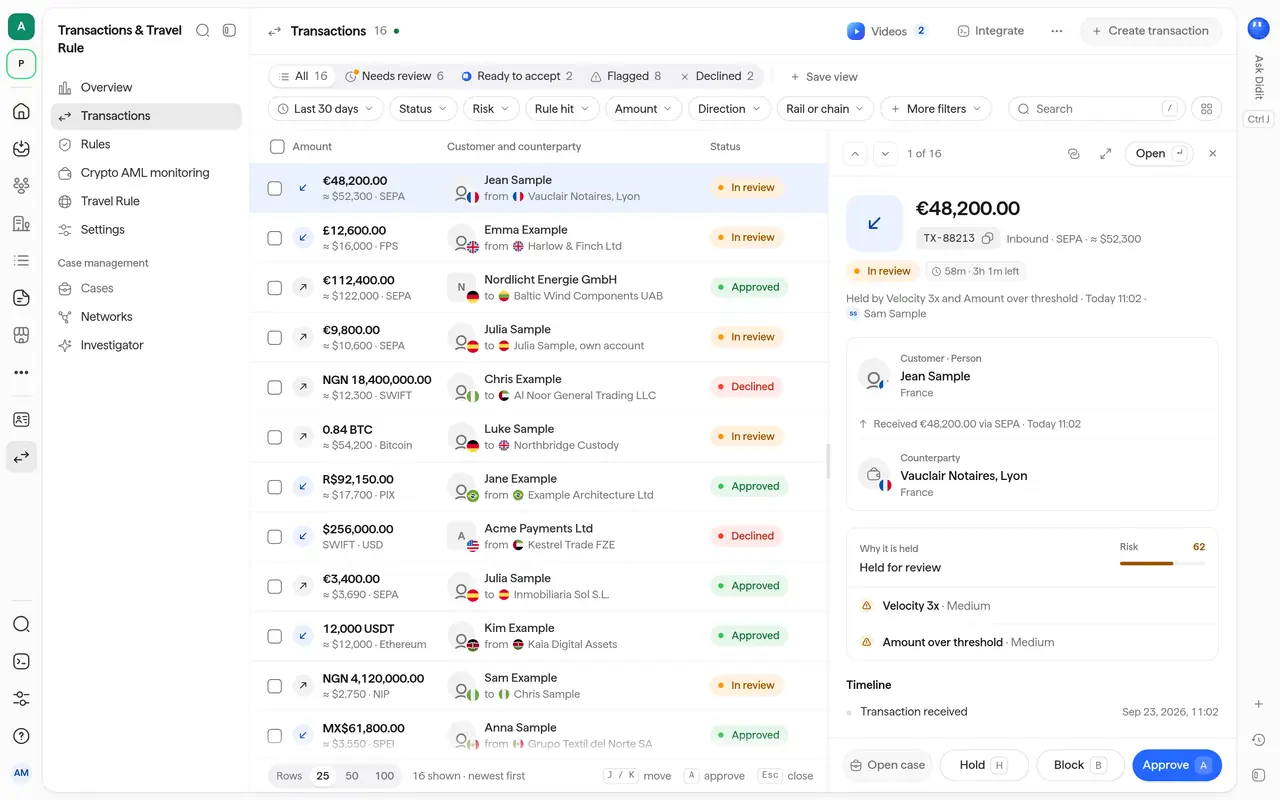
The review boundary is the part teams get wrong. An on-demand wallet screening is a point-in-time answer for one address. It does not create a transaction record, it does not run your rules, and it does not open an alert or a case. Those outcomes live in transaction monitoring, where the screen is attached to a deposit or withdrawal, rules evaluate the result, and an approved transaction can move to review when screening could not run. If a regulator or an auditor needs the screening tied to a transfer, submit the transfer.
You can also bring your own screening provider and run it inside Didit. Connect the account in the console Marketplace, and coverage then depends on that account, including the four values managed screening does not cover. When a connected provider rejects or fails a screen and the connection's Fall back to Didit setting is on, Didit runs the screen on managed screening instead, sets fallback_from_provider to the provider that failed, and sets fallback_reason to the cause, for example that the connected account reached its call limit. On those responses provider names managed screening, not the account you connected.
Worked cost example
Say you screen 12,000 addresses in a month and every request completes with a result. At list price that is 12,000 multiplied by $0.15, which equals $1,800 of screening for the month.
On Growth the per-screening price is $0.15 multiplied by 0.96, which equals $0.144. So 12,000 multiplied by $0.144 gives $1,728, plus the $99 monthly plan fee, which is $1,827, and the $115 of monthly credit pays the first $115 of that.
On Scale the per-screening price is $0.15 multiplied by 0.90, which equals $0.135. That is 12,000 multiplied by $0.135, which equals $1,620, plus the $299 monthly plan fee, which is $1,919, against $350 of monthly credit.
Now assume 400 of those requests were first sent with a 0x address and no blockchain. Those 400 were never screened or billed, so the billable count stays at 12,000 and the retries add nothing.
Lightning, Celo, Mode and Plume: the connected provider route
Lightning Network screening never runs on managed screening. Send LIGHTNING without a supported connected provider and the request answers 400 and is not screened or billed. The same applies to CELO, MODE and PLUME, which managed screening does not cover.
To screen those four, bring your own screening provider and run it inside Didit: connect the account in the console Marketplace under crypto screening connections, then send the chain value. Coverage follows the account you connect, so a chain must be supported by that provider and that account. Test one real request on each value before you rely on it in a withdrawal flow.
Sources
- Didit docs: On-demand Wallet Screening API
- Didit docs: Crypto Wallet and Address Screening API
- Didit docs: Transaction Monitoring Quickstart
- Didit docs: Transaction Monitoring integration guide
- Didit docs: API Errors, status codes and fixes
- Didit docs: Pricing and billing
- Didit docs: Crypto screening connections in the Marketplace
- Didit docs: Data models
- Didit pricing page and pricing as JSON
- Didit MCP server
Next step: create a free sandbox application at business.didit.me, send one wallet screening request on a chain you actually use, and confirm the provider and risk_score come back before you wire it into a withdrawal flow. No sales call is needed.
Try it
Try this in the sandbox
Run the check this guide describes, free.
The product this post is about, taken from its topic. Run it free in the sandbox.
Author
Alberto Rosas
Co-founder and CEO

Keep reading
Other guides in the same topic.
 iGaming Fraud Rules: Bonus Abuse, Chip Dumping, Opposite Betting
Didit ships an iGaming fraud bundle of preset rules for event-native bonus abuse, opposite betting, affiliate fraud, chat rain farming, chip dumping and account takeover.
Alberto RosasNov 26, 2026 Test KYT Rules Before Deploy: Test Mode vs Active Mode
Didit rules run as Active, Test or Disabled. Test mode evaluates a rule and records rule-run results without changing the transaction, so you can back-test a structuring rule before you set it Active.
Alberto RosasNov 26, 2026 How to Verify a Phone Number Without an SMS OTP (2026)
Silent phone verification checks coverage, tests one number's eligibility, registers a country, and scores phone risk with POST /v3/phone/risk/, without sending an OTP.
Alberto RosasNov 26, 2026Questions
Frequently asked questions
Which blockchains does Didit crypto wallet screening support?
Didit accepts 23 network values: BTC, LIGHTNING, ETH, LTC, XRP, BCH, DOGE, TRX, SOL, MATIC, BNB, BASE, OP, ARB, AVAX, ADA, XLM, HBAR, CELO, MODE, PLUME, USDT and USDC. Managed screening covers 17 of those as networks, with USDT and USDC as Ethereum-only aliases. LIGHTNING, CELO, MODE and PLUME need a screening provider you connect yourself.
Does Didit wallet screening support Polygon, BNB Chain and Tron?
Yes, on managed screening. Send MATIC for Polygon, BNB for BNB Chain and TRX for Tron, or the names POLYGON, POL, BSC and TRON, which are accepted as aliases. Use the network the wallet actually transacts on, because a 0x address can carry a different risk result on each chain.
Why does my 0x address return a 422 with candidate_chains?
A 0x address is valid on every EVM network, so Didit will not guess which chain you mean. It answers 422 with a candidate_chains list, and nothing is screened or billed. Resend the same request with blockchain set to one of the values in that list, such as ETH, BASE or ARB.
Can Didit screen a Lightning Network address?
Only with a screening provider you connect yourself in the console Marketplace. Managed screening does not accept LIGHTNING, and a request without a supported connected provider answers 400 without being screened or billed.
Are Celo, Mode and Plume supported?
Yes, but not on managed screening. Send CELO, MODE or PLUME after connecting a provider account from the Marketplace; managed screening answers 400 for those three values. Send the chain value, not ETH, once the connection is in place.
Does USDT or USDC screening search every chain?
No. On managed screening, USDT and USDC are legacy aliases for Ethereum and do not search every network where the tokens exist. Send the network identifier for the wallet's actual chain, such as TRX, SOL or MATIC. For a token inside a recorded transaction, keep the token in transaction_details.currency and put the network in crypto_params.crypto_chain.
What is the difference between ETH, BASE, OP and ARB here?
They are separate networks with separate activity for the same address. ETH means Ethereum, BASE means Base, OP means Optimism and ARB means Arbitrum One. Managed screening supports Base, Optimism and Arbitrum One for both wallet screening and transaction-hash screening. Never send ETH for an address that lives on another EVM chain.
Are failed wallet screening requests billed?
No for the two failures that stop the screen from running. A 400 and a 422 are not screened and not billed, so a retry after adding blockchain costs the same as a single successful call. You pay $0.15 per completed screening at list price, $0.144 on Growth and $0.135 on Scale.
What do fallback_from_provider and fallback_reason mean?
They appear when you connected your own screening provider, that provider rejected or failed the screen, and the connection's Fall back to Didit setting is on. Didit then ran the screen on managed screening, fallback_from_provider names the provider that failed, and fallback_reason explains why. On those responses provider names managed screening, not the account you connected. Both fields are null on every other screening.
Does wallet screening create alerts, cases or webhooks?
No. The on-demand endpoint writes nothing to the transactions table, so no rules run and no alert or case opens. For rules, alerts, cases and transaction webhooks, submit the transfer through Create Transaction with currency_kind: "crypto" and the network in crypto_params.crypto_chain.
What does a 409 Conflict mean on this endpoint?
The application has no screening provider configured, so there is nothing to run the screen. Set one in the Business Console under Transactions, then Settings, then Provider Preferences, then retry. If you plan to use Lightning, Celo, Mode or Plume, connect your own provider in the Marketplace at the same time.
Can I screen a transaction hash instead of an address?
Yes, but through transaction screening rather than the wallet endpoint. Include the blockchain transaction hash in transaction_details.payment_reference_id and submit the transaction, and Didit screens the hash scoped to the wallet on the relevant side of the transfer. A created transaction is not proof of a successful screen, so inspect the screening status and provider result before you treat it as screened.
Compliance built in
Audited, certified and attested.
We hold the certifications and build each country's rules into your flows, so you can launch anywhere without worrying. Security and Compliance center
- Regulation encoded into your flows
Tell us what you do and where. Didit lists the rules that apply to you, with sources, and builds the checks each country needs into one workflow.
- Ready for AMLR
Every requirement of the new EU anti-money laundering rules, from checking customers to human review, is already covered by a Didit check.
- Tested in Spain's Treasury sandbox
Spain's Treasury published its supervised sandbox report on Didit's NFC plus active liveness onboarding; SEPBLAC took part and valued the added measures positively.
- Audited, not self-declared
iBeta Level 1 and Level 2. Liveness tested under ISO/IEC 30107-3.
Your obligations · 3 regions
 SOC 2 Type 2
 ISO 27001
 iBeta Level 1 and Level 2
 EU regulator attestation
 FSM youth protection
 GDPR
 EBA remote onboarding
 MiCA compatible
 FIDO Alliance member
- AMLREU AML Regulation ready
Integration · Didit MCP
Run Didit from your own AI agent
Connect Didit to Claude, Cursor, VS Code or ChatGPT and just ask in plain words. Your agent can do anything you can do in the console, with the same permissions you have.
 Add to Claude
 ChatGPT
 Cursor
- Build workflowsDescribe the checks you need. The agent creates and publishes the flow.
- Run investigationsAsk why a session was declined, review cases, search people and companies.
- Change rulesCreate payment rules, test them on past data and switch them on.
- Pull reportsAsk for numbers, exports or the audit log.
Didit Academy


