Add Didit Verification to a Stripe Onboarding Flow
Our docs list no Stripe connector. Use the Didit Sessions API and signed webhooks inside your Stripe onboarding flow. The gate marks your Didit requirement met, not Stripe activation. $0.33 per full ID check, KYB from $2.00.
 Alberto RosasCo-founder and CEO
Contents
In this guide
Jump to the part you need.
This guide fits teams that onboard sellers, creators or drivers into Stripe and need identity verification inside their own application. A completed full ID check costs $0.33 at list price and KYB starts at $2.00 per company. The caveat: our docs do not list a native Stripe connector, and this gate marks your application's Didit verification requirement as met. It does not activate a Stripe account or decide Stripe payout eligibility.
Last updated: November 26, 2026. Prices checked against the live Didit price feed on November 26, 2026.
| Gate placement | Stable identifier to pass as vendor_data | Onboarding step your application releases |
|---|---|---|
| Before Stripe account creation | Your internal seller ID | Your application marks its Didit verification requirement met and lets the seller continue to the step that creates the Stripe account. |
| After Stripe account creation | Your internal seller ID, or an existing connected account ID if it is the stable identifier for the entity being verified | Your application marks its Didit verification requirement met and lets the seller continue to the next onboarding step. This guide does not claim Stripe-side activation or payout eligibility. |
| Item | Value |
|---|---|
| What you end up with | An application-side verification gate for your Stripe onboarding flow. It marks your Didit requirement met and lets the seller continue. It does not activate a Stripe account or decide payouts. |
| Full ID check (KYC) | $0.33 per completed check: ID $0.15, passive liveness $0.10, face match $0.05, device and IP analysis $0.03 |
| Business verification (KYB) | From $2.00 per company, priced by country and data tier |
| AML screening | $0.20 per check |
| Free plan | The Free plan includes $10 in monthly credit for the first organization created with an eligible work email for a company domain. Phone verification is excluded. |
| Decision delivery | Signed status.updated webhook plus GET /v3/session/{session_id}/decision/ |
| Documented route | Our docs do not list a native Stripe connector. Use the Didit Sessions API and signed webhooks to add verification to your application's Stripe onboarding flow. |
What the gate does and does not do
In this integration, your application creates the Didit session, receives the decision and controls when the seller continues. Your server owns the join. The seller starts Stripe onboarding in your product, your server creates a Didit session keyed to a stable seller identifier, the seller completes the check in Didit's hosted flow, and your server reads the decision and then applies it to your own onboarding state.
There are two gate placements. The first is before Stripe account creation, which suits teams that only want verified sellers in the system. The second is after the Stripe account exists but before your application lets the seller continue to the next onboarding step, which suits teams that collect business details first. The API work is identical. What changes is when you create the Didit session and which stable identifier you pass.
For a gate before account creation, pass your internal seller ID as vendor_data because no Stripe account exists yet. For an account-first flow, use the internal seller ID or an existing connected account ID if it is the stable identifier for the entity being verified. Our docs do not list a native Stripe connector. Use the Didit Sessions API and signed webhooks to add verification to your application's Stripe onboarding flow. Stripe-side requirements must be handled separately.
Prerequisites
| Requirement | What it is | Where it comes from |
|---|---|---|
| Plan | Any plan works. Sandbox is free on every plan. The Free plan includes $10 in monthly credit for the first organization created with an eligible work email for a company domain. Phone verification is excluded. | Read plans and credit on didit.me/pricing |
| Client | Any HTTP client. Examples use curl. The documented route is the Sessions API and signed webhooks. | Didit Quick Start |
| API key | Use the key returned in response.sandbox_application.api_key for sandbox testing. Use response.application.api_key when you go live and the organization has credit. | Business Console, or the response after completing programmatic email verification. |
| Key privilege | read:sessions on the key you use to fetch decisions | Key settings in the Business Console |
| Published workflow | A KYC or KYB workflow with an id. Set WORKFLOW_ID to the published workflow UUID. | Workflows in the Business Console, or POST /v3/workflows/ |
| Webhook endpoint | An HTTPS URL that returns 2xx promptly after verification. The documented limit is five seconds. | Your application |
| Seller identifier | Your internal seller ID. In an account-first flow, it can be an existing connected account ID if that is the stable identifier for the entity being verified. | Your application or your Stripe side |
Build it in seven steps
Step 1. Create the organization and the workflow
Open business.didit.me, sign up and create an Organization. Go to Workflows and click New workflow. Choose Verifying users and select the KYC template for individuals. For companies, choose Verifying businesses and publish a KYB workflow. Publish the workflow and copy its workflow_id. Set WORKFLOW_ID to that published workflow UUID. A Simple workflow runs its steps in a fixed order, which is what most onboarding gates need.
You can also register programmatically in two calls: POST https://apx.didit.me/auth/v2/programmatic/register/, then POST https://apx.didit.me/auth/v2/programmatic/verify-email/ with the 6-character code. Save response.sandbox_application.api_key and response.application.api_key.
The workflow call below is a KYC-only example and creates four checks: ID verification, passive liveness, face match and AML. It is not the $0.33 full ID check. One completed check of each kind costs $0.15 + $0.10 + $0.05 + $0.20 = $0.50 at list price. The $0.33 example used in the worked cost example is configured in the console as ID verification, passive liveness, face match and $0.03 device and IP analysis. That worked example excludes AML for individual sellers.
curl -X POST https://verification.didit.me/v3/workflows/ -H "x-api-key: $DIDIT_API_KEY" -H "Content-Type: application/json" -d '{"workflow_label":"Stripe seller KYC","workflow_type":"kyc","features":[{"feature":"OCR"},{"feature":"LIVENESS","config":{"face_liveness_method":"PASSIVE"}},{"feature":"FACE_MATCH"},{"feature":"AML"}]}'
Persist workflow.id. That single ID decides whether the session you create is KYC or KYB, because the workflow type drives it.
Step 2. Register the webhook destination
Register the destination before creating the first session so it can receive that session's status updates. Your receiver is a POST endpoint on an HTTPS URL that returns 2xx within five seconds.
curl -X POST https://verification.didit.me/v3/webhook/destinations/ -H "x-api-key: $DIDIT_API_KEY" -H "Content-Type: application/json" -d '{"label":"Stripe onboarding","url":"https://your-app.com/api/webhooks/didit","subscribed_events":["status.updated"],"webhook_version":"v3"}'
Save the returned secret_shared_key. On every delivery, read the raw body before parsing. Require the absolute difference between the current Unix time and X-Timestamp to be at most 300 seconds. Compute HMAC-SHA256 over the sorted, Unicode-preserved canonical JSON using the destination secret, then compare the result with the X-Signature-V2 header in constant time. For 24 hours after a destination's signing secret is rotated, Didit also sends X-Signature-V2-Previous, made with the replaced secret. Accept either header when its HMAC matches in constant time using the corresponding secret. De-duplicate on event_id and acknowledge duplicate deliveries without reapplying them. Return 2xx promptly after verification, within the documented five seconds. A handler slower than 5 seconds, or one that answers 5xx or 404, gets two retries about 1 and 4 minutes later, then the delivery is dropped; resend it from the destination delivery log. There is no wildcard in subscribed_events, so list every event family you want; this walkthrough subscribes only to status.updated. See Didit webhook signing docs.
Step 3. Create a session keyed to the seller
Set SELLER_ID to your internal seller ID. In an account-first flow, set it to the internal seller ID or an existing connected account ID if that is the stable identifier for the entity being verified. Set WORKFLOW_ID to the published workflow UUID.
curl -X POST https://verification.didit.me/v3/session/ -H "x-api-key: $DIDIT_API_KEY" -H "Content-Type: application/json" -d "{\"workflow_id\":\"$WORKFLOW_ID\",\"vendor_data\":\"$SELLER_ID\",\"callback\":\"https://your-app.com/stripe/onboarding/return\"}"
The response contains session_id, url and session_token. Use vendor_data to identify the seller. Check session_id against that seller's current verification before applying the decision. When the application has allowed domains, an HTTP or HTTPS callback must match an allowed origin by scheme, host and port, otherwise creation fails with 400 and the message names the allowed origins.
Two optional fields earn their place here. metadata takes a JSON object echoed in responses and webhooks, useful for the country, product or plan the seller chose. session_expiration_time overrides the workflow link lifetime for this session, between 3600 and 2419200 seconds.
Step 4. Send the person through the hosted flow
Redirect the browser to url. When the person finishes, Didit appends ?verificationSessionId={session_id}&status={status} to your callback. Treat that redirect as a hint only. The answer that counts arrives by webhook or from the decision endpoint, because people close tabs and switch devices. Set callback_method to both if the callback sometimes fails to fire.

Step 5. Read the decision out of the payload
The envelope carries status, session_id, vendor_data, workflow_id, environment and, for Approved, Declined, In Review and Abandoned, the full decision object. For a sandbox workflow that ran ID verification and liveness, check decision.id_verifications and decision.liveness_checks on the Approved event. Feature results are always plural arrays, and a feature that did not run is absent or null, never a placeholder. Never read a singular V2 field. Status strings are exact and case sensitive, so match === "In Review" rather than a lowercase comparison, and note that Kyc Expired uses a single capital K.

Step 6. Fetch the decision as a fallback
Set SESSION_ID to the session ID returned when you create the session.
curl "https://verification.didit.me/v3/session/$SESSION_ID/decision/" -H "x-api-key: $DIDIT_API_KEY"
The key must hold the read:sessions privilege. Branch on session_kind: user for KYC, business for KYB. A 404 means the session does not exist or belongs to a different application. A 403 means the key is missing the privilege. Call this endpoint when a webhook is late, when you replay an old event, or when a support agent needs the current state of a specific account.
Step 7. Test in the sandbox, then switch to the live key
Use the key returned in response.sandbox_application.api_key for sandbox testing. Build the whole gate in sandbox, including the declined path. Use the live API key once the organization has credit. Confirm the workflow is published and usable with that key. Register the live webhook destination, verify deliveries with its signing secret, and require environment to match the live application before opening the production gate. Remove sandbox_scenario from live requests. The next section covers the sandbox controls that make each outcome repeatable.
Test the flow with sandbox data
The Didit sandbox reproduces a verification outcome on demand, with no real people and no billing. Sandbox testing is free and unlimited on every plan.
There are two ways to apply a scenario. Pass sandbox_scenario when you create the session, using a scenario slug from the catalog at GET /v1/sandbox/scenarios/; Didit expands the scenario's bundled magic values onto contact_details and expected_details so the same input produces the same outcome. You can also arm or re-arm a scenario on an existing Not Started sandbox session with POST /v3/session/{session_id}/sandbox/arm/. Live applications reject sandbox_scenario on create with HTTP 400.
Expected success looks like this: the person finishes the hosted flow, your endpoint receives status.updated with environment: "sandbox" and status Approved, your handler confirms the event belongs to the seller's current verification, and your application marks the Didit requirement met. Log the session_id and the event_id so you can tie the test run to the seller record.
| Event | Expected application state |
|---|---|
| Approved | Mark your application's Didit verification requirement met and allow the next onboarding step. Confirm environment, session_id and vendor_data match the current verification for that seller. Deduplicate on event_id. |
| Declined | Keep the requirement unmet. Do not let the seller continue on the strength of this session. Read decision_trace and the decision results when you need evidence. |
| In Review | Hold. A reviewer can still approve or decline. Do not treat In Review as a soft pass. |
| Replayed event | Deduplicate on event_id. Fetch the current decision before applying a late or replayed event that would change the gate. |
| Symptom | Cause | Fix |
|---|---|---|
| 403 with You do not have permission to perform this action on verification.didit.me | The API key is omitted, or a valid key lacks the required privilege | Send x-api-key. Check read:sessions for decision calls. |
| 401 | Key is wrong, revoked or expired | Issue a new key and update the environment variable |
HTTP 400 for an invalid workflow_id | The workflow ID is wrong or not published | Re-copy the UUID from the published workflow, not from a draft |
| 400 with callback must be on one of the application's allowed domains | Allowed domains are set and your callback is not among them | Add the origin with PATCH /v3/webhook/ or use a matching callback |
400 on session_expiration_time | Value outside 3600 to 2419200, or not a whole number | Send a whole number of seconds inside the range, or omit the field |
| Webhook delivery stops after two retries | Handler answered 5xx or 404, or took longer than 5 seconds | Fix the handler, then resend from the destination delivery log |
| 404 on the decision endpoint | Wrong session ID, or the session belongs to a different application | Confirm the session and the key belong to the same application |
HTTP 400 when creating a live session with sandbox_scenario | Live applications reject scenario slugs on create | Use the sandbox key for scenario runs and remove sandbox_scenario from live create calls |
Map Didit fields and events to your gate
| Didit signal | What it means | What your application should do |
|---|---|---|
status.updated with status Approved | Didit marked this session approved. | Mark your application's Didit verification requirement as met and let the seller continue to the next onboarding step. Stripe-side requirements are separate. Check decision results and decision_trace when you need evidence about individual checks. |
Status Declined | Didit marked this session declined. | Keep the requirement unmet. Read the decision results and decision_trace when you need evidence about why. |
Status In Review | Warnings need a person | Hold. A reviewer approves, declines or asks for a resubmission in the console |
Status Awaiting User | KYB hold while required parties complete verification | Keep the gate closed until the parent session reaches a decision |
Status Not Started or In Progress | The person has not finished | Gate stays closed, show progress in your own UI |
Status Abandoned or Expired | Started but not finished in time, or never opened the link | If the seller still needs to complete verification, create a fresh session and send a new link. |
Status Resubmitted | Specific steps were sent back to the person | Gate stays closed until the next decision |
Status Kyc Expired | An approved session can move to Kyc Expired when the verified document expires. | If your onboarding policy requires current verification, request a new check before marking that requirement met again. |
session_kind | The verification session kind | Use session_kind from the decision endpoint to distinguish user and business decisions. Business-session webhooks include session_kind and business_session_id. |
vendor_data | The stable seller identifier you passed on create. In an account-first flow it can also be an existing connected account ID if that is the stable identifier for the entity being verified. | Require the event's environment, session_id and vendor_data to match the verification currently associated with the seller. Apply each event idempotently using event_id. Fetch the current decision before applying a late or replayed event that would change the gate. |
session_id | The Didit session | Store it on the seller record and in your audit log |
decision_trace.decided_by | automatic, manual or investigator | Evidence of who made the call when a seller disputes a decline |
aml_screenings[] | Results of configured AML checks. Apply your application's review policy to those results. | Escalate under your own policy before letting the seller continue |
linked_records | Related verification evidence for review | Use it as review evidence before a second seller record is allowed |
multi_account_segment | Scopes duplicate-face comparisons to the same segment. Allowlist and blocklist matching still applies across segments. | Use it when separate seller bases should not flag each other as duplicate faces |
biometric_retention.deletes_at | When the retrieved decision includes it, the scheduled deletion date for the session's live biometric data. | Keep only the records your organization needs under its retention policy |
When the seller is a company rather than a person, use a KYB workflow. The decision comes back with session_kind: "business", and the useful arrays change: registry_checks for the company and officers, key_people_checks for owners and submitted parties, and document_verifications. Owners and officers take a linked full ID check plus person AML, billed per person, which is why the cost example below counts them separately.
What Didit usage costs
This estimate covers Didit usage. We charge per completed check from prepaid credit.
| Line | Price (USD) | Unit |
|---|---|---|
| Full ID check (KYC): ID document, passive liveness, face match, device and IP | $0.33 | check |
| ID document only | $0.15 | check |
| Passive liveness | $0.10 | check |
| Face match 1:1 | $0.05 | check |
| Device and IP analysis | $0.03 | check |
| Face search 1:N | $0.05 | search |
| AML screening | $0.20 | check |
| Business verification (KYB), by country and data tier | From $2.00 | company |
| Company AML screening | $0.20 | check |
| Person AML, per owner or officer | $0.20 | person |
| Ongoing AML monitoring | $0.07 | person/year |
| Workflow orchestrator, MCP server, reusable KYC | Free | included |
Worked example: 1,000 sellers a month
Assume 700 individual sellers and 300 companies, each company with two owners. This estimate assumes a $2.00 registry retrieval and one $0.20 company AML check per company, plus one $0.33 full ID check and one $0.20 person AML check per owner. It also assumes the $0.33 full ID check for individual sellers and excludes AML for individual sellers. These are list prices before plan credits.
- Individual KYC: 700 x $0.33 = $231.00
- Company registry retrieval: 300 x $2.00 = $600.00
- Company AML: 300 x $0.20 = $60.00
- Owner KYC: 600 x $0.33 = $198.00
- Owner AML: 600 x $0.20 = $120.00
- Estimated list-price Didit usage: $231.00 + $600.00 + $60.00 + $198.00 + $120.00 = $1,209.00
That is $1,209.00 / 1,000 sellers = $1.21 per seller, a rounded average at list price, before plan credits. The KYC lines alone are 1,300 checks: 700 individuals plus 600 owners. On the Scale plan, which takes 10 percent off every Didit price, that KYC usage is 1,300 x $0.297 = $386.10 instead of 1,300 x $0.33 = $429.00. That $386.10 is KYC usage only; it does not include registry retrieval, company AML or person AML. Registry retrieval is priced by country and data tier, so read the exact figure in the console before you commit to a budget line.
The Free plan includes $10 in monthly credit for the first organization created with an eligible work email for a company domain. Phone verification is excluded. Growth costs $99 a month and adds $115 of credit. Scale costs $299 a month and adds $350 of credit. Monthly credit does not roll over; new top-ups last 12 months.

Disconnecting Didit
To remove the gate, stop creating Didit sessions from this onboarding flow and stop applying its webhook events to onboarding. Check which flows use the destination, API key and callback origin before changing them. When the retrieved decision includes biometric_retention.deletes_at, it gives the scheduled deletion date for the session's live biometric data. Keep only the records your organization needs under its retention policy.
Sources
- Didit docs: Quick Start
- Didit docs: Create Session API
- Didit docs: Retrieve Session API
- Didit docs: Webhooks and HMAC signing
- Didit docs: Verification statuses
- Didit docs: Sandbox test data and scenarios
- Didit docs: Workflow builder
- Didit docs: Pricing and billing rules
- Didit pricing page and cost estimator
- Didit price feed as JSON, read November 26, 2026
- Didit MCP server setup
- Didit integration prompt for coding agents
Start in the sandbox and keep the first gate in test mode until the Declined path works. Create your free organization at business.didit.me, no sales call needed.
Try it
Try this in the sandbox
Run the check this guide describes, free.
The product this post is about, taken from its topic. Run it free in the sandbox.
Author
Alberto Rosas
Co-founder and CEO

Keep reading
Other guides in the same topic.
 How to Add Identity Verification to Okta with Didit (2026)
Didit connects to Okta’s BYO IDV profile through an OpenID Connect bridge using PAR, PKCE S256 and verified claims. Full ID checks cost $0.33 at list price. The request profile is strict.
Alberto RosasNov 26, 2026 Didit Proof of Address API: cURL Tutorial With Name Matching
POST a utility bill to /v3/poa/ with your x-api-key plus the expected address and names. Set a client timeout of at least 45 seconds, read poa.status and poa.warnings, and budget $0.20 at list price per completed live check.
Alberto RosasNov 26, 2026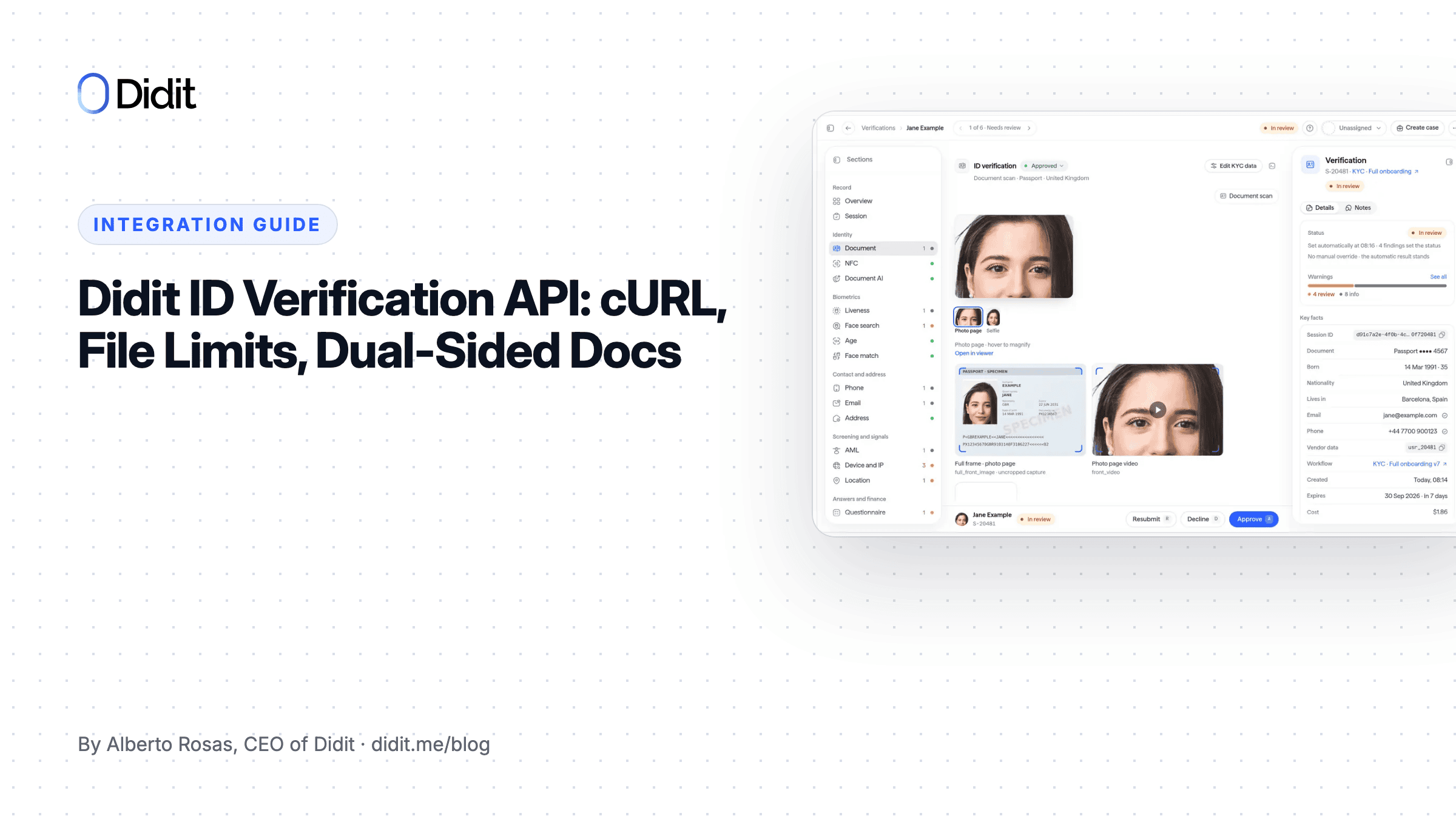 Didit ID Verification API: cURL, File Limits, Dual-Sided Docs
Send an uncropped front image and, for dual-sided IDs, a back image to Didit's standalone API. The limit is 5 MB per file. Completed live calls cost $0.20 at list price.
Alberto RosasNov 26, 2026Questions
Frequently asked questions
Does Didit have a native Stripe integration?
Our docs do not list a native Stripe connector. Use the Didit Sessions API and signed webhooks to add verification to your application's Stripe onboarding flow. The seven steps above are that route.
How do I gate Stripe onboarding on a Didit KYC result?
Create a Didit session with your stable seller identifier in vendor_data, send the person to the returned url, and wait for the signed status.updated webhook. When Didit marks the session Approved, mark your application's Didit verification requirement met and let the seller continue to the next onboarding step. Do not treat that as Stripe account activation or payout eligibility.
Which Didit status lets a seller continue onboarding?
When Didit marks the session Approved, mark your application's Didit verification requirement as met and let the seller continue to the next onboarding step. In Review stays pending, not a soft pass. An approved session can move to Kyc Expired when the verified document expires. If your onboarding policy requires current verification, request a new check before marking that requirement met again.
Can I use Didit with Stripe Connect for sellers?
Yes, as an application-side gate. Use your internal seller ID, or an existing connected account ID if it is the stable identifier for the entity being verified. For a business seller, create a KYB session and check for session_kind equal to business in the retrieved decision. Read registry_checks and key_people_checks when those steps ran.
How much does a Didit check cost in a Stripe onboarding flow?
A completed full ID check is $0.33 at list price. Business verification starts at $2.00 per company. Each owner takes a linked full ID verification at $0.33 and person AML at $0.20. In the worked example above, 1,000 sellers with 600 owners came to $1,209.00, or about $1.21 per seller, before plan credits.
How do I test the flow without real users or billing?
Use the key returned in response.sandbox_application.api_key for sandbox testing. Pass sandbox_scenario on create, or arm a scenario on an existing Not Started sandbox session. Live applications reject sandbox_scenario on create with HTTP 400.
What happens if the person abandons the Didit flow?
The session moves to Abandoned if they started but did not finish in time, or Expired if they never opened the link before it lapsed. If the seller still needs to complete verification, create a fresh session and send a new link. The gate stays closed in the meantime.
Do I need a webhook at all, or can I poll?
You can fetch the current status from GET /v3/session/{session_id}/decision/. Use signed status.updated webhooks for updates and fetch the decision when you need to reconcile the gate.
Can an AI assistant build this integration for me?
Use the canonical prompt at didit.me/developers/integration-prompt with your coding agent, or see Didit MCP setup. The MCP server is free on every plan and hosted at https://mcp.didit.me/mcp with OAuth sign-in. The gate itself still uses the Sessions API and signed webhooks.
Do I need a sales call to start?
You can start in the free sandbox without a sales call. Enterprise is a custom annual contract starting at $15,000 per year.
Where can I see when Didit will delete a session's live biometric data?
When the retrieved decision includes biometric_retention.deletes_at, it gives the scheduled deletion date for the session's live biometric data. Keep only the records your organization needs under its retention policy. This page does not promise that every webhook decision includes the field.
Compliance built in
Audited, certified and attested.
We hold the certifications and build each country's rules into your flows, so you can launch anywhere without worrying. Security and Compliance center
- Regulation encoded into your flows
Tell us what you do and where. Didit lists the rules that apply to you, with sources, and builds the checks each country needs into one workflow.
- Ready for AMLR
Every requirement of the new EU anti-money laundering rules, from checking customers to human review, is already covered by a Didit check.
- Tested in Spain's Treasury sandbox
Spain's Treasury published its supervised sandbox report on Didit's NFC plus active liveness onboarding; SEPBLAC took part and valued the added measures positively.
- Audited, not self-declared
iBeta Level 1 and Level 2. Liveness tested under ISO/IEC 30107-3.
Your obligations · 3 regions
 SOC 2 Type 2
 ISO 27001
 iBeta Level 1 and Level 2
 EU regulator attestation
 FSM youth protection
 GDPR
 EBA remote onboarding
 MiCA compatible
 FIDO Alliance member
- AMLREU AML Regulation ready
Integration · Didit MCP
Run Didit from your own AI agent
Connect Didit to Claude, Cursor, VS Code or ChatGPT and just ask in plain words. Your agent can do anything you can do in the console, with the same permissions you have.
 Add to Claude
 ChatGPT
 Cursor
- Build workflowsDescribe the checks you need. The agent creates and publishes the flow.
- Run investigationsAsk why a session was declined, review cases, search people and companies.
- Change rulesCreate payment rules, test them on past data and switch them on.
- Pull reportsAsk for numbers, exports or the audit log.
Didit Academy


