How to Add an Advanced (AES) E-Signature Step to a Didit KYC Workflow
Add the SIGNATURE step at AES level after an approved ID Verification step and a verified email or phone, create the session with your PDF, and download the PAdES-B-LT signed PDF plus the evidence PDF.
 Alberto RosasCo-founder and CEO
Contents
In this guide
Jump to the part you need.
An Advanced (AES) e-signature step fits teams that already run Didit ID Verification and need a signature bound to that approved identity on a PDF or Word document. In the price feed we checked, Didit publishes no E-signature price, so budget from the ID check at $0.33 and email verification at $0.02 and confirm the signature line before you scale. The main caveat: there is no standalone signing API, so the signer signs inside a Didit flow.
Last updated: November 26, 2026. Prices checked against the live Didit price feed on November 26, 2026.
| Item | Detail |
|---|---|
| What you add | The E-signature workflow step, feature SIGNATURE, at signature_level aes |
| Signature level | Advanced electronic signature (AES), tied to the identity approved earlier in the workflow |
| Prerequisites | ID Verification Approved, Liveness Approved if the workflow has it, and Email Verification (email codes, the default) or Phone Verification (SMS codes) |
| Where signing happens | Hosted Didit flow, Web SDK or native SDK. No standalone signing API |
| What you get back | A signed PDF carrying a PAdES-B-LT signature with its timestamp, plus an evidence PDF |
| Price of the signature line | Not published in the current Didit price feed. Confirm it on didit.me/pricing before you model volume |
| Published cost around it | $0.33 full ID check + $0.02 email verification = $0.35 per signed agreement, before the signature line |
Start free in the sandbox at business.didit.me, no sales call, and check every number on the Didit pricing page. For developers, connect Didit to an AI assistant through the Didit MCP server.
What the Advanced (AES) step actually does
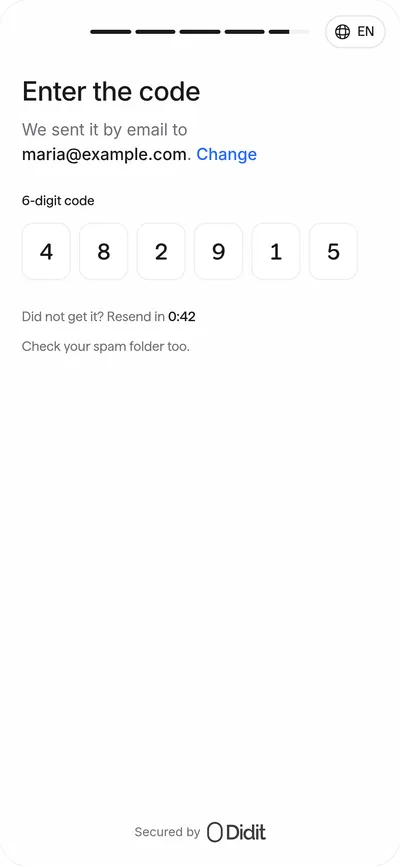
Simple does not require prior identity or contact verification, and you can still configure fields on the document. Advanced (AES) does one extra thing that matters to a compliance reviewer: it binds the signature to a person whose identity Didit already approved in the same session. The signer opens each document, fills the fields you placed, then confirms with a one-time code sent to the email or phone they verified a step earlier. Didit returns the document signed and a separate evidence file that records who signed, how they confirmed, and what the file hashes were before and after signing.
Because the step is a workflow feature and not an endpoint, the signer has to be inside the flow. That constraint is the point: the signature inherits the identity check that came before it.
Prerequisites: the workflow shape that passes
A session reaches the AES signature step only when the checks before it are Approved. Three runtime prerequisites come from the workflow itself:
- An ID Verification step before the signature step, with the signer's identity Approved. If the ID check lands In Review, the signature step does not open.
- A verified email (Email Verification, email codes, the default) or a verified phone (Phone Verification, SMS codes), so the one-time code has a destination you know is real.
- Liveness Approved if the workflow contains a Liveness step. We recommend keeping Liveness, because the signature inherits that assurance too.
One more rule concerns the workflow rather than the session: new sessions always reference a published version, so publish before you test with a real link. Drafts stay editable, and every past session keeps the exact version it ran on.

If you are configuring this for Business Verification instead of KYC, the rule is stricter. Signers are key people who completed their own KYC, and setting signature_level to simple is refused with signature_simple_requires_verified_person, so the workflow cannot be saved. For KYB, AES is the only working level.
Steps to add the e-signature step
- Open the workflow in the Didit Business Console and add the E-signature node after ID Verification and after Email or Phone Verification. Programmatically, this is
POST /v3/workflows/with{"feature": "SIGNATURE", "config": {...}}. Editing a published workflow means creating a new draft first. - Set the level to
aesin the step config, and confirm the workflow order puts the identity check first. A step placed before ID Verification will not produce an AES signature. - Upload your documents in the console, or set
signature_documents_sourcetosessionorbothso you can send documents per session. Session documents can be PDF or DOCX, up to 20 documents and 50 MB in total, with a 100 page limit per PDF. No password, scripts or attachments. - Place the fields you want filled: signature, initials, full name, date signed, text, checkbox, email and read-only data. Console documents get their fields in the template editor. Session documents carry them in
sign.documents[].fields, positioned by page and coordinates or by anchor text. Each field needs a key, and a field with prefillapi.KEYtakes its value fromsign.field_values. - Create the session with
POST /v3/session/, sendingworkflow_id, a stablevendor_data, and thesignobject for per-session documents. Use the runnable example below. - Send the person to
session.url, or open it with the Web SDK or a native SDK. Documents without fields work everywhere; documents with fields need a native SDK release that supports fields, while the hosted page and the Web SDK always do. - Wait for the
status.updatedwebhook, then readGET /v3/session/{session_id}/decision/and download the signed PDF and the evidence file. Both downloads accept yourx-api-key.
Runnable example: create the session with a document
curl -X POST 'https://verification.didit.me/v3/session/' \
  -H 'x-api-key: YOUR_API_KEY' \
  -H 'Content-Type: application/json' \
  -d '{
  "workflow_id": "YOUR_WORKFLOW_ID",
  "vendor_data": "user-1234",
  "sign": {
    "documents": [
      {
        "title": "Account agreement",
        "file_name": "agreement.pdf",
        "content_base64": "BASE64_OF_THE_PDF",
        "fields": [
          { "key": "signature", "type": "signature", "page": 3, "x": 0.09, "y": 0.62, "width": 0.36, "height": 0.085 },
          { "key": "credit_limit", "type": "data", "page": 1, "x": 0.34, "y": 0.31, "width": 0.3, "height": 0.03, "prefill": "api.credit_limit" }
        ]
      }
    ],
    "field_values": { "credit_limit": "3,000 EUR" }
  }
}'
BASE64_OF_THE_PDF is your file encoded in base64. Coordinates are fractions of the page, so 0.09 means 9 percent from the left edge. Store the session_id from the response and the session.url you send the signer to.
Read the decision after signing
curl https://verification.didit.me/v3/session/SESSION_ID/decision/ \
  -H "x-api-key: YOUR_API_KEY"
The signatures array holds one item per signer and signature step. You do not need to build download URLs from scratch: every signed document carries its own path in signatures[].documents[].signed_file, and the evidence file has its own path in signatures[].evidence_file. The E-signature report documentation describes every field on that object, including how placed fields and the evidence file are recorded.
Download the signed PDF and the evidence PDF
curl -L 'https://verification.didit.me/v3/session/SESSION_ID/signatures/NODE_ID/documents/DOCUMENT_ID/file/' \
  -H 'x-api-key: YOUR_API_KEY' \
  -o agreement-signed.pdf

curl -L 'https://verification.didit.me/v3/session/SESSION_ID/signatures/NODE_ID/evidence/?signature_id=SIGNATURE_ID' \
  -H 'x-api-key: YOUR_API_KEY' \
  -o evidence.pdf
Before returning the document, Didit checks the stored file against sha256_signed and answers 409 with signature_document_changed if they differ. That is a feature, not an obstacle: it means the file you receive is the file that was signed.
Expected output
On success, signatures[] reports status as signed and verdict as Approved, with level set to aes, format set to pades, and profile set to PAdES-B-LT. The item also carries the signer, the identity that was used, the confirmation method, the certificate, the timestamp, the signature as adopted, and the moment electronic signature consent was given. Each document exposes sha256_original, sha256_signed, its field values with the source of each value, and the signed file path.

Inputs and outputs
| Direction | Field | Notes |
|---|---|---|
| Input | workflow_id | Published workflow with the SIGNATURE step at aes level |
| Input | vendor_data | Your stable identifier for the person, used for duplicate detection across sessions |
| Input | sign.documents[] | Only when the step takes documents from the session: title, file name, base64 content, fields |
| Input | sign.field_values | Values for fields whose prefill is api.KEY |
| Input | callback, metadata, language | Optional session settings carried over from the standard create call |
| Output | signatures[].status | Signing stage: intro, review, code, signing, signed, declined |
| Output | signatures[].verdict | Not Finished, Approved, In Review or Declined |
| Output | signatures[].documents[].signed_file | Download path for the signed PDF with the PAdES-B-LT signature |
| Output | signatures[].evidence_file | Download path for the evidence PDF |
| Output | signatures[].warnings[] | Code plus node id for anything that needs attention |
Failure cases and recovery
| What you see | What happened | What to do |
|---|---|---|
SIGNATURE_OTP_FAILED | The one-time code was entered incorrectly | Have the signer retry the code step while the session is open; if it expires, create a new session for the same vendor_data |
SIGNATURE_OTP_NOT_CONFIRMED | The signer left before confirming the code, so nothing is signed | Treat the document as unsigned and issue a new session |
SIGNATURE_NAME_MISMATCH | The name typed on the document does not match the verified identity | Check what you prefilled through api.KEY field values, then re-run the step |
SIGNATURE_IDENTITY_NOT_VERIFIED | The earlier ID Verification was not Approved when the signature step was reached | Fix the workflow order or resolve the identity check first |
SIGNATURE_DECLINED | The signer declined a document. Default handling is review | Read the session, then decide whether a reviewer closes it or you send a fresh link |
SIGNATURE_DOCUMENT_CHANGED | The stored file no longer matches sha256_signed. Default handling is decline | Stop and investigate. The download route returns 409 for the same reason |
404 signature_not_signed | You tried to download before the document was signed | Poll the decision or wait for status.updated, then download |
signature_simple_requires_verified_person | A KYB workflow tried to save with simple level | Set signature_level to aes and save again |
Two more integration notes. A missing API key returns 403 and a wrong, revoked or expired key returns 401; a scoped key needs read:sessions to read the decision and download files. And a session that is deleted takes its download routes with it, so copy the signed PDF and the evidence PDF to your own storage before you clean up.
What the e-signature step costs
The public price feed we read on November 26, 2026 lists every module Didit sells, and it does not publish an E-signature line. So we will not quote one here. Read didit.me/pricing and the pricing feed as JSON for the current position, and confirm the signature charge in the Business Console before you model volume on it.
What is published and relevant to this flow: the full ID check at $0.33 (ID document verification $0.15, passive liveness $0.10, face match $0.05, device and IP analysis $0.03), Email Verification at $0.02 per check, and Phone Verification at the carrier price for the country and channel plus our $0.02 fee per code. Those are the only lines the worked example below uses.
Paid steps and review boundaries
Billing follows completed checks, not API calls. On this flow you pay for the ID check, the email or phone verification, and the signature step. Everything else in the workflow is either included or not triggered. Four boundaries worth knowing before you design the flow:
- The signature step is its own line. Its price is not in the published price feed we can cite, so treat it as unpublished and confirm it before you commit to volume.
- Email verification is not free. Email Verification is $0.02 per check. Phone verification is the carrier price for the country and channel plus Didit's $0.02 fee per code, so an SMS to the United States totals $0.0473 per code at list price.
- Review waits on a person. When a signature lands In Review, the verdict is not Approved and the document is not signed, so a document in review is not a signed document in your funnel. Build for that state instead of assuming automatic approval.
- AES is not the top level. Qualified (QES) is a separate add-on that needs an approved ID check with a passport or national ID card, a verified phone, and a qualified certificate from a trust service provider. If your jurisdiction needs QES, plan the identity inputs for it from day one.
Worked cost example
A lender collects one signed credit agreement per approved customer, with an email code confirming the signature. Per completed flow at list price, using published lines only:
- Full ID check (ID document, passive liveness, face match, device and IP): $0.33
- Email verification: $0.02
- Published subtotal per signed agreement: $0.33 + $0.02 = $0.35
- E-signature at Advanced level: not published, so the full total per signed agreement is unavailable
At 5,000 signed agreements a month the published portion is 5,000 x $0.35 = $1,750.00, plus the signature charge, which we cannot compute from public data. On the Growth plan, which takes 4 percent off every Didit price ($99 a month, $115 of monthly credit), the same published unit is $0.3168 + $0.0192 = $0.336, so 5,000 x $0.336 = $1,680.00. On Scale, at 10 percent off ($299 a month, $350 of monthly credit), it is $0.297 + $0.018 = $0.315, so 5,000 x $0.315 = $1,575.00. Swap the email code for a US SMS code and the published unit becomes $0.33 + $0.0473 = $0.3773, or $1,886.50 for the same 5,000 flows. The Free plan gives $10 of credit a month to organizations that sign up with a work email, and phone codes are excluded from that credit.
Sources
- Didit docs: E-signature API overview, levels and warnings
- Didit docs: E-signature report, signed PDF, fields and evidence file
- Didit docs: Create Session API, including the
signobject - Didit docs: Retrieve Session API, the
signaturesarray - Didit docs: Download Signed Document API
- Didit docs: Workflow builder, versions and node types
- Didit docs: List Workflows API
- Didit docs: Web SDK overview
- Didit pricing page and pricing feed as JSON, read November 26, 2026
- Didit docs: pricing and billing rules
- Didit MCP server setup
- Regulation (EU) No 910/2014 on electronic identification and trust services (eIDAS)
The fastest way to see this working is a sandbox session you create yourself: open business.didit.me, publish a workflow with ID Verification, Email Verification and the SIGNATURE step at AES level, and run one document through it. No sales call, and nothing in the sandbox is charged.
Try it
Try this in the sandbox
Run the check this guide describes, free.
The product this post is about, taken from its topic. Run it free in the sandbox.
Author
Alberto Rosas
Co-founder and CEO

Keep reading
Other guides in the same topic.
 How to Cut MCP Token Usage in Claude Code, Cursor and VS Code
The Didit MCP server lists every tool by default, which costs roughly 50,000 to 115,000 tokens on every request. Add toolsets=core to the URL for about 30 tools, or read_only=true for about 20.
Alberto RosasNov 26, 2026 What Happens When Didit Credits Run Out: Top-Ups and Auto Top-Up
Monthly credit lands on day one and expires at month end, no rollover. Top-ups of $50 to $20,000 last 12 months and are spent oldest first. Without auto top-up, live checks stop until you top up; the sandbox keeps running.
Alberto RosasNov 26, 2026 Proof of Address Verification Declined: Fix Every Warning Code
A proof of address check is Declined when at least one warning resolves to a decline. Fix the expected address and name values, the document age window and the language allowlist, correct OCR fields with update-poa-data, or.
Alberto RosasNov 26, 2026Questions
Frequently asked questions
How do I add an e-signature step to a Didit KYC workflow?
Add the E-signature node (feature SIGNATURE) after an approved ID Verification step and after an Email or Phone Verification step, set signature_level to aes, then create sessions with POST /v3/session/ and send the person to session.url. After signing, read GET /v3/session/{session_id}/decision/ and download the signed PDF and the evidence PDF. There is no separate signing endpoint to call.
Can I use Didit e-signature without ID verification?
Yes, at the Simple level, which is the default and needs no ID verification, email or phone. Simple produces a signed PDF with no digital signature, seal or timestamp. If you need a signature tied to a verified identity, you need Advanced (AES), and that requires an approved ID Verification step plus a verified email or phone.
Why can't I save my workflow with a simple signature level on a KYB flow?
For Business Verification, signers are key people who complete their own KYC. Setting signature_level to simple is refused with signature_simple_requires_verified_person, so the workflow cannot be saved. Set it to aes, and confirm that each KYB signer has completed the documented KYC prerequisites before their step runs.
How is the one-time code delivered?
The code goes to the email or phone the person verified earlier in the same workflow, Email Verification with email codes being the default and Phone Verification with SMS codes the alternative. At AES level the signer confirms the signature by entering that code. The decision records the confirmation method on signatures[].
Is there a standalone Didit e-signature API?
No. E-signature is a workflow step, and signing happens inside the hosted Didit flow, the Web SDK or a native SDK. You can create sessions and place documents through the API, including per-session documents sent as base64 with sign.documents, but you cannot post a PDF for signature outside a session.
What files do I get after an AES signature?
Two artifacts per signed document: the signed PDF and the evidence PDF. The signed PDF contains the document the signer was shown with their field values stamped, an evidence page unless the step turns it off, and a PAdES-B-LT signature with a timestamp. AES documents report format as pades and profile as PAdES-B-LT, while Simple documents carry no digital signature at all.
How much does an Advanced e-signature cost?
Didit does not publish an E-signature price in the current public price feed, so we do not quote one. What you can price today is the rest of the flow: a full ID check at $0.33 plus email verification at $0.02, which is $0.35 per signed agreement before the signature line. Check didit.me/pricing for the current position before you model volume.
What happens if the signer declines or fails the code?
Declining produces SIGNATURE_DECLINED, whose default handling is review. A wrong code produces SIGNATURE_OTP_FAILED and the signer can retry while the session is open. If the session expires with no code confirmed you get SIGNATURE_OTP_NOT_CONFIRMED and the document stays unsigned, so you issue a new session.
Can I verify later that a signed PDF is unchanged?
Yes. Every signed document carries sha256_original and sha256_signed, and the download route checks the stored file against sha256_signed before returning it. There is also a validate call, POST /v3/session/{session_id}/signatures/{node_id}/validate/, which re-checks the stored signatures.
Does the AES signature work in a native app?
Yes. The signer can sign in the hosted flow, the Web SDK or a native SDK. One detail: documents that carry fields need a native SDK release that supports fields, while the hosted page and the Web SDK always do, so test with fields on the same client you ship.
Compliance built in
Audited, certified and attested.
We hold the certifications and build each country's rules into your flows, so you can launch anywhere without worrying. Security and Compliance center
- Regulation encoded into your flows
Tell us what you do and where. Didit lists the rules that apply to you, with sources, and builds the checks each country needs into one workflow.
- Ready for AMLR
Every requirement of the new EU anti-money laundering rules, from checking customers to human review, is already covered by a Didit check.
- Tested in Spain's Treasury sandbox
Spain's Treasury published its supervised sandbox report on Didit's NFC plus active liveness onboarding; SEPBLAC took part and valued the added measures positively.
- Audited, not self-declared
iBeta Level 1 and Level 2. Liveness tested under ISO/IEC 30107-3.
Your obligations · 3 regions
 SOC 2 Type 2
 ISO 27001
 iBeta Level 1 and Level 2
 EU regulator attestation
 FSM youth protection
 GDPR
 EBA remote onboarding
 MiCA compatible
 FIDO Alliance member
- AMLREU AML Regulation ready
Integration · Didit MCP
Run Didit from your own AI agent
Connect Didit to Claude, Cursor, VS Code or ChatGPT and just ask in plain words. Your agent can do anything you can do in the console, with the same permissions you have.
 Add to Claude
 ChatGPT
 Cursor
- Build workflowsDescribe the checks you need. The agent creates and publishes the flow.
- Run investigationsAsk why a session was declined, review cases, search people and companies.
- Change rulesCreate payment rules, test them on past data and switch them on.
- Pull reportsAsk for numbers, exports or the audit log.
Didit Academy