How to Cut MCP Token Usage in Claude Code, Cursor and VS Code
The Didit MCP server lists every tool by default, which costs roughly 50,000 to 115,000 tokens on every request. Add toolsets=core to the URL for about 30 tools, or read_only=true for about 20.
 Alberto RosasCo-founder and CEO
Contents
In this guide
Jump to the part you need.
If your client sends the whole Didit MCP catalog on every request, you pay roughly 50,000 to 115,000 tokens of tool definitions before your first question. The fix is one URL parameter: load core for about 30 tools, or a read-only connection for about 20. This guide is for developers wiring Didit into Claude Code, Cursor, VS Code or Codex. The MCP server is free on every plan. The caveat: a tool you did not load needs one search step before the model can run it.
Last updated: November 26, 2026. Prices checked against the live Didit price feed on November 26, 2026.
Add Didit to Claude · Open Didit in ChatGPT · MCP setup for every client
| Connection | Tools listed | Tokens per request | Best for |
|---|---|---|---|
| No parameter (default) | Every tool your role may use, up to 233 on a hosted connection signed in with your Didit user | Roughly 50,000 to 115,000, by tokenizer | Conversations that move across many areas and where context cost does not matter |
?toolsets=core | About 30 | About a tenth | Daily work: verification sessions, users, businesses, cases, transactions, docs search |
?toolsets=core,workflows | Core plus the workflow tools | More than core, less than everything | Building, validating and publishing verification workflows |
?read_only=true | About 20, read tools only | Less than a tenth | Reporting, exploring an account, an agent you do not want to act on its own |
Start free in the sandbox at business.didit.me, no sales call. Developers who want the connector first can start at MCP setup for every client and check module prices on the Didit pricing page.
Why the tool list is in your context before the question
An MCP client sends the definition of every listed tool to the model before the first turn. Each definition carries a name, a description and an input schema. A catalog of 233 tools therefore becomes tens of thousands of tokens on every request, even when the agent will call two of them. Two things follow. The tokens are spent before any task context arrives, so long sessions fill earlier. And some clients cap how many tools they accept, so a connection that lists everything can hit that cap.

Which toolset to load: the core list and the rest
Add toolsets to the server URL as a comma-separated list. Naming toolsets lists exactly those, so ?toolsets=cases gives you the case tools plus didit_context_get, which every connection gets, and nothing else. Add core when you want the short list as well.
core is the list most work starts from. It covers your organizations and applications, verification sessions (create, find, decide, explain, simulate in the sandbox, read webhook deliveries), finding workflows, analytics and balance, your application API key and webhooks, finding cases, users, businesses and transactions, and the documentation search.
| Toolset | What it lists | Load it when |
|---|---|---|
core | About 30 tools: orgs and apps, sessions, workflow search, analytics and balance, API keys and webhooks, search over cases, users, businesses and transactions, docs search | Default for day-to-day verification work |
sessions | Verification sessions: create, find, decide, review, share, import, PDFs, webhook deliveries | The whole task is sessions and you also want core for lookups |
cases | Case management: create, assign, escalate, resolve | Review queues and investigations |
transactions | Transaction monitoring, wallet screening and rules with backtesting | Fraud rules, wallet checks, alert triage |
workflows | Verification workflows and questionnaires: build, edit, validate, publish | You are editing flows, not running checks |
vendors | Vendor users and vendor businesses | KYB work and per-customer lookups |
account | Organizations, applications, API keys, members, roles | Admin and setup sessions |
billing | Plan, credit balance, payment methods, receipts, billing details | Cost reviews |
reports | Analytics, exports, audit log | Read-only reporting connections |
verification | Standalone verification APIs: ID document, face, AML, proof of address, phone, email, database and business checks | Server-to-server checks outside a session |
travel_rule | Travel Rule settings, VASP directory, networks, wallet addresses, transfers and messages | VASP data exchange |
docs | Search of the Didit documentation | A documentation-only agent |
all | Every tool your role may use. This is the default | Rare, wide-ranging conversations |
The toolsets page in the docs lists the full set, which also includes lists, investigator, webhooks, branding, marketplace, networks and compliance. Every tool, its read, write or destructive type and the role permission it needs is in the tools reference.

core and sessions toolsets read without any other toolset loaded.Prerequisites
- A Didit account. Sign in at business.didit.me once before you connect, so the OAuth handshake has a session to attach to.
- A client that speaks remote HTTP MCP with OAuth: Claude Code, Cursor, VS Code in Copilot agent mode, or the Codex CLI and IDE extension. The per-client walkthroughs are Claude, Cursor, VS Code and Codex.
- A browser for Log in with Didit. On a machine with no browser, the local server signs in with a device code.
- Sandbox work is free and unlimited, so you can test a short tool list before it touches a production app.
Step by step: cut the tool list in Claude Code
Add the server with the
toolsetsparameter on the URL. Keep the quotes: without them the shell can swallow the query string, and the server then lists every tool.claude mcp add --transport http didit "https://mcp.didit.me/mcp?toolsets=core"Start Claude Code and run
/mcp. It opens the browser for Log in with Didit. Approve the permissions for the organizations you want the agent to reach.Confirm the server and its connection state.
claude mcp listAdd a second, read-only connection for reporting, under its own name so both can coexist. Use
&between parameters.claude mcp add --transport http didit-reporting "https://mcp.didit.me/mcp?toolsets=core,reports&read_only=true"Ask a question that proves the short list works:
Use the Didit MCP server to call didit_context_get and list my organizations and applications.
If you would rather not edit the URL, run every Didit tool through the hosted connector and trim inside the client. Which route fits depends on the client: Claude Code and Cursor take the URL parameter, VS Code takes the URL parameter plus its own tool picker, and Codex can also filter by tool name.
Cursor: one edit in ~/.cursor/mcp.json
Put the toolset in the url value. Keep any servers you already have inside mcpServers.
{
  "mcpServers": {
    "didit": {
      "url": "https://mcp.didit.me/mcp?toolsets=core"
    }
  }
}
On first use Cursor registers itself with Didit and opens the browser for Log in with Didit. The same file works at project level in .cursor/mcp.json. Full walkthrough in the Cursor guide.
VS Code: one edit in .vscode/mcp.json
VS Code uses servers, not mcpServers. Point it at the full /mcp path with the query string.
{
  "servers": {
    "didit": {
      "type": "http",
      "url": "https://mcp.didit.me/mcp?toolsets=core"
    }
  }
}
If Copilot still warns about the number of tools, open the tools picker in the chat input and keep only the Didit groups the task needs. The VS Code guide shows the install link and the command palette route as well.
Codex: one command
codex mcp add didit --url "https://mcp.didit.me/mcp?toolsets=core"Codex writes the entry to ~/.codex/config.toml, sees that sign-in is needed and starts it. If you cancel, run codex mcp login didit later. Codex can also filter by name, which is a second, client-side cut on top of the toolset:
[mcp_servers.didit]
url = "https://mcp.didit.me/mcp?toolsets=core"
enabled_tools = ["didit_context_get", "didit_session_create", "didit_session_list", "didit_session_get_decision"]
disabled_tools does the reverse. See the Codex guide.
Running the server yourself
Self-hosting takes the same two switches as flags or as environment variables, which helps when you cannot edit the hosted URL.
npx -y @didit-protocol/mcp-server --toolsets=core,workflows --read-onlyDIDIT_TOOLSETS=core,workflows
DIDIT_READ_ONLY=trueThe self-hosted build still authenticates the user over OAuth, with a device code or a user bearer token for headless runs. Installation and self-hosting notes are in the installation guide.
Expected output: what a short list looks like
- The client's tool menu shows about 30 Didit tools with
?toolsets=core, or about 20 with?read_only=true. The full catalog is 233 tools on a hosted connection signed in with your user. didit_context_getis present on every connection and returns your organizations and applications, nested, plus the default org and app when there is only one.- Four helper tools appear so nothing is out of reach:
didit_tool_search,didit_tool_describe,didit_tool_call_readanddidit_tool_call_write. On a read-only connection the write helper is not offered. - A write attempt on a read-only connection is refused by the server, every time, even if your client remembers a tool from an earlier connection.
- A list that can be long answers one page at a time: 20 workflows, 50 of most other things, with
limitup to 200 andoffset, andcountin the answer.
Failure cases and recovery
| What you see | Why | Fix |
|---|---|---|
| The tool list is still enormous | The URL reached the server without its query string, usually because the shell dropped it or the client rewrote the URL | Re-add the server with the query string in quotes and check the stored entry in the client config |
| A toolset name seems to do nothing | A name the server does not know is ignored, and the connection still works | The server tells the model which name it ignored and which names are valid. Compare against the toolsets table in the docs and fix the spelling |
| The model says it has no Didit tools | The server is installed but the sign-in did not finish, or the server is disabled in the client | Log in at business.didit.me first, then reconnect. Claude Code: run /mcp. Cursor: check the Didit server is enabled in MCP settings |
A tool answers with missing_scope | Your role in that organization lacks the permission the tool needs | The error names the permission. Ask an owner or admin to grant it, per roles and permissions |
| A create or update is refused | You are on a read-only connection, which is the point | Add a second entry without read_only for the work that writes |
| The client warns about the number of tools | A client-side cap, not a Didit limit | Use core or read_only=true, or the client's own filter: the VS Code tools picker, Codex enabled_tools |
| The agent only sees application tools | It connected with an application API key, which lists 199 tools because it acts as that application | Use the user sign-in when the agent needs account, billing or compliance tools |
| Sign-in loops | The browser session and the connector disagree | Log in at business.didit.me, then restart the server from the client |
Inputs and what they change
| Input | Value | Effect |
|---|---|---|
toolsets on the server URL | Comma-separated names, for example core,transactions | Lists exactly those toolsets. It does not grant or remove a permission, and a tool outside the list still runs when the model calls it by name |
read_only on the server URL | true | Lists only tools that read, and the server refuses every call that would create, change or delete something |
| Client-side name filter | For example Codex enabled_tools | The client never sends the definitions of the tools you excluded |
didit_tool_search | A plain-language goal, or a toolset name | Finds a tool by what you want to do. Each match says what it does, its parameters, and whether it reads, writes or is destructive |
didit_tool_describe | Up to five tool names | Returns the full description and input schema |
didit_tool_call_read and didit_tool_call_write | Tool name plus arguments | Runs a tool outside the list. The call is checked exactly like a direct call, with the same role permissions |
What is free, what bills, and where review stops
The MCP server itself is free on every plan, and so is the workflow orchestrator. What bills is the work the tools trigger: a completed check at its published price. Sandbox testing is free and unlimited, so a short tool list costs you nothing to try.
Review boundaries sit in three places. Every client asks you to confirm write and destructive calls before they run, and billable standalone checks count as writes, so they get that prompt. A read-only connection refuses writes on the server for every call, which holds even if the client remembers a tool. And your role still applies: a toolset decides what is listed, never what you may run, so a permission gap returns missing_scope with the permission named.

transactions toolset, so load it only when the agent works on monitoring.A worked cost example
Tokens are not on your Didit bill, because the MCP server is free. The checks the agent runs are. Take a month of 1,000 completed KYC checks, each with AML screening, at list prices:
- Full ID check: ID document verification $0.15 + passive liveness $0.10 + face match 1:1 $0.05 + device and IP analysis $0.03 = $0.33 per completed check.
- Add AML screening at $0.20: $0.33 + $0.20 = $0.53 per person screened.
- 1,000 checks without AML: 1,000 x $0.33 = $330.00.
- 1,000 checks with AML: 1,000 x $0.53 = $530.00.
- On Growth, 4% off every Didit price: $0.33 x 0.96 = $0.3168, and $0.20 x 0.96 = $0.192, so $0.5088 per person. 1,000 x $0.5088 = $508.80.
- On Scale, 10% off: $0.297 + $0.18 = $0.477 per person. 1,000 x $0.477 = $477.00.
Now the context side. At 100,000 tokens of tool definitions per request, dropping to a tenth leaves roughly 90,000 tokens per request for task context and conversation. We do not publish a model token price, so that saving lands on your model provider bill, not ours. What we control is the size of the list, and core is the cheapest useful starting point.

Sources
- Didit docs: MCP toolsets and read-only mode
- Didit docs: MCP server overview
- Didit docs: MCP tools reference (233 tools)
- Didit docs: Connect Claude, including Claude Code
- Didit docs: Connect Cursor
- Didit docs: Connect VS Code and Copilot
- Didit docs: Connect OpenAI Codex
- Didit docs: MCP installation and self-hosting
- Didit docs: roles and permissions
- Didit MCP server page
- Didit pricing page
- Didit docs: pricing and billing rules
- Model Context Protocol
- Didit Business Console
The next step is the sandbox, not a sales call. Create an organization at business.didit.me, add the Didit server with ?toolsets=core, and run one sandbox session to see the short list and the token count in your own client before you point it at production checks.
Try it
Try this in the sandbox
Run the check this guide describes, free.
The product this post is about, taken from its topic. Run it free in the sandbox.
Author
Alberto Rosas
Co-founder and CEO

Keep reading
Other guides in the same topic.
 KYB E-Signatures: How Company Representatives Sign in 2026
Add an E-signature step to your KYB workflow after Key People, set signature_level to aes and signature_signer to legal_representative. Each representative completes KYC, signs in the hosted flow, and Didit returns the signed.
Alberto RosasNov 26, 2026 Database Validation Match Types: Full Match, Partial Match and No Match
Database validation returns one of three match types: full match (the submitted details match the registry record), partial match (some fields differ, so the workflow applies its configured partial-match action) and no match.
Alberto RosasNov 26, 2026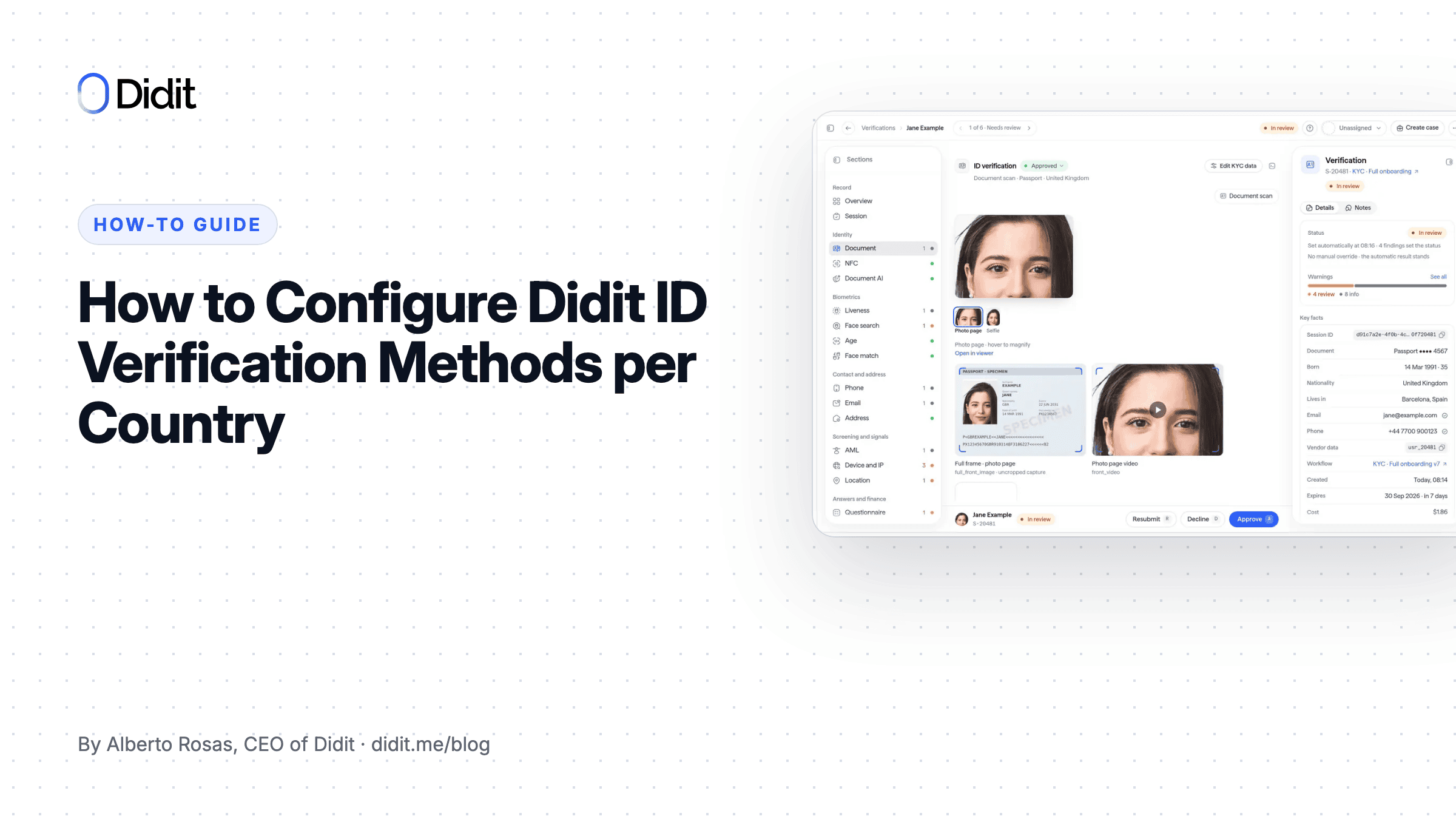 How to Configure Didit ID Verification Methods per Country
Turn on national ID lookup for a country by enabling it under the methods key of the ID Verification feature config, keyed by ISO 3166-1 alpha-3. Omit it and the country stays document capture only.
Alberto RosasNov 26, 2026Questions
Frequently asked questions
How many tokens does the Didit MCP server add to every request?
With no parameter the server lists every tool your role may use, up to 233 on a hosted connection signed in with your Didit user, which is roughly 50,000 to 115,000 tokens depending on the model tokenizer. Loading core cuts that to about a tenth, and a read-only connection to less than a tenth. The definitions are sent before your first question, so the cost repeats on every request.
What is in the Didit MCP core toolset?
core lists about 30 tools: your organizations and applications, verification sessions (create, find, decide, explain, simulate in the sandbox, read webhook deliveries), workflow search, analytics and balance, your application API key and webhooks, search over cases, users, businesses and transactions, and documentation search. It is the list most work starts from, and you add one toolset at a time when a task needs more.
Which toolset should I load for verification sessions?
Load core when the session work needs lookups across users, businesses, cases or transactions as well, because core already covers session create, find, decide and explain. Load sessions when the task is only sessions and you want the full session set for review, share, import and PDFs. Combine them with ?toolsets=core,sessions when you want both.
Which toolset should I load for cases?
Load cases for case management: create, assign, escalate and resolve. Naming it lists the case tools plus didit_context_get and nothing else, so add core if the agent also needs to find the sessions behind a case: ?toolsets=core,cases.
Which toolset should I load for transactions?
Load transactions for transaction monitoring, wallet screening and rules with backtesting. Most fraud work also needs to look up sessions or cases, so ?toolsets=core,transactions is the practical combination. Load transactions alone only when the agent is dedicated to monitoring.
Do I lose the tools I did not load?
No. A tool outside your selection still runs when the model calls it by name, with the same role permissions as always. The server also adds four helper tools, didit_tool_search, didit_tool_describe, didit_tool_call_read and didit_tool_call_write, so the model can find and run anything else on demand. The cost of not loading a tool is one extra search step.
Does read-only mode hold if my client remembers a tool?
Yes. A read-only connection lists only tools that read, and the server refuses every call that would create, change or delete something. The refusal happens on the server for every call, so it holds even when your client still has a tool from an earlier connection. To allow changes again, connect without read_only.
Is the Didit MCP server free?
Yes. The MCP server is listed as free on every plan, and so is the workflow orchestrator. You pay for completed checks, such as a full ID check at $0.33 or AML screening at $0.20, from prepaid credit. Sandbox testing is free and unlimited.
Does loading fewer tools make the model pick the wrong tool?
Sometimes, by a small margin. A model that sees every tool picks the right one a little more often than a model that has to search first, which is the trade-off the docs describe. Load everything when a conversation works across many areas and context cost does not matter, and load core plus the toolsets you use most when it does.
My client caps how many tools it accepts. What should I change?
Cut at the server first: ?toolsets=core drops the list to about 30 tools, and ?read_only=true to about 20. If the client still complains, use its own filter, such as the tools picker in VS Code or enabled_tools in Codex. The cap is a client setting, not a Didit limit.
Does a toolset change my permissions?
No. A toolset decides what is listed, not what you may run. Your role in the organization still applies on every call, and a tool that needs a permission you lack returns missing_scope naming that permission. Ask an owner or admin to grant it rather than adding a toolset.
Compliance built in
Audited, certified and attested.
We hold the certifications and build each country's rules into your flows, so you can launch anywhere without worrying. Security and Compliance center
- Regulation encoded into your flows
Tell us what you do and where. Didit lists the rules that apply to you, with sources, and builds the checks each country needs into one workflow.
- Ready for AMLR
Every requirement of the new EU anti-money laundering rules, from checking customers to human review, is already covered by a Didit check.
- Tested in Spain's Treasury sandbox
Spain's Treasury published its supervised sandbox report on Didit's NFC plus active liveness onboarding; SEPBLAC took part and valued the added measures positively.
- Audited, not self-declared
iBeta Level 1 and Level 2. Liveness tested under ISO/IEC 30107-3.
Your obligations · 3 regions
 SOC 2 Type 2
 ISO 27001
 iBeta Level 1 and Level 2
 EU regulator attestation
 FSM youth protection
 GDPR
 EBA remote onboarding
 MiCA compatible
 FIDO Alliance member
- AMLREU AML Regulation ready
Integration · Didit MCP
Run Didit from your own AI agent
Connect Didit to Claude, Cursor, VS Code or ChatGPT and just ask in plain words. Your agent can do anything you can do in the console, with the same permissions you have.
 Add to Claude
 ChatGPT
 Cursor
- Build workflowsDescribe the checks you need. The agent creates and publishes the flow.
- Run investigationsAsk why a session was declined, review cases, search people and companies.
- Change rulesCreate payment rules, test them on past data and switch them on.
- Pull reportsAsk for numbers, exports or the audit log.
Didit Academy