Didit Webhook Status Values: Map Each String to Your DB
Didit statuses are case-sensitive strings. Approved maps to verified, Declined to rejected, In Review to a pending review state, Resubmitted to reopened nodes, Awaiting User to a waiting KYB parent, and Expired and Kyc Expired.
 Alberto RosasCo-founder and CEO
Contents
In this guide
Jump to the part you need.
This page is for teams that already create Didit sessions and now have to turn every webhook into the right internal state. You pay per completed check, $0.33 for a full KYC and from $2.00 per company for KYB; the documentation describes webhook delivery and HMAC signing. The caveat is the one that breaks builds: Didit status values are exact, case-sensitive strings, and the decision object only arrives with four of them.
Last updated: November 26, 2026. Prices checked against the live Didit price feed on November 26, 2026.
| Status | Exact string | When Didit sends it | Store this |
|---|---|---|---|
| Not Started | "Not Started" | Session created, user has not opened the link | not_started |
| In Progress | "In Progress" | User is working through the steps | in_progress |
| Approved | "Approved" | All checks passed | verified |
| Declined | "Declined" | One or more checks failed | rejected, keep the warnings |
| In Review | "In Review" | Warnings need a human decision | pending_review |
| Awaiting User | "Awaiting User" | KYB parent waiting on child parties | awaiting_parties |
| Resubmitted | "Resubmitted" | User asked to redo specific steps | pending_resubmit, reopen the listed nodes |
| Expired | "Expired" | Timed out before the user opened the link | expired |
| Abandoned | "Abandoned" | User started and did not finish in time | abandoned |
| KYC Expired | "Kyc Expired" | An approved document passed its expiry date | expired |
Start free in the sandbox at https://business.didit.me/, no sales call. If you would rather wire this from an AI assistant, connect Didit through https://didit.me/developers/mcp/. The product pages behind these statuses are Business Verification for KYB, Free KYC for user verification, and pricing for the per-check list.
What you need before you start
- A Didit application with at least one KYC workflow and, if you onboard companies, one KYB workflow. The workflow type decides which kind of session is created; there is no separate KYB endpoint.
- An API key with the
read:sessionsprivilege, so you can re-fetch a decision withGET /v3/session/{session_id}/decision/. - A webhook destination created in the Business Console, subscribed to
status.updatedand, if you care about edited data,data.updated. There is no wildcard, so list every event family you want. - The destination signing secret, stored as an environment variable. Never in the repository.
- A handler that verifies the signature over the exact bytes it received, because signature verification over re-encoded JSON fails.
Step by step, from webhook to database row
- Write the enum down once, in one file, as literal strings. Do not build these strings at runtime and do not compare with a lowercase copy of the payload.
- Create the destination in the Console and subscribe to
status.updated. Adddata.updatedonly if you store per-feature results that can be edited after a decision. - Verify the signature over the exact bytes you received before you act on anything in the body. Check that
X-Timestampis within 300 seconds of now, then recompute the HMAC-SHA256 with the destination secret: preferX-Signature-V2over the sorted canonical JSON, fall back toX-Signatureover the raw bytes, and compare in constant time against both the header and its-Previoustwin while a rotated secret is being deployed. - Branch on
webhook_typefirst.status.updatedmeans the status changed;data.updatedmeans verification data was edited and the status may be unchanged. - Branch on
statuswith an exhaustive switch, and log a default case instead of guessing a state. - Write the decision only when the payload carries one, so a later
ResubmittedorKyc Expiredevent does not erase the evidence you already stored. - Read the payload kind. Business payloads additionally include
session_kind: "business"andbusiness_session_id. For the complete discriminator, re-fetch the documented decision endpoint, whose response includessession_kind. - Return 2xx as soon as you have processed the event, and update state idempotently. If you need more than the envelope, call the decision endpoint rather than waiting on a second webhook.

Here is the whole handler: signature check, event-type branch, status switch. It reads the body with request.arrayBuffer() so the bytes are the ones Didit signed, then verifies X-Signature-V2, the HMAC-SHA256 over the sorted, Unicode-preserved canonical JSON that the webhooks documentation recommends. It also accepts X-Signature over the exact raw bytes, for destinations still signing that way.
import crypto from "node:crypto";

const SECRET = process.env.DIDIT_WEBHOOK_SECRET;

function canonicalJson(value) {
  if (Array.isArray(value)) return "[" + value.map(canonicalJson).join(",") + "]";
  if (value && typeof value === "object") {
    return "{" + Object.keys(value).sort()
      .map((k) => JSON.stringify(k) + ":" + canonicalJson(value[k]))
      .join(",") + "}";
  }
  return JSON.stringify(value);
}

function signatureOk(rawBytes, event, headers) {
  const ts = Number(headers.get("x-timestamp"));
  if (!Number.isFinite(ts)) return false;
  if (Math.abs(Math.floor(Date.now() / 1000) - ts) > 300) return false;

  const expectedV2 = crypto.createHmac("sha256", SECRET).update(canonicalJson(event)).digest("hex");
  const expectedRaw = crypto.createHmac("sha256", SECRET).update(rawBytes).digest("hex");

  return [
    { name: "x-signature-v2", expected: expectedV2 },
    { name: "x-signature", expected: expectedRaw }
  ].some(({ name, expected }) =>
    [name, name + "-previous"]
      .map((h) => headers.get(h))
      .filter(Boolean)
      .some((sig) => {
        const a = Buffer.from(sig, "utf8");
        const b = Buffer.from(expected, "utf8");
        return a.length === b.length && crypto.timingSafeEqual(a, b);
      })
  );
}

function stateFor(status) {
  switch (status) {
    case "Approved":      return "verified";
    case "Declined":      return "rejected";
    case "In Review":     return "pending_review";
    case "Resubmitted":   return "pending_resubmit";
    case "Awaiting User": return "awaiting_parties";
    case "Expired":       return "expired";
    case "Kyc Expired":   return "expired";
    case "Abandoned":     return "abandoned";
    case "In Progress":   return "in_progress";
    case "Not Started":   return "not_started";
    default:              return null;
  }
}

export async function POST(request) {
  const rawBytes = Buffer.from(await request.arrayBuffer());
  const event = JSON.parse(rawBytes.toString("utf8"));

  if (!signatureOk(rawBytes, event, request.headers)) {
    return new Response("bad signature", { status: 401 });
  }

  if (event.webhook_type === "data.updated") {
    // verification data was edited; the status may be unchanged
    return new Response("ok", { status: 200 });
  }

  const state = stateFor(event.status);
  if (state === null) {
    console.warn("unmapped Didit status", event.session_id, event.status);
    return new Response("ok", { status: 200 });
  }

  // storeState is your own storage call, not a Didit call.
  // event.session_id identifies the session. Business payloads add event.session_kind = "business";
  // for the full discriminator, re-fetch GET /v3/session/{session_id}/decision/.
  // event.decision is present only on Approved, Declined, In Review and Abandoned.
  const update = {
    sessionId: event.session_id,
    state,
    sessionKind: event.session_kind
  };
  if (event.decision) update.decision = event.decision;

  await storeState(update);

  return new Response("ok", { status: 200 });
}
Expected output
A status delivery uses the documented envelope. Here it is for a Declined session, with the long ids and the decision body shortened for readability:
{
  "event_id": "b0c1...",
  "session_id": "6f1a...",
  "status": "Declined",
  "webhook_type": "status.updated",
  "created_at": 1795651200,
  "timestamp": 1795651200,
  "application_id": "9d3e...",
  "environment": "live",
  "sandbox_scenario": null,
  "workflow_id": "41aa...",
  "workflow_version": 1,
  "vendor_data": "user_8812",
  "metadata": { "plan": "growth" },
  "decision": { "...": "mirrors GET /v3/session/{session_id}/decision/" }
}
On Approved, Declined, In Review and Abandoned the same delivery also carries decision, the object that mirrors GET /v3/session/{session_id}/decision/. It holds the per-feature arrays and, on each report, the warnings[] that explain a decline.
The handler answers 200 ok, and your own store moves the row to rejected with the decision JSON kept. A KYB parent that has spawned child sessions instead lands on awaiting_parties with no decision, because Awaiting User is not one of the four statuses that carry one.
Failure cases and how to recover
- 401 on every call. You are verifying a re-serialized body, or the wrong secret is loaded. Read the raw bytes with
arrayBuffer()and pass them to the HMAC, or verifyX-Signature-V2over the sorted canonical JSON. If a secret was rotated, accept a match on the-Previousheader until the 24 hour window closes. - The row stays pending forever. The destination was subscribed to
data.updatedbut notstatus.updated. There is no wildcard, so fix the subscription list. - Your switch never matches. The string is
"Kyc Expired"with a single capital K, not"KYC Expired", and"In Review"contains a space. Compare the exact value you received. - Stored evidence disappears. You wrote null over a decision you already had on a Resubmitted or Expired event. Only write that field when the payload carries a decision, as the example does.
- Wrong branch for a company. You ignored
session_kind. A business payload includessession_kind: "business"andbusiness_session_id, and the child KYC sessions report separately with their ownsession_id. - A second delivery for the same session. Process deliveries idempotently, as the webhooks documentation requires: a repeat for the same
session_idmust leave the same result, and you answer 2xx as soon as the work is done. - An unknown string arrives. Log the session and the raw status, return 200 so Didit stops retrying, and re-fetch the decision with
GET /v3/session/{session_id}/decision/to see the authoritative value.
Expired, Abandoned and Kyc Expired are three different things
Expired means the session timed out before the person ever opened the link. It comes from Not Started, and no decision object is sent. Abandoned means the person opened the link, started, and did not finish inside the window. It comes from In Progress, and it does carry a decision object, so you can see how far the person got.
Kyc Expired is a different event entirely: a session that was Approved and whose verified document has now passed its expiry date. That is the default behaviour unless Expiration mode is set to Allow expired for that country and document type. Do not treat it as a new verification to run. Keep the original approval and its evidence in your audit trail, and record that the document on file is no longer within its validity window.

The decision object appears on four statuses only
Approved, Declined, In Review and Abandoned carry the full decision object. The other six do not. That single rule decides how you store the outcome: never infer it from the presence of the payload, and never clear a decision you already hold because a later event arrived without one.
For Declined, log the warnings rather than a single boolean. Each warning carries feature, risk, log_type, short_description, long_description and node_id. For example a DOCUMENT_EXPIRED warning with log_type: "error" on ID_VERIFICATION tells your support team exactly what to ask the user for. For In Review, store the warnings plus the assignee, waiting since and SLA deadline that the decision endpoint exposes, so your compliance team can sort by deadline.
Re-fetching the decision yourself
When you need the full record outside a webhook, the documented call takes the session id and returns the same object shape. Branch on the discriminator, which is always present on this response:
const res = await fetch("https://verification.didit.me/v3/session/" + sessionId + "/decision/", {
  headers: { "x-api-key": process.env.DIDIT_API_KEY }
});
const decision = await res.json();

switch (decision.session_kind) {
  case "user":     return handleUserDecision(decision);
  case "business": return handleBusinessDecision(decision);
}
A KYC session returns id_verifications, liveness_checks and face_matches; a KYB session returns registry_checks, document_verifications and key_people_checks. Both kinds share aml_screenings, phone_verifications, email_verifications and the rest of the shared arrays, which is why the kind check comes first.
KYC versus KYB payloads
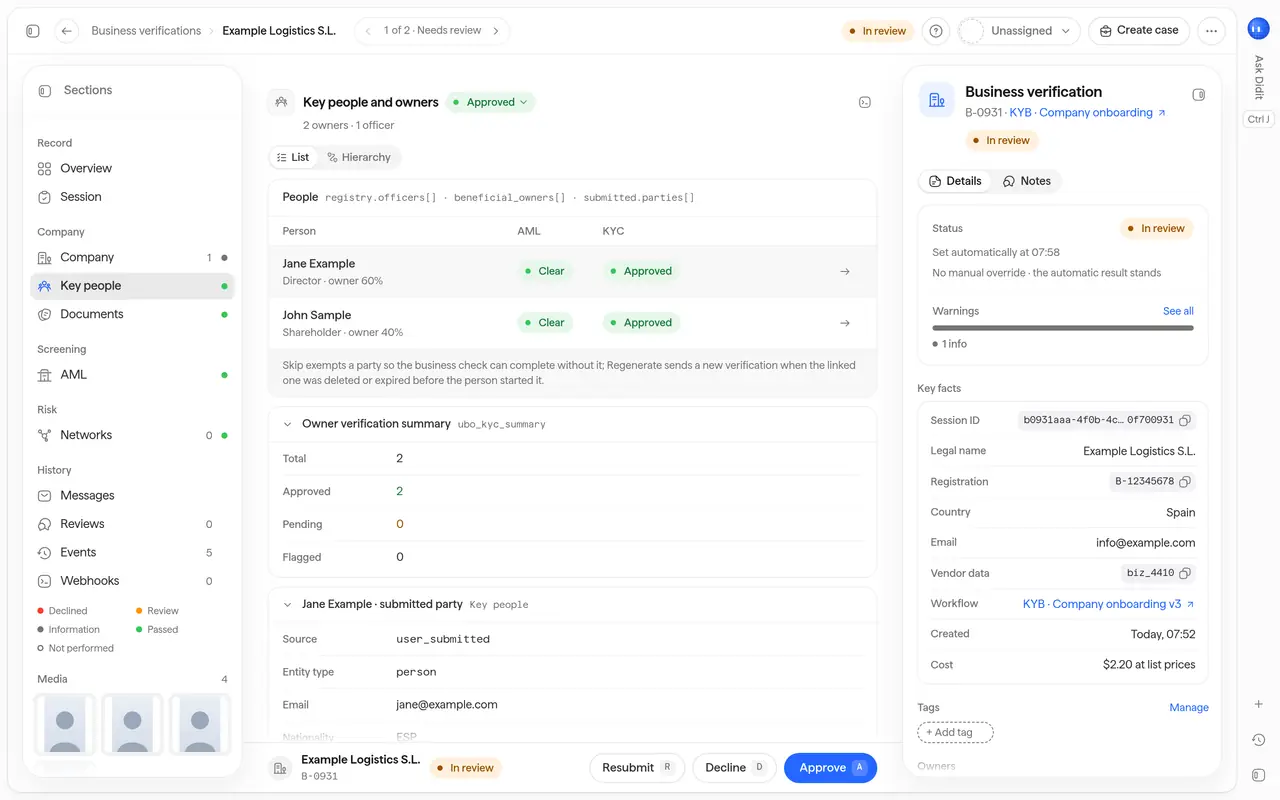
Both kinds share the envelope, so one endpoint is enough. A business session adds business_session_id and session_kind: "business". For the full discriminator, re-fetch the decision endpoint, whose response includes session_kind. When the Key People step submits the list of parties, Didit spawns child KYC and KYB sessions and moves the parent to Awaiting User. Each child reports its own status against its own session_id, and a resubmitted child sends the parent back to Awaiting User. Read the parent status alongside each child's own session_id and status rather than assuming one status covers the group.
For Resubmitted, reopen exactly those nodes and leave the rest of the row alone. The same node list is what the Update Session Status API writes as nodes_to_resubmit, for example { "node_id": "feature_poa_1", "feature": "POA" }. A reviewer or the API can also move an Approved, Declined, Resubmitted, Abandoned or Kyc Expired session by hand, which fires the same status.updated event and writes a review-trail entry with the actor and comment.
Inputs and outputs
| Field | Type | What to do with it |
|---|---|---|
event_id | uuid | Identifier for this delivery. Keep it in your logs so a repeated send is traceable. |
session_id | uuid | Unique key for your row. Also the key for re-fetching the decision. |
status | exact string | Drives your internal state via the switch. Case-sensitive. |
webhook_type | string | status.updated or data.updated. Branch before the status. |
created_at, timestamp | unix seconds | When the delivery was made. Keep both for your audit trail. |
vendor_data | string | Your stable identifier for the person or business. Store it, it survives the session. |
session_kind | string | Business payloads carry business. For the full discriminator, re-fetch the decision endpoint. |
business_session_id | uuid | KYB only. Additional identifier carried on business payloads. |
decision | object | Present on Approved, Declined, In Review and Abandoned only. |
environment, sandbox_scenario | string | The scenario slug is null on live sessions, so environment is how you tell test events from live ones. |
application_id, workflow_id, workflow_version | uuid, int | Useful when you change a workflow and need to explain an old result. |
What a month of sessions costs
Only the checks are billed. Here is a month with arithmetic you can check, counting each KYB retrieval at the $2.00 starting rate: 2,000 full KYC checks at $0.33 = $660.00. Of those, 120 also run AML screening at $0.20 = $24.00. Forty KYB sessions at $2.00 = $80.00, plus company AML at $0.20 = $8.00, plus two officers per company screened at $0.20 each, so 80 times $0.20 = $16.00, plus 80 linked KYC checks for those officers at $0.33 = $26.40. Total: 660.00 + 24.00 + 80.00 + 8.00 + 16.00 + 26.40 = $814.40. Registry retrieval is priced by country and data tier, so treat the $80.00 as a floor, not a quote.
On the Scale plan every Didit price carries 10%, so those 2,000 KYC checks would be 2,000 times $0.297 = $594.00, AML would be 120 times $0.18 = $21.60, and the linked KYC checks 80 times $0.297 = $23.76. Registry retrieval for the KYB sessions is priced by country and data tier, so read that line from the price feed before you quote it.

Paid steps and where review stops and starts
ID document verification costs $0.15, passive liveness $0.10, face match 1:1 $0.05 and device and IP analysis $0.03, which is the $0.33 full check. AML screening is $0.20 per check and ongoing AML monitoring is $0.07 per person a year. Business verification starts at $2.00 per company, company AML is $0.20, person AML for each UBO or officer is $0.20, and each linked KYC is the standard $0.33.
Nothing in the published price book bills a Console review as a separate item, so the cost of an In Review session is your reviewer's time plus the checks already run. The boundary is clean: automated checks produce Approved, Declined or In Review, and a person decides In Review in the Console or through PATCH /v3/session/{session_id}/update-status/. That decision fires the webhook you are mapping.
Calling the update endpoint with Approved on an already approved session returns 200 without a second status event, which is safe to retry. Asking for Resubmitted on a session that is already resubmitted returns a 400 instead, so treat that error as a no-op rather than an incident.
Sources
- Didit docs: Verification Statuses, Session Lifecycle and Codes
- Didit docs: Webhooks, signatures and event types
- Didit docs: Data Models and warning objects
- Didit docs: Retrieve Session API
- Didit docs: Update Session Status API
- Didit docs: Create Session API
- Didit docs: Pricing and billing rules
- Didit pricing page
- Didit Business Verification
- Didit Free KYC
- Didit MCP server
Next step: create a free sandbox account at https://business.didit.me/, fire a test webhook, and run your switch against all ten strings before you point a live destination at it. No sales call.
Try it
Try this in the sandbox
Run the check this guide describes, free.
The product this post is about, taken from its topic. Run it free in the sandbox.
Author
Alberto Rosas
Co-founder and CEO

Keep reading
Other guides in the same topic.
 Add a Missing Counterparty VASP to Your Travel Rule Directory
POST /v3/travel-rule/vasps/ with name and email adds the counterparty privately and returns its id. Use it as the beneficiary VASP on a transfer.
Alberto RosasNov 26, 2026 Why KYB Sessions Merge Into One Didit Business Record
Didit assembles one Business from every KYB session that carries the same vendor identifier string. That string is free-form, not a UUID, and may be null when the originating session did not supply one.
Alberto RosasNov 26, 2026 Didit Refresh Token Reuse, Revocation and JWKS Kid Rotation
Reusing a refresh token revokes the whole Didit session, so the next access token fails GET /session/. A successful refresh returns a new refresh token while the session remains subject to the documented session checks.
Alberto RosasNov 26, 2026Questions
Frequently asked questions
What are the Didit webhook status values?
The exact strings are Not Started, In Progress, Approved, Declined, In Review, Awaiting User, Resubmitted, Expired, Abandoned and Kyc Expired. They are case-sensitive and include spaces, so match them with strict equality.
Is the Didit status Kyc Expired case sensitive?
Yes. The value is Kyc Expired with a single capital K, not KYC Expired. A comparison against the uppercase form silently falls through to your default branch and the expired document never reaches the right queue.
What is the difference between Expired and Abandoned in Didit?
Expired means the session timed out before the user opened the link and no decision object is sent. Abandoned means the user opened the link, started the flow and did not finish in time, and that event does include a decision object.
Why does my Didit webhook have no decision object?
The decision object is only included on Approved, Declined, In Review and Abandoned. For any other status, call GET /v3/session/{session_id}/decision/ if you need the current data, and never overwrite a stored decision with null.
How do I map Didit statuses to my database?
Use one exhaustive switch on the exact string: Approved to verified, Declined to rejected with its warnings logged, In Review to pending_review, Resubmitted to pending_resubmit with the listed nodes reopened, Awaiting User to a waiting KYB parent, and Expired and Kyc Expired to expired. Log any unmatched string instead of guessing a state.
What does Awaiting User mean in a Didit KYB webhook?
It means the KYB parent session submitted its Key People list, spawned child KYC or KYB sessions, and is waiting for those parties to finish. A resubmitted child sends the parent back to Awaiting User, so keep the parent and child session ids linked in your table.
How should I handle a Resubmitted webhook?
Reopen only the steps listed in the resubmission detail, which uses the same node list as nodes_to_resubmit in the Update Session Status API. Do not reset the whole verification, and keep the earlier results readable, since the decision endpoint returns them with include=resubmissions.
What is the difference between status.updated and data.updated?
status.updated fires when a session or business session changes status. data.updated fires when verification data was edited and the status may not have changed. Subscribe to both only if your database stores per-feature results that can be edited after a decision.
Should I trust the webhook payload or call the decision endpoint?
Trust the payload when it verified against X-Signature-V2 or X-Signature. If you can only verify the deprecated X-Signature-Simple, it authenticates the envelope and not the decision body, so re-fetch the decision from GET /v3/session/{session_id}/decision/ before acting.
Does a manual review in the Didit Console cost extra?
No separate review line appears in the published price book for a Console review. The charges are the checks the workflow ran, such as the $0.33 full KYC or the KYB registry retrieval priced by country and tier, plus your reviewer's time.
How do I test a Declined webhook in the Didit sandbox?
Create the session in a sandbox application with a scenario slug from the sandbox catalog, or arm a scenario on a session that is still Not Started. The resulting webhook carries the scenario in sandbox_scenario and environment is sandbox, so you can assert your Declined branch without touching live data.
Compliance built in
Audited, certified and attested.
We hold the certifications and build each country's rules into your flows, so you can launch anywhere without worrying. Security and Compliance center
- Regulation encoded into your flows
Tell us what you do and where. Didit lists the rules that apply to you, with sources, and builds the checks each country needs into one workflow.
- Ready for AMLR
Every requirement of the new EU anti-money laundering rules, from checking customers to human review, is already covered by a Didit check.
- Tested in Spain's Treasury sandbox
Spain's Treasury published its supervised sandbox report on Didit's NFC plus active liveness onboarding; SEPBLAC took part and valued the added measures positively.
- Audited, not self-declared
iBeta Level 1 and Level 2. Liveness tested under ISO/IEC 30107-3.
Your obligations · 3 regions
 SOC 2 Type 2
 ISO 27001
 iBeta Level 1 and Level 2
 EU regulator attestation
 FSM youth protection
 GDPR
 EBA remote onboarding
 MiCA compatible
 FIDO Alliance member
- AMLREU AML Regulation ready
Integration · Didit MCP
Run Didit from your own AI agent
Connect Didit to Claude, Cursor, VS Code or ChatGPT and just ask in plain words. Your agent can do anything you can do in the console, with the same permissions you have.
 Add to Claude
 ChatGPT
 Cursor
- Build workflowsDescribe the checks you need. The agent creates and publishes the flow.
- Run investigationsAsk why a session was declined, review cases, search people and companies.
- Change rulesCreate payment rules, test them on past data and switch them on.
- Pull reportsAsk for numbers, exports or the audit log.
Didit Academy


