How to Link Didit Verification Sessions to User IDs with Vendor Data
Pass your internal user id as vendor data on the create session call, store the returned session ID with that user, and filter the list endpoint by vendor data to reconcile. Linking costs nothing.
 Alberto RosasCo-founder and CEO
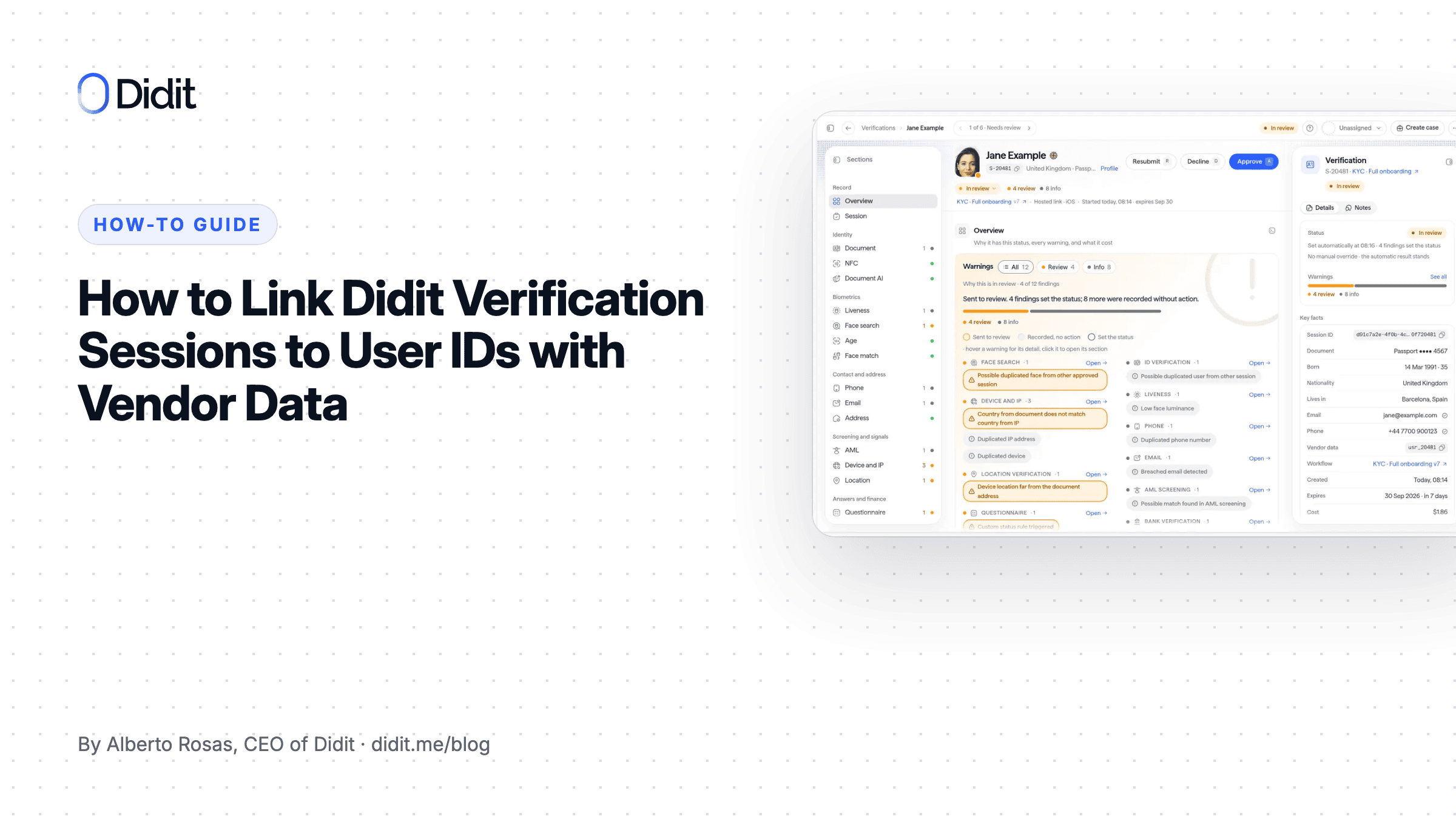
Contents
In this guide
Jump to the part you need.
This guide is for teams that already run Didit checks and need every completed verification to land on the right account in their own database. Set vendor_data to the signed-in user id on POST /v3/session/ and store the returned session_id next to that user. Setting vendor_data has no separate charge, while each completed verification check is billed at its published price, and a full KYC check is $0.33. The caveat: vendor_data is a label, not authentication, and repeating the same value returns the existing session linked to that reference.
Last updated: November 26, 2026. Prices checked against the live Didit price feed on November 26, 2026.
| What | Where it is set | Why it matters |
|---|---|---|
vendor_data | Request body of POST /v3/session/ | Your stable person or business reference, used for duplicate detection across sessions |
session_id | Create response | Key for the decision, webhooks, PDF reports and console lookup |
url | Create response | Hosted flow the user completes. The create response returns it as url; later session responses expose the same hosted URL as session_url |
| Status | Webhook status.updated or the decision endpoint | Approved, Declined, In Review, In Progress and the rest |
Start free in the sandbox at business.didit.me, no sales call. If you want an AI assistant to drive the integration, connect Didit through the MCP server at didit.me/developers/mcp. The Sessions API overview documents the endpoint, every module price is on the pricing page, and the billing rules are in the docs pricing page.
What vendor_data does, and what it does not do
A Didit session is one verification record. When it finishes, the session carries the full decision: ID checks, liveness, face match, NFC, proof of address, AML, and for business sessions the registry check and the key people. The vendor_data string you send at creation comes back on the create response, on GET /v3/session/{session_id}/decision/, in every session webhook, and it is one of the fields the Business Console session list searches. When you repeat the same vendor_data, Didit returns the existing session linked to that stable person reference. That is the whole mechanism. Nothing else is needed to bind a session to your user.
Our docs describe vendor_data as optional and strongly recommended: it binds the session to a User or Business entity and it is used for duplicate detection across sessions. Read that as the definition. vendor_data is your stable person reference, and the session is the record attached to it.
Three things are worth knowing before you write code:
- It is a label, not a credential. Anyone holding your API key can set any value, so keep it out of user-facing URLs and never put a secret in it.
- Repeating the same
vendor_datareturns the session already linked to that person. One stable reference maps to one session record. - It does not change the outcome. Data you want scored against the document goes in
expected_details, which surfaces as decision warnings.vendor_dataonly links records.
Prerequisites
- An API key from the Console under Settings, then API and Webhooks. Reads need the
read:sessionsprivilege, otherwise the decision and list endpoints return 403. - A workflow UUID from the Console. A KYC workflow creates a User Verification session and a KYB workflow creates a Business Verification session. There is no separate KYB endpoint.
- An internal user id that survives email changes, phone changes and re-registration.
- A column or document field to hold
session_idnext to that user id. - Optionally a webhook destination and its secret, so results arrive without polling.
Link a verification session to a user id, step by step
Step 1: Pick an identifier that never changes
Use the primary key of your users table, for example user-42. Do not use email, phone, username or a display name. A person can change an email and keep the account, and when the reference changes the earlier sessions stop matching the newer ones, so duplicate detection starts comparing the wrong pairs.
Organizations running more than one account base under one application, for example consumer accounts and business accounts, can separate duplicate detection with multi_account_segment at creation. Duplicate face checks only compare a session against other sessions carrying the same segment. Blocklist and allowlist matching ignore the field, so a blocklisted face stays blocklisted in every segment.
Step 2: Create the session with vendor_data set
This is the documented create call with the minimum you need for linking:
curl -X POST https://verification.didit.me/v3/session/ \
  -H "Content-Type: application/json" \
  -H "x-api-key: YOUR_API_KEY" \
  -d '{
    "workflow_id": "11111111-2222-3333-4444-555555555555",
    "callback": "https://yourapp.com/verification-complete",
    "vendor_data": "user-123"
  }'
The same call serves KYC and KYB. The workflow type decides the session kind, so a KYB workflow id creates a business session and the same vendor_data field carries the business entity id.
Step 3: Store the session_id against the user
The response returns session_id, session_number, session_token, url, status and the vendor_data you sent. As implementation advice, record session_id with the user id when you start the flow rather than waiting for the result. If the person abandons the tab you still hold the reference, and a later reconciliation can ask us about that session.
Do not store only the hosted URL. The URL is the entry point for the user, and session_id is the key to the decision.
Step 4: Send the user to the hosted flow
Redirect to url. When the flow ends, Didit appends verificationSessionId and status to your callback. If the application has allowed domains configured, an http or https callback must sit on one of those origins or creation fails with 400. Custom schemes such as myapp:// are always accepted, which is the practical route for a native app.

vendor_data.Step 5: Match the webhook on vendor_data
Subscribe the destination to status.updated. There is no wildcard, so list every event family you want. Each session event carries both session_id and vendor_data, so you can route on your own id directly:
{
  "event_id": "uuid",
  "session_id": "uuid",
  "status": "Approved",
  "webhook_type": "status.updated",
  "vendor_data": "user-123",
  "metadata": { "plan": "premium" },
  "decision": { ... }
}
Verify the signature before parsing. Use X-Signature-V2, check that X-Timestamp is within 300 seconds, and return 2xx quickly. The decision object mirrors the decision endpoint, and it is only present for the terminal and review statuses, so re-fetch when you need the full payload.
Step 6: Reconcile verification records to your internal user ids
The vendor_data filter is an exact string match on the list endpoint:
curl -G https://verification.didit.me/v3/sessions/ \
  -H "x-api-key: YOUR_API_KEY" \
  --data-urlencode "vendor_data=user-42"
The default kind is user, so pass session_kind=all when you need to search both KYC and business sessions in one call. Each row is a light projection: session_id, session_kind, session_number, status, vendor_data and created_at, plus name and contact data for user sessions or company name and registration number for business sessions. Call the decision endpoint when you need the full payload.
This is your recovery path when a webhook is lost or an old record needs re-checking. Bound the window with date_from and date_to, and filter by status to find everything still open. Because the vendor_data filter is an exact string match, store vendor_data as text on your side. An id of 0042 and an id of 42 are different values to the filter.
Step 7: Read the decision
curl https://verification.didit.me/v3/session/<SESSION_ID>/decision/ \
  -H "x-api-key: <API_KEY>"
Branch on session_kind. User sessions carry id_verifications, liveness_checks, face_matches, nfc_verifications, poa_verifications and database_validations. Business sessions carry registry_checks, document_verifications and key_people_checks. Both kinds carry aml_screenings, phone, email, questionnaires and ip_analyses. Feature arrays are always plural arrays, and a feature that did not run is absent or null, never a placeholder.
Expected output
The create call returns 201. The docs example continues with metadata, workflow and timestamps; the linked fields look like this:
{
  "session_id": "11111111-2222-3333-4444-555555555555",
  "session_number": 43762,
  "session_token": "3FaJ9wLqX2Mz",
  "url": "https://verify.didit.me/session/3FaJ9wLqX2Mz",
  "vendor_data": "user-123",
  "status": "Not Started"
}
vendor_data comes back exactly as you sent it: a string. If you sent user-123, do not expect a number back, and do not let your storage layer coerce it. When the reference already exists, the response describes the session already linked to it.

Inputs and outputs
| Direction | Field | Type | Notes |
|---|---|---|---|
| Input | vendor_data | string | Your stable person or business reference. Echoed on responses and webhooks, searchable in the console |
| Input | workflow_id | UUID | Workflow type decides KYC or KYB session kind |
| Input | metadata | object | Free-form JSON echoed back. Not shown to the user |
| Input | callback | URL | Didit appends verificationSessionId and status |
| Input | multi_account_segment | string, max 64 | Separates duplicate-detection realms inside your organization |
| Output | session_id | UUID | Store this next to the user. Key for decision, PDF, share and console |
| Output | session_kind | string | user or business. Branch on it |
| Output | status | string | Not Started, In Progress, Approved, Declined, In Review, Abandoned, Expired, Kyc Expired, Resubmitted, Awaiting User |
| Output | vendor_data | string | Returned unchanged on create, decision, list rows and webhooks |
Failure cases and recovery
| Symptom | Cause | Recovery |
|---|---|---|
| 401 invalid API key | Key missing or wrong environment | Copy the live or sandbox key from Settings, then API and Webhooks |
| 403 You do not have permission to perform this action | Key lacks read:sessions | Use a key with the read privilege on list and decision calls |
| 404 Not found on the decision endpoint | Session id does not exist in either kind table, or belongs to another application | Confirm you are using the key of the application that created the session, and the id you stored |
| 400 callback must be on one of the application allowed domains | http or https callback is not on an allowed origin | Add the origin, or use a custom URL scheme for app deep links |
400 on session_expiration_time | Value outside 3600 to 2419200 seconds, or not a whole number | Send a whole number inside the range, or omit the field |
Webhook arrives with vendor_data null | The session was created without the field | Create future sessions with it. No documented endpoint edits vendor_data after creation, so treat old sessions as detached |
| One person flagged as a duplicate against their own second account | Two legitimate accounts sharing one duplicate-detection realm | Create the sessions with different multi_account_segment values per account base |
| Reconciliation misses sessions | Kind filter defaulted to user, or the stored value lost leading zeros | Add session_kind=all and keep vendor_data as text |
One correction path is missing on purpose: there is no documented call that rewrites vendor_data on an existing session. The create call sets it and everything downstream echoes it. If a session was linked to the wrong person, create a session with the correct reference, keep the old one on file for the audit trail, and correct the mapping in your own system.
Business sessions use the same field
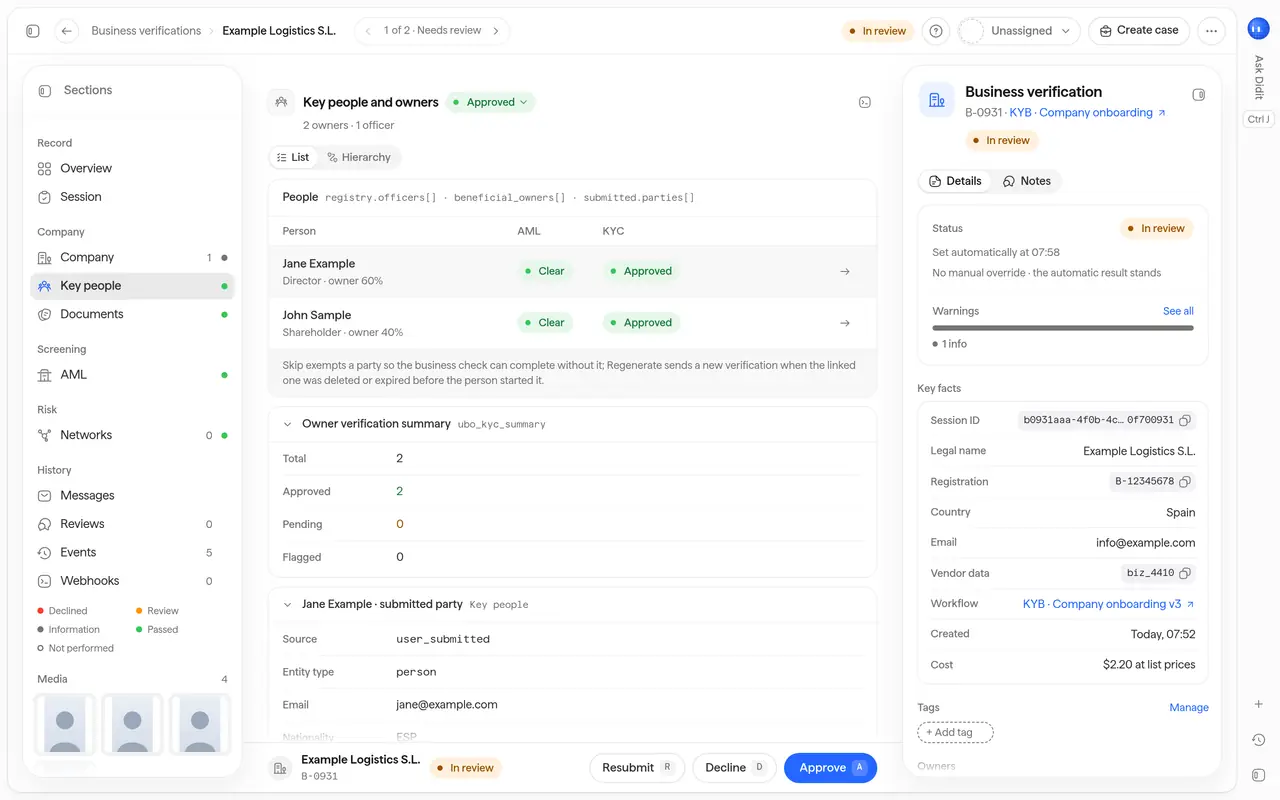
For KYB, pass the business entity id as vendor_data with a KYB workflow id. The session comes back with session_kind set to business, and list rows include company_name and registration_number next to your reference. Owners and officers are verified inside the same session through linked KYC checks, and the key_people_checks array summarises them.
Decide early whether a company and its owners share a reference. Our recommendation is one reference per company, with the key people graph carrying the individuals. That keeps the business record as the anchor and the owner KYC checks attached to it, which is also how the console presents them.
Paid steps and review boundaries
Setting vendor_data costs nothing, and creating a session costs nothing. Billing is per completed check, paid from prepaid credit. Published list prices that a linked flow usually touches:
- Full KYC check $0.33: ID document verification $0.15, passive liveness $0.10, face match 1:1 $0.05, device and IP analysis $0.03.
- AML screening $0.20 per check. Ongoing AML monitoring $0.07 per person per year.
- Biometric authentication $0.10. Face search 1:N $0.05 per search. Proof of address $0.20.
- Business verification from $2.00 per company, priced by country and data tier, plus person AML $0.20 per owner or officer and a linked full ID check at $0.33.
The Free plan gives $10 of credit a month for organizations that sign up with a work email, phone codes excluded, and sandbox testing is free and unlimited. Growth is $99 a month with 4% off every Didit price, Scale is $299 a month with 10% off. Plan credit resets monthly and top-ups last 12 months.
The review boundary matters for reconciliation. A session can sit in In Review while a person looks at it, and the decision then carries reviews plus a decision_trace whose decided_by reads manual or investigator. status_override is set when a reviewer changed the status by hand. Linking a session to a user moves nothing: your records should treat the decision payload as the source of truth, not the mapping.
Worked cost example
Take a consumer application that verifies 8,000 new users a month with a full KYC check plus AML screening, and re-verifies 1,000 returning users with biometric authentication.
- 8,000 x $0.33 = $2,640.00 for KYC
- 8,000 x $0.20 = $1,600.00 for AML screening
- 1,000 x $0.10 = $100.00 for biometric authentication
- Total at list price: $2,640.00 + $1,600.00 + $100.00 = $4,340.00
- Linking: 9,000 sessions created with
vendor_data, $0.00
The same month on Scale with the 10% discount: 8,000 x $0.297 = $2,376.00, 8,000 x $0.18 = $1,440.00, 1,000 x $0.09 = $90.00. Total $2,376.00 + $1,440.00 + $90.00 = $3,906.00, which is $434.00 less than list.
A KYB case starts at $2.00 for registry retrieval, with the exact price varying by country and data tier, plus $0.20 person AML and a linked KYC check priced at $0.33.
Sources
- Create Session API reference, read November 26, 2026
- Sessions API overview, read November 26, 2026
- List Sessions API reference, read November 26, 2026
- Retrieve Session API reference, read November 26, 2026
- Vendor data linking page, read November 26, 2026
- API full flow integration guide, read November 26, 2026
- Webhooks reference, read November 26, 2026
- Verification statuses reference, read November 26, 2026
- Didit pricing page and the live price feed, read November 26, 2026
- Docs pricing and billing rules, read November 26, 2026
- Didit MCP server, read November 26, 2026
Next step: open a free organization at business.didit.me, create a workflow, and run one sandbox session with vendor_data set to a test user id. Sandbox testing is free and unlimited, there is no sales call, and you can confirm the full loop from create to webhook to list before you touch live credit.
Try it
Try this in the sandbox
Run the check this guide describes, free.
The product this post is about, taken from its topic. Run it free in the sandbox.
Author
Alberto Rosas
Co-founder and CEO

Keep reading
Other guides in the same topic.
 How to Configure Didit ID Verification Methods per Country
Turn on national ID lookup for a country by enabling it under the methods key of the ID Verification feature config, keyed by ISO 3166-1 alpha-3. Omit it and the country stays document capture only.
Alberto RosasNov 26, 2026 French National ID Card 2D-Doc Verification API (2026)
Didit decodes the ANTS 2D-Doc barcode on a French national ID card, verifies its signer certificate against the ANTS trust list and cross-checks visual zone and MRZ. ID Verification is $0.15 per check.
Alberto RosasNov 26, 2026 How to Add an Advanced (AES) E-Signature Step to a Didit KYC Workflow
Add the SIGNATURE step at AES level after an approved ID Verification step and a verified email or phone, create the session with your PDF, and download the PAdES-B-LT signed PDF plus the evidence PDF.
Alberto RosasNov 26, 2026Questions
Frequently asked questions
What is vendor_data in Didit?
vendor_data is the string you send on POST /v3/session/ to label a session with your own identifier for the person or business. Didit echoes it on the create response, the decision payload, list rows and webhooks, and it is used for duplicate detection across sessions. It is optional in the API but strongly recommended for any integration that has its own user table.
Should vendor_data be the user id or the email address?
For Didit's vendor_data, use the internal user id. Emails and phone numbers change, and when the reference changes the older sessions no longer match the person, so duplicate detection compares the wrong pairs. A primary key from your users table is stable for the life of the account.
Does a second create call with the same vendor_data return the same session?
Yes. When you repeat the same vendor_data, Didit returns the existing session linked to that stable person reference. Duplicate detection compares the request with that person's earlier records, and for biometric authentication workflows Didit reuses the face already stored for that reference, so you do not resend portrait_image.
How do I find every Didit session for one user?
Call GET /v3/sessions/ with vendor_data set to the user id and session_kind=all to include business sessions. The filter is an exact string match, and rows return session id, kind, number, status and creation time. Request the decision for any row when you need the full payload.
Can I change vendor_data after a session is created?
Didit documents no endpoint that edits vendor_data on an existing session. The create call sets it and every downstream record echoes it. If the value was wrong, create a session with the correct reference and keep the old session for the audit trail.
Does vendor_data affect the verification decision?
No. vendor_data links records and feeds duplicate detection, nothing else. Data you want cross-checked against the document goes in expected_details, where mismatches surface as decision warnings. Status changes come from the checks, the workflow rules and human review.
Does vendor_data work for KYB sessions?
Yes. Pass the business entity id as vendor_data with a KYB workflow id, and the session returns with session_kind set to business. Business list rows add company_name and registration_number next to your reference.
Is vendor_data the same as didit_internal_id?
No. vendor_data is your identifier. didit_internal_id is a separate list filter on GET /v3/sessions/ that matches vendor_user_id. Keep using vendor_data as the join key on your side.
What should I do when one person legitimately holds two accounts?
For one person with two legitimate accounts, create the sessions with different multi_account_segment values for each account base. Duplicate face checks only compare sessions carrying the same segment, so legitimate pairs stop being reported as duplicates. Blocklist and allowlist matching ignore the segment, so a blocked face stays blocked everywhere.
Can I put personal data in vendor_data?
For vendor_data, keep it pseudonymous. The value appears in API responses, in webhooks and in console session search, so an internal id is safer than an email or a document number. Anything an auditor needs about the person belongs in the decision payload, which Didit produces and retains.
How do I reconcile when a webhook never arrives?
When a Didit webhook never arrives, list the sessions for that reference with a date window and the statuses you care about, then read the decision for each row. Our webhook docs recommend subscribing with callback_method set to both when callbacks sometimes miss, and verifying X-Signature-V2 so you only act on genuine events. Didit serves 4,000+ companies, and reconciliation by reference is the same call at any volume.
Compliance built in
Audited, certified and attested.
We hold the certifications and build each country's rules into your flows, so you can launch anywhere without worrying. Security and Compliance center
- Regulation encoded into your flows
Tell us what you do and where. Didit lists the rules that apply to you, with sources, and builds the checks each country needs into one workflow.
- Ready for AMLR
Every requirement of the new EU anti-money laundering rules, from checking customers to human review, is already covered by a Didit check.
- Tested in Spain's Treasury sandbox
Spain's Treasury published its supervised sandbox report on Didit's NFC plus active liveness onboarding; SEPBLAC took part and valued the added measures positively.
- Audited, not self-declared
iBeta Level 1 and Level 2. Liveness tested under ISO/IEC 30107-3.
Your obligations · 3 regions
 SOC 2 Type 2
 ISO 27001
 iBeta Level 1 and Level 2
 EU regulator attestation
 FSM youth protection
 GDPR
 EBA remote onboarding
 MiCA compatible
 FIDO Alliance member
- AMLREU AML Regulation ready
Integration · Didit MCP
Run Didit from your own AI agent
Connect Didit to Claude, Cursor, VS Code or ChatGPT and just ask in plain words. Your agent can do anything you can do in the console, with the same permissions you have.
 Add to Claude
 ChatGPT
 Cursor
- Build workflowsDescribe the checks you need. The agent creates and publishes the flow.
- Run investigationsAsk why a session was declined, review cases, search people and companies.
- Change rulesCreate payment rules, test them on past data and switch them on.
- Pull reportsAsk for numbers, exports or the audit log.
Didit Academy