Screen a Crypto Wallet Before a Withdrawal (KYT API)
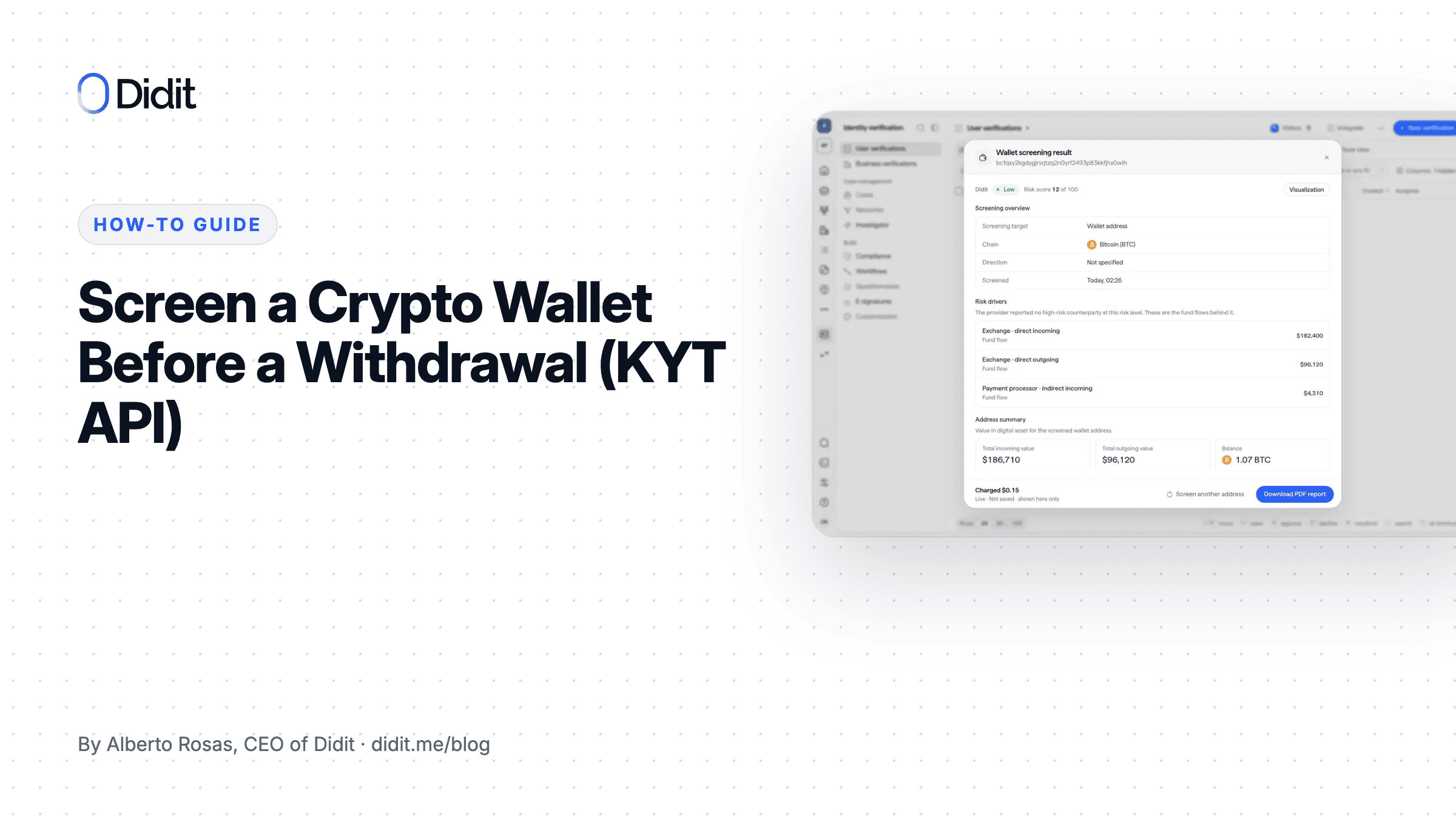
Submit an outbound crypto transaction with the destination wallet in the counterparty payment method and no payment reference. Didit returns a risk score, exposure and sanctions hits for $0.15 per screening.
 Alberto RosasCo-founder and CEO
Contents
In this guide
Jump to the part you need.
This walkthrough is for teams that send crypto out for customers and need an AML risk answer on the destination wallet before funds leave. The method is one Create Transaction call with an outbound direction, or the on-demand wallet screening endpoint when no transaction exists yet. Wallet screening is $0.15 per screening. The caveat matters: a created transaction is not proof that screening ran, so you must read the screening status before you release funds.
Last updated: November 26, 2026. Prices checked against the live Didit price feed on November 26, 2026.
Wallet Screening is a feature inside Transaction Monitoring, not a separate product. Both routes return the same result shape: a risk score, the exposure and funds-flow data behind it, and any sanctions hits. What changes is whether a transaction gets recorded, and therefore whether rules, alerts and webhooks fire on it.
| Item | Detail |
|---|---|
| Product | Wallet Screening (KYT), inside Transaction Monitoring |
| Endpoint with a transaction | POST https://verification.didit.me/v3/transactions/ |
| Endpoint with no transaction | POST https://verification.didit.me/v3/wallet-screening/ |
| Trigger | transaction_details.currency_kind set to crypto, plus Transaction Monitoring enabled in application settings |
| Direction | transaction_details.direction set to outbound |
| Destination wallet | The destination wallet in counterparty.payment_method.account_id |
| Payment reference | Omit transaction_details.payment_reference_id for pre-transfer wallet screening |
| Price | $0.15 per screening |
| Output | Risk score, exposure to risky sources, sanctions hits, plus the transaction status and score |
Start free in the sandbox at business.didit.me, no sales call. The wallet screening documentation is on-demand wallet screening, and the plan discounts sit next to the list prices on didit.me/pricing.
Prerequisites
- A Didit application and an API key. Authentication is the
x-api-keyheader, the same key you use for sessions. - Transaction Monitoring enabled for that application in your settings. If it is off, no crypto screening runs regardless of what you send.
- A screening provider route configured. Either use managed wallet screening, or bring your own screening provider and run it inside Didit through the console Marketplace.
- The destination wallet address and its network, for example an EVM address on Base or a Tron address.
- A transaction identifier generated on your side before you submit. Do not rely on an ID from Didit for idempotency.
- Optional but recommended: a webhook destination subscribed to
transaction.createdandtransaction.status.updated.
Steps to screen the destination wallet before an outbound withdrawal
- Confirm the trigger. Screening runs when
transaction_details.currency_kindiscryptoand Transaction Monitoring is enabled in your application settings. Both conditions are required. - Set the override deliberately.
include_crypto_screeningat the top level of the request takestrueto force screening,falseto skip it, and omitted ornullto use the application default. It overrides that default for the single transaction you are submitting and nothing else; the default itself lives in Transactions then Settings in the console. On a withdrawal, sendtrueif you cannot guarantee the default is on. - Set the direction.
transaction_details.directionisoutbound. The direction tells Didit which side of the transfer to screen. - Put the destination wallet in the counterparty payment method. The destination wallet goes in
counterparty.payment_method.account_id, andmethod_typeiscrypto_wallet. Useunhosted_walletonly on a Travel Rule transaction, where it declares the counterparty wallet as self-hosted. For outbound pre-transfer screening this is the field Didit reads. - Set the asset and the network as separate fields.
currencyis the token symbol,currency_kindiscrypto, andcrypto_params.crypto_chainis the network. Always sendcrypto_chainfor a token, including USDT and USDC. Never substituteETHfor the actual network, because the same address can have different activity and risk on each chain. - Omit the payment reference. Leave
transaction_details.payment_reference_idout. For pre-transfer screening Didit runs wallet screening on the wallet address. Only add a blockchain transaction hash when you screen after the transfer. - Send the request. The full pre-transfer outbound payload is below. It records a 1,500.00 USDT withdrawal to an external wallet on Ethereum, forces crypto screening, and carries no payment reference.
- Read the screening result, not only the status. Inspect
custom_values.aml_screening_statusand the provider result. A screening that could not run readsFAILED, the reason is incustom_values.aml_screening_error, and an otherwise approved transaction moves to review. - Release, hold or decline. Apply your thresholds and your own policy. Record the transaction identifier, the score and the reviewer decision next to the withdrawal.
curl -X POST https://verification.didit.me/v3/transactions/ \
  -H "x-api-key: YOUR_API_KEY" \
  -H "Content-Type: application/json" \
  -d '{
    "transaction_id": "wd-2026-11-26-0001",
    "transaction_at": "2026-11-26T10:00:00Z",
    "transaction_category": "finance",
    "include_crypto_screening": true,
    "transaction_details": {
      "direction": "outbound",
      "amount": "1500.00",
      "currency": "USDT",
      "currency_kind": "crypto",
      "action_type": "withdrawal",
      "crypto_params": { "crypto_chain": "ETH" }
    },
    "subject": {
      "entity_type": "person",
      "vendor_data": "user-42",
      "full_name": "Jane Doe",
      "country_code": "US"
    },
    "counterparty": {
      "entity_type": "person",
      "full_name": "Jane Doe",
      "payment_method": {
        "method_type": "crypto_wallet",
        "account_id": "0x94f1b9b64e2932f6a2db338f616844400cd58e8a"
      }
    }
  }'
Expected output
The response is a transaction record: the status, the score, one rule_runs entry per rule that evaluated the transaction, and both parties in a parties array with roles APPLICANT and COUNTERPARTY. The score is the sum of the score_delta of every matched rule. Status is APPROVED when no rule fired, and IN_REVIEW or DECLINED when one did.
The two rule names below are the ones our risk-scoring documentation uses in its worked example, so read the block as illustrative: your own rule set decides what fires and with which deltas. Here 30 + 35 = 65.
{
  "txn_id": "wd-2026-11-26-0001",
  "status": "IN_REVIEW",
  "score": 65,
  "rule_runs": [
    {
      "rule_title": "High-value outbound",
      "matched": true,
      "score_delta": 30,
      "severity": null,
      "status_target": null,
      "action_summary": "score +30"
    },
    {
      "rule_title": "High-risk jurisdiction counterparty",
      "matched": true,
      "score_delta": 35,
      "severity": "HIGH",
      "status_target": "IN_REVIEW",
      "action_summary": "score +35; add_tag:high_risk_country"
    }
  ]
}
The screening fields sit alongside those. custom_values.aml_screening_status tells you whether the wallet was actually screened, and custom_values.aml_screening_error explains a failure. The screening result itself has the same shape as an on-demand wallet screen: a screening_type of WALLET_SCREENING, an integer risk_score, and the exposure and sanctions data behind it. If you connected your own screening provider and it rejected or failed the call while Fall back to Didit is on, fallback_from_provider is set and fallback_reason says why.
Request fields
| Field | Where it goes | Required | Notes |
|---|---|---|---|
transaction_id | Top level | Yes | Unique per application. Generate it on your side. |
transaction_category | Top level | Yes | finance for a deposit, withdrawal or transfer. |
include_crypto_screening | Top level | No | true, false, or omitted for the application default. Affects this transaction only. |
direction | transaction_details | Yes | outbound for a withdrawal. |
amount | transaction_details | Yes | Decimal string, for example "1500.00". |
currency | transaction_details | Yes | Token symbol, for example USDT. |
currency_kind | transaction_details | Yes for crypto screening | crypto. Alias currencyType. |
crypto_params.crypto_chain | transaction_details | Yes for tokens | The network, for example ETH, TRX, BASE. |
action_type | transaction_details | No | Your label, for example withdrawal. |
payment_reference_id | transaction_details | Omit | Only for post-transfer screening, where it holds the transaction hash. |
entity_type | subject | Yes | person or company. |
vendor_data | subject | No | Links the transaction to an existing user profile for velocity checks. |
method_type | counterparty.payment_method | Yes with a wallet | crypto_wallet, or unhosted_wallet only on a Travel Rule transaction, to declare the counterparty wallet self-hosted. |
account_id | counterparty.payment_method | Yes for outbound pre-transfer | The destination wallet address. |
Response fields to read
| Field | What it tells you |
|---|---|
status | APPROVED, IN_REVIEW or DECLINED. |
score | Integer, the sum of the score deltas of every matched rule. |
rule_runs | One entry per rule that evaluated the transaction, with score_delta and status_target. |
parties | The subject as APPLICANT and the other side as COUNTERPARTY. |
custom_values.aml_screening_status | Whether the wallet or hash was screened. FAILED when it was not. |
custom_values.aml_screening_error | Why a screening failed. |
risk_score | The screening result's own risk score, with the exposure and sanctions data behind it. |
fallback_from_provider | Set when your connected provider failed and screening reran on Didit's managed screening. |
When the withdrawal address is saved before any transaction exists
A common case is a customer adding a withdrawal address to their address book days before the first payout. There is no transaction to record yet, so use the on-demand wallet screening endpoint instead. If no transaction should be recorded at all, this is the correct route: it returns the same risk result and writes nothing to the transactions table, which also means no rules, alerts or webhooks fire on it.
curl -X POST https://verification.didit.me/v3/wallet-screening/ \
  -H "x-api-key: YOUR_API_KEY" \
  -H "Content-Type: application/json" \
  -d '{
    "wallet_address": "0x94f1b9b64e2932f6a2db338f616844400cd58e8a",
    "blockchain": "ETH"
  }'
Two field rules matter here. wallet_address must match the chosen network. blockchain is optional, but a 0x address is valid on every EVM network, so omitting it answers 422 with candidate_chains and nothing is screened or billed. Send the network and the request returns the screening result in one call. This endpoint needs a configured provider: with none, it answers 409 Conflict. Read the on-demand wallet screening docs for the full response.

Failure cases and recovery
| Symptom | Cause | Recovery |
|---|---|---|
| Request rejected because a wallet is missing for the direction | An outbound pre-transfer request without the destination wallet in counterparty.payment_method.account_id | The Create Transaction API rejects it. Add the destination wallet in counterparty.payment_method.account_id, correct the field and resubmit, following your idempotency handling. |
400 with "A transaction with this transaction_id already exists." | Duplicate transaction_id | Do not resubmit. Read the existing record with GET /v3/transactions/{uuid}/. |
409 on a duplicate | Two identical requests raced each other | Same as above. Look the transaction up rather than retrying. |
409 Conflict on the on-demand endpoint | No screening provider configured for the application | Set the provider route in Transactions then Settings, Provider Preferences. |
422 with candidate_chains | A 0x address sent without a network | Nothing was screened or billed. Resend with blockchain set. |
400 for an unsupported chain under managed screening | The chain is only covered when you connect your own provider account | Connect your own screening provider and run it inside Didit, or move the withdrawal to a covered network. |
aml_screening_status is FAILED | The hash was found on no network, or the networks could not be checked at that moment | The screening is not charged. The transaction moves to review. Hold the withdrawal and screen again. |
fallback_from_provider is set | Your connected provider rejected or failed the call | Read fallback_reason, for example an account call limit, and raise the limit with your provider. |
400 for LIGHTNING | Lightning is only available with a connected provider that supports it | Not screened and not billed. Connect a supported provider or hold the transfer. |
Paid steps and review boundaries
Wallet screening is $0.15 per screening. Transaction monitoring is $0.001 per transaction beyond your plan's monthly allowance, which is 1,000 on Free, 10,000 on Growth and 100,000 on Scale. If the same flow also onboards the customer, a full KYC at $0.33, AML screening at $0.20 and wallet screening at $0.15 add up to $0.68 of checks. A screening that could not run is not charged, which is why you inspect the status instead of assuming a 200 response means a clean wallet.
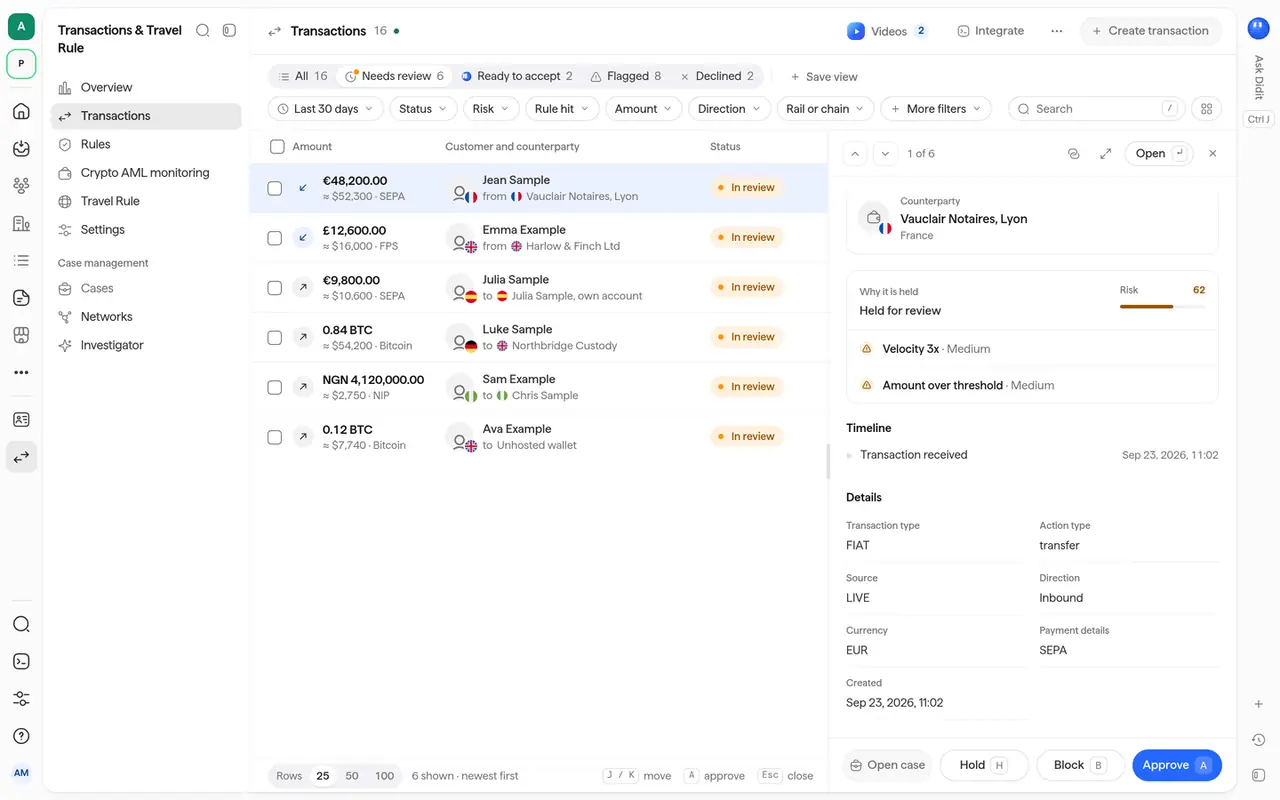
The boundary on review is human. Didit returns a risk score, a transaction score, matched rules and a status. The default review threshold is 75 and the default decline threshold is 500, and 500 is the maximum, so by default no transaction is ever declined on score alone. Rules can override that with a status action. Your team owns the release decision, and your system must not broadcast the withdrawal until the transaction is approved or a reviewer clears it.
Worked cost example
Take 25,000 outbound crypto withdrawals a month, each screened once before release. All prices below are list prices from the live feed.
- Wallet screening: 25,000 multiplied by $0.15 = $3,750.00.
- Transaction monitoring on Free: 25,000 minus 1,000 included = 24,000 billable, multiplied by $0.001 = $24.00.
- Free total usage: $3,750.00 plus $24.00 = $3,774.00, paid from the $10 monthly credit (available to eligible Free-plan organizations that sign up with an eligible work email for a company domain) and then from top-ups.
- Growth, 4% off every Didit price: wallet screening at $0.144 multiplied by 25,000 = $3,600.00. Monitoring: 25,000 minus 10,000 included = 15,000 multiplied by $0.001 = $15.00. Usage total $3,615.00, plus the $99 monthly plan fee.
- Scale, 10% off every Didit price: wallet screening at $0.135 multiplied by 25,000 = $3,375.00. Monitoring: all 25,000 fall inside the 100,000 allowance, so $0.00. Usage total $3,375.00, plus the $299 monthly plan fee.
You can check these numbers against the estimator on didit.me/pricing and the billing rules in the pricing docs.
Sources
- Didit docs: Crypto wallet and address screening API (KYT)
- Didit docs: On-demand wallet screening API
- Didit docs: Submit Transactions API payload and data model
- Didit docs: Transaction monitoring integration guide
- Didit docs: Transaction risk scoring and thresholds
- Didit docs: Transaction monitoring quickstart
- Didit docs: Pricing and billing
- Didit pricing page, read November 26, 2026
- FATF, virtual asset and travel rule guidance, read November 26, 2026
Next step: open the Didit sandbox, create an application, enable Transaction Monitoring, and submit the payload above with a test wallet. No sales call is needed, and the sandbox is free to test in.
Try it
Try this in the sandbox
Run the check this guide describes, free.
The product this post is about, taken from its topic. Run it free in the sandbox.
Author
Alberto Rosas
Co-founder and CEO

Keep reading
Other guides in the same topic.
 Travel Rule networks compared 2026: GTR, TRP, TRUST, VerifyVASP, Sygna
Connect the network your counterparties answer on. TRUST is send-only, so a transfer expires unless a readable rail sits underneath it. Didit routes seven rails in priority order at $0.02 per outbound exchange, and Notabene.
Alberto RosasNov 26, 2026 Migrate KYC Sessions From Sumsub to Didit: 2026 Guide
Didit imports completed Sumsub KYC records with POST /v3/session/imports/ and import_type=user_verification, keeping applicant id, status, document fields, images, rejection labels, tags and raw provider metadata.
Alberto RosasNov 26, 2026 Send OTP via WhatsApp With Automatic SMS Fallback
Didit sends OTPs via WhatsApp by default and falls back to SMS when WhatsApp is unavailable. The list price is $0.02 plus the carrier rate per code. Codes expire 5 minutes after the first send by default.
Alberto RosasNov 26, 2026Questions
Frequently asked questions
How much does it cost to screen a crypto wallet address before a withdrawal?
Wallet screening is $0.15 per screening at list price, and $0.144 on Growth or $0.135 on Scale. The transaction itself costs $0.001 beyond your plan's included transactions, which are 1,000 on Free, 10,000 on Growth and 100,000 on Scale. A screening that could not run is not charged.
Does Didit screen the wallet automatically when I create a crypto transaction?
Yes, when two conditions are met: transaction_details.currency_kind is crypto and Transaction Monitoring is enabled in your application settings. You can force or skip it for one transaction with the top-level include_crypto_screening field, where true forces, false skips and an omitted value uses the console default. That override applies only to the transaction you are submitting.
Where do I put the destination wallet address for an outbound withdrawal?
The destination wallet goes in counterparty.payment_method.account_id, with method_type set to crypto_wallet, or unhosted_wallet on a Travel Rule transaction where the counterparty wallet is declared self-hosted. Set transaction_details.direction to outbound, because the direction decides which side of the transfer is screened.
What happens if I leave out the destination wallet on an outbound request?
The Create Transaction API rejects a request that is missing the wallet the direction requires. Add the destination wallet in counterparty.payment_method.account_id, correct the field and resubmit, following your idempotency handling.
Should I send the blockchain transaction hash for pre-transfer screening?
No. For pre-transfer screening, omit transaction_details.payment_reference_id and Didit screens the relevant wallet address. Include the hash only for post-transfer screening, and for outbound transfers that hash is scoped to the same destination wallet in counterparty.payment_method.account_id.
Can I screen an address without creating a transaction?
Yes. POST https://verification.didit.me/v3/wallet-screening/ screens a single address and returns the same result shape, which is useful when a customer saves a withdrawal address before any payout exists. It writes nothing to the transactions table, so no rules, alerts or webhooks fire on it. It needs a configured provider, or it answers 409 Conflict.
Why did my screening come back as FAILED?
The usual cause is a transaction hash that was found on no supported network, or networks that could not be checked at that moment. The reason is written to custom_values.aml_screening_error, the screening is not charged, and an otherwise approved transaction moves to review. Hold the withdrawal and screen again rather than treating it as clean.
Which blockchains can Didit screen with managed screening?
Managed screening covers BTC, ETH, LTC, XRP, BCH, DOGE, TRX, SOL, MATIC, BNB, BASE, OP, ARB, AVAX, ADA, XLM and HBAR, and accepts common network names such as POLYGON for MATIC and BSC for BNB. Celo, Mode and Plume are screened only through a connected provider account. Lightning needs a connected provider that supports it, and managed screening rejects it.
Can I use my own blockchain analytics provider?
Yes. You can bring your own screening provider and run it inside Didit through the console Marketplace, and connected providers keep their own chain coverage. If that provider rejects or fails a call and Fall back to Didit is on, the response sets fallback_from_provider and explains the failure in fallback_reason.
Is a created transaction proof that the wallet was screened?
No. A created transaction is not proof of successful screening. Inspect custom_values.aml_screening_status and the provider result before you treat a wallet as screened, and check token coverage with the contract and network if you record a custom token symbol.
Who decides whether the withdrawal is blocked?
Your team does. Didit returns the risk score, the transaction score, the matched rules and a status. With the defaults, scores of 75 or more go to review and nothing is declined on score, because the default decline threshold of 500 is also the maximum. Rules can force DECLINED, IN_REVIEW or AWAITING_USER when you configure a status action.
Compliance built in
Audited, certified and attested.
We hold the certifications and build each country's rules into your flows, so you can launch anywhere without worrying. Security and Compliance center
- Regulation encoded into your flows
Tell us what you do and where. Didit lists the rules that apply to you, with sources, and builds the checks each country needs into one workflow.
- Ready for AMLR
Every requirement of the new EU anti-money laundering rules, from checking customers to human review, is already covered by a Didit check.
- Tested in Spain's Treasury sandbox
Spain's Treasury published its supervised sandbox report on Didit's NFC plus active liveness onboarding; SEPBLAC took part and valued the added measures positively.
- Audited, not self-declared
iBeta Level 1 and Level 2. Liveness tested under ISO/IEC 30107-3.
Your obligations · 3 regions
 SOC 2 Type 2
 ISO 27001
 iBeta Level 1 and Level 2
 EU regulator attestation
 FSM youth protection
 GDPR
 EBA remote onboarding
 MiCA compatible
 FIDO Alliance member
- AMLREU AML Regulation ready
Integration · Didit MCP
Run Didit from your own AI agent
Connect Didit to Claude, Cursor, VS Code or ChatGPT and just ask in plain words. Your agent can do anything you can do in the console, with the same permissions you have.
 Add to Claude
 ChatGPT
 Cursor
- Build workflowsDescribe the checks you need. The agent creates and publishes the flow.
- Run investigationsAsk why a session was declined, review cases, search people and companies.
- Change rulesCreate payment rules, test them on past data and switch them on.
- Pull reportsAsk for numbers, exports or the audit log.
Didit Academy