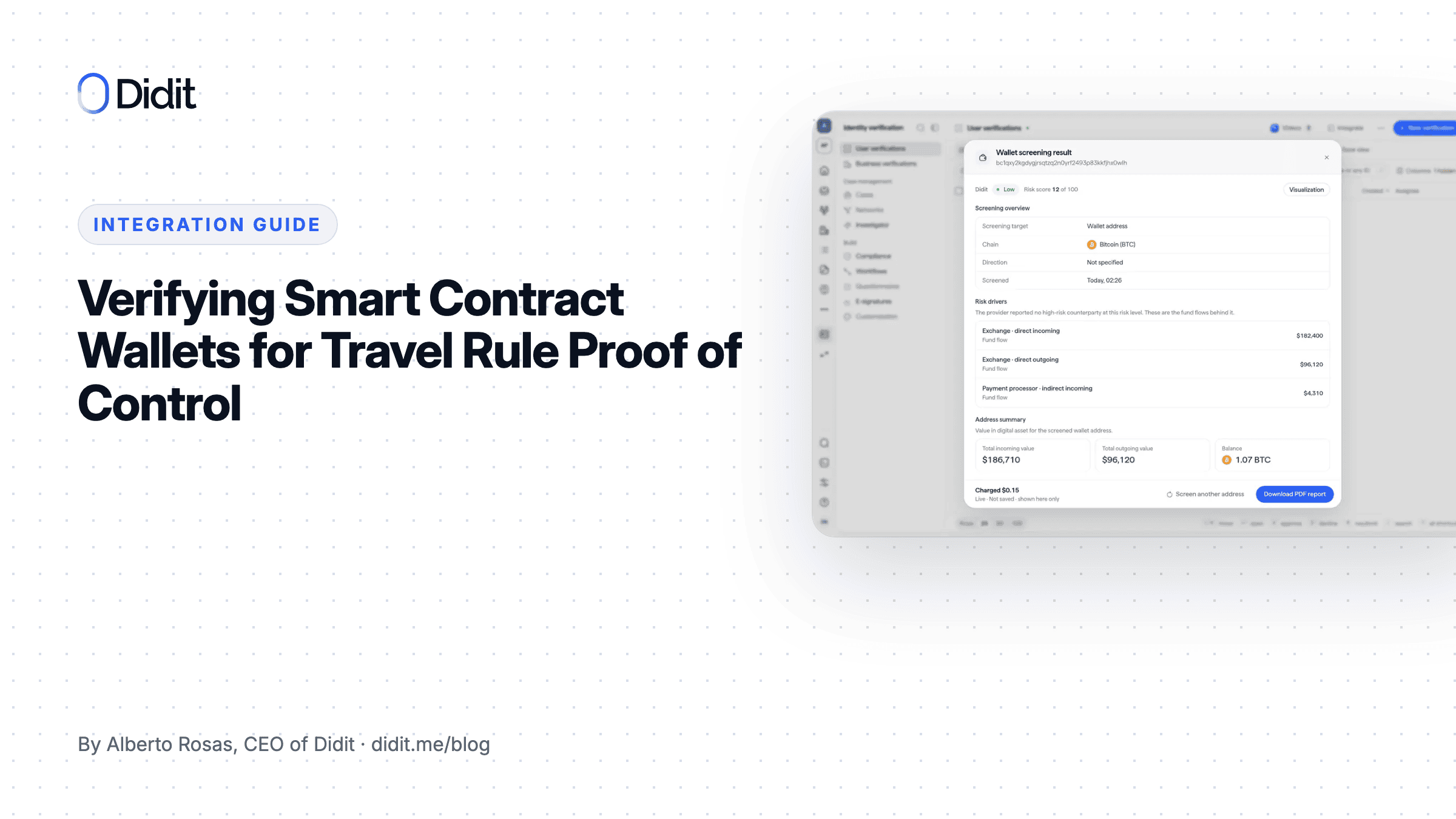
Verifying Smart Contract Wallets for Travel Rule Proof of Control
We prove control of ERC-4337 smart wallets by asking the account's contract on its declared chain (ERC-1271), and we check ERC-6492 for undeployed accounts without deploying or sending a transaction.
 Alberto RosasCo-founder and CEO
Contents
In this guide
Jump to the part you need.
This fits crypto VASPs and PSPs running Travel Rule exchanges that need proof of control for a self-hosted smart wallet. Address recovery alone does not validate a smart-contract account's authorization logic, because an ERC-4337 account has no key. We ask the account's contract, on its declared chain, whether the signature is valid (ERC-1271), and check ERC-6492 signatures for undeployed accounts without deploying them. The list price is $0.02 per outbound exchange. An unreachable chain never marks the proof verified.
Last updated: November 26, 2026. Prices checked against the live Didit price feed on November 26, 2026.
| Question | Answer |
|---|---|
| Who this fits | Crypto VASPs and PSPs that run FATF Travel Rule exchanges and must prove a customer controls a self-hosted wallet |
| Smart accounts covered | ERC-4337 accounts on EVM chains, deployed or not yet deployed |
| How a deployed account is checked | We ask the account's own contract, on the chain the wallet is declared on, whether the signature is valid (ERC-1271) |
| How an undeployed account is checked | The ERC-6492 signature the wallet returns is checked without deploying the account and without sending any transaction |
| Contract answers no | SIGNATURE_INVALID, and the proof stays open so the customer can sign again |
| Chain check unreachable | SIGNATURE_LOOKUP_FAILED, and the proof is not verified on that answer |
| Satoshi test with a bundler | The watcher checks the account itself as sender, also when an ERC-4337 bundler submits the transaction |
| Price | $0.02 per Travel Rule exchange, billed once per outbound exchange |
| Main caveat | A chain that cannot be reached returns a lookup failure. Verify again before you treat the wallet as proven |
Start free in the sandbox at business.didit.me (no sales call). For developers, connect Didit to an AI assistant through the documented MCP server. Read the Travel Rule product page and every price at didit.me/pricing.
Why an ERC-4337 wallet needs its own check
An externally owned account signs with a key, and any verifier can recover the address from the signature. A smart-contract account has no key of its own. The owner signs, a bundler submits, and the account's contract decides whether that signature is valid for the account. Recovering an address from the bytes proves nothing about the contract, so a proof-of-control flow built only on address recovery answers that a smart wallet's signature is invalid, and the customer cannot finish the withdrawal.
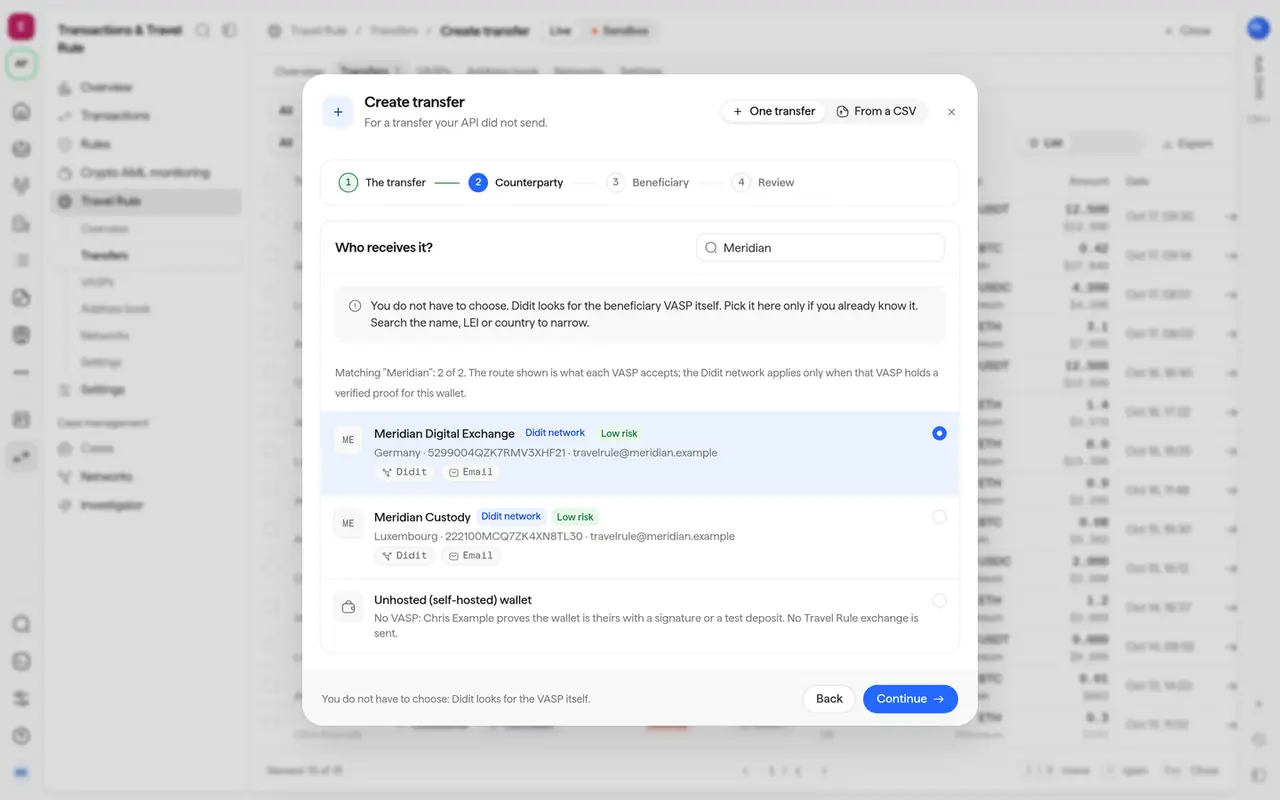
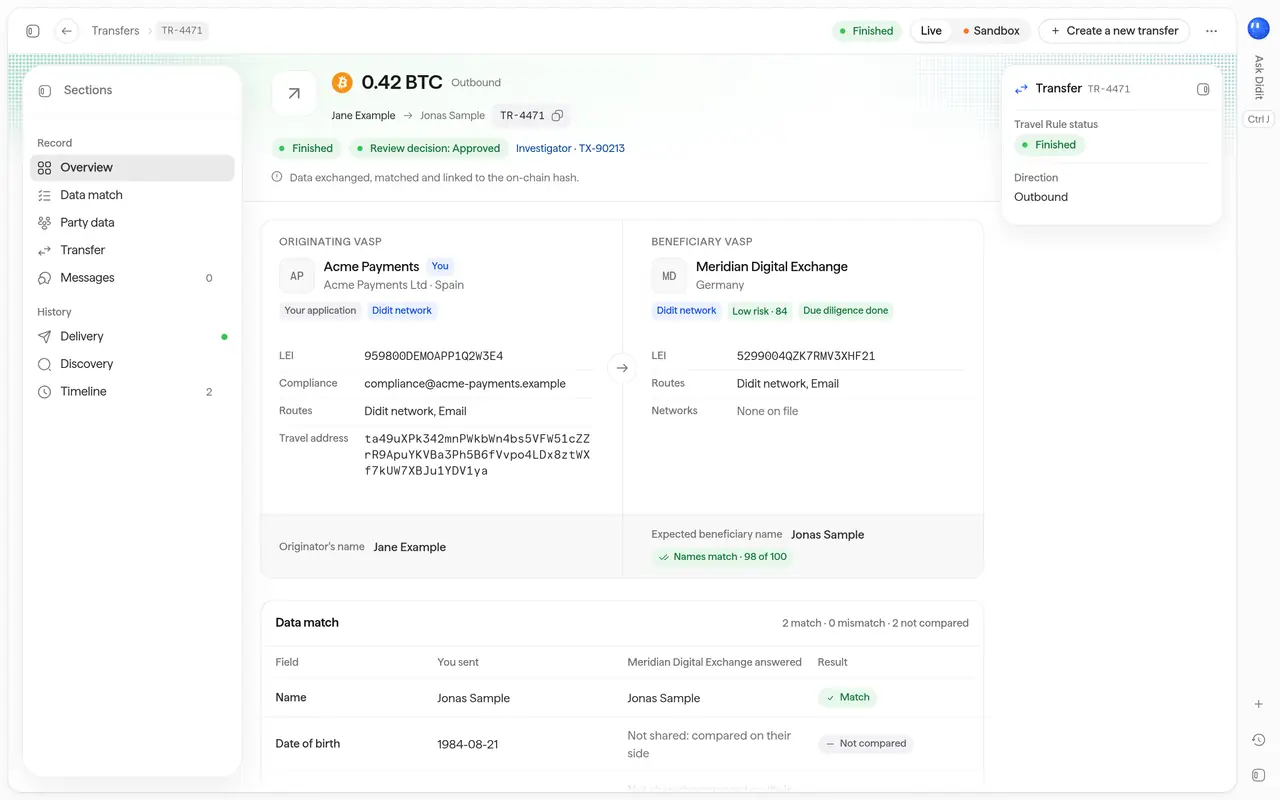
This matters because proof of control is not optional in a Travel Rule flow. Under the EU Transfer of Funds Regulation a VASP must verify ownership of a self-hosted (unhosted) wallet before releasing funds to or from it. The FATF Travel Rule, Recommendation 16, is the same requirement in the jurisdictions that implement it. Our Travel Rule product negotiates the originator and beneficiary data, and the wallet ownership widget is how the proof of control is collected.
Message signing in the widget supports EVM, Solana, Bitcoin and Tron wallets, with legacy, nested SegWit, native SegWit and Taproot addresses on Bitcoin. Browser wallets are discovered through EIP-6963 and Wallet Standard, so each extension appears as its own signing option. Pairing a separate mobile wallet app, for example by QR code, is not available today. Smart-contract accounts sit inside the EVM path.
How we check the account itself
The ERC-1271 contract check runs on the chain where the wallet is declared. The wallet's own contract is the source of truth for that check.
- Deployed account. We ask the account's own contract whether the signature is valid, the ERC-1271 check. A yes proves control of that account.
- Account not deployed yet. The wallet returns an ERC-6492 signature and we check it. The account is not deployed, and Didit sends no transaction while checking the ERC-6492 signature.
- Coverage. Smart-contract accounts are checked on every supported EVM chain, so a wallet declared on an L2 or a sidechain is checked there.
- Satoshi test. The watcher checks the account itself as sender, the amount, and that the deposit is confirmed on chain, then completes the proof automatically. It checks the account itself as sender also when an ERC-4337 bundler submits the transaction.
ERC-1271 and ERC-6492 are EVM standards. Solana, Bitcoin and Tron wallets still prove control through message signing, and the Bitcoin and Solana chains through the Satoshi test, but the contract-account check is an EVM path.
What the contract's answer means
Submitting the signature returns 200 with status: "VERIFIED" once it proves control of the wallet. It returns 400 and leaves the proof open, so the customer can sign again, with one of these code values.
code | What it means | What you do |
|---|---|---|
SIGNATURE_INVALID | The signature does not prove the wallet: another account or key signed, or the message differs. For a smart-contract account, its contract answered that the signature is not its own. | Offer the widget again so the customer signs with the account being verified. The widget prompts a switch of accounts. |
SIGNATURE_UNSUPPORTED_SCHEME | The wallet signed in a format Didit does not verify, for example a Bitcoin multisig or a BIP-322 full signature. | Use another method: the Satoshi test, or a screenshot where you allow it. |
SIGNATURE_LOOKUP_FAILED | We could not reach the chain to check the account, so the proof is never verified on that answer. | Treat the wallet as unproven. Retry the signing step once the chain responds. |
Prerequisites
| Item | Requirement |
|---|---|
| Plan | Any plan. Travel Rule is $0.02 per transaction on every plan. Sandbox testing is free and unlimited on every plan. |
| Product setup | Travel Rule enabled for the application (is_enabled: true); complete the VASP profile if you need directory listing or counterparty discovery |
| Console access | Access to the Didit Business Console for the application's Travel Rule settings. Settings are read and written through GET and PUT /v3/travel-rule/settings/ |
| API key | An x-api-key key with access to the Travel Rule endpoints. A scoped key without that access answers 403 |
| Wallet being proven | The address, and the EVM chain it is declared on, so the contract check runs on the right chain |
| Deposit address | An address you control, passed as satoshi_deposit_address at mint time, only if you want the Satoshi test |
| AI client, optional | An MCP client, if you want to connect Didit to an AI assistant through the documented MCP server. Setup is at didit.me/developers/mcp |
Three install routes
Route 1: the console and the hosted widget
Turn on Travel Rule, keep wallet verification on, and let us mint the widget session for you. With auto_wallet_verification on, which is the default, we auto-mint a widget session at transaction creation whenever a transfer needs end-user proof of wallet control: the transfer is in UNCONFIRMED_OWNERSHIP because the counterparty wallet was declared self-hosted at submission, or the transfer is outbound and in COUNTERPARTY_VASP_NOT_FOUND. The session comes back in the transaction's action_required block with type: "wallet_ownership" and the url to open, and the SDKs launch it on client-side submission. Inbound transfers we create for you never get an auto-minted session.
Route 2: the API recipe
Mint manually with POST /v3/travel-rule/widget-session/ when you want to pre-verify a wallet before any transfer exists, when auto_wallet_verification is off, or for an inbound transfer that landed in UNCONFIRMED_OWNERSHIP. The Satoshi test is only offered when you pass a satoshi_deposit_address at mint time on an EVM, Bitcoin or Solana chain, so it never appears on an auto-minted session. The full endpoint set is in the widget documentation.
Route 3: the MCP connector
The Didit MCP server is hosted at https://mcp.didit.me/mcp with OAuth sign-in, and it is free on every plan. Connect Didit to an AI assistant through the documented MCP server, with setup for every client at didit.me/developers/mcp. The widget itself stays a hosted page your customer opens, so the signature still happens in their wallet.

Step by step: prove control of a smart wallet
Read your Travel Rule settings. Confirm Travel Rule is on and see which proof methods are offered.
curl -s https://verification.didit.me/v3/travel-rule/settings/ -H 'x-api-key: $DIDIT_API_KEY'Check
is_enabled,auto_wallet_verification,allow_screenshot_proof,allow_self_declarationandownership_validation_mode. All three toggles default to true.Keep automatic minting on, or turn it off. With
auto_wallet_verificationon, a transfer that needs proof comes back with anaction_requiredblock. With it off, you mint every session yourself. Change a toggle with a partial update:curl -s -X PUT https://verification.didit.me/v3/travel-rule/settings/ -H 'x-api-key: $DIDIT_API_KEY' -H 'Content-Type: application/json' -d '{"auto_wallet_verification": true}'Open the widget for the customer. Read
action_required.urlfrom the transaction and open it, or let the SDK launch it on client-side submission. The customer picks message signing, or the Satoshi test if you passed a deposit address.Mint manually when you need to pre-verify. Create the session with the deposit address when you want the Satoshi test offered:
curl -s -X POST https://verification.didit.me/v3/travel-rule/widget-session/ -H 'x-api-key: $DIDIT_API_KEY' -H 'Content-Type: application/json' -d '{"satoshi_deposit_address": "0xYourDepositAddress"}'Let the customer sign. The customer signs the Didit-issued challenge with the smart wallet. We ask the account's own contract on the declared chain, or check the ERC-6492 signature if the account is not deployed. Nothing is deployed and no transaction is sent. Signing with a different account than the one being verified is rejected with a switch-accounts prompt.
Read the outcome. A proof of control returns
200withstatus: "VERIFIED", and the matching wallet address book entry is markedis_ownership_verified: true, which lets the linked Travel Rule transfer advance out ofUNCONFIRMED_OWNERSHIP. A400leaves the proof open with acodeyou branch on.Confirm the screenshot path if you allow it. A screenshot never auto-verifies. Your compliance team reviews it from the screenshot review queue with
GET /v3/travel-rule/wallet-proofs/and approves or rejects it withPOST .../decision/, or confirms the transfer from the Travel Rule tab in the console or throughPOST .../travel-rule/ownership/. A self-declaration only works whenallow_self_declarationis true and your validation mode accepts it: never inFULL, and inSIMPLIFIEDonly belowsimplified_validation_threshold. Initiating one the mode does not accept answers403.
Field and event mapping
| Field or code | Where it appears | Meaning |
|---|---|---|
action_required.type = wallet_ownership | Travel Rule transaction | A widget session is waiting for the end user, with its url in the same block |
status = VERIFIED | Widget submission, 200 | The signature or the deposit proved control of the wallet |
SIGNATURE_INVALID | Widget submission, 400 | Not the wallet. For a smart-contract account, its contract answered that the signature is not its own |
SIGNATURE_UNSUPPORTED_SCHEME | Widget submission, 400 | The wallet signed in a format Didit does not verify |
SIGNATURE_LOOKUP_FAILED | Widget submission, 400 | The chain check could not be reached, so the proof is not verified on that answer |
is_ownership_verified | Wallet address book entry | true once control is proven, which unblocks the linked transfer |
UNCONFIRMED_OWNERSHIP | Travel Rule transfer state | The transfer is waiting for proof of control of the counterparty wallet |
COUNTERPARTY_VASP_NOT_FOUND | Outbound transfer state | No counterparty VASP was identified, so ownership proof is the remaining path to completion |
auto_wallet_verification | Travel Rule settings | Whether Didit mints the widget session at transaction creation. Default true |
Test in the sandbox, then disconnect
Use a sandbox application with a smart wallet you control on a supported EVM chain, and a second address that is not the wallet, to run the failure case. Sandbox testing is free and unlimited on every plan.
| What you see | What it means | Fix |
|---|---|---|
200 with status: "VERIFIED" and is_ownership_verified: true | Success. The contract accepted the signature, or the ERC-6492 check passed for an undeployed account | None. The linked transfer can leave UNCONFIRMED_OWNERSHIP |
SIGNATURE_INVALID when the customer signed with a fresh key | Another account or key signed, or the message differs. The smart account's contract said the signature is not its own | Reopen the widget and sign with the account being verified. Check that the wallet is declared on the chain you expect |
SIGNATURE_UNSUPPORTED_SCHEME | The wallet produced a format Didit does not verify | Send the customer to the Satoshi test, or to a screenshot if you allow it |
SIGNATURE_LOOKUP_FAILED | The chain check could not be reached | Do not treat the wallet as proven. Retry the signing step when the chain responds |
403 on a self-declaration | Your validation mode does not accept a declaration for that transfer | Use message signing or the Satoshi test. FULL never accepts a declaration |
403 with insufficient_credits | Transactions, Travel Rule and address validation report a low balance this way | Top up, then retry. The API errors page lists every code |
401 or 403 on any call | The key is wrong, revoked, expired, outside its IP list or without access to the endpoint | Create a key with Travel Rule access, or fix the IP list |
To disconnect, revoke the API key you used, switch auto_wallet_verification off if you no longer want sessions minted, and remove the Didit connector from your AI client's settings if you tested the MCP route. Travel Rule is billed once per outbound exchange, so stopping new exchanges stops new charges. If you screen wallets inside Didit, keep that toggle where you want it: bring your own screening provider and run it inside Didit, or use the built-in screening at $0.15 per screening.
Cost of both ends
Two costs sit in this flow, and only one of them is ours. We bill Travel Rule once per outbound exchange at $0.02. A customer who uses the Satoshi test sends an on-chain deposit from their wallet, so they pay whatever network fee their chain charges for that transfer. The signature path sends no transaction and deploys nothing.
Example: a VASP on Growth runs 2,400 outbound transfers a month that need proof of control, 900 of them to ERC-4337 smart wallets. It screens every wallet address as it arrives with the built-in screening.
- Travel Rule at list: 2,400 x $0.02 = $48.00
- Wallet screening at list: 2,400 x $0.15 = $360.00
- List total: $48.00 + $360.00 = $408.00 a month
- Growth applies 4% off every Didit price: Travel Rule 2,400 x $0.0192 = $46.08, screening 2,400 x $0.144 = $345.60, total $391.68, which is $408.00 x 0.96
- The Growth plan is $99.00 a month and carries $115.00 of credit, so the $391.68 comes out of that credit first and then from top-ups
On the customer's end, the signature path sends no transaction: the ERC-6492 check does not deploy the account. A customer who takes the Satoshi test instead sends a small deposit to your address and pays the network fee for that transfer. That deposit is a real transfer, so keep the amount small and the deposit address one you control. Every number above comes from didit.me/pricing and the pricing docs.
Sources
- Didit docs: Wallet Ownership Widget, Travel Rule proof of control
- Didit docs: FATF Travel Rule API
- Didit docs: Get Travel Rule Settings
- Didit docs: API errors, status codes and fixes
- Didit docs: pricing and billing rules
- Didit pricing page and cost estimator, read November 26, 2026
- Didit Travel Rule product page, read November 26, 2026
- Didit MCP server setup for every client
- FATF, Recommendation 16 (Travel Rule)
- EUR-Lex, EU Transfer of Funds Regulation
Next step: open a sandbox application at business.didit.me, mint a widget session for a smart wallet you control, and sign it. Sandbox testing is free and unlimited on every plan. There is no sales call, and you can read every price before you spend anything.
Try it
Try this in the sandbox
Run the check this guide describes, free.
The product this post is about, taken from its topic. Run it free in the sandbox.
Author
Alberto Rosas
Co-founder and CEO

Keep reading
Other guides in the same topic.
 White-Label Didit OTP Emails: Custom Sender Guide for 2026
Pass the white-label option to POST /v3/email/send/ and that standalone OTP email uses your application's configured white-label sender and branding. The default is false, so Didit branding applies.
Alberto RosasNov 26, 2026 Didit Document AI API vs the Hosted Workflow Step (2026)
Both paths use the same Document AI engine at $0.20 per document. Use the standalone API when your server already holds the file. Use the hosted step when a user uploads it, when one flow needs up to 3 documents, or when the.
Alberto RosasNov 26, 2026 Didit Bank Connection Lifecycle: Refresh vs Renew vs Revoke vs Delete
Refresh pulls new data into the same connection and never extends consent. Renew extends consent and keeps connection and account ids. Revoke stops access; delete erases the connection.
Alberto RosasNov 26, 2026Questions
Frequently asked questions
How does Didit verify a signature from an ERC-4337 smart wallet?
We ask the wallet's own contract, on the chain where the wallet is declared, whether the signature is valid, which is the ERC-1271 check. A signature the contract accepts proves control of that account, and the matching wallet address book entry is marked is_ownership_verified: true. We do not rely on recovering an address from the bytes, because a smart account has no key of its own.
What is ERC-1271 and why does it matter for Travel Rule proof of control?
ERC-1271 is the standard that lets a smart contract answer whether a signature is valid for its account. A Travel Rule proof of control has to show the customer controls the wallet, and for a contract account only the contract can confirm that. We treat the contract's own answer as the proof.
Does Didit handle smart wallets that are not deployed yet?
Yes. When the account is not deployed, the wallet returns an ERC-6492 signature and we check that signature without deploying the account and without sending any transaction. The proof is available before the account exists on chain.
What does SIGNATURE_LOOKUP_FAILED mean, and is the proof marked verified?
It means we could not reach the chain to ask the account's contract, so the submission returns 400 and the proof is not verified on that answer. The transfer does not advance while the wallet is unproven. Retry the signing step once the chain responds.
Does the Satoshi test work when an ERC-4337 bundler submits the deposit?
Yes. The watcher checks the account itself as the sender, also when an ERC-4337 bundler submits the transaction, then checks the amount and that the deposit is confirmed on chain. It completes the proof automatically once the deposit confirms. The Satoshi test is only offered when you pass a satoshi_deposit_address at mint time on an EVM, Bitcoin or Solana chain.
Which chains are covered for smart-contract accounts?
Smart-contract accounts are checked on every supported EVM chain, and the check runs on the chain where the wallet is declared. Message signing also supports Solana, Bitcoin and Tron wallets. ERC-1271 and ERC-6492 are EVM standards, so the contract-account check itself is an EVM path.
Do I have to build the signing flow myself?
No. The wallet ownership widget is a hosted page that collects the proof. With auto_wallet_verification on, which is the default, we mint the session when a transfer needs proof and returns it in the transaction's action_required block, and the SDKs launch it on client-side submission. You open a URL instead of building signing flows.
How much does smart-contract wallet verification cost?
Travel Rule is billed once per outbound exchange at $0.02. Wallet screening, if you run it, is $0.15 per screening, or you bring your own screening provider and run it inside Didit.
Why is proof of control required for a self-hosted wallet at all?
The FATF Travel Rule, Recommendation 16, and its EU implementation, the Transfer of Funds Regulation, require a VASP to verify ownership of a self-hosted wallet before releasing funds to or from it. The EU TFR applies with no minimum amount, so every crypto transfer is in scope. A verified proof is what lets the linked transfer leave UNCONFIRMED_OWNERSHIP.
How do I connect Didit to an AI assistant?
Didit hosts an MCP server at https://mcp.didit.me/mcp with OAuth sign-in, and it is free on every plan. Connect Didit to an AI assistant through the documented MCP server, with setup for every client at didit.me/developers/mcp. The signature itself still happens in the customer's wallet, in the hosted widget.
Compliance built in
Audited, certified and attested.
We hold the certifications and build each country's rules into your flows, so you can launch anywhere without worrying. Security and Compliance center
- Regulation encoded into your flows
Tell us what you do and where. Didit lists the rules that apply to you, with sources, and builds the checks each country needs into one workflow.
- Ready for AMLR
Every requirement of the new EU anti-money laundering rules, from checking customers to human review, is already covered by a Didit check.
- Tested in Spain's Treasury sandbox
Spain's Treasury published its supervised sandbox report on Didit's NFC plus active liveness onboarding; SEPBLAC took part and valued the added measures positively.
- Audited, not self-declared
iBeta Level 1 and Level 2. Liveness tested under ISO/IEC 30107-3.
Your obligations · 3 regions
 SOC 2 Type 2
 ISO 27001
 iBeta Level 1 and Level 2
 EU regulator attestation
 FSM youth protection
 GDPR
 EBA remote onboarding
 MiCA compatible
 FIDO Alliance member
- AMLREU AML Regulation ready
Integration · Didit MCP
Run Didit from your own AI agent
Connect Didit to Claude, Cursor, VS Code or ChatGPT and just ask in plain words. Your agent can do anything you can do in the console, with the same permissions you have.
 Add to Claude
 ChatGPT
 Cursor
- Build workflowsDescribe the checks you need. The agent creates and publishes the flow.
- Run investigationsAsk why a session was declined, review cases, search people and companies.
- Change rulesCreate payment rules, test them on past data and switch them on.
- Pull reportsAsk for numbers, exports or the audit log.
Didit Academy


