White-Label Didit OTP Emails: Custom Sender Guide for 2026
Pass the white-label option to POST /v3/email/send/ and that standalone OTP email uses your application's configured white-label sender and branding. The default is false, so Didit branding applies.
 Alberto RosasCo-founder and CEO
Contents
In this guide
Jump to the part you need.
This guide is for teams already sending one-time codes through Didit's standalone Email Verification API who want the message to arrive under their own sender and branding instead of Didit's. One request option does it: options.use_white_label_customization: true on POST /v3/email/send/. An email verification costs $0.02 per check at list. The caveat is that the sender and the branding come from the white-label settings your application already has configured, so the flag is only as good as that setup.
Last updated: November 26, 2026. Prices checked against the live Didit price feed on November 26, 2026.
| Item | Detail |
|---|---|
| Switch | options.use_white_label_customization: true on POST /v3/email/send/ |
| Default | false, so a standalone OTP email carries Didit branding |
| Scope | One standalone email verification session at a time |
| What it uses | Your application's configured white-label sender and branding |
| Email verification price | $0.02 per check at list, $0.0192 on Growth, $0.018 on Scale |
| Standalone surcharge | The supplied docs do not publish a separate surcharge for this standalone flag |
| Own domain | Part of the Scale and Enterprise plans for the hosted flow |
| OTP rules | 6 digits by default, 4 to 8 with options.code_size, valid 5 minutes, up to 3 entry attempts, one free retry |
| Risk signals | is_breached, is_disposable, is_undeliverable plus a warnings[] list |
| Sandbox | Sandbox testing is free and unlimited on every plan. Use an sk_test_ key, which never creates a billed verification. |
Start free in the sandbox at https://business.didit.me/, with no sales call. For developers, connect Didit to an AI assistant through https://didit.me/developers/mcp/. The product this guide configures is Didit Email Verification, and every number here is on https://didit.me/pricing/.
What the white-label option changes, and what it does not
By default, standalone OTP emails use Didit branding. Pass options.use_white_label_customization: true and that specific session uses your application's configured white-label sender and branding instead. The default is false, so nothing changes for existing traffic until you send the flag.
Three things stay exactly as they are.
- The OTP mechanics. A code is 6 numeric digits unless you set
options.code_sizebetween 4 and 8, and letters plus digits if you setoptions.alphanumeric_code: true. Codes expire in 5 minutes, one free retry per address fits inside that window, and a session accepts up to 3 code-entry attempts. - The check price. Email verification is $0.02 per check at list. The flag is not a per-email surcharge on top of that.
- The risk assessment. The check response still carries breach exposure, disposable provider detection and deliverability.
The supplied docs do not publish a separate surcharge for this standalone OTP flag. Branding is what it changes. It does not remove your obligations as the party running the verification, as described in White Label KYC: Custom Branding & Domain.
Standalone OTP sessions versus the hosted flow
Two paths in Didit send an email OTP, and the switch is different on each. Keep them apart, or you will configure one and test the other.
The standalone API path
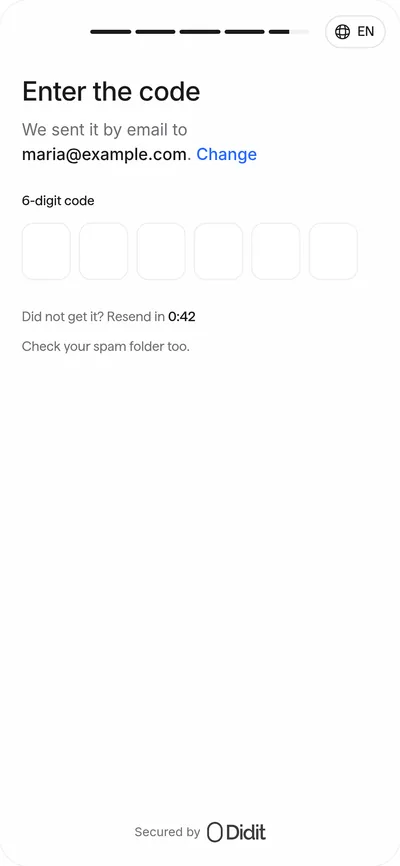
Two server-to-server calls joined by the email address: POST /v3/email/send/ then POST /v3/email/check/. There is no workflow and no hosted page in this path, so there is no workflow toggle to enable. The only switch is the request option, and what it applies is the white-label sender and branding already configured for the application. The documentation does not describe a separate OTP-only sender screen, so treat the flag as applying the application's existing white-label configuration to a single email.
The hosted flow path
When the EMAIL step runs inside a verification session created with POST /v3/session/, the user sees the hosted flow and the outcome arrives in the email_verifications[] array on the decision payload. Branding there comes from the style configured in the console, and a workflow only picks it up when Include custom style is enabled for that workflow under Settings > Options. That toggle has no effect on the standalone OTP email.
Prerequisites
| Requirement | What you need | Where it lives |
|---|---|---|
| Plan | The standalone OTP flag uses your application's existing white-label configuration. A live call needs credit on the balance. | Pricing |
| Application | One application, with a Live and a Sandbox environment. A sandbox key never creates a billed verification. | Applications in the Didit Console |
| Console permission | Viewing applications needs the applications read permission, which every console role holds. | Applications |
| API key | Either the Primary key or a new key with only the access a service needs. New keys start with sk_live_ or sk_test_. Keep it server-side. | API keys |
| White-label configuration | The application must already have a white-label sender and branding configured. The docs describe the Customization controls for the hosted flow; they do not describe a separate OTP-only sender editor. | White label |
| Client | Any HTTP client that can post JSON with the x-api-key header to verification.didit.me. | API authentication |
Seven steps from the console to a branded inbox
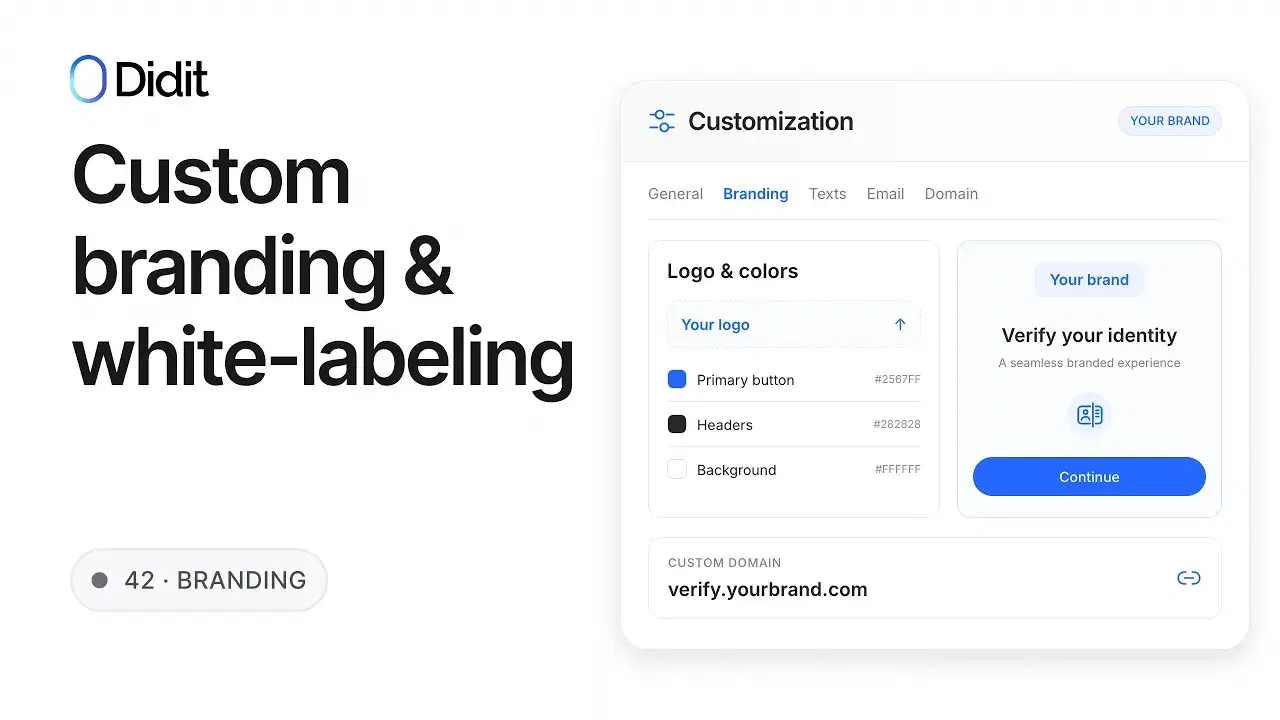
Confirm the application has a white-label configuration. In the Business Console, open Customization in the sidebar under Identity verification > Build. That is where the documented style lives: colors, logo uploads in square and rectangular formats, typography, border radius, the optional Texts tab with per-locale overrides, and the custom domain. The documentation presents these controls for the hosted verification flow, so read this step as confirming the application is configured at all, not as an OTP-specific setup screen.
Understand what the standalone email inherits. The docs state that a standalone OTP email uses your application's configured white-label sender and branding when the flag is true. They do not document a separate sender setup specific to the standalone path. If the sender or the styling looks wrong in your test, the fix sits in the application's configuration, not in the request body.
Enable the custom style for hosted workflows, if you also run them. Go to Workflows, open the workflow you want to brand, click Settings or the gear icon, find Options and enable Include custom style. Without that toggle a hosted workflow uses default Didit branding. This step is separate from the OTP flag and does not change the standalone email.
Copy the API key. Open Developers > API keys. The Primary key is the application's own secret. Create a new key when a single service should carry only the access it needs. Use the
sk_test_key while you build and switch tosk_live_only when you are ready to message real users.Send the branded code. One call, with the flag set.
curl -X POST 'https://verification.didit.me/v3/email/send/' \
  -H "x-api-key: $DIDIT_API_KEY" \
  -H "Content-Type: application/json" \
  -d '{
    "email": "alice@example.com",
    "options": {
      "code_size": 6,
      "locale": "en",
      "use_white_label_customization": true
    },
    "vendor_data": "user-1234"
  }'
The same body with the option omitted, or set to
false, sends the Didit-branded version. Those two requests differ only in that one value.Check the code. When the user types the code into your interface, post it to the check endpoint together with your policy for disposable addresses.
curl -X POST 'https://verification.didit.me/v3/email/check/' \
  -H "x-api-key: $DIDIT_API_KEY" \
  -H "Content-Type: application/json" \
  -d '{
    "email": "alice@example.com",
    "code": "123456",
    "disposable_email_action": "DECLINE"
  }'
Map the result and go live. Branch your interface on the
statusvalue and on the risk signals, then run one live call against a mailbox you control before you turn the flag on for real traffic.
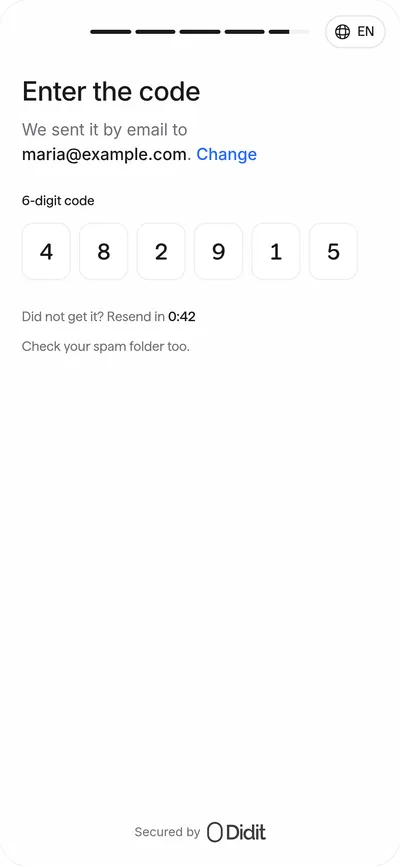
Field mapping
| Field | Call | What it controls |
|---|---|---|
email | send and check | The address the code goes to and the address the code is checked against. The pair is joined on this value. |
options.use_white_label_customization | send | Uses your application's configured white-label sender and branding for this session. Default false. |
options.code_size | send | 4 to 8 digits. Default 6. |
options.alphanumeric_code | send | true adds letters to the code. The check is case-insensitive. |
options.locale | send | Language of the delivered message. |
vendor_data | send | Your own identifier for the user, carried with the result. |
code | check | What the user typed. |
disposable_email_action | check | What to do when the provider is disposable. DECLINE is the documented value. |
status | check | Not Started, In Progress, Approved, Declined, Failed, Undeliverable, Expired or Not Found, Abandoned, Kyc Expired. |
is_breached, is_disposable, is_undeliverable | check | Breach exposure, throwaway provider, address does not accept mail. |
warnings[] | check | Codes such as DUPLICATED_EMAIL, BREACHED_EMAIL, DISPOSABLE_EMAIL, UNDELIVERABLE_EMAIL, INVALID_EMAIL, OTP_MAX_ATTEMPTS_REACHED and OTP_EXPIRED. Full catalogue in Email Verification warnings. |
Event mapping for your application
| Signal | What happened | Your action |
|---|---|---|
status: "Undeliverable" on send | Bounce or invalid domain. No charge. | Show an error on the address field and ask for another address. |
status: "Failed" on check | Wrong code, attempts remain. | Re-prompt and show the remaining attempts. |
status: "Declined" on check | Third failed attempt. | Restart the session with a new send call. |
status: "Expired or Not Found" | Outside the 5-minute window. | Restart the session. |
BREACHED_EMAIL | The address appears in known breaches. | Route to review according to your own policy. |
DISPOSABLE_EMAIL | Temporary provider. | Decline, or ask for a permanent address. |
DUPLICATED_EMAIL | The address was already verified in your application. | Decide whether a second account is allowed. |
INVALID_EMAIL | The address does not parse as a deliverable mailbox. | Ask the user to correct the address before retrying. |
Testing in the sandbox, then one live inbox
Sandbox testing is free and unlimited on every plan. In a sandbox application every product is on, each section starts with example data, and a sandbox key never creates a billed verification, as described in Sandbox testing and Applications in the Didit Console. Use the sandbox to get the request and response shapes right and to exercise every status branch.
A sandbox call is not where you judge the sender line. For the visual result, run one live call with a real key against a mailbox you own and check the sender name, the logo and the body wording as practical mailbox checks, then confirm the code you receive returns status: "Approved" on the check call. These are mailbox checks, not separate customization controls documented for this flag. Then send one more with the flag at false so you can see the default Didit branding against your own. Only after both look right should you turn the flag on for production traffic.
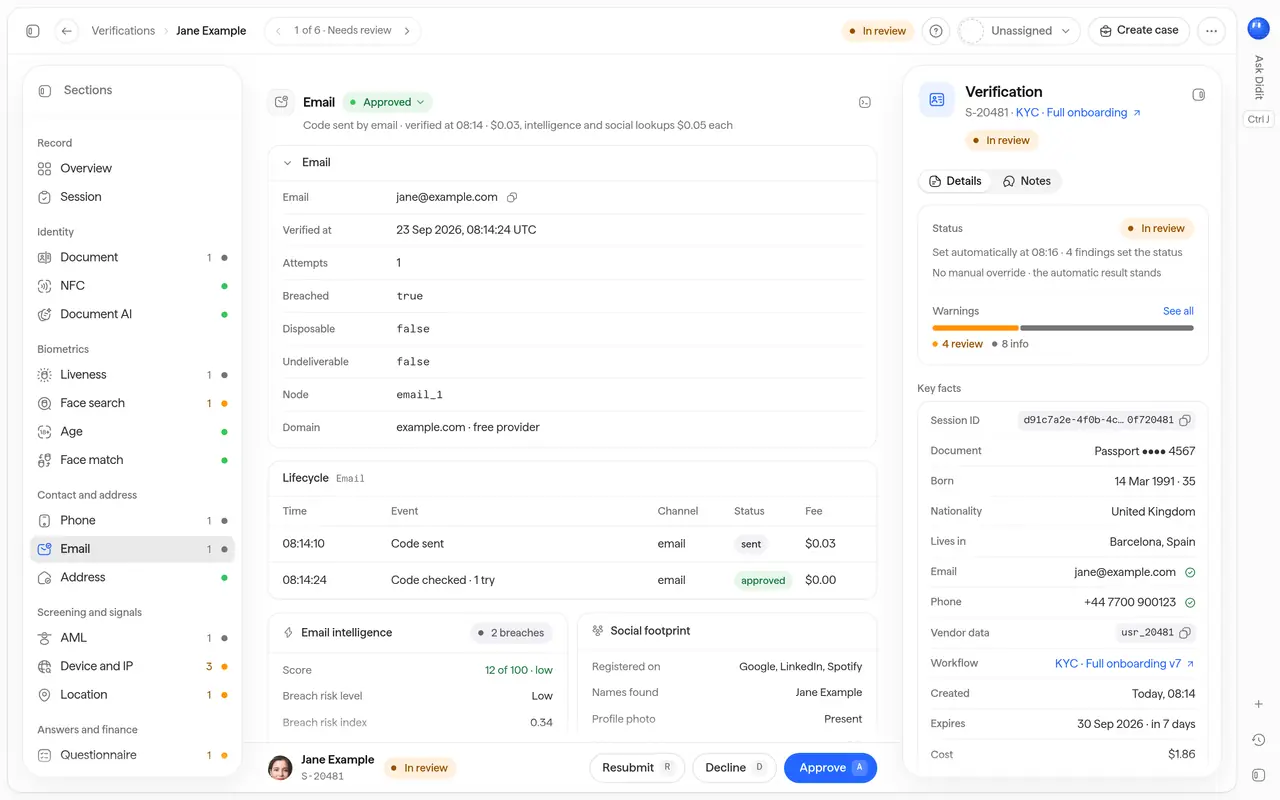
Error cases and fixes
| Symptom | Cause | Fix |
|---|---|---|
| The email still shows Didit branding | The flag was not sent or was sent as false, or the application has no white-label configuration to apply. | Send the flag as true and confirm the application's configuration under Customization. For a hosted workflow, also enable Include custom style. |
| 401 | Key wrong, malformed, revoked or expired. | Check DIDIT_API_KEY or create a new key. |
| 403 | No key sent, the key has no access to this endpoint, the request came from outside the key's IP list, or the balance cannot cover the call. | Read the body, then fix the key scope or top up. |
| 429 | Rate limit or quota reached. | Wait for Retry-After, then retry. See Rate limiting. |
| 500, 502, 503 | An unexpected error, or a service Didit depends on returned an error or timed out. | Read code when present, retry with backoff, contact support if it continues. See API errors. |
Disconnecting and revoking the key
There is no connector to uninstall. The integration is two HTTP calls to verification.didit.me, so disconnecting means revoking the key in Developers > API keys and removing the secret from your environment. A revoked key is refused with 401. If the application itself was deleted, the API answers 403 with "code": "application_deleted" for a few minutes and then refuses the key like any invalid key, so do not retry it. If you are consolidating from another provider, https://didit.me/switch/ covers the migration route.
What the branded email costs
The email check is $0.02 at list, $0.0192 on Growth and $0.018 on Scale. The supplied docs do not publish a separate surcharge for the standalone white-label request flag. Your own domain is the piece that needs Scale or Enterprise if you also run the hosted flow. All of this is on https://didit.me/pricing/ and in Pricing and billing.
Take a month with 10,000 standalone email OTP checks on Growth.
- Email verification: 10,000 x $0.0192 = $192.00
- Total for the month: $192.00
- The plan's $115.00 of monthly credit pays the first $115.00, leaving $77.00 from top-ups.
The same month on Scale: 10,000 x $0.018 = $180.00, which the $350.00 of monthly credit covers. The request flag has no separately documented standalone surcharge.
If your team builds with an AI assistant
The Didit MCP server is free on every plan, hosted at https://mcp.didit.me/mcp with OAuth sign-in. For supported capabilities, see its documentation at https://didit.me/developers/mcp/. Keep the OTP send and check calls in your backend, because both need the API key and the key must never reach a browser or a client bundle.
Sources
- Email Verification API: OTP & Risk Scoring
- Send Email Code and Check Email Code
- Score Email Risk
- Email Verification API: OTP & Risk Assessment
- Email Verification warnings
- White Label KYC: Custom Branding & Domain
- Applications in the Didit Console
- API keys and Custom domain
- API authentication
- Pricing and billing and the Didit pricing page
- Didit API errors and Rate limiting
- Sandbox testing and the integration prompt
- Didit Email Verification product page and the Didit MCP server
- Didit live price feed, read November 26, 2026
The fastest way to settle this is one call. Create a free account at https://business.didit.me/, confirm your application's white-label configuration under Customization, and send a single OTP with the flag set to true to a mailbox you own. No sales call is needed, and a sandbox key means nothing reaches a real user until you decide it should.
Try it
Try this in the sandbox
Run the check this guide describes, free.
The product this post is about, taken from its topic. Run it free in the sandbox.
Author
Alberto Rosas
Co-founder and CEO

Keep reading
Other guides in the same topic.
 How to Build a Daily Bank Feed for Accounting Clients
Create a Didit bank link with access set to ongoing, store the connection id, cursor and consent end, then read only what changed from transactions/sync each time a bank.data.updated webhook arrives.
Alberto RosasNov 26, 2026 Verifying Smart Contract Wallets for Travel Rule Proof of Control
We prove control of ERC-4337 smart wallets by asking the account's contract on its declared chain (ERC-1271), and we check ERC-6492 for undeployed accounts without deploying or sending a transaction.
Alberto RosasNov 26, 2026 How to Decode a TRP Travel Address and Send a Travel Rule Inquiry
A ta address is Base58Check over an HTTPS URL: strip ta, decode with the Bitcoin alphabet, verify the double SHA-256 checksum, prepend https, then GET the identity and POST the inquiry to the t=i path.
Alberto RosasNov 26, 2026Questions
Frequently asked questions
How do I send Didit OTP emails with my own branding?
Confirm that your application has a white-label sender and branding configured in the Business Console, then call POST /v3/email/send/ with options.use_white_label_customization set to true. That session then uses your application's configured white-label sender and branding instead of Didit's. The default is false, so omitting the option keeps Didit branding.
What is the default for use_white_label_customization?
The default is false. A standalone OTP email sent without the option, or with it explicitly set to false, carries Didit branding. The setting applies to the single session you are sending, so two calls can behave differently in the same minute.
Does white label cost extra on top of email verification?
The supplied docs do not publish a separate surcharge for this standalone OTP flag. Email verification is $0.02 per check at list, $0.0192 on Growth and $0.018 on Scale. Setting the request flag does not create a separately documented fee for this standalone path.
Which plan do I need for a custom sender and my own domain?
For the standalone OTP sender, the supplied docs point to your application's existing white-label configuration and do not publish a separate standalone-flag price. Your own domain, so the hosted flow is served from your subdomain instead of verify.didit.me, is part of the Scale and Enterprise plans.
How long does the OTP code last and how many attempts do I get?
Codes expire in 5 minutes and there is one free retry per address inside that window. A session accepts up to 3 code-entry attempts before it returns Declined. The code is 6 numeric digits by default, 4 to 8 with options.code_size, and letters plus digits if you set options.alphanumeric_code: true.
What happens if the email address is undeliverable?
The send response returns status: "Undeliverable" and that call is not charged. Surface the problem on the address field and ask the user for a different address. The check response can also carry the UNDELIVERABLE_EMAIL or INVALID_EMAIL warning codes.
Why is my OTP email still showing Didit branding?
Three causes cover almost every case: the flag was not sent or was sent as false, the application has no white-label configuration in Customization, or a hosted workflow is missing the Include custom style toggle under Workflows, Settings, Options. Fix all three and send one live test to a mailbox you control.
Can I white-label one email without rebranding the whole flow?
Yes. The option is per request, so you can set it to true on one send call and leave other emails on Didit branding. Your hosted workflows are separate and follow their own Include custom style toggle, so the two settings move independently.
Does white-label branding change my compliance obligations?
No. White-labelling changes the branding of the flow and the message. It does not transfer or reduce your obligations as the party running the verification, and your own privacy notice and consent flow still apply. Treat the branding change as presentation, not as a change of controller.
How do I test branded OTP emails without emailing real users?
Sandbox testing is free and unlimited on every plan, so exercise the request and response shapes and every status branch there with a sk_test_ key. A sandbox call does not tell you how the sender line looks, so the visual check needs one live call to a mailbox you own before you enable the flag in production.
What is the difference between the standalone Email Verification API and an EMAIL step in a session?
The standalone API is a server-to-server pair of calls joined by the email address: send, then check. An EMAIL step inside a session runs inside the hosted flow you create with POST /v3/session/, and the outcome arrives in the email_verifications[] array on the decision payload. The white-label request option belongs to the standalone path.
Compliance built in
Audited, certified and attested.
We hold the certifications and build each country's rules into your flows, so you can launch anywhere without worrying. Security and Compliance center
- Regulation encoded into your flows
Tell us what you do and where. Didit lists the rules that apply to you, with sources, and builds the checks each country needs into one workflow.
- Ready for AMLR
Every requirement of the new EU anti-money laundering rules, from checking customers to human review, is already covered by a Didit check.
- Tested in Spain's Treasury sandbox
Spain's Treasury published its supervised sandbox report on Didit's NFC plus active liveness onboarding; SEPBLAC took part and valued the added measures positively.
- Audited, not self-declared
iBeta Level 1 and Level 2. Liveness tested under ISO/IEC 30107-3.
Your obligations · 3 regions
 SOC 2 Type 2
 ISO 27001
 iBeta Level 1 and Level 2
 EU regulator attestation
 FSM youth protection
 GDPR
 EBA remote onboarding
 MiCA compatible
 FIDO Alliance member
- AMLREU AML Regulation ready
Integration · Didit MCP
Run Didit from your own AI agent
Connect Didit to Claude, Cursor, VS Code or ChatGPT and just ask in plain words. Your agent can do anything you can do in the console, with the same permissions you have.
 Add to Claude
 ChatGPT
 Cursor
- Build workflowsDescribe the checks you need. The agent creates and publishes the flow.
- Run investigationsAsk why a session was declined, review cases, search people and companies.
- Change rulesCreate payment rules, test them on past data and switch them on.
- Pull reportsAsk for numbers, exports or the audit log.
Didit Academy