Didit Transaction Rule: Flag Sends of More Than a Set Amount in 24 Hours
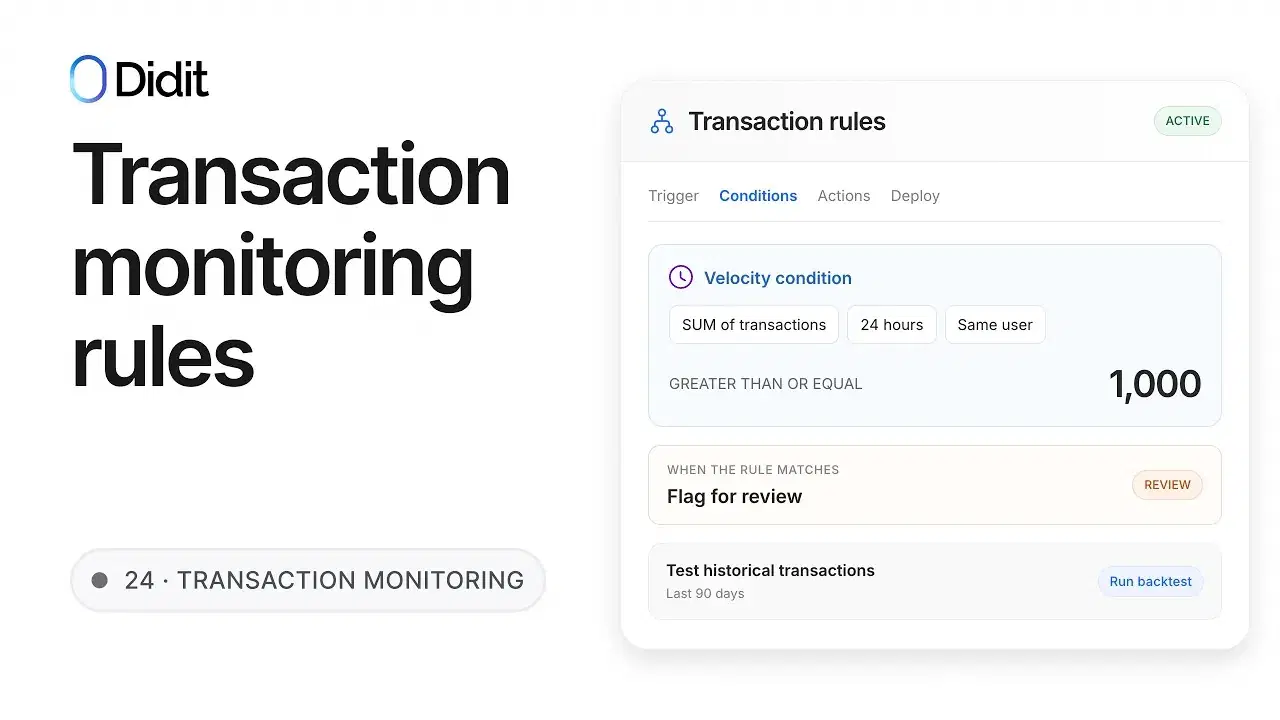
Create the rule in Ask Didit or the console rules builder: scope outbound finance transactions, sum the subject's amount over a 24-hour window, and run the configured actions when the total is more than your threshold.
 Alberto RosasCo-founder and CEO
Contents
In this guide
Jump to the part you need.
This rule fits payment providers, exchanges, neobanks and iGaming operators that need a per-user send limit in real time. You create it in Ask Didit or the console: scope outbound finance transactions, sum the subject's amount over a 24-hour window, and run the configured actions when the total is more than your threshold. Transaction monitoring costs $0.001 per transaction beyond the plan allowance. The caveat: linking and velocity evaluation need a consistent subject.vendor_data on every transaction from the same user.
Last updated: November 26, 2026. Prices checked against the live Didit price feed on November 26, 2026.
| Item | What you get |
|---|---|
| Rule outcome | Sums one subject's outbound amount over a 24-hour window and flags the transaction when the total is more than your threshold |
| Where to build it | Ask Didit in the console, the rules builder in the Business Console, the Management API, or the Didit MCP |
| Write approval | Ask Didit stops at a Confirm this action step before saving anything |
| Rule modes | Active, Test, Disabled |
| Actions when it fires | add_score, change_status, add_tags, add_note, add_to_list, open_case |
| Price | $0.001 per monitored transaction beyond 1,000 (Free), 10,000 (Growth) or 100,000 (Scale) a month |
| Prerequisite | Transaction Monitoring enabled on the application, an API key, a stable vendor_data per subject |
| Human step | Held transactions land in the review queue as alerts for an analyst to decide |
Start free in the sandbox at business.didit.me, no sales call, and submit your first test transaction. Developers can connect Didit to an AI assistant through the Didit MCP server. The rule runs inside Transaction Monitoring, and every unit price is on the Didit pricing page.
What this rule does and who it fits
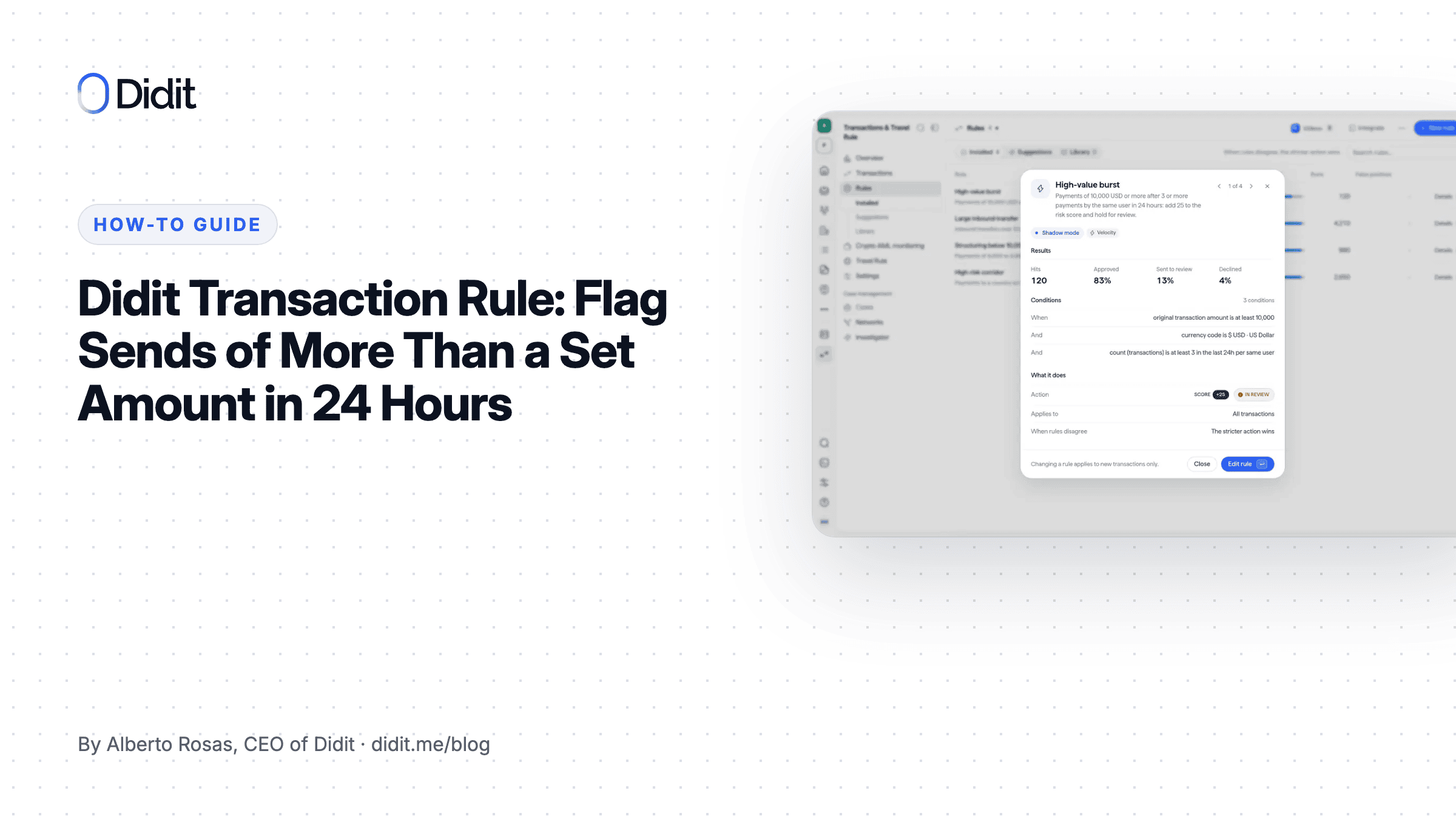
Every transaction you submit to POST /v3/transactions/ is evaluated against all active rules for your application. A rule has a scope, conditions, an aggregation window and one or more actions. For this use case you set the scope to outbound finance traffic, the aggregation to a sum of amount over 24 hours keyed to the subject, and the condition to a strict greater-than check with the gt operator against the threshold you choose. When the sum is more than the threshold, the actions run.
The window is a look-back over the period you configure, so a send at 09:00 is compared with everything the same subject sent in the preceding 24 hours rather than with a calendar day that resets at midnight. The same look-back shape appears in the Didit rules library, where presets watch 30-day, 7-day and 4-hour volumes.
This rule fits compliance teams that want a documented control, and risk teams that want a mule-fan-out signal before funds leave. It is not a substitute for a decision: the rule flags, a reviewer decides.
Recommended method
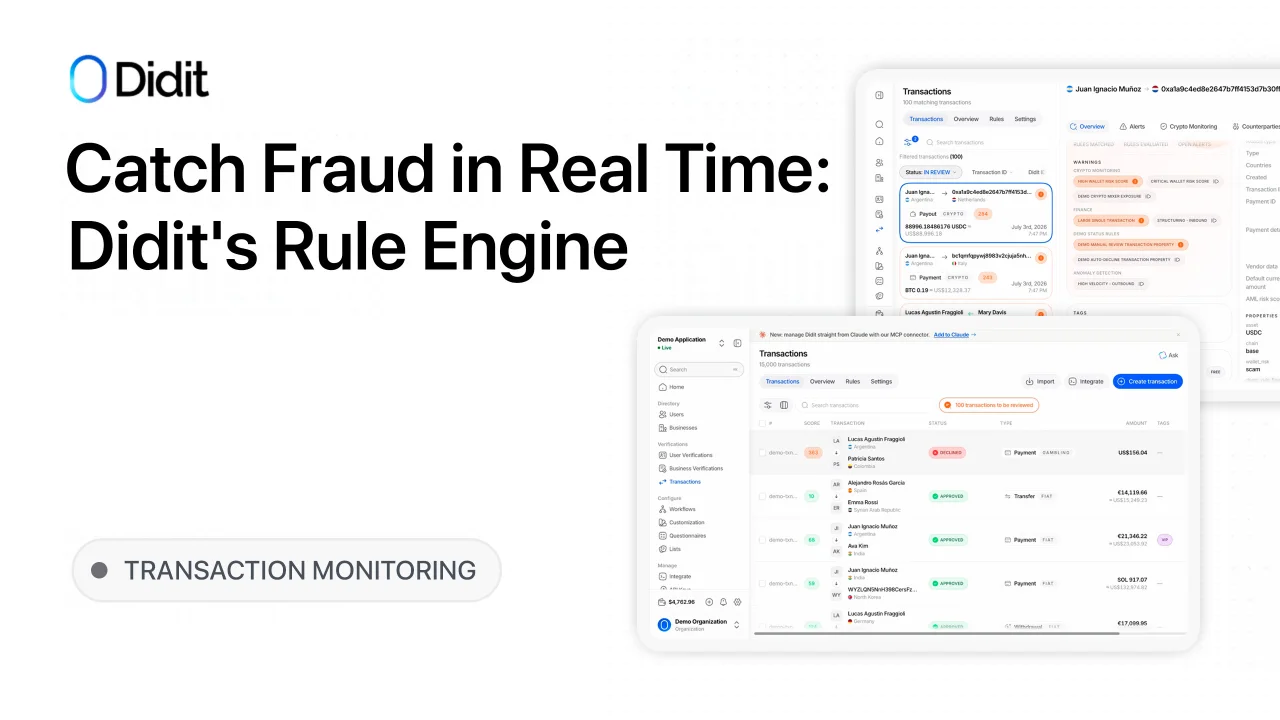
Use Ask Didit for the first draft. It is the AI copilot inside the console, and it can build a transaction rule from a plain-language request, including one that watches a user's send total over 24 hours. You describe the rule, it builds it, and it stops for approval before writing.
Then verify the draft in Transactions, Rules, where every component is visible: category, mode, evaluation mode, scope, conditions, aggregation and actions. Tune thresholds by hand there if you prefer. Use the Management API or the Didit MCP when rules are created and tuned programmatically, for example when you migrate a rule set from another provider. Use the console when a human on your compliance team should review every change.
Prerequisites
- A Didit application with Transaction Monitoring enabled under Settings, Transaction Monitoring, Enable.
- An API key, sent as the
x-api-keyheader. The same keys work for sessions, entities and transactions. - A webhook endpoint reachable from the internet if you want alerts pushed to your own systems.
- A stable identifier per user in
subject.vendor_data. Whenvendor_datamatches an existing user or business, Didit links the transaction to that profile and enables cross-session rule evaluation and velocity checks. Without it, a party is stored as an external snapshot with no linked entity. - A threshold, a currency and a decision: which direction you watch, what amount trips the rule, and whether the transaction gets scored, held in review or declined.
- An analyst who can work the alert queue, because a held transaction is a decision waiting on a human.
Step-by-step: create the rule
Open Ask Didit in the console. Type
/in the message box to pick a skill, then describe the rule with four parameters spelled out: scope as outbound finance transactions, aggregation as the sum ofamountper subject over a rolling 24 hours, condition as a strict greater-than check that the total is more than your threshold in a named currency, and action as a score bump plus a status change to review. Name the tag or the case blueprint if you want one attached.Read the approval step. Reading data needs no approval, but a write stops at Confirm this action with the details shown. Select Approve to continue or Deny to cancel. Nothing is saved before you approve.
Check the draft in the rule editor. For workflow edits Ask Didit groups its work into a summary such as 3 changes, not saved yet, where you can open a step in the editor, undo and redo, or save the draft. A change you edit by hand in the editor afterwards cannot be undone from that summary.
Confirm the three fields that decide behaviour. The scope must restrict the rule to outbound direction and finance transaction types. The aggregation must be a sum over 24 hours. The action must be one you are willing to defend, for example
add_scorewith a value pluschange_statustoIN_REVIEW.Set the mode to Test first. In
Testthe rule is evaluated but its results do not affect the transaction, so you can watch it fire without holding live money.Submit transactions for one subject and watch the rule run. Use the runnable example below, keep
vendor_dataidentical across submissions, and changetransaction_ideach time. The rule sums the amounts in the window, so submit enough sends to go above your test threshold; at 500.00 each, going above 5,000.00 takes eleven sends.Read the response. The transaction comes back with a
status, ascore, and arule_runsarray listing every rule that evaluated it, so you can confirm yours matched and see what score it added.Subscribe to transaction webhooks. Register a destination for
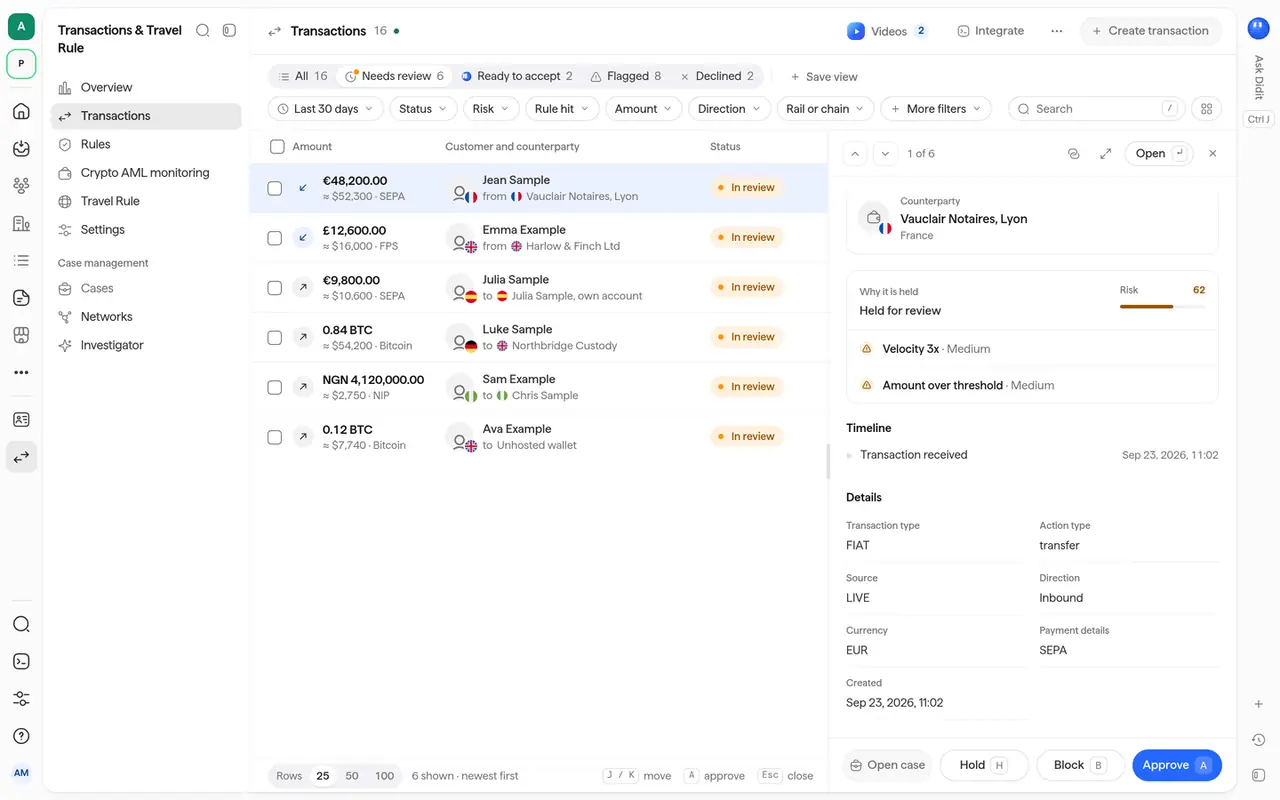
transaction.createdandtransaction.status.updated, store the signing secret, and verify theX-Signature-V2HMAC on every delivery.Move the rule to Active and work the queue. Open Transactions in the console, filter by status to see held transactions, assign them, add notes, approve or decline, and escalate to a case when the pattern needs a wider investigation.
Runnable example: submit a transaction the rule evaluates
This is the baseline request from the Didit quickstart, unchanged except that it matches an outbound finance rule. Run it repeatedly with different transaction_id values and the same vendor_data until the window total reaches your test threshold.
curl -X POST https://verification.didit.me/v3/transactions/ -H 'x-api-key: YOUR_API_KEY' -H 'Content-Type: application/json' -d '{"transaction_id": "baseline-0001", "transaction_category": "finance", "transaction_details": {"direction": "outbound", "amount": "500.00", "currency": "EUR"}, "subject": {"entity_type": "person", "vendor_data": "user-42", "full_name": "Jane Doe"}, "counterparty": {"entity_type": "company", "full_name": "Acme Supplier"}}'Runnable example: receive the alerts
curl -X POST https://verification.didit.me/v3/webhook/destinations/ -H 'x-api-key: YOUR_API_KEY' -H 'Content-Type: application/json' -d '{"label": "TM events", "url": "https://yourapp.com/webhooks/didit-tm", "subscribed_events": ["transaction.created", "transaction.status.updated"]}'The response carries secret_shared_key. Save it immediately and use it to verify X-Signature-V2 on every incoming webhook: recompute the HMAC-SHA256 over the canonicalised body, compare in constant time, and reject stale timestamps.
Rule anatomy you are filling in
| Component | What to set for this rule |
|---|---|
| Title and description | For example Outbound volume over 24 hours, with the threshold written into the description |
| Category | finance, or aml_ctf if the rule is a cumulative volume control |
| Mode | Test while you tune, Active once you trust it, Disabled to switch it off without deleting it |
| Evaluation mode | All if every condition must match, Any if one is enough |
| Scope | transaction_types set to finance, directions set to OUTBOUND, optionally action_types such as withdrawal |
| Conditions | Field checks using operators such as gt, lt, eq, in, contains_any, exists |
| Aggregation | A sum of amount over a 24-hour window, per subject |
| Actions | add_score with an integer value, and optionally change_status to IN_REVIEW, add_tags, add_note, add_to_list or open_case |
| Source | Custom for a rule your team owns and can edit or delete; Preset for a library rule whose thresholds are fixed |
Presets from the rules library are installed rather than created, and their conditions and thresholds cannot be edited: you override one by building a custom rule. If a library volume rule already matches your window and threshold, install it from Transactions, Rules, Library and set its mode.

Worked threshold example
Set the threshold to $5,000 in 24 hours and use a strict greater-than condition. A subject sends $3,000 at 10:00 and $1,500 at 14:00, so the window total is $4,500 and nothing has matched yet. At 16:00 the same subject sends $500. The window total becomes $4,500 + $500 = $5,000, which is not more than the threshold, so the rule does not match. A $501 send would bring the total to $5,001, which is more than $5,000, so the rule matches and its actions run. Because the condition is strict, a total that lands exactly on $5,000 does not match.
Currency handling in the 24-hour window
The window aggregates the transaction amount field. currency is a separate field, and the docs do not describe automatic FX conversion inside the aggregation. Run one rule per currency, or normalize amounts to a single currency before you submit them, so a USD send is not added to a EUR send. In the same way, crypto amounts use currency_kind crypto and should be kept in their own rule if your policy separates fiat and crypto volume.
Expected output
When the rule matches, the actions you configured run. A score action adds points to the cumulative score, and the transaction is held as an alert only when an action sets IN_REVIEW or the resulting score crosses your configured review threshold. If the rule only adds score and the total stays below the threshold, the transaction can still return APPROVED. The rule_runs array shows every rule that evaluated the transaction and what each one did.
There is no separate alert record to manage. An alert is a transaction in IN_REVIEW, or in AWAITING_USER while it waits on the customer. That also means the alerts array on a transaction detail is always empty today, so read status when you build your own queue.
Inputs and outputs
| Type | Field | Notes |
|---|---|---|
| Input | transaction_id | Your identifier, unique per application. Generate it on your side for idempotency |
| Input | transaction_category | finance for deposits, withdrawals and transfers |
| Input | transaction_details.direction | inbound or outbound; the rule scope filters on it |
| Input | transaction_details.amount | Decimal string such as 1500.50; this is what the window sums |
| Input | transaction_details.currency | ISO code such as USD, EUR or BTC, plus currency_kind of fiat or crypto |
| Input | transaction_details.action_type | Your own label, for example deposit, withdrawal or purchase |
| Input | subject.vendor_data | The user identifier that groups transactions for velocity and entity linking |
| Input | counterparty | Optional other side, with its own payment_method and device context |
| Output | status | APPROVED, IN_REVIEW, DECLINED or AWAITING_USER |
| Output | score | Integer total across matched rules |
| Output | rule_runs | Every rule that evaluated the transaction, with what it did |
| Output | parties | Both sides returned with roles APPLICANT and COUNTERPARTY |
Failure cases and recovery
| Symptom | Likely cause | Recovery |
|---|---|---|
| Rule never fires | Mode is Test or Disabled, the scope excludes the direction you sent, or vendor_data changes between transactions so no single subject accumulates volume | Check mode and scope in the editor, then resubmit with an identical vendor_data and a different transaction_id |
400 with the message that a transaction with this transaction_id already exists | You resent an identifier already used by this application | Do not resubmit. Read the existing transaction with GET /v3/transactions/{uuid}/ using the stored Didit uuid from the first response, or the Didit uuid that the transaction.created webhook carries next to your transaction_id. |
| 409 on a submission | Two identical requests raced each other | Same fix: look the transaction up rather than retrying with a new identifier blindly |
400 when the rule sets AWAITING_USER | workflow_id is required for that status and was omitted | Add the remediation workflow id to the action |
| Thousands of alerts after a migration | Historical transactions were fed through a volume rule | Use the console CSV import with dry ingest, or enable the rule after ingestion finishes |
| 400 naming a library rule | The rule is withheld because the engine cannot evaluate its conditions yet | Install from the current library list; an unknown key is skipped instead |
| No webhook arrives | Wrong subscribed_events, or the signature check rejects the delivery | Re-register with transaction.created and transaction.status.updated, then verify X-Signature-V2 with the stored secret_shared_key |
| A draft rule you do not want | Ask Didit proposed the wrong threshold or action | Select Deny at Confirm this action, or undo from the change summary before saving |
Paid steps and review boundaries
Sandbox testing is free and unlimited on every plan. Monitored-transaction charges apply according to your plan and its monthly allowance, which is 1,000 on Free, 10,000 on Growth and 100,000 on Scale. The MCP server, the workflow orchestrator and reusable KYC carry no fee. Each organization's plan includes a monthly allowance of monitored transactions: 1,000 on Free, 10,000 on Growth and 100,000 on Scale, with Enterprise setting its allowance in the contract. Each transaction beyond the allowance costs $0.001, the same on every plan, and the allowance resets on the 1st of the month without rolling over.
Two paid steps can sit behind this rule. Wallet screening is $0.15 per screening when crypto screening runs on a transaction, for example on an outbound crypto withdrawal. AML screening is $0.20 per check. If you already have a screening provider you would rather keep, bring your own screening provider and run it inside Didit; we quote that route separately rather than publishing a number here.
The review boundary matters as much as the price. A rule flags; it does not decide. Held transactions stay in IN_REVIEW until an analyst approves or declines them, and Didit does not submit reports to regulators: filing stays your compliance team's responsibility, and the console prepares the form and evidence to speed it up. Ask Didit is an AI, so check important details before you act on them.
Worked cost example
Take a payments platform on the Growth plan that monitors 40,000 transactions in a month. The plan includes 10,000 monitored transactions. Billable transactions are 40,000 minus 10,000, which is 30,000, and 30,000 multiplied by $0.001 is $30.00. Growth costs $99 a month and comes with $115 of monthly credit, so the $30.00 is paid from that credit and adds nothing to the bill that month.
At the other end, a Scale customer monitoring 250,000 transactions has an allowance of 100,000, so 150,000 are billable at $0.001 each. 150,000 multiplied by $0.001 is $150.00 at the published overage rate. The rate is $0.001 per transaction beyond the allowance on every plan, including Scale.
Sources
- Ask Didit: the AI copilot in the Didit Console
- KYT rules and scoring: conditions, velocity windows and actions
- KYT rules library
- Managing rules via API and MCP
- Submit transactions: payload and data model
- Transaction monitoring quickstart
- Transaction monitoring integration guide
- KYT alerts: held transactions, triage and resolution
- Transaction monitoring webhooks
- Management API: rules reference
- Management API: create transaction
- Didit MCP tools
- Didit pricing in the docs
- Didit pricing page
- Didit Transaction Monitoring product page
- Didit MCP server setup
Next step: create a sandbox application at business.didit.me, enable Transaction Monitoring, and ask Ask Didit for the 24-hour rule. No sales call, and the sandbox costs nothing while you tune the threshold.
Try it
Try this in the sandbox
Run the check this guide describes, free.
The product this post is about, taken from its topic. Run it free in the sandbox.
Author
Alberto Rosas
Co-founder and CEO

Keep reading
Other guides in the same topic.
 How to Configure Didit ID Verification Methods per Country
Turn on national ID lookup for a country by enabling it under the methods key of the ID Verification feature config, keyed by ISO 3166-1 alpha-3. Omit it and the country stays document capture only.
Alberto RosasNov 26, 2026 French National ID Card 2D-Doc Verification API (2026)
Didit decodes the ANTS 2D-Doc barcode on a French national ID card, verifies its signer certificate against the ANTS trust list and cross-checks visual zone and MRZ. ID Verification is $0.15 per check.
Alberto RosasNov 26, 2026 How to Add an Advanced (AES) E-Signature Step to a Didit KYC Workflow
Add the SIGNATURE step at AES level after an approved ID Verification step and a verified email or phone, create the session with your PDF, and download the PAdES-B-LT signed PDF plus the evidence PDF.
Alberto RosasNov 26, 2026Questions
Frequently asked questions
How do I flag a user who sends more than a set amount in 24 hours in Didit?
Open Ask Didit in the Didit Console, type / to pick a skill, and describe a transaction rule that watches a user's outbound send total over 24 hours and acts when the total is more than your threshold. It drafts the rule, shows the details at a Confirm this action step, and writes it only after you approve. You can build the same rule by hand in Transactions, Rules in the Business Console.
Does Ask Didit create the rule for me or do I build it by hand?
Both work, and they produce the same kind of rule. Ask Didit is the documented path for a plain-language request such as a 24-hour send limit, and it drafts the rule for you. The console rule editor is where you review every component and where you tune thresholds yourself.
What does the Confirm this action step do?
Reading information needs no approval, but when Ask Didit wants to write data it stops and shows Confirm this action with the details. Select Approve to let it continue or Deny to cancel. Nothing is saved until you approve, which keeps a human in the loop on every rule change.
Should I use a 24-hour window or a 7-day window?
Use the window your policy names. A 24-hour window catches a single burst of sends by one user, while the library presets that watch 7 days or 30 days catch slower accumulation. Many teams run a 24-hour custom rule alongside a longer preset, and each rule contributes its own score.
What happens to the transaction when the rule fires?
The actions you configured run. A score action adds points toward your review or decline threshold, and a status action can move the transaction straight to IN_REVIEW, DECLINED or AWAITING_USER. It can also add tags, add a note, add the subject to a list, or open a case.
Why did my rule not fire?
The three usual reasons are mode, scope and subject identity. A rule in Test is evaluated but does not affect the transaction, a scope that only allows inbound will never see outbound sends, and a different vendor_data on each transaction means no single subject ever accumulates volume. Check all three in the editor before you change the threshold.
Can I create the rule through the API or MCP instead of the console?
Yes. Rules can be managed from the Business Console, the Management API and the Didit MCP. The MCP tools cover listing, installing and uninstalling library rules, and the API reference at docs.didit.me covers listing and managing rules. Use the console when a human should review every change.
How much does a transaction rule cost?
The rule itself has no price. You pay $0.001 per monitored transaction beyond your plan's monthly allowance, which is 1,000 on Free, 10,000 on Growth and 100,000 on Scale. Wallet screening, when crypto screening runs, is $0.15 per screening, and AML screening is $0.20 per check.
Can I test a rule without affecting live decisions?
Yes. Set the rule mode to Test and the engine evaluates it without letting the result change the transaction. When the rule runs as you expect, switch it to Active. Sandbox testing is free and unlimited, so you can rehearse on test traffic first.
Does Didit file the suspicious activity report for me?
No. Didit prepares the form and the evidence from the case, and your compliance team files it. For jurisdictions that require a SAR or CTR, generate the filing from the case, then submit through your own channel.
How are different currencies handled in a 24-hour volume rule?
The window aggregates the transaction amount field, and currency is a separate field. The docs do not describe automatic FX conversion inside the aggregation. Run one rule per currency, or normalize amounts to a single currency before you submit them, so a USD send is not added to a EUR send.
Compliance built in
Audited, certified and attested.
We hold the certifications and build each country's rules into your flows, so you can launch anywhere without worrying. Security and Compliance center
- Regulation encoded into your flows
Tell us what you do and where. Didit lists the rules that apply to you, with sources, and builds the checks each country needs into one workflow.
- Ready for AMLR
Every requirement of the new EU anti-money laundering rules, from checking customers to human review, is already covered by a Didit check.
- Tested in Spain's Treasury sandbox
Spain's Treasury published its supervised sandbox report on Didit's NFC plus active liveness onboarding; SEPBLAC took part and valued the added measures positively.
- Audited, not self-declared
iBeta Level 1 and Level 2. Liveness tested under ISO/IEC 30107-3.
Your obligations · 3 regions
 SOC 2 Type 2
 ISO 27001
 iBeta Level 1 and Level 2
 EU regulator attestation
 FSM youth protection
 GDPR
 EBA remote onboarding
 MiCA compatible
 FIDO Alliance member
- AMLREU AML Regulation ready
Integration · Didit MCP
Run Didit from your own AI agent
Connect Didit to Claude, Cursor, VS Code or ChatGPT and just ask in plain words. Your agent can do anything you can do in the console, with the same permissions you have.
 Add to Claude
 ChatGPT
 Cursor
- Build workflowsDescribe the checks you need. The agent creates and publishes the flow.
- Run investigationsAsk why a session was declined, review cases, search people and companies.
- Change rulesCreate payment rules, test them on past data and switch them on.
- Pull reportsAsk for numbers, exports or the audit log.
Didit Academy