How to Build a Daily Bank Feed for Accounting Clients
Create a Didit bank link with access set to ongoing, store the connection id, cursor and consent end, then read only what changed from transactions/sync each time a bank.data.updated webhook arrives.
 Alberto RosasCo-founder and CEO
Contents
In this guide
Jump to the part you need.
A continuous bank feed gives an accounting product every client's balances and transactions each day without the client signing in again. Didit builds it from one ongoing bank link, a bank.data.updated webhook and a change feed read from a stored cursor. Billing is per active connection per month. The caveat: ongoing access with real banks runs in the sandbox today and opens country by country.
Last updated: November 26, 2026. Prices checked against the live Didit price feed on November 26, 2026.
| Piece | What you set or call | What you get |
|---|---|---|
| Access mode | access: ongoing on the link | Access stays open until the consent ends or someone stops it |
| Consent | consent_days as a request | consent.expires_at, renew_by, renewable_until, set by the bank |
| History | history_from or history_days (1 to 365), never both | Per account history_coverage.oldest_booking_date |
| Live updates | Webhook destination on the bank.* events | bank.data.updated with connection_id, account_ids and counts |
| Change feed | GET /v3/bank/connections/{id}/transactions/sync/ with your cursor | added, modified, removed, next_cursor |
| Sync cadence | Automatic, nothing to schedule | sync.frequency_per_day between 1 and 4, depending on the bank |
| Billing | Per active connection per month; the rate is on the live pricing page | Reads never bill; only active connections are billed |
Start free in the sandbox at business.didit.me (no sales call), and for developers, connect Didit to an AI assistant through didit.me/developers/mcp. The bank data overview is at docs.didit.me, and every price is on didit.me/pricing.
How a Didit bank feed is put together
A link creates a connection, a connection has accounts, and an account has balances and transactions. The link is one run of Bank Link where your client signs in at their bank. The connection is the client's permission for your application to read that bank, and it is the object you keep: it carries the consent dates, the sync state and the status. Account ids never change while a connection exists, and a transaction id stays the same within its connection across reads, syncs and renewals.
One link serves one-time and ongoing access, so nothing about the hosted screens changes when you move a client from a single read to a daily feed. Didit also runs identity verification, business verification, AML screening and bank data on one API key and one console, used by 4,000+ companies.
Prerequisites
- An API key from your sandbox application. A full-access key reads Bank data, and so does a key created without scopes; a key with custom access reads it only when its scopes name Bank data, with read for the reads and write for calls that create, change or delete something. Keep the key on your server.
- A webhook destination subscribed to the
bank.*events. Didit signs with HMAC-SHA256, andX-Signature-V2over the canonical JSON is the recommended header to verify. - A table per client holding the connection id, the change feed cursor and the consent end.
- A sandbox application. Ongoing access with real banks is not open to live applications: it is available in sandbox with the Didit Test Bank and opens country by country.

Step 1: create a link with ongoing access
Send access: ongoing, the data you want, and a consent request. consent_days is a request: the bank decides the real end date, and the connection reports it. Ask for history with history_from or with history_days (1 to 365), never both. Both are requests up to a limit, so the link completes with the history the bank can give and each account reports what was obtained in history_coverage. ownership.compare: none skips the holder comparison so no reference identity is needed; use business to compare the holder with a company verified in Didit.
curl -X POST https://verification.didit.me/v3/bank/links/ \
  -H "x-api-key: $DIDIT_API_KEY" -H "content-type: application/json" \
  -d '{
    "access": "ongoing",
    "country": "ESP",
    "segment": "business",
    "data": ["accounts", "balances", "transactions"],
    "history_from": "2026-01-01",
    "consent_days": 180,
    "ownership": { "compare": "none" },
    "end_user": { "reference": "client-7731", "email": "ana@example.com" },
    "redirect_url": "http://localhost:3000/bank/return",
    "vendor_data": "client-7731"
  }'
Send the client to the returned url and store the link id with the client record. end_user.reference is your id for the client: it is searchable, and it lets Didit recognise the same client connecting the same accounts again. A link nobody completes is free.
Step 2: confirm the connection from the API, never from the browser
When the client finishes, bank.link.completed arrives with the connection_id. Confirm it with a read, because a browser can send you anything:
curl https://verification.didit.me/v3/bank/links/$LINK_ID/ -H "x-api-key: $DIDIT_API_KEY"Save the connection_id and wait for bank.connection.created: at that point the accounts, balances and recent transactions are readable, with sync.initial_status either succeeded or partial. bank.connection.history_complete follows when the backfill ends. For each account, history_coverage.oldest_booking_date tells you how far back the bank really delivered, which is the number your onboarding team should read before promising a client full-year data.
Step 3: load the first copy and store the cursor once
An empty cursor returns every current transaction as added with reset: true. Page through it and store the cursor only at the end.
curl "https://verification.didit.me/v3/bank/connections/$CONNECTION_ID/transactions/sync/?limit=500" \
  -H "x-api-key: $DIDIT_API_KEY"
cursor, page_token = stored_cursor or "", None
while True:
params = {"limit": 500, "page_token": page_token} if page_token else {"cursor": cursor, "limit": 500}
page = get(f"/v3/bank/connections/{connection_id}/transactions/sync/", params)
if page["reset"] and not page_token:
wipe_local_copy(connection_id) # replace, never append
apply(page["added"], page["modified"], page["removed"])
if not page["has_more"]:
store_cursor(connection_id, page["next_cursor"])
break
page_token = page["next_page_token"]- The first read is a true snapshot: it returns every transaction the connection had when the read started, each exactly once as
added, in its current state, even if a sync runs while you page. - Changes made while you were paging arrive in the next read from
next_cursor: something you already received comes again asmodified, and a new one asadded. - Store
next_cursoronly after a response withhas_more: false. If paging fails midway, restart from the cursor you stored. - Read balances separately with
GET /v3/bank/accounts/{account_id}/balances/. Balances are replaced at each sync.
Step 4: read only the changes on every bank.data.updated webhook
Didit syncs every active ongoing connection automatically between one and four times a day depending on the bank, and the connection reports it as sync.frequency_per_day. When a sync stores changes, bank.data.updated arrives with the connection_id, the account_ids and the counts. Take your stored cursor and call the change feed once.
addedare new transactions, including pending ones.modifiedare transactions that changed, in their current state. Apply each as an upsert byid: one you already hold is updated, one you do not hold yet is added.removedcarry areason. Ignore anidyou do not have. When a pending transaction is booked, it leaves inremovedwithpending_bookedand the booked one arrives inadded.- Use the transaction
idas your key within one connection. Checkidentity_quality: withderived, a bank correction can appear as oneremovedand oneadded. - Reads never bill, and the data only changes when a sync runs, so one read per webhook is enough. To fetch sooner, call
POST /v3/bank/connections/{id}/refresh/.
Step 5: watch consent and renew before it ends
Every connection shows the real dates in consent. expires_at and renew_by are the end of the consent, and renewing before it means no gap in the feed. Didit sends bank.connection.consent_expiring 14, 7 and 1 day before the end. Call POST /v3/bank/connections/{id}/renew/: it answers 409 renewal_not_needed while more than 30 days are left and 409 renewal_window_expired after consent.renewable_until. Otherwise it answers 201 with a renew link, and the client sees what continues to be shared, signs in at their bank once and returns to your redirect_url. A renewal keeps the connection id and every account id, and history continues without duplicates.
Step 6: stop or delete when the client leaves
Call POST /v3/bank/connections/{id}/revoke/ to stop access, or DELETE /v3/bank/connections/{id}/ to delete the connection and its data. A revoked or expired connection stays readable until the date in consent.retain_until; a deleted connection is not readable. A one-time connection behaves differently: it ends itself when its read completes, reads revoked with status_reason: collection_complete and consent.ended_by: system, and a refresh or renewal on it answers 409 one_time_connection.
What a working feed returns
The link call returns the hosted URL and the link id, shortened here to the fields that matter:
{
  "id": "0b9c4f1e-6a2d-4e8b-9f31-7c5d2e1a8b40",
  "mode": "connect",
  "access": "ongoing",
  "status": "created",
  "url": "https://verify.didit.me/bank/link/...",
  "expires_at": "2026-11-22T13:00:00Z",
  "connection_id": null
}
From then on the change feed is where the work happens. These are the fields you act on:
| Field | Meaning | What you do |
|---|---|---|
reset | This page is a full replacement of the connection's transactions | Wipe the local copy for that connection, never append |
added | New transactions, pending included | Insert by id |
modified | Transactions that changed, in current state | Upsert by id |
removed | Transactions gone from the feed, with reason | Delete an id you hold, ignore the rest |
has_more | More pages in this read | Continue with next_page_token |
next_cursor | Durable position after the last page | Store it only when has_more is false |
Inputs and outputs by step
| Step | Input | Output to store |
|---|---|---|
| 1. Create link | access, consent_days, data, history_from or history_days, end_user.reference, redirect_url | Link id, url, expires_at |
| 2. Confirm | Link id | connection_id, consent.expires_at, renew_by, renewable_until |
| 3. First copy | connection_id and an empty cursor | Local transactions by id, stored next_cursor |
| 4. Each webhook | connection_id and the stored cursor | Applied changes and the new next_cursor |
| 5. Renewal | connection_id | Renew link url, renewed_count, new consent dates |
| 6. Leaving | connection_id | New status and consent.retain_until |
Failure cases and recovery
| What you see | Why | Recovery |
|---|---|---|
| Browser says the client finished, nothing in your database | The browser is never trusted | Read GET /v3/bank/links/{id}/ and take the status from the API |
400 country_not_available | The country is not served, or no bank is offered there | Leave country out so the client picks from every country you serve, and check GET /v3/bank/coverage/ |
failed with first_sync_failed | The first read never started, or ran and failed with no retry left | Create a new link: a failed connection is never read again and cannot be resumed |
failed with insufficient_balance | Your balance could not pay the connection's month | Top up, then create a new link |
paused | The current month could not be paid, so syncing stopped | It resumes by itself when credit reaches your wallet or at the daily check at 05:30 UTC |
renewal_required | Consent ended, or the bank wants the person to sign in again | Renew before consent.renewable_until; status_reason says which case you are in |
409 renewal_window_expired | You are past consent.renewable_until | Create a new link: the new connection gets new account and transaction ids |
reset: true arrives on a later read | The read is a snapshot for that connection | Replace the local copy for that connection, then continue from the new cursor |
| The bank does not allow ongoing access | The client is told the bank cannot keep access open | Set allow_one_time_fallback: true so the client can continue with a one-time read after confirming reduced access; that connection is one_time |
What bills, and where a person must review
Billing is per active connection per month, and only an active connection is billed. A connection that is pending, renewal_required, paused, revoked, deleted or failed is not billed. Reads never bill, so polling the change feed more often than the webhooks does not add cost, though the data only changes when a sync runs. A link nobody completes is free, and nothing is charged in sandbox. One-time reads are the other billing path: per completed read, not per connection per month.

Some things should stay a person's decision. A client's onboarding owner should read history_coverage.oldest_booking_date before promising a full-year feed, and should know when sync.initial_status came back partial. Someone on your side decides whether a client whose bank cannot keep access open should continue with the one-time fallback or move to statement upload. Your accounting team, not the API, decides how a transaction is categorised and what to do with a booking correction that arrives as one removed and one added.
Worked cost example
Didit publishes a one-time read price per read and bills ongoing access per active connection per month. Take the documented UK and Europe one-time lines, on top of the bank sign-in price of $0.79: balances $0.35 and transactions $1.30. One completed read is $0.79 + $0.35 + $1.30 = $2.44. That $2.44 is the one-time read only. It does not calculate the ongoing per-connection monthly fee, which is a separate price. If you pulled a fresh read for each of 50 clients every day for 30 days, that is 50 x 30 = 1,500 reads, and 1,500 x $2.44 = $3,660 for the month.
Ongoing access removes that multiplication. It is billed per active connection per month, whatever the bank's sync.frequency_per_day happens to be, so 50 clients with one bank connection each is 50 x the published per-connection monthly rate, read from didit.me/pricing and the bank verification pricing page. We do not quote a numeric monthly rate here because the live price feed is the only source; check it before you model the ongoing cost. The same rate applies whether that bank syncs once a day or four times a day. On the Growth plan every Didit price is 4% lower, on Scale 10% lower, and the Free plan starts with $10 of monthly credit. Outside the UK and Europe, the documented starting point is $0.45 per completed bank sign-in, and the same pricing page carries the per-connection figure you should quote to your finance team.
Sources
- Didit docs: Continuous bank feed for accounting, balances and transactions
- Didit docs: Bank connections, ongoing access, consent and renewal
- Didit docs: Bank data API reference
- Didit docs: Bank data quickstart
- Didit docs: Bank Data API overview
- Didit docs: Bank webhooks
- Didit docs: Webhooks and HMAC signing
- Didit docs: Bank data overview and entry prices
- Didit docs: Bank verification pricing
- Didit docs: Bank coverage
- Didit docs: Bank verification sandbox and test customers
- Didit pricing page and cost estimator, read November 26, 2026
Next step: open a sandbox application at business.didit.me, copy an API key with the Bank data scope, and create your first ongoing link against the Didit Test Bank. No sales call, and nothing is charged in sandbox.
Try it
Try this in the sandbox
Run the check this guide describes, free.
The product this post is about, taken from its topic. Run it free in the sandbox.
Author
Alberto Rosas
Co-founder and CEO

Keep reading
Other guides in the same topic.
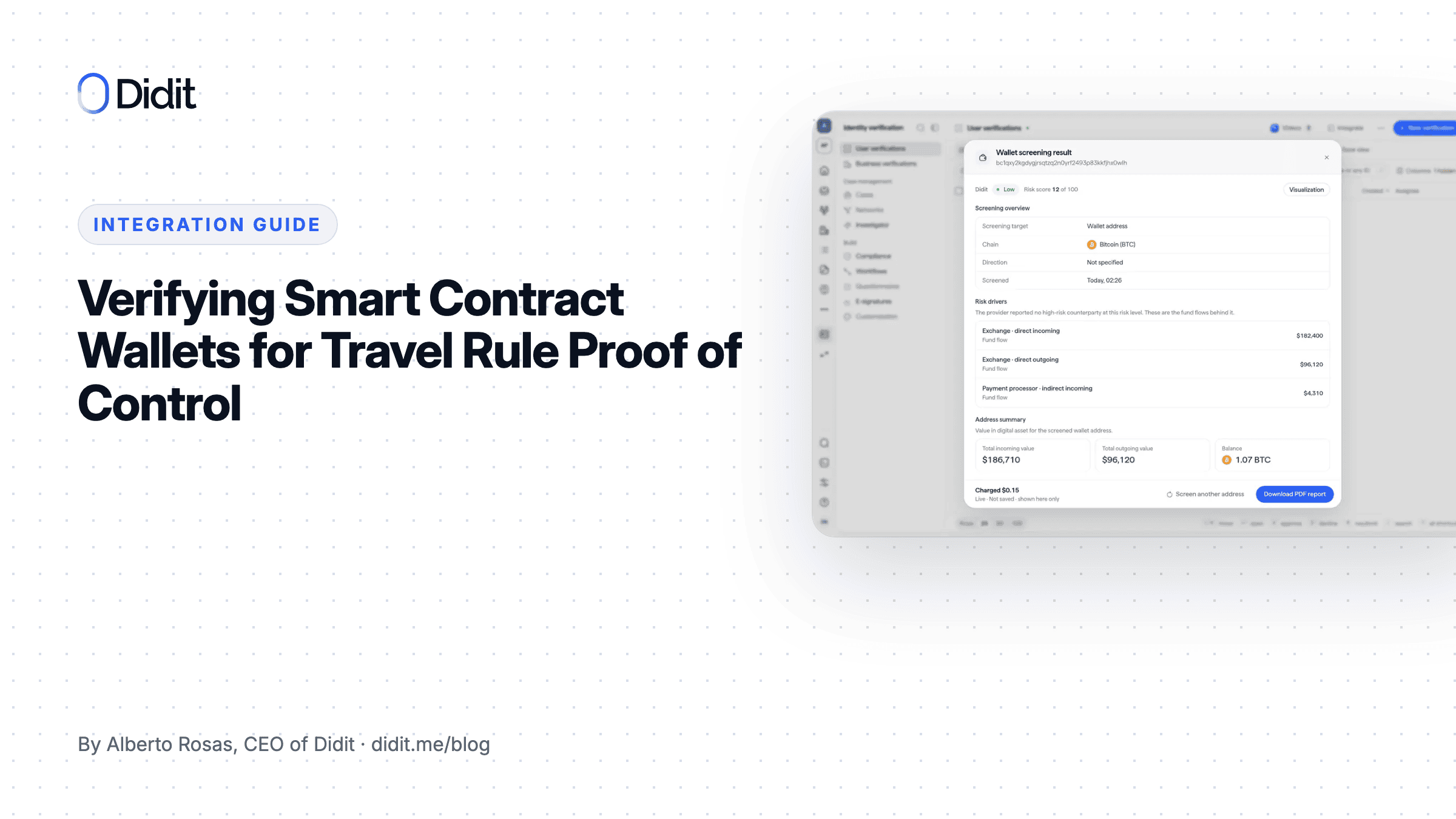 Verifying Smart Contract Wallets for Travel Rule Proof of Control
We prove control of ERC-4337 smart wallets by asking the account's contract on its declared chain (ERC-1271), and we check ERC-6492 for undeployed accounts without deploying or sending a transaction.
Alberto RosasNov 26, 2026 How to Decode a TRP Travel Address and Send a Travel Rule Inquiry
A ta address is Base58Check over an HTTPS URL: strip ta, decode with the Bitcoin alphabet, verify the double SHA-256 checksum, prepend https, then GET the identity and POST the inquiry to the t=i path.
Alberto RosasNov 26, 2026 Didit action required: wallet ownership vs verification session
The wallet ownership action is auto-launched by the Didit SDK, which then refreshes the transaction. A verification session is never auto-launched: read its session token or url and run your own Didit flow.
Alberto RosasNov 26, 2026Questions
Frequently asked questions
How do I build a daily bank feed for accounting clients with Didit?
Create a bank link with access: ongoing, send the client to the returned hosted URL, confirm the connection with the link read, then load the first snapshot from transactions/sync and store next_cursor. After that, each bank.data.updated webhook triggers one change feed read from that cursor. Didit syncs the connection automatically one to four times a day depending on the bank.
What does Didit ongoing bank access cost and when am I billed?
Ongoing access is billed per active connection per month, at the rate published on the Didit pricing page and the bank verification pricing page. Only an active connection is billed: pending, paused, renewal_required, revoked, deleted and failed connections are not. Reads never bill, and a link nobody completes is free.
How often does Didit sync an ongoing bank connection?
Between one and four times a day, depending on the bank, and the connection reports the value as sync.frequency_per_day. You can also call POST /v3/bank/connections/{id}/refresh/ when an accountant needs the data sooner. The sync cadence does not change the monthly price.
Why does my transactions sync response come back with reset set to true?
reset: true means the page is a full replacement of that connection's transactions, which is what an empty cursor returns on the first read. Wipe the local copy for that connection and apply the page as the new truth, never append to what you already hold. Store next_cursor only when the response comes back with has_more: false.
What should I do when a bank.data.updated webhook arrives?
Read your stored cursor for that connection and call the change feed once. Apply added as inserts, modified as upserts by id, and removed as deletions for ids you hold, ignoring ids you do not. Then store the new next_cursor. The webhook carries the connection_id, the account_ids and the counts.
How do I know when a client's bank consent ends, and how do I renew it?
Each connection shows consent.expires_at and renew_by, and Didit sends bank.connection.consent_expiring 14, 7 and 1 day before the end. Call POST /v3/bank/connections/{id}/renew/ to get a renew link, which answers 409 renewal_not_needed while more than 30 days are left. Send the renew link to the client, who signs in at their bank once.
Do transaction ids stay the same when a connection is renewed?
Yes. A renewal keeps the connection id and every account id, and history continues without duplicates. A new connection of the same bank account gets new ids, which is why you should keep the connection id as part of your key and read account_ref when you need to recognise an account across connections.
Does reading bank transactions cost anything?
No. Reads never bill on the Bank data API, on any endpoint. The cost sits in the completed one-time read or the active connection month, so extra reads for debugging or re-pagination add nothing to your invoice.
Is ongoing bank access available with real banks in production?
Not yet. Ongoing access with real banks is available in sandbox applications with the Didit Test Bank and opens country by country; one-time reads of real banks are open to live applications in the countries on the coverage page. The institutions endpoint and the coverage page show what each bank supports before you promise a client a feed.
What happens when a client leaves, or their bank refuses ongoing access?
Revoke the connection to stop access, or delete it to remove the connection and its data. A revoked or expired connection stays readable until consent.retain_until; a deleted connection is not readable. Where a bank cannot keep access open, the client is told so, and with allow_one_time_fallback: true they can confirm reduced access and continue with a one-time read.
How much history can I request for a new client?
Ask with history_from for a date, or history_days from 1 to 365, never both. Both are requests up to a limit: the link completes with the history the bank can give, bank.connection.history_complete marks the end of the backfill, and each account reports the real depth in history_coverage.oldest_booking_date.
Compliance built in
Audited, certified and attested.
We hold the certifications and build each country's rules into your flows, so you can launch anywhere without worrying. Security and Compliance center
- Regulation encoded into your flows
Tell us what you do and where. Didit lists the rules that apply to you, with sources, and builds the checks each country needs into one workflow.
- Ready for AMLR
Every requirement of the new EU anti-money laundering rules, from checking customers to human review, is already covered by a Didit check.
- Tested in Spain's Treasury sandbox
Spain's Treasury published its supervised sandbox report on Didit's NFC plus active liveness onboarding; SEPBLAC took part and valued the added measures positively.
- Audited, not self-declared
iBeta Level 1 and Level 2. Liveness tested under ISO/IEC 30107-3.
Your obligations · 3 regions
 SOC 2 Type 2
 ISO 27001
 iBeta Level 1 and Level 2
 EU regulator attestation
 FSM youth protection
 GDPR
 EBA remote onboarding
 MiCA compatible
 FIDO Alliance member
- AMLREU AML Regulation ready
Integration · Didit MCP
Run Didit from your own AI agent
Connect Didit to Claude, Cursor, VS Code or ChatGPT and just ask in plain words. Your agent can do anything you can do in the console, with the same permissions you have.
 Add to Claude
 ChatGPT
 Cursor
- Build workflowsDescribe the checks you need. The agent creates and publishes the flow.
- Run investigationsAsk why a session was declined, review cases, search people and companies.
- Change rulesCreate payment rules, test them on past data and switch them on.
- Pull reportsAsk for numbers, exports or the audit log.
Didit Academy