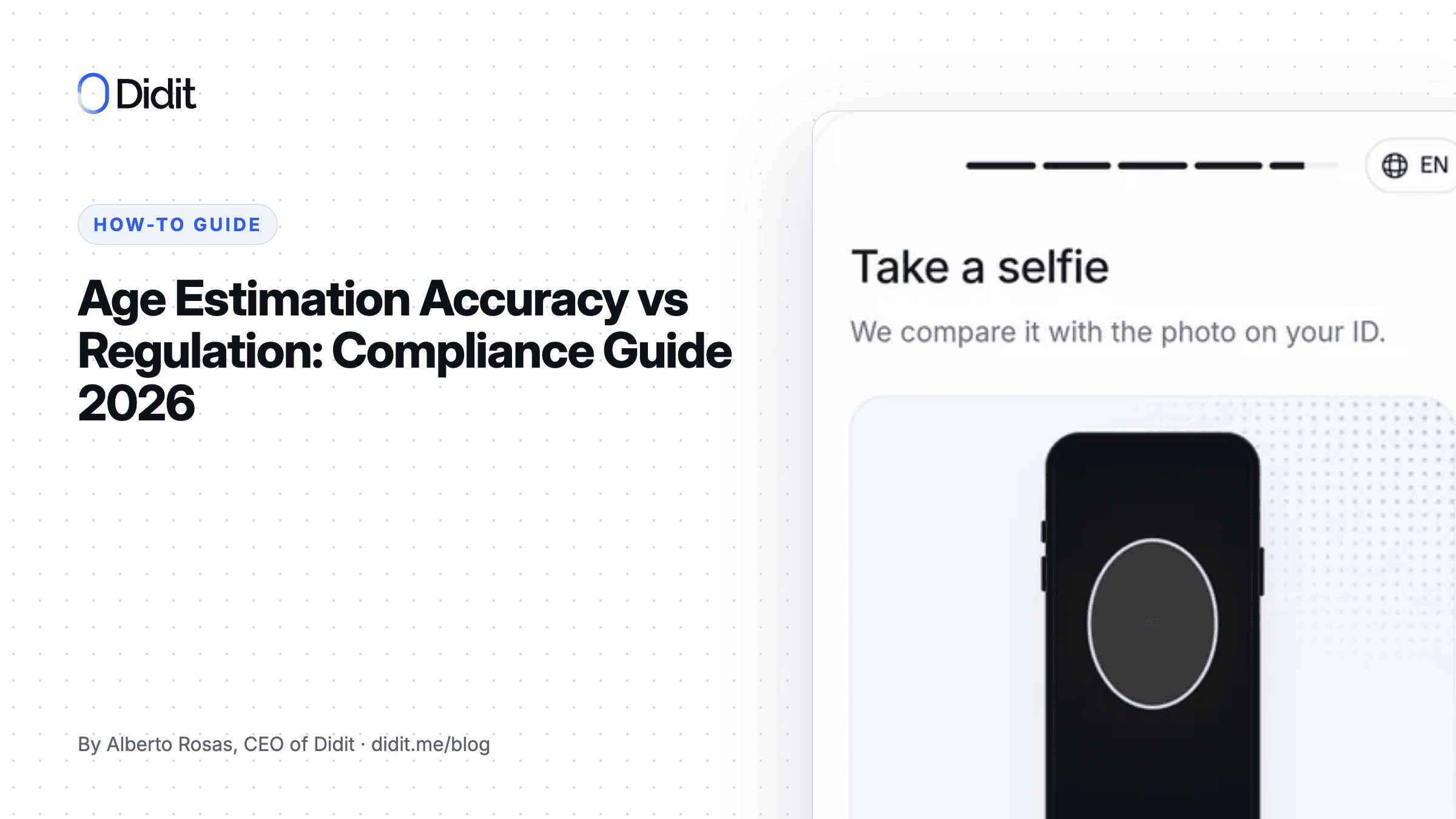
Age Estimation Accuracy vs Regulation: Compliance Guide 2026
Selfie age estimation costs $0.10 per check at Didit and reaches a 1.1-year mean absolute error at ages 16 to 17, but a model-predicted age is not legal proof. A full ID check fallback is $0.33.
 Alberto RosasCo-founder and CEO
Contents
In this guide
Jump to the part you need.
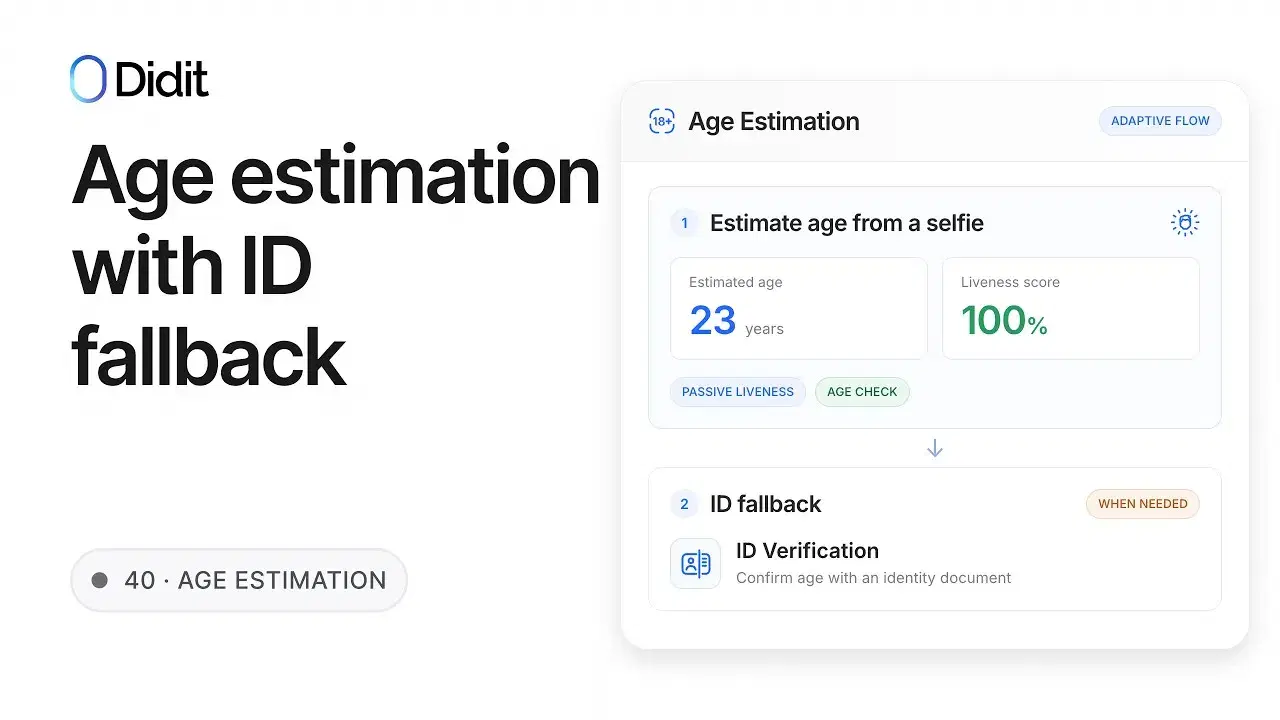
Age estimation from a selfie fits teams that need an age gate on every user without asking all of them for a document. At Didit one age estimation check costs $0.10 and includes passive liveness. The caveat is legal, not technical: a model-predicted age is not proof of age, so borderline results and age-restricted products need a document fallback and a written consent and retention position.
Last updated: November 26, 2026. Prices checked against the live Didit price feed on November 26, 2026.
| Item | What the documentation says |
|---|---|
| Method | One selfie, model-predicted age in years, plus passive liveness in the same call. No ID document required. |
| Price | $0.10 per completed check. The Age Estimation API line is published at $0.10, the same as the in-workflow step. |
| Accuracy | Mean absolute error 1.1 years at ages 16 and 17, 1.9 years at ages 18 to 20, and 96% correct classification of selfies as under 18 or 18 and over. |
| Decision | status is Approved only when the warnings array is empty. Default decline thresholds are 18 years of age and a passive liveness score of 30. |
| Fallback | The $0.33 fallback is a full ID check: ID document verification, passive liveness, face match and device and IP analysis. The ID document step alone is $0.15, and on its own it may not establish identity or age assurance. |
| Evidence | The call is stored as an API session in the Business Console by default, and can be deleted by API with a privacy erasure instruction. |
| Posture | Didit acts as data processor, EU (Ireland) processing by default, SOC 2 Type 2, ISO/IEC 27001:2022, iBeta Level 1 and 2, FSM youth-protection certification, EU AI Act ready. |
| Not for | Standing alone as legal proof of age for gambling payouts, alcohol delivery or any duty that requires a documented date of birth. |
Start free in the sandbox at https://business.didit.me/ with no sales call. The sandbox is free and unlimited on every plan. Developers can connect Didit to an AI assistant through the MCP server. Prices, plan credit and the estimator live on the pricing page, and the endpoint reference is the Age Estimation API page.
What age estimation accuracy means for a compliance decision
An age estimation model returns a predicted age, not a verified date of birth. It returns an estimate with an error distribution around it. Didit publishes that error as mean absolute error: 1.1 years for 16 and 17 year olds, 1.9 years for 18 to 20 year olds, and a 96% correct classification rate for the under-18 versus 18-and-over split. Those numbers answer different questions. The mean absolute error tells you how precise a predicted age is. The classification rate tells you how often the gate puts a person on the right side of a threshold.
For a compliance file, the classification rate near your threshold is the number that matters. A product that admits anyone the model places at 18 or above will admit a slice of 16 and 17 year olds, because the model's error is largest exactly where your decision boundary sits. That is not a defect you can buy your way out of. It is why regulators and standards bodies ask for a risk-based design rather than a single check: estimation for the broad funnel, a document for cases where the answer has to be right.
Didit's Age Estimation overview is explicit: the age is model-predicted from the face, not verified against a document, and the docs recommend a fallback to document-based verification for borderline ages near your threshold. Build your policy around that sentence and the rest of the compliance work gets simpler.
Age estimation vs document-based age verification: which should you use
| Question | Selfie age estimation | Document-based verification |
|---|---|---|
| What it establishes | A model-predicted age and a liveness check, in one call | A date of birth read from a government document, usually with a selfie match and liveness |
| What the user does | Takes one selfie | Photographs an ID document and takes a selfie |
| Price at Didit | $0.10 per check | $0.33 per full ID check. The ID document step alone is $0.15, and on its own may not establish identity or age assurance. |
| Best for | Age gates on social, marketplace and content products, first-pass filtering, low-effort signup | Gambling, alcohol and tobacco, financial products, any duty that requires a recorded date of birth |
| Failure shape | Some users near the threshold can be misclassified. The published metrics do not quantify that share, so validate your escalation band with your own data. | Capture and document quality problems, expired or altered documents, user drop-off |
| Regulatory weight | Supports an age-assurance argument, does not prove age | A document can provide documentary evidence required by a specific duty, regulator or contract, subject to your legal review. |
For many products, a practical implementation pattern is both in one workflow. Estimate first, and send only the people who fail or land close to the threshold to a document. In Didit you get that by combining the Liveness step, with age estimation switched on, with the ID Verification step inside the same workflow. Our iGaming bundle prices that shape at $0.63 per user, which is the full ID check at $0.33 plus AML screening at $0.20 plus age estimation at $0.10.
The $0.33 fallback is a full ID check: ID document verification, passive liveness, face match and device and IP analysis. The $0.15 document step alone is a component, and on its own it may not establish identity or age assurance.

The regulatory frame you are actually working inside
Age assurance sits inside several regimes at once, and they ask for different things. Four matter for an age estimation system.
- GDPR Article 9. Biometric data processed for the purpose of uniquely identifying a person is special category data under the GDPR, and Article 9 restricts it. One possible legal analysis is that estimating an age does not uniquely identify anyone, but that is an argument for your counsel to test, not a conclusion. The argument is strongest when you keep a boolean or a number and delete the image, and weakest when the same workflow also stores a face template for face search. Whether your processing falls inside Article 9 is a legal question for your counsel, and your record of the reasoning is the deliverable.
- Article 5 principles. Minimisation and storage limitation are the same test as the accuracy question. If the gate only needs to know whether someone is over 18, store that and not the face.
- The Digital Services Act and the UK Online Safety Act. Both push platforms toward proportionate measures for minors, which is why the risk-based pattern of estimation plus escalation reads well in a policy document. The DSA is at eur-lex.europa.eu and the UK act at legislation.gov.uk.
- COPPA and the US state biometric laws. COPPA governs personal information from children under 13 and parental consent, described on the FTC COPPA rule page. Illinois BIPA, Texas CUBI and Colorado require a notice and an explicit release before a business collects face geometry, from a selfie or from the photo on an ID.
Prerequisites before you run a single check
- A Didit organization and an application. Create one at business.didit.me. The sandbox is free and unlimited on every plan.
- An API key for the application. Sandbox keys skip all processing and billing and return a fixed mock payload.
- One decision written down: is your threshold 18 or 21, and what happens to a person who fails it. The threshold is a field, not a policy.
- A consent position. If you verify people in Illinois, Texas or Colorado, decide between Auto, Always and Never in the application's Settings, Data and privacy, Biometric consent. The rules are documented at biometric consent.
- A retention period. Pick a window between 1 month and 10 years in App Settings, Data retention, and know whether you are keeping the face embedding.
- A front end that can show the consent step. The hosted flow, the Web SDK and native SDK 4.10.0 or later can display it; older native SDKs cannot.

How to put age estimation into a compliant flow: 8 steps
The outcome is a flow that estimates age for everyone, escalates borderline cases to a document, and records consent and deletion evidence. The recommended method is the Liveness step with age estimation for the funnel and the ID Verification step for escalation, or the standalone API when you already hold a selfie.
- Write the decision, not the technology. State the threshold, the consequence of a decline, and the categories of user who must produce a document. Every later configuration choice follows from this paragraph.
- Choose the route. In hosted and SDK flows, age estimation is embedded inside the Liveness step. There is no separate age estimation workflow feature. Use the standalone API when you already hold a selfie and need a one-shot server-to-server answer.
- Configure the Liveness step in the Business Console. Enable age estimation on the Liveness node and set
age_estimation_decline_threshold, which defaults to 18. Raise it above your legal age if you want a buffer band. - Decide what is stored. On the standalone API,
save_api_requestdefaults totrue: the call is persisted as an API session, the face crop and reference image are stored, the face embedding joins your application's face index, and astatus.updatedwebhook is emitted. Set it tofalseand nothing is stored, but the returnedrequest_idbecomes a one-off correlation value you cannot look up later. Then set the retention window in App Settings, Data retention. - Set the consent mode. Auto shows the biometric consent step only where a trigger applies, Always shows it to everyone whose face is captured, Never means you collect consent yourself before the selfie and keep the record. Send
user_stateat session creation when you already know the person's state. - Make the call. This is the standalone request exactly as documented:
The image may be jpg, jpeg, png, tiff or webp, up to 5 MB, and PDFs are rejected. Send one clear, front-facing, well-lit face; if captures can arrive sideways, setcurl -X POST 'https://verification.didit.me/v3/age-estimation/' \ -H 'x-api-key: YOUR_API_KEY' \ -F 'user_image=@./selfie.jpg' \ -F 'age_estimation_decline_threshold=18' \ -F 'save_api_request=true' \ -F 'vendor_data=user-1234'rotate_image=true. The largest face in the frame drives the result. - Read the decision and branch. Treat
statusas the answer andwarningsas the reason. A borderline estimate is not a warning code by itself, so the branch is yours to build. For a low-risk age gate, one workable example is to decline predicted ages below 18, auto-approve predicted ages of 25 and over, and escalate predicted ages from 18 to 24 to the ID document step in the same workflow. Validate that band against your own error data, regulator expectations and counsel; the exact band is a policy choice, not a product default. - Wire deletion and keep the evidence. For an erasure request, call the delete endpoint and pass the privacy instruction so a retained template is purged as well:
Acurl --request DELETE \ --url https://verification.didit.me/v3/session/{session_id}/delete/ \ --header 'x-api-key: YOUR_API_KEY' \ -H 'Content-Type: application/json' \ -d '{"deletion_instruction":"privacy_erasure"}'200reports what happened to the face biometric data, and a404means the session was already deleted or the id is unknown.
What a successful response looks like
A sandbox call returns a fixed mock payload after request validation, stores no session and consumes no credits. The sandbox is free and unlimited on every plan. That is what you see on a first run:
{
  "request_id": "<correlation-id>",
  "age_estimation": {
    "status": "Approved",
    "method": "PASSIVE",
    "age_estimation": 30,
    "warnings": []
  }
}
A live call returns the same shape with a real prediction, a passive liveness score from 0 to 100, and the detected face entities under user_image. In a hosted flow the same result appears inside the Liveness entry of the session decision, at liveness_checks[].age_estimation. It does not appear in a top-level age estimation array, which is the field mistake most integrations make first.

Failure cases and recovery
| Result | What it means | Recovery |
|---|---|---|
| HTTP 400 | Missing or oversized user_image, or an unsupported extension | Fix the capture or the upload before retrying. Sandbox keys validate input too, so test this path there. |
| HTTP 403 | Missing or invalid API key, or the organization's balance cannot cover the call | The endpoint refuses before any image processing. Top up, or switch the key. |
| HTTP 429 | The shared write budget of 300 requests per minute per key is exhausted | Back off and retry. This budget is shared across all POST, PATCH and DELETE endpoints. |
AGE_BELOW_MINIMUM | The predicted age is below your configured threshold | Decline, or escalate to a document check if your policy allows a second attempt. |
LOW_LIVENESS_SCORE | The passive liveness score is at or below face_liveness_score_decline_threshold, default 30 | Treat as a suspected presentation attack. Ask for a retake in better light rather than accepting the image. |
LIVENESS_FACE_ATTACK | The liveness model flagged a presentation attack, such as a photo of a photo or a screen | Decline. Record the code with the decision. |
NO_FACE_DETECTED | The liveness model found no face in the image | Ask for a retake. Do not fall back to a document on the first failure if the cause is capture quality. |
AGE_NOT_DETECTED | No estimable face age, and age_estimation is null | Poor image quality. Request a retake; if it repeats, route to document verification. |
MULTIPLE_FACES_DETECTED | More than one face is present | Retake with one person in frame. The largest face would otherwise drive the result. |
Inputs and outputs
| Field | Direction | Rule |
|---|---|---|
user_image | Input, required | Single face photo, jpg, jpeg, png, tiff or webp, maximum 5 MB |
age_estimation_decline_threshold | Input, optional | Defaults to 18. Below this predicted age, the call declines |
face_liveness_score_decline_threshold | Input, optional | Defaults to 30. At or below it, the call declines |
rotate_image | Input, optional | Set when captures may be sideways or upside down |
save_api_request | Input, optional | Defaults to true. False stores nothing and makes request_id a one-off value |
vendor_data | Input, optional | Your own user reference, returned with the result |
request_id | Output | A real session id when the request is persisted, usable with the session decision endpoint |
age_estimation.status | Output | Approved only when warnings is empty |
age_estimation.age_estimation | Output | Predicted age in years, as a float, or null |
age_estimation.score | Output | Passive liveness score from 0 to 100 |
age_estimation.warnings | Output | The risk codes in the failure table above |
What you pay for, and where your responsibility starts
Each 200 response consumes one Age Estimation credit, paid from your plan credit or top-up balance at $0.10. A call that fails validation or runs out of balance is not billed, because the endpoint refuses before processing. Sandbox calls are never billed.
The boundary is worth stating plainly. We run the model, show the consent step, record the answer on the session as evidence, and delete data on your instruction. We do not decide whether your legal basis is adequate, whether a selfie is proportionate for your product, or whether your notice text covers the processing. Those are controller decisions, and the documentation says so: Didit shows the step and records the answer, and your implementation still needs review with your counsel.
The second boundary is age assurance as evidence. A predicted age supports an argument. A date of birth read from a passport or national ID provides documentary evidence that may satisfy a specific duty, regulator or contract, subject to your legal review. If your regulator, payment processor or insurer expects a dated record, the document step is usually the one that can satisfy them, and the estimate is the filter that keeps the document step cheap.
What we can hand your reviewer: SOC 2 Type 2, ISO/IEC 27001:2022 certification, GDPR compliance as processor with EU (Ireland) processing by default, iBeta Level 1 and Level 2 liveness certification under ISO 30107-3, FSM youth-protection certification confirming the system establishes a closed user group under Section 4(2) JMStV, and AI systems designed in alignment with EU AI Act requirements for high-risk systems. The full list, with dates and how to request each report, is on the security and compliance page. For a DPA and the technical and organisational measures, email privacy@didit.me.

Worked cost example
Take a social product with 100,000 age gates a month, where 8% of users land near the threshold and are escalated to a full ID check.
- Estimation: 100,000 x $0.10 = $10,000.00
- Escalation, 8% of 100,000 = 8,000 users: 8,000 x $0.33 = $2,640.00
- Total at list price: $10,000.00 + $2,640.00 = $12,640.00, or $0.1264 per user
- Same traffic on the Scale plan, where every Didit price carries a 10% discount: 100,000 x $0.09 = $9,000.00, and 8,000 x $0.297 = $2,376.00, for $11,376.00 in total
- For comparison, running a full ID check on all 100,000 users: 100,000 x $0.33 = $33,000.00
The Free plan's $10 of monthly credit buys 100 age estimation checks at list price ($10.00 / $0.10 = 100), for an eligible organization: the first organization created in the console with an eligible work email for a company domain. An organization created through the API starts at $0. That is enough to see the response shape and the console session before you decide anything. Growth at $99 a month carries $115 of credit and 4% off every price; Scale at $299 a month carries $350 of credit and 10% off. Plan credit resets monthly and does not roll over, so size the plan against your monthly volume rather than your annual one.
Sources
- Didit, Age Estimation API reference
- Didit, Age Estimation overview and model performance
- Didit, Create Session API
- Didit, pricing and billing documentation
- Didit, pricing page and cost estimator
- Didit, biometric consent for BIPA, CUBI and Colorado
- Didit, data retention and deletion
- Didit, security and compliance certifications
- Didit MCP server setup
- GDPR, Regulation (EU) 2016/679, Article 9
- Digital Services Act, Regulation (EU) 2022/2065
- EU AI Act, Regulation (EU) 2024/1689
- UK Online Safety Act 2023
- US Federal Trade Commission, Children's Online Privacy Protection Rule (COPPA)
The next step is the sandbox, not a call: create a free application at https://business.didit.me/, run one age estimation request against a sandbox key, and look at what lands in the console. The sandbox is free and unlimited on every plan. No sales call.
Try it
Try this in the sandbox
Run the check this guide describes, free.
The product this post is about, taken from its topic. Run it free in the sandbox.
Author
Alberto Rosas
Co-founder and CEO

Keep reading
Other guides in the same topic.
 What Is the Purpose of FICA in South Africa? 2026 Guide
FICA is South Africa's anti-money laundering law. It creates the Financial Intelligence Centre and requires accountable institutions to identify and verify clients, screen for PEP and sanctions risk and report suspicious.
Alberto RosasNov 26, 2026 Sixth Money Laundering Directive (6AMLD): What Changed and Which Rules Apply
6AMLD is Directive (EU) 2018/1673: Member States must criminalise laundering, widen predicate offences and set a four-year penalty floor. It adds no new due diligence duties for firms.
Alberto RosasNov 26, 2026 Automated Sanctions Screening: Canada, the Entity List and Embargoes
Automated sanctions screening matches people and companies against lists such as Canada's autonomous sanctions made under SEMA and JVCFOA and the OFAC SDN List, and returns candidate hits scored for identity confidence and.
Alberto RosasNov 26, 2026Questions
Frequently asked questions
How accurate is AI age estimation?
Didit publishes a mean absolute error of 1.1 years for ages 16 and 17, 1.9 years for ages 18 to 20, and correct classification of 96% of selfies as under 18 or 18 and over. The error grows for faces close to your threshold, which is why the documentation recommends a document fallback for borderline ages. Accuracy varies with image quality and lighting.
Does GDPR Article 9 apply to age estimation?
Article 9 restricts biometric data processed for the purpose of uniquely identifying a natural person, so the answer depends on your design. Estimating an age and keeping only a boolean is a different processing operation from storing a face template for duplicate detection in the same workflow. Decide the position with your counsel and record it in your DPIA; Didit acts as processor and can supply the DPA and the technical and organisational measures.
Age estimation vs document-based age verification, which should I use?
Use selfie age estimation for broad, low-effort age gates, and document-based verification wherever a duty, a regulator or a contract requires a proven date of birth. A common implementation pattern is both in one workflow: estimate first at $0.10, then send only borderline and high-value users to a full ID check at $0.33. The $0.15 document step alone is a component and may not establish identity or age assurance. Running documents on everyone costs $0.33 per user and adds capture drop-off.
How much does an age estimation system cost?
At Didit an age estimation check is $0.10 at list price, $0.096 on Growth and $0.09 on Scale, and it includes passive liveness in the same call. A full ID check for the fallback is $0.33. The sandbox is free and unlimited on every plan, and sandbox calls are never billed.
How do I add age estimation to a Didit workflow?
Enable age estimation on the Liveness node in the Business Console and set the decline threshold there; there is no separate age estimation workflow feature. Create the session with the workflow id, open the session URL or mount an SDK, then read the result at liveness_checks[].age_estimation in the session decision. Use the standalone endpoint instead when you already hold a selfie.
What happens when an estimated age is close to 18?
The call still returns an age and a status, and there is no dedicated borderline warning code. For a low-risk age gate, one example is to decline below 18, auto-approve predicted ages of 25 and over, and escalate predicted ages from 18 to 24 to the ID document step. Validate that band against your own data and counsel; the exact band is a policy choice. You can also raise age_estimation_decline_threshold above your legal age if you want a buffer.
Do I need biometric consent in Illinois, Texas or Colorado?
BIPA, CUBI and Colorado require a notice and an explicit release before a business collects face geometry, from a selfie or from the photo on an ID. Didit shows the step in Auto or Always mode and records the answer on the session as evidence. In Never mode, you collect consent yourself before the selfie and keep the record. In Auto mode the case is covered when the person's IP, declared state or document issuer is in a covered state. The step needs the hosted flow, the Web SDK or native SDK 4.10.0 or later.
Does Didit keep the selfie after an age estimation call?
By default yes: save_api_request is true, so the call is persisted as an API session with the face crop, reference image and face embedding, and a status.updated webhook fires. Set it to false and nothing is stored, but the request_id becomes a one-off value you cannot look up. Retention is a separate setting from 1 month to 10 years, and sessions can be deleted by API with a privacy erasure instruction.
What are the default decline thresholds in the age estimation API?
age_estimation_decline_threshold defaults to 18 and face_liveness_score_decline_threshold defaults to 30. Any warning declines the call, so status is Approved only when the warnings array is empty. Both thresholds are available as standalone API fields. The age threshold is also configured on the workflow's Liveness step.
Is age estimation covered by the EU AI Act?
Didit's verification systems are designed in alignment with the EU AI Act requirements for high-risk AI systems, including transparency, human oversight, data governance and bias monitoring. Whether your specific use of age estimation is a high-risk use under the AI Act is a legal classification question for your counsel, not a product setting.
Compliance built in
Audited, certified and attested.
We hold the certifications and build each country's rules into your flows, so you can launch anywhere without worrying. Security and Compliance center
- Regulation encoded into your flows
Tell us what you do and where. Didit lists the rules that apply to you, with sources, and builds the checks each country needs into one workflow.
- Ready for AMLR
Every requirement of the new EU anti-money laundering rules, from checking customers to human review, is already covered by a Didit check.
- Tested in Spain's Treasury sandbox
Spain's Treasury published its supervised sandbox report on Didit's NFC plus active liveness onboarding; SEPBLAC took part and valued the added measures positively.
- Audited, not self-declared
iBeta Level 1 and Level 2. Liveness tested under ISO/IEC 30107-3.
Your obligations · 3 regions
 SOC 2 Type 2
 ISO 27001
 iBeta Level 1 and Level 2
 EU regulator attestation
 FSM youth protection
 GDPR
 EBA remote onboarding
 MiCA compatible
 FIDO Alliance member
- AMLREU AML Regulation ready
Integration · Didit MCP
Run Didit from your own AI agent
Connect Didit to Claude, Cursor, VS Code or ChatGPT and just ask in plain words. Your agent can do anything you can do in the console, with the same permissions you have.
 Add to Claude
 ChatGPT
 Cursor
- Build workflowsDescribe the checks you need. The agent creates and publishes the flow.
- Run investigationsAsk why a session was declined, review cases, search people and companies.
- Change rulesCreate payment rules, test them on past data and switch them on.
- Pull reportsAsk for numbers, exports or the audit log.
Didit Academy