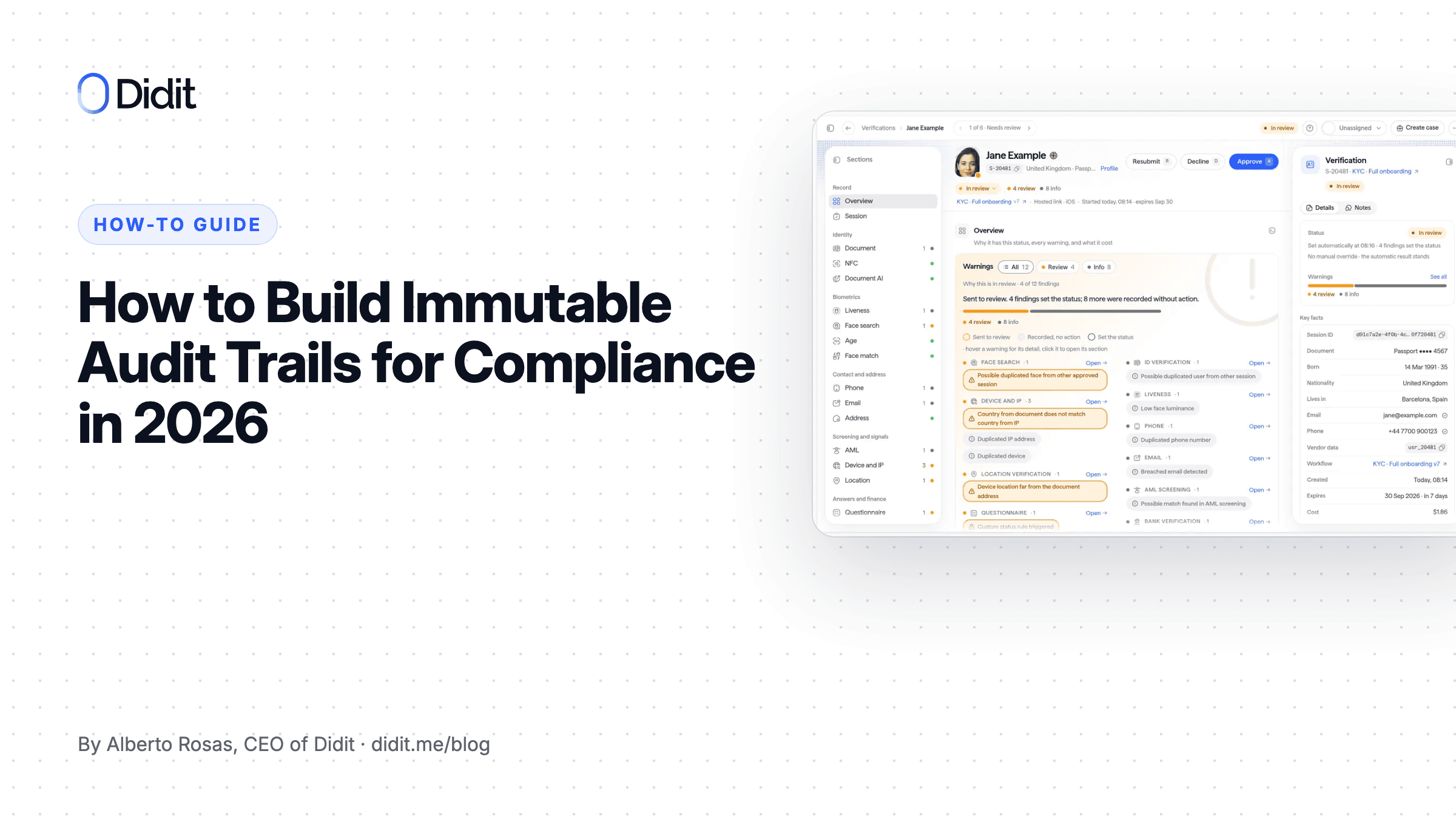
How to Build Immutable Audit Trails for Compliance in 2026
An immutable trail combines Didit's audit log, verified HMAC webhooks, the decision JSON and the compliance PDF, hash-chained in your own storage. Full KYC costs $0.33.
 Alejandro RosasCo-founder and CTO
Contents
In this guide
Jump to the part you need.
This guide is for backend and compliance engineers who must prove, months after the fact, what a verification decided and who changed it. Didit supplies the raw material: an audit log of every API call, HMAC-signed webhooks and a decision endpoint that returns the full record. A full KYC check costs $0.33. The caveat is retention: how far back you can read the audit log and whether you can export it depend on your plan, so archive early.
Last updated: November 26, 2026. Prices checked against the live Didit price feed on November 26, 2026.
| Layer | What Didit provides | What you implement | Documented boundary or price |
|---|---|---|---|
| API activity | Audit log entry: timestamp, user, method, path, status, IP address, application | Your own read of the log, run before your plan window closes. The scheduler is your implementation choice | Retention by plan: 30 days Free, 1 year Growth, 3 years Scale, contract on Enterprise. Export on Scale and Enterprise |
| Event record | HMAC-SHA256 signed webhooks, X-Signature-V2 recommended | An endpoint you run that verifies the signature and stores the raw body | 300 second timestamp window. Previous-secret headers for 24 hours after a rotation |
| Decision record | GET /v3/session/{session_id}/decision/ with decision_trace | You store the JSON, hash it and link it to the hash of the record before it | $0.33 per full KYC check at list price |
| Evidence document | GET /v3/session/{session_id}/generate-pdf/ | You store the PDF with its own SHA-256 | Only for Approved, Declined or In Review sessions. Read-only, counts against the standard rate limit |
| Retention boundary | Retention window from 1 month to 10 years, plus the Delete Session API | You mirror the same window in your own store | New apps start at 1 year Free, 5 years Growth, 10 years Scale, unlimited Enterprise |
Start free in the sandbox at business.didit.me, no sales call. If you work with a coding assistant, connect Didit through the MCP server. Every module price sits on didit.me/pricing, and the AML screening module that most compliance trails include has its own product page.
The outcome and the recommended method
Outcome: for every verification you keep four artifacts. The API activity that produced it, the signed event that announced it, the decision JSON, and the compliance PDF. Each carries a SHA-256 hash and each links to the hash of the record before it. Anyone holding the chain can recompute the hashes and see whether a byte moved.
Two different jobs sit inside that sentence, and different systems do them. Didit's audit log is searchable evidence: it tells you who called which endpoint, from which IP, with which API key or as which teammate, and it serves compliance review, incident investigation and debugging. Tamper detection is the part you own: the hash chain lives in your storage, so an edit to an archived record is detectable by anyone who holds the chain and the hashing rule.
Method: let Didit stay the source of truth, then copy what you need into storage you control on a schedule shorter than your retention window. Do not plan to reconstruct history later. The steps below read the audit log, verify webhook signatures, pull decisions, hash-chain them and close the retention boundary.
Prerequisites
- A Didit application and an API key holding the
read:sessionsprivilege. - A webhook destination with its signing secret, created in the Business Console.
- A role with the
audit-logsread and list permissions. Reader, Compliance Officer, Developer, Admin and Owner have them by default, and a custom role gets them by selecting Audit logs. - Append-only storage on your side where you can write JSON, PDFs and hashes, with write-once or object-lock semantics if your regulator expects them.
- A plan whose audit log window covers your evidence period. Free reads back 30 days, Growth 1 year, Scale 3 years with export, Enterprise is set by contract with export.
- A sandbox application for testing. The sandbox is free and unlimited on every plan.
Steps to build the audit trail
-
Read the audit log while it is still there
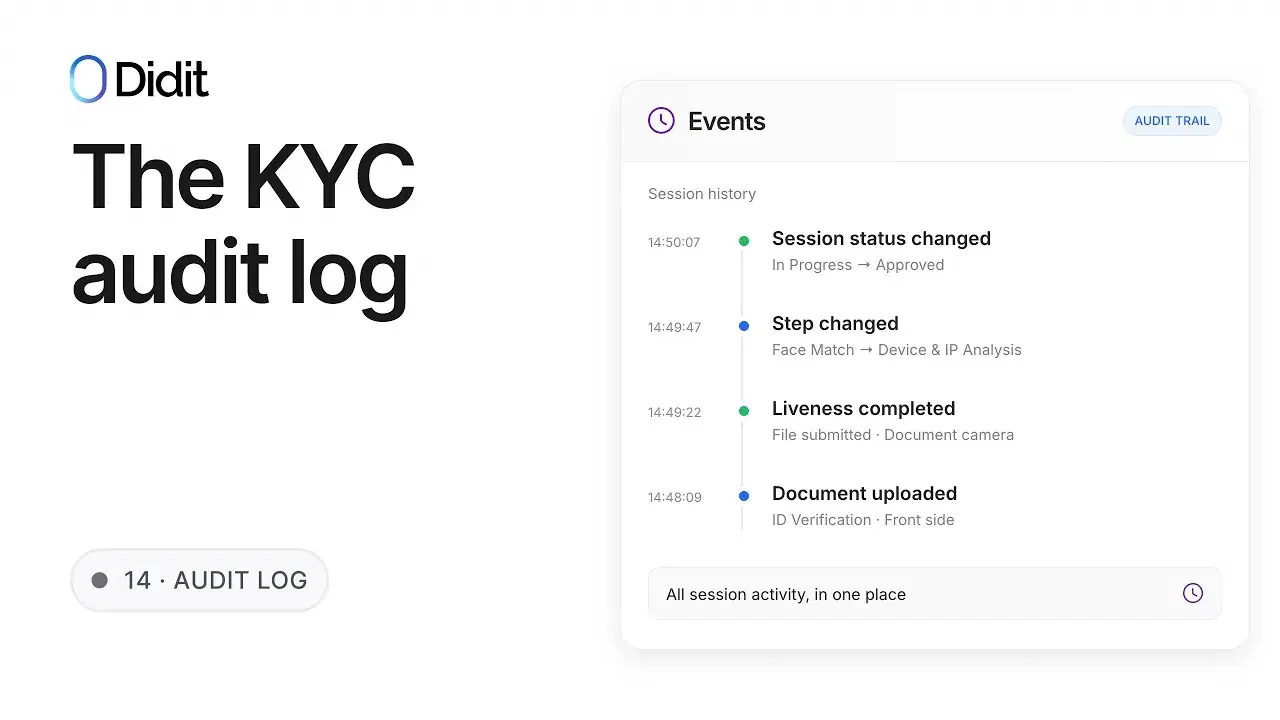
Open Settings, then Organization, then Audit log in the Didit Console. Every request to the platform appears in chronological order, whether it came from the Console, your integration or a teammate. Each entry carries timestamp, user, HTTP method, path, status code, IP address and application.
The search bar detects what you paste. An exact path, an exact email, an exact IP, a wildcard such as
/v1/*/analytics/*, or general text that fuzzy-matches every field. The Audit Logs interface provides filtering by application, members and API keys, actor, method, status code and date range. The actor filter has one value worth knowing: The Investigator, which isolates every decision the automated reviewer took on its own.Body capture is deliberately narrow. For a call made with an API key, the log keeps a redacted copy of the JSON request body of a write and of the response to a write or an error. A successful read response is not kept. Redaction is default-deny: field names, nesting and lengths stay, and every other value becomes a marker such as
[redacted:string:12]or[redacted:number:5]. What remains is cut at 4,096 characters. Values your own system sends inmetadataorvendor_dataare never kept.
A session overview with its warnings. The same session is the unit you archive: audit log entries, decision JSON and PDF all resolve to one session id. -
Verify every webhook signature before you store the event
Create a destination in the Business Console and subscribe only the event families you need, because there is no wildcard and you must list every family you want. For an audit trail the core ones are
status.updated,data.updated,user.status.updated,transaction.status.updated, and the Investigator eventsinvestigator.decision.automated,investigator.decision.overriddenandinvestigator.report.ready.X-Signature-V2signs the sorted, Unicode-preserved canonical JSON with HMAC-SHA256. This is the recommended header.X-Signaturesigns the exact raw bytes. It works only if your stack does not re-encode the body.X-Timestampis the Unix epoch seconds when Didit dispatched the webhook. Reject anything older than 300 seconds.X-Signature-V2-Previous,X-Signature-PreviousandX-Signature-Simple-Previousare sent for 24 hours after a signing secret is rotated. Accept a match on either header so a rotation does not break your ingest.X-Signature-Simpleis a deprecated last resort. It authenticates the envelope only, not the decision body.
Read the raw request body before any JSON parsing, recompute the signature with your destination secret, and compare with a constant-time function. Then return 2xx quickly and store the event idempotently on
event_id. The header and event rules are documented in the webhooks docs. -
Pull the decision and keep the trace, not just the status
Call
GET /v3/session/{session_id}/decision/with thex-api-keyheader. The key needsread:sessions. Branch onsession_kind, which isuserfor KYC andbusinessfor KYB, because the feature arrays differ. The full field list is in the retrieve session docs.The status alone is not evidence. Store
decision_trace, which records how the status was reached:status,decided_by(manual, automatic or investigator),decided_at,automatic_status, terminal node, actor, warning counts and warnings. Keepstatus_override, which holdsoverridden_atandautomatic_statuswhen a reviewer changed the status by hand. Keepreviews, the array of manual review activity, andbiometric_retention, which states when the live biometric data of that session is deleted.This is the piece most teams miss. An automated approval and a human override can look identical in a status column and completely different to an examiner.

The ID document check inside a session. Its result is one element of the decision JSON you hash, and one section of the PDF you archive next to it. -
Hash-chain the records you store
Canonicalize the JSON you received, hash it with SHA-256, and write a record with the session id, the event id, the payload hash, the hash of the previous record, the timestamp and the actor. Any edit to an older record changes its hash and breaks every link after it, which is exactly the property an examiner is testing for.
If your regulator wants an outside witness, publish the chain head once a day to a public ledger or a third-party timestamping service and keep the receipt. You do not need to put personal data on a ledger. Publish the hash, keep the payload in your own store under the retention rule you set in step 6.
-
Generate the compliance PDF and store it with its hash
Call
GET /v3/session/{session_id}/generate-pdf/. The response body is binaryapplication/pdfwith aContent-Dispositionfilename ofsession_<session_id>.pdffor KYC orbusiness_<session_id>.pdffor KYB. Do not parse it as JSON.The KYC template covers identity OCR, liveness, face match, AML, proof of address, IP analysis, reviews and events. The KYB template covers registry data, officers, beneficial owners, documents, AML hits, questionnaires, phone, email and IP analysis. Add
?language=esor another supported code to print the report in that language; text the end user submitted prints exactly as captured. Generation is read-only, so a retry is safe. The generate PDF docs list every language code and failure mode.
Liveness evidence for the same session. It lands in the PDF, so the document you archive is self-contained when you hand it to an auditor. -
Set the retention and deletion boundary
Set the window in Business Console, App Settings, Data retention. The range is 1 month to 10 years, unlimited and custom periods on Enterprise. A new application starts at the longest window its plan includes: 1 year on Free, 5 years on Growth, 10 years on Scale and unlimited on Enterprise. When a session reaches the end of the window it is deleted exactly as by Delete Session, including its face embedding unless biometric-template retention is on. The data retention docs cover the settings screen by screen.
To delete on demand, call
DELETE /v3/session/{session_id}/delete/. A 200 reports what happened to the face biometric data inface_retention_outcome; a 404 means the session is already gone or the id is unknown.Your archive and Didit's copy now follow different clocks. That is the point: write down both windows and reconcile them once a year.
Runnable example
Four calls cover the whole loop. Replace the session id and key with your own from the sandbox. Two constraints apply to what follows: the PDF endpoint answers only for a session in Approved, Declined or In Review status, and Delete Session removes Didit's copy of the session.
# 1. Full decision record for one session
curl https://verification.didit.me/v3/session/<SESSION_ID>/decision/ \
  -H "x-api-key: <API_KEY>"

# 2. Audit-ready PDF, saved to disk
curl https://verification.didit.me/v3/session/<SESSION_ID>/generate-pdf/ \
  -H "x-api-key: <API_KEY>" \
  -o report.pdf

# 3. The same report in Spanish
curl "https://verification.didit.me/v3/session/<SESSION_ID>/generate-pdf/?language=es" \
  -H "x-api-key: <API_KEY>" \
  -o informe.pdf

# 4. Delete at end of retention
curl --request DELETE \
  --url https://verification.didit.me/v3/session/<SESSION_ID>/delete/ \
  --header 'x-api-key: <API_KEY>'
Verify X-Signature-V2, the recommended header. It signs the sorted, Unicode-preserved canonical JSON, so parse the raw body, sort every key, serialize without whitespace, hash with HMAC-SHA256 and compare in constant time. Keep the secret that a rotation replaced, so the X-Signature-V2-Previous header, sent for 24 hours afterwards, still verifies.
const crypto = require("crypto");

// Sort every key, keep Unicode intact and drop whitespace: the canonical string
function canonicalize(value) {
  if (Array.isArray(value)) return "[" + value.map(canonicalize).join(",") + "]";
  if (value && typeof value === "object") {
    return "{" + Object.keys(value).sort()
      .map((key) => JSON.stringify(key) + ":" + canonicalize(value[key]))
      .join(",") + "}";
  }
  return JSON.stringify(value);
}

function verifyV2(rawBody, headers, secret, previousSecret) {
  const skew = Math.abs(Math.floor(Date.now() / 1000) - Number(headers["x-timestamp"]));
  if (skew > 300) return false;

  const canonical = canonicalize(JSON.parse(rawBody));
  const sign = (key) =>
    crypto.createHmac("sha256", key).update(canonical).digest("hex");
  const matches = (expected, received) =>
    received &&
    received.length === expected.length &&
    crypto.timingSafeEqual(Buffer.from(expected), Buffer.from(received));

  return (
    matches(sign(secret), headers["x-signature-v2"]) ||
    (previousSecret
      ? matches(sign(previousSecret), headers["x-signature-v2-previous"])
      : false)
  );
}
For X-Signature, the same comparison over the exact raw bytes works only if your stack does not re-encode the body.
const crypto = require("crypto");

// rawBody must be the exact bytes received, read before any JSON parsing
function verifyDiditWebhook(rawBody, headers, secret) {
  const skew = Math.abs(Math.floor(Date.now() / 1000) - Number(headers["x-timestamp"]));
  if (skew > 300) return false;

  const expected = crypto.createHmac("sha256", secret).update(rawBody).digest("hex");
  const received = headers["x-signature"];
  const previous = headers["x-signature-previous"];

  const match = (value) =>
    value &&
    value.length === expected.length &&
    crypto.timingSafeEqual(Buffer.from(expected), Buffer.from(value));

  return match(received) || match(previous);
}
Expected output
The decision call returns the record you will hash. The fields below are the ones an audit trail depends on.
{
  "session_id": "3f1c6a52-...",
  "session_kind": "user",
  "status": "Approved",
  "created_at": "2026-11-26T09:14:03Z",
  "decision_trace": {
    "status": "Approved",
    "decided_by": "automatic",
    "decided_at": "2026-11-26T09:15:11Z",
    "automatic_status": "Approved",
    "warning_counts": 1
  },
  "status_override": null,
  "reviews": [],
  "biometric_retention": { "deletes_at": "2031-11-26" }
}
The PDF call answers with binary content, not JSON. You should see headers close to these. The response body is binary application/pdf and is written to disk; server-side rendering typically takes one to three seconds.
Content-Type: application/pdf
Content-Disposition: attachment; filename=session_3f1c6a52-....pdf

report.pdf  saved
Inputs and outputs
| Call | Input | Output | Notes |
|---|---|---|---|
| Audit log | Console filters: application, member or API key, actor, method, status code, date range | Chronological list of requests with IP and application | Reading needs the audit-logs read and list permissions |
GET /v3/session/{session_id}/decision/ | Session id, x-api-key with read:sessions | JSON decision with decision_trace, reviews, feature arrays | 404 if the session belongs to a different application |
| Webhook delivery | Subscribed event families on one destination | Envelope with event_id, session_id, status, webhook_type, decision | Verify before parsing the decision body |
GET /v3/session/{session_id}/generate-pdf/ | Session id, optional language | Binary application/pdf | Only Approved, Declined or In Review |
DELETE /v3/session/{session_id}/delete/ | Session id, optional deletion_instruction | 200 with face_retention_outcome, or 404 | Deletes Didit's copy of the session; your archive is unaffected |
PATCH /v3/webhook/ | face_retention_policy, face_retention_days (1 to 3650) | Updated webhook policy | Applies to deletions from now on |
Failure cases and recovery
| Symptom | Cause | Recovery |
|---|---|---|
| 401 on a decision call | Invalid API key | Rotate the key in the Console. The audit log shows the key name that made each call, not the full secret |
| 403 with a permission message | The key lacks read:sessions | Issue a key with the privilege and replay the call |
| 404 on a session you can see in the Console | The session belongs to another application | Call from the application that owns it |
| 403 on the PDF call | Session is Not Started, In Progress, Expired, Abandoned, Kyc Expired, Resubmitted or Awaiting User | Wait for a terminal status or for In Review, then generate |
403 with plan_limit_exceeded on export | Your plan has no audit log export | Read within the window, or move to Scale or Enterprise |
| Signature mismatch | Body was parsed and re-encoded before hashing, or the secret was rotated | Hash the raw bytes, and accept the -Previous header during the 24 hour rotation window |
| Timestamp rejected | Delivery older than 300 seconds | Treat it as a replay and drop it, then re-fetch the decision by session id |
| 404 on Delete Session | Already deleted or unknown id | Record the attempt. Your archive is now the only copy |
| Audit log window has passed | Retention expired on your plan | Only your own archive exists. This is why the read runs on a schedule, not on demand |
Paid steps and review boundaries
You pay for completed checks, not for the log. Published list prices for the pieces an audit trail touches:
- Full KYC check: $0.33, made of ID document $0.15, passive liveness $0.10, face match 1:1 $0.05 and device and IP analysis $0.03.
- AML screening: $0.20 per check. Ongoing AML monitoring: $0.07 per person per year.
- KYB: registry data from $2.00 per company, plus person AML at $0.20 per UBO or officer and a linked KYC at $0.33 per person.
- Wallet screening: $0.15 per screening. Transaction monitoring: $0.001 per transaction beyond your plan allowance.
Generating the PDF is read-only and counts against the standard rate limit; the public price book has no separate line for it. Reading the audit log comes with your plan and is bounded by the retention window and the export setting that plan includes.
Review boundaries matter for the trail because each actor is recorded differently. A decision the Investigator takes on its own is logged under The Investigator and links to the report behind it. When a person accepts or overrides that recommendation, the entry is recorded under that person, and status_override on the session keeps the automatic status next to the override. Anyone with the audit-logs read permission can see all of it, so scope custom roles before you hand out access.
Worked cost example
Take 10,000 completed KYC checks a month, with AML screening on every one, and archive the decision JSON and PDF for each.
- KYC at list price: 10,000 x $0.33 = $3,300.
- AML screening at list price: 10,000 x $0.20 = $2,000.
- Total at list price: $3,300 + $2,000 = $5,300.
On the Scale plan at $299 a month with 10% off every Didit price:
- KYC: 10,000 x $0.297 = $2,970.
- AML: 10,000 x $0.18 = $1,800.
- Usage: $2,970 + $1,800 = $4,770. Add the $299 monthly fee for $5,069, before the $350 of monthly plan credit is applied to usage.
The PDF endpoint adds nothing to either total beyond the rate limit it consumes. What the plan does add is a boundary: Scale reads the audit log back 3 years and can export it, so a three-year evidence period fits on Scale, while Enterprise sets its own window and export terms in the contract.
Sources
- Didit docs: Audit Logs
- Didit docs: Webhooks
- Didit docs: Retrieve Session
- Didit docs: Generate PDF
- Didit docs: Data Retention and Deletion
- Didit docs: Data Models
- Didit docs: Security and Compliance
- Didit pricing, the pricing JSON feed and the public price book
- GDPR, Regulation (EU) 2016/679
- FATF, Financial Action Task Force
The quickest way to see this working is the sandbox. Create an application at business.didit.me, run one test session, then open Settings, Organization, Audit log and watch your own calls land. No sales call is required, and the export you build afterwards is the same code you run in production.
Try it
Try this in the sandbox
Run the check this guide describes, free.
The product this post is about, taken from its topic. Run it free in the sandbox.
Author
Alejandro Rosas
Co-founder and CTO

Keep reading
Other guides in the same topic.
 What Is the Purpose of FICA in South Africa? 2026 Guide
FICA is South Africa's anti-money laundering law. It creates the Financial Intelligence Centre and requires accountable institutions to identify and verify clients, screen for PEP and sanctions risk and report suspicious.
Alberto RosasNov 26, 2026 Sixth Money Laundering Directive (6AMLD): What Changed and Which Rules Apply
6AMLD is Directive (EU) 2018/1673: Member States must criminalise laundering, widen predicate offences and set a four-year penalty floor. It adds no new due diligence duties for firms.
Alberto RosasNov 26, 2026 Automated Sanctions Screening: Canada, the Entity List and Embargoes
Automated sanctions screening matches people and companies against lists such as Canada's autonomous sanctions made under SEMA and JVCFOA and the OFAC SDN List, and returns candidate hits scored for identity confidence and.
Alberto RosasNov 26, 2026Questions
Frequently asked questions
What is an immutable audit trail in identity verification?
It is a chronological record of every action taken on a verification that cannot be changed without detection. In practice it means the API activity log, the signed event, the decision JSON and the PDF report for each session, stored so that any later edit breaks a hash you can recompute. Didit records the activity and the decision; your storage holds the copy that outlives the plan window.
How long does Didit keep audit logs?
How far back you can read the audit log is set by your plan: 30 days on Free, 1 year on Growth, 3 years on Scale, and whatever your contract specifies on Enterprise. Export is available on Scale and Enterprise only. Read the window before you design your archive schedule, not after.
Can I export Didit audit logs?
Scale and Enterprise can export the audit log. Free and Growth can read it in the Console but not export it, and an export attempt on a plan without it answers 403 with the code plan_limit_exceeded. If your regulator expects a portable log, plan for Scale or ask about Enterprise.
Are Didit webhooks signed, and which header should I verify?
Yes. Verify X-Signature-V2, which is HMAC-SHA256 over the sorted, Unicode-preserved canonical JSON, and check that X-Timestamp is within 300 seconds. Accept a match on X-Signature-V2-Previous as well, because that header arrives for 24 hours after a secret rotation. X-Signature-Simple is deprecated and authenticates only the envelope, so re-fetch the decision if you rely on it.
Does Didit store request bodies in the audit log?
For calls made with an API key it stores a redacted copy of the JSON request body of a write, and of the response to a write or an error. Redaction is default-deny, so values become markers such as [redacted:string:12] and the body is cut at 4,096 characters. Successful read responses are not kept, and values your own system sends in metadata or vendor_data are never kept.
Can I delete a verification session and still keep an audit trail?
Yes. DELETE /v3/session/{session_id}/delete/ deletes Didit's copy and reports what happened to the face biometric data in face_retention_outcome; a 404 means it was already deleted. Your archived JSON, PDF and hashes stay where you put them. Send {"deletion_instruction": "privacy_erasure"} when the deletion answers a data-subject request.
Who can view audit logs in Didit?
Viewing the audit log needs the audit-logs read and list permissions. The Reader, Compliance Officer, Developer, Admin and Owner roles have them by default, and a custom role gets them by selecting Audit logs. If you want a reviewer who can read the trail but not change settings, a custom role is the safer route.
What does an audit trail cost on Didit?
You pay for completed checks, not for logging. A full KYC check at list price is $0.33, AML screening is $0.20, wallet screening is $0.15 and KYB registry data starts at $2.00 per company. Audit log access comes with your plan and is bounded by its retention window and export setting, so a 10,000 check month at list price costs $3,300 in KYC plus $2,000 in AML.
Is a hash chain enough for GDPR erasure?
For erasure requests, follow your controller obligations and applicable legal advice. Didit's privacy_erasure instruction purges retained biometric templates, and Delete Session removes Didit's copy of the session. A retained biometric template is still biometric data: it stays until its scheduled expiry, an applicable-law deadline, User deletion, a privacy-erasure request or an explicit purge.
Can I get a PDF report for a session that is still in progress?
No. The session must be Approved, Declined or In Review, and any other status answers 403. In-progress sessions have no final decision to print. Generation is read-only, so once the status is terminal you can retry freely and store the file next to its decision JSON.
Does the Investigator's automated decision appear in the audit log?
Yes. Every decision the Investigator takes on its own is recorded under The Investigator, not under a team member or an API key, and the entry links to the report behind the decision. When a person accepts, overrides or contests it, the entry is recorded under that person.
Compliance built in
Audited, certified and attested.
We hold the certifications and build each country's rules into your flows, so you can launch anywhere without worrying. Security and Compliance center
- Regulation encoded into your flows
Tell us what you do and where. Didit lists the rules that apply to you, with sources, and builds the checks each country needs into one workflow.
- Ready for AMLR
Every requirement of the new EU anti-money laundering rules, from checking customers to human review, is already covered by a Didit check.
- Tested in Spain's Treasury sandbox
Spain's Treasury published its supervised sandbox report on Didit's NFC plus active liveness onboarding; SEPBLAC took part and valued the added measures positively.
- Audited, not self-declared
iBeta Level 1 and Level 2. Liveness tested under ISO/IEC 30107-3.
Your obligations · 3 regions
 SOC 2 Type 2
 ISO 27001
 iBeta Level 1 and Level 2
 EU regulator attestation
 FSM youth protection
 GDPR
 EBA remote onboarding
 MiCA compatible
 FIDO Alliance member
- AMLREU AML Regulation ready
Integration · Didit MCP
Run Didit from your own AI agent
Connect Didit to Claude, Cursor, VS Code or ChatGPT and just ask in plain words. Your agent can do anything you can do in the console, with the same permissions you have.
 Add to Claude
 ChatGPT
 Cursor
- Build workflowsDescribe the checks you need. The agent creates and publishes the flow.
- Run investigationsAsk why a session was declined, review cases, search people and companies.
- Change rulesCreate payment rules, test them on past data and switch them on.
- Pull reportsAsk for numbers, exports or the audit log.
Didit Academy