How to Add Keystroke Dynamics to Fraud Checks in 2026
Use Didit event APIs and rules to score customer-supplied typing-rhythm telemetry next to device and IP analysis in a $0.33 ID check, and step up to biometric authentication on risk.
 Alberto RosasCo-founder and CEO
Contents
In this guide
Jump to the part you need.
Keystroke dynamics fits teams that already verify identity at sign-up and want one more cheap signal after login. The documented Didit route is to send customer-supplied typing telemetry into our event APIs, score it with rules next to device and IP signals, and act on the result. A full identity check costs $0.33. The caveat: typing is weak evidence alone, so pair it with a step-up.
Last updated: November 26, 2026. Prices checked against the live Didit price feed on November 26, 2026.
The short version
| Layer | Didit surface | Published price | Caveat |
|---|---|---|---|
| Typing-rhythm capture | Your own collector on the device, submitted as events | Event ingestion is opt-in. Event-monitoring pricing must be confirmed for your organization’s plan | Transaction monitoring is published separately at $0.001 per transaction beyond the plan allowance; the sources here do not establish that event writes are metered the same way |
| Device and network context | Device and IP analysis inside the verification session | $0.03 per check, included in the $0.33 full ID check | Session only. There is no standalone /v3/ip-analysis/ endpoint |
| Identity at sign-up | Full ID check: document, passive liveness, face match, device and IP | $0.33 per completed check | The document, the biometrics and the device signal settle in one line |
| Risk decision | Event rules and score thresholds | No separate rule price is published in the sources used here; event-monitoring pricing is separate | Default decline threshold is 500, which means never decline by score until you lower it |
| Step-up | Biometric Authentication | $0.10 per authentication | A stored face is required for the AWAITING_USER fallback |
Start free in the sandbox at business.didit.me. There is no sales call. If you want an AI assistant to drive the setup, connect Didit through the Didit MCP server, which is free on every plan. Every published number sits on the pricing page.
What keystroke dynamics actually measures
Keystroke dynamics is the practice of profiling how a person types rather than what they type. The signals are physical and mostly involuntary:
- Dwell time. How long a key stays pressed.
- Flight time. The gap between releasing one key and pressing the next.
- Speed and cadence. Characters per minute, and the shape of the bursts and pauses inside a session.
- Corrections. Which keys get deleted, how often, and how fast the fix arrives.
You enroll a baseline from normal sessions, then compare each new session to it. A keyboard-dynamics model never sees a password. It sees the timing of the keystrokes that produced it, which may help after credential theft: an attacker with the right password may type the login differently from the account owner.
Two limits matter more than the algorithm. First, typing drifts with fatigue, injury, a new keyboard, a phone instead of a laptop. Second, mobile keyboards route through autocorrect and prediction, so a phone baseline is not comparable to a desktop baseline. Any model you deploy has to segment by device class before it compares anything.
Where typing rhythm earns its place
Banking and payments after login. A session that starts with a correct password but changes cadence mid-session, especially right before a payee is added, is worth an extra check.
Checkout. Card details entered with an unfamiliar rhythm, on a device seen once, is a classic stolen-card shape. It is stronger when it agrees with the device and IP signals, and weak when it disagrees with them alone.
Remote work and admin consoles. A stolen laptop session where the person behind the keyboard types like somebody else is a signal static MFA cannot give you.
Bot and script detection. Automated input can show timing variance close to zero. That is easy to detect and easy for a careful script writer to fake, so treat it as one signal among many.
What you need before you start
- A Didit account and organization. The sandbox is free and unlimited on every plan.
- A workflow with the checks you want at sign-up. A full ID check is $0.33 per completed check.
- An API key and your workflow id.
- Event ingestion switched on in Transactions, Settings, Event monitoring. Until it is on, every write lane answers
403with{"code": "event_monitoring_disabled"}. - A backend that can mint a short-lived device credential. The credential is scoped to one
vendor_data, so no API key ever reaches the browser. - A typing collector that produces a rhythm verdict and a per-user baseline. The documented integration consumes the verdict you compute.
How to wire typing-rhythm risk into a Didit flow, step by step
- Decide the action before you collect anything. Pick two outcomes: a score bump that sends the session to review, and a step-up challenge. Define the lawful basis for collecting typing telemetry, minimize what you collect, set a retention limit, and get qualified privacy advice before you ship. Write the rule first and skip collection that does not feed it.
- Create the verification session. The SDK collects the device fingerprint and the IP in-band during the hosted flow, and the result lands on the decision payload.
Opencurl -X POST 'https://verification.didit.me/v3/session/' -H 'x-api-key: YOUR_API_KEY' -H 'Content-Type: application/json' -d '{"workflow_id": "YOUR_WORKFLOW_ID", "vendor_data": "user-123", "callback": "https://yourapp.com/post-kyc"}'session.urlfor the user. Optional but recommended: in the Business Console, set strict-mode rules for device and IP, for example decline on VPN or review on a duplicate device. - Mint a device credential for event submission. This call goes from your backend, never from the browser.
The response carriescurl -X POST https://verification.didit.me/v3/events/sdk-token/ -H 'x-api-key: YOUR_API_KEY' -H 'Content-Type: application/json' -d '{"vendor_data": "user_391", "allowed_event_categories": ["auth", "security", "session"], "ttl_seconds": 900, "max_uses": 1000, "bind_to_origin": "https://operator.example"}'monitoring_tokenandexpires_at. Keepallowed_event_categoriesnarrow so a leaked token writes as little as possible. - Submit the typing event from the device. Your collector computes the rhythm summary, the app posts it with the minted token. There is no API key and no subject in the body, both are enforced server-side.
curl -X POST https://verification.didit.me/v1/events/ -H 'X-Monitoring-Token: THE_MINTED_TOKEN' -H 'Content-Type: application/json' -d '{"event_id": "session-abc-login-1", "event_category": "auth", "action_type": "login", "occurred_at": "2026-08-31T20:40:31.123Z", "session": {"session_id": "web-session-abc", "sequence": 1}, "device_context": {"fingerprint": "didit-fp-v2:a8c1"}, "payload": {"method": "password", "rhythm_mismatch": true, "timing_variance_ms": 182, "actions_per_minute": 240}}'event_idis your idempotency key, so a retried submit does not double count.occurred_ataccepts up to 7 days in the past and 5 minutes in the future. Your rhythm metrics travel inpayload, where rules read them asevent.payload.<key>. Do not post abot_scoreindevice_context: it is only kept as metadata, because Didit decides the score on the server. - Write the rule that acts on your rhythm verdict. Rules are the same model as transaction rules, and a rule fires on events only when its scope says so. Leave
record_typesout and the rule stays transaction-only.
The rhythm verdict is a customer-supplied field in{ "title": "Typing rhythm mismatch at login", "scope": { "record_types": ["event"], "event_categories": ["auth"] }, "aggregation": [ { "metric": "count", "operator": "gte", "value": 1, "window": "30m", "filters": { "subject_vendor_data": "__current__", "event.action_type": "login", "event.payload.rhythm_mismatch": true } } ], "actions": [ { "type": "add_score", "value": 40 }, { "type": "change_status", "value": "IN_REVIEW" } ] }payload. Didit stores it and rules read it atevent.payload.rhythm_mismatch. The final model decision remains in your service; the rule maps your verdict to a score and a status. If your console build does not expose a payload key in the condition picker, keep the verdict in your service and use Didit rules for device, velocity and sequence signals. - Add the ordered sequence that matters more than any single event. Account takeover has a shape: failed logins, then a new factor, then a new payout address, then the payout.
{
  "metric": "sequence",
  "key": "ato_drain",
  "window": "24h",
  "steps": [
    { "event_category": "security", "action_type": "login_failed", "min_count": 3 },
    { "event_category": "security", "action_type": "mfa_changed" },
    { "event_category": "payment",  "action_type": "withdrawal_address_changed" },
    { "event_category": "payment",  "action_type": "withdrawal_requested" }
  ]
}
One rule in the console. Scope, aggregation window and actions are the three parts you reuse for every event rule. - Read the decision and the device warnings. Fetch the decision after the session, or subscribe to
session.status.updated.
The device result sits undercurl 'https://verification.didit.me/v3/session/{sessionId}/decision/' -H 'x-api-key: YOUR_API_KEY'ip_analyses[], one entry per collection point, and its warnings share the LOCATION bucket with the IP codes:VPN_DETECTED,PROXY_DETECTED,TOR_DETECTED,DUPLICATED_DEVICE,POSSIBLE_DUPLICATED_DEVICE,LOCATION_MISMATCH_WITH_DOCUMENT,IMPOSSIBLE_TRAVEL,DEVICE_LINKED_TO_LIVENESS_ATTACK.
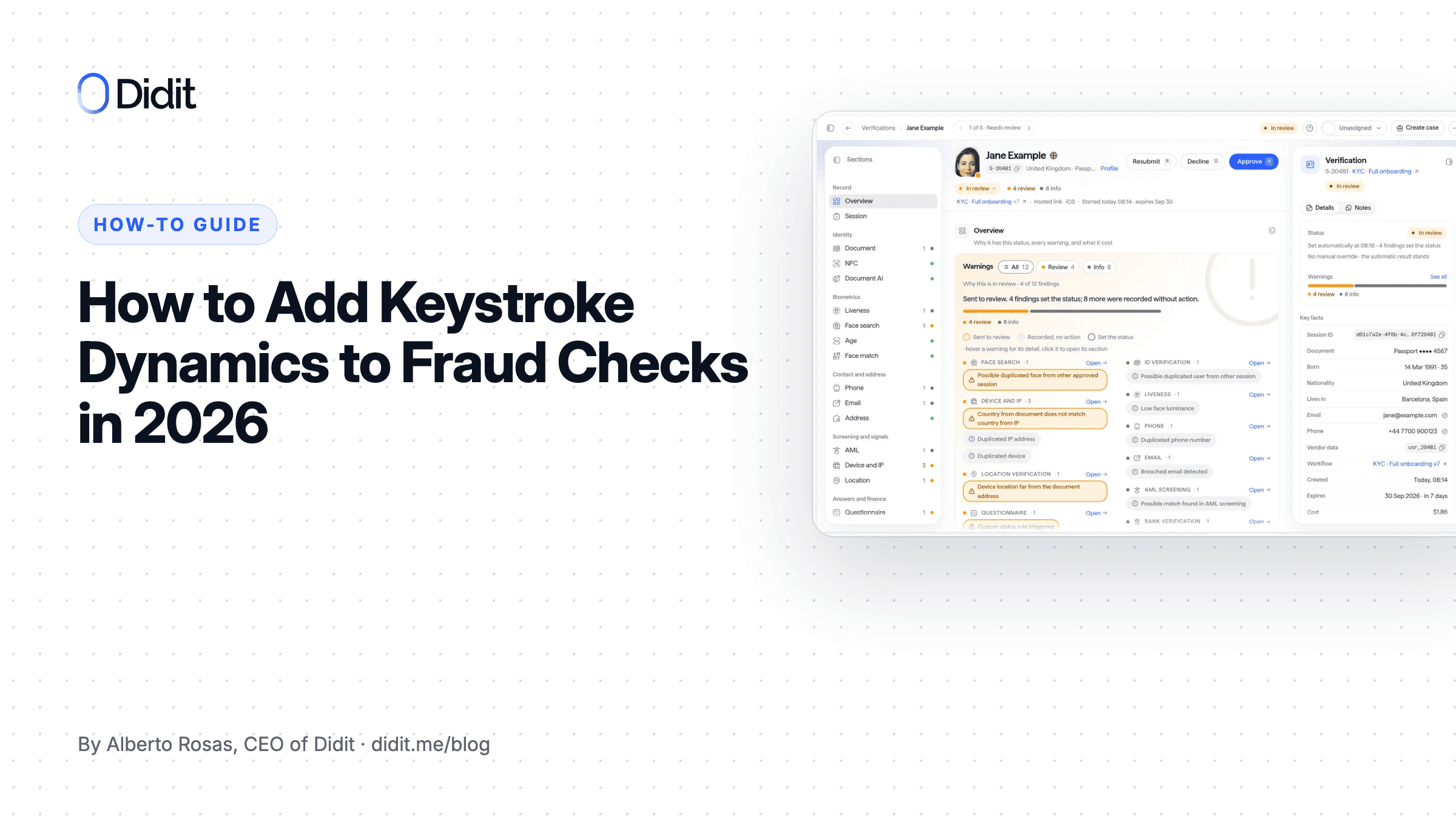
A session in the Didit Business Console. The device and IP warnings sit on the same decision as the document and liveness results, which is what makes a combined verdict possible. - Step up instead of blocking. When the combined score crosses your review threshold, the honest response is an extra proof, not a lockout. A rule action of
change_statustoAWAITING_USERwaits for user remediation through the workflow on the rule action. A stored face is required for that fallback, which is why the sign-up check comes first.
Biometric Authentication is the step-up we bill at $0.10 per authentication. - Run the rule in TEST mode, then set thresholds. A test rule evaluates against real traffic but contributes nothing to the score or the status. Switch it to active only when its selectivity looks right. Score mapping is simple: no matching rules scores 0, each rule adds its delta, scores at or above your review threshold go to
IN_REVIEW, and scores at or above your decline threshold go toDECLINEDonly if you lowered that threshold below 500.
Expected output
The event write returns an accepted record with the rule evidence attached:
{
  "event_uuid": "0f2b...",
  "event_id": "login-2026-08-31-000001",
  "status": "ACCEPTED",
  "score": 0,
  "rules_evaluated_count": 6,
  "rules_matched_count": 0,
  "correlation_pending": false,
  "retention_class": "standard",
  "expires_at": "2026-09-30T20:40:31.123Z",
  "idempotent_replay": false,
  "rule_matches": []
}
When a rule does match, score rises by the rule deltas and rule_matches is no longer empty. GET /v3/events/{event_uuid}/ returns the same record with its rule evidence, and GET /v3/events/subjects/{vendor_data}/ returns one subject's timeline so you can see the rhythm verdicts next to the logins and the payouts.
Inputs and outputs
| Input | Endpoint | Output you read |
|---|---|---|
workflow_id, vendor_data, callback | POST /v3/session/ | session.url, then ip_analyses[] on the decision |
vendor_data, allowed categories, ttl, origin | POST /v3/events/sdk-token/ | monitoring_token, expires_at, max_uses |
event_id, category, action, session, device fingerprint, rhythm payload | POST /v1/events/ | status, score, rules_matched_count, rule_matches |
| Rule definition with scope, aggregation, actions | Console rule builder or the rule API | score_delta per matched rule, status target |
sessionId | GET /v3/session/{sessionId}/decision/ | Document, liveness, face match and ip_analyses[] with warnings |
Failure cases and recovery
| Failure | What you see | Recovery |
|---|---|---|
| Fingerprinting blocked by a privacy extension or content blocker | ip_analyses[] is empty | Decide fail-closed or fall back to soft signals. Do not treat an empty array as a clean device |
| Event monitoring off | 403 with event_monitoring_disabled on every write lane | Turn it on in Transactions, Settings, Event monitoring. Reads are unaffected while it is off |
| Token scoped too narrowly | 400 because the category is out of scope | Mint a new credential with the category added. A session token cannot write a payment event |
| Batch exceeds the use budget | Request refused mid batch | A batch spends one use per event, not per request. Size the budget against the batch |
| No bot score | device_context.bot_score missing rather than 0 | Absence is information, not a pass. Decide the branch in your policy before launch |
| Grouping field missing | The aggregation never matches | An event with no device fingerprint is not the same device as other events without one. Require the field or scope the rule elsewhere |
| Ratio with no denominator | The rule never fires | That is deliberate. No deposits is no evidence, not a ratio of zero |
| Duplicate device | DUPLICATED_DEVICE on a different vendor_data | Treat duplicate-device detection as one signal among several and decide merge, block, or review per policy |
Paid steps and review boundaries
| Step | Metered | Price |
|---|---|---|
| Session creation and the hosted flow | Charged per completed check | The checks inside the workflow settle individually, for example $0.33 for a full ID check |
| Device and IP analysis | Yes, inside the session | $0.03 per check |
| Transaction monitoring, transactions only | Yes, beyond the monthly allowance | $0.001 per transaction beyond 1,000 on Free, 10,000 on Growth, 100,000 on Scale |
| Event ingestion and rule evaluation | Opt-in | Event-monitoring pricing must be confirmed for your organization’s plan; not included in the cost example |
| Step-up biometric authentication | Yes, per authentication | $0.10 |
Two boundaries are editorial, not technical. Do not let a typing mismatch decline anyone on its own: route it to review or to a step-up. And do not lower the decline threshold until you have watched the rule in TEST mode for long enough to know its false positive rate on your own population. The default decline threshold of 500 exists precisely because declining on score without evidence is expensive.
Worked cost example
Take 50,000 new users a month, each getting a full ID check at sign-up, then rhythm and device rules on the login and payout events.
- Full ID checks: 50,000 x $0.33 = $16,500.00. The device and IP analysis at $0.03 is already part of that line.
- Step-up biometric authentication for 4 percent of sessions: 50,000 x 0.04 = 2,000; 2,000 x $0.10 = $200.00.
- Total: 16,500 + 200 = $16,700.00, or $0.3340 per user.
Event ingestion, rule evaluation, transaction monitoring beyond the plan allowance, and human review are excluded from this example. Event-monitoring pricing must be confirmed for your organization’s plan, and the sources used here do not publish a review price for this flow.
On Growth the 4 percent discount applies to Didit prices: $16,700.00 x 0.04 = $668.00, leaving $16,032.00 for the month, before the $99 monthly fee and against $115 of monthly credit. Read the current numbers on the pricing page and the billing rules in the docs, because plan credit resets monthly and does not roll over.
The monitoring line is the one to confirm for your own plan. Event monitoring is opt-in. The published transaction-monitoring price is per transaction, and the sources here do not establish that event writes are metered the same way. Check how your plan counts ingested events before you route high-volume session telemetry into it. The matching product page is Transaction Monitoring.
Privacy implementation checklist
Typing telemetry may constitute personal data depending on how it is linked and used. Treat it as personal data unless your counsel confirms otherwise. A practical checklist:
- Notice. Tell users what you collect, why, and how long you keep it.
- Lawful basis. Define and document the lawful basis you rely on, and get qualified privacy advice for your jurisdiction.
- Minimization. Collect the smallest set of timing features that feeds the rule. Do not collect password contents or raw keystrokes.
- Retention. Set a retention limit and align the Didit event retention class with it. Standard retention shows an
expires_atabout 30 days out in the documented example. - Device-class segmentation. Keep mobile and desktop baselines separate before you compare anything, because autocorrect and prediction rewrite the keystroke stream.
These are implementation controls, not a legal opinion. Have qualified counsel review the notice, the basis and the retention period before launch.
Sources
- Didit docs: Device Fingerprinting and IP Risk API
- Didit docs: Event Ingestion API
- Didit docs: Event Rules, velocity, ratio, sequence, correlation
- Didit docs: SDK Event Submission
- Didit docs: Transaction Risk Scoring, formula and thresholds
- Didit docs: Bot Protection at Sign-In
- Didit docs: Webhooks
- Didit docs: Pricing and billing rules
- Didit pricing page, read November 26, 2026
- Didit Transaction Monitoring product page
- Didit MCP server setup
- Regulation (EU) 2016/679, the GDPR
Next step: open the sandbox at business.didit.me, create a workflow, run one session with device and IP analysis, and write your first event rule in TEST mode. No sales call.
Try it
Try this in the sandbox
Run the check this guide describes, free.
The product this post is about, taken from its topic. Run it free in the sandbox.
Author
Alberto Rosas
Co-founder and CEO

Keep reading
Other guides in the same topic.
 What Is the Purpose of FICA in South Africa? 2026 Guide
FICA is South Africa's anti-money laundering law. It creates the Financial Intelligence Centre and requires accountable institutions to identify and verify clients, screen for PEP and sanctions risk and report suspicious.
Alberto RosasNov 26, 2026 Sixth Money Laundering Directive (6AMLD): What Changed and Which Rules Apply
6AMLD is Directive (EU) 2018/1673: Member States must criminalise laundering, widen predicate offences and set a four-year penalty floor. It adds no new due diligence duties for firms.
Alberto RosasNov 26, 2026 Automated Sanctions Screening: Canada, the Entity List and Embargoes
Automated sanctions screening matches people and companies against lists such as Canada's autonomous sanctions made under SEMA and JVCFOA and the OFAC SDN List, and returns candidate hits scored for identity confidence and.
Alberto RosasNov 26, 2026Questions
Frequently asked questions
What is keystroke dynamics and how does it stop fraud?
Keystroke dynamics profiles how a person types: dwell time per key, flight time between keys, speed, cadence and correction patterns. It adds a check that may help after credential theft, because an attacker holding a correct password may type the login differently from the account owner. It works best as one signal among several, not as a standalone gate.
How does Didit support keystroke dynamics?
The documented Didit integration uses event APIs and rules for customer-supplied behavioral telemetry. You send a rhythm verdict in payload, and a rule reads event.payload.rhythm_mismatch. Didit also supplies identity checks at sign-up, device and IP analysis inside the session, and a rule engine with velocity, sequence and correlation. The published price feed lists the identity checks, device and IP analysis, and biometric authentication; confirm any additional pricing for your plan.
How much does a Didit identity check cost in 2026?
A full ID check is $0.33 per completed check, made of ID document verification at $0.15, passive liveness at $0.10, face match 1:1 at $0.05 and device and IP analysis at $0.03. Biometric Authentication is $0.10 per authentication and AML screening is $0.20 per check. Billing is per completed check from prepaid credit.
What are dwell time and flight time?
Dwell time is how long a single key is held down. Flight time is the interval between releasing one key and pressing the next. Together they form a timing pattern that is stable enough per person to compare against a baseline, and they are the two numbers most keystroke models are built on.
Can keystroke dynamics replace MFA?
It should not. Typing rhythm is behavioral evidence, and behavioral evidence degrades with fatigue, injury, a new keyboard or a different device class. The right pattern is to keep MFA and use rhythm to decide when to demand a stronger proof, such as a biometric authentication, instead of demanding it every time.
What goes wrong when you deploy typing-rhythm checks?
The common failures are a baseline collected on one device class and compared on another, false positives after a legitimate keyboard change, and empty device data because a privacy extension blocked fingerprinting. Handle the empty case explicitly, segment baselines by device class, and run the rule in TEST mode before it can move a status.
Can I use keystroke dynamics for account takeover detection after login?
Yes, and that is where it is strongest. Submit login, session and security events with their device context, then write a sequence rule: three failed logins, then an MFA change, then a payout address change, then a payout request inside 24 hours. The rhythm verdict is one filter on that chain, not the whole decision.
Does keystroke dynamics work on mobile keyboards?
Only with care. Mobile keyboards apply autocorrect and prediction, which rewrites the keystroke stream before you see it, so a phone baseline is not comparable to a desktop one. Collect on both, segment by platform, and treat mobile rhythm as a weaker signal than desktop rhythm.
Who can see my typing telemetry, and is it lawful under GDPR?
Typing telemetry may constitute personal data under the GDPR depending on how it is linked and used. Define a lawful basis, minimize collection, set retention limits, and get qualified privacy advice. Didit stores events with a retention class and an expiry date, for example standard retention with an expires_at 30 days out. Your device credential is scoped to one user and events carry no API key.
How do I connect Didit to an AI assistant?
Use the Didit MCP server at https://mcp.didit.me/mcp with OAuth sign-in. Setup instructions for each client are at didit.me/developers/mcp. The MCP server is free on every plan, and the sandbox is free and unlimited so an assistant can build and test a flow without a sales call.
Compliance built in
Audited, certified and attested.
We hold the certifications and build each country's rules into your flows, so you can launch anywhere without worrying. Security and Compliance center
- Regulation encoded into your flows
Tell us what you do and where. Didit lists the rules that apply to you, with sources, and builds the checks each country needs into one workflow.
- Ready for AMLR
Every requirement of the new EU anti-money laundering rules, from checking customers to human review, is already covered by a Didit check.
- Tested in Spain's Treasury sandbox
Spain's Treasury published its supervised sandbox report on Didit's NFC plus active liveness onboarding; SEPBLAC took part and valued the added measures positively.
- Audited, not self-declared
iBeta Level 1 and Level 2. Liveness tested under ISO/IEC 30107-3.
Your obligations · 3 regions
 SOC 2 Type 2
 ISO 27001
 iBeta Level 1 and Level 2
 EU regulator attestation
 FSM youth protection
 GDPR
 EBA remote onboarding
 MiCA compatible
 FIDO Alliance member
- AMLREU AML Regulation ready
Integration · Didit MCP
Run Didit from your own AI agent
Connect Didit to Claude, Cursor, VS Code or ChatGPT and just ask in plain words. Your agent can do anything you can do in the console, with the same permissions you have.
 Add to Claude
 ChatGPT
 Cursor
- Build workflowsDescribe the checks you need. The agent creates and publishes the flow.
- Run investigationsAsk why a session was declined, review cases, search people and companies.
- Change rulesCreate payment rules, test them on past data and switch them on.
- Pull reportsAsk for numbers, exports or the audit log.
Didit Academy


