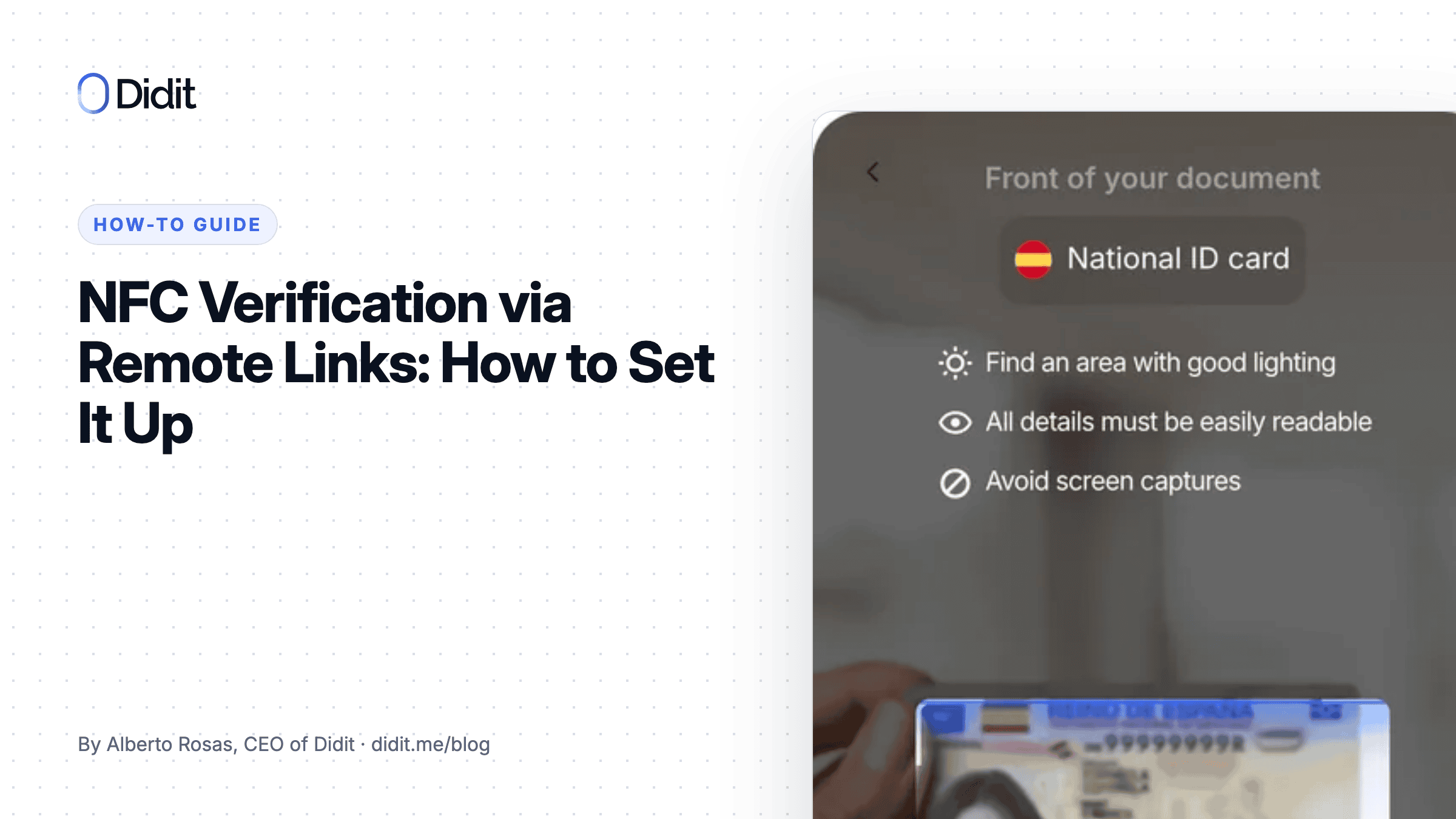
NFC Verification via Remote Links: How to Set It Up
Create a Didit workflow with the NFC step, generate a session link or QR code, and read the chip through the native SDK on an NFC phone. A completed session costs $0.48: $0.33 full ID check plus $0.15 chip read, assuming both.
 Alejandro RosasCo-founder and CTO
Contents
In this guide
Jump to the part you need.
This guide is for teams that need chip-level assurance on remote users: ePassport and eID holders who never meet an agent. Build a workflow with the NFC step, create a hosted session, and send the link or QR code. A completed session costs $0.48, the $0.33 full ID check plus the $0.15 chip read, assuming both complete. The main caveat: only a phone reads the chip, so a browser session skips NFC.
Last updated: November 26, 2026. Prices checked against the live Didit price feed on November 26, 2026.
| Component | Price | Notes |
|---|---|---|
| Hosted session link or QR code | Included | Created in the Business Console or with POST /v3/session/ |
| Full ID check: ID document, passive liveness, face match 1:1, device and IP | $0.33 per completed check | The document photo taken before the tap is part of this |
| NFC chip reading | $0.15 per check | Add-on to a document check, session-only, no standalone endpoint |
| Typical NFC session, completed | $0.48 | $0.33 + $0.15, assuming both the full ID check and the NFC add-on complete |
| Workflow Orchestrator, SDKs, MCP server | Free | Included on every plan |
| Sandbox testing | Free | Unlimited, on every plan |
Start free in the sandbox at business.didit.me with no sales call, and developers can connect Didit to an AI assistant through MCP setup for every client. The NFC feature page is NFC Verification API: e-Passport and eID Chip, and every unit price is on didit.me/pricing.
One decision sets the architecture. If a completed check without chip data is acceptable for part of your base, a browser link is enough and you read the skip reason afterwards. If the chip read is mandatory, open the same session inside your own app with the Didit native SDK, or hand it to the Didit app: no browser can read the chip.
What an NFC chip read adds to a remote check
A document scan reads the printed surface. An NFC read goes to the secure element inside the document. The flow runs in one session: the user photographs the data page, the SDK reads the machine readable zone, derives the BAC or PACE access keys from it, and then asks the user to hold the phone against the document until the chip answers.
Didit then checks the evidence the chip presents. Passive authentication validates the signature over the document security object and confirms the signing certificate chains back to a trusted CSCA. Active authentication, where the document supports it, proves the chip is genuine hardware and not a copy. Data group hashes confirm the fields were not altered. Then Didit compares the chip data with the OCR data from the same document.

Two limits matter for your policy. A chip proves the document is authentic and unaltered, not that the person holding it is the owner: face match covers that. And the chip read only happens where the hardware allows it, which is why the surface you send the user to decides the outcome.
Prerequisites
- A Didit application, with a sandbox application for testing. See Sandbox testing.
- A published workflow that includes the NFC feature. You add it in the workflow builder or with
POST /v3/workflows/, and you keep itsworkflow_id. - An API key for
POST /v3/session/, and theread:sessionsprivilege on the key you use forGET /v3/session/{sessionId}/decision/. - A phone with NFC: iOS 13 or later, or Android with NFC enabled.
- A native surface that can reach the NFC radio, meaning the Didit iOS SDK, the Didit Android SDK, or the Didit app. Browsers cannot read the chip: Chrome on Android has an experimental Web NFC API and Safari on iOS has none.
- A document with a chip that Didit supports. Check supported documents before you promise chip checks for a country.
- Optional: a
callbackURL on one of your application's allowed domains, or a custom app scheme, if you want the user redirected back to you.
How to run an NFC verification through a remote link, step by step
-
Build the workflow with the NFC node. In the Business Console workflow builder, add ID Verification and NFC to the same flow. NFC normally runs beside ID Verification because the SDK needs the MRZ from the document photo to derive the BAC or PACE keys. Publish the workflow. Sessions keep the version they were created with, so later edits do not change live runs.
-
Create a session and get the link. One call returns the hosted
url. This is the exact request from the docs.curl -X POST 'https://verification.didit.me/v3/session/' \ -H 'x-api-key: YOUR_API_KEY' \ -H 'Content-Type: application/json' \ -d '{ "workflow_id": "YOUR_WORKFLOW_ID", "vendor_data": "user-123", "callback": "https://yourapp.com/post-kyc" }'If your team does not have a backend yet, create the same session in the console under Verifications, then Create Verification, which generates a URL and a QR code. Verification Links covers both routes.
-
Deliver the link. Send the
urlby email, SMS or in-app message, or print the QR code for a branch or kiosk. For a reusable link with no backend at all, use a Unilink: one URL per workflow that starts a session on every visit, with results in the console for manual review. -
Open the link on a surface that can read the chip. If the user opens it in a browser, Didit skips NFC and continues with the other steps. To get the chip read, mount the native SDK in your iOS or Android app and open the session there, or guide the user to complete the session in the Didit app. The iOS SDK handles the ISO7816 identifiers, entitlements and reading feedback; the Android SDK does the same on Android.
-
Read the decision. Fetch the session decision and branch on the plural array
nfc_verifications[]. The V3 schema keeps the plural name even though some early integrations looked for a singular key.curl https://verification.didit.me/v3/session/<SESSION_ID>/decision/ \ -H "x-api-key: <API_KEY>" -
Subscribe to the status event instead of polling. Add a webhook destination for
status.updated, verify the signature, then re-fetch the decision. Webhooks documents the HMAC-SHA256 headers and the retry behaviour.

Expected output
The create call returns the session and its link.
{
  "session_id": "11111111-2222-3333-4444-555555555555",
  "session_number": 1234,
  "vendor_data": "user-123",
  "status": "Not Started",
  "workflow_id": "550e8400-e29b-41d4-a716-446655440000",
  "callback": "https://yourapp.com/post-kyc",
  "url": "https://verify.didit.me/session/abcdef123456"
}
The decision carries the chip result as an array. This view is trimmed to the fields you branch on; chip_data, authenticity and certificate_summary hold the evidence, and the full schema is in data models.
{
  "session_id": "11111111-2222-3333-4444-555555555555",
  "session_kind": "user",
  "status": "Approved",
  "nfc_skip_reason": null,
  "nfc_verifications": [
    {
      "status": "Approved",
      "chip_protocol": "icao",
      "is_nfc_skipped": false,
      "skip_reason": null,
      "warnings": []
    }
  ]
}
When NFC does not run, no verification item is returned. Read nfc_skip_reason, which may accompany an absent or null nfc_verifications field. In this example the field is null and the reason sits at the top level.
{
  "session_id": "11111111-2222-3333-4444-555555555555",
  "session_kind": "user",
  "status": "Approved",
  "nfc_skip_reason": "DEVICE_WITHOUT_NFC",
  "nfc_verifications": null
}
The status of one chip read is one of Not Started, In Progress, Approved, In Review, Declined, Abandoned or Kyc Expired. The per-check report is on NFC verification report.
Failure cases and recovery
| What you see | What it means | What to do |
|---|---|---|
nfc_skip_reason: DEVICE_WITHOUT_NFC | The phone has no NFC radio, or NFC is off | Send a new session to a device with NFC, or accept the OCR and face match fallback your policy allows |
nfc_skip_reason: INTEGRATION_WITHOUT_NFC_ACCESS | The session ran where no NFC access exists, typically a browser | Mount the native SDK or route the user to the Didit app |
nfc_skip_reason: USER_SKIPPED | The user declined the tap | Allow a retry inside the same session where your flow permits it |
nfc_skip_reason: DOCUMENT_WITHOUT_CHIP | The document has no chip | Fall back to document verification; a chip check is not available for this holder |
nfc_skip_reason: MRZ_KEY_UNAVAILABLE | The MRZ could not be read, so the BAC or PACE keys could not be derived | Ask for a cleaner photo of the data page, then retry |
nfc_skip_reason: CHIP_CERTIFICATE_UNAVAILABLE | The issuing certificate could not be obtained | Record the gap and decide by policy; do not treat it as a pass |
nfc_skip_reason: JPKI_UNAVAILABLE | A Japan My Number Card, which is not enabled in production yet | Continue without the chip read and note the reason |
NFC_NOT_READ or NFC_BAC_FAILED with status Declined | The user did not hold the phone on the document long enough, or the keys did not take | Allow a retry; this is a capture failure, not proof of fraud |
NFC_DATA_INVALID | A data group failed its integrity check | Decline or send to review, never approve on the strength of the OCR data alone |
NFC_DATA_DOES_NOT_MATCH_OCR | The chip and the printed page disagree, which points to a tampered document | Do not approve. Hold the session for review |
NFC_PASSIVE_AUTHENTICATION_FAILED | The signing certificate did not chain to a trusted CSCA | Stop the flow and review the document |
NFC_ACTIVE_AUTHENTICATION_FAILED | The chip could not prove it is genuine hardware | Stop the flow and review |
NFC_CHIP_CLONED | The evidence points to a copied chip | Decline |
NFC_DOCUMENT_REVOKED | The issuer lists the document as revoked | Decline |
The full risk catalogue, with the exact meanings of each code, is on warnings for NFC verification. Use the warning codes and your workflow rules to decide whether to decline or route the session for review.

Inputs and outputs
| Field | Direction | What it does |
|---|---|---|
workflow_id | Input, required | Stable UUID of the workflow that contains the NFC step |
vendor_data | Input, recommended | Your identifier for the person, used for duplicate detection across sessions |
callback | Input, optional | Where the user lands after finishing; must sit on an allowed domain or use a custom scheme |
language | Input, optional | ISO 639-1 code for the verification UI |
session_expiration_time | Input, optional | Seconds the link stays valid, from 3600 to 2419200, overriding the workflow setting for this session |
expected_details | Input, optional | Name, date of birth, nationality, document types; mismatches surface as decision warnings |
session_id and url | Output | The session identifier and the link you send |
nfc_verifications[] | Output | One item per chip read, with status, chip_protocol, is_nfc_skipped, skip_reason, warnings[] and the chip evidence |
nfc_skip_reason | Output | Top-level reason when NFC did not run; it may accompany an absent or null nfc_verifications field |
decision_trace | Output | How the final status was reached: automatic, manual or investigator, with the warning counts |
Paid steps and review boundaries
Billing is per completed check, from prepaid credit. In an NFC session you pay $0.15 for the ID document check, $0.10 for passive liveness, $0.05 for face match 1:1 and $0.03 for device and IP analysis, which is the $0.33 full ID check, plus $0.15 for the chip read. The $0.48 unit price assumes the full ID check and the NFC add-on both complete; a session that stops earlier is billed for what completed. The workflow orchestrator, the session links, the SDKs and the MCP server are free. The pricing docs hold the billing rules, including the attempts and retries that are billable.
Keep the human boundary explicit. A tamper code is a decision, not a suggestion: NFC_DATA_DOES_NOT_MATCH_OCR, NFC_PASSIVE_AUTHENTICATION_FAILED, NFC_CHIP_CLONED and NFC_DOCUMENT_REVOKED should end in a decline or a review, never an approval. Capture failures such as NFC_NOT_READ and NFC_BAC_FAILED belong in a retry, because they say nothing about the document. When a session sits in In Review, the decision records the reviewer, the status_override and the decision_trace, so an audit trail exists for the override. Decide in advance which warnings a person must see, and which ones your rule engine can close alone.
Worked cost example
Take 5,000 remote onboarding sessions a month, where every session completes the full ID check and the chip read. The $0.48 per-session figure only holds on that assumption.
- Full ID check: 5,000 x $0.33 = $1,650.00
- NFC chip reading: 5,000 x $0.15 = $750.00
- Monthly total at list price: $1,650.00 + $750.00 = $2,400.00
- Cost per completed session: $0.33 + $0.15 = $0.48
On the Scale plan the same volume takes 10% off every Didit price: 5,000 x $0.297 = $1,485.00 for the ID checks and 5,000 x $0.135 = $675.00 for the chip reads, which is $2,160.00 of discounted usage. That number is usage only, before the plan's $350 monthly credit and its $299 monthly subscription fee are applied. Unused monthly credit does not roll over. Sessions where the chip is never read are handled by the billing rules on the pricing page, so check those rules before you forecast an NFC rollout.
Sources
- Didit docs: NFC Verification API, e-Passport and eID chip
- Didit docs: warnings for NFC verification
- Didit docs: NFC verification report
- Didit docs: supported documents for NFC verification
- Didit docs: verification links and QR codes
- Didit docs: Unilinks
- Didit docs: workflow builder
- Didit docs: create session API
- Didit docs: retrieve session decision API
- Didit docs: webhooks and HMAC signing
- Didit docs: iOS SDK
- Didit docs: Android SDK
- Didit docs: data models
- Didit docs: pricing and billing rules
- Didit pricing page and cost estimator, read November 26, 2026
- Didit pricing as JSON, read November 26, 2026
Next step: open the sandbox at business.didit.me, build a workflow with the NFC node, create one session, and read the nfc_verifications[] array on the decision. The sandbox is free and there is no sales call.
Try it
Try this in the sandbox
Run the check this guide describes, free.
The product this post is about, taken from its topic. Run it free in the sandbox.
Author
Alejandro Rosas
Co-founder and CTO

Keep reading
Other guides in the same topic.
 What Is the Purpose of FICA in South Africa? 2026 Guide
FICA is South Africa's anti-money laundering law. It creates the Financial Intelligence Centre and requires accountable institutions to identify and verify clients, screen for PEP and sanctions risk and report suspicious.
Alberto RosasNov 26, 2026 Sixth Money Laundering Directive (6AMLD): What Changed and Which Rules Apply
6AMLD is Directive (EU) 2018/1673: Member States must criminalise laundering, widen predicate offences and set a four-year penalty floor. It adds no new due diligence duties for firms.
Alberto RosasNov 26, 2026 Automated Sanctions Screening: Canada, the Entity List and Embargoes
Automated sanctions screening matches people and companies against lists such as Canada's autonomous sanctions made under SEMA and JVCFOA and the OFAC SDN List, and returns candidate hits scored for identity confidence and.
Alberto RosasNov 26, 2026Questions
Frequently asked questions
Can I run NFC verification from a link alone?
The link starts the session, but the chip read needs the Didit native SDK or the Didit app on a phone with NFC. A hosted link opened in a browser cannot read the chip, so Didit records a skip reason and the workflow continues with the remaining steps.
Why did my verification link skip the NFC step?
Because the surface had no NFC access, which is the case for every browser. The decision returns a top-level nfc_skip_reason, most often DEVICE_WITHOUT_NFC or INTEGRATION_WITHOUT_NFC_ACCESS, and no verification item is returned.
How much does an NFC verification cost on Didit?
The chip read is $0.15 per check, on top of the $0.33 full ID check, so a completed session is $0.48 when both the ID check and the NFC add-on complete. The Growth plan takes 4% off and the Scale plan 10% off every Didit price.
What is the difference between NFC verification and a document scan?
A scan reads the printed surface and the MRZ. NFC reads the secure chip and validates its signature against the issuing authority, then compares the chip fields with the OCR data. A mismatch, reported as NFC_DATA_DOES_NOT_MATCH_OCR, is strong evidence that the document was altered.
Which documents can be read over NFC?
ePassports and eIDs built to ICAO 9303 with a working chip. The exact coverage list is on the supported documents page and should be checked per country before you promise chip checks. A Japan My Number Card is read through JPKI, native SDKs only with the card PIN, and it is not enabled in production yet.
What happens if the user has no NFC phone?
The SDK falls back to OCR and face match. When NFC does not run, no verification item is returned; read nfc_skip_reason, which may accompany an absent or null nfc_verifications field. You decide whether that fallback is acceptable for the risk level of that customer, or whether the session must be re-run on a device with NFC.
Do I need a mobile app to use NFC with verification links?
For the chip read, yes: either your own app with the Didit native SDK, or the Didit app. If you want a link-only flow, use ID Verification with liveness and face match and accept that no chip data will be collected.
How do I confirm that the chip read passed?
Read nfc_verifications[] on the decision, check that the item status is Approved, that is_nfc_skipped is false and that warnings[] is empty. The per-check report lists each authentication result, and the full schema is in the data models reference.
Is a passport MRZ scan the same as an NFC chip check?
No. The MRZ is printed text that can be photographed and reproduced. The chip holds signed data that is validated cryptographically, which is why NFC gives the highest level of security available for ID verification.
Can I reuse the same NFC link for many users?
Yes, with a Unilink: one reusable URL per workflow, no backend needed, and each visit creates a session whose result you review in the console. Use the Create Session API instead when you need per-user context, automation or conditional logic.
Compliance built in
Audited, certified and attested.
We hold the certifications and build each country's rules into your flows, so you can launch anywhere without worrying. Security and Compliance center
- Regulation encoded into your flows
Tell us what you do and where. Didit lists the rules that apply to you, with sources, and builds the checks each country needs into one workflow.
- Ready for AMLR
Every requirement of the new EU anti-money laundering rules, from checking customers to human review, is already covered by a Didit check.
- Tested in Spain's Treasury sandbox
Spain's Treasury published its supervised sandbox report on Didit's NFC plus active liveness onboarding; SEPBLAC took part and valued the added measures positively.
- Audited, not self-declared
iBeta Level 1 and Level 2. Liveness tested under ISO/IEC 30107-3.
Your obligations · 3 regions
 SOC 2 Type 2
 ISO 27001
 iBeta Level 1 and Level 2
 EU regulator attestation
 FSM youth protection
 GDPR
 EBA remote onboarding
 MiCA compatible
 FIDO Alliance member
- AMLREU AML Regulation ready
Integration · Didit MCP
Run Didit from your own AI agent
Connect Didit to Claude, Cursor, VS Code or ChatGPT and just ask in plain words. Your agent can do anything you can do in the console, with the same permissions you have.
 Add to Claude
 ChatGPT
 Cursor
- Build workflowsDescribe the checks you need. The agent creates and publishes the flow.
- Run investigationsAsk why a session was declined, review cases, search people and companies.
- Change rulesCreate payment rules, test them on past data and switch them on.
- Pull reportsAsk for numbers, exports or the audit log.
Didit Academy