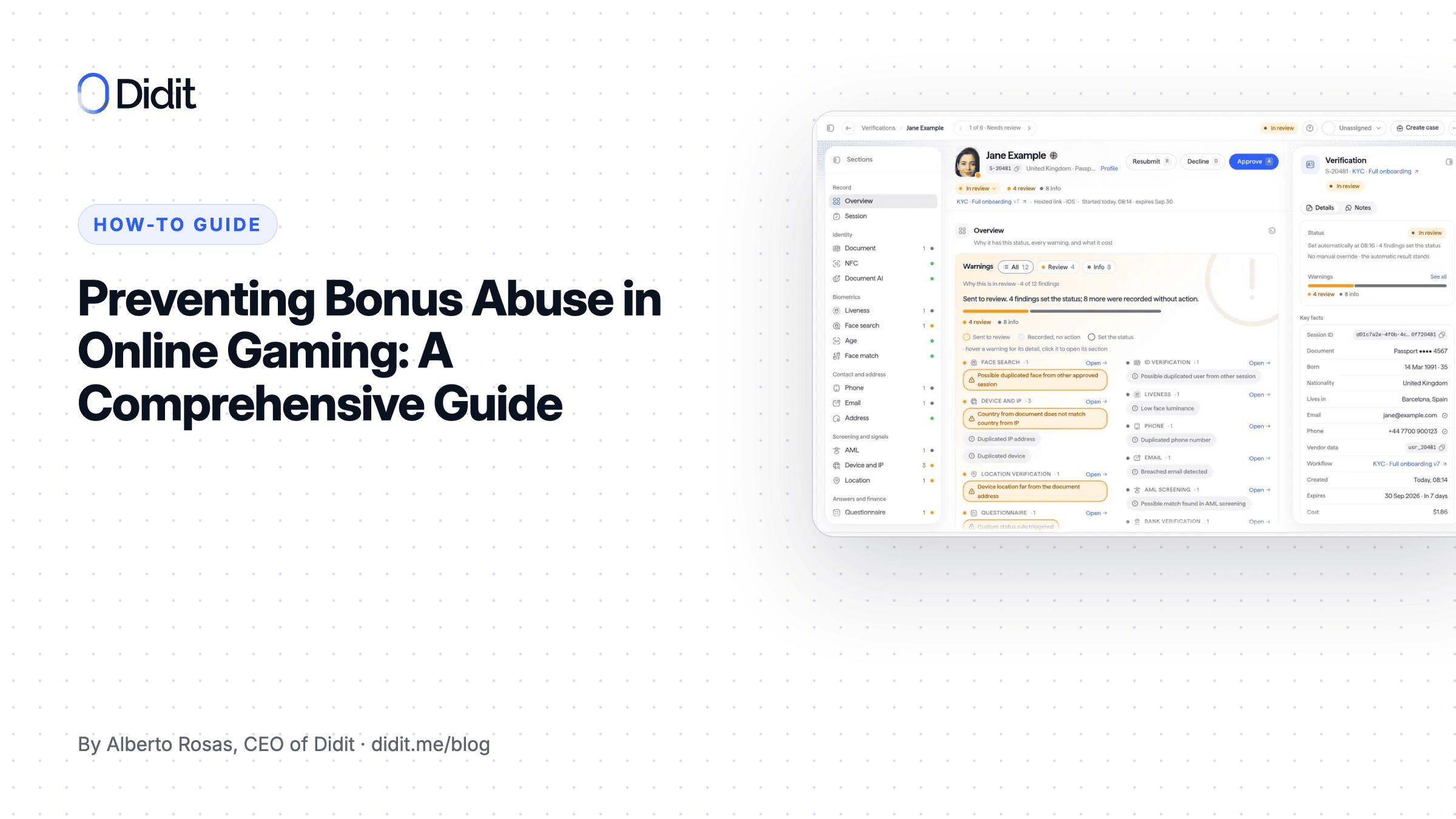
Preventing Bonus Abuse in Online Gaming: A Comprehensive Guide
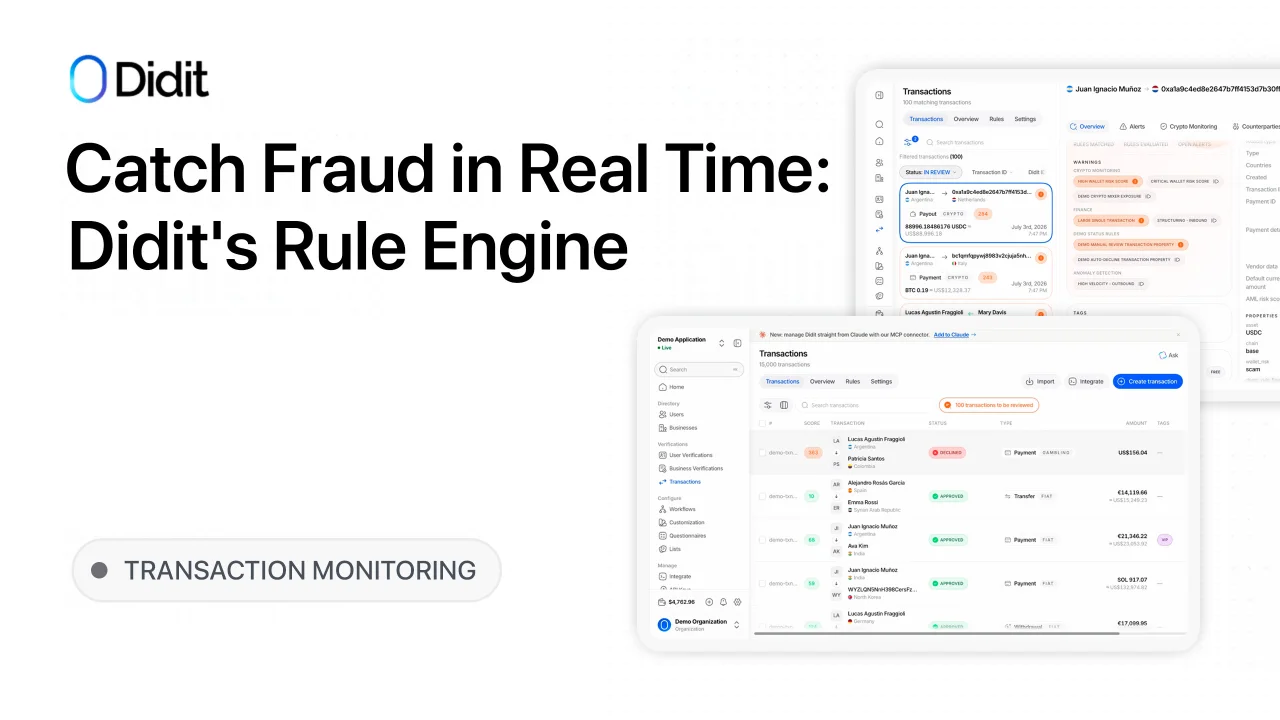
Stop bonus abuse by verifying identity at signup, sending every bonus claim as an event to Didit Transaction Monitoring, and holding payouts with a transaction rule you configure when a velocity, ratio or sequence rule fires.
 Alberto RosasCo-founder and CEO
Contents
In this guide
Jump to the part you need.
This guide is for iGaming and sportsbook operators who lose margin to players claiming the same welcome offer from many accounts. The worked setup uses Didit Transaction Monitoring, metered at $0.001 per monitored transaction beyond the plan allowance, with a full ID check at $0.33. The caveat: event monitoring is opt-in and nothing is scored until you switch it on.
Last updated: November 26, 2026. Prices checked against the live Didit price feed on November 26, 2026.
| Question | Answer |
|---|---|
| Outcome | Bonus claims and withdrawal requests are scored by the rules you configure, repeat claims from one player or device land in the review queue, and confirmed abusers are blocklisted |
| Method | Full ID check at signup with device and IP analysis, bonus events sent to POST /v3/events/, velocity, ratio and sequence rules in the same rule engine as transactions |
| Event status vs payout status | An event status reports whether rules matched it. A transaction status of IN_REVIEW is what holds money |
| Time to first firing rule | Under 10 minutes on the quickstart path |
| Prices | Full ID check $0.33, AML screening $0.20, Face Search 1:N $0.05 per search, device and IP analysis $0.03 inside the KYC bundle, monitoring $0.001 per transaction past the monthly allowance |
| Main caveat | Event ingestion is off by default and returns 403 until you enable it in Transactions, Settings, Event monitoring |
| Human decisions | Declines, case escalation and regulator filings stay with your team |
Start free in the sandbox at business.didit.me, no sales call. If you build with an AI assistant, connect Didit through MCP. Product detail lives on the Transaction Monitoring page and every unit price on didit.me/pricing.
The outcome and the recommended method
The outcome is a documented signal set plus rules you write. An identity check gives you identity, device and IP signals on a player. Each bonus claim arrives as an event. Each withdrawal you submit as a transaction. Your rules decide what a match means, and a rule action of change_status to IN_REVIEW on a transaction is what holds a payout.
Our recommendation is three layers in this order, and this ordering is our design choice rather than a product default. Identity at account creation, because a duplicate face or a duplicated device fingerprint is the cheapest signal you will get. Events at the moment of claim, because bonus abuse is a pattern in time and one claim alone looks innocent. Rules at withdrawal, because that is where your team can review or stop a payout before release.
What the documentation does establish: bonus claims, logins, deposits and gameplay rounds all go into the same engine that scores your money movements. Transactions are the money, events are everything else your platform knows, and the rule engine does not care which one it is looking at.
Prerequisites
- A Didit application with Transaction Monitoring enabled under Settings, Transaction Monitoring, Enable.
- An API key on your backend. Do not ship the key to the client.
- A webhook endpoint reachable from the internet, with its signing secret stored as an environment variable.
- Event monitoring switched on under Transactions, Settings, Event monitoring. Until it is on, every write lane answers
403withevent_monitoring_disabledand nothing is stored or evaluated. - A decision on which bonus actions you will emit. The documented
bonuscategory coversbonus_claimed,bonus_wagered,bonus_releasedandpromotion_viewed. - A named reviewer or queue for held items. Rules create holds, humans close them.
If you are moving from another provider, the switch guide covers the migration path.
Step-by-step: catch bonus abuse with Didit
Step 1: Put an ID check in front of the first deposit
Create a session with your workflow, where the workflow includes ID document verification, passive liveness, face match and device and IP analysis. That combination is the $0.33 full ID check. Device and IP analysis runs automatically during the session, there is no separate endpoint to call, and the result arrives under ip_analyses[] on the decision payload.
curl -X POST 'https://verification.didit.me/v3/session/' \
  -H 'x-api-key: YOUR_API_KEY' \
  -H 'Content-Type: application/json' \
  -d '{
    "workflow_id": "YOUR_WORKFLOW_ID",
    "vendor_data": "player-391",
    "callback": "https://yourapp.com/post-kyc"
  }'
The signals you care about for bonus abuse are in the LOCATION warning bucket: VPN_DETECTED, PROXY_DETECTED, TOR_DETECTED, DATACENTER_IP, LOCATION_MISMATCH_WITH_DOCUMENT, DUPLICATED_DEVICE and DEVICE_FINGERPRINT_BLOCKLISTED.

Step 2: Send the first bonus claim as an event
One envelope serves every category. Set the subject to your player id, attach the device fingerprint and IP you already saw, and put the promotion id in the payload.
curl -X POST https://verification.didit.me/v3/events/ \
  -H "x-api-key: YOUR_API_KEY" \
  -H "Content-Type: application/json" \
  -d '{
    "event_id": "bonus-claim-0001",
    "event_category": "bonus",
    "action_type": "bonus_claimed",
    "occurred_at": "2026-11-26T20:40:31.123Z",
    "subject": { "entity_type": "individual", "vendor_data": "player_391" },
    "device_context": {
      "fingerprint": "didit-fp-v2:a8c1",
      "network_context": { "ip_address": "203.0.113.42" }
    },
    "payload": { "bonus_id": "welcome-100" }
  }'
Step 3: Read the response and store the ids
The response confirms the event was accepted, tells you how many rules evaluated it and returns the match list. Keep event_uuid for support and reconciliation. Read the boundary here: this status is the event's status and reports what the rules did with that event. It does not move money. Payout gating happens on a transaction, where IN_REVIEW is a hold and APPROVED or DECLINED are decisions.
Step 4: Create the velocity rule
In the console, create a rule and set Applies to: Events, with the bonus category checked. Leaving the scope empty keeps a rule transaction-only, which is the single most common reason a bonus rule never fires. The equivalent rule body looks like this.
{
  "title": "Repeated bonus claims from one player",
  "scope": { "record_types": ["event"], "event_categories": ["bonus"] },
  "aggregation": [
    {
      "metric": "count",
      "operator": "gte",
      "value": 3,
      "window": "24h",
      "filters": {
        "subject_vendor_data": "__current__",
        "event.action_type": "bonus_claimed"
      }
    }
  ],
  "actions": [
    { "type": "add_score", "value": 40 },
    { "type": "change_status", "value": "IN_REVIEW" }
  ]
}
__current__ is how a rule says per subject, per device or per round without naming one. Records that have no value for the grouped field are never grouped together, so an event with no fingerprint is not treated as the same device as other anonymous events.

Step 5: Add the ratio rule that catches low-play bonus clearing
A ratio compares two reducers over the same window. This is how wager-to-deposit is expressed, and it is the rule that catches a player who deposits once, wagers almost nothing and requests a payout.
- Numerator: sum of
event.amountwhereevent.action_typeisbet_placed. - Denominator: sum of
event.amountwhereevent.action_typeisdeposit_completed. - Operator:
lteat0.1over a24hwindow, filtered bysubject_vendor_dataset to__current__.
The documented example makes the arithmetic concrete: deposit 1,000, wager 20, request a withdrawal, and the ratio is 0.02. A ratio with no denominator never matches, which is deliberate, because firing there would flag every brand-new player.
Step 6: Resubmit to see the rule fire
Send the same claim three times with different event_id values for the same vendor_data inside the window. When the configured rule matches, expect the third event to come back with a score that reflects the rule delta and a populated rule_matches array. That is the expected result of a matching rule configuration, not a guaranteed response for every configuration. The event status reflects the actions the rule ran. If you scope the same rule to transactions instead, submit 20 outbound transfers under value for one subject and the transaction returns IN_REVIEW.
Step 7: Submit the withdrawal as a transaction so a rule can hold it
A payout hold is a transaction status, so the withdrawal has to reach the engine as a transaction. The documented submission takes an id, a category, the amount and currency, the subject and the counterparty.
curl -X POST https://verification.didit.me/v3/transactions/ \
  -H "x-api-key: YOUR_API_KEY" \
  -H "Content-Type: application/json" \
  -d '{
    "transaction_id": "wd-0001",
    "transaction_category": "finance",
    "transaction_details": {
      "direction": "outbound",
      "amount": "450.00",
      "currency": "EUR"
    },
    "subject": { "entity_type": "person", "vendor_data": "player_391", "full_name": "Jane Doe" },
    "counterparty": { "entity_type": "company", "full_name": "Payout Rail" }
  }'
The response returns APPROVED when no rule fired, and IN_REVIEW or DECLINED when one did. Which withdrawals you hold and at what value is your policy: you express it as a transaction-scoped rule with a change_status action to IN_REVIEW, or by letting the score cross your review threshold. The rule below is a proposed design, not a shipped preset, and it scores the claim-then-withdraw pattern on the event side.
{
  "title": "Claim then immediate withdrawal",
  "scope": { "record_types": ["event"], "event_categories": ["bonus", "payment"] },
  "aggregation": [
    {
      "metric": "sequence",
      "key": "claim_then_withdraw",
      "window": "24h",
      "steps": [
        { "event_category": "bonus", "action_type": "bonus_claimed" },
        { "event_category": "payment", "action_type": "withdrawal_requested" }
      ]
    }
  ],
  "actions": [
    { "type": "add_score", "value": 60 }
  ]
}
That rule flags the pattern and raises the score. To stop the money, put the same change_status action on a rule scoped to transactions that match the withdrawal, so the transaction itself lands in IN_REVIEW before the payout leaves.
Step 8: Subscribe to the transaction webhooks
Our documented webhook subscriptions cover transactions. A held transaction is announced by transaction.created when it is held on creation, and by transaction.status.updated when its status changes. Register a destination, save the returned secret_shared_key immediately, and verify the X-Signature-V2 HMAC on every incoming call before you trust it.
curl -X POST https://verification.didit.me/v3/webhook/destinations/ \
  -H "x-api-key: YOUR_API_KEY" \
  -H "Content-Type: application/json" \
  -d '{
    "label": "TM events",
    "url": "https://yourapp.com/webhooks/didit-tm",
    "subscribed_events": ["transaction.created", "transaction.status.updated"]
  }'
For events, use the response and the GET /v3/events/ list endpoint. Event webhook payloads are not documented in the sources this guide is built on, so do not plan an event-driven queue around them.
Step 9: Work the queue, then blocklist the confirmed cases
A held transaction is the triage unit. Filter Transactions by status, assign it, add a note, approve or decline it, or add it to a case when it needs a wider investigation. Once a bonus ring is confirmed, add its values to the blocklists through the Lists API: face, document, phone, email, ip_address, device_fingerprint, wallet_address and bank_account are all supported entry types, and a match on any of them declines the session or the transaction automatically. Pass reference_session_id when you blocklist from a verification session and Didit extracts the right value and links the entry back to the session.
Expected output
A clean event returns an accepted record with a zero score and an empty match list.
{
  "event_uuid": "0f2b...",
  "event_id": "bonus-claim-0001",
  "status": "ACCEPTED",
  "score": 0,
  "rules_evaluated_count": 6,
  "rules_matched_count": 0,
  "correlation_pending": false,
  "retention_class": "standard",
  "expires_at": "2026-12-26T20:40:31.123Z",
  "idempotent_replay": false,
  "rule_matches": []
}
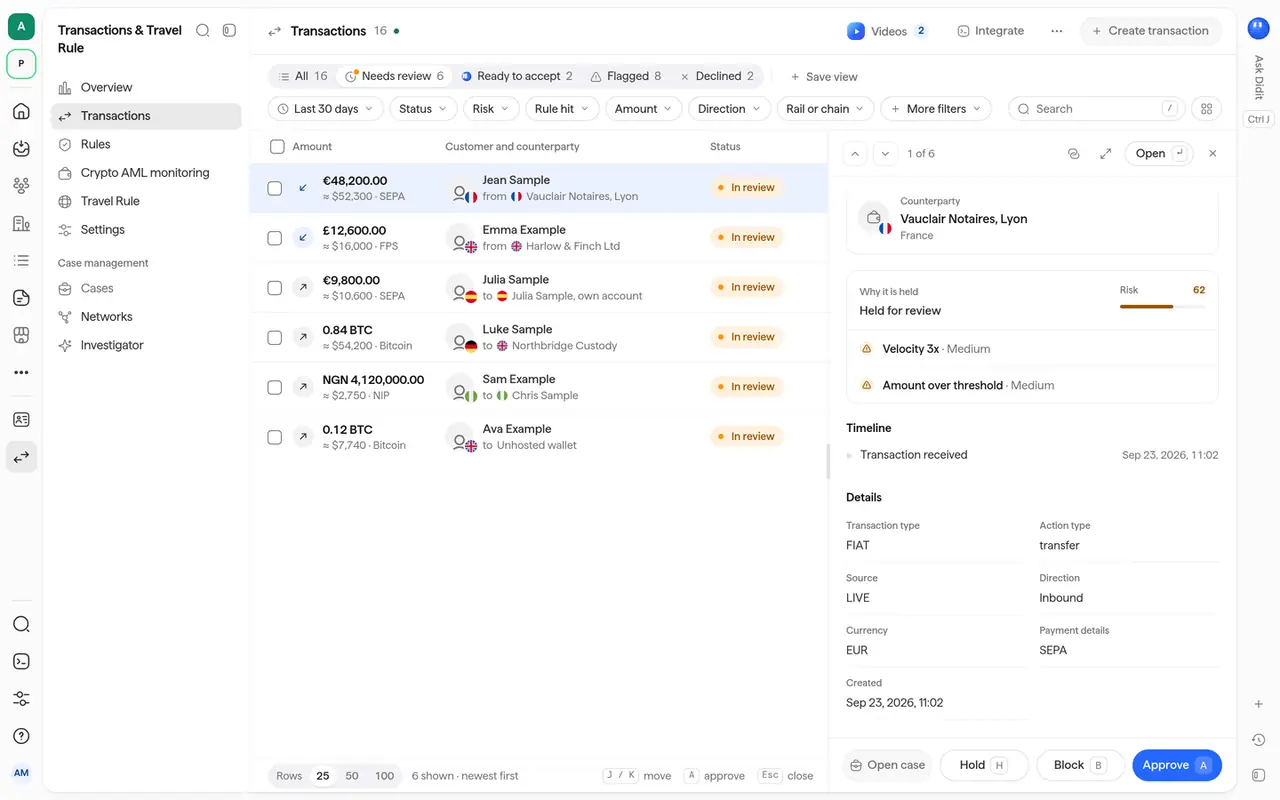
On the third claim inside the window, expect rules_matched_count of at least 1, a score that includes the 40 point delta, and rule_matches describing the rule that fired. That tells you what happened to the event. The hold itself shows up on the transaction: when a transaction rule fires, its status is IN_REVIEW, it appears in the console review queue, and the transaction webhooks above announce it.
Failure cases and recovery
| Symptom | Cause | Recovery |
|---|---|---|
403 with event_monitoring_disabled | Event monitoring is still off for the application | Enable it under Transactions, Settings, Event monitoring, then replay the batch lane |
| Rule never fires | Scope left empty, so the rule applies to transactions only | Set Applies to: Events and check the bonus category |
| Ratio rule never fires | No denominator in the window | Expected. A missing deposit is no evidence, not a zero ratio |
400 on a gameplay event | Required payload keys missing, for example game_id, counterparty_vendor_data, stake_amount on p2p_settlement | Validation rejects uncorrelatable evidence. Send the documented keys |
| Duplicates appear in reports | The same event_id was resent and replayed | event_id is the idempotency key. Check idempotent_replay; it should be true on the retry |
| Rejected timestamps | occurred_at beyond 7 days in the past or 5 minutes in the future | Send an occurred_at timestamp within the allowed window. A new event_id alone does not make an out-of-range timestamp valid |
ip_analyses[] empty | The player blocked the fingerprinting script | Decide fail-closed or fall back to soft signals, and say which in your policy |
400 from the Lists API | Value fails the entry type validator, is already in the list, or the list type is wrong for the call | Read the validator rules per entry type, then retry with a normalised value |
404 from the Lists API | The list belongs to another application | Lists are scoped per application. Use the key for the right one |
401 or 403 | Expired key, missing header, or a scoped key without the needed access | Rotate the key and confirm the scope |
Inputs and outputs
| Field | Required | What it does |
|---|---|---|
event_id | Yes | Your identifier, unique per application. It is the idempotency key |
event_category | Yes | One of ten categories, including bonus, auth, gameplay and security |
action_type | Yes | Open string up to 128 characters, for example bonus_claimed |
occurred_at | Yes | Your timestamp, within 7 days back and 5 minutes forward |
subject.vendor_data | Yes | Resolves to the same user a transaction would resolve to |
device_context.fingerprint | No | Enables per-device grouping and duplicate device detection |
device_context.network_context.ip_address | No | Enriched with country, ASN, VPN, Tor and data centre flags |
payload | No | Category domain fields, up to 16 KB. Put bonus_id here |
custom_values | No | Up to 100 scalar keys, readable from rules |
On the way out, an event returns status, score, rules_evaluated_count, rules_matched_count and rule_matches. A transaction returns status, score and rule_runs. The documented webhook payloads are the transaction ones.
Paid steps and review boundaries
Billable on the path above: the full ID check at $0.33 per completed check, AML screening at $0.20, Face Search 1:N at $0.05 per search, and monitoring at $0.001 per transaction beyond the monthly allowance of 1,000 on Free, 10,000 on Growth and 100,000 on Scale. Device and IP analysis at $0.03 is already inside the $0.33 bundle, so do not count it twice. Billing is per completed check from prepaid credit, and some no-match lookups and retries are billable.
Not billable as a separate line: the rule engine, the workflow orchestrator, the MCP server and the SDKs. Sandbox testing is free.
Review boundaries. A rule can hold a transaction, score it and open a case automatically. A rule cannot decide that a player is a fraudster. Declines, account closures, bonus forfeiture, case escalation and any Suspicious Activity Report filing stay with your team: the console prepares the form and the evidence, and Didit does not submit reports to regulators. Keep one named owner for the queue and a written threshold for when a hold becomes a ban, or the queue becomes the policy.
How AI bonus abuse prevention works
AI bonus abuse prevention is pattern detection across accounts and over time, not a single document check. Three mechanisms do the work.
- Cross-account identity matching. Face Search 1:N compares a face against your approved sessions, imported faces and your face lists, and returns a similarity percentage per match. A pure duplicate returns status Approved with a
DUPLICATED_FACEwarning, so your app applies the dedupe policy, while a blocklist hit returns Declined. - Device and network correlation. Duplicated IP, duplicated device fingerprint and recovered device checks compare this session against sessions from a different
vendor_data, which is the shape of a multi-account bonus ring. - Behavioural rules. Velocity counts, ratios and ordered sequences run over events, using subject signals such as
subject.email.is_disposableorsubject.phone.risk_scorethat are cached on the user so a rule can read them at ingestion speed.
Sequences are the sharpest tool for organised abuse. The documented pattern chains a burst of failed logins, an MFA change, a withdrawal address change and a withdrawal request inside 24 hours. For bonuses we would draft a parallel design, not a documented example: a promotion view, then claims from several accounts on one fingerprint, then an immediate withdrawal request.
Stopping account creation fraud in gaming platforms
Account creation fraud in gaming platforms is the first step of bonus abuse: fake, synthetic or duplicate identities created to farm signup offers. The cheap way to slow it is to check each new account before the welcome bonus is credited.
- ID document verification with document liveness, which catches screen replays, printed copies and portrait replacement.
- Passive liveness and face match 1:1, so the person in front of the camera is the person on the document.
- Device and IP analysis, which flags a duplicated device, a VPN or Tor exit node and a country mismatch with the document.
Those three run inside one verification session and are the three parts of the $0.33 full ID check. The fourth signal is separate: Face Search 1:N is a standalone API, not a step inside the session, so you call it after the session and before you credit the bonus.
curl -X POST 'https://verification.didit.me/v3/face-search/' \
  -H 'x-api-key: YOUR_API_KEY' \
  -F 'user_image=@./selfie.jpg' \
  -F 'search_type=most_similar' \
  -F 'save_api_request=true' \
  -F 'vendor_data=player-391'
Two operational notes save arguments later. Allowlists do not override blocklists or authenticity checks, they only suppress duplicate and reuse actions for the same entry type, and Didit still records an informational warning so you can audit why the duplicate action did not run. And an empty ip_analyses[] array is a policy decision, not a bug: a player with a content blocker has given you fewer signals, so decide in advance whether that fails closed.
Worked cost example
Assumptions for one month on a mid-size sportsbook: 40,000 new-player ID checks, 4,000 AML screens on withdrawal requests, 1,500 Face Search calls on suspected repeat signups, and 150,000 monitored transactions.
- KYC: 40,000 x $0.33 = $13,200.00
- AML screening: 4,000 x $0.20 = $800.00
- Face Search 1:N: 1,500 x $0.05 = $75.00
- Device and IP analysis: 40,000 x $0.03 = $1,200.00, already included in the KYC line, so $0.00 additional
- Monitoring: 150,000 transactions less 100,000 included on Scale = 50,000 x $0.001 = $50.00
- List price total: $13,200.00 + $800.00 + $75.00 + $50.00 = $14,125.00
On the Scale plan the same volumes take the 10% discount: KYC 40,000 x $0.297 = $11,880.00, AML 4,000 x $0.18 = $720.00, Face Search 1,500 x $0.045 = $67.50, monitoring $50.00, so discounted usage is $12,717.50. The $350.00 monthly credit covers part of that, and $12,367.50 has to come from additional balance. The Scale plan fee is $299.00 a month. Growth applies 4% instead and carries $115.00 of monthly credit, and the Free plan includes $10.00 of monthly credit for eligible organizations.
Sources
- Didit docs: Transaction Monitoring quickstart
- Didit docs: Event ingestion API, non-monetary monitoring
- Didit docs: Event rules, velocity, ratio, sequence, correlation
- Didit docs: KYT alerts, held transactions, triage and resolution
- Didit docs: Lists API, blocklists and allowlists
- Didit docs: Device fingerprinting and IP risk
- Didit docs: Face Search 1:N duplicate detection
- Didit pricing page and pricing in the docs, read November 26, 2026
- Didit MCP server setup
Open the sandbox at business.didit.me, send one bonus event and watch the first rule fire. No sales call, no contract, and the Free plan gives eligible work-email organizations $10.00 of monthly credit.
Try it
Try this in the sandbox
Run the check this guide describes, free.
The product this post is about, taken from its topic. Run it free in the sandbox.
Author
Alberto Rosas
Co-founder and CEO

Keep reading
Other guides in the same topic.
 What Is the Purpose of FICA in South Africa? 2026 Guide
FICA is South Africa's anti-money laundering law. It creates the Financial Intelligence Centre and requires accountable institutions to identify and verify clients, screen for PEP and sanctions risk and report suspicious.
Alberto RosasNov 26, 2026 Sixth Money Laundering Directive (6AMLD): What Changed and Which Rules Apply
6AMLD is Directive (EU) 2018/1673: Member States must criminalise laundering, widen predicate offences and set a four-year penalty floor. It adds no new due diligence duties for firms.
Alberto RosasNov 26, 2026 Automated Sanctions Screening: Canada, the Entity List and Embargoes
Automated sanctions screening matches people and companies against lists such as Canada's autonomous sanctions made under SEMA and JVCFOA and the OFAC SDN List, and returns candidate hits scored for identity confidence and.
Alberto RosasNov 26, 2026Questions
Frequently asked questions
How does AI bonus abuse prevention work in online gaming?
It scores bonus claims and withdrawal transactions against rules you write over the player, the device, the network and, where you send it, a payment instrument reference, then compares the face and device against accounts you have already verified. Didit runs that scoring on the same rule engine for events and transactions, so a bonus claim and a withdrawal are evaluated by one rule model.
What is the fastest way to stop one person claiming a welcome bonus many times?
Run Face Search 1:N and the duplicated device checks before you credit the bonus, then add a velocity rule on bonus_claimed events per subject with a 24 hour window. The face and device checks catch the ring at account creation, and the velocity rule catches it again at claim time.
How much does this cost with Didit?
A full ID check is $0.33 and includes ID document verification, passive liveness, face match 1:1 and device and IP analysis. AML screening is $0.20 per check, Face Search 1:N is $0.05 per search, and monitoring is $0.001 per transaction beyond the monthly allowance.
Does Didit charge for events, or only for transactions?
Event ingestion is part of Transaction Monitoring and runs on the same rule engine. The published metered line is per monitored transaction: $0.001 per transaction beyond the plan allowance of 1,000 on Free, 10,000 on Growth and 100,000 on Scale. The price feed we checked does not publish a separate per-event price, so confirm event metering for your volume before you model it.
Is event monitoring on by default?
No. Event ingestion is opt-in. Until you enable it under Transactions, Settings, Event monitoring, every write lane answers 403 with event_monitoring_disabled and nothing is stored, enriched or evaluated. Read endpoints are unaffected.
Why does my bonus rule never fire?
The usual cause is an empty scope. A rule applies to transactions only unless you set scope.record_types to include event, which is why rules written before events existed keep behaving exactly as they did. Set Applies to: Events and pick the bonus category.
Can Didit detect a VPN or Tor connection at signup?
Yes. Device and IP analysis emits VPN_DETECTED, PROXY_DETECTED, TOR_DETECTED, DATACENTER_IP, HIGH_RISK_COUNTRY and LOCATION_MISMATCH_WITH_DOCUMENT warnings, and those flags are also available to rules as event.ip.is_vpn_or_tor.
Is Face Search 1:N part of the verification session?
No, it is a standalone API: POST /v3/face-search/ with a multipart image and your API key. It searches the face index your application built from approved sessions, imported faces and your face lists, and a blocklist hit is the only case that returns status Declined.
How do I blocklist a device or face after a confirmed bonus ring?
Use the Lists API. Add the value to the system blocklist for that entry type, or pass reference_session_id from the verification session and Didit extracts the value and links the entry back to the session. A match on a blocklisted face, document, phone, email, IP, device fingerprint, wallet address or bank account causes an automatic decline.
Does Didit file suspicious activity reports for me?
No. For jurisdictions that require them, the console generates the filing and the evidence from a case, and submission to the regulator stays your compliance team's responsibility.
Which platforms can I connect to an AI assistant?
The Didit MCP server is hosted at https://mcp.didit.me/mcp with OAuth sign-in, and the setup page covers the clients it supports. The MCP server itself is free on every plan.
Compliance built in
Audited, certified and attested.
We hold the certifications and build each country's rules into your flows, so you can launch anywhere without worrying. Security and Compliance center
- Regulation encoded into your flows
Tell us what you do and where. Didit lists the rules that apply to you, with sources, and builds the checks each country needs into one workflow.
- Ready for AMLR
Every requirement of the new EU anti-money laundering rules, from checking customers to human review, is already covered by a Didit check.
- Tested in Spain's Treasury sandbox
Spain's Treasury published its supervised sandbox report on Didit's NFC plus active liveness onboarding; SEPBLAC took part and valued the added measures positively.
- Audited, not self-declared
iBeta Level 1 and Level 2. Liveness tested under ISO/IEC 30107-3.
Your obligations · 3 regions
 SOC 2 Type 2
 ISO 27001
 iBeta Level 1 and Level 2
 EU regulator attestation
 FSM youth protection
 GDPR
 EBA remote onboarding
 MiCA compatible
 FIDO Alliance member
- AMLREU AML Regulation ready
Integration · Didit MCP
Run Didit from your own AI agent
Connect Didit to Claude, Cursor, VS Code or ChatGPT and just ask in plain words. Your agent can do anything you can do in the console, with the same permissions you have.
 Add to Claude
 ChatGPT
 Cursor
- Build workflowsDescribe the checks you need. The agent creates and publishes the flow.
- Run investigationsAsk why a session was declined, review cases, search people and companies.
- Change rulesCreate payment rules, test them on past data and switch them on.
- Pull reportsAsk for numbers, exports or the audit log.
Didit Academy


