

無料
$0/月・カード情報不要
開発、テスト、そして最初のユーザー向け。
スタートに必要なすべて:
- 毎月500件のフルKYC認証
- 本人確認、生体認証、顔照合、デバイス&IP
- 200以上の不正検知シグナル、ブロックリスト、重複チェック
- Diditネットワーク全体でKYCを再利用可能
- ワークフロービルダー、ケース管理、SDK
- AIサポート コンソール内AIエージェント、ドキュメント、コミュニティ。






世界中の2,000以上の組織から信頼されています。
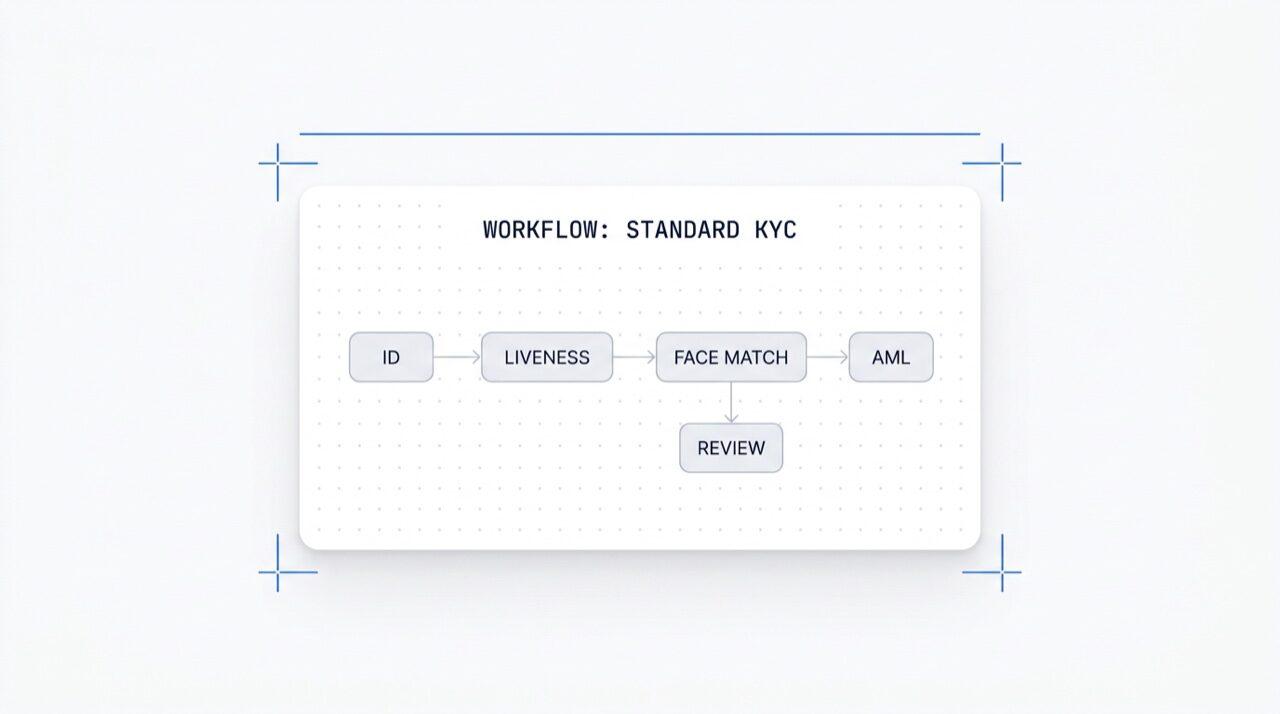
ノーコードワークフロービルダー
あらゆるモジュールをワンクリックで有効化。KYC(顧客確認)、 KYB(企業確認)、AML(アンチマネーロンダリング)、およびモニタリングフロー向けのビジュアルエディターです。 本番環境でのA/Bテストも可能。ワークフローごとの料金はかかりません。
ID、生体認証、顔照合、制裁リスト、住所、年齢、電話番号、メールアドレス、カスタム質問など、必要なチェックを選択します。ダッシュボードでフローにドラッグ&ドロップするか、同じフローをAPIにPOSTします。条件に基づいて分岐させたり、A/Bテストを実行したりできます。コードは不要です。
ドラッグ&ドロップ · スマート接続 · キーボードショートカット
機能
分岐
アクション
ステータス
25以上のモジュールを切り替え · 成功ごとに支払い
モジュール
新モジュールをリリース
ワークフロー追加料金
開発 · ステージング · 本番 · 隔離されたキー
アプリケーション
アプリケーションごと
エクスポート可能
トラフィック分割 · ライブコンバージョン測定
完了率
完了率
国 · リスク · ドキュメントタイプ · 年齢に基づいてルーティング
{ "workflow_id": "wf_3daf4c64", "session_id": "sess_8a2f9c10", "status": "verified", "vendor_data": "user-42", "version": 3, 連携先: unlimited}$ curl -X POST https://verification.didit.me/v3/workflows/ \
-H "x-api-key: $DIDIT_API_KEY" \
-d '{
"workflow_label": "Standard KYC",
"features": [
{ "feature": "OCR" },
{ "feature": "LIVENESS" },
{ "feature": "FACE_MATCH" }
]
}'{ "uuid": "wf_3daf4c64" }$ curl -X POST https://verification.didit.me/v3/session/ \
-H "x-api-key: $DIDIT_API_KEY" \
-H "Content-Type: application/json" \
-d '{
"workflow_id": "wf_3daf4c64",
"vendor_data": "user-42"
}'{ "url": "verify.didit.me/..." }# Didit Workflow Orchestrator — integrate in 5 minutes
You are wiring the Didit Workflow Orchestrator into <my_stack>. Follow
these steps exactly. Every URL, header, and enum value below is
canonical — do not paraphrase or "improve" them.
Workflows are versioned JSON documents that string together any subset
of Didit's 25+ verification modules:
- Feature nodes (Optical Character Recognition (OCR), LIVENESS, FACE_MATCH, Anti-Money Laundering (AML), Near Field Communication (NFC), IP, QUESTIONNAIRE,
PROOF_OF_ADDRESS, DATABASE_VALIDATION, AGE_ESTIMATION, EMAIL_VERIFICATION,
PHONE_VERIFICATION)
- Branch nodes (route by country, risk score, document type, age, ...)
- Action nodes (add tag, set metadata, route to manual review)
- Status nodes (APPROVED, DECLINED, IN_REVIEW)
## 1. Provision an account
- Sign up: https://business.didit.me (no credit card required).
- Or provision programmatically: POST https://apx.didit.me/auth/v2/programmatic/register/
## 2. Two ways to build a workflow — pick one
### Path A — Visual canvas (recommended for humans)
1. Open https://docs.didit.me/console/workflows.
2. Pick Simple Mode for a template-based build (Know Your Customer (KYC), Age Verification,
Biometric Auth, Address, Questionnaire) or Advanced Mode for the
node-based graph builder.
3. Drag feature nodes onto the canvas. Connect handles with the smart-
connect cursor. Drop branch nodes between features to route on data.
4. Click Publish. The published workflow's UUID is your workflow_id.
### Path B — Management API (recommended for AI agents)
Programmatically create a linear workflow with the simple v3 features
array — Didit converts it into a node-based graph internally.
POST https://verification.didit.me/v3/workflows/
Headers:
x-api-key: <your-api-key>
Content-Type: application/json
Body:
{
"workflow_label": "Standard KYC",
"features": [
{
"feature": "OCR",
"config": {
"documents_allowed": {},
"duplicated_user_action": "REVIEW"
}
},
{ "feature": "LIVENESS", "config": { "face_liveness_method": "PASSIVE" } },
{ "feature": "FACE_MATCH" },
{ "feature": "AML" }
]
}
Hard rules for POST /v3/workflows/:
- features[].feature values are UPPERCASE strict enum:
OCR, LIVENESS, FACE_MATCH, AML, NFC, IP, QUESTIONNAIRE,
PROOF_OF_ADDRESS, DATABASE_VALIDATION, AGE_ESTIMATION,
EMAIL_VERIFICATION, PHONE_VERIFICATION
- Put dependency features first. OCR before FACE_MATCH, NFC,
DATABASE_VALIDATION, or user-AML checks that depend on document
data. LIVENESS before FACE_MATCH.
- For QUESTIONNAIRE features, create the questionnaire first via
POST /v3/questionnaires/ and use the returned questionnaire_id as
config.questionnaire_uuid.
- The endpoint supports linear workflows only. To add branches,
actions, webhooks, or conditional routing, edit the published
workflow in the canvas.
- Save the returned workflow uuid — that is your workflow_id for
creating sessions, and your settings_uuid for future updates.
Reference for every config field per feature:
https://docs.didit.me/management-api/workflows/feature-configs
## 3. Use the workflow in a session
POST https://verification.didit.me/v3/session/
Headers:
x-api-key: <your-api-key>
Content-Type: application/json
Body:
{
"workflow_id": "<uuid from step 2>",
"vendor_data": "user-42"
}
Response includes the hosted verification link in url. Redirect the user
there. The hosted Didit UI handles capture UX, mobile handoff,
accessibility, retries, and webhook delivery on completion.
## 4. Webhooks
Register one webhook destination per workspace:
POST https://verification.didit.me/v3/webhook/destinations/
Body: { "url": "https://yourapp.com/didit/webhooks",
"events": ["session.verified", "session.review_started",
"session.declined", "session.expired"] }
Every delivery carries an X-Signature-V2 Hash-based Message Authentication
Code (HMAC) header. HMAC-SHA256 verification MUST run against the raw body bytes (the raw payload as Didit sent it) BEFORE any JSON parsing — re-serialising the parsed body changes whitespace and key order, which invalidates the signature.Verify before trusting the payload:
signature = hmac_sha256(secret, raw_body).hex()
if signature != request.headers["X-Signature-V2"]:
return 401
Retries use exponential backoff over 24 hours. The Console shows every
delivery, retry, and signature verification result.
## 5. Workflow versioning
Workflows support draft / publish versioning. Drafts are fully editable.
Publishing creates an immutable version that new sessions will use.
Sessions always reference the specific version they were created with,
so behaviour stays consistent even after you publish updates. Previous
versions are preserved and inspectable via the Management API.
## 6. Multi-app management
Each workspace can host multiple applications — typically Development,
Staging, Production. Each application carries its own API key, its own
workflows, and its own webhook destinations. Promote a published
workflow from Staging to Production by re-publishing in the target app
or by exporting and re-importing the workflow JSON.
## 7. A/B testing
Split traffic across two published workflow variants from inside the
canvas. Configure a percentage split, route by user cohort, ramp a new
module to 5% before going to 100%. Conversion metrics surface on the
workflow analytics view at https://docs.didit.me/console/analytics.
## 8. Hard rules — do not change
- Base URL stays https://verification.didit.me (NOT apx.didit.me).
- Auth header stays x-api-key (lowercase, hyphenated).
- Webhook signature header stays X-Signature-V2 (NOT X-Signature).
- Feature enum is UPPERCASE strict — OCR, LIVENESS, FACE_MATCH, AML,
NFC, IP, QUESTIONNAIRE, PROOF_OF_ADDRESS, DATABASE_VALIDATION,
AGE_ESTIMATION, EMAIL_VERIFICATION, PHONE_VERIFICATION.
- Session status casing stays "Approved" / "Declined" / "In Review" /
"Expired" / "Not Finished" (mixed case on session statuses,
UPPERCASE_SNAKE on transaction and case statuses).
## 9. Pricing reference
The Workflow Orchestrator itself is FREE on every plan — no per-workflow
fee, no per-seat fee, unlimited workflows. You pay only for the modules
that run inside the workflow at the published per-success rates on
https://didit.me/pricing.
500 free verifications every month, forever, on every account.
## 10. Verify your integration
1. Create a sandbox API key at https://business.didit.me.
2. POST /v3/workflows/ with the Standard KYC body above. Save the uuid.
3. POST /v3/session/ with that workflow_id. Open the url in a
browser and complete the flow with the sandbox test fixtures.
4. Confirm the session.verified webhook fires and X-Signature-V2 verifies.
5. Open the workflow in the canvas — verify the linear feature array
was converted into the expected node graph.
Done. The Workflow Orchestrator is live. Reach out to support@didit.me
with the workspace id if you hit a wall.












開発、テスト、そして最初のユーザー向け。
25以上のモジュールを公開価格で提供。自動ボリュームディスカウントあり。
大量利用や規制対象プログラム向け。
利用量の増加に応じて割引が自動適用されます。交渉や営業担当とのやり取りは不要です。
Diditは本人確認と不正対策のためのインフラです。私たちが自社製品を開発していた頃に「こんなプラットフォームがあれば」と願った、オープンで柔軟、そして開発者に優しいプラットフォームです。ブラックボックスとしてではなく、お客様のスタックの真の構成要素として機能します。
単一のAPIで、個人の確認(KYC、顧客確認)、企業の確認(KYB、企業確認)、暗号資産ウォレットのスクリーニング(KYT、取引確認)、およびリアルタイムでの取引監視をカバーします。このスタックは以下の特長を備えています。
基盤となるフットプリントは、48以上の言語に対応する14,000以上のドキュメントタイプ、1,000以上のデータソース、そして全セッションで200以上の不正シグナルです。Diditのインフラは、すべてのセッションから動的に学習し、日々改善されています。
ワークフローオーケストレーターは、Diditのあらゆる認証を支えるビジュアルなノーコードビルダーです。ドラッグ&ドロップでフィーチャーノード(本人確認書類認証、ライブネス、顔照合、アンチマネーロンダリング(AML)、近距離無線通信(NFC)、電話、メール、アンケート、住所証明、データベース検証、インターネットプロトコル(IP)、年齢推定)を配置し、国/リスク/年齢/ドキュメントタイプに基づいてルーティングするブランチノードを追加し、アクションノード(タグ付け、メタデータ設定、手動レビューへのルーティング)を追加し、ステータスノード(承認済み、拒否済み、レビュー中)で閉じます。
条件分岐、ネストされた意思決定、A/Bテスト、ドラフト/公開バージョン管理、25以上のモジュールをワンクリックで有効化できます。
全プランで無料です。 実際にセッションが実行されたモジュールごとの料金のみお支払いいただきます。詳細については、docs.didit.me/console/workflowsをご覧ください。
全プランで無料です。 ワークフローごとの料金、シートごとの料金はかかりません。ワークフロー数、公開バージョン数、A/Bテストのバリアント数、Webhookの送信先は無制限です。
お支払いいただくのは、didit.me/pricingに記載されているモジュールごとの成功報酬のみです。
$0.15。$0.10。顔照合, $0.05。インターネットプロトコル(IP)分析, $0.03。$0.20。ウォレットスクリーニング, 1チェックあたり$0.15。通常、エンドツーエンドの全フローは30秒未満で完了します, 身分証明書を手に取り、書類を撮影し、セルフィーを撮影すれば完了です。これは市場で最速です。 従来のKYCプロバイダーでは、同じフローに90秒以上かかることがよくあります。
バックエンドでは、Diditはユーザーがセルフィーを完了した瞬間からWebhookが発火するまでの結果を、p99で2秒未満で返します。モバイルキャプチャは、低速な電話やネットワーク向けに調整されています。プログレッシブ画像圧縮、遅延SDKロード、ユーザーがウェブから開始した場合のQRコードによるデスクトップから電話へのワンタップハンドオフなどです。
はい, POST /v3/workflows/に、ユーザーが完了すべきチェックの順序でfeatures配列を渡します。
Diditは内部的に配列をノードベースのグラフに変換し、最終ステータスノードを自動的に追加します。このエンドポイントは線形ワークフローのみをサポートします。分岐、アクション、Webhookノードについては、キャンバスで公開されたワークフローを編集してください。
フィーチャーのenum値は厳密に大文字です: OCR(光学文字認識, 本人確認書類認証を駆動)、LIVENESS、FACE_MATCH、AML、NFC、IP、QUESTIONNAIRE、PROOF_OF_ADDRESS、DATABASE_VALIDATION、AGE_ESTIMATION、EMAIL_VERIFICATION、PHONE_VERIFICATION。
返されたワークフローのuuidをPOST /v3/session/のworkflow_idとして使用します。フィーチャーごとの設定の完全なリファレンスは、docs.didit.me/management-api/workflows/feature-configsをご覧ください。
すべてのセッションは7つの明確なステータスのいずれかに到達するため、お客様のコードは常に何をすべきかを知ることができます。
Approved, すべてのチェックに合格しました。ユーザーを次のステップに進めます。Declined, 1つ以上のチェックに失敗しました。ユーザーに特定の失敗したステップ(例:セルフィーの再撮影)を再提出させることができ、フロー全体を再実行する必要はありません。In Review, コンプライアンスレビューのためにフラグが立てられました。コンソールでケースを開き、すべてのシグナルを確認し、承認または拒否を決定します。In Progress, ユーザーはフローの途中にいます。Not Started, リンクは送信されましたが、ユーザーはまだ開いていません。長期間放置されている場合はリマインダーを送信します。Abandoned, ユーザーはリンクを開きましたが、時間内に完了しませんでした。再エンゲージするか、期限切れにします。Expired, セッションリンクの有効期限が切れました。新しいセッションを作成します。ステータス変更時には署名付きWebhookが発火するため、お客様のデータベースは常に同期されます。放棄されたセッションと拒否されたセッションは無料です。
本番データは、デフォルトでAmazon Web Services上の欧州連合内で処理・保存されます。規制当局が要求する管轄区域については、エンタープライズ契約で代替リージョンをリクエストできます。
あらゆる場所で暗号化。すべてのデータベース、オブジェクトストレージ、バックアップにおいて、保存データはAES-256で暗号化されます。すべてのAPIコール、Webhook、Business Consoleセッションにおける転送データは、Transport Layer Security 1.3で暗号化されます。生体認証データは、個別のカスタマーマスターキーで暗号化されます。
データ保持期間はお客様が管理できます。デフォルトの保持期間は無期限(無制限)ですが、アプリケーションごとに30日から10年の間で短縮設定が可能です。また、ダッシュボードまたはAPIからいつでも個別のセッションを削除できます。
認証: SOC 2 Type 1 & Type 2、ISO/IEC 27001:2022、iBeta Level 1 PAD、およびスペインのTesoro / SEPBLAC / CNMVによる、Diditのリモート本人確認が対面確認よりも安全であるという公式認定。詳細レポートは/security-complianceをご覧ください。
Diditは、本人確認インフラにとって重要な規制当局の要件にデフォルトで準拠しています。
詳細なメモ、すべての証明書、すべての規制当局からの書簡は/security-complianceをご覧ください。
3つの連携パス, お客様のスタックに最適なものをお選びください。
同じダッシュボード、同じ請求、3つすべてで同じ成功報酬型料金です。ステップバイステップガイドはdocs.didit.me/integration/integration-promptをご覧ください。