Advanced OTP Verification for Secure IoT Onboarding
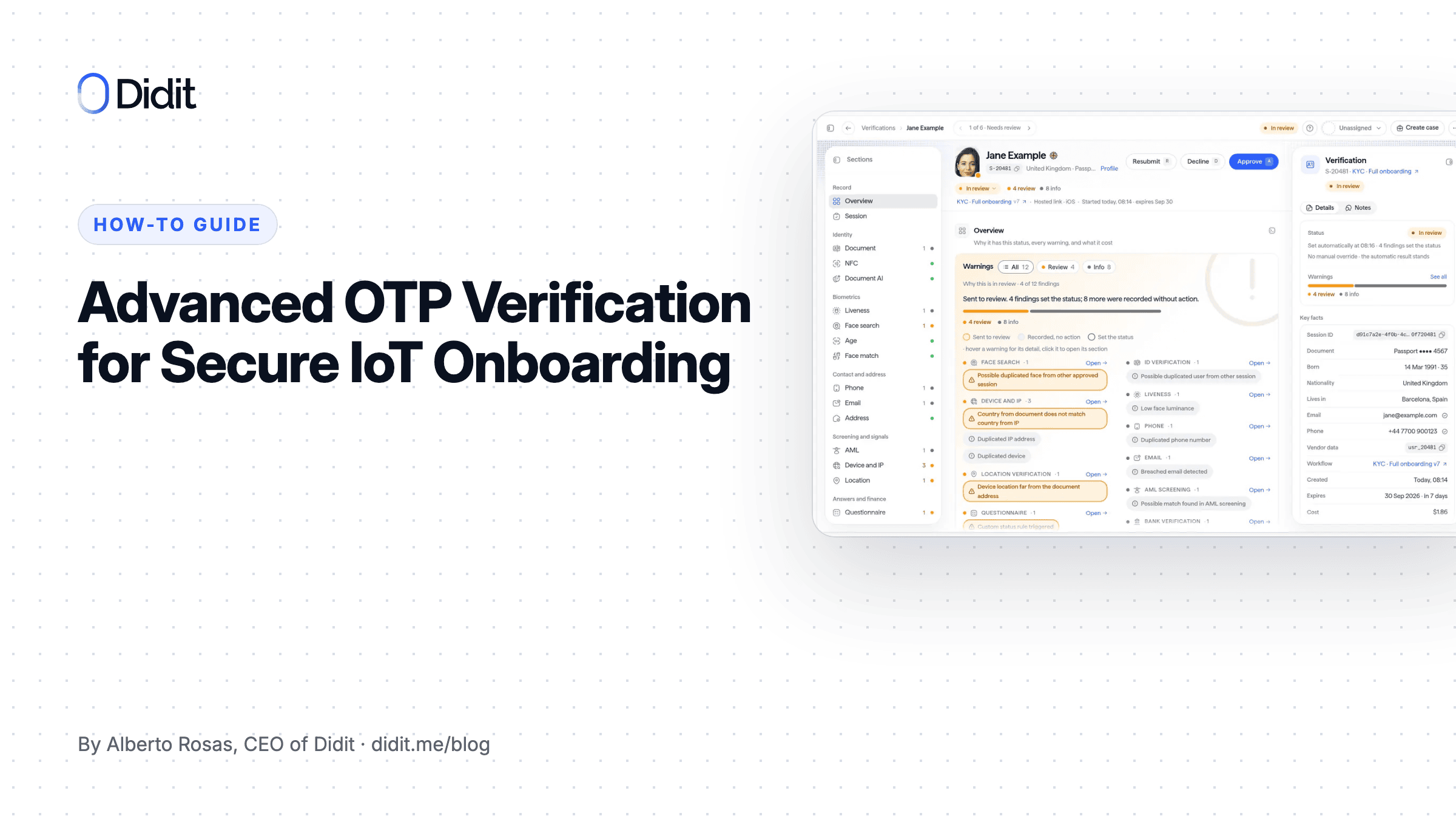
Verify the owner with ID, liveness and face match, then confirm the phone with an OTP plus carrier and VoIP signals. A full ID check is $0.33; each code is carrier plus $0.02.
 Alberto RosasCo-founder and CEO
Contents
In this guide
Jump to the part you need.
Advanced OTP verification for IoT onboarding checks the person before the SIM. The owner proves identity with an ID document, liveness and a face match, then confirms the phone with a one-time code that returns carrier, line type, porting and disposable-number signals. It suits device makers that bind hardware to a verified owner. A full ID check is $0.33; each code costs the carrier price plus $0.02, and the Free plan's monthly credit does not cover phone codes.
Last updated: November 26, 2026. Prices checked against the live Didit price feed on November 26, 2026.
| Item | Detail |
|---|---|
| Outcome | Only a verified person can bind a device, and the phone behind the pairing arrives with carrier, line type, porting and disposable-number data |
| Recommended method | One Didit session with ID Verification, Passive Liveness, Face Match 1:1 and Phone, then a standalone OTP pair for later step-ups |
| Code channels | WhatsApp (default), SMS, Telegram, voice, with fallback to SMS |
| Code lifetime | 5 minutes from the first send |
| Wrong-code limit | 5 attempts by default on a standalone verification |
| Price, full ID check | $0.33 per completed check |
| Price, one United States code | $0.0473 by SMS, $0.0431 by WhatsApp (carrier plus $0.02) |
| Sandbox | Free and unlimited sandbox testing |
Start free in the sandbox at business.didit.me, with no sales call. Teams that work from an AI assistant can connect the same account through the Didit MCP server. The API reference lives in the phone verification docs, and every number on this page is on the pricing page.
Why a plain SMS code is not enough on a connected device
An OTP proves that someone can read a message sent to a number at that moment. It does not prove who that someone is, and it says nothing about the number itself. SIM swap fraud moves a victim's number onto a SIM the attacker holds. Virtual numbers are cheap, disposable numbers are rented by the hour, and recycled ranges arrive with histories you did not create.
On a login screen that is a bad day. On an IoT platform it means an attacker can bind a device, open its data stream, or add a second owner to an installed base you already shipped. Devices make the problem sharper: a meter, a thermostat or a sensor usually has no keyboard, so the code is entered in the owner's app during pairing, or read out by voice for a fixed line. The real gate is the account, not the hardware, and the account gate should check identity and number quality, not only reachability.
What the advanced flow adds
- Identity. ID Verification covers 220+ countries and 14,000+ document types. Passive Liveness is $0.10 and Face Match 1:1 is $0.05. Bundled as a full ID check, with device and IP analysis, the price is $0.33 per completed check.
- Number quality. The check returns the carrier, the line type (mobile, landline or voip), disposable and virtual flags, and whether the number was recently ported. Didit runs 200+ real-time fraud signals per session.
- Rules that act. The Phone step takes
duplicated_phone_number_action,disposable_number_actionandvoip_number_action, so a risky number ends the flow instead of landing in a report nobody reads. - Re-authentication. Biometric Authentication costs $0.10 per auth, and the phone API can enroll a TOTP authentication factor for later logins, so a device transfer does not have to cost another SMS.

Prerequisites
- A Didit organization and an API key, sent as the
x-api-keyheader. Sandbox keys are enough to build the whole flow. - A published workflow containing Phone, ID Verification, Passive Liveness and Face Match 1:1. Build it in the Business Console or with
POST /v3/workflows/. - Phone numbers in E.164 format, for example
+14155552671. - An app screen that can show a six-digit code field, or the Didit Web or Mobile SDK mounted.
- An HTTPS endpoint if you want webhooks.
status.updatedis the event you need for device binding. - A plan or a first top-up that enables code sending. The Free plan's monthly credit does not cover phone codes; a paid Growth or Scale plan, or your organization's first top-up, enables them.
Two documented ways to run the same checks
| Mode | When to use it | What Didit collects | Where the result appears |
|---|---|---|---|
| Mode A, session based | First onboarding of a device owner, and any flow that also needs ID and biometrics | The hosted flow collects the number and the code for you, alongside the document and selfie | phone_verifications[] on the session decision payload |
| Mode B, standalone API | Step-up checks, owner transfer, support calls, re-authentication after the device is bound | Nothing. You own the code field and send the number, the code and the verification_id returned by send | The response of POST /v3/phone/check/ |
Step-by-step: advanced OTP verification for IoT onboarding
Publish the workflow. Create a workflow with ID Verification, Passive Liveness, Face Match 1:1 and Phone. Set the three Phone risk actions to
DECLINEfor duplicated numbers, disposable numbers and VoIP numbers. Publish it and note the workflow id.Create a session. Call
POST /v3/session/with the workflow id, your device serial invendor_data, and a callback URL. Nothing is charged at creation.curl -X POST 'https://verification.didit.me/v3/session/' \ -H "x-api-key: $DIDIT_API_KEY" \ -H "Content-Type: application/json" \ -d '{ "workflow_id": "your-workflow-uuid", "vendor_data": "device-8842", "callback": "https://app.example.com/api/webhooks/didit" }'Send the owner to the session. Open
session.urlin your pairing screen, or mount the Web or Mobile SDK. The user scans the document, takes the selfie, and then reaches the phone step.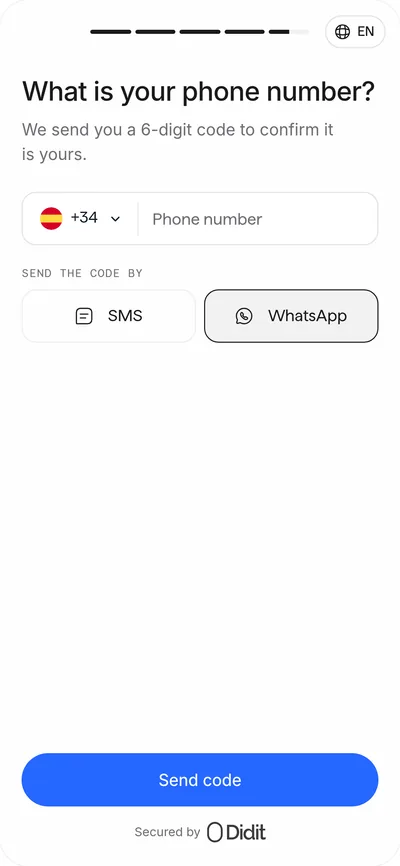
The phone step inside the hosted flow: the country code is suggested and the number is collected in international format. Let the code go out. Didit generates a time-limited code and delivers it on WhatsApp by default, or on SMS, Telegram or voice when you set
options.preferred_channel. Delivery falls back to SMS if the preferred channel is unavailable. A fixed line requested by SMS may be read out in a call instead.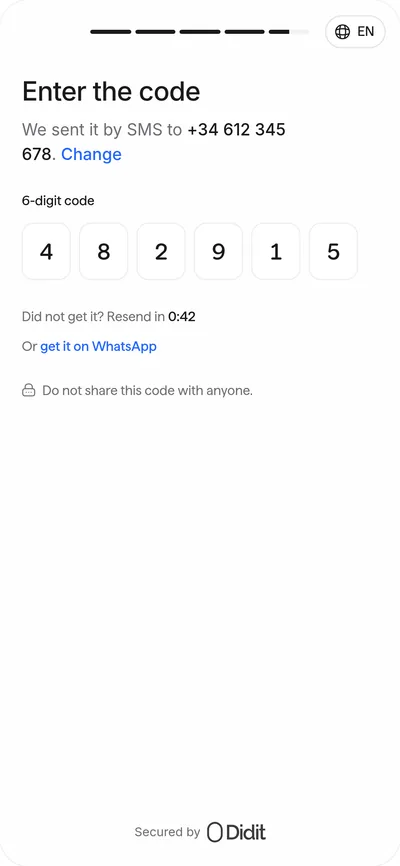
The user types the code in the app that pairs the device, which is what makes screenless hardware workable. Read the decision, not the redirect. Call
GET /v3/session/{sessionId}/decision/or subscribe tostatus.updated. The decision carries aphone_verifications[]array, one item per Phone step, next toid_verifications[],liveness_checks[]andface_matches[].Bind the device only on Approved. Write the binding when the session status is
Approved. VerifyX-Signature-V2over the canonical JSON, reject a request whoseX-Timestampis more than 300 seconds old, and return 2xx quickly. Store the phone metadata with the binding so support can see later whether the number was VoIP or ported.Use the standalone pair for later step-ups. When an owner adds a second device, transfers a device or calls support, run the two-call OTP pair. Both calls use the same
phone_number, and the check call also carries theverification_idthat the send response returns, which targets that specific verification.# 1. Send the code. The response returns the verification_id for this attempt. curl -X POST 'https://verification.didit.me/v3/phone/send/' \ -H "x-api-key: $DIDIT_API_KEY" \ -H "Content-Type: application/json" \ -d '{ "phone_number": "+14155552671", "options": { "code_size": 6, "preferred_channel": "whatsapp", "locale": "en-US" }, "vendor_data": "device-8842" }' # 2. Check the code the user typed, with the verification_id from the send response curl -X POST 'https://verification.didit.me/v3/phone/check/' \ -H "x-api-key: $DIDIT_API_KEY" \ -H "Content-Type: application/json" \ -d '{ "verification_id": "the-verification-id-from-the-send-response", "phone_number": "+14155552671", "code": "123456", "voip_number_action": "DECLINE" }'Keep the retry path cheap for the user. If the code does not arrive, move the same verification to the next channel or retry inside the same five-minute window instead of starting a new one. If your client sees HTTP 429, wait for the
Retry-Afterheader before calling again.
Expected output
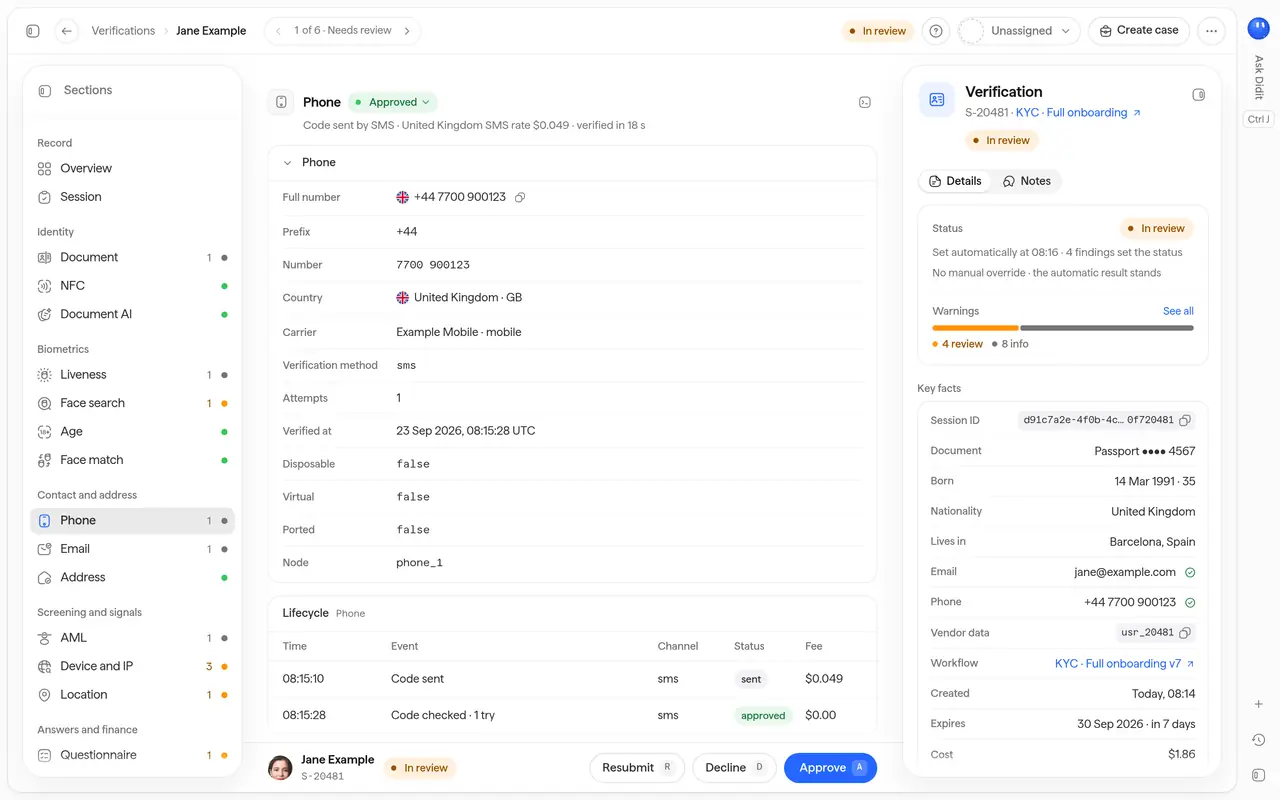
On a clean onboarding the check returns status of Approved with the number's metadata: the carrier, line_type, and the disposable, voip and ported flags. The warnings[] array is empty. Anything else belongs to one of the documented statuses: Not Started, In Progress, Approved, Declined, Failed, Expired or Not Found, Abandoned or Kyc Expired.
When a risk fires, it appears in warnings[] as a code such as DUPLICATED_PHONE_NUMBER, DISPOSABLE_NUMBER, VOIP_NUMBER, INVALID_PHONE_NUMBER, OTP_DELIVERY_FAILED, OTP_MAX_ATTEMPTS_REACHED, OTP_EXPIRED or PHONE_NUMBER_BLOCKED. Treat the warning code as the input to your policy, not the status alone.
Failure cases and recovery
| What you see | What it means | Recovery |
|---|---|---|
HTTP 400 on /v3/phone/send/ | The number is not in E.164 format | Normalize before calling. The docs example is +14155552671. |
status is Blocked with reason of spam | Anti-abuse block. No code was sent and there is no charge. | Stop the attempt and route the user to support. Do not loop the send call. |
status is Failed | Wrong code, with attempts remaining | Re-prompt for the code and show the remaining attempts. |
status is Declined with the attempts warning | The user exhausted the configured limit, 5 by default on a standalone verification | End the verification. Restart from send under your own cooling-off rule. |
status is Expired or Not Found | The 5-minute window closed, or there is no pending verification for that number | Send a new code. A same-window retry keeps the original deadline. |
OTP_DELIVERY_FAILED warning | The channel did not deliver | Move to the next channel, or offer voice for a fixed line. |
PHONE_NUMBER_BLOCKED warning | The number is on a block list | Do not bind the device. Escalate to review. |
VOIP_NUMBER, DISPOSABLE_NUMBER or DUPLICATED_PHONE_NUMBER | A risk action you configured fired | With DECLINE set, the step ends. Ask for another number or move the case to a person. |
Inputs and outputs
| Field | Direction | Notes |
|---|---|---|
phone_number | Input, both calls | E.164. The send and the check must use the same number. |
options.preferred_channel | Input, send | whatsapp is the default; sms, telegram and voice are also available. Falls back to SMS. |
options.code_size | Input, send | The length of the code. The documented example uses 6. |
options.locale | Input, send | Locale of the message, for example en-US. |
options.sms_sender_name | Input, send | 1 to 30 characters. Signs one code with a different sender name than the app default set in the Business Console. |
vendor_data | Input, send | Your internal reference, for example the device serial. |
verification_id | Send to check | Returned by the send response. Pass it to the check call to target that specific verification. |
code | Input, check | The digits the user typed. |
voip_number_action | Input, check | For example DECLINE. |
status | Output | One of the documented statuses, from Approved to Kyc Expired. |
carrier, line_type, disposable, voip, ported | Output | Returned with the check. line_type is mobile, landline or voip. |
warnings[] | Output | The risk codes in the table above. |
What you pay for, and where a person should look
| Step | Price | Notes |
|---|---|---|
| ID document verification | $0.15 | Per completed check |
| Passive Liveness | $0.10 | Per completed check |
| Face Match 1:1 | $0.05 | Per completed check |
| Device and IP analysis | $0.03 | Included in the full ID check |
| Full ID check | $0.33 | The four lines above, billed as one check |
| One phone code | Carrier price plus $0.02 | United States: $0.0473 SMS, $0.0431 WhatsApp |
| Biometric Authentication | $0.10 | For later re-authentication on the device owner's account |
A phone risk lookup without a code, POST /v3/phone/risk/, is billed as its own line in the price book, and the facts this page was checked against do not publish that price. We leave it out rather than quote a number we cannot stand behind; confirm it in the price book before you build a flow around the lookup.
The workflow orchestrator, the SDKs and the MCP server are free. Sending a code that the anti-abuse layer blocks is not charged. A risk warning that you configured as DECLINE still completes the step in the sense that it returns a result, so read the decision before you assume nothing was billed.
A documented checkpoint before launch: the send response returns verification_id, and the check call must carry it, so keep the pair on one record and let a retry inside the 5-minute window stay on the same verification. Anything the flow declines on a risk action stays on the session record in the Business Console for a person to read, and case management is included from the Growth plan.
Worked cost example
Take 1,000 device onboardings in the United States, each one a full ID check plus one SMS code, at list price.
- ID check: $0.15 + $0.10 + $0.05 + $0.03 = $0.33 per onboarding.
- One SMS code: $0.0473 per code, which is the $0.0273 carrier price plus the $0.02 Didit fee.
- Total per onboarding: $0.33 + $0.0473 = $0.3773.
- For 1,000 onboardings: $0.3773 x 1,000 = $377.30.
Send the same codes on WhatsApp and the total is $0.33 + $0.0431 = $0.3731 per onboarding, or $373.10 for 1,000. On the Growth plan the Didit prices take 4% off while the carrier price passes through at cost: the ID check becomes $0.3168 and the code fee becomes $0.0192, so an SMS code is $0.0273 + $0.0192 = $0.0465 and one onboarding is $0.3633. The same 1,000 onboardings cost $363.30 in usage, plus the $99 monthly plan fee.
Sources
- Didit docs: Phone Verification overview (OTP, SMS and WhatsApp)
- Didit docs: Phone Verification API, endpoints and risk signals
- Didit docs: Send Phone Code
- Didit docs: Check Phone Code
- Didit docs: Score Phone Risk
- Didit docs: Phone verification warning catalogue
- Didit docs: Webhooks, HMAC signing and event types
- Didit docs: API rate limits and 429 handling
- Didit docs: Pricing, plans and billing rules
- Didit pricing page
- Didit phone price list by country and channel
- Didit pricing as JSON (the live price feed)
Next step: open the sandbox at business.didit.me without a sales call, publish a workflow with Phone, ID Verification, Passive Liveness and Face Match, and send yourself a code.
Try it
Try this in the sandbox
Run the check this guide describes, free.
The product this post is about, taken from its topic. Run it free in the sandbox.
Author
Alberto Rosas
Co-founder and CEO

Keep reading
Other guides in the same topic.
 What Is the Purpose of FICA in South Africa? 2026 Guide
FICA is South Africa's anti-money laundering law. It creates the Financial Intelligence Centre and requires accountable institutions to identify and verify clients, screen for PEP and sanctions risk and report suspicious.
Alberto RosasNov 26, 2026 Sixth Money Laundering Directive (6AMLD): What Changed and Which Rules Apply
6AMLD is Directive (EU) 2018/1673: Member States must criminalise laundering, widen predicate offences and set a four-year penalty floor. It adds no new due diligence duties for firms.
Alberto RosasNov 26, 2026 Automated Sanctions Screening: Canada, the Entity List and Embargoes
Automated sanctions screening matches people and companies against lists such as Canada's autonomous sanctions made under SEMA and JVCFOA and the OFAC SDN List, and returns candidate hits scored for identity confidence and.
Alberto RosasNov 26, 2026Questions
Frequently asked questions
What is advanced OTP verification for IoT onboarding?
It is a one-time-code check combined with an identity check, so the code proves the person on the account rather than just the number. In Didit that means a session with ID Verification, Passive Liveness, Face Match 1:1 and Phone, where the phone result also carries the carrier, line type, porting and disposable-number flags. The code is the last step, not the only control.
How much does one OTP cost on Didit?
A code costs the carrier price for the country and channel plus Didit's $0.02 fee. In the United States that is $0.0473 by SMS and $0.0431 by WhatsApp at list price. On Growth the Didit fee drops to $0.0192 and on Scale to $0.018, while the carrier price passes through at cost.
Can the code go out on WhatsApp, Telegram or a voice call instead of SMS?
Yes. Set options.preferred_channel to whatsapp, sms, telegram or voice on POST /v3/phone/send/. WhatsApp is the default, and delivery falls back to SMS if the preferred channel is unavailable. A voice call reads the code aloud twice, which is the practical route for a fixed line.
How long does a Didit OTP stay valid?
The code window is 5 minutes from the first send. A same-window retry keeps that original deadline instead of extending it, so a retry does not buy a fraudster extra time. After the window closes, the check returns Expired or Not Found and the user needs a new code.
How many wrong codes can a user enter?
Five by default on a standalone verification, set by your application's verification.max_attempts setting. Each wrong entry returns Failed with the attempts remaining. When the limit is reached the verification returns Declined with the max-attempts warning, and the user has to start again.
How do I stop VoIP and disposable numbers from onboarding a device?
Add the Phone feature to the workflow and set voip_number_action, disposable_number_action and duplicated_phone_number_action to DECLINE. The risk still returns as a warning code so you can report on it, but the step ends instead of approving. On the standalone API you pass voip_number_action on the check call.
Can I score a phone number without sending a code at all?
Yes. POST /v3/phone/risk/ returns carrier, line type, porting and fraud risk without sending an OTP. It is billed as its own line in the price book, and the facts this page was checked against do not publish that price, so confirm it before you build a flow around the lookup. Use it at signup if you only need to sort good numbers from bad ones, and keep the OTP for the moment a device is bound.
Do I need a full identity check to onboard an IoT device?
It depends on what the device can do. A full ID check costs $0.33 and combines the document, passive liveness, face match, and device and IP analysis, which is the right level when a device can open a door, dispense value or expose another person's data. For low-risk consumer hardware, a phone check at carrier price plus $0.02 plus a phone risk lookup can be enough.
Can I test OTP verification for free?
Sandbox testing is free and unlimited. Sending real codes needs a paid Growth or Scale plan or your organization's first top-up, so add a top-up once before the first send. The Free plan's monthly credit does not cover phone codes.
What is the difference between the session flow and the standalone phone API?
In the session flow, Didit's hosted page or SDK collects the number and the code, and the result appears as phone_verifications[] on the session decision next to the ID and biometric results. In the standalone API you call POST /v3/phone/send/ and POST /v3/phone/check/ yourself, and the check call carries the verification_id from the send response, with the result returned straight from the check response.
Compliance built in
Audited, certified and attested.
We hold the certifications and build each country's rules into your flows, so you can launch anywhere without worrying. Security and Compliance center
- Regulation encoded into your flows
Tell us what you do and where. Didit lists the rules that apply to you, with sources, and builds the checks each country needs into one workflow.
- Ready for AMLR
Every requirement of the new EU anti-money laundering rules, from checking customers to human review, is already covered by a Didit check.
- Tested in Spain's Treasury sandbox
Spain's Treasury published its supervised sandbox report on Didit's NFC plus active liveness onboarding; SEPBLAC took part and valued the added measures positively.
- Audited, not self-declared
iBeta Level 1 and Level 2. Liveness tested under ISO/IEC 30107-3.
Your obligations · 3 regions
 SOC 2 Type 2
 ISO 27001
 iBeta Level 1 and Level 2
 EU regulator attestation
 FSM youth protection
 GDPR
 EBA remote onboarding
 MiCA compatible
 FIDO Alliance member
- AMLREU AML Regulation ready
Integration · Didit MCP
Run Didit from your own AI agent
Connect Didit to Claude, Cursor, VS Code or ChatGPT and just ask in plain words. Your agent can do anything you can do in the console, with the same permissions you have.
 Add to Claude
 ChatGPT
 Cursor
- Build workflowsDescribe the checks you need. The agent creates and publishes the flow.
- Run investigationsAsk why a session was declined, review cases, search people and companies.
- Change rulesCreate payment rules, test them on past data and switch them on.
- Pull reportsAsk for numbers, exports or the audit log.
Didit Academy