
DigiLocker API: how businesses verify documents in India
The DigiLocker API explained for businesses: who may register as a requester, what the user sees, the data and documents returned, Rule 9A and the PML Rules, what is not published, and the fallback for everyone else.
In short
The DigiLocker API lets a registered business, called a requester, ask an Indian user for consent and then read identity details and government-issued documents from that user's DigiLocker account. It is an OAuth 2.0 and OpenID Connect redirect, run by India's National e-Governance Division (NeGD).[5][7]
- Private organisations registered in India are on the eligible list. A committee reviews each application, and final approval rests with the chief executive.[6]
- Issued documents stand at par with physical originals, and India's anti-money laundering (AML) rules accept them.[2][9][10]
- No fee schedule, no sandbox and no onboarding lead time are published.[6][8]
DigiLocker is the Indian government's document wallet: a cloud account where a citizen holds documents that ministries, states and boards issue in digital form, and from which the citizen shares them with consent.[1] For a business, one redirect returns a name, a date of birth and digitally signed documents such as a PAN record or a driving licence.
What the DigiLocker API is
DigiLocker describes itself as a secure cloud platform for storing, sharing and verifying documents, and as a flagship initiative of the Ministry of Electronics and IT (MeitY).[1] Three roles meet on it: issuers push documents to an account, the user (the "subscriber" in the rules) holds them, and requesters ask for access.[4][9]
The requester interface is the Requester Meri Pehchaan API Specification, version 2.4 of September 2026; Meri Pehchaan is the national single sign-on by DigiLocker.[7] It is not an electronic ID (eID) in the European sense, but a consented document exchange behind a sign-in.
DigiLocker
India's government document wallet and consented document exchange
How many people use DigiLocker
The DigiLocker home page counts 70+ crore registered users and 900+ crore issued documents. One crore is ten million: more than 700 million accounts and 9 billion documents.[1]
The pages we read state no share of the adult population and no count of requester transactions. A registered account may also lack the document you need: a document cannot be fetched when the issuer's database has no record of it.[3]
What the user sees
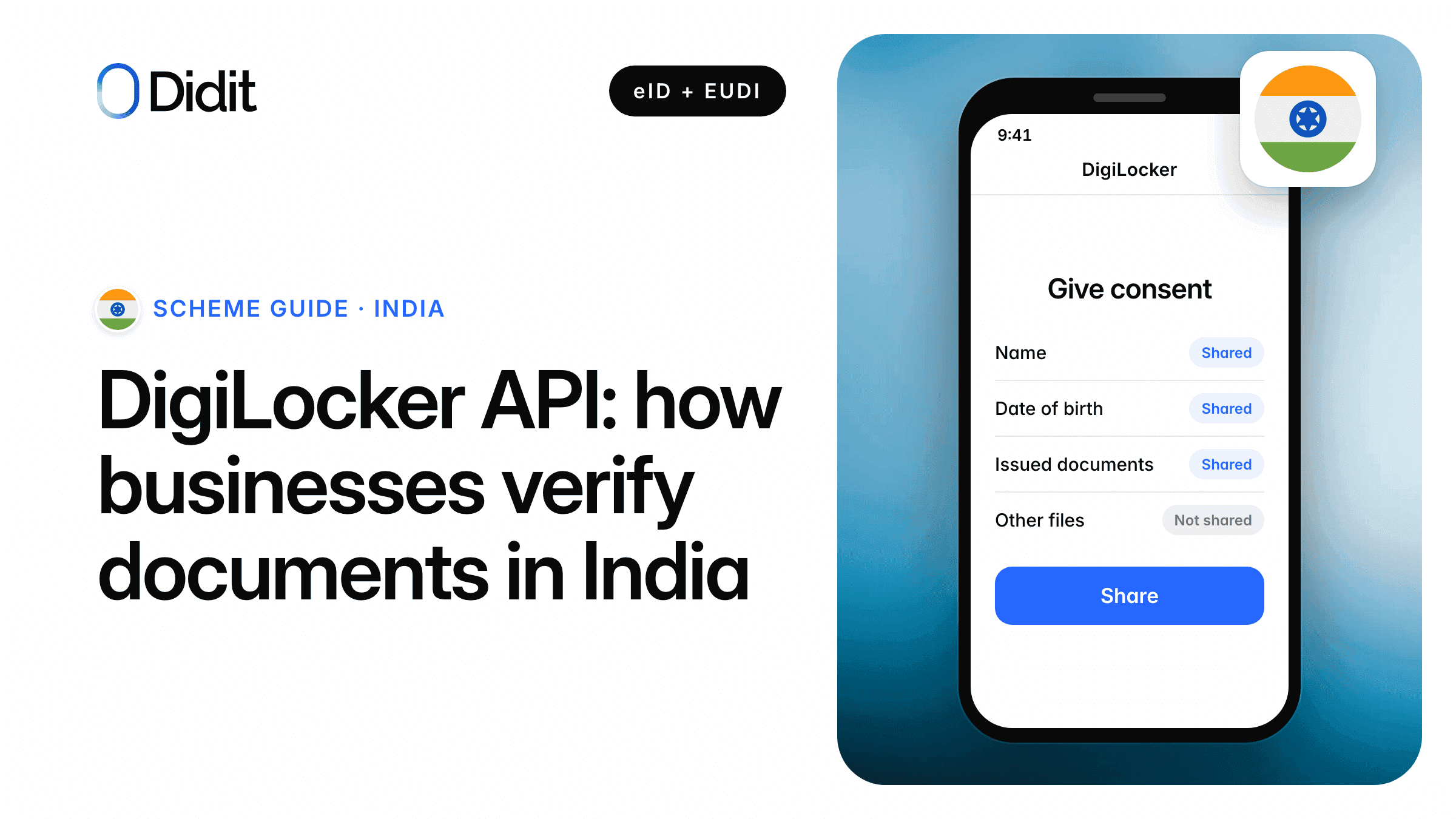
The first step is not an API call. It is a DigiLocker web page where the user signs in and authorises your application, then returns to your redirect address.[7] You never see the OTP or the PIN.
Share from DigiLocker
Continue with DigiLocker
Use an ID document instead
1The user chooses DigiLocker in your sign-up.
Sign in
Mobile or Aadhaar number, an OTP, then your security PIN.
2DigiLocker asks for a mobile or Aadhaar number, an OTP valid for 10 minutes, and the PIN.[3]
Give consent
- Profile detailsShared
- PAN recordShared
- Other documentsNot shared
Allow
3The consent screen shows your service name, purpose and requested documents.[7]
Documents received
4Back in your app, with an authorisation code.
Users grant consent per document or scope and can revoke it at any time.[5] The specification documents one flow, a browser redirect. The device-code calls for limited-input devices were removed in version 2.0 (15 September 2022), so no QR hand-off between devices is documented.[7]
The user signs in and consents on DigiLocker's page
Authorisation code with PKCE, then document calls.[7]
What a business receives
What comes back depends on the scopes the user approved; the token response lists them.[7]
| Data | When | Format and notes |
|---|---|---|
| DigiLocker ID | With the user details scope | A unique 36-character account identifier |
| Name, date of birth, gender | With the user details scope | Date as DDMMYYYY; gender M, F or T |
| Mobile, picture, email | Same scope, since version 2.4 | As registered with DigiLocker |
| Issued documents | Optional, per document | A list with type, issuer and URI; each file as PDF or XML, with an HMAC to check integrity |
| e-Aadhaar data | Optional, where the account has it | XML only, never the PDF[7][8] |
| Full Aadhaar number | Not among the listed fields | The partner FAQ says only the last four digits can be verified[8] |
Fields from the requester specification, version 2.4.[7]
The stable identifier is the DigiLocker ID, not a national number. The user details can include a picture. The specification does not list the fields of the e-Aadhaar XML; for reference, the offline XML that the Unique Identification Authority of India (UIDAI) issues directly holds name, date of birth, gender, address and a photo under UIDAI's signature.[13]
Watch out
Profile data is "as registered with DigiLocker", and an account can be opened with a mobile number alone. Check the e-Aadhaar flag (Y or N) in the user details, or rely on an issued document, before you treat a name or a date of birth as verified.[3][7]
The law behind DigiLocker
DigiLocker rests on the Digital Locker Rules, 2016, made under sections 6A, 67C and 87 of the Information Technology Act, 2000.[9] They define a requester as any State or Central department, agency "or body corporate" requesting access to a subscriber's records, which is the door for private companies.
Rule 9A(1)Digital Locker Rules, 2016, as amended on 8 February 2017
"Issuers may start issuing and Requesters may start accepting digitally (or electronically) signed certificates or documents shared from subscribers’ Digital Locker accounts at par with the physical documents in accordance with the provisions of the Act and rules made thereunder."
Source: Digital Locker Rules and Amendment, G.S.R. 711(E) and G.S.R. 111(E)[9]
The rule lets requesters accept; it does not order them to.[9]
Does DigiLocker satisfy AML customer due diligence
For reporting entities under the Prevention of Money-laundering Act, the answer sits in the Maintenance of Records Rules, 2005 (the PML Rules), which name the digital locker in a definition.
Rule 2(1)(cb)Prevention of Money-laundering (Maintenance of Records) Rules, 2005
"'equivalent e-document' means an electronic equivalent of a document, issued by the issuing authority of such document with its valid digital signature including documents issued to the digital locker account of the client as per rule 9 of the Information Technology (Preservation and Retention of Information by Intermediaries Providing Digital Locker Facilities) Rules, 2016;"
Source: PML (Maintenance of Records) Rules, 2005, Financial Intelligence Unit India[10]
Rule 9(4) lets an individual client submit an officially valid document "or the equivalent e-document thereof", and the same wording covers the Permanent Account Number (PAN). Rule 9(15)(c) sets the condition: the reporting entity "shall verify the digital signature" and "take a live photo" as Annexure 1 specifies.[10] So a DigiLocker document is an accepted identity document, not a full due-diligence file.
The Reserve Bank of India (RBI), in its Know Your Customer (KYC) FAQ of 9 June 2025, lists DigiLocker among the digital channels for non-face-to-face onboarding.[11]
How a business connects to the DigiLocker API
There is no licence class like the one for Aadhaar authentication, which our Aadhaar eKYC guide covers. A business registers as a requester, and NeGD decides.
| Requirement | What the procedure says |
|---|---|
| Who may apply | Organisations registered in India, private companies included, with experience of online services for Indian citizens |
| Proof of the entity | A nodal officer authenticates with Aadhaar OTP; company and tax numbers are verified; a digital signature is required |
| Approval | A manager, then a committee, then the chief executive; terms of use signed on the portal |
| After go-live | A quarterly usage report and an STQC audit report of the application |
| Foreign firms | An Indian mobile number and a server located in India are mandatory (partner FAQ, 24 March 2025)[8] |
From the partner onboarding procedure of 5 June 2024.[6]
Credentials come from the government's API Setu partner portal.[5][8] Three things are not published in the documents we read: a fee schedule, an onboarding lead time and a sandbox. The committee meets weekly, "no requests of temporary access for any testing purpose" are entertained, and the partner FAQ says there is no separate test environment.[6][8]
Direct
Register as a requester
- Your name on the consent screen
- Your own approval and audit
Partner onboarding procedure
Through a provider
Use a provider's DigiLocker check
- One contract with the provider
- No public rule on resale found
Confirm the terms with NeGD
Without the API
Document route
- Works for every user
- ID capture, liveness, face match
Your own verification flow
A provider's DigiLocker check is the second route. We found no public rule on sub-licensing requester access, so ask any provider in writing how its access is approved for your use case. See also what eID verification is and the eID schemes by country.
Use cases and sector rules
DigiLocker names banks, government agencies and educational institutions as typical requesters.[5]
- KYC and AML onboarding: an issued document is an equivalent e-document under the PML Rules.[10]
- Driving checks: the road transport ministry recognised DigiLocker for digital driving licences and registration certificates on 8 August 2018.[3]
- Age checks: the user details include a date of birth.[7] According to dpdpa.com, Rule 10 of the Digital Personal Data Protection Rules 2025 allows a virtual token mapped to age details, for example through DigiLocker, for parental consent.
- Signing: uploaded documents can be digitally signed with the eSign facility.[7]
We found no DigiLocker-specific rule for gambling or telecom in these sources. The Aadhaar and Other Laws (Amendment) Act, 2019 allows voluntary use of Aadhaar for SIM cards and bank KYC, but that concerns Aadhaar, not DigiLocker.[14]
Limits and fallbacks
DigiLocker is wide, not universal.
- Non-residents and foreigners. Sign-up needs a mobile or Aadhaar number, and registration takes an Indian mobile number only, so a non-resident Indian with a foreign number cannot sign up.[3]
- Minors. No minimum age is stated. Student accounts were created from mobile numbers shared by the school board, so do not assume the holder is an adult.[3]
- Missing documents. If the record is not in the issuer's database, the document cannot be fetched.[3]
- Outages. The FAQ admits delayed OTPs and a "UID service temporarily unavailable" error.[3]
- Data protection. The Aadhaar PDF is withheld under data protection rules, and rate limits apply without published numbers.[3][8]
On security, DigiLocker lists encryption in transit, multi-factor sign-in, ISO 27001 certified hosting and audits by CERT-In empanelled agencies.[3] The fallback for everyone else is the document route: capture of a passport or national ID, reading the Near Field Communication (NFC) chip where the document has one, a liveness check and a face match.
1Offer DigiLocker first
Does the user have DigiLocker and the document
Consent and fetch
Check the signature, take a live photo.
Verify with a document
Capture, chip reading, liveness and face match.
2Screen and decide
The decision stays with you.
DigiLocker first, a document for everyone else.
DigiLocker integration checklist
- Confirm your entity is registered in India and can host on a server in India.[6][8]
- Write the use case exactly as you will build it; "no deviation shall be allowed".
- Obtain a digital signature for the organisation.[6]
- Register on the API Setu partner portal and set the exact redirect address.[5][8]
- Generate a new PKCE code verifier for every authorisation request.[7][8]
- Request only the document types you need.[7]
- Compare the HMAC of every downloaded file with the header value.
- Store the DigiLocker ID and the last four Aadhaar digits at most, never the full number.[8][14]
- Build the document fallback before launch.
Note
A concept note of 29 July 2026 on the DigiLocker site proposes that DigiLocker present credentials to European relying parties with OpenID for Verifiable Presentations (OpenID4VP). It puts bilateral legal recognition first.[12] For the European side, see the EU Digital Identity Wallet page.
How Didit helps with DigiLocker and eID verification
Didit adds DigiLocker on request. In India today, Didit runs the document route: ID verification of Indian and foreign documents, NFC chip reading where the document carries a chip, liveness and face match, plus AML screening. A full KYC check costs $0.33, AML screening $0.20 and NFC verification $0.15.
That route also covers non-residents and foreigners. For the eIDs Didit runs in Europe, the documentation shows what lands on the session.[15] Our post on Aadhaar database validation covers the number-check side.
Didit provides
- Document verification, liveness and face match in India today
- AML screening and ongoing monitoring
- The evidence of every check
Stays with you
- Your requester registration and approval with NeGD
- The live photo and signature checks your rules require
- The risk assessment and the onboarding decision
Bring DigiLocker to your sign-up
Tell us your use case in India, and start with the document route today.
Key takeaways
- The DigiLocker API is an OAuth 2.0 redirect: the user consents on DigiLocker's page, and you receive profile details and issued documents.
- Private organisations registered in India are eligible to apply as requesters; a committee reviews each application.
- Rule 9A puts shared documents at par with physical ones, and the PML Rules accept them as equivalent e-documents with a signature check and a live photo.
- Users without an Indian mobile number need a document fallback.
Frequently asked questions
Can a private company use the DigiLocker API?
Yes, if approved. The Digital Locker Rules define a requester to include a body corporate, and the onboarding procedure lists private organisations registered in India as eligible. A foreign firm also needs an Indian mobile number and a server in India.[6][8][9]
How much does the DigiLocker API cost?
No fee schedule is published in the DigiLocker pages, the onboarding procedure or the API specification we read in October 2026. Ask NeGD during onboarding.[6][7]
What data does DigiLocker return?
A DigiLocker ID, name, date of birth, gender, and since version 2.4 mobile, picture and email. With document scopes, each issued document as PDF or XML. The full Aadhaar number is not among the listed fields.[7][8]
Is a DigiLocker document valid for KYC in India?
Yes, with conditions. The PML Rules define an equivalent e-document to include documents issued to the client's digital locker account. The reporting entity must verify the digital signature and take a live photo.[10][11]
What level of assurance does DigiLocker have?
None in the European sense: levels of assurance belong to the EU's eIDAS regulation, and DigiLocker is an Indian scheme outside it. Sign-in uses an OTP together with a security PIN.[3][12]
Can foreigners or non-resident Indians use DigiLocker?
Registration takes an Indian mobile number only, so a non-resident Indian cannot sign up with a foreign number. Use a document check for them.[3]
Can minors have a DigiLocker account?
No minimum age is stated in the pages we read. Accounts were created for school students, so an account does not prove adulthood. Read the date of birth instead.[3][7]
Is there a DigiLocker sandbox for testing?
None is documented. The onboarding procedure says requests for temporary testing access are not entertained, and the partner FAQ says there is no separate environment.[6][8]
How long does DigiLocker integration take?
No lead time is published. The onboarding procedure covers identification, evaluation, verification, the agreement, technical integration, testing and launch.[6]
Sources
- DigiLocker home page, National e-Governance Division, user and document counters read in October 2026.
- About DigiLocker, National e-Governance Division.
- DigiLocker frequently asked questions, National e-Governance Division.
- DigiLocker Partner Integration, introduction, National e-Governance Division.
- DigiLocker Partner Integration, requester, National e-Governance Division.
- Partner Organisation Onboarding Standard Operating Procedure for DigiLocker, NeGD, 5 June 2024.
- Requester Meri Pehchaan API Specification, version 2.4, NeGD, September 2026.
- FAQs during video conference with entities, partners and organisations, DigiLocker, updated to 24 March 2025.
- Digital Locker Rules, 2016 (G.S.R. 711(E)) and Amendment Rules, 2017 (G.S.R. 111(E)), Gazette of India.
- Prevention of Money-laundering (Maintenance of Records) Rules, 2005, Financial Intelligence Unit India.
- FAQs on the Master Direction on KYC, Reserve Bank of India, 9 June 2025.
- Digital Wallet Interoperability Framework with Global Sovereign Nations, concept note, published on digilocker.gov.in, 29 July 2026.
- Aadhaar Paperless Offline e-KYC, Unique Identification Authority of India.
- Aadhaar and Other Laws (Amendment) Act, 2019, Gazette of India.
- Digital ID wallets, Didit documentation.
Compare DigiLocker with other national schemes on the eID verification page.
One workflow for India and beyond
Verify documents today, and add schemes as you grow.
Related articles
- Mobile-ID in Estonia and Lithuania: a guide for businesses
- European eID schemes: every EU and EEA national eID in one guide
- Germany's EUDI Wallet: d-you, the dates and what businesses must do
- German eID verification: the 2026 guide for businesses
- Diia for businesses: Ukraine's digital identity app explained
- Mobile driver's license (mDL) verification: a business guide