KYC Compliance for Fintech Companies: A 2026 How-To Guide
Build fintech KYC compliance with identification, AML screening and ongoing monitoring. Didit full KYC is $0.33 per check; your policies and review decisions stay yours.
 Alberto RosasCo-founder and CEO
Contents
In this guide
Jump to the part you need.
This guide is for fintech product and compliance teams that need a KYC program they can run every day and defend in an audit. It covers identification, due diligence, sanctions screening and ongoing monitoring, the API calls that implement them, and what each check costs. A full KYC check is $0.33. The caveat: we supply the checks and results, but your policies, thresholds and review decisions stay yours, and your obligations depend on your legal entity, product and jurisdiction.
Last updated: November 26, 2026. Prices checked against the live Didit price feed on November 26, 2026.
| Stage | What it establishes | Step | List price |
|---|---|---|---|
| Identify | Checks document authenticity and extracts identity data | ID Verification | $0.15 per check in a workflow |
| Prove presence | A live person is present, matched to the document portrait | Passive Liveness $0.10 + Face Match 1:1 $0.05 | $0.15 per check |
| Device and network context | Where the session came from, fraud signals | Device and IP Analysis | $0.03 per check |
| Full KYC | The three rows above in one workflow | Full ID check | $0.33 per check |
| Address | Collects address evidence for review | Proof of Address | $0.20 per check |
| Sanctions and PEP | Returns potential matches from configured sources for assessment under your screening policy | AML Screening | $0.20 per check |
| Ongoing monitoring | The person is re-screened after onboarding | Ongoing AML Monitoring | $0.07 per person per year |
| Business customers | Registry retrieval starts at $2.00 per company and varies by country and data tier. Ownership data depends on the tier and availability. Linked full ID checks and person AML are billed separately at $0.33 and $0.20 per person, respectively, at list price. | Business Verification (KYB) | From $2.00 per company |
| Transactions | Payments and transfers against your rules | Transaction Monitoring | $0.001 per transaction beyond the plan allowance |
Start free in the sandbox at business.didit.me, no sales call. Developers who want an assistant to drive the integration can connect Didit to an AI assistant through the Didit MCP server. See the pricing page for plans, credit and the cost estimator. The product page is Didit User Verification, and the KYC quick start is the separate documentation walkthrough.
What KYC compliance means for a fintech company
KYC is the process a regulated firm uses to establish who a customer is, how risky that customer is, and whether the relationship should continue. The Financial Action Task Force sets the international baseline in its recommendations, published on fatf-gafi.org. In the European Union the anti-money laundering directives carry that baseline into law, on eur-lex.europa.eu. National rules then decide what applies to your entity. A vendor is not a substitute for your program: the question a supervisor asks is what your policy says, how you applied it to a specific customer, and what evidence you can produce.
Map your obligations by legal entity, product and jurisdiction, and cite the rule you apply in each case. The table below is a starting point for that mapping, not a legal opinion.
| Framework | Applies when | Control to run | Evidence to keep |
|---|---|---|---|
| FATF Recommendations (fatf-gafi.org) | As implemented by your national law | Risk-based due diligence, screening, monitoring | Risk assessment, screening result, decision and date |
| Directive (EU) 2015/849, Articles 13 and 14, and the relevant national implementing law | You are an obliged entity in an EU member state | Apply customer and beneficial-owner verification at the time required by the applicable national rules. Check any permitted timing exceptions, enhanced measures and ongoing monitoring duties. Identify and cite the national implementing provisions that apply to your entity. | Identification data, beneficial ownership, the enhanced due diligence material you relied on |
| US bank customer identification rule, 31 CFR 1020.220 | You are a US bank, or a bank otherwise subject to the rule | Collect the identifying information the rule requires. Follow the bank's risk-based CIP procedures for documentary verification, non-documentary verification, or a combination. The CIP must address when non-documentary methods are used | What you collected, which method verified it, and the decision record |
| Your own risk policy | Always | Thresholds, enhanced due diligence triggers, review authority | Rule version, reviewer identity, evidence reviewed |
Four pieces make up the program:
- Customer identification. For a U.S. bank subject to CIP rules, collect the required identifying information, including name, address, identification number and date of birth for individuals. Follow the bank's risk-based CIP procedures for documentary verification, non-documentary verification, or a combination. The CIP must address when non-documentary methods are used. Other jurisdictions and other licence types set their own lists, so confirm the one that applies to your entity before you configure a workflow.
- Customer due diligence. Understand what the customer does and what activity to expect, then assess the risk where your rules require it.
- Enhanced due diligence. For higher-risk customers, source-of-funds evidence, source-of-wealth evidence, extra documents and a second review are common controls. Treat them as examples your policy selects for those cases, not as a fixed list applied to everyone.
- Ongoing monitoring. Re-screen against lists, watch transactions, and refresh the file when the risk changes or the document expires.
One control survives every audit question: for each reviewed decision, record the rule version you applied and the evidence you looked at. Keep the policy version, the check results the reviewer saw and the outcome together, so a sample can be reconstructed months later.
The outcome, and the method we recommend
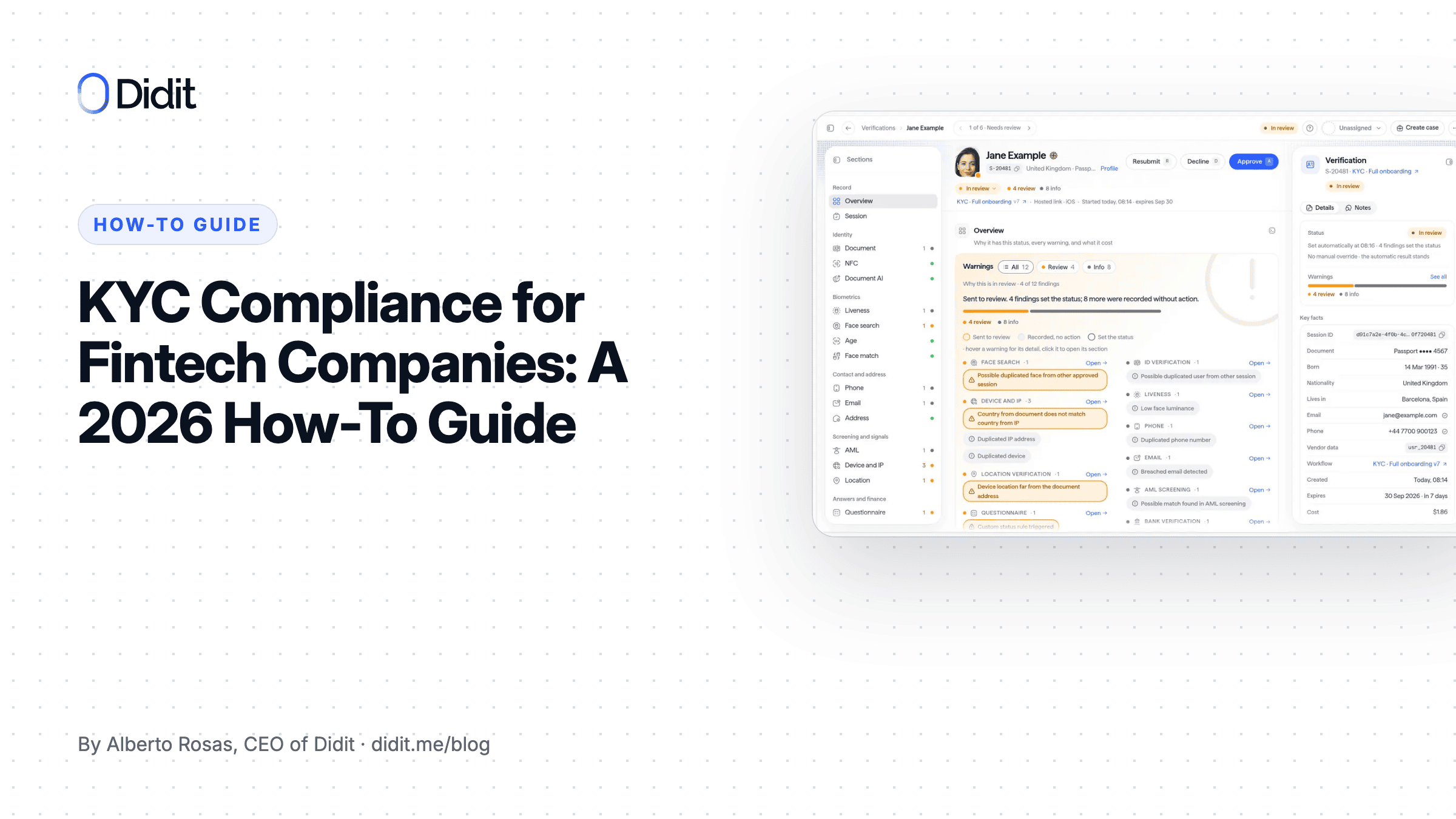
The outcome: one workflow per risk tier, a hosted verification flow your users complete in a browser or in your app, a webhook your handler verifies before recording the result, and a review queue for the sessions your policy says need a human. You end with check results, a session status, the warnings behind it and a console view of the verification activity.
The method: build the workflow once in the console or with the API, create one session per user, read the decision, and keep the review work for the cases that need a person. Do not build a document-reading stack, a sanctions data pipeline and a rules engine before you have a written policy to point them at.
Prerequisites
- A Didit organization with the sandbox application's API key. Registering programmatically takes two calls on
apx.didit.me, and the sandbox key is free to build and test with. The walkthrough is in the quick start. - A written risk policy: which customer types you onboard, which countries you serve, which documents you accept, and what pushes a customer into enhanced due diligence.
- A decision on the thresholds that separate automatic approval from review. We ship defaults (a match-score threshold of 93, an approve risk-score threshold of 80 and a review risk-score threshold of 100) and you own the final numbers.
- A server endpoint that can answer a webhook within 5 seconds and store the payload.
- A named person or team responsible for the review queue, with the authority to decline.
Step-by-step: build the KYC flow
- Create the organization and copy the API key. Sign up at business.didit.me, create the organization, then take the sandbox application's API key. Sandbox testing is free on every plan.
- Create a KYC workflow. Call
POST /v3/workflows/withworkflow_typeset tokycand the features you want:OCRorID_VERIFICATION,LIVENESSwithface_liveness_methodset toPASSIVE,FACE_MATCH, andAML. Store the workflowidfrom the response; every session references it. - Decide whether to collect address evidence. Proof of Address is a separate step at $0.20 per check. Teams add it when a licence, a product or a risk policy requires residency evidence for a customer segment, not for every user by default. Business onboarding needs a KYB workflow instead of a KYC one, described in the KYB quickstart.
- Register the webhook destination before the first user enters the flow. Call
POST /v3/webhook/destinations/with a label, your URL and the events you subscribe to, then storesecret_shared_key. Verify theX-Signature-V2header (HMAC-SHA256 of the canonical JSON), de-duplicate onevent_id, answer inside 5 seconds, and confirm a test delivery arrives before real users do. - Create a session per user. Call
POST /v3/session/withworkflow_id,vendor_dataset to your own user ID, and acallback. Addexpected_detailswhen you already hold the name, date of birth or nationality. Mismatches appear as decision warnings; read those warnings when applying your approval policy. Copysession_idfrom the response. The full field list is in Create Session API. - Send the user to the flow. Redirect to the
urlfrom the session response, or open it in the mobile SDK. The hosted flow handles capture guidance, document checks, liveness and the AML step you configured. - Fetch the decision as a fallback. Call
GET /v3/session/{session_id}/decision/for any session your webhook missed, and read the V3 arraysid_verifications[],liveness_checks[],face_matches[]andaml_screenings[]. - Map results into your process. Use Approved as an input to your onboarding decision. Onboard only after your policy requirements are met. Hold In Review for adjudication, and route Declined, Abandoned and Kyc Expired through the corresponding policy paths. Record the rule version and the evidence behind each reviewed decision.
This workflow demonstrates document verification, passive liveness, face matching and AML screening. To match the full KYC configuration priced in this guide, add Device & IP Analysis in the workflow builder. AML screening is billed separately.
Runnable example
Set the sandbox application's API key first, substitute your own destination and callback URLs, and complete the hosted session before requesting a finished decision. Copy the workflow id and the session id from the responses into the shell variables, so the JSON argument expands instead of sending a literal placeholder. The quick start covers webhook signature verification for the X-Signature-V2 header.
# 1. Create the KYC workflow, then copy the returned id into WORKFLOW_ID
curl -X POST https://verification.didit.me/v3/workflows/ \
  -H "x-api-key: $DIDIT_API_KEY" \
  -H "Content-Type: application/json" \
  -d '{
    "workflow_label": "Standard KYC",
    "workflow_type": "kyc",
    "features": [
      {"feature": "OCR"},
      {"feature": "LIVENESS", "config": {"face_liveness_method": "PASSIVE"}},
      {"feature": "FACE_MATCH"},
      {"feature": "AML"}
    ]
  }'
WORKFLOW_ID="paste-the-workflow-id-from-the-response"

# 2. Register the webhook destination before the first user enters the flow
curl -X POST https://verification.didit.me/v3/webhook/destinations/ \
  -H "x-api-key: $DIDIT_API_KEY" \
  -H "Content-Type: application/json" \
  -d '{"label": "Production", "url": "https://myapp.com/hooks/didit",
       "subscribed_events": ["status.updated", "data.updated", "user.status.updated", "user.data.updated"],
       "webhook_version": "v3"}'

# 3. Create a session. Double quotes here so WORKFLOW_ID expands.
curl -X POST https://verification.didit.me/v3/session/ \
  -H "x-api-key: $DIDIT_API_KEY" \
  -H "Content-Type: application/json" \
  -d "{\"workflow_id\": \"$WORKFLOW_ID\", \"vendor_data\": \"user-42\", \"callback\": \"https://myapp.com/kyc/return\"}"
SESSION_ID="paste-the-session-id-from-the-response"

# 4. Retrieve the decision if the webhook did not arrive
curl "https://verification.didit.me/v3/session/$SESSION_ID/decision/" \
  -H "x-api-key: $DIDIT_API_KEY"
Expected output
The session create response returns session_id, url and session_token. Redirect the user to url, which is the documented hosted flow. Keep session_id: it is the key to the decision and the console view.
The decision returns one entry per check, in V3 arrays: id_verifications[], liveness_checks[], face_matches[] and aml_screenings[]. The session itself has a status, and each individual check result has its own. Describe them separately. The documented status enum on an id_verification result and on an aml_screening result is Not Started, In Progress, Approved, In Review, Declined, Abandoned and Kyc Expired, and each of those results carries its own warnings[] array.
Warning codes are what your reviewers read. On an ID result they include DOCUMENT_EXPIRED, INVALID_MRZ, DOCUMENT_LIVENESS_FAILED and DOCUMENT_LIVENESS_NOT_COMPUTED. On an AML result they include POSSIBLE_MATCH_FOUND, SANCTIONED_ENTITY, PEP_MATCH and HIGH_RISK_COUNTRY. A worked case: an ID result that carries DOCUMENT_LIVENESS_NOT_COMPUTED comes back In Review because the forgery check produced no usable score. Treat that document as unchecked and send it to your review queue.
Inputs and outputs
| Direction | Field | What it does |
|---|---|---|
| Input | workflow_id | Picks the workflow, and therefore whether the session is a user (KYC) or business (KYB) verification. |
| Input | vendor_data | Your stable ID for the person or business. Binds the session to your record and feeds duplicate detection. |
| Input | callback | Where the hosted flow returns the user, with verificationSessionId and status appended. |
| Input | expected_details | Name, date of birth, nationality, document country you already hold. Mismatches become decision warnings. |
| Output | id_verifications[] | Extracted fields, status, document warnings, parsed address and MRZ. |
| Output | liveness_checks[] and face_matches[] | Whether a live person was present and whether the selfie matched the document portrait, with scores. |
| Output | aml_screenings[] | Hits with a match score and a risk score, plus the warnings attached to that screening result. |
Failure cases and recovery
| Failure | What you get | Recovery |
|---|---|---|
| Missing or wrong API key | 403 for a missing key, 401 for a wrong, revoked or expired one | Send the sandbox application's API key in x-api-key when testing. Check that the key is current. |
Invalid workflow_id | 400 on session create | Use the workflow UUID returned when you created the workflow. |
| Callback outside allowed domains | 400 on callback | Use a callback on an allowed origin, or omit callback if the workflow default is on an allowed origin. Custom URL schemes are accepted. |
| Webhook handler too slow, or answering 5xx or 404 | We retry twice, about 1 and 4 minutes later, then drop the delivery | Answer fast and process asynchronously. Resend from the destination's delivery log. |
| AML weights do not sum to 100 | 400 on the workflow configuration | aml_name_weight, aml_dob_weight and aml_country_weight must total exactly 100. |
| Adverse-media request with a short client timeout | Your call times out before the result returns | With include_adverse_media=true, the standalone AML request can take about 25 seconds. Use a client timeout of at least 45 seconds. An upstream timeout can return a result without adverse-media hits, so do not treat that result as a clear adverse-media check. |
| Document liveness produced no score | DOCUMENT_LIVENESS_NOT_COMPUTED on the ID result, and that result sits In Review | Treat the document as unchecked and route it to manual review. Do not approve on that status. |
| Out of credit | 403 with an insufficient credits message | On Free, Growth or Scale, add credit or enable auto top-up. Enterprise usage beyond available credit follows the contract's overage terms. The sandbox keeps working. |

AML for fintechs: screening, PEPs and ongoing monitoring
Identify which sanctions regimes apply to your legal entity and activities. Document separately how your program handles sanctions hits, PEP status and adverse media under the applicable rules. The $0.20 AML screening check covers sanctions, PEP and watchlist screening against 1,300+ sources. Adverse media is available on the standalone AML API: with include_adverse_media=true, the standalone AML request can take about 25 seconds, so use a client timeout of at least 45 seconds.
The two-score system is what makes the output usable. A match score answers whether this is the same person, with a default match-score threshold of 93. A risk score answers how risky the listed entity is if the match is real, and qualifying hits are assessed against the default risk-score thresholds of 80 for approval and 100 for review. Distinguish the AML check outcome from the overall session decision: the screening result carries its own status and warnings, and your policy decides what the session does with it.
Run screening three ways:
- Inside the workflow. Add the
AMLfeature to the KYC workflow so the screening runs in the same session as the document check and lands in the same record. - As a standalone call.
POST https://verification.didit.me/v3/aml/with a full name, entity type and date of birth, for back-book checks or batch work outside a session, addinginclude_adverse_media=truewhen your policy requires it. Details are in AML Screening. - As ongoing monitoring.
include_ongoing_monitoring=truekeeps the entity re-screened every day at $0.07 per screened entity per year, and requiressave_api_request=true. This is the piece that answers the question about what happens after onboarding.

Address evidence for fintechs
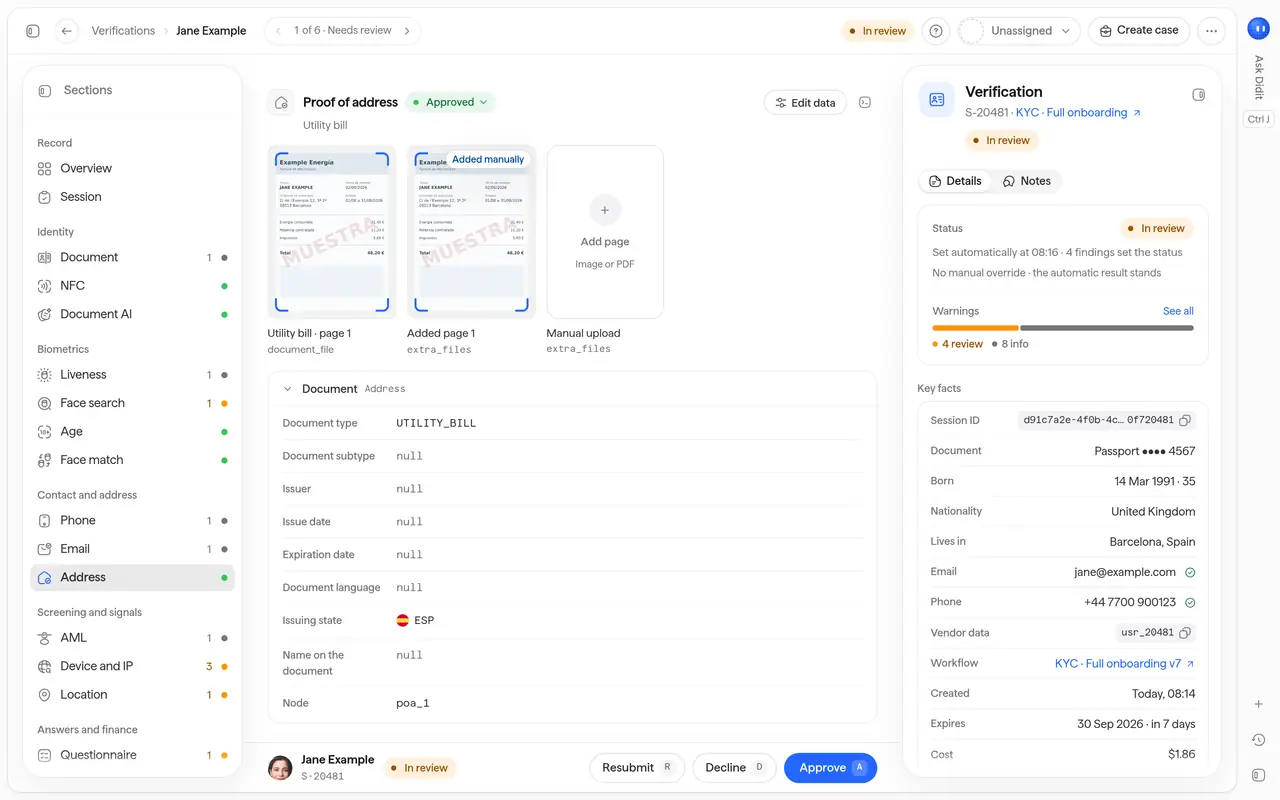
Address evidence is the step fintechs most often improvise, and the one reviewers pull on first when a customer's stated residency matters. Proof of Address costs $0.20 per check. Define the address evidence your program accepts before adding the check. Use it when your licence, your product or your risk policy requires residency evidence, and skip it for customer segments where your policy does not, because it adds a step and a cost to each onboarding.
Where a document is not available, non-document lookup matches typed details against the authoritative source named for that country and returns the data_match assurance tier, which means the supplied details matched a record, not that a document was inspected. Check which fields the country's non-document source verifies before relying on the result. Device and IP analysis provides network context. Use the evidence your policy requires to establish address or residency. The country-by-country source table is in non-document ID verification, and device and IP analysis costs $0.03 per check and is already part of the $0.33 full check.
Challenges fintech teams actually hit
Growth outpaces the review queue
Volume grows faster than headcount. Keep automatic approvals automatic and reserve people for the sessions your policy says a person must see. Growth and above include the Investigator agent for reviews and follow-ups.
Verify accepted documents and methods for each launch country
For each launch country, confirm which documents you accept and which methods are available there before you publish the flow. Configure those choices on the workflow and let the method vary by country: document capture where it is strong, an authoritative lookup or a digital ID wallet where it is not. Check which methods are available and what each one verifies. A data-only lookup or digital ID wallet leaves no reference for Face Match. If the workflow uses Face Match, keep a method that supplies a usable reference or route these users through a policy-approved branch that avoids Face Match. Coverage is 14,000+ document types in 220+ countries across 54 interface languages.
Rules change while you are shipping
Thresholds, lists and document acceptance move. Keep them in the workflow configuration and the console rather than in your application code, so a policy change is a configuration change you can version. Decide separately which configuration edits your program needs attributed to a named person, and keep that record yourself.
Fraud that looks like a good customer
Synthetic identities and document manipulation pass a naive check. Document authenticity checks before data extraction, passive liveness, Face Match and duplicate-face checks can help flag suspected fraud. Every session carries 200+ fraud signals.
Conversion versus evidence
Measure abandonment at each step before adding or removing a check. Then remove the steps your policy does not require and keep the ones your regulator asks about. Reusable KYC, free on every plan, lets a returning user reuse an existing approved verification instead of starting again.
Worked cost example
Take a fintech onboarding 2,000 users a month, screening every user against sanctions and PEP lists, collecting proof of address for 20 percent of them, and monitoring every onboarded user for a year. The example assumes one completed KYC and AML check per user, 400 completed address checks, and all 2,000 users enrolled in monitoring for a year. For the checks in this example, Growth discounts the list rates by 4% and Scale by 10%.
- Full KYC: 2,000 x $0.3168 = $633.60
- AML screening: 2,000 x $0.192 = $384.00
- Proof of address: 400 x $0.192 = $76.80
- Month total at Growth prices: $633.60 + $384.00 + $76.80 = $1,094.40
- Growth monthly credit of $115 pays the first $115, so $1,094.40 - $115.00 = $979.40 comes from top-up balance
- Monthly onboarding cost at Growth rates is $1,078.40, consisting of the $99 monthly plan fee and $979.40 drawn from prepaid top-up credit. Cash paid for top-ups that month depends on your starting balance and how much you add. Monitoring is outside that figure and priced next.
- One year of monitoring for the monthly cohort: 2,000 x $0.0672 = $134.40 at Growth rates
- For 24,000 users onboarded across 12 cohorts, one year per user costs 24,000 x $0.0672 = $1,612.80 at Growth rates, or 24,000 x $0.07 = $1,680.00 at list price
At list prices the same month of onboarding is 2,000 x $0.33 = $660.00 for KYC, 2,000 x $0.20 = $400.00 for AML and 400 x $0.20 = $80.00 for proof of address, or $1,140.00. The first eligible Free organization created in the console with a work email for its company domain receives $10 in monthly credit, enough for about 30 completed full ID checks at $0.33 each. Prices are read from the feed and can change; check didit.me/pricing before you put a number in a board deck.
Paid steps and review boundaries
Billing is per completed check, from prepaid credit. You are not charged for a check that never produced a result. These are free on every plan: the workflow orchestrator, reusable KYC, the MCP server, and sandbox testing. The first 50,000 authentication active users each month are also free.
These are the paid steps to budget for: ID verification $0.15 in a workflow, passive liveness $0.10, face match 1:1 $0.05, device and IP analysis $0.03, the full KYC combination $0.33, AML screening $0.20, ongoing AML monitoring $0.07 per person per year, proof of address $0.20, business verification from $2.00 per company with a linked full ID check at $0.33 and person AML at $0.20 per owner at list price, wallet screening $0.15 per screening, and transaction monitoring $0.001 per transaction beyond the plan allowance.
AML screening uses a default match-score threshold of 93, an approve risk-score threshold of 80 and a review risk-score threshold of 100, and a qualifying hit is assessed against those risk thresholds. Use Approved as an input to your onboarding decision. Onboard only after your policy requirements are met. Hold In Review for adjudication, and route Declined, Abandoned and Kyc Expired through the corresponding policy paths. If your workflow requires liveness or Face Match and the check has no usable score, hold the application for review or collect the required evidence again. Your team sets the numbers and signs off the exceptions.
We return the check results and expose the relevant verification activity in the console. Define which evidence, reviewer identity and policy version your program needs to retain, and store them with each decision, because that record is what a sample gets reconstructed from. On the platform side, 4,000+ companies run identity and fraud checks with us, we have a SOC 2 Type 2 report and we hold ISO/IEC 27001:2022 certification, and we operate under GDPR. The details are on Security and Compliance.
Sources
- Didit pricing page: https://didit.me/pricing/
- Didit live price feed as JSON: https://didit.me/pricing.json
- Didit pricing in the docs: https://docs.didit.me/getting-started/pricing
- Didit User Verification product page: https://didit.me/user-verification/
- Didit User Verification quick start: https://docs.didit.me/getting-started/quick-start
- Business Verification quickstart: https://docs.didit.me/business-verification/quickstart.md
- Create Session API: https://docs.didit.me/sessions-api/create-session
- ID Verification overview: https://docs.didit.me/core-technology/id-verification/overview
- Non-document ID verification: https://docs.didit.me/core-technology/id-verification/non-doc-lookup
- AML Screening overview: https://docs.didit.me/core-technology/aml-screening/overview
- Security and compliance: https://docs.didit.me/getting-started/security-compliance
- Didit MCP server: https://didit.me/developers/mcp/
- Integration prompt: https://didit.me/developers/integration-prompt/
- Documentation index for AI agents: https://docs.didit.me/llms.txt
- FATF recommendations: https://fatf-gafi.org
- Directive (EU) 2015/849, Articles 13 and 14: https://eur-lex.europa.eu/eli/dir/2015/849/oj
- 31 CFR 1020.220(a)(2), Customer Identification Program requirements for banks (eCFR, ecfr.gov).
Next step: start free in the sandbox at business.didit.me. No sales call, sandbox testing free on every plan, and you switch to a live key when your workflow and your thresholds are signed off.
Try it
Try this in the sandbox
Run the check this guide describes, free.
The product this post is about, taken from its topic. Run it free in the sandbox.
Author
Alberto Rosas
Co-founder and CEO

Keep reading
Other guides in the same topic.
 What Is the Purpose of FICA in South Africa? 2026 Guide
FICA is South Africa's anti-money laundering law. It creates the Financial Intelligence Centre and requires accountable institutions to identify and verify clients, screen for PEP and sanctions risk and report suspicious.
Alberto RosasNov 26, 2026 Sixth Money Laundering Directive (6AMLD): What Changed and Which Rules Apply
6AMLD is Directive (EU) 2018/1673: Member States must criminalise laundering, widen predicate offences and set a four-year penalty floor. It adds no new due diligence duties for firms.
Alberto RosasNov 26, 2026 Automated Sanctions Screening: Canada, the Entity List and Embargoes
Automated sanctions screening matches people and companies against lists such as Canada's autonomous sanctions made under SEMA and JVCFOA and the OFAC SDN List, and returns candidate hits scored for identity confidence and.
Alberto RosasNov 26, 2026Questions
Frequently asked questions
What is KYC compliance for fintech companies?
KYC compliance is the set of controls a fintech uses to establish and keep current the identity of each customer, assess that customer's risk and monitor the relationship. It combines identification, customer due diligence, sanctions and PEP screening, and ongoing monitoring, and the exact mix depends on your legal entity, product and jurisdiction. Keep the identity evidence, risk assessment, applicable screening results and decision record that your program requires.
How much does KYC cost for a fintech in 2026?
On Didit a full KYC check is $0.33 at list price, made up of ID verification at $0.15, passive liveness at $0.10, face match 1:1 at $0.05 and device and IP analysis at $0.03. AML screening adds $0.20, proof of address adds $0.20, and ongoing monitoring adds $0.07 per person per year. For the checks listed here, Growth discounts the list rates by 4% and Scale by 10%.
What does AML screening for fintechs check?
We screen a person in real time against 1,300+ sanctions, PEP and watchlist sources for $0.20 per check. The standalone AML API can also request adverse media with include_adverse_media=true; that request can take about 25 seconds, so use a client timeout of at least 45 seconds. Each potential match returns a match score, assessed against a default threshold of 93, and a risk score, assessed against default thresholds of 80 for approval and 100 for review.
How does address verification work for a fintech onboarding flow?
Proof of Address costs $0.20 per check. Define the address evidence your program accepts before adding the check. Where no document is available, check which fields the country's non-document source verifies before relying on the result; device and IP analysis provides network context, and you use the evidence your policy requires to establish address or residency.
Do we still need a compliance team if we use Didit?
Your firm remains responsible for its compliance program when it uses Didit. The required roles and staffing depend on the rules that apply to your entity. Assign ownership for policy, reviews and escalations. We run the checks and return the results, and the console shows the relevant verification activity, but we do not write your policy or decide your risk appetite. Your team sets the thresholds, decides what In Review means in your process, and signs off exceptions. A supervisor will ask who made the decision on a specific customer, and that answer has to name your firm.
How long does it take to integrate Didit KYC?
The sandbox quick start takes you through account setup, workflow creation, session creation and webhook delivery. Before going live, verify the webhook, review the workflow with compliance and confirm that the live application has credit. The documented calls are in the quick start.
Which KYC checks go to manual review instead of an automatic decision?
The session status and the individual check results are different things, so read both. A check result carries its own status and warnings: an ID result with DOCUMENT_LIVENESS_NOT_COMPUTED comes back In Review because the forgery check produced no usable score, and an AML hit whose risk score falls between your approve and review thresholds also goes to review. In Review must not be auto-approved, and it is the queue your reviewers work from in the console.
Can we test KYC flows without paying?
Yes. Sandbox testing is free on every plan. Separately, the first eligible Free organization created in the console with a work email for its company domain receives $10 in monthly credit, enough for about 30 completed full ID checks at $0.33 each. Sandbox testing never requires a sales call.
What happens when a user fails verification?
For a Declined document, surface the first warning's description to the user and stop the flow; it names the reason, such as an expired document or a failed document liveness check. For In Review, do not tell the user they failed, because they have not: route the session to your queue. Handle Abandoned and Kyc Expired under your onboarding policy. Check the session's current state and link validity before asking the user to continue.
Does Didit cover enough countries for a fintech?
We cover 14,000+ document types in 220+ countries, with the verification flow and native SDKs in 54 languages. Check which methods are available and what each one verifies. A data-only lookup or digital ID wallet leaves no reference for Face Match. If the workflow uses Face Match, keep a method that supplies a usable reference or route these users through a policy-approved branch that avoids Face Match. Check coverage per country before you enable it, since a published price does not establish production availability.
Compliance built in
Audited, certified and attested.
We hold the certifications and build each country's rules into your flows, so you can launch anywhere without worrying. Security and Compliance center
- Regulation encoded into your flows
Tell us what you do and where. Didit lists the rules that apply to you, with sources, and builds the checks each country needs into one workflow.
- Ready for AMLR
Every requirement of the new EU anti-money laundering rules, from checking customers to human review, is already covered by a Didit check.
- Tested in Spain's Treasury sandbox
Spain's Treasury published its supervised sandbox report on Didit's NFC plus active liveness onboarding; SEPBLAC took part and valued the added measures positively.
- Audited, not self-declared
iBeta Level 1 and Level 2. Liveness tested under ISO/IEC 30107-3.
Your obligations · 3 regions
 SOC 2 Type 2
 ISO 27001
 iBeta Level 1 and Level 2
 EU regulator attestation
 FSM youth protection
 GDPR
 EBA remote onboarding
 MiCA compatible
 FIDO Alliance member
- AMLREU AML Regulation ready
Integration · Didit MCP
Run Didit from your own AI agent
Connect Didit to Claude, Cursor, VS Code or ChatGPT and just ask in plain words. Your agent can do anything you can do in the console, with the same permissions you have.
 Add to Claude
 ChatGPT
 Cursor
- Build workflowsDescribe the checks you need. The agent creates and publishes the flow.
- Run investigationsAsk why a session was declined, review cases, search people and companies.
- Change rulesCreate payment rules, test them on past data and switch them on.
- Pull reportsAsk for numbers, exports or the audit log.
Didit Academy