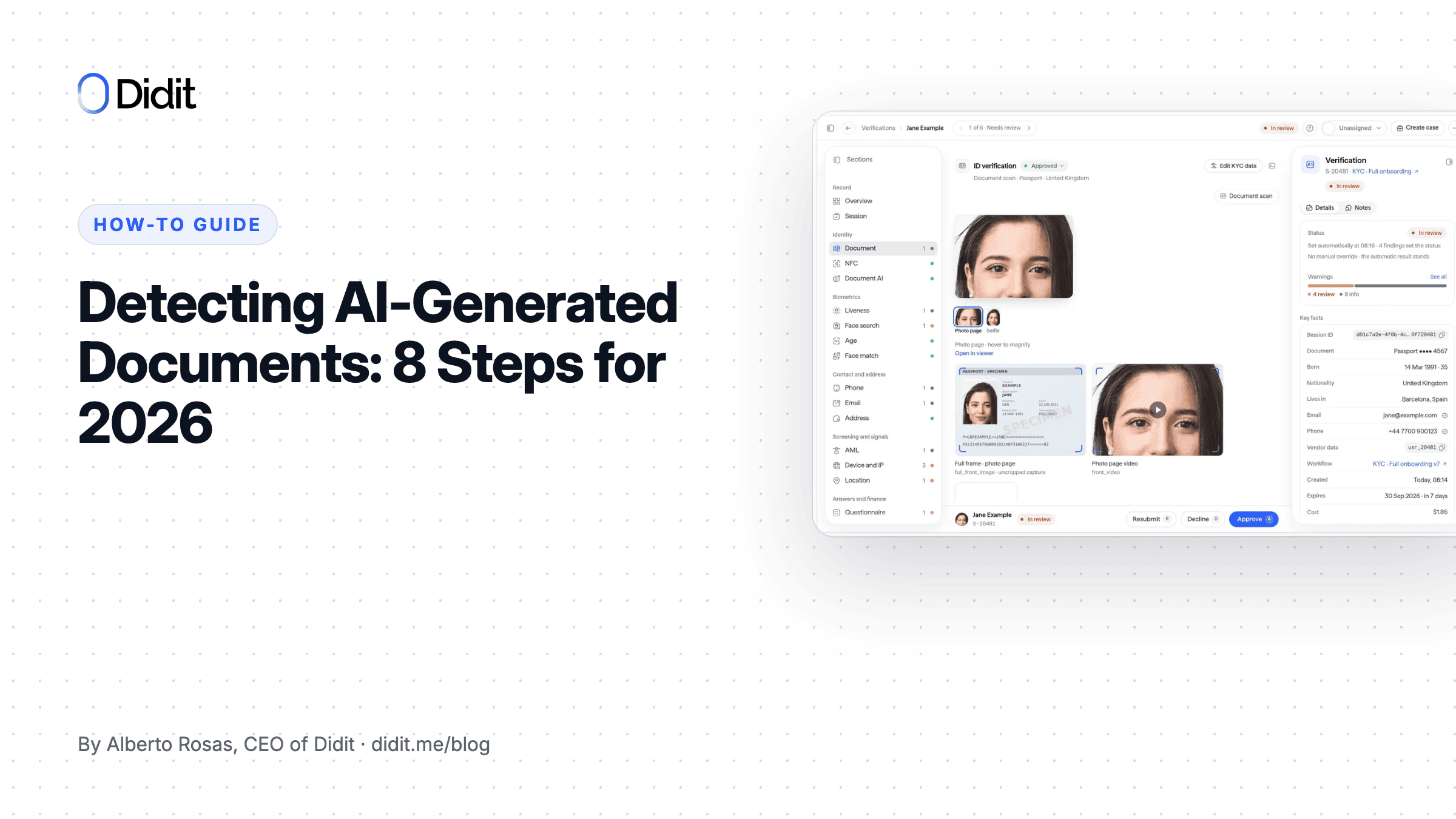
Detecting AI-Generated Documents: 8 Steps for 2026
Detect AI-generated documents by combining capture checks, forgery warnings and MRZ and barcode cross-checks, then routing uncertain cases to a human.
 Alberto RosasCo-founder and CEO
Contents
In this guide
Jump to the part you need.
This guide is for teams that onboard users remotely and must judge whether a submitted ID, proof of address or income document was generated or manipulated by AI. The method that works is layered: capture checks, forgery signals on the image, data cross-checks, then a human review path. Didit prices start at $0.15 per ID document inside a workflow and $0.20 per standalone API call. The caveat: every detector returns risk signals, never proof.
Last updated: November 26, 2026. Prices checked against the live Didit price feed on November 26, 2026.
| What you are checking | Didit route | List price | What comes back |
|---|---|---|---|
| ID document authenticity and forgery signals | ID verification step inside a workflow | $0.15 per check | status and warnings on id_verifications[] |
| The same checks, server to server | POST /v3/id-verification/ | $0.20 per check | status, warnings, parsed MRZ, barcodes, extracted fields |
| Screen replay, printed copy, portrait manipulation | perform_document_liveness flag on the ID call | Runs as part of the ID check, with no separate line in the price book | Dedicated warning codes |
| Statements, payslips, invoices, proof of funds | Document AI, POST /v3/document-ai/ | $0.20 per document | extracted_data, detected_codes, manipulation warnings |
| Selfie against the document portrait | Face Match 1:1 | $0.05 per check | Match decision |
Start free in the sandbox at https://business.didit.me/, no sales call needed. Developers who want an AI assistant to drive the calls can connect Didit through https://didit.me/developers/mcp/. Current unit prices sit on https://didit.me/pricing/, and the document checks themselves are described in the ID verification docs.
What counts as an AI-generated document
A forged document used to mean a real document with one edited field. An AI-generated document is different: the person behind it may never have existed, the portrait may be generated, or the whole layout may come from a model that learned what a passport looks like. As a general rule, fraud that reaches a remote onboarding flow is rarely a single model output. It is a pipeline, and each stage leaves a different trace.
- Diffusion and GAN image generation. The model starts from noise and builds the document image or the portrait guided by a prompt. Generators leave statistical traces that differ between model families, so a detector trained on one generation method does not automatically cover the next.
- Face swaps. The real template is kept and only the portrait is replaced with a generated face that matches the claimed age and demographic. Layout and template checks will not catch it, which is why portrait manipulation is tracked as its own risk.
- OCR plus text generation. A model reads a genuine document, learns the layout and wording, then writes field values in the same style. The result looks plausible and often fails at the data layer.
- Style transfer. Textures, watermarks and security patterns copied from real samples onto a generated layout. It looks right at a glance and behaves differently under compression or at high magnification.
AI-generated IDs versus forged real IDs
A fully synthetic ID describes a person who does not exist. It tends to break on data cross-checks: the document number, the dates or the MRZ check digits do not line up, or the extracted fields match no record. A forged real ID keeps a real person and a real template, so it passes those data checks and breaks elsewhere, usually on the portrait or on the capture. You do not know in advance which one you are looking at, so run both families of check on every submission.
The signals that catch AI-generated documents
Two kinds of signal appear in this section, and it helps to keep them apart. Some are documented Didit outputs that come back in an API response. Others are general defensive practices that shape how you capture, store and review a document, and some of them cannot be assessed from a remote photo at all.
Didit's documented document checks are automatic classification against 14,000+ document types in 220+ countries, OCR of the visual zone, MRZ parsing, barcode decoding, and cross-checks between the visual zone and the MRZ. With document liveness on, the submitted images are also screened for screen replays, printed copies and portrait manipulation. Date, number-format and MRZ check-digit validation add the warnings for expired documents, invalid MRZ and inconsistent data.
Image forensics at the pixel level
Pixel-level anomalies, noise patterns that are statistically unlikely in a camera capture, compression artifacts that do not match the rest of the file, error level analysis, and frequency-domain analysis all help. Metadata (EXIF camera model, date, software) is worth a look but is trivial to strip or fabricate, so treat it as a weak signal and never as the decision. This family of work is a supporting practice around your documented API checks, not one of the fields described above.
Security features that are hard to generate
- Microprinting. Genuine documents carry tiny text that stays legible under magnification. Generated or reprinted documents often show blurred, broken or simplified microtext.
- Holograms and optically variable elements. These change with viewing angle, and a single flat image cannot show that change. Capture flows that record several frames or ask the user to tilt the document test whether the effect is real.
- UV-reactive inks. Where the capture includes UV, missing or misplaced fluorescence is a strong signal. A visible-light-only remote check cannot assess this.
- Fonts and typography. Character spacing, baseline alignment and font weight should match the issuing authority's template. Generated text can drift on kerning or mix font families.
These are general document-security features, not API outputs. Plan capture design and human review around them, then let the documented checks above decide what your system does with the submission.
The data layer: MRZ check digits and barcodes
Many AI-generated documents fail at the data layer before any pixel analysis matters. The Machine Readable Zone and any barcode hold fields that must match the printed text, and MRZ check digits follow fixed ICAO rules. A swapped name or a wrong birth date creates a mismatch that is caught without any AI model. Date formats, document numbers and issuing country codes get the same treatment. This layer is where a generated document most often breaks, and it needs no new model to run.
Capture checks: screen replays, printed copies, portrait manipulation
A photograph of a screen, a printout, or a replaced portrait are the three ways a generated document most often reaches a camera. Didit screens the submitted images for exactly these when document liveness is on, and each one has its own warning code you can act on.
Prerequisites
- An organization in the Didit Business Console at business.didit.me. Sandbox testing is free and unlimited.
- An API key from Developers, then API keys. Sandbox keys start with
sk_test_and live keys withsk_live_. Keep the key server-side; never ship it to a browser or a mobile bundle. The auth rules are on docs.didit.me/getting-started/api-authentication. - Document images in tiff, jpg, jpeg, png, webp or pdf, up to 5 MB per file, uncropped, with all four corners of the document visible. Do not pre-crop.
- A decision per risk on whether it should end in
DECLINE,REVIEWorNO_ACTION.
How to detect an AI-generated document: 8 steps
- Create a sandbox application. Sign in at business.didit.me and pick a sandbox application. Sandbox testing is free and unlimited. External checks are mocked in sandbox. Active-liveness capture still runs as in live, while its result is simulated. Nothing is billed. Use fictional test data and specimen documents, and do not upload real personal data. You also get example verifications in the console, so you can see what an approved, a declined and an in-review result look like. Outcomes come from a scenario or a magic value rather than from the pixels, so a sandbox run proves your integration works, not that a specific real document is genuine. The sandbox reference lists the scenarios and magic values.
- Copy the API key. Open Developers, then API keys, and copy the sandbox key. Every request below sends it in the
x-api-keyheader. - Pick the route. Use a hosted session when the user captures the document themselves: create a workflow with the ID verification feature and open the returned
session.url. Use the standalone API when your server already holds the images and you want a one-shot call. The standalone route is documented at ID Verification API. - Send the front image with document liveness on. Set the three configurable actions so the risky cases end where you want them to. This is the documented request:
curl -X POST 'https://verification.didit.me/v3/id-verification/' \
-H 'x-api-key: YOUR_API_KEY' \
-F 'front_image=@./id_front.jpg' \
-F 'back_image=@./id_back.jpg' \
-F 'perform_document_liveness=true' \
-F 'minimum_age=18' \
-F 'expiration_date_not_detected_action=DECLINE' \
-F 'invalid_mrz_action=DECLINE' \
-F 'inconsistent_data_action=DECLINE' \
-F 'preferred_characters=latin' \
-F 'save_api_request=true' \
-F 'vendor_data=user-123'
- Read
statusandwarnings, not the HTTP code. A 200 can still carryDeclined. A readable but problematic document returns 200 with a status and a list of warnings, so branch onid_verification.statusand the warning codes. - Send non-ID documents to Document AI. Proof of funds, bank statements, payslips and invoices do not fit a fixed template, so define the fields you want and let the API read them. It also checks the file for manipulation, and the default action for suspected manipulation is a decline.
curl -X POST https://verification.didit.me/v3/document-ai/ \
  -H "x-api-key: $DIDIT_API_KEY" \
  -F "document=@./bank-statement.pdf" \
  -F 'fields=[{"key":"account_holder","name":"Account holder","instruction":"Full name of the account holder","type":"text","required":true,"is_full_name":true},{"key":"balance","name":"Closing balance","instruction":"Closing balance as a number","type":"number","required":true}]' \
  -F "expected_first_name=Jane" \
  -F "expected_last_name=Doe"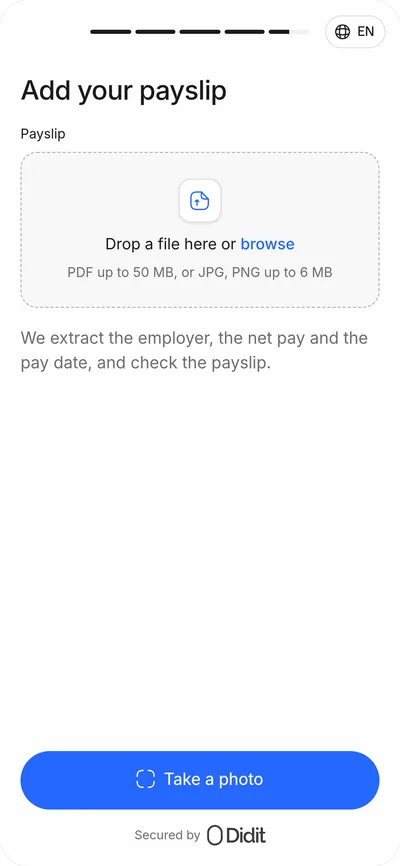
- Cross-check the data layer. Compare the visual zone against the parsed MRZ, decode the barcodes in
detected_codes, and usename_match_scoreon Document AI to confirm the document belongs to the person or company you expect. A score below the configured threshold raises the name mismatch warning. - Route review cases to a person and wire the webhook. Anything that ends
In Reviewgoes to a human queue, never to auto-approval. Subscribe to the session status webhook so your system reacts when a decision changes. See the webhook docs.
Expected output
A completed ID verification call returns a request_id and an id_verification object. Read these fields:
status:Approved,DeclinedorIn Reviewon the standalone call, plus the fuller session enum elsewhere.warnings: every risk that fired, such as screen capture detected, printed copy detected, portrait manipulation detected, specimen document detected, invalid MRZ, inconsistent data or document expired. Each warning carries a long description you can show a reviewer.full_name,document_type,document_number,date_of_birth,expiration_date,parsed_address: the OCR result, so you can compare the printed text with the parsed zones.mrzandbarcodes: the machine-readable data, so you can validate check digits yourself.portrait_image,front_document_image,back_document_image: short-lived media URLs when the request is persisted.

Failure cases and recovery
| Failure | What it means | Recovery |
|---|---|---|
| 401 on the verification host | The x-api-key is wrong, malformed, revoked or expired | Fetch a current key from Developers, then API keys |
| 403 not enough credits | The organization balance cannot cover the call, checked before any image processing | Top up or point the request at a sandbox key |
400 with COULD_NOT_RECOGNIZE_DOCUMENT | The file cannot be processed at all | Recapture; check extension, size and that all four corners are visible |
| Declined with a terminal warning | Document expired, screen capture, printed copy, portrait manipulation, public document image, specimen document, or a required field not detected | Show the first warning's long description and stop the flow |
In Review with DOCUMENT_LIVENESS_NOT_COMPUTED | The forgery check returned no usable score, so a check that did not run is not evidence the document is genuine | Treat the document as unchecked and send it to manual review |
| 400 on multipart validation | Missing back image on a dual-sided document, file over 5 MB, unsupported extension | Fix the request; nothing useful is returned |
| 400 on Document AI before extraction | fields sent as bracket-style keys or as anything other than one JSON array string | Send a single JSON array; no extraction runs and nothing is billed |
Inputs and outputs
| Field | Where | What it does |
|---|---|---|
front_image | ID verification | Required. The uncropped front of the document. |
back_image | ID verification | Required for ID cards and licences. |
perform_document_liveness | ID verification | On by default. Screens the images for screen replays, printed copies and portrait manipulation. |
invalid_mrz_action, inconsistent_data_action, expiration_date_not_detected_action | ID verification | Set each risk to DECLINE or NO_ACTION. The strictest triggered action decides the status. |
document, fields | Document AI | The file, and 1 to 30 field definitions sent as one JSON array string. |
expected_first_name, expected_last_name, or expected_company_name | Document AI | Turns on name matching. Send one group, not both. |
save_api_request | ID verification | Default true. Persists the call as a session, returns a real session id and emits the status webhook. |
Worked cost example
Say you onboard 10,000 users a month and about 1,200 of those submissions include a supporting document that goes through Document AI: a bank statement, a payslip or a proof of funds.
- Full ID check at list: 10,000 x $0.33 = $3,300.00
- Document AI at list: 1,200 x $0.20 = $240.00
- List total: $3,300.00 + $240.00 = $3,540.00
- On Growth, every price is 4% lower: 10,000 x $0.3168 = $3,168.00, and 1,200 x $0.192 = $230.40, so $3,168.00 + $230.40 = $3,398.40.
- Growth includes $115 of monthly credit, so top-ups cover $3,398.40 minus $115.00 = $3,283.40, on top of the $99.00 monthly plan fee. That is $3,283.40 + $99.00 = $3,382.40 for the month.
The same volume on Scale is 10,000 x $0.297 = $2,970.00 plus 1,200 x $0.18 = $216.00, so $3,186.00, less $350 of included credit, which leaves $2,836.00, plus the $299 plan fee, so $3,135.00 for the month. Plan details and the estimator are on didit.me/pricing and the billing rules on docs.didit.me/getting-started/pricing.
Paid steps and review boundaries
Each 200 response from the ID Verification API consumes one credit, and Document AI is billed per document processed. A 400 on a malformed Document AI request returns before any extraction runs, so nothing is billed. Sandbox calls are never billed, and outcomes there come from a scenario or a magic value rather than from the pixels, so a sandbox run validates integration behavior, never the authenticity of a real document.
Two boundaries decide whether your process is defensible. First, a Declined status is a decision made by configured rules on risk signals, not a legal finding that a document is fake. Second, an In Review status is not a pass: it means the evidence was insufficient or a check did not run, and a person has to look. Keep both states separate in your system, keep the warning codes in your case record, and let a human overrule the model with a written reason.
Add Didit to Claude · Open Didit in ChatGPT · MCP setup for every client
Sources
- Didit docs: ID Verification API
- Didit docs: ID verification overview
- Didit docs: ID verification warnings
- Didit docs: Document AI API
- Didit docs: hosted Document AI step
- Didit docs: Document AI rules and warnings
- Didit docs: sandbox test data
- Didit docs: webhooks
- Didit docs: API authentication
- Didit pricing and pricing in the docs, read November 26, 2026
- Didit MCP server
The next step is a sandbox run. Create a free application at https://business.didit.me/, send one document through the ID Verification API with document liveness on, and compare the warnings against a document you know is real. No sales call is needed to start.
Try it
Try this in the sandbox
Run the check this guide describes, free.
The product this post is about, taken from its topic. Run it free in the sandbox.
Author
Alberto Rosas
Co-founder and CEO

Keep reading
Other guides in the same topic.
 What Is the Purpose of FICA in South Africa? 2026 Guide
FICA is South Africa's anti-money laundering law. It creates the Financial Intelligence Centre and requires accountable institutions to identify and verify clients, screen for PEP and sanctions risk and report suspicious.
Alberto RosasNov 26, 2026 Sixth Money Laundering Directive (6AMLD): What Changed and Which Rules Apply
6AMLD is Directive (EU) 2018/1673: Member States must criminalise laundering, widen predicate offences and set a four-year penalty floor. It adds no new due diligence duties for firms.
Alberto RosasNov 26, 2026 Automated Sanctions Screening: Canada, the Entity List and Embargoes
Automated sanctions screening matches people and companies against lists such as Canada's autonomous sanctions made under SEMA and JVCFOA and the OFAC SDN List, and returns candidate hits scored for identity confidence and.
Alberto RosasNov 26, 2026Questions
Frequently asked questions
Can AI-generated IDs be detected?
Often, yes, but not by a single model. Detection combines image forensics on the pixels, checks on physical features, data cross-checks such as MRZ check digits and barcode consistency, and capture checks for screen replays, printed copies and portrait manipulation. Didit combines its documented document classification, OCR, MRZ and barcode checks, and document-liveness warnings. The output is a risk assessment, not a certificate of authenticity.
How much does it cost to check whether a document is AI-generated?
An ID document check is $0.15 inside a workflow and $0.20 through the standalone ID Verification API. Any other document, such as a statement or a payslip, goes through Document AI at $0.20 per document. A full KYC check that adds passive liveness, face match and device and IP analysis is $0.33, and sandbox testing is free and unlimited.
What is the difference between Document AI and ID verification?
ID verification is built for government-issued identity documents: it classifies 14,000+ document types across 220+ countries, reads the visual zone, parses the MRZ and barcodes, and runs forgery checks. Document AI is for documents that do not fit a fixed template: you define the fields you want, it extracts them, decodes supported QR and barcodes, and checks the file for manipulation.
What happens if the forgery check cannot run?
When document liveness is on and the forgery check returns no usable score, the call returns 200 with the status In Review and a DOCUMENT_LIVENESS_NOT_COMPUTED warning. That escalation is not configurable, because a check that did not run is not evidence that the document is genuine. Route those sessions to a human queue instead of approving them.
Does a Declined status prove the document is fake?
No. A decline means one or more configured rules fired on the risk signals, for example a screen capture or a printed copy was detected, the document was expired, or a required field could not be read. Treat it as a strong reason to stop the flow and ask for a better capture or a different document, not as a legal finding.
What file types and sizes does Didit accept?
The ID Verification API accepts tiff, jpg, jpeg, png, webp and pdf, up to 5 MB per file. Images must be uncropped with all four corners of the document visible, and dual-sided documents need a back image. Send the raw capture rather than a pre-cropped version, because the service detects, aligns and crops the document itself.
Do I have to tell Didit which country or document type it is?
No. The document is classified automatically, so you never declare the country or the type. That matters for AI-generated documents, because a generated layout that does not match a known official design with high confidence returns COULD_NOT_DETECT_DOCUMENT_TYPE and declines instead of being read as something it is not.
Can I test AI document detection for free?
Yes. Sandbox testing is free and unlimited. External checks are mocked in sandbox. Active-liveness capture still runs as in live, while its result is simulated. Nothing is billed. Use fictional test data and specimen documents, and do not upload real personal data. Outcomes come from scenarios or magic values, so a sandbox run validates your integration rather than the authenticity of a real document. The scenario list is on docs.didit.me/integration/sandbox-testing.
How do I keep a human in the loop?
Send everything that ends In Review to a person, keep the warning codes in the case record, and store the reviewer's reasoning with the decision. Persisting the call as a session (save_api_request is true by default) gives the console the document images, the extracted fields and the warnings in one place, and the status webhook tells your system when the decision changes.
What does AI-generated document detection miss?
It misses what the capture never recorded. A hologram or UV feature cannot be assessed from a visible-light photo, and a compressed screenshot of a screen may lose the artifacts a detector looks for. New generation methods also leave traces that models trained on earlier methods do not expect. That is why you run several signals together, keep the configurable actions strict on high-risk flows, and review the ambiguous cases with a person.
Compliance built in
Audited, certified and attested.
We hold the certifications and build each country's rules into your flows, so you can launch anywhere without worrying. Security and Compliance center
- Regulation encoded into your flows
Tell us what you do and where. Didit lists the rules that apply to you, with sources, and builds the checks each country needs into one workflow.
- Ready for AMLR
Every requirement of the new EU anti-money laundering rules, from checking customers to human review, is already covered by a Didit check.
- Tested in Spain's Treasury sandbox
Spain's Treasury published its supervised sandbox report on Didit's NFC plus active liveness onboarding; SEPBLAC took part and valued the added measures positively.
- Audited, not self-declared
iBeta Level 1 and Level 2. Liveness tested under ISO/IEC 30107-3.
Your obligations · 3 regions
 SOC 2 Type 2
 ISO 27001
 iBeta Level 1 and Level 2
 EU regulator attestation
 FSM youth protection
 GDPR
 EBA remote onboarding
 MiCA compatible
 FIDO Alliance member
- AMLREU AML Regulation ready
Integration · Didit MCP
Run Didit from your own AI agent
Connect Didit to Claude, Cursor, VS Code or ChatGPT and just ask in plain words. Your agent can do anything you can do in the console, with the same permissions you have.
 Add to Claude
 ChatGPT
 Cursor
- Build workflowsDescribe the checks you need. The agent creates and publishes the flow.
- Run investigationsAsk why a session was declined, review cases, search people and companies.
- Change rulesCreate payment rules, test them on past data and switch them on.
- Pull reportsAsk for numbers, exports or the audit log.
Didit Academy