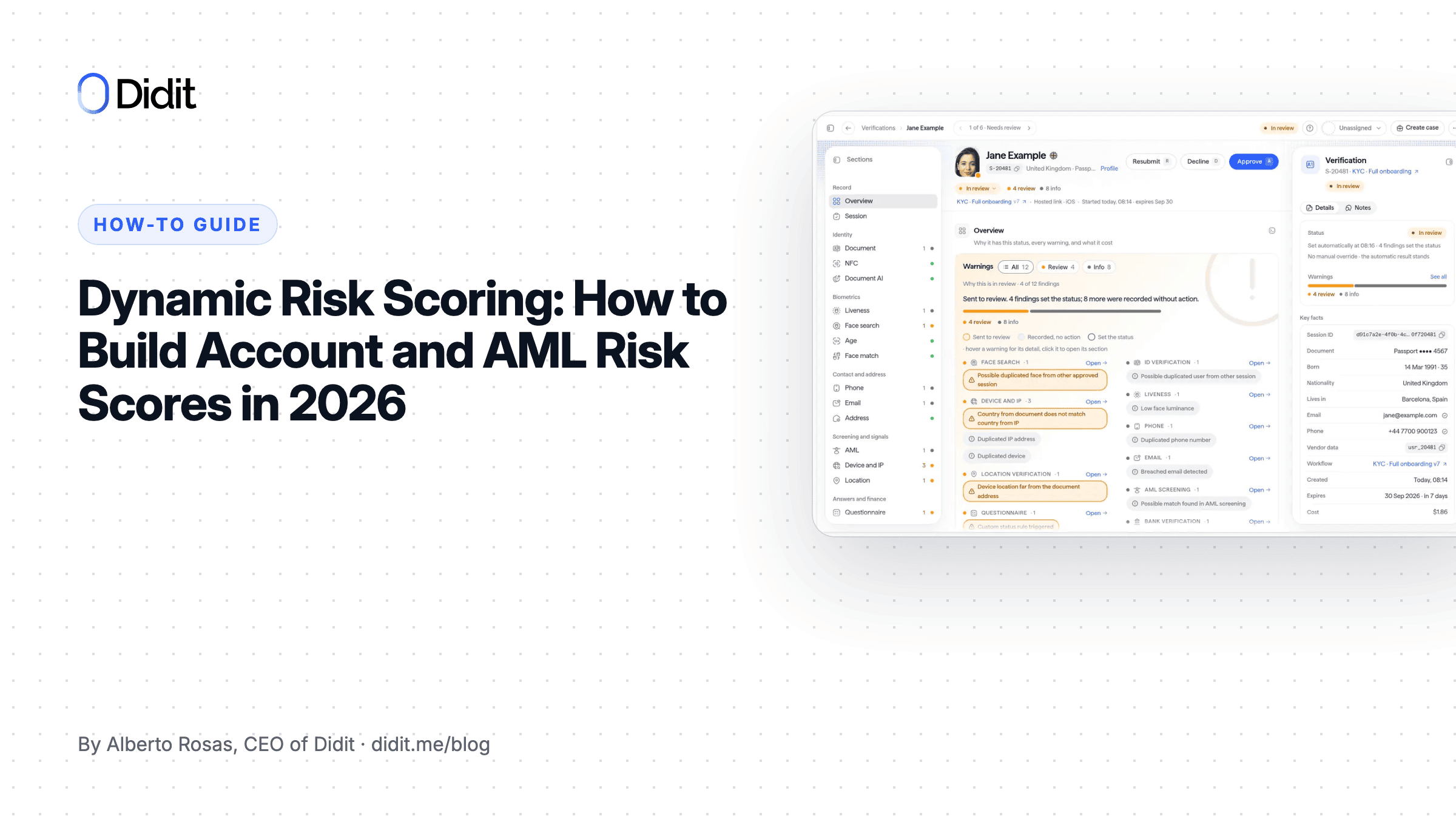
Dynamic Risk Scoring: How to Build Account and AML Risk Scores in 2026
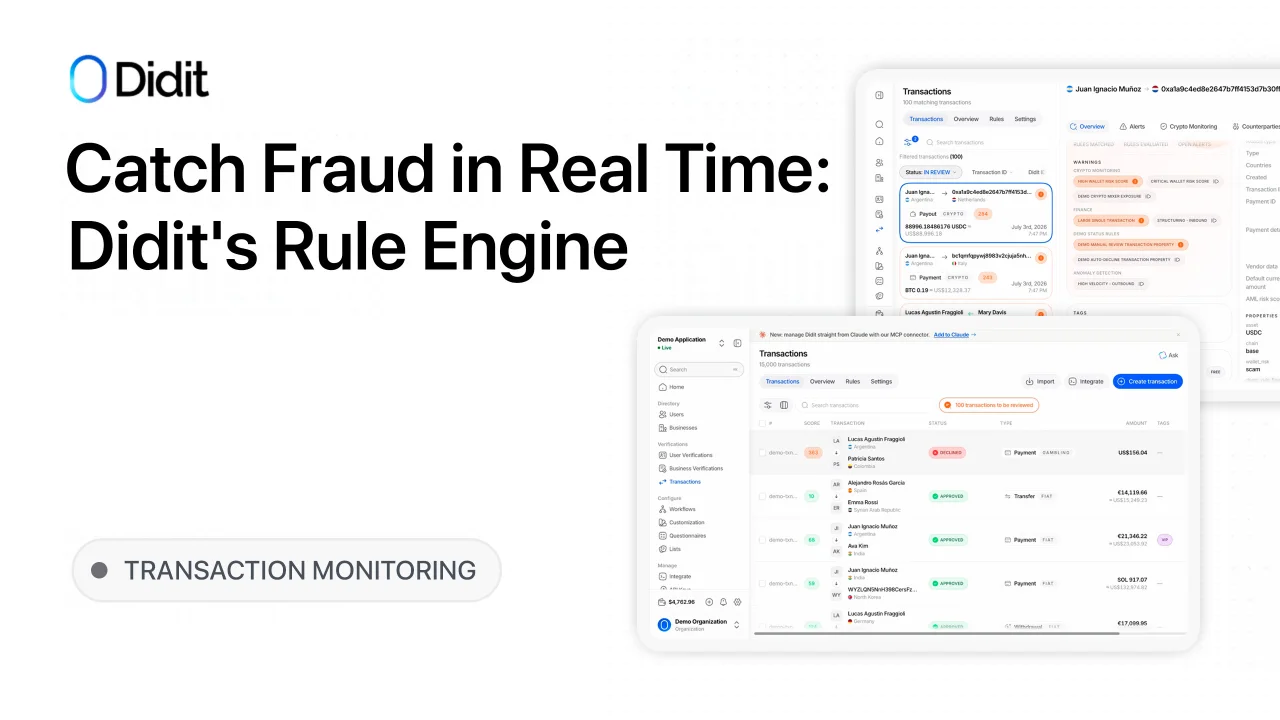
Dynamic risk scoring sums the deltas of every matched rule and maps the total to APPROVED, IN_REVIEW or DECLINED. On Didit, monitoring costs $0.001 per transaction beyond the plan allowance.
 Alberto RosasCo-founder and CEO
Contents
In this guide
Jump to the part you need.
Dynamic risk scoring fits teams whose static rules either miss fraud or flood the review queue. On Didit every transaction is scored against your active rules, and monitoring costs $0.001 per transaction beyond the plan allowance. You pay per monitored transaction, not per rule. The main caveat: the default decline threshold is 500, the maximum value, so nothing is declined by score until you lower it.
Last updated: November 26, 2026. Prices checked against the live Didit price feed on November 26, 2026.
| Piece | Default | What it decides | Where you set it |
|---|---|---|---|
| Score | 0 | Sum of the score_delta of every matched rule | Returned on every transaction |
| Review threshold | 75 | A score at or above it moves the transaction to IN_REVIEW | Transactions, then Settings |
| Decline threshold | 500 (maximum) | A score at or above it moves the transaction to DECLINED; 500 disables declines by score | Transactions, then Settings |
| Rule mode | Active, Test, Disabled | Test mode evaluates a rule but never changes score or status | Rules |
| Event monitoring | Off | Logins, sessions, payments, disputes and gameplay scored by the same engine; event writes return 403 until it is on | Transactions, then Settings |
| Price | $0.001 per transaction | Applies beyond the monthly allowance: 1,000 Free, 10,000 Growth, 100,000 Scale | Pricing |
Start free in the sandbox at business.didit.me, no sales call. If you build with an AI assistant, connect Didit through the MCP server and manage rules from the prompt.
Didit runs identity and fraud checks for 4,000+ companies across 220+ countries. Transaction Monitoring is one of 25+ composable modules behind one open API, and the transaction monitoring product page lists what ships in it.
What dynamic risk scoring means at Didit
A score is an integer attached to every transaction. The base is 0. Each rule that matches adds its configured score_delta, typically 25 to 35 points. A transaction that matches nothing scores 0 and is approved. This is not a black box: the score is the literal sum of the rules that fired, and the rule_runs[] array on the response lists each one with its delta and action summary.
The scoring formula
score = sum(score_delta of every matched rule)

base score: 0
rule contributions: typically 25 to 35 points each
no matching rule: score 0

if decline_threshold < 500 and score >= decline_threshold: status = DECLINED
else if score >= review_threshold: status = IN_REVIEW
else: status = APPROVED
Individual rule actions can override the threshold mapping. A rule with change_status set to DECLINED declines the transaction regardless of score; IN_REVIEW and AWAITING_USER work the same way. add_score(n) only contributes points and forces no status.
Why a score beats a hard rule
A pure threshold such as decline every transaction over $100,000 catches legitimate high-value business and real risk in the same net. Layering several moderate deltas with a review and a decline threshold gives you three things a hard rule cannot:
- Layering. Score thresholds can combine several signals, and a rule can also force a decline with
change_status→DECLINED. - Tunable sensitivity. You move a threshold without editing a single rule definition.
- Ordering of gravity. Under a review threshold of 60 and a decline threshold of 85, a score of 65 goes to review and a score of 100 is declined. The number carries priority into the queue.
Prerequisites
- A Didit account and an application with Transaction Monitoring enabled under Settings, then Transaction Monitoring, then Enable.
- An API key for that application. The same
x-api-keyheader covers the transaction, event and management endpoints. - A webhook endpoint reachable from the internet, so held transactions reach your own systems.
- Sandbox access. Testing is free and unlimited on every plan, and the Free plan adds $10 of monthly credit for organizations that sign up with a work email.
- Optional: Event monitoring turned on under Transactions, then Settings, if you want logins and account activity scored alongside money movement. Until it is on, event writes return
403.
Step-by-step: turn on dynamic risk scoring
Enable Transaction Monitoring in the console under Settings, then Transaction Monitoring, then Enable. Copy the API key for the application.
Submit a baseline transaction so you can see an unmatched score. Run this exact request from the quickstart:
curl -X POST https://verification.didit.me/v3/transactions/ \
  -H "x-api-key: YOUR_API_KEY" \
  -H "Content-Type: application/json" \
  -d '{
    "transaction_id": "baseline-0001",
    "transaction_category": "finance",
    "transaction_details": {
      "direction": "outbound",
      "amount": "500.00",
      "currency": "EUR"
    },
    "subject": { "entity_type": "person", "vendor_data": "user-42", "full_name": "Jane Doe" },
    "counterparty": { "entity_type": "company", "full_name": "Acme Supplier" }
  }'
Expected result:
statusisAPPROVED,scoreis 0, andrule_runslists every rule that evaluated the transaction with no match.Install a preset rule. Open Transactions, then Rules, then Library, pick a preset such as Structuring (outbound), which triggers when the same user sends 20 or more outbound transfers under €10,000 within 30 days, and enable it. Presets are managed by Didit: you choose which ones to install and control each one's mode, and their conditions stay fixed. To change a threshold, build a custom rule instead.
Set your two thresholds under Transactions, then Settings. Raise the review threshold if your queue is flooded; lower the decline threshold below 500 to start declining on score. Leaving it at 500 routes every high score to review instead of declining it.
Put new rules in
TESTmode first. A test rule evaluates against live traffic but does not contribute to score or status, and theTransactionRuleRunrecords are written withis_test = true. Check its selectivity, then switch toACTIVE.Submit traffic that should trigger the rule. Run the request 20 times for the same
vendor_data, with a differenttransaction_idand counterparty name each time:curl -X POST https://verification.didit.me/v3/transactions/ \ -H "x-api-key: YOUR_API_KEY" \ -H "Content-Type: application/json" \ -d '{ "transaction_id": "struct-0001", "transaction_category": "finance", "transaction_details": { "direction": "outbound", "amount": "9500.00", "currency": "EUR" }, "subject": { "entity_type": "person", "vendor_data": "user-42", "full_name": "Jane Doe" }, "counterparty": { "entity_type": "company", "full_name": "Shell Co 1" } }'Register the webhook and store the signing secret immediately:
curl -X POST https://verification.didit.me/v3/webhook/destinations/ \
  -H "x-api-key: YOUR_API_KEY" \
  -H "Content-Type: application/json" \
  -d '{
    "label": "TM events",
    "url": "https://yourapp.com/webhooks/didit-tm",
    "subscribed_events": ["transaction.created", "transaction.status.updated"]
  }'
The response returns a
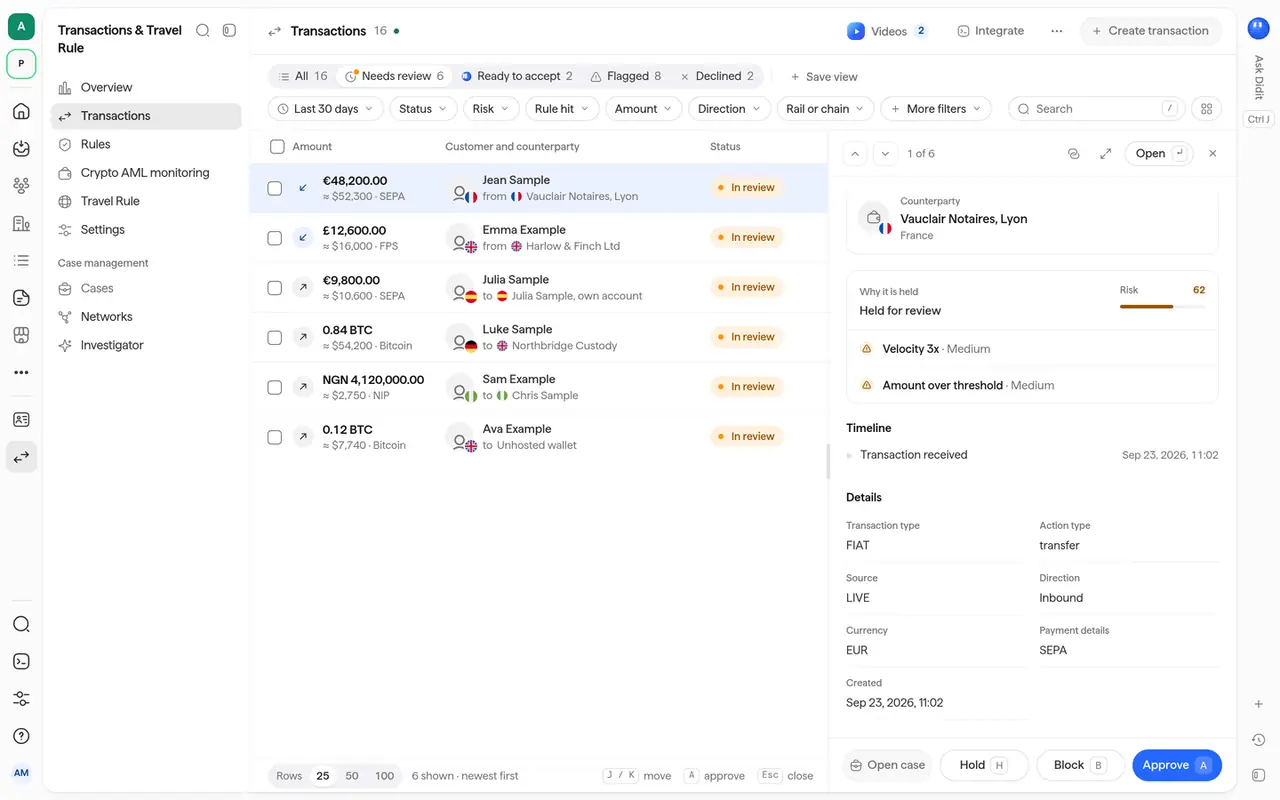
secret_shared_key. Verify theX-Signature-V2HMAC on every incoming webhook before trusting it: recompute HMAC-SHA256 over the canonical body, compare in constant time, reject stale timestamps.Read the score. The console's transaction detail page has a Score tab showing each matched rule's contribution and the resulting status mapping, and
GET /v3/transactions/{transaction_id}/returns the same data over the API.

Expected output
By the 20th submission the structuring preset fires and the transaction comes back IN_REVIEW, with a score that reflects the rule's score_delta. For a transaction where two rules fired, the response shape from the risk scoring reference looks like this:
{
  "txn_id": "tx-0002",
  "status": "IN_REVIEW",
  "score": 65,
  "rule_runs": [
    {
      "rule_title": "High-value outbound",
      "matched": true,
      "score_delta": 30,
      "severity": null,
      "status_target": null,
      "action_summary": "score +30"
    },
    {
      "rule_title": "High-risk jurisdiction counterparty",
      "matched": true,
      "score_delta": 35,
      "severity": "HIGH",
      "status_target": "IN_REVIEW",
      "action_summary": "score +35; add_tag:high_risk_country"
    }
  ]
}
The arithmetic is visible in the payload: 30 + 35 = 65. The status is IN_REVIEW because the second rule carries a change_status action to IN_REVIEW; the default 75 review threshold alone would not hold a 65. With a review threshold of 60 and a decline threshold of 85, the same 65 is reviewed by score, and a score of 100 is declined.
Inputs and outputs
| Field | Required | Notes |
|---|---|---|
transaction_id | Yes | Your own identifier for the transaction |
transaction_category | Yes | For example finance |
transaction_details.amount, currency, direction | Yes | Amount as a string, INBOUND or OUTBOUND |
subject.vendor_data | Yes | Your user id; velocity rules aggregate per subject |
subject.entity_type | Yes | person or company |
counterparty | Recommended | Counterparties are screened against sanctions and adverse media automatically |
custom_values | No | Your own keys, readable from rules as custom_values.<key> |
| Field | What it holds | How to use it |
|---|---|---|
status | APPROVED, IN_REVIEW, DECLINED or AWAITING_USER | Route on status, not on a separate alert object |
score | Integer, the sum of matched deltas | Primary risk signal and queue priority |
rule_runs[] | One entry per evaluated rule, with matched, score_delta, status_target and action_summary | Explain any decision to an analyst or a customer |
severity | Nullable, legacy | Do not build on it; new rule evaluations leave it empty |
Worked cost example
Take a Scale plan organization that monitors 250,000 transactions a month, runs 5,000 full KYC checks on the highest-risk flows and screens 400 wallets. Scale includes 100,000 monitored transactions. The first calculation is a list-price illustration before the Scale discount and monthly credit:
- Overage: 250,000 minus 100,000 included = 150,000 transactions. 150,000 x $0.001 = $150.00.
- KYC: 5,000 checks x $0.33 = $1,650.00.
- Wallet screening: 400 screenings x $0.15 = $60.00.
- List-price usage subtotal: 150.00 + 1,650.00 + 60.00 = $1,860.00.
Now apply the Scale plan terms. The 10% discount applies to Didit prices, the transaction price stays at $0.001, and the $350 monthly credit is consumed before top-ups:
- Overage: 150,000 x $0.001 = $150.00.
- KYC: 5,000 x $0.297 = $1,485.00.
- Wallet screening: 400 x $0.135 = $54.00.
- Discounted usage total: 150.00 + 1,485.00 + 54.00 = $1,689.00.
- Less monthly credit: 1,689.00 minus 350.00 = $1,339.00.
- Cash for the month: $299.00 plan fee + $1,339.00 usage = $1,638.00.
Rule creation, test mode, thresholds and webhook destinations add no line item. The reading rule is simple: the score costs nothing, the transactions do.
Failure cases and recovery
| Symptom | Cause | Recovery |
|---|---|---|
403 with event_monitoring_disabled | Event ingestion is opt-in and still off | Enable Event monitoring under Transactions, then Settings. Reads keep working while writes return 403. |
400 when a rule sets AWAITING_USER | change_status to AWAITING_USER requires a workflow_id | Attach the remediation workflow on the rule action, or use a status that does not need one. |
| Scores climb but nothing is declined | The decline threshold is still at 500, which means never decline by score | Lower the decline threshold. Leave review at 75 or tune it to your queue. |
| A new rule changes nothing | The rule is in TEST mode or Disabled | Switch it to ACTIVE. Test runs are recorded with is_test = true. |
| An old transaction keeps its old decision | Threshold changes apply to new transactions only | Re-submit or re-evaluate the case rather than expecting a retroactive status. |
ip_analyses[] is empty on a decision | The user blocked the SDK fingerprinting script | Decide per policy: fail closed, or fall back to the soft signals you do have. |
| A transaction is held and no alert object appears | There is no separate alert record; alerts on the detail is always empty today | Read status. IN_REVIEW and AWAITING_USER are the open alerts. |
Device and IP warnings arrive in the LOCATION bucket rather than an IP bucket. The codes you will act on most are VPN_DETECTED, PROXY_DETECTED, TOR_DETECTED, DATACENTER_IP, HIGH_RISK_COUNTRY, LOCATION_MISMATCH_WITH_DOCUMENT, DUPLICATED_DEVICE, POSSIBLE_DUPLICATED_DEVICE, IMPOSSIBLE_TRAVEL and DEVICE_FINGERPRINT_BLOCKLISTED. These warnings are signals you can use in your fraud policy to choose review, decline, remediation or another response.
Paid steps and review boundaries
Three things bill separately from the transaction line. A full KYC check is $0.33 and is always three parts in one check: the ID document, biometrics (passive liveness and face match) and device and IP analysis. AML screening is $0.20 per check, with ongoing monitoring at $0.07 per person a year. Wallet screening is $0.15 per screening; you can also bring your own screening provider and run it inside Didit.
The review boundary matters more than the price. A held transaction is a queue item for your team, and assignment, notes, approve, decline and escalation to a case all happen in the console. Didit does not submit Suspicious Activity Reports to regulators: the console prepares the form and the evidence, and filing stays your compliance team's responsibility.
Account risk scoring beyond money movement
Account risk scoring is the same engine pointed at everything that is not money. Events are the login that preceded a withdrawal, the bonus claimed twice, the password reset before an address change. They are opt-in, use one envelope for ten categories (auth, session, gameplay, bonus, affiliate, payment, dispute, security, responsible_gambling, custom), and are idempotent on your own event_id.
Event ingestion is opt-in. Turn it on under Transactions, then Settings, then Event monitoring. Until it is on, every event write lane returns 403 with event_monitoring_disabled, and nothing is stored, enriched or evaluated.
Rules declare what they fire on. Leaving scope.record_types out keeps a rule transaction-only, so nothing you already built changes behaviour.
{
  "title": "Failed login burst",
  "scope": {
    "record_types": ["event"],
    "event_categories": ["security"]
  },
  "aggregation": [
    {
      "metric": "count",
      "operator": "gte",
      "value": 3,
      "window": "30m",
      "filters": {
        "subject_vendor_data": "__current__",
        "event.action_type": "login_failed"
      }
    }
  ],
  "actions": [
    { "type": "add_score", "value": 40 },
    { "type": "change_status", "value": "IN_REVIEW" }
  ]
}
Events add the signals transactions never see: event.ip.is_vpn_or_tor, event.ip.travel_speed_kmh, event.device.bot_score, subject.email.risk_score, subject.phone.risk_score, and ordered sequences such as failed logins, then an MFA change, then a withdrawal address change. Sequences and ratios are how account takeover is caught before the payout, not after it.
AML risk scoring and the review queue
For AML risk scoring, Didit ships rule bundles you install from the library: Finance for structuring and large single transactions, AML/CTF for cumulative volume limits, rapid in-and-out movement and sanctions counterparty matching, Anomaly detection for high velocity and dormant account reactivation, and FATF for high-risk jurisdiction exposure on counterparties and subject IPs.
Each matched rule feeds the same score. A rule can also bypass the score entirely with change_status, or add a tag, a note, a blocklist entry or an open case. Counterparties are screened automatically, and AML screening covers 1,300+ sanctions, PEP and adverse media lists. When a case needs a filing, generate it from the case rather than rebuilding the evidence by hand.
Sources
- Didit docs: Transaction Risk Scoring, Formula and Thresholds
- Didit docs: KYT Rules and Scoring
- Didit docs: Transaction Monitoring Quickstart
- Didit docs: KYT Alerts, Held Transactions and Triage
- Didit docs: Event Rules, Velocity, Ratio, Sequence and Correlation
- Didit docs: Event Ingestion API
- Didit docs: Device Fingerprinting and IP Risk
- Didit docs: Pricing and billing rules
- Didit pricing page and live price feed, read November 26, 2026
- Didit Transaction Monitoring product page
- FATF, for the high-risk jurisdiction concept used by the FATF rule bundle
Next step: open the sandbox at business.didit.me, submit the baseline transaction, and watch a score change the moment you install one preset rule. No sales call, and testing is free on every plan.
Try it
Try this in the sandbox
Run the check this guide describes, free.
The product this post is about, taken from its topic. Run it free in the sandbox.
Author
Alberto Rosas
Co-founder and CEO

Keep reading
Other guides in the same topic.
 What Is the Purpose of FICA in South Africa? 2026 Guide
FICA is South Africa's anti-money laundering law. It creates the Financial Intelligence Centre and requires accountable institutions to identify and verify clients, screen for PEP and sanctions risk and report suspicious.
Alberto RosasNov 26, 2026 Sixth Money Laundering Directive (6AMLD): What Changed and Which Rules Apply
6AMLD is Directive (EU) 2018/1673: Member States must criminalise laundering, widen predicate offences and set a four-year penalty floor. It adds no new due diligence duties for firms.
Alberto RosasNov 26, 2026 Automated Sanctions Screening: Canada, the Entity List and Embargoes
Automated sanctions screening matches people and companies against lists such as Canada's autonomous sanctions made under SEMA and JVCFOA and the OFAC SDN List, and returns candidate hits scored for identity confidence and.
Alberto RosasNov 26, 2026Questions
Frequently asked questions
What is dynamic risk scoring?
Dynamic risk scoring assigns each transaction or account event an integer score built from the rules that matched it, then maps that score to a decision using two thresholds. It adapts because you change rules and thresholds rather than rewriting a fixed list of blocks, and because every decision shows the exact rule deltas behind it.
How does Didit calculate a transaction risk score?
The score starts at 0 and adds the configured score_delta of every rule that matches, typically 25 to 35 points per rule. A transaction with no matching rules scores 0. The full breakdown is returned in rule_runs[] on every transaction response and shown on the Score tab in the console.
Can Didit decline a transaction automatically based on score?
Yes, once you lower the decline threshold. The default decline threshold is 500, which is also the maximum, and at 500 no transaction is ever declined by score, so high scores route to review instead. Any rule can also force a decline with a change_status to DECLINED regardless of score.
What is account risk scoring and how is it different from transaction scoring?
Account risk scoring scores the activity around the money: logins, sessions, password and MFA changes, bonuses, disputes and gameplay. In Didit it runs on the same rule engine through the Events API, which is opt-in, so logins and payments share one score vocabulary and one set of actions instead of two separate systems.
Does Didit offer an AML risk scoring solution?
Yes. AML risk scoring comes from installed rule bundles (AML/CTF, FATF, Finance, Anomaly detection) that add score for cumulative volume limits, rapid in-and-out movement, sanctions counterparty matches and high-risk jurisdiction exposure. AML screening itself is $0.20 per check against 1,300+ lists, and ongoing AML monitoring is $0.07 per person per year.
How much does dynamic risk scoring cost?
Transaction Monitoring is $0.001 per transaction beyond your plan allowance: 1,000 transactions a month on Free, 10,000 on Growth and 100,000 on Scale, with Enterprise setting its own. Creating rules, running them in test mode, changing thresholds and registering webhooks do not add line items. Identity checks billed alongside it, such as a $0.33 KYC or a $0.20 AML screen, are separate.
What happens when a rule fires on a transaction?
The rule runs its actions together: add_score, change_status, add_tags, add_note, add_to_list or open_case. If the cumulative score crosses the review threshold the transaction is held as IN_REVIEW. Held transactions are the alert queue, and transaction.created plus transaction.status.updated webhooks announce them.
Can I test a new rule before it affects live decisions?
Yes. Set the rule to TEST mode and it evaluates live traffic without contributing to score or status; the run records are written with is_test = true. Watch how often it would have matched, then switch it to ACTIVE. Presets from the library can be moved between Active, Test and Disabled the same way.
Do threshold changes apply to past transactions?
No. Threshold changes apply to new transactions only, and historical transactions keep the status they were given at evaluation time. If you need a past decision re-examined, treat it as a case rather than expecting the old record to change.
How do I connect Didit to an AI assistant to manage rules?
Rules can be managed from the Business Console, the Management API and the Didit MCP server. Use the console when a person on the compliance team should approve every change, and the API or MCP when rules are created and tuned programmatically, for example when migrating a rule set from another provider. Setup lives at didit.me/developers/mcp.
Compliance built in
Audited, certified and attested.
We hold the certifications and build each country's rules into your flows, so you can launch anywhere without worrying. Security and Compliance center
- Regulation encoded into your flows
Tell us what you do and where. Didit lists the rules that apply to you, with sources, and builds the checks each country needs into one workflow.
- Ready for AMLR
Every requirement of the new EU anti-money laundering rules, from checking customers to human review, is already covered by a Didit check.
- Tested in Spain's Treasury sandbox
Spain's Treasury published its supervised sandbox report on Didit's NFC plus active liveness onboarding; SEPBLAC took part and valued the added measures positively.
- Audited, not self-declared
iBeta Level 1 and Level 2. Liveness tested under ISO/IEC 30107-3.
Your obligations · 3 regions
 SOC 2 Type 2
 ISO 27001
 iBeta Level 1 and Level 2
 EU regulator attestation
 FSM youth protection
 GDPR
 EBA remote onboarding
 MiCA compatible
 FIDO Alliance member
- AMLREU AML Regulation ready
Integration · Didit MCP
Run Didit from your own AI agent
Connect Didit to Claude, Cursor, VS Code or ChatGPT and just ask in plain words. Your agent can do anything you can do in the console, with the same permissions you have.
 Add to Claude
 ChatGPT
 Cursor
- Build workflowsDescribe the checks you need. The agent creates and publishes the flow.
- Run investigationsAsk why a session was declined, review cases, search people and companies.
- Change rulesCreate payment rules, test them on past data and switch them on.
- Pull reportsAsk for numbers, exports or the audit log.
Didit Academy