Fraud Syndicates: How Organized Criminals Bypass KYC
A full Didit KYC check costs $0.33. Review related sessions for repeated faces, devices, and documents. Standalone Face Search 1:N costs $0.05 per search.
 Alberto RosasCo-founder and CEO
Contents
In this guide
Jump to the part you need.
This guide is for risk, compliance and engineering teams that must stop organized fraud rings at onboarding, not just lone fraudsters. We charge $0.33 for a completed full KYC check: ID verification $0.15, passive liveness $0.10, face match 1:1 $0.05 and device and IP analysis $0.03. The caveat is that no single check stops a syndicate. Review related sessions together and blocklist only identifiers your investigation confirms should be blocked under your policy.
Last updated: November 26, 2026. Prices checked against the live Didit price feed on November 26, 2026.
| Tactic | What surfaces it | Didit step | List price | Review action | False-positive example |
|---|---|---|---|---|---|
| Synthetic identity | Mismatches between expected identity details and document data, or between IP country and document country | ID verification, face match 1:1, device and IP analysis | $0.33 per full check | Investigate mismatches. Apply documented blocklist outcomes and your policy for confirmed tampering | A person who changed their surname after marriage |
| Forged or reused document | Document fingerprint already on your document blocklist | Document blocklist, tamper and document liveness checks | ID Verification is $0.15 per completed check and is included in full KYC | A matching blocklisted document automatically declines the session with ID_DOCUMENT_IN_BLOCKLIST | A reissued document with a new number for the same person |
| Document presentation attack | Screen replay, printed copies or portrait replacement | Document liveness within ID Verification | $0.15 per completed ID Verification check | Review the document-liveness warnings and apply your policy | A legitimate document capture flagged for review |
| Same face, new account | 1:N match against users you already approved. Face search also runs automatically during hosted liveness. | Face Search 1:N | Standalone Face Search 1:N is $0.05 per completed search | Review a duplicate face; decline only a confirmed face blocklist hit | Twins, or one person with legitimate accounts in separate segments |
| One device, many applicants | Duplicate device fingerprint, shared IP, VPN or Tor exit | Device and IP analysis | $0.03 per check, inside the $0.33 check | Review a shared device or a shared IP; decline on a blocklisted device fingerprint | An internet cafe, a university network, or a household |
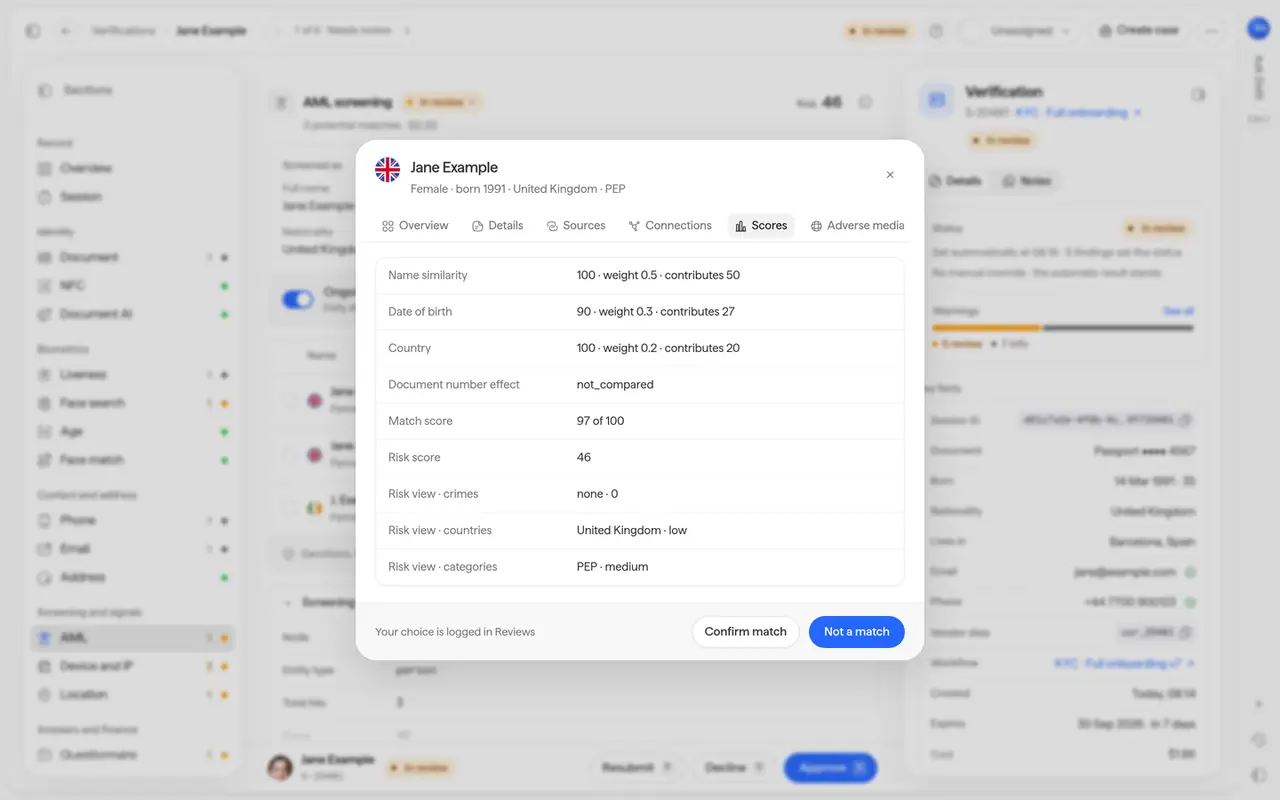
| Watchlist exposure | Sanctions or PEP match | Watchlist screening and ongoing monitoring | $0.20 per check, $0.07 per person a year | Treat a match as a lead for review, not a verdict | A common name matching a PEP with a different date of birth |
| Possible mule activity after onboarding | Rules and blocklists on transactions and wallets | Transaction monitoring, wallet screening | $0.001 per transaction beyond the plan allowance, wallet screening $0.15 | Review the transaction alert with the account history | A payout pattern that resembles a salary run |
Start free in the sandbox at business.didit.me; there is no sales call. Developers can connect Didit to an AI assistant through the MCP server.
The outcome you are buying
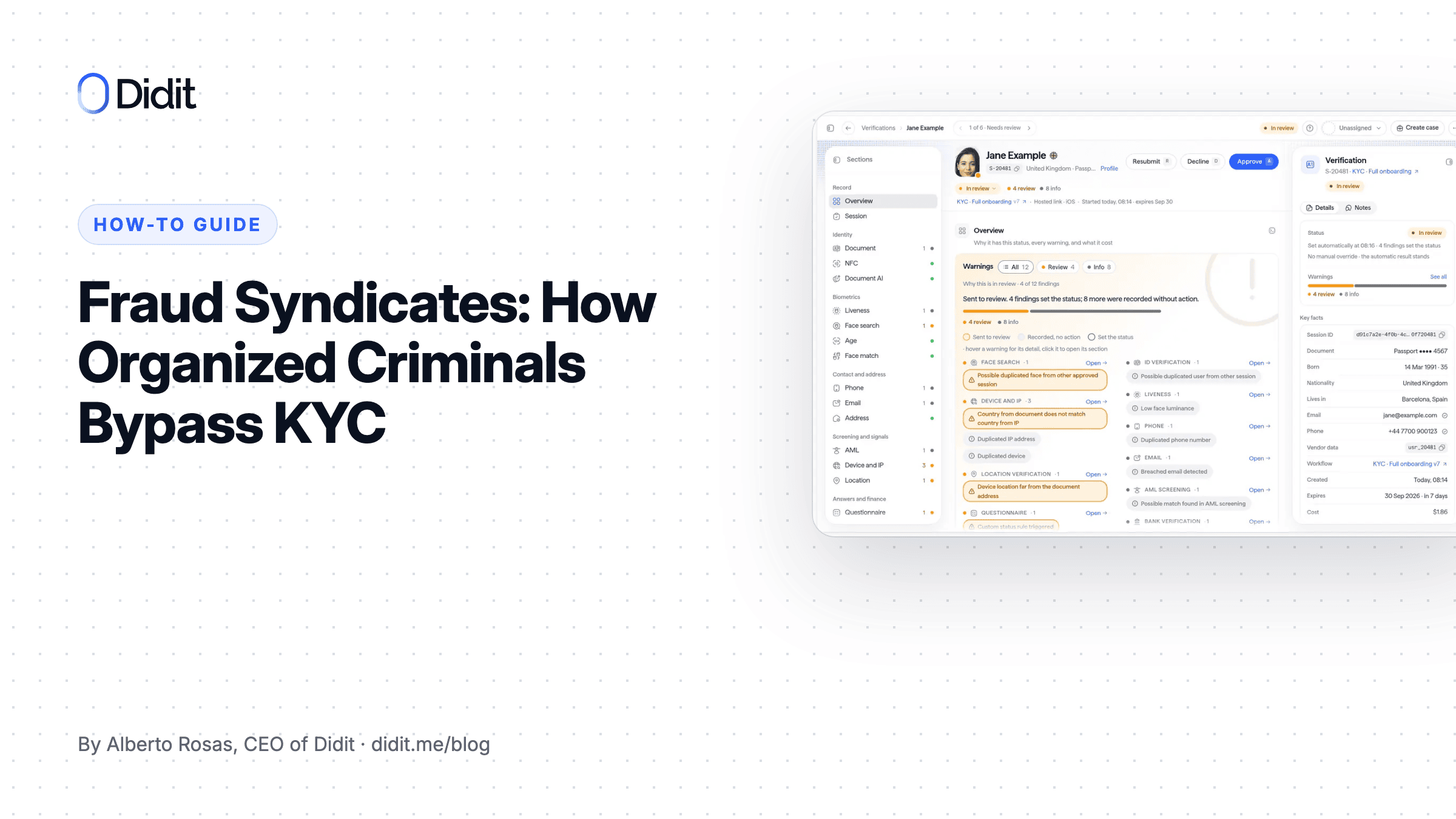
The decision records the session status, the warnings used in the decision, and available summaries of same-face, earlier-verification and network links. Open the session reports you can identify to corroborate face, device or document evidence before deciding which identifiers to blocklist. Read that record with the sessions around it. One session in isolation tells you very little about a ring.
The recommended method is a single workflow that runs the checks in one session: ID verification, passive liveness, face match 1:1 against the document portrait, and device and IP analysis. The decision comes back in one payload. That matters against syndicates because their advantage is the gap between separate tools. A document check that does not know what the liveness check saw, a face that is never compared with last month's applicants, and a device that is forgotten when the session closes are three separate places a ring can pass.
We support 14,000+ document types across 220+ countries, produce 200+ fraud signals per session, and our inference latency is under two seconds at p99. We hold SOC 2 Type 2 and ISO/IEC 27001:2022, and 4,000+ companies use Didit. If you are replacing several separate vendors, start at the switch page.
Prerequisites
- A Didit account. The Free plan offers $10 a month to the first organization created with an eligible work email for a company domain. Unused credit expires each month and excludes phone verification codes. Sandbox testing is free.
- A workflow in the Business Console. Simple Mode toggles pre-built checks; Advanced Mode is a node graph with conditional branches. Publishing a draft creates an immutable version, and every session records the version it used.
- An API key. The key must hold the
read:sessionsprivilege to retrieve a decision, andworkflow_ididentifies the workflow that runs the checks. - A callback URL is optional. When your application has allowed domains configured, an http or https callback must be on one of those origins; custom app URL schemes are accepted as deep links.
- A written policy that says which warnings you decline automatically, which go to manual review, and which you accept. Without it, every warning becomes a queue item.
- A stable identifier for each user on your side, passed as
vendor_data. It identifies the user across sessions, which is what cross-session comparison depends on.
9 steps to detect and respond to fraud rings at onboarding
Write the decision matrix first. Four outcomes: approve, review, decline, blocklist. Decide now what a VPN exit in your main market means, what a shared device means, and what a location mismatch means. Route uncertain matches and shared-device signals to review under your policy, and keep incomplete sessions out of approval. The policy is what makes the warnings useful.
Build a User Verification workflow in the console. Add ID Verification, Passive Liveness, Face Match 1:1 and Device and IP Analysis together; that set is the full KYC check we charge $0.33 for. Start with one $0.33 full KYC check, then add AML screening or a second liveness check where your policy calls for it. Publish the version. Every added step has its own published price on the pricing page.
Create the session with a stable
vendor_data. That field identifies the user across sessions. If you run separate account bases, for example personal and business, setmulti_account_segment: it scopes duplicate face comparisons to that segment, and blocklist matching ignores the segment entirely.curl -X POST 'https://verification.didit.me/v3/session/' \ -H 'x-api-key: YOUR_API_KEY' \ -H 'Content-Type: application/json' \ -d '{ "workflow_id": "YOUR_WORKFLOW_ID", "vendor_data": "user-123", "callback": "https://yourapp.com/post-kyc" }'Send the user to the returned
session.urlto complete the hosted verification. Retrieve the decision from your server or subscribe tosession.status.updated.Do not try to call device and IP analysis as a separate endpoint. It is session-only: the Web or Mobile SDK collects the fingerprint and the IP in-band on every session, and the basic signal set needs no feature toggle. What you configure is the policy, and that lives in the console as strict-mode rules such as decline on VPN, review on duplicate device, or decline on a country mismatch with the document.
Read the decision, branch on
session_kind, and treat absent feature arrays as "did not run" rather than "passed". When a feature ran, its results use the documented plural field, and a feature that did not run may be absent or null.curl https://verification.didit.me/v3/session/SESSION_ID/decision/ \ -H "x-api-key: YOUR_API_KEY"Run Face Search 1:N where you need a check outside the session, for example on re-registration, an account merge or a support escalation. Use
search_typeblocklisted_or_approvedfor blocklist screening andmost_similarfor deduplication. The response is a singularface_searchobject, not an array.curl -X POST 'https://verification.didit.me/v3/face-search/' \ -H 'x-api-key: YOUR_API_KEY' \ -F 'user_image=@./selfie.jpg' \ -F 'search_type=blocklisted_or_approved' \ -F 'save_api_request=true' \ -F 'vendor_data=user-123'Blocklist only the identifiers your investigation confirms should be blocked under your policy. The console lists cover documents, faces, phone numbers and emails, and the Lists API manages them programmatically. A blocklisted entity declines the next session automatically with
ID_DOCUMENT_IN_BLOCKLIST,FACE_IN_BLOCKLIST,FRONT_CAMERA_FACE_IN_BLOCKLIST,PHONE_NUMBER_IN_BLOCKLIST,EMAIL_IN_BLOCKLIST,IP_ADDRESS_IN_BLOCKLISTorDEVICE_FINGERPRINT_IN_BLOCKLIST. Keep three cases apart: a confirmed blocklist hit, a possible match, and a historical device association. A confirmed blocklist hit triggers a documented outcome. Possible matches and historical associations require review.Screen watchlists and switch on ongoing monitoring. AML screening covers 1,300+ lists, including sanctions and PEP lists, and a match is a lead for review rather than a verdict. AML screening is $0.20 per check and ongoing monitoring is $0.07 per person a year.
Monitor after onboarding. Transaction monitoring applies rules and blocklists to fiat and crypto activity, which is where possible mule activity becomes visible after a clean onboarding. Wallet screening is available at $0.15 per screening, or bring your own screening provider and run it inside Didit.
Expected output
The hosted decision is the payload from GET /v3/session/{session_id}/decision/. Here are the top-level fields a router needs:
{
  "session_id": "your-session-id",
  "session_kind": "user",
  "status": "In Review"
}
The same payload carries status values including Approved, Declined, In Review, In Progress, Not Started, Expired, Abandoned, Resubmitted and Awaiting User, plus decision_trace with how the status was reached, who decided it and the warning counts. Device and IP signals land in ip_analyses[], one entry per collection point, each with its own status, the resolved geolocation, the ASN, VPN, proxy and Tor flags, the device fingerprint id, duplicate-device matches. Each entry has a warnings array, and Didit classifies these warning codes in the LOCATION category, for example VPN_DETECTED, DUPLICATED_DEVICE or LOCATION_MISMATCH_WITH_DOCUMENT. Watchlist results land in aml_screenings, and linked_records summarizes same-face and earlier-verification links for the session.
Face Search is a separate, standalone call. Its response uses a singular face_search object, returned by POST /v3/face-search/:
{
  "request_id": "your-request-id",
  "face_search": {
    "status": "Approved",
    "total_matches": 1,
    "matches": [
      {
        "session_id": "earlier-session-id",
        "similarity_percentage": 96,
        "source": "session",
        "vendor_data": "user-9",
        "is_blocklisted": false
      }
    ]
  }
}
Values are illustrative; the field names are the ones in the documented schemas. Read the two statuses together: a pure duplicate face returns Approved on the Face Search side, because a duplicate is information rather than a verdict. Your application applies its own deduplication policy.

Worked review example: five applications from a shared device
Picture five applications in one week, each under a different vendor_data, each raising DUPLICATED_DEVICE or POSSIBLE_DUPLICATED_DEVICE against the same device fingerprint. That is one of the patterns a ring leaves behind, and it is also what a household, a shared handset or a store that onboards customers leaves behind. The decision record is what separates the two.
A reviewer compares four things. First, the ip_analyses[] entry for the session: the fingerprint id, the duplicate-device match and the warnings. Second, the related sessions you can identify from the available evidence, opened in the console. Third, the face and document fields of each related session, plus linked_records, which summarizes same_face, earlier_verifications and network summaries. Fourth, the network side of each session: IP country, ASN, and whether the connection is a VPN, proxy, Tor exit or data center.
Ordinary explanations belong in your written policy: a family device, a single shared handset in a small business, a retail counter that onboards customers, an agent who submits applications for clients, or a corporate device fleet behind one NAT. Escalation is supported by a combination, never by one warning: several sessions on the device under different names with different documents, the same face across those applications, a repeating document fingerprint, or the device also appearing in a session with a past liveness attack. A shared device on its own is not proof of an account farm.
Sandbox acceptance checklist
Run these four checks in a sandbox application before you trust the workflow with live traffic.
- A clean approval: a session with matching document, liveness, face match and ordinary device and IP signals ends Approved.
- A review outcome: a session that raises a warning your policy routes to humans, such as a location mismatch or a possible blocklist match, ends In Review rather than Approved.
- A decline: a session that matches a controlled blocklist entry you placed yourself ends Declined with the matching blocklist warning.
- Missing device signals: a session where fingerprint collection is blocked, so
ip_analyses[]is empty, follows the fail-closed or soft-signal path your policy chose.
Sandbox applications accept a sandbox_scenario slug from the catalog at GET /v1/sandbox/scenarios/, which expands the scenario's bundled values onto the session so it reproduces that outcome. Sandbox results are simulated and do not establish production availability of a method, so confirm the live configuration before launch.
Failure cases and recovery
| Symptom | Meaning | Recovery |
|---|---|---|
ip_analyses[] is empty | The fingerprinting script was blocked by a privacy extension or content blocker, so no device fingerprint was collected | Decide in policy whether to fail closed or fall back to soft signals, then watch the rate. An empty array is a collection attempt with no data; an absent or null field means the step did not run on that session, so handle the two separately |
VPN_DETECTED, PROXY_DETECTED, TOR_DETECTED, DATACENTER_IP | The connection is anonymized or hosted | Apply your fraud policy: decline, manual review, or an extra liveness step |
DUPLICATED_DEVICE | The same device was already enrolled under a different vendor_data | Review the related sessions, then merge, escalate or block per policy. A shared household device explains it |
LOCATION_MISMATCH_WITH_DOCUMENT | The IP country does not match the document issuing country | Route to review, not automatic decline, since travel and expat users trigger it |
DEVICE_LINKED_TO_LIVENESS_ATTACK | The device fingerprint appears in a session with a past liveness attack | Treat it as context about the device, not proof about this session. Review the current session on its own evidence |
| HTTP 400 on face search | No face detected in user_image | Ask for a new selfie. Accept jpg, jpeg, png, tiff or webp, up to 5 MB |
| HTTP 403 on face search | Out of credits | Top up. Monthly plan credit expires at the end of the plan month |
| HTTP 403 on the decision call | The API key lacks read:sessions | Issue a key with the right privilege |
| HTTP 404 on the decision call | The session does not exist or belongs to a different application | Check the key's application and the session id |
| HTTP 400 with "callback must be on one of the application's allowed domains" | The redirect is not on an allowed origin | Add the origin to allowed domains or use an app deep link scheme |
POSSIBLE_FACE_IN_BLOCKLIST | A borderline match below the hard threshold | Manual review. Do not auto-decline on a possible match |
DUPLICATED_FACE with status Approved | The match is informational, and pure duplicate matches return Approved | Apply your own deduplication policy in application logic |
Inputs and outputs
| Field | Direction | Endpoint or payload | What it does |
|---|---|---|---|
workflow_id | Input | POST /v3/session/ | Identifies the workflow. A new session uses the currently published version and retains a reference to it |
vendor_data | Input | POST /v3/session/ | Your stable user id. It identifies the user across sessions, which is the key cross-session comparison uses |
multi_account_segment | Input | POST /v3/session/ | Scopes duplicate face comparisons to one account base so a legitimate second account is not flagged. Blocklist matching ignores it |
expected_details | Input | POST /v3/session/ | Name, date of birth, nationality, document types you expect. Mismatches become decision warnings |
callback | Input | POST /v3/session/ | Optional. Where the hosted flow returns the user, with the session id and status appended, subject to allowed domains |
user_image | Input | POST /v3/face-search/ | The selfie or portrait sent to Face Search 1:N |
search_type | Input | POST /v3/face-search/ | most_similar for deduplication, blocklisted_or_approved for blocklist screening |
status | Output | GET /v3/session/{session_id}/decision/ | The session verdict you route on |
session_kind | Output | GET /v3/session/{session_id}/decision/ | user or business. Always branch on it |
ip_analyses[].warnings | Output | GET /v3/session/{session_id}/decision/ | VPN, proxy, Tor, duplicate device, location mismatch and related risk codes |
aml_screenings | Output | GET /v3/session/{session_id}/decision/ | Sanctions and PEP matches against 1,300+ lists, as leads for review |
face_search.total_matches and matches[] | Output | POST /v3/face-search/ | Match count, similarity percentage, source, blocklist flags |
Paid steps and review boundaries
| Step | List price | Charged when |
|---|---|---|
| Full KYC check | $0.33 | Per completed check: ID $0.15, passive liveness $0.10, face match $0.05, device and IP $0.03 |
| Face Search 1:N API | $0.05 | Per completed standalone search |
| AML screening | $0.20 | Per check |
| Ongoing AML monitoring | $0.07 per person a year | Per monitored person, per year |
| Wallet screening | $0.15 | Per screening |
| Transaction monitoring | $0.001 per transaction | Beyond the monthly allowance included in the plan |
| NFC chip reading | $0.15 | Per check, as an add-on to a document check |
Draw the boundaries deliberately, using the top-level decision and the documented warnings together. A confirmed blocklist hit, where the session is declined with a blocklist warning, can decline automatically. Route uncertain signals to a human with the session evidence in front of them: a possible blocklist match, a location mismatch, a duplicate face, a shared device, a historical device association. Keep incomplete sessions, such as those that never finished a step, out of approval. Everything else can follow your policy without a reviewer, or the queue becomes the fraud channel: rings learn which warnings are slow and aim at them.
Worked cost example
Assume 10,000 onboarding checks a month, AML screening on all of them, and 20,000 crypto withdrawals screened. List prices, arithmetic shown:
- KYC: 10,000 x $0.33 = $3,300.00
- AML screening: 10,000 x $0.20 = $2,000.00
- Wallet screening: 20,000 x $0.15 = $3,000.00
- Monthly usage at list price: $3,300.00 + $2,000.00 + $3,000.00 = $8,300.00
- Ongoing AML monitoring: 10,000 x $0.07 = $700.00 a year
On the Scale plan the same usage is $2,970.00 (10,000 x $0.297) + $1,800.00 (10,000 x $0.18) + $2,700.00 (20,000 x $0.135) = $7,470.00, and ongoing monitoring is 10,000 x $0.063 = $630.00 a year. The Scale plan is $299 a month with $350 of monthly credit. Assuming the full $350 monthly credit is available and excess usage is funded that month, the cash out is $7,470.00 minus $350.00 plus $299.00 = $7,419.00. Sandbox testing costs nothing.

What a KYC bypass attempt actually is
Three cases get called a KYC bypass. One is a person using a false identity, which the identity evidence from the document and biometric checks is meant to catch. One is the same person or ring reusing an identity across several applications, which cross-session review of faces, devices and documents is meant to catch. One is an account recruited after a genuine onboarding, which transaction monitoring is meant to flag. Naming the case tells you which control you are testing.
Sources
- Didit pricing page and pricing.json, read November 26, 2026
- Didit User Verification product page, read November 26, 2026
- Didit product facts for the company count, document coverage, latency and assurance claims, read November 26, 2026
- Didit pricing documentation, read November 26, 2026
- Didit Device and IP Analysis documentation, read November 26, 2026
- Didit IP analysis warning catalogue, read November 26, 2026
- Didit Face Search 1:N documentation, read November 26, 2026
- Didit Face Search warning catalogue, read November 26, 2026
- Didit blocklist documentation, read November 26, 2026
- Didit workflow builder documentation, read November 26, 2026
- Didit Create Session API, read November 26, 2026
- Didit Retrieve Session API, read November 26, 2026
- Didit webhooks documentation, read November 26, 2026
- Didit sandbox testing documentation, read November 26, 2026
The next step is the sandbox. Create an account at business.didit.me, build one workflow with ID verification, passive liveness, face match and device and IP analysis, then run a controlled test: place one identifier you own on a blocklist and confirm the next session returns the documented outcome. No sales call is required.
Try it
Try this in the sandbox
Run the check this guide describes, free.
The product this post is about, taken from its topic. Run it free in the sandbox.
Author
Alberto Rosas
Co-founder and CEO

Keep reading
Other guides in the same topic.
 What Is the Purpose of FICA in South Africa? 2026 Guide
FICA is South Africa's anti-money laundering law. It creates the Financial Intelligence Centre and requires accountable institutions to identify and verify clients, screen for PEP and sanctions risk and report suspicious.
Alberto RosasNov 26, 2026 Sixth Money Laundering Directive (6AMLD): What Changed and Which Rules Apply
6AMLD is Directive (EU) 2018/1673: Member States must criminalise laundering, widen predicate offences and set a four-year penalty floor. It adds no new due diligence duties for firms.
Alberto RosasNov 26, 2026 Automated Sanctions Screening: Canada, the Entity List and Embargoes
Automated sanctions screening matches people and companies against lists such as Canada's autonomous sanctions made under SEMA and JVCFOA and the OFAC SDN List, and returns candidate hits scored for identity confidence and.
Alberto RosasNov 26, 2026Questions
Frequently asked questions
How do fraud syndicates bypass KYC?
They attack the joins between checks rather than any single check. Common methods are synthetic identities built from real ID numbers, borrowed or forged identity details, replayed or injected video in the liveness step, one device opening many accounts, and mule accounts funded after approval. OCR reads document fields, tamper checks look for document manipulation, and face match compares the applicant with the document portrait. A completed full KYC check is $0.33; adding a $0.20 AML screen brings the list price to $0.53.
Can someone bypass KYC verification?
Yes. A check can miss fraud when the evidence it evaluates looks valid on its own. Reviewing related sessions together and blocklisting only the identifiers an investigation confirms, on faces, documents, phone numbers, emails, devices and IPs, catches reuse that a single session hides. When a confirmed blocklisted face or document matches, the session is declined automatically.
What are KYC bypass tools?
The phrase covers two different things. For an authorized team it describes a test: reproduce a documented failure outcome in a sandbox and see how your own workflow reacts. Outside that context it describes attempts to defeat onboarding controls, and we do not offer or support anything that defeats a real verification check. A public claim that a tool defeats a specific provider cannot establish that it works in production.
Are online claims about bypassing KYC trustworthy?
A public claim cannot establish a production bypass. The controls worth checking are blocklists across faces, documents, phones, emails, devices and IPs, 1:N face search inside your own approved base, device reuse detection, and whether warnings force a decision. To test your own configuration, reproduce the failure outcomes in a sandbox with simulated tests of your own workflow.
How much does it cost to defend against fraud syndicates?
A full Didit KYC check is $0.33 and includes ID verification, passive liveness, face match 1:1 and device and IP analysis. Face Search 1:N runs automatically during hosted liveness, and a standalone search costs $0.05 per completed search. AML screening costs $0.20 per check, ongoing AML monitoring costs $0.07 per person per year, and wallet screening costs $0.15 per screening. The Free plan offers $10 a month to the first organization created with an eligible work email for a company domain; unused credit expires each month and excludes phone verification codes. Sandbox testing is free.
How should I handle suspected presentation attacks during KYC?
Start with the documented document-liveness checks, which apply per-fraud-type thresholds for screen replay, printed copies and portrait replacement, and read the resulting warnings on the session. A device warning that says the device was previously linked to a liveness attack adds context about the device but does not identify the cause of the current session. Manipulation of the selfie feed is a separate concern from those document checks. Route the session to review, and add active liveness as its own check at $0.15 per completed check if your policy calls for it.
How do I catch the same person opening a second account?
Send a stable vendor_data on every session so cross-session comparison has a key, and let face search run automatically during the liveness check against your approved users. For a check outside a session, call POST /v3/face-search/ with search_type set to most_similar. A duplicate raises DUPLICATED_FACE or POSSIBLE_DUPLICATED_FACE. If you run separate account bases, set multi_account_segment so a legitimate second account is not reported as a duplicate.
How does device and IP analysis work and how do I turn it on?
It runs automatically in every session: the Web or Mobile SDK collects a device fingerprint and the IP in-band, and there is no standalone IP analysis endpoint to call. Results arrive in ip_analyses[] with risk codes such as VPN_DETECTED, DUPLICATED_DEVICE and LOCATION_MISMATCH_WITH_DOCUMENT. You control the outcome with strict-mode rules in the console. Device and IP analysis is $0.03 per completed Device and IP Analysis check, included in the $0.33 full KYC price.
Is bypassing KYC illegal?
Customer identification duties and reporting obligations depend on the applicable law, the regulated activity, and the facts. Using false or stolen identity information can carry legal consequences. Ask your counsel about your own obligations rather than relying on a general statement.
What if the user blocks device fingerprinting?
ip_analyses[] comes back empty because the fingerprinting script never ran, which privacy extensions and content blockers can cause. Decide in policy whether that fails closed or is accepted with softer signals, and monitor the rate: a sudden rise inside one acquisition channel is itself a signal. An empty array is not the same as an absent or null field, which means the step did not run on that session at all. Do not silently approve those sessions.
Can I test a syndicate scenario without paying?
Yes. Sandbox testing is free and unlimited on every plan, and sandbox applications accept a sandbox_scenario slug from the scenario catalog at GET /v1/sandbox/scenarios/ so a session reproduces a specific outcome. Sandbox results are simulated and do not establish production availability of a method, so confirm the live configuration before launch.
Does Didit screen crypto wallets for laundering after onboarding?
Yes. Wallet screening is $0.15 per screening inside transaction monitoring, or you can bring your own screening provider and run it inside Didit. Transaction monitoring is $0.001 per transaction beyond the allowance included in your plan, and transaction blocklists cover wallet addresses, bank accounts, IPs, devices, users and businesses.
Compliance built in
Audited, certified and attested.
We hold the certifications and build each country's rules into your flows, so you can launch anywhere without worrying. Security and Compliance center
- Regulation encoded into your flows
Tell us what you do and where. Didit lists the rules that apply to you, with sources, and builds the checks each country needs into one workflow.
- Ready for AMLR
Every requirement of the new EU anti-money laundering rules, from checking customers to human review, is already covered by a Didit check.
- Tested in Spain's Treasury sandbox
Spain's Treasury published its supervised sandbox report on Didit's NFC plus active liveness onboarding; SEPBLAC took part and valued the added measures positively.
- Audited, not self-declared
iBeta Level 1 and Level 2. Liveness tested under ISO/IEC 30107-3.
Your obligations · 3 regions
 SOC 2 Type 2
 ISO 27001
 iBeta Level 1 and Level 2
 EU regulator attestation
 FSM youth protection
 GDPR
 EBA remote onboarding
 MiCA compatible
 FIDO Alliance member
- AMLREU AML Regulation ready
Integration · Didit MCP
Run Didit from your own AI agent
Connect Didit to Claude, Cursor, VS Code or ChatGPT and just ask in plain words. Your agent can do anything you can do in the console, with the same permissions you have.
 Add to Claude
 ChatGPT
 Cursor
- Build workflowsDescribe the checks you need. The agent creates and publishes the flow.
- Run investigationsAsk why a session was declined, review cases, search people and companies.
- Change rulesCreate payment rules, test them on past data and switch them on.
- Pull reportsAsk for numbers, exports or the audit log.
Didit Academy


