

免费
$0/ 月 · 无需信用卡
适用于构建、测试和您的首批用户。
开始所需的一切:
- 每月500次完整KYC验证
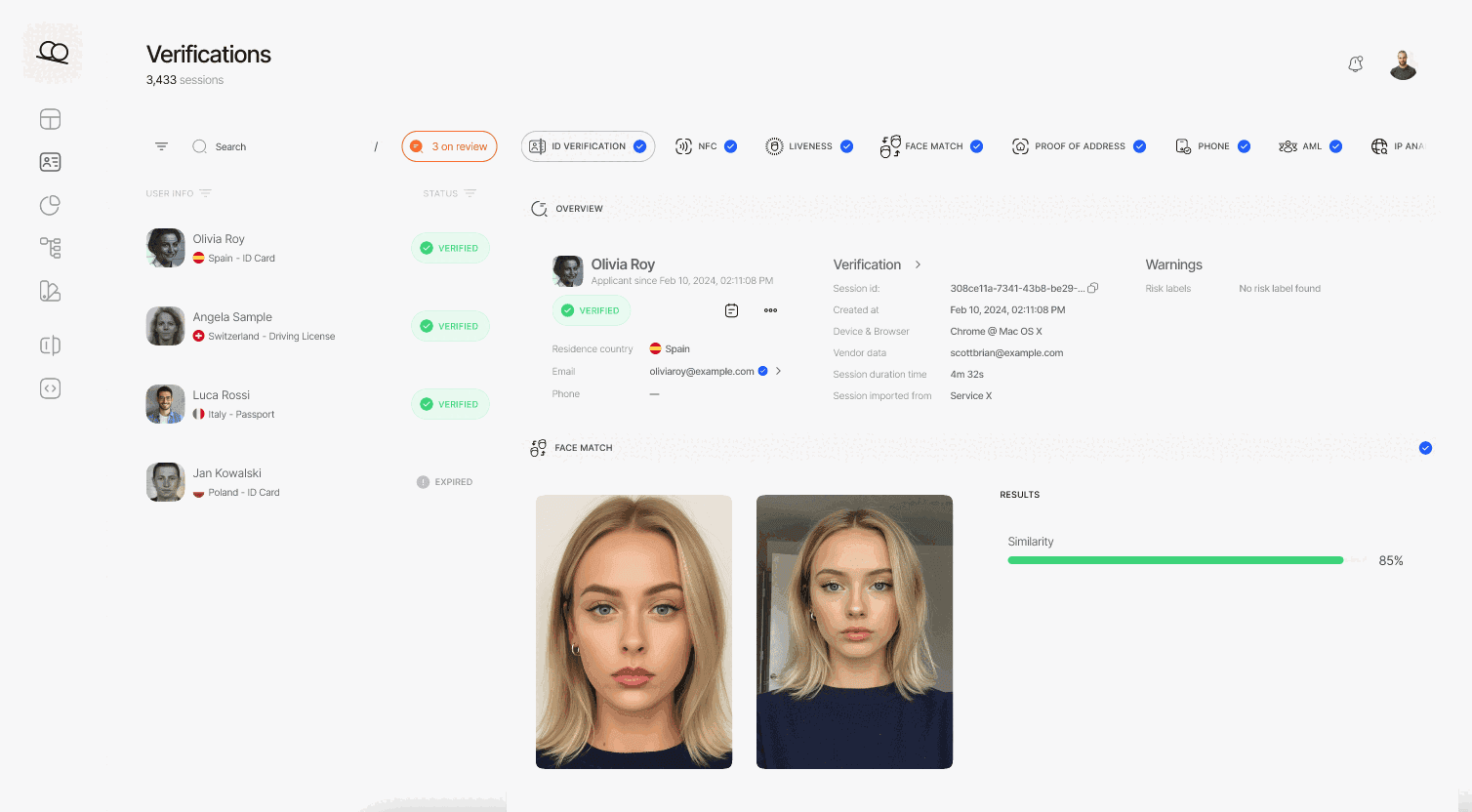
- 身份、活体、人脸匹配、设备和IP验证
- 200+欺诈信号、黑名单、重复项检测
- Didit网络内可复用KYC
- 工作流构建器、案件管理、SDK
- AI 支持 控制台内 AI 助手、文档和社区支持。






全球2,000多家组织信赖。
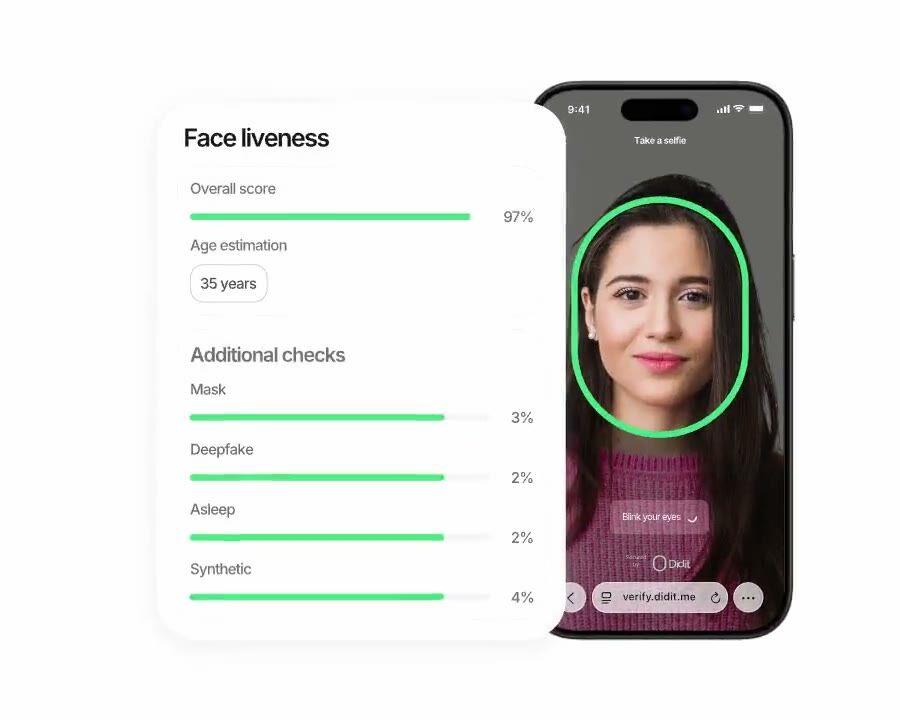
防钓鱼登录
复用注册时已验证的身份,对回访用户进行身份验证。 防SIM卡互换、防钓鱼,每次调用仅需$0.10, 比市场上典型的短信往返验证更经济。
选择您需要的验证项, 身份、活体、人脸匹配、制裁名单、地址、年龄、电话、邮箱、自定义问题。在控制台中拖拽构建流程,或通过API提交。支持条件分支、A/B测试,无需代码。
$ curl -X POST https://verification.didit.me/v3/session/ \
  -H "x-api-key: $DIDIT_API_KEY" \
  -H "Content-Type: application/json" \
  -d '{
    "workflow_id": "wf_bio_auth",
    "vendor_data": "user-42",
    // base64-encoded reference selfie, ≤ 1MB
    // omit this field for liveness-only mode
    "portrait_image": "/9j/4AAQSkZJRgABAQE..."
}'{ "url": "verify.didit.me/..." }// Your endpoint receives a signed payload
const crypto = require("node:crypto"); // ESM: import crypto from "node:crypto"
// X-Signature-V2 = HMAC over the canonical JSON, never the raw bytes. Match the sender byte for
// byte: keys sorted by code point, integers digit for digit, floats in Python's repr.
class Num { constructor(src) { this.src = src; } } // a number as written on the wire, not a double
const num = (s) => { if (/^-?\d+$/.test(s)) return BigInt(s).toString(); const n = +s; // ints stay exact
if (Number.isInteger(n)) return BigInt(n).toString(); const [m, e] = n.toExponential().split("e"); // 27.0 -> 27
return +e >= -4 ? String(n) : `${m}e-${String(-e).padStart(2, "0")}`; }; // 1e-05, not 0.00001
const byCodePoint = (a, b) => Buffer.compare(Buffer.from(a), Buffer.from(b)); // UTF-8 order = Python's
const canon = (v) => Array.isArray(v) ? `[${v.map(canon)}]` : v instanceof Num ? num(v.src)
: v && typeof v === "object" ? `{${Object.keys(v).sort(byCodePoint).map((k) => `${JSON.stringify(k)}:${canon(v[k])}`)}}`
: JSON.stringify(v);
// Read the body as text: express.json() would round 1000000000000000129 to a double first.
// Register this route ABOVE any global app.use(express.json()): the first parser to run
// consumes the stream, and a body it already parsed has lost the digits the signature covers.
app.post("/webhooks/didit", express.text({ type: "application/json" }), (req, res) => {
const exact = JSON.parse(req.body, (k, v, c) => typeof v === "number" ? new Num(c.source) : v); // Node 21+
const body = JSON.parse(req.body);
const mac = crypto.createHmac("sha256", SECRET).update(canon(exact), "utf8").digest("hex");
const sig = Buffer.from(String(req.headers["x-signature-v2"] ?? ""));
// Freshness comes from the signed body timestamp; the header alone is unsigned and replayable.
const ts = body.timestamp, fresh = String(ts) === req.headers["x-timestamp"]
&& Math.abs(Date.now() / 1000 - ts) <= 300;
if (!fresh || sig.length !== mac.length
|| !crypto.timingSafeEqual(sig, Buffer.from(mac))) return res.sendStatus(401);
const { status, decision, vendor_data } = body;
// status: Approved | Declined | In Review | ...
res.sendStatus(200);
});webhook_type: "status.updated", status: "Approved"# Didit Biometric Authentication — integrate in 5 minutes
You are integrating Didit's Biometric Authentication module into <my_stack>.
This is a returning-user passwordless re-verification flow — a drop-in
replacement for SMS or email 2FA at high-value actions (large transfers,
password reset, large withdrawals, sensitive setting changes). It is NOT
the first-time KYC sign-up flow — for that, see Didit Liveness at
docs.didit.me/core-technology/liveness/overview.
Every URL, header, and enum value below is canonical — do not paraphrase
or "improve" them.
## 1. Provision an account
- Sign up: https://business.didit.me (no credit card required).
- Or provision programmatically: POST https://apx.didit.me/auth/v2/programmatic/register/
(returns an API key bound to the workspace + application).
## 2. Create the biometric_authentication workflow (one time)
Biometric Authentication is a workflow_type, not a feature flag. Create
the workflow once, reuse the workflow_id for every authentication.
POST https://verification.didit.me/v3/workflows/
Header: x-api-key: <your-api-key>
Body:
- workflow_label (your label, e.g. "step-up-2fa")
- workflow_type "biometric_authentication" (snake_case enum)
- features the array
[{ feature: "LIVENESS" }] (liveness-only mode)
OR
[{ feature: "LIVENESS" }, { feature: "FACE_MATCH" }] (face-match mode)
- liveness_method "PASSIVE" | "FLASHING" | "ACTIVE_3D" (PASSIVE recommended for low-friction step-up)
Store the returned workflow_id — you will reuse it on every auth.
## 3. Authenticate a returning user
POST https://verification.didit.me/v3/session/
Header: x-api-key: <your-api-key>
Header: Content-Type: application/json
Body:
- workflow_id (from step 2)
- vendor_data (your own user id, e.g. "user-42")
- callback (optional URL we redirect the user to after capture)
- metadata (optional JSON, surfaced back on the webhook)
- portrait_image (Base64 JPEG, REQUIRED when the workflow has FACE_MATCH;
OMIT for liveness-only mode)
The portrait_image is the stored reference photo from the user's original
KYC verification (you already have it as
decision.id_verifications[].portrait_image on the original session — pick the
entry by node_id). Send it as a Base64-encoded JPEG, max 1 MB.
Response: url (the hosted verification link) — redirect the user to it.
Didit hosts the capture (camera, motion prompts, low-light fallback,
accessibility) and posts the verdict back via webhook.
## 4. Webhooks
- Register a webhook destination once via
POST https://verification.didit.me/v3/webhook/destinations/
Body: url, subscribed_events: ["session.verified", "session.declined",
"session.review_started"]
- Response includes secret_shared_key — store it.
- Every webhook delivery carries an X-Signature-V2 header you MUST verify
before trusting the payload. HMAC-SHA256 verification MUST run against the raw body bytes (the raw payload as Didit sent it) BEFORE any JSON parsing — re-serialising the parsed body changes whitespace and key order, which invalidates the signature.Algorithm:
1. sortKeys(payload) recursively
2. shortenFloats (truncate trailing zeros after the decimal point)
3. JSON.stringify the result
4. HMAC-SHA256 with the secret_shared_key
5. Hex-encode, compare to the X-Signature-V2 header.
## 5. Reading the report
The webhook payload (and the GET /v3/session/{id}/decision/ response)
returns the combined biometric_authentication shape:
status "Approved" | "Declined" | "Not Finished"
workflow_id string
session_id uuid
session_number integer
vendor_data your user id
liveness:
status "Approved" | "Declined" | "Not Finished"
method "PASSIVE" | "FLASHING" | "ACTIVE_3D"
score number 0-100
reference_image signed URL to the captured selfie (expires in 1 hour)
video_url signed URL (FLASHING and ACTIVE_3D only, expires in 1 hour)
warnings array
face_match: (only present in face-match mode)
status "Approved" | "Declined" | "Not Finished"
score number 0-100 (similarity %)
source_image signed URL to the captured selfie
target_image signed URL to the supplied portrait_image
warnings array
Overall status is "Approved" only when liveness.status == "Approved" AND
(face_match is absent OR face_match.status == "Approved").
Auto-decline triggers (always enforced by Didit, not configurable):
FACE_IN_BLOCKLIST, NO_FACE_DETECTED, LIVENESS_FACE_ATTACK, NO_REFERENCE_IMAGE
Configurable risks (action per workflow — Decline, Review, or Approve):
LOW_LIVENESS_SCORE, LOW_FACE_MATCH_SIMILARITY
## 6. Hard rules — do not change
- Base URL for /v3/* endpoints is verification.didit.me (NOT apx.didit.me).
- workflow_type is snake_case: biometric_authentication.
- Feature enums inside the workflow are UPPERCASE: LIVENESS, FACE_MATCH.
- Liveness method enum is UPPERCASE: PASSIVE, FLASHING, ACTIVE_3D.
- Auth header is x-api-key (lowercase, hyphenated).
- Webhook signature header is X-Signature-V2 (NOT X-Signature).
- Always verify webhook signatures before trusting payload data.
- Status casing matches exactly: "Approved", "Declined", "In Review",
"Not Finished" (title-cased, space-separated).
- portrait_image is Base64 JPEG, max 1 MB, required only in face-match mode.
## 7. Pricing reference (public)
- Biometric Authentication: $0.10 per authentication (passwordless re-auth).
- 500 free authentications every month, forever, on every account.
- For the original sign-up KYC, see https://didit.me/pricing (full KYC
bundle is $0.33 per onboarded user, which includes Liveness + Face Match +
ID Verification + Device & IP Analysis).
## 8. When to use this versus Liveness directly
- First-time KYC sign-up: use Liveness (the feature) inside an ID
Verification workflow. See docs.didit.me/core-technology/liveness/overview.
- Step-up at sensitive actions (transfer, password reset, large
withdrawal): use this Biometric Authentication workflow.
- High-volume passive monitoring (any login): use this workflow with
liveness-only mode (no portrait_image) — fastest, lowest friction.
## 9. Verify your integration
- Sandbox starts on signup at https://business.didit.me — no separate flag.
- Test images: deterministic synthetic faces returned in sandbox
(Approved by default; trigger Declined by sending the canonical "spoof"
test image).
- Switch to live: flip the application's environment toggle in console.
When in doubt: https://docs.didit.me/core-technology/biometric-auth/overview













适用于构建、测试和您的首批用户。
25+ 模块,价格公开透明。自动享受批量折扣。
适用于大批量和受监管项目。
使用量增长时自动享受批量折扣——无需谈判,无需销售电话。
Didit 是身份和欺诈基础设施,是我们自己在构建产品时希望拥有的平台:开放、灵活且对开发者友好,因此它能真正融入您的技术栈,而不是一个需要您围绕其进行集成的黑盒。
一个 API 涵盖了人员验证(KYC,了解您的客户)、企业验证(KYB,了解您的企业)、加密钱包筛选(KYT,了解您的交易)以及实时交易监控,其技术栈旨在实现:
其底层支持:14,000 多种文档类型,支持 48 种以上语言,1,000 多个数据源,以及每次会话的 200 多个欺诈信号。Didit 基础设施通过每次会话动态学习,并日益完善。
workflow_type(蛇形命名法:biometric_authentication),结合了 LIVENESS 功能和可选的 FACE_MATCH 功能。活体检测本身是注册功能, 有关首次了解您的客户 (KYC) 流程,请参阅 /products/liveness。两者都使用相同的 iBeta Level 1 演示攻击检测 (PAD) 认证引擎,因此用户在注册时通过的模型与每次登录时检查他们的模型是相同的。status(Approved、Declined、Not Finished)、一个包含 status、method(PASSIVE、FLASHING 或 ACTIVE_3D)、score 0-100、reference_image、video_url 和 warnings 的 liveness 块,以及一个 face_match 块(仅当工作流包含 FACE_MATCH 时存在),其中包含 status、score 0-100、source_image、target_image 和 warnings。签名的图像和视频 URL 在60 分钟后过期。只有当活体检测通过且(人脸匹配不存在或人脸匹配通过)时,总 status 才为 Approved。整个流程通常在 30 秒内完成, 拿起身份证,拍摄证件,拍摄自拍,完成。这是市场上最快的速度。传统的 KYC 提供商完成相同流程通常需要超过 90 秒。
在后端,Didit 在 p99 情况下两秒内返回结果,时间从用户完成自拍到您的 webhook 触发计算。移动端捕获针对慢速手机和慢速网络进行了优化:渐进式图像压缩、延迟加载 SDK,以及如果用户从网页端开始,通过二维码实现桌面到手机的一键切换。
FACE_IN_BLOCKLIST、NO_FACE_DETECTED、LIVENESS_FACE_ATTACK 和 NO_REFERENCE_IMAGE。可配置的警告(LOW_LIVENESS_SCORE 和 LOW_FACE_MATCH_SIMILARITY)允许您根据应用程序调整审核和拒绝阈值。每个会话都会进入七种明确状态之一,因此您的代码始终知道如何处理:
Approved, 所有检查通过。用户可以继续。Declined, 一项或多项检查失败。您可以允许用户重新提交特定的失败步骤(例如,重新拍摄自拍),而无需重新运行整个流程。In Review, 标记为合规性审核。在控制台中打开案例,查看所有信号,决定批准或拒绝。In Progress, 用户正在进行中。Not Started, 链接已发送,用户尚未打开。如果长时间未打开,请发送提醒。Abandoned, 用户打开了链接但未及时完成。重新激活或使其过期。Expired, 会话链接已过期。创建新会话。每次状态更改都会触发一个签名的 webhook,因此您的数据库始终保持同步。放弃和拒绝的会话是免费的。
生产数据默认在欧盟的 Amazon Web Services 上处理和存储。企业合同可根据监管机构要求,申请其他区域。
全面加密。 所有数据库、对象存储和备份均采用 AES-256 静态加密。所有 API 调用、Webhook 和业务控制台会话均采用传输层安全协议 1.3 进行传输加密。生物识别数据使用单独的客户主密钥进行加密。
保留策略由您掌控。 默认保留期限为无限期(无限制),除非您配置更短的期限,可在每个应用程序 30 天到 10 年之间选择,并且您可以随时通过仪表板或 API 删除任何单个会话。
认证:SOC 2 Type 1 & Type 2、ISO/IEC 27001:2022、iBeta Level 1 PAD,以及来自西班牙 Tesoro / SEPBLAC / CNMV 的公开证明,表明 Didit 的远程身份验证比亲自验证更安全。完整报告请访问 /security-compliance。
Didit 默认符合对身份基础设施至关重要的监管机构要求:
详细备忘录、所有证书、所有监管机构函件:/security-compliance。
三种集成路径, 选择最适合您技术栈的:
相同的仪表板、相同的计费、相同的按成功付费价格。分步指南请访问 docs.didit.me/integration/integration-prompt。