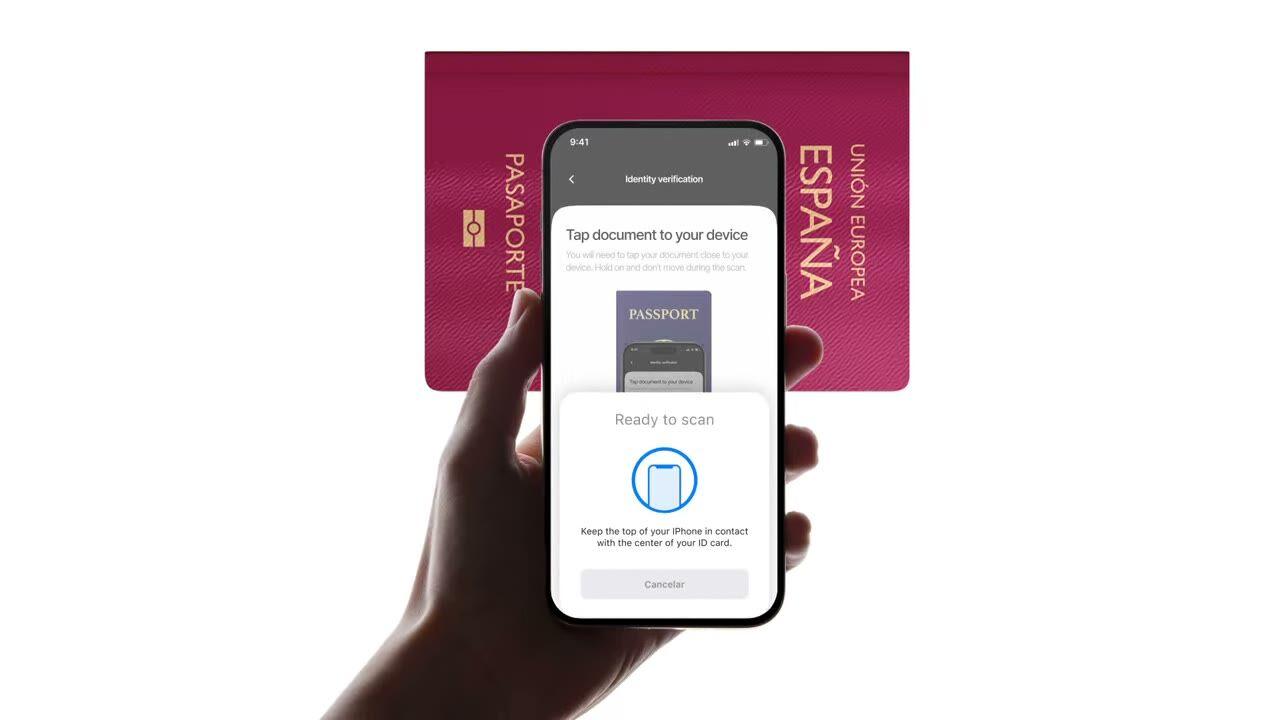
Cukup tempelkan e-paspor atau e-ID ke ponsel. Chip akan terbaca, tanda tangan pemerintah tervalidasi, dan pemalsuan yang luput dari pemeriksaan foto biasa akan terdeteksi. $0.15 per pembacaan, 500 gratis/bulan.
Tempelkan paspor. Chip akan mengembalikan data yang sama dengan foto, bedanya,
kali ini ditandatangani oleh negara penerbit. $0.15, kurang dari 2 detik.
Cara kerjanya
Dari pendaftaran hingga pengguna terverifikasi dalam empat langkah.
Langkah 01 / 04
01
Buat alur kerja
Pilih pemeriksaan yang Anda inginkan, ID, liveness, pencocokan wajah, sanksi, alamat, usia, telepon, email, pertanyaan kustom. Seret ke dalam alur di dashboard, atau kirim alur yang sama ke API kami. Buat cabang berdasarkan kondisi, jalankan A/B test, tanpa perlu coding.
Integrasikan
Integrasikan secara native dengan SDK Web, iOS, Android, React Native, atau Flutter kami. Arahkan ke halaman yang di-host. Atau cukup kirim tautan kepada pengguna Anda, melalui email, SMS, WhatsApp, di mana saja. Pilih yang sesuai dengan stack Anda.
Pengguna melewati alur
Didit menyediakan kamera, isyarat pencahayaan, serah terima seluler, dan aksesibilitas. Saat pengguna berada dalam alur, kami menilai 200+ sinyal penipuan secara real-time dan memverifikasi setiap bidang terhadap sumber data otoritatif. Hasil dalam waktu kurang dari dua detik.
Anda menerima hasilnya
Webhook yang ditandatangani secara real-time menjaga database Anda tetap sinkron saat pengguna disetujui, ditolak, atau dikirim untuk ditinjau. Lakukan polling API sesuai permintaan. Atau buka konsol untuk memeriksa setiap sesi, setiap sinyal, dan kelola kasus sesuai keinginan Anda.
Dibuat untuk developer · Dibangun untuk melawan penipuan · Desain terbuka
Enam kapabilitas. Satu feature flag. NFC.
Semua kapabilitas di bawah ini adalah toggle pada modul yang sama. Tidak ada tingkatan upsell, SKU terpisah, atau biaya tambahan. Aktifkan sesuai workflow, atau sertakan modul NFC saat Anda membuat workflow melalui API.
Verifikasi tanda tangan pada setiap chip, bukan cetakan di halaman.
Setiap e-paspor dan e-ID modern memiliki chip tanpa kontak yang ditandatangani oleh pemerintah penerbit. Kami membacanya melalui NFC (near-field communication), memvalidasi tanda tangan digital, dan mengembalikan hasil yang anti-perusakan. Ini dapat mendeteksi serangan morph, penggantian foto, dan pemalsuan yang lolos inspeksi visual.
SPAINe-Passport
P<ESPROY<<OLIVIA<<<<<<<
Chip readICAO 9303
Passive AuthenticationSOD signature valid
Active AuthenticationChip challenge OK
Chip AuthenticationSession key derived
Signed by issuerAuthentic
02 · Grup data ICAO 9303
Konten chip lengkap diekstrak, terstruktur, dan ditandatangani.
Setiap grup data ICAO 9303 pada chip dibaca, objek keamanan yang ditandatangani, data pribadi, MRZ (zona yang dapat dibaca mesin), gambar wajah resolusi tinggi, gambar tanda tangan, ditambah biometrik tambahan apa pun yang disimpan oleh negara penerbit. Anda akan mendapatkan JSON `chip_data` yang bersih ditambah URL yang ditandatangani untuk potret dan tanda tangan.
Document chipSOD · signed data groups
Signed
First nameDG1
Olivia
Last nameDG1
Roy
Date of birthDG1
12 Mar 1992
Document numberDG1
XAB204731
Facial imageDG2
High-res portrait
Signed at issuance · not OCR5 fields verified
03 · Kepercayaan ICAO PKD
Kepercayaan berlabuh di ICAO Public Key Directory.
Setiap pembacaan chip melacak rantai sertifikat lengkap, penanda tangan dokumen → otoritas penanda tangan negara → root ICAO Public Key Directory, dan memeriksa daftar pencabutan negara secara real time. Sertifikat yang dicabut dan kedaluwarsa akan muncul sebagai peringatan yang dapat dikonfigurasi; sisanya akan lolos sebagai boolean keaslian pada laporan.
Document SignerDSC · eID Spain
Country Signing CACSCA · CRL current
ICAO PKD RootPublic Key Directory
Root
Integrity
SOD integrity
DG integrity
DSC not revoked
DSC not expired
Verified · ICAO PKDChain valid
04 · Foto vs chip
Periksa silang setiap bidang. Tolak otomatis jika tidak cocok.
Data foto harus cocok dengan data chip. Jika tidak cocok, sesi akan otomatis ditolak, pemicu ini tidak dapat dimatikan. Ini adalah sinyal paling jelas dari zona foto yang dirusak, chip yang ditukar, atau dokumen palsu dengan cetakan yang terlihat asli.
Data source
Camera OCRChip read
Document number
XAB2O4731XAB204731≈ 91.4%Signed
First name
0LIVIAOLIVIA≈ 96.7%Signed
Expiry date
03 / 203103 / 2031≈ 99.1%Signed
Best-effort read · fonts, glare, wearExact values · signed by the issuer2 mismatchesSource of truth
05 · Mobile SDK utama
iOS, Android, React Native, Flutter, pembacaan chip sudah terintegrasi.
SDK native menghubungkan pembaca NFC perangkat, hak akses, dan UI pembacaan chip untuk Anda. iOS menggunakan Core NFC; Android menggunakan IsoDep pada NfcAdapter; React Native dan Flutter membungkus keduanya. Browser tanpa NFC akan otomatis kembali ke ID standar + selfie, peringatan lewati akan muncul dan sesi berlanjut.
React Native · FlutterBridges the native SDKsBridgedidit.nfc.read()One call · native under the hood
Web browserNo NFC · falls back to OCRFallbackdidit.ocr.scan()Camera capture · OCR fields
One call · NFC when the device supports itAuto-fallback · session continues with OCR
06 · Cakupan seluruh dunia
Setiap negara penerbit ICAO, bertambah setiap kuartal.
Sebagian besar paspor yang diterbitkan setelah tahun 2006 dilengkapi chip, ditambah daftar e-ID nasional yang terus bertambah, DNIe Spanyol, Personalausweis Jerman, CIE Italia, kartu ID Estonia, Cartão de Cidadão Portugal, eID Belgia, eID Belanda. Sertifikat negara diperbarui secara otomatis; negara-negara baru dapat dibaca pada hari kami mengintegrasikannya.
DNIeSpain
PersonalausweisGermany
Carta CIEItaly
Cartão de CidadãoPortugal
ID-kaartEstonia
2006e-Passports since
30+National e-IDs
9303ICAO standard
CSCA certificates refreshed automaticallyReadable via NFC
Integrasikan
Satu workflow. Dua cara untuk meluncurkan pembacaan chip.
NFC tidak memiliki endpoint standalone server-ke-server, chip memerlukan perangkat dengan hardware NFC. Kedua jalur di bawah ini menggunakan panggilan `create-session` yang sama; perbedaannya hanya pada apakah pengguna membaca chip di UI kami yang di-host atau di dalam aplikasi Anda sendiri melalui SDK native.
// iOS · Swift
import DiditSdk
let result = coba await DiditSdk.shared.startVerification(
dengan: sessionId,
konfigurasi: config)
donein-app{ "status": "Disetujui" }
Integrasi siap agen
Integrasikan Verifikasi NFC dalam satu prompt.
Tempel blok kode di bawah ini ke Claude Code, Cursor, Codex, Devin, Aider, atau Replit Agent. Isi placeholder my_stack dengan framework, bahasa, dan kasus penggunaan Anda. Agent akan menyiapkan Didit, membangun alur kerja dengan NFC aktif, menyambungkan webhook, dan langsung deploy.
didit-integration-prompt.md
# Didit NFC Verification — integrate in 5 minutes

You are integrating Didit's NFC Verification (cryptographic e-passport
and e-ID chip reading) module into <my_stack>. Follow these steps exactly.
Every URL, header, and enum value below is canonical — do not paraphrase
or "improve" them.

## 1. Provision an account
- Sign up: https://business.didit.me (no credit card required).
- Or provision programmatically: POST https://apx.didit.me/auth/v2/programmatic/register/
  (returns an API key bound to the workspace + application).

## 2. What NFC Verification actually does
NFC Verification reads the secure contact-less chip embedded in modern
e-passports and e-IDs (the small chip-and-antenna sticker symbol on the
cover) and runs four cryptographic checks against the data it extracts:

1. Passive Authentication — every Data Group (DG1 personal data, DG2
   facial image, etc.) is hashed and compared against the signed hash
   stored in the Document Security Object (SOD). Catches any single-bit
   tampering of the chip contents.
2. Certificate chain validation — Document Signer Certificate (DSC) →
   Country Signing Certificate Authority (CSCA) → ICAO Public Key
   Directory (PKD) root. Proves the chip was signed by the issuing
   government, not a clone.
3. Certificate Revocation List (CRL) check — DSCs revoked by the issuing
   country are caught and flagged.
4. Chip Authentication — where the document supports it, prevents chip
   cloning by challenging the chip with a key-pair handshake.

PACE (Password Authenticated Connection Establishment) or BAC (Basic
Access Control) is used to derive the session key from the Machine-Readable Zone (MRZ); Didit
handles that automatically. All of this is ICAO 9303 standard.

## 3. Two integration paths — pick one

### Path A — Workflow Builder (hosted UI, REQUIRED for NFC)
NFC Verification has no server-to-server standalone endpoint. The chip
has to be read by a device with NFC hardware, so you always integrate
through the Workflow + native SDK (or hosted mobile web that falls back).

1. Create a workflow that contains the NFC feature:
   POST https://verification.didit.me/v3/workflows/
   Authorization header:  x-api-key: <your-api-key>
   Body: workflow_label, features array with the entries
         { feature: "OCR" }
         { feature: "NFC" }
         (UPPERCASE — strict enum)
   You should always pair NFC with OCR (ID Verification) so the MRZ is captured
   for the chip handshake AND so an OCR cross-validation is available.

2. Create a verification session for an end user:
   POST https://verification.didit.me/v3/session/
   Body: workflow_id (from step 1), vendor_data (your own user id).
   Response: url (the hosted verification link) — redirect the user to
   it (or open it in the native SDK with
   shared.startVerification(with: sessionId)).

3. Listen for webhook callbacks (see "Webhooks" below).

### Path B — Native SDKs (drop-in, recommended for mobile apps)
Same workflow + session above, but launch the verification flow in your
own iOS or Android app via the Didit SDK. The SDK wires the NFC reader,
the entitlements, and the chip-reading UI for you.

- iOS: DiditSdk.shared.startVerification(with: sessionId, configuration:)
  Required entitlements (handled by the SDK):
    - com.apple.developer.nfc.readersession.formats = ["TAG"]
    - ISO7816 application identifiers for ePassports
- Android: DiditSdk.startVerification(sessionId, config) — uses
  IsoDep (android.nfc.tech.IsoDep) under the hood.
- React Native / Flutter: the same SDK, exposed through the cross-
  platform module — see docs.didit.me/integration/native-sdks/.

### Web browsers — NFC is unavailable
Web NFC API is not generally available. Chrome on Android has an
experimental Web NFC that is unstable and requires explicit permissions;
Safari on iOS has no support. For web integrations, NFC is automatically
skipped and the user proceeds with standard ID + selfie. If you require
NFC, deep-link the user into the Didit App or your own native app.

## 4. Webhooks
- Register a webhook destination once via
  POST https://verification.didit.me/v3/webhook/destinations/
  Body: url, subscribed_events: ["session.verified", "session.review_started",
                                  "session.declined"]
- Response includes secret_shared_key — store it.
- Every webhook delivery carries an X-Signature-V2 header you MUST verify
  before trusting the payload.  HMAC-SHA256 verification MUST run against the raw body bytes (the raw payload as Didit sent it) BEFORE any JSON parsing — re-serialising the parsed body changes whitespace and key order, which invalidates the signature.Algorithm:
    1. sortKeys(payload) recursively
    2. shortenFloats (truncate trailing zeros after the decimal point)
    3. JSON.stringify the result
    4. HMAC-SHA256 with the secret_shared_key
    5. Hex-encode, compare to the X-Signature-V2 header.

## 5. Reading the report
The session decision includes an nfc_verifications[] array alongside
id_verifications[] — one entry per workflow node, each with its own node_id.
Fields on each nfc_verifications entry:

- status: "Approved" | "Declined" | "In Review" | "Not Finished"
- portrait_image: signed URL to the chip-extracted DG2 facial image
- signature_image: signed URL to the chip-extracted DG7 signature
- chip_data:
    document_type, issuing_country (ISO 3166-1 alpha-3),
    document_number, expiration_date (YYYY-MM-DD),
    first_name, last_name, birth_date, gender ("M" | "F" | "U"),
    nationality (ISO 3166-1 alpha-3), address, place_of_birth.
- authenticity:
    sod_integrity (boolean — every Data Group hash matched the SOD)
    dg_integrity (boolean — Data Group binary integrity check passed)
- certificate_summary:
    issuer (CSCA Common Name + serial + organization + country)
    subject (DSC Common Name)
    serial_number
    not_valid_after (YYYY-MM-DD HH:MM:SS)
    not_valid_before (YYYY-MM-DD HH:MM:SS)
- warnings: Array of { risk, additional_data, log_type,
                       short_description, long_description }

### Auto-decline (always enforced, never configurable)
- NFC_AND_OCR_DATA_NOT_SAME — Optical Character Recognition (OCR) data
  and chip data differ. Indicates document tampering or fake chip.

### Configurable warnings (per-workflow action: Decline / Review / Approve)
- SKIPPED_NFC_VALIDATION       — chip not read (no NFC hardware, no
                                  permissions, document has no chip)
- NFC_CHIP_NOT_VERIFIED        — chip read but signature could not be
                                  verified (missing CSCA, older document)
- DSC_CERTIFICATE_REVOKED      — Document Signer Certificate listed on
                                  the issuing country's CRL
- DSC_CERTIFICATE_EXPIRED      — Document Signer Certificate past its
                                  validity period

## 6. Hard rules — do not change
- Base URL for /v3/* endpoints is verification.didit.me (NOT apx.didit.me).
- Feature enum is UPPERCASE: NFC, OCR, LIVENESS, FACE_MATCH.
- Auth header is x-api-key (lowercase, hyphenated).
- Webhook signature header is X-Signature-V2 (NOT X-Signature).
- Always verify webhook signatures before trusting payload data.
- Always pair NFC with OCR (ID Verification) in the workflow — NFC alone
  cannot derive the chip key without the MRZ from the document photo.
- Status casing matches exactly: "Approved", "Declined", "In Review",
  "Not Finished" (title-cased, space-separated).
- Treat NFC as an additive confidence boost, not a hard gate, unless
  your risk policy explicitly requires it (regulated remote
  onboarding under PSD3, AMLD6 high-risk customer flows, etc.).

## 7. Pricing reference (public)
- NFC Verification: $0.15 per chip read (standalone module).
- Bundled inside a full Know Your Customer (KYC) workflow (ID + Liveness + Face Match + NFC):
  priced as the underlying KYC bundle ($0.33) + $0.15 NFC if enabled.
- 500 free checks every month, forever, on every account.

## 8. Verify your integration
- Sandbox starts on signup at https://business.didit.me — no separate flag.
- Test documents: use the Didit App on a real iOS or Android device with
  any ICAO 9303 e-passport issued after 2006 (most modern passports).
- Sandbox webhook events fire the same shape as production; verify the
  X-Signature-V2 header in dev too.
- Switch to live: flip the application's environment toggle in console.

When in doubt: https://docs.didit.me/core-technology/nfc-verification/overview
Dirancang untuk kepatuhan
Buka negara baru dengan satu klik. Kami yang mengerjakan bagian sulitnya.
Kami membuka anak perusahaan lokal, mengamankan lisensi, menjalankan pengujian penetrasi, mendapatkan sertifikasi, dan menyelaraskan dengan setiap regulasi baru. Untuk meluncurkan verifikasi di negara baru, cukup aktifkan tombol. 220+ negara sudah aktif, diaudit dan diuji penetrasi setiap kuartal, satu-satunya penyedia identitas yang secara formal disebut oleh pemerintah negara anggota Uni Eropa lebih aman daripada verifikasi langsung.
Setiap chip dibaca sesuai standar e-paspor kanonis.
PKD
Kepercayaan berakar pada ICAO Public Key Directory.
<2s
Pembacaan chip end-to-end di smartphone modern.
$0.15
Per pembacaan chip NFC. 500 gratis setiap bulan.
Tiga tingkatan, satu daftar harga
Mulai gratis. Bayar sesuai pemakaian. Skalakan ke Enterprise.
500 verifikasi gratis setiap bulan, selamanya. Setelah itu, bayar hanya saat modul berjalan. Kontrak khusus, data residency, dan service level agreement (SLA) tersedia untuk Enterprise.
Gratis
$0/ bulan · tanpa kartu
Untuk membangun, menguji, dan pengguna pertamamu.
Semua yang kamu butuhkan untuk memulai:
500 verifikasi KYC lengkap setiap bulan
ID, liveness, face match, device & IP
200+ sinyal fraud, blocklist, duplikat
KYC yang bisa digunakan kembali di seluruh jaringan Didit
Workflow builder, case management, SDK
Dukungan AIAgen AI dalam konsol, dokumentasi, dan komunitas.