

無料
$0/月・カード情報不要
開発、テスト、そして最初のユーザー向け。
スタートに必要なすべて:
- 毎月500件のフルKYC認証
- 本人確認、生体認証、顔照合、デバイス&IP
- 200以上の不正検知シグナル、ブロックリスト、重複チェック
- Diditネットワーク全体でKYCを再利用可能
- ワークフロービルダー、ケース管理、SDK
- AIサポート コンソール内AIエージェント、ドキュメント、コミュニティ。






世界中の3,000以上の組織から信頼されています。
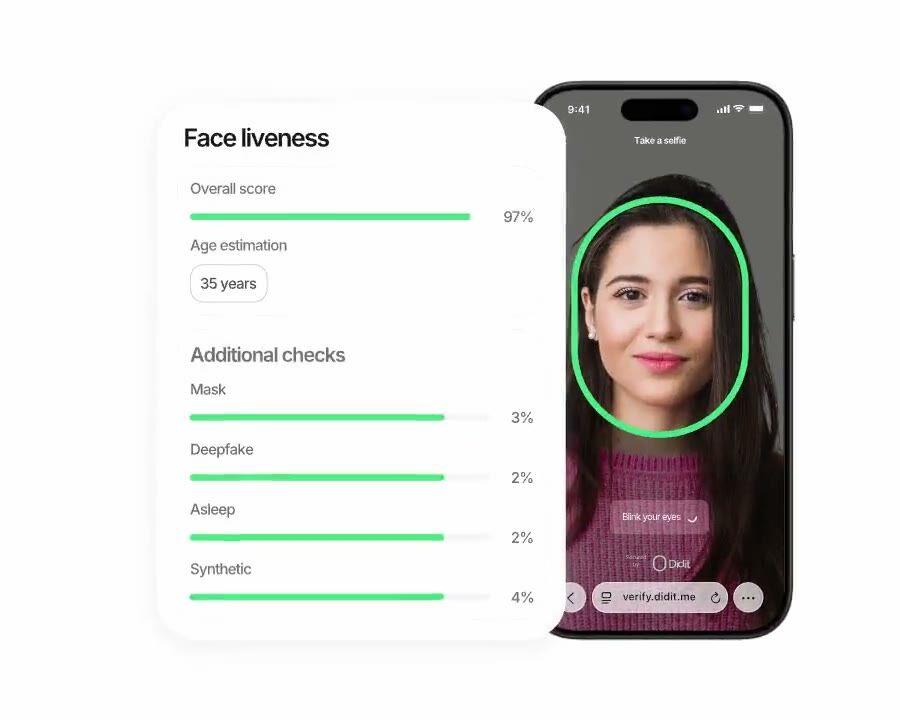
フィッシング耐性のあるログイン
サインアップ時に認証済みの本人情報を再利用し、再訪ユーザーを認証します。 SIMスワップやフィッシングに強く、1コールあたり$0.10。これは、一般的なSMS認証の往復よりも安価です。
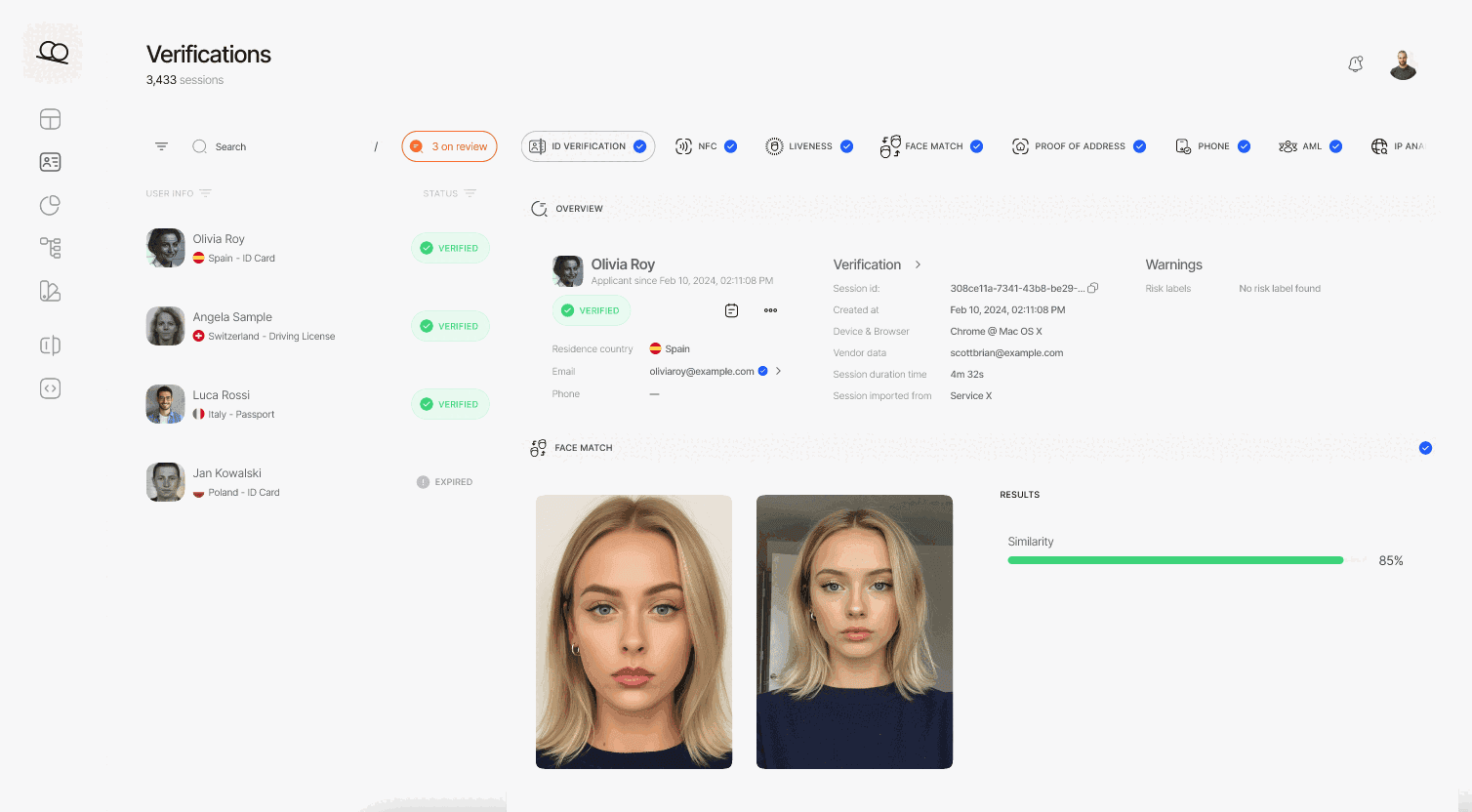
本人確認、ライブネス、顔照合、制裁リスト、住所、年齢、電話番号、メールアドレス、カスタム質問など、必要なチェック項目を選択します。ダッシュボードでフローにドラッグ&ドロップするか、API経由で同じフローを投稿します。条件分岐やA/Bテストもコード不要で実行できます。
$ curl -X POST https://verification.didit.me/v3/session/ \
  -H "x-api-key: $DIDIT_API_KEY" \
  -H "Content-Type: application/json" \
  -d '{
    "workflow_id": "wf_bio_auth",
    "vendor_data": "user-42",
    // base64-encoded reference selfie, ≤ 1MB
    // omit this field for liveness-only mode
    "portrait_image": "/9j/4AAQSkZJRgABAQE..."
}'{ "url": "verify.didit.me/..." }// Your endpoint receives a signed payload
const crypto = require("node:crypto"); // ESM: import crypto from "node:crypto"
// X-Signature-V2 = HMAC over the canonical JSON, never the raw bytes. Match the sender byte for
// byte: keys sorted by code point, integers digit for digit, floats in Python's repr.
class Num { constructor(src) { this.src = src; } } // a number as written on the wire, not a double
const num = (s) => { if (/^-?\d+$/.test(s)) return BigInt(s).toString(); const n = +s; // ints stay exact
if (Number.isInteger(n)) return BigInt(n).toString(); const [m, e] = n.toExponential().split("e"); // 27.0 -> 27
return +e >= -4 ? String(n) : `${m}e-${String(-e).padStart(2, "0")}`; }; // 1e-05, not 0.00001
const byCodePoint = (a, b) => Buffer.compare(Buffer.from(a), Buffer.from(b)); // UTF-8 order = Python's
const canon = (v) => Array.isArray(v) ? `[${v.map(canon)}]` : v instanceof Num ? num(v.src)
: v && typeof v === "object" ? `{${Object.keys(v).sort(byCodePoint).map((k) => `${JSON.stringify(k)}:${canon(v[k])}`)}}`
: JSON.stringify(v);
// Read the body as text: express.json() would round 1000000000000000129 to a double first.
// Register this route ABOVE any global app.use(express.json()): the first parser to run
// consumes the stream, and a body it already parsed has lost the digits the signature covers.
app.post("/webhooks/didit", express.text({ type: "application/json" }), (req, res) => {
const exact = JSON.parse(req.body, (k, v, c) => typeof v === "number" ? new Num(c.source) : v); // Node 21+
const body = JSON.parse(req.body);
const mac = crypto.createHmac("sha256", SECRET).update(canon(exact), "utf8").digest("hex");
const sig = Buffer.from(String(req.headers["x-signature-v2"] ?? ""));
// Freshness comes from the signed body timestamp; the header alone is unsigned and replayable.
const ts = body.timestamp, fresh = String(ts) === req.headers["x-timestamp"]
&& Math.abs(Date.now() / 1000 - ts) <= 300;
if (!fresh || sig.length !== mac.length
|| !crypto.timingSafeEqual(sig, Buffer.from(mac))) return res.sendStatus(401);
const { status, decision, vendor_data } = body;
// status: Approved | Declined | In Review | ...
res.sendStatus(200);
});webhook_type: "status.updated", status: "Approved"# Didit Biometric Authentication — integrate in 5 minutes
You are integrating Didit's Biometric Authentication module into <my_stack>.
This is a returning-user passwordless re-verification flow — a drop-in
replacement for SMS or email 2FA at high-value actions (large transfers,
password reset, large withdrawals, sensitive setting changes). It is NOT
the first-time KYC sign-up flow — for that, see Didit Liveness at
docs.didit.me/core-technology/liveness/overview.
Every URL, header, and enum value below is canonical — do not paraphrase
or "improve" them.
## 1. Provision an account
- Sign up: https://business.didit.me (no credit card required).
- Or provision programmatically: POST https://apx.didit.me/auth/v2/programmatic/register/
(returns an API key bound to the workspace + application).
## 2. Create the biometric_authentication workflow (one time)
Biometric Authentication is a workflow_type, not a feature flag. Create
the workflow once, reuse the workflow_id for every authentication.
POST https://verification.didit.me/v3/workflows/
Header: x-api-key: <your-api-key>
Body:
- workflow_label (your label, e.g. "step-up-2fa")
- workflow_type "biometric_authentication" (snake_case enum)
- features the array
[{ feature: "LIVENESS" }] (liveness-only mode)
OR
[{ feature: "LIVENESS" }, { feature: "FACE_MATCH" }] (face-match mode)
- liveness_method "PASSIVE" | "FLASHING" | "ACTIVE_3D" (PASSIVE recommended for low-friction step-up)
Store the returned workflow_id — you will reuse it on every auth.
## 3. Authenticate a returning user
POST https://verification.didit.me/v3/session/
Header: x-api-key: <your-api-key>
Header: Content-Type: application/json
Body:
- workflow_id (from step 2)
- vendor_data (your own user id, e.g. "user-42")
- callback (optional URL we redirect the user to after capture)
- metadata (optional JSON, surfaced back on the webhook)
- portrait_image (Base64 JPEG, REQUIRED when the workflow has FACE_MATCH;
OMIT for liveness-only mode)
The portrait_image is the stored reference photo from the user's original
KYC verification (you already have it as
decision.id_verifications[].portrait_image on the original session — pick the
entry by node_id). Send it as a Base64-encoded JPEG, max 1 MB.
Response: url (the hosted verification link) — redirect the user to it.
Didit hosts the capture (camera, motion prompts, low-light fallback,
accessibility) and posts the verdict back via webhook.
## 4. Webhooks
- Register a webhook destination once via
POST https://verification.didit.me/v3/webhook/destinations/
Body: url, subscribed_events: ["session.verified", "session.declined",
"session.review_started"]
- Response includes secret_shared_key — store it.
- Every webhook delivery carries an X-Signature-V2 header you MUST verify
before trusting the payload. HMAC-SHA256 verification MUST run against the raw body bytes (the raw payload as Didit sent it) BEFORE any JSON parsing — re-serialising the parsed body changes whitespace and key order, which invalidates the signature.Algorithm:
1. sortKeys(payload) recursively
2. shortenFloats (truncate trailing zeros after the decimal point)
3. JSON.stringify the result
4. HMAC-SHA256 with the secret_shared_key
5. Hex-encode, compare to the X-Signature-V2 header.
## 5. Reading the report
The webhook payload (and the GET /v3/session/{id}/decision/ response)
returns the combined biometric_authentication shape:
status "Approved" | "Declined" | "Not Finished"
workflow_id string
session_id uuid
session_number integer
vendor_data your user id
liveness:
status "Approved" | "Declined" | "Not Finished"
method "PASSIVE" | "FLASHING" | "ACTIVE_3D"
score number 0-100
reference_image signed URL to the captured selfie (expires in 1 hour)
video_url signed URL (FLASHING and ACTIVE_3D only, expires in 1 hour)
warnings array
face_match: (only present in face-match mode)
status "Approved" | "Declined" | "Not Finished"
score number 0-100 (similarity %)
source_image signed URL to the captured selfie
target_image signed URL to the supplied portrait_image
warnings array
Overall status is "Approved" only when liveness.status == "Approved" AND
(face_match is absent OR face_match.status == "Approved").
Auto-decline triggers (always enforced by Didit, not configurable):
FACE_IN_BLOCKLIST, NO_FACE_DETECTED, LIVENESS_FACE_ATTACK, NO_REFERENCE_IMAGE
Configurable risks (action per workflow — Decline, Review, or Approve):
LOW_LIVENESS_SCORE, LOW_FACE_MATCH_SIMILARITY
## 6. Hard rules — do not change
- Base URL for /v3/* endpoints is verification.didit.me (NOT apx.didit.me).
- workflow_type is snake_case: biometric_authentication.
- Feature enums inside the workflow are UPPERCASE: LIVENESS, FACE_MATCH.
- Liveness method enum is UPPERCASE: PASSIVE, FLASHING, ACTIVE_3D.
- Auth header is x-api-key (lowercase, hyphenated).
- Webhook signature header is X-Signature-V2 (NOT X-Signature).
- Always verify webhook signatures before trusting payload data.
- Status casing matches exactly: "Approved", "Declined", "In Review",
"Not Finished" (title-cased, space-separated).
- portrait_image is Base64 JPEG, max 1 MB, required only in face-match mode.
## 7. Pricing reference (public)
- Biometric Authentication: $0.10 per authentication (passwordless re-auth).
- 500 free authentications every month, forever, on every account.
- For the original sign-up KYC, see https://didit.me/pricing (full KYC
bundle is $0.33 per onboarded user, which includes Liveness + Face Match +
ID Verification + Device & IP Analysis).
## 8. When to use this versus Liveness directly
- First-time KYC sign-up: use Liveness (the feature) inside an ID
Verification workflow. See docs.didit.me/core-technology/liveness/overview.
- Step-up at sensitive actions (transfer, password reset, large
withdrawal): use this Biometric Authentication workflow.
- High-volume passive monitoring (any login): use this workflow with
liveness-only mode (no portrait_image) — fastest, lowest friction.
## 9. Verify your integration
- Sandbox starts on signup at https://business.didit.me — no separate flag.
- Test images: deterministic synthetic faces returned in sandbox
(Approved by default; trigger Declined by sending the canonical "spoof"
test image).
- Switch to live: flip the application's environment toggle in console.
When in doubt: https://docs.didit.me/core-technology/biometric-auth/overview













開発、テスト、そして最初のユーザー向け。
25以上のモジュールを公開価格で提供。自動ボリュームディスカウントあり。
大量利用や規制対象プログラム向け。
利用量の増加に応じて割引が自動適用されます。交渉や営業担当とのやり取りは不要です。
Diditは本人確認と不正対策のためのインフラです。私たちが自社でプロダクトを開発していた時に「こんなプラットフォームがあれば」と願った、オープンで柔軟、そして開発者に優しいプラットフォームです。そのため、単なるブラックボックスとしてではなく、お客様のスタックの真の構成要素として機能します。
単一のAPIで、個人の確認(KYC、顧客確認)、企業の確認(KYB、企業確認)、暗号資産ウォレットのスクリーニング(KYT、取引確認)、およびリアルタイムでの取引監視をカバーします。このスタックは、以下の特徴を持つように構築されています。
基盤となるフットプリントは、48以上の言語に対応した14,000以上のドキュメントタイプ、1,000以上のデータソース、そして全セッションで200以上の不正シグナルです。Diditのインフラは、すべてのセッションから動的に学習し、日々改善されています。
workflow_type(スネークケース:biometric_authentication)であり、LIVENESS機能とオプションのFACE_MATCH機能を組み合わせたものです。Liveness単体はサインアップ機能であり、初回顧客確認(KYC)フローについては/products/livenessをご覧ください。どちらも同じiBeta Level 1 Presentation Attack Detection (PAD) 認定エンジンを使用しているため、ユーザーがオンボーディング時に通過したモデルが、ログインのたびにチェックするモデルと同じです。status(Approved、Declined、Not Finished)、status、method(PASSIVE、FLASHING、またはACTIVE_3D)、score 0-100、reference_image、video_url、warningsを含むlivenessブロック、さらにstatus、score 0-100、source_image、target_image、warningsを含むface_matchブロック(ワークフローにFACE_MATCHがある場合にのみ存在)を返します。署名付きの画像およびビデオURLは60分後に期限切れになります。全体のstatusは、Livenessが承認され、かつ(顔照合がないか、顔照合が承認された場合)にのみApprovedとなります。通常、エンドツーエンドの全フローは30秒未満で完了します, 本人確認書類を手に取り、書類を撮影し、セルフィーを撮影すれば完了です。これは市場最速です。従来のKYCプロバイダーでは、同じフローに90秒以上かかることが一般的です。
バックエンドでは、Diditはユーザーがセルフィーを完了した瞬間からWebhookが発火するまでの時間を測定し、p99で2秒未満で結果を返します。モバイルキャプチャは、低速なスマートフォンやネットワーク向けに最適化されています。プログレッシブ画像圧縮、遅延SDKロード、ユーザーがWebから開始した場合のQRコードによるデスクトップからスマートフォンへのワンタップ連携などが含まれます。
FACE_IN_BLOCKLIST、NO_FACE_DETECTED、LIVENESS_FACE_ATTACK、NO_REFERENCE_IMAGEの4つのリスクは自動的に拒否されます。LOW_LIVENESS_SCOREとLOW_FACE_MATCH_SIMILARITYは設定可能な警告であり、アプリケーションごとにレビューおよび拒否のしきい値を調整できます。すべてのセッションは7つの明確なステータスのいずれかに分類されるため、コードは常に適切な処理を実行できます。
Approved, すべてのチェックに合格しました。ユーザーを次のステップに進めます。Declined, 1つ以上のチェックに失敗しました。ユーザーは、フロー全体を再実行することなく、失敗した特定のステップ(例:自撮り写真の再撮影)を再提出できます。In Review, コンプライアンスレビューのためにフラグが立てられました。コンソールでケースを開き、すべてのシグナルを確認し、承認または拒否を決定します。In Progress, ユーザーはフローの途中にいます。Not Started, リンクは送信されましたが、ユーザーはまだ開いていません。長時間放置されている場合はリマインダーを送信します。Abandoned, ユーザーはリンクを開きましたが、時間内に完了しませんでした。再エンゲージするか、期限切れにします。Expired, セッションリンクの有効期限が切れました。新しいセッションを作成します。すべてのステータス変更時に署名付きウェブフックが発火するため、データベースは常に同期されます。中断および拒否されたセッションは無料です。
本番データは、デフォルトでAmazon Web Services上の欧州連合内で処理および保存されます。 規制当局が要求する管轄区域については、エンタープライズ契約で代替リージョンをリクエストできます。
あらゆる場所で暗号化。 すべてのデータベース、オブジェクトストレージ、バックアップにおいて、保存時にはAES-256で暗号化されます。すべてのAPIコール、Webhook、ビジネスコンソールセッションにおいて、転送時にはTransport Layer Security 1.3が使用されます。生体認証データは、個別のカスタマーマスターキーで暗号化されます。
データ保持期間はお客様が管理できます。 デフォルトの保持期間は無期限(unlimited)ですが、アプリケーションごとに30日から10年の間で短縮設定が可能です。また、ダッシュボードまたはAPIからいつでも個々のセッションを削除できます。
認証: SOC 2 Type 1 & Type 2、ISO/IEC 27001:2022、iBeta Level 1 PAD、およびスペインのTesoro / SEPBLAC / CNMVによる、Diditのリモート本人確認が対面での本人確認よりも安全であるという公式認定。完全なレポートは/security-complianceでご覧いただけます。
Diditは、本人確認インフラストラクチャにとって重要な規制当局の要件にデフォルトで準拠しています。
詳細なメモ、すべての証明書、すべての規制当局からの書簡は/security-complianceをご覧ください。
3つの統合パス, お客様のスタックに合うものをお選びください。
すべてのパスで同じダッシュボード、同じ請求、成功ごとの同じ料金です。ステップバイステップガイドはdocs.didit.me/integration/integration-promptをご覧ください。