

무료
$0/월 · 카드 정보 불필요
개발, 테스트 및 초기 사용자 확보에 적합합니다.
시작하는 데 필요한 모든 것:
- 매월 500건의 전체 KYC 인증
- 신분증, 라이브니스, 얼굴 매칭, 기기 및 IP 확인
- 200개 이상의 사기 신호, 차단 목록, 중복 확인
- Didit 네트워크 전반에서 KYC 재사용 가능
- 워크플로우 빌더, 케이스 관리, SDK
- AI 지원 콘솔 내 AI 에이전트, 문서, 커뮤니티.






전 세계 2,000개 이상의 기관에서 신뢰합니다.
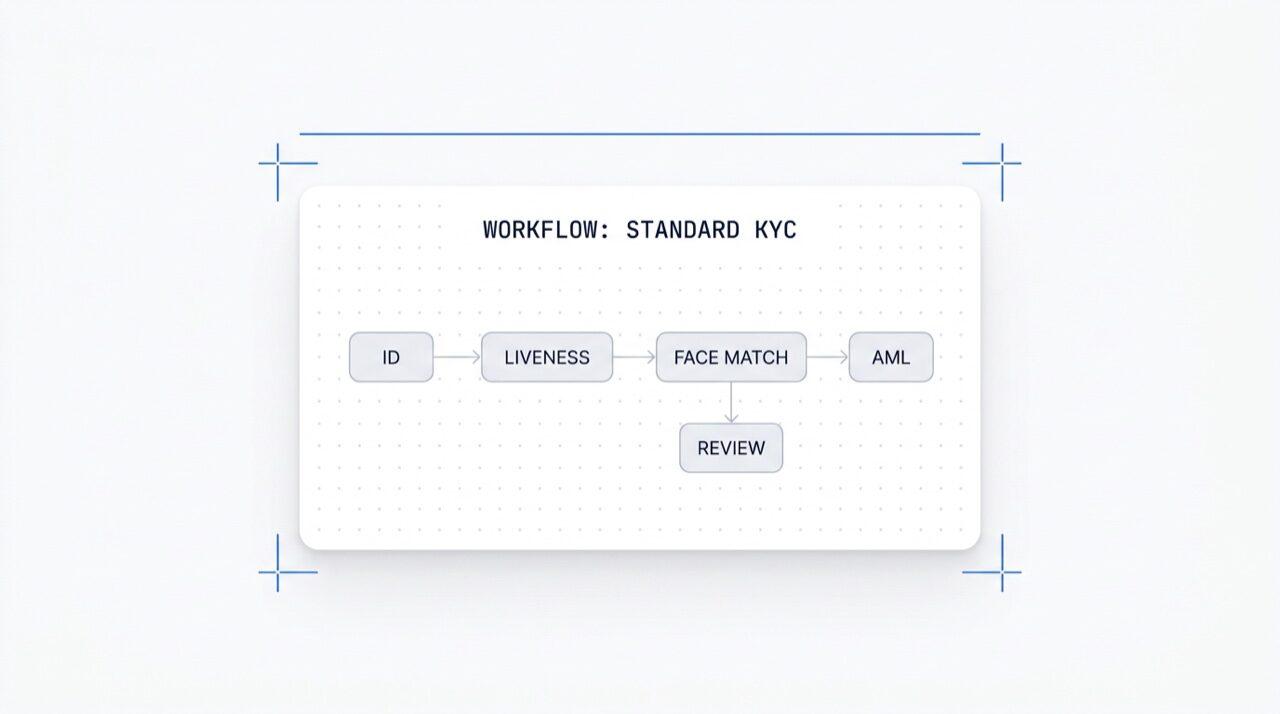
노코드 워크플로 빌더
어떤 모듈이든 원클릭으로 활성화하세요. KYC(고객 신원 확인), KYB(사업자 신원 확인), AML(자금 세탁 방지) 및 모니터링 플로우를 위한 시각적 편집기입니다. 프로덕션 환경에서 A/B 테스트를 실행하세요. 무료이며, 워크플로당 요금이 부과되지 않습니다.
원하는 검사를 선택하세요, 신분증, 실존 여부, 얼굴 일치, 제재 목록, 주소, 연령, 전화번호, 이메일, 맞춤 질문. 대시보드에서 플로우로 드래그하거나, 동일한 플로우를 API에 게시하세요. 조건에 따라 분기하고 A/B 테스트를 실행하세요. 코드가 필요 없습니다.
드래그 앤 드롭 · 스마트 연결 · 키보드 단축키
기능
분기
액션
상태
25개 이상 모듈 중 선택 · 성공 시 지불
모듈
새 모듈 출시
워크플로우 추가 요금
개발 · 스테이징 · 프로덕션 · 격리된 키
애플리케이션
애플리케이션당
내보내기 가능
트래픽 분할 · 실시간 전환 원격 측정
완료율
완료율
국가 · 위험 · 문서 유형 · 연령별 라우팅
{ "workflow_id": "wf_3daf4c64", "session_id": "sess_8a2f9c10", "status": "verified", "vendor_data": "user-42", "version": 3, 연동: unlimited}$ curl -X POST https://verification.didit.me/v3/workflows/ \
-H "x-api-key: $DIDIT_API_KEY" \
-d '{
"workflow_label": "Standard KYC",
"features": [
{ "feature": "OCR" },
{ "feature": "LIVENESS" },
{ "feature": "FACE_MATCH" }
]
}'{ "uuid": "wf_3daf4c64" }$ curl -X POST https://verification.didit.me/v3/session/ \
-H "x-api-key: $DIDIT_API_KEY" \
-H "Content-Type: application/json" \
-d '{
"workflow_id": "wf_3daf4c64",
"vendor_data": "user-42"
}'{ "url": "verify.didit.me/..." }# Didit Workflow Orchestrator — integrate in 5 minutes
You are wiring the Didit Workflow Orchestrator into <my_stack>. Follow
these steps exactly. Every URL, header, and enum value below is
canonical — do not paraphrase or "improve" them.
Workflows are versioned JSON documents that string together any subset
of Didit's 25+ verification modules:
- Feature nodes (Optical Character Recognition (OCR), LIVENESS, FACE_MATCH, Anti-Money Laundering (AML), Near Field Communication (NFC), IP, QUESTIONNAIRE,
PROOF_OF_ADDRESS, DATABASE_VALIDATION, AGE_ESTIMATION, EMAIL_VERIFICATION,
PHONE_VERIFICATION)
- Branch nodes (route by country, risk score, document type, age, ...)
- Action nodes (add tag, set metadata, route to manual review)
- Status nodes (APPROVED, DECLINED, IN_REVIEW)
## 1. Provision an account
- Sign up: https://business.didit.me (no credit card required).
- Or provision programmatically: POST https://apx.didit.me/auth/v2/programmatic/register/
## 2. Two ways to build a workflow — pick one
### Path A — Visual canvas (recommended for humans)
1. Open https://docs.didit.me/console/workflows.
2. Pick Simple Mode for a template-based build (Know Your Customer (KYC), Age Verification,
Biometric Auth, Address, Questionnaire) or Advanced Mode for the
node-based graph builder.
3. Drag feature nodes onto the canvas. Connect handles with the smart-
connect cursor. Drop branch nodes between features to route on data.
4. Click Publish. The published workflow's UUID is your workflow_id.
### Path B — Management API (recommended for AI agents)
Programmatically create a linear workflow with the simple v3 features
array — Didit converts it into a node-based graph internally.
POST https://verification.didit.me/v3/workflows/
Headers:
x-api-key: <your-api-key>
Content-Type: application/json
Body:
{
"workflow_label": "Standard KYC",
"features": [
{
"feature": "OCR",
"config": {
"documents_allowed": {},
"duplicated_user_action": "REVIEW"
}
},
{ "feature": "LIVENESS", "config": { "face_liveness_method": "PASSIVE" } },
{ "feature": "FACE_MATCH" },
{ "feature": "AML" }
]
}
Hard rules for POST /v3/workflows/:
- features[].feature values are UPPERCASE strict enum:
OCR, LIVENESS, FACE_MATCH, AML, NFC, IP, QUESTIONNAIRE,
PROOF_OF_ADDRESS, DATABASE_VALIDATION, AGE_ESTIMATION,
EMAIL_VERIFICATION, PHONE_VERIFICATION
- Put dependency features first. OCR before FACE_MATCH, NFC,
DATABASE_VALIDATION, or user-AML checks that depend on document
data. LIVENESS before FACE_MATCH.
- For QUESTIONNAIRE features, create the questionnaire first via
POST /v3/questionnaires/ and use the returned questionnaire_id as
config.questionnaire_uuid.
- The endpoint supports linear workflows only. To add branches,
actions, webhooks, or conditional routing, edit the published
workflow in the canvas.
- Save the returned workflow uuid — that is your workflow_id for
creating sessions, and your settings_uuid for future updates.
Reference for every config field per feature:
https://docs.didit.me/management-api/workflows/feature-configs
## 3. Use the workflow in a session
POST https://verification.didit.me/v3/session/
Headers:
x-api-key: <your-api-key>
Content-Type: application/json
Body:
{
"workflow_id": "<uuid from step 2>",
"vendor_data": "user-42"
}
Response includes the hosted verification link in url. Redirect the user
there. The hosted Didit UI handles capture UX, mobile handoff,
accessibility, retries, and webhook delivery on completion.
## 4. Webhooks
Register one webhook destination per workspace:
POST https://verification.didit.me/v3/webhook/destinations/
Body: { "url": "https://yourapp.com/didit/webhooks",
"events": ["session.verified", "session.review_started",
"session.declined", "session.expired"] }
Every delivery carries an X-Signature-V2 Hash-based Message Authentication
Code (HMAC) header. HMAC-SHA256 verification MUST run against the raw body bytes (the raw payload as Didit sent it) BEFORE any JSON parsing — re-serialising the parsed body changes whitespace and key order, which invalidates the signature.Verify before trusting the payload:
signature = hmac_sha256(secret, raw_body).hex()
if signature != request.headers["X-Signature-V2"]:
return 401
Retries use exponential backoff over 24 hours. The Console shows every
delivery, retry, and signature verification result.
## 5. Workflow versioning
Workflows support draft / publish versioning. Drafts are fully editable.
Publishing creates an immutable version that new sessions will use.
Sessions always reference the specific version they were created with,
so behaviour stays consistent even after you publish updates. Previous
versions are preserved and inspectable via the Management API.
## 6. Multi-app management
Each workspace can host multiple applications — typically Development,
Staging, Production. Each application carries its own API key, its own
workflows, and its own webhook destinations. Promote a published
workflow from Staging to Production by re-publishing in the target app
or by exporting and re-importing the workflow JSON.
## 7. A/B testing
Split traffic across two published workflow variants from inside the
canvas. Configure a percentage split, route by user cohort, ramp a new
module to 5% before going to 100%. Conversion metrics surface on the
workflow analytics view at https://docs.didit.me/console/analytics.
## 8. Hard rules — do not change
- Base URL stays https://verification.didit.me (NOT apx.didit.me).
- Auth header stays x-api-key (lowercase, hyphenated).
- Webhook signature header stays X-Signature-V2 (NOT X-Signature).
- Feature enum is UPPERCASE strict — OCR, LIVENESS, FACE_MATCH, AML,
NFC, IP, QUESTIONNAIRE, PROOF_OF_ADDRESS, DATABASE_VALIDATION,
AGE_ESTIMATION, EMAIL_VERIFICATION, PHONE_VERIFICATION.
- Session status casing stays "Approved" / "Declined" / "In Review" /
"Expired" / "Not Finished" (mixed case on session statuses,
UPPERCASE_SNAKE on transaction and case statuses).
## 9. Pricing reference
The Workflow Orchestrator itself is FREE on every plan — no per-workflow
fee, no per-seat fee, unlimited workflows. You pay only for the modules
that run inside the workflow at the published per-success rates on
https://didit.me/pricing.
500 free verifications every month, forever, on every account.
## 10. Verify your integration
1. Create a sandbox API key at https://business.didit.me.
2. POST /v3/workflows/ with the Standard KYC body above. Save the uuid.
3. POST /v3/session/ with that workflow_id. Open the url in a
browser and complete the flow with the sandbox test fixtures.
4. Confirm the session.verified webhook fires and X-Signature-V2 verifies.
5. Open the workflow in the canvas — verify the linear feature array
was converted into the expected node graph.
Done. The Workflow Orchestrator is live. Reach out to support@didit.me
with the workspace id if you hit a wall.












개발, 테스트 및 초기 사용자 확보에 적합합니다.
25개 이상의 모듈, 투명한 가격 정책. 자동 볼륨 할인.
대규모 볼륨 및 규제 프로그램에 적합합니다.
사용량이 증가하면 볼륨 할인이 자동으로 적용됩니다. 협상이나 영업팀과의 통화가 필요 없습니다.
Didit은 신원 및 사기 방지 인프라입니다. 저희가 직접 제품을 개발할 때 있었으면 했던 플랫폼이죠. 개방적이고 유연하며 개발자 친화적이어서, 단순히 통합해야 하는 블랙박스가 아니라 스택의 실제 구성 요소처럼 작동합니다.
하나의 API로 개인 확인(KYC, 고객 알기), 기업 확인(KYB, 사업체 알기), 암호화폐 지갑 심사(KYT, 거래 알기), 그리고 실시간 거래 모니터링을 처리하며, 다음과 같은 스택을 기반으로 구축되었습니다:
기반 기술: 48개 이상의 언어로 된 14,000개 이상의 문서 유형, 1,000개 이상의 데이터 소스, 그리고 모든 세션에서 200개 이상의 사기 신호를 분석합니다. Didit 인프라는 모든 세션에서 동적으로 학습하며 매일 발전합니다.
워크플로 오케스트레이터는 모든 Didit 인증의 기반이 되는 시각적 노코드 빌더입니다. 기능 노드(신분증 인증, 라이브니스, 얼굴 매칭, 자금세탁방지(AML), 근거리 무선 통신(NFC), 전화, 이메일, 설문지, 주소 증명, 데이터베이스 유효성 검사, 인터넷 프로토콜(IP), 연령 추정)를 드래그 앤 드롭하고, 국가/위험/연령/문서 유형에 따라 라우팅하는 분기 노드를 추가하며, 액션 노드(태그, 메타데이터 설정, 수동 검토로 라우팅)를 추가하고, 상태 노드(승인, 거부, 검토 중)로 마무리합니다.
조건부 분기, 중첩된 의사 결정, A/B 테스트, 초안/게시 버전 관리, 25개 이상의 모듈에 대한 원클릭 모듈 활성화 기능을 제공합니다.
모든 플랜에서 무료입니다. 세션이 실제로 실행되는 모듈에 대해서만 모듈별 요금을 지불합니다. 전체 참조: docs.didit.me/console/workflows.
모든 플랜에서 무료입니다. 워크플로당 요금, 사용자당 요금, 무제한 워크플로, 무제한 게시 버전, 무제한 A/B 변형, 무제한 웹훅 대상을 제공합니다.
didit.me/pricing에서 모듈별 성공 요금만 지불합니다:
$0.15.$0.10. 얼굴 매칭, $0.05. 인터넷 프로토콜(IP) 분석, $0.03.$0.20. 지갑 심사, 체크당 $0.15.전체 플로우는 일반적으로 처음부터 끝까지 30초 미만이 소요됩니다., 신분증을 들고, 문서를 촬영하고, 셀카를 찍으면 끝입니다. 이는 시장에서 가장 빠른 속도입니다. 기존 KYC 제공업체는 동일한 플로우에 90초 이상이 소요되는 경우가 많습니다.
백엔드에서는 사용자가 셀카를 완료한 시점부터 웹훅이 실행되는 시점까지 p99 기준 2초 미만으로 결과를 반환합니다. 모바일 캡처는 느린 휴대폰과 느린 네트워크에 최적화되어 있습니다: 점진적 이미지 압축, 지연 소프트웨어 개발 키트 로드, 그리고 사용자가 웹에서 시작하는 경우 QR 코드를 통해 데스크톱에서 휴대폰으로 원탭 핸드오프가 가능합니다.
네, POST /v3/workflows/ 요청 시 사용자가 검사를 완료해야 하는 순서대로 features 배열을 포함합니다.
Didit은 배열을 내부적으로 노드 기반 그래프로 변환하고 최종 상태 노드를 자동으로 추가합니다. 이 엔드포인트는 선형 워크플로만 지원합니다. 분기, 액션 및 웹훅 노드의 경우 캔버스에서 게시된 워크플로를 편집하세요.
기능 열거형 값은 엄격하게 대문자여야 합니다: OCR (광학 문자 인식, 신분증 인증을 구동), LIVENESS, FACE_MATCH, AML, NFC, IP, QUESTIONNAIRE, PROOF_OF_ADDRESS, DATABASE_VALIDATION, AGE_ESTIMATION, EMAIL_VERIFICATION, PHONE_VERIFICATION.
반환된 워크플로 uuid를 POST /v3/session/에서 workflow_id로 사용하세요. 기능별 전체 구성 참조: docs.didit.me/management-api/workflows/feature-configs.
모든 세션은 7가지 명확한 상태 중 하나로 귀결되므로, 코드는 항상 무엇을 해야 할지 알 수 있습니다:
Approved, 모든 검사가 통과되었습니다. 사용자를 다음 단계로 진행시키세요.Declined, 하나 이상의 검사가 실패했습니다. 사용자가 특정 실패 단계를 재제출하도록 허용할 수 있습니다(예: 셀카 재촬영) 전체 플로우를 다시 실행할 필요 없이요.In Review, 규정 준수 검토를 위해 플래그가 지정되었습니다. 콘솔에서 케이스를 열고 모든 신호를 확인한 후 승인 또는 거부를 결정하세요.In Progress, 사용자가 플로우 중간에 있습니다.Not Started, 링크가 전송되었지만 사용자가 아직 열지 않았습니다. 너무 오래 방치되면 알림을 보내세요.Abandoned, 사용자가 링크를 열었지만 제시간에 완료하지 못했습니다. 다시 참여시키거나 만료시키세요.Expired, 세션 링크가 만료되었습니다. 새 세션을 생성하세요.모든 상태 변경 시 서명된 웹훅이 실행되므로, 데이터베이스는 항상 동기화 상태를 유지합니다. 중단되거나 거부된 세션은 무료입니다.
프로덕션 데이터는 기본적으로 유럽 연합 내 Amazon Web Services에 저장 및 처리됩니다. 엔터프라이즈 계약의 경우 규제 당국이 요구하는 관할권에 따라 다른 지역을 요청할 수 있습니다.
모든 곳에 암호화가 적용됩니다. 모든 데이터베이스, 객체 스토어 및 백업에 AES-256 암호화가 적용됩니다. 모든 API 호출, 웹훅 및 Business Console 세션에서 전송 중인 데이터는 Transport Layer Security 1.3으로 보호됩니다. 생체 인식 데이터는 별도의 고객 마스터 키로 암호화됩니다.
데이터 보존 기간은 고객이 직접 제어합니다. 기본 보존 기간은 무기한(무제한)이며, 애플리케이션별로 30일에서 10년 사이로 단축 설정할 수 있습니다. 또한, 대시보드 또는 API를 통해 언제든지 개별 세션을 삭제할 수 있습니다.
인증: SOC 2 Type 1 & Type 2, ISO/IEC 27001:2022, iBeta Level 1 PAD를 획득했으며, 스페인 재무부(Tesoro / SEPBLAC / CNMV)로부터 Didit의 원격 신원 확인이 대면 확인보다 안전하다는 공식 인증을 받았습니다. 전체 보고서는 /security-compliance에서 확인하실 수 있습니다.
Didit은 신원 인프라에 중요한 규제 기관에 대해 기본적으로 규정을 준수합니다:
자세한 메모, 모든 인증서, 모든 규제 기관 서신: /security-compliance.
세 가지 통합 경로, 스택에 맞는 것을 선택하세요:
동일한 대시보드, 동일한 청구, 세 가지 모두에 대해 동일한 성공당 지불 가격. 단계별 가이드: docs.didit.me/integration/integration-prompt.